 MetaTrader 5
 Experts
 지표
지표 라이브러리
라이브러리 유틸리티
유틸리티 위젯
위젯 규칙
규칙MetaTrader 4용 Expert Advisor 및 지표 - 332
 트레이딩 로봇은 자동으로 시장거래를 수행하는 반면 지표는 가격을 더 잘 분석하고 가격 행동을 예측할 수 있게 해줍니다.
이러한 어플리케이션을 사용하면 MetaTrader 4에서 더 많은 기회를 포착하는 동시에 보다 정보에 입각한 방식으로 거래를 수행할 수 있습니다.
트레이딩 로봇은 자동으로 시장거래를 수행하는 반면 지표는 가격을 더 잘 분석하고 가격 행동을 예측할 수 있게 해줍니다.
이러한 어플리케이션을 사용하면 MetaTrader 4에서 더 많은 기회를 포착하는 동시에 보다 정보에 입각한 방식으로 거래를 수행할 수 있습니다. 
Proton EA is a Trend - Momentum Forex strategy that uses indicators to enter and exit orders. Proton EA allows you to change all parameters of the indicators selected for best results. This EA gives you the choice of whether to trade on Friday or not. The EA has a safe mode option which break even at stop loss to reduce losses. It has the ability to use trailing stops and is fully optimized for your needs. This EA has a customizable volume filter to protect you from unexpected volatility. It is

This will be EA support trading. What is a 'Trailing Stop' A stop order that can be set at a defined percentage away from a security's current market price. A trailing stop for a long position would be set below the security’s current market price; for a short position, it would be set above the current price. A trailing stop is designed to protect gains by enabling a trade to remain open and continue to profit as long as the price is moving in the right direction, but closing the trade if the p

The Magneto Precision Trend indicator is based on candlestick analysis. It determines the trend change on the previous candle, signal is not redrawn.
Indicator setup and use Increasing the Period parameter decreases the indicator sensitivity, resulting in less frequent changes in color but filtering the market noise. However, the trend change signals will arrive visually with a delay. And, conversely, decreasing the value of Period provides more accurate but more frequently changing signals. Th

The Magneto Reverse Signal indicator is based on the candlestick analysis. It identifies the reversal points.
Indicator setup and use Adjustment of the indicator is reduced to selection of parameters Period (left window of the panel) and Gate (right window of the panel). It is more convenient to adjust the settings using the control panel directly on the chart. In this case, you can immediately see which optimal parameters can be used in the current market. This method is shown in the video in
Channel hybrid of the Moving Average, Bollinger Bands, RSI and CCI indicators. Unique filtering of signals without redrawing the indicator allows making various trades - both medium-term and short-term. The indicator operation principle lies in searching for the market reversal patterns. The trend reversal detection method uses the channel Triangular Moving Average, which plots equidistant non-redrawing channels with a Deviation period specified in the settings. Comparison of TMA and Bollinger B
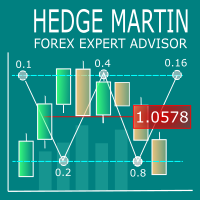
Hedge Martin Expert Advisor restores loss-making positions making them profitable by opening an opposite position with an increased lot.
Trading strategy The EA works on a trend market selecting the appropriate curency pairs. The robot trades depending on the previous candle direction. The first order is set according to the following rules: If the previous candle is bullish, the EA opens a buy order; If the previous candle is bearish, the EA opens a sell order; If the price goes in unfavorable

NIZMA is a ready-made trading system, that is the most efficient on the EURUSD, AUDUSD and GBPUSD currency pairs. The best timeframes are M5 and higher. The system shows the market entry points in the form of arrows, and also displays the information on the strength and direction of the trend. The signals are easy to interpret. It is suitable for both novice and professional traders. With the properly selected settings, it gives the minimum number of false signals. In tests, this number did not

Breaking News Expert Advisor is a state-of-the-art news trading system. The EA analyzes the market during the most critical news announcement periods and determines the entry levels based on the finding of price fluctuations during that periods. The direction of the trade is determined by the EA's clever adaptive system. The unique clever way the EA auto-manages your trades cuts drawdowns to the minimum enabling you to start with a low balance like $50. The EA has a minimum set of inputs for sim
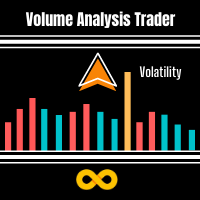
Volume Analysis Trader looks at volume using a fixed average of volume. This averaging helps spot when volume is rising or declining. Also I have added volume spikes which are when volume suddenly is above the average. These help spot market reversals. This will hep a trader look for the following in their trading: Rising volume during a rally shows trend is strong. Falling volume on a rally shows trend is weakening. As a rule of thumb on daily charts if current volume is higher than yesterday's

The indicator identifies the trend change points. Does not redraw. Calculation is done on an active candle. Lines crossing is used as a trend change point. If the price is above the two lines, there is an uptrend. If the price is below the two lines, there is a downtrend. The indicator allows you to accurately enter the market during a trend change. It can also be used in custom strategies on a detected trend. 3 modes of notification on trend changes. Sound, arrows, sending push-notifications. I

Unity Basket WPR (William's Percent Range) indicator combines serveral pairs' WPR to a combined basket of your defined base currency. This gives you clear trading signals along with potential TP and SL. Use the indicator along with other indicators, like ATR, to avoid flat market situations and an indicator showing you the overall trend like an MA (50). Trade with the trend.
Settings Basket pairs - comma separated list of pairs (default: EURUSD,EURJPY,EURCHF,EURGBP,EURNZD,EURCAD,EURAUD) Period

TCD (Trend Convergence Divergence) is based on the standard MACD indicator with modified calculations. It displays the trend strength, its impulses and rollbacks. TCD consists of two histograms, the first one shows the main trend, while the second done displays the impulses and rollbacks. The advantages of the indicator include: trading along the trend, entering the market when impulses occur, trading based on divergence of the main trend and divergence of the rollbacks.
Input parameters Show_S
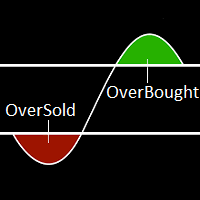
The term Overbought describes a period of time where there has been a significant and consistent upward move in price over a period of time without much pullback. The term Oversold describes a period of time where there has been a significant and consistent downward move in price over a period of time without much pullback. Because price cannot move in one direction forever, price will turn around at some point. This indicator will show a Magenta arrow in case of Overbought condition and Aqua ar

Risepanel helps you open positions, close positions and analyze currencies. It works any time frame. For calculations to be correct, your account currency must be USD, EUR or GBP.
Features Market information. Orders and Pending Orders (Stop & Limit). 8 kinds of Pending by trend line. Specifications and Margin Calculation Required by Buy or Sell. Calculate and determine Stop Loss by pip, currency pair price, monetary value and percentage of risk. Calculate and determine the take profit by pip, t
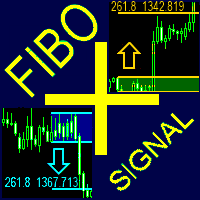
The FiboPlusSignal Expert Advisor. Automatic and manual trading on any instrument (symbol) and on any chart period. The operation algorithm is based on: Fibonacci retracement (5 different methods); calculation of trend direction using 14 indicators; support and resistance lines; horizontal support/resistance levels. Additional features: locking of orders (instead of setting stop loss); trailing stop based on Fibonacci retracement; alert system; visual panel for opening orders in manual trading –
Plotter is an indicator that was created during the ICT mentorship to make charting quick, easy and fun for everybody. Assign a function to any hotkey in indicator settings or use the default keys to perform smart actions that usually takes a lot of time to perform. Click on any bar, press OHLCMBVPOKJH to plot objects, color them with keys 0-9 or modify them with keys ERAZ and much much more. Indicator settings are described below. CHART SETTINGS gmt_offset auto -23 - 23 daylightsavings= set dst

OneClick Trades Panel Basic is a utility software created to open and also manage the open orders by closing each trades accordingly right from your charts. This version has few buttons and they are to open Buy and Sell trades, and also buttons to close Buy, Sell and all orders (both Buy and Sell) simultaneously. This is a basic version with minimal features.
Features Buy - button used to open a Buy trades. Sell - button used to open Sell trades. Close Buy - button used to close Buy trades. Clo

Project Future is a professional arrow indicator with notification functions (alert, email, mobile). Advantages of the indicator Suitable for scalping and intraday trading. Simple and easy indicator configuration. Works on all timeframes. Does not redraw. It can be used in any financial markets: FOREX, CFD, binary options, stocks. It can be used as a stand-alone tool or in conjunction with other indicators. Sending signals to email and mobile devices.
Recommended symbols USDCAD, USDJPY, GBPUSD,

This Expert Advisor is a combination of different Forex strategies. Hedging - The use of this strategy is two-fold. First, it used to minimized drawdown of losing trades. Second, it is used to lock-in profit of winning trades. Scale-in - This method is implemented to increase profit of winning direction. Averaging - This method is implemented to factor in both winning and losing trades and to make sure if all trades are closed with positive profit.
Environment Broker : The EA can work with ECN,

A mathematical trading system based on the principle of a neural network. It uses more than a thousand of the most stable trading algorithms in its work. Before getting into the general database of algorithms, each block of conditions has passed the testing for stability with the identification of certain market dependencies for that block. A network created in such a way allows the EA to automatically select the most optimal variant of response to the market situation from more than a thousand
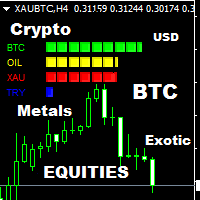
Think of the rarest pair you can think of. And I assure you that this indicator can compute it's strength. This Currency Meter will literally calculate any currency pairs, either it is the Major Pairs, Metals, CFD's, Commodities, Crypto Currency like Bitcoin/BTC or Ethereum/ETH and even stocks. Just name it and you will get it! There is no currency pair this Currency Meter can solve. No matter how rare or exotic is that currency, it will always be solved by this Currency meter which on a real-ti
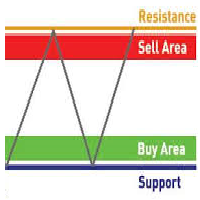
This is a Multiple Time Frames and Multiple Currency Pairs Indicator ( Score Board ) that shows Support and Resistance Levels from all TFs for 15 currency pairs by your choice. Support terminology refers to prices on a chart that tend to act as a floor by preventing the price of an asset from being pushed downward and can be a good buying opportunity because this is generally the area where market participants see good value and start to push prices higher again. Resistance terminology refers to

Algo Mtf is a multi timeframe indicator that can inform you about the situation of the indicators placed on other timeframes. This indicator has the possibility to offer a series of algorithmic calculations such as: RSI, Vortex, MACD, Momentum, Stocastic and ATR. The zones are colored in base of levels of this indicators on the chosen timeframe.
The confluence observation offers excellent operational tips and allows you to identify the trend tendency. The indicator is very efficient and an indis
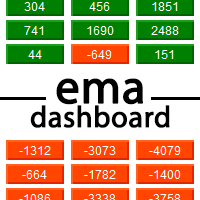
Ema Dashboard is an innovative dashboard that allows you to monitor Moving Average on multiples symbols and different timeframes. This dashboard allows you to analyze information on 28 pairs on an unique chart. Its functionality includes analysis of All Time Frames. This configuration allows you to identify the Long Term Trend with extreme ease. This panel allows you to take very important directional movements. A click on button opens a new chart (symbol and timeframe).
Graphic Object Symbol l
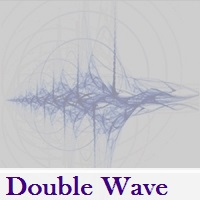
Double Wave applies standard indicators, volatility, volume and a number of custom approaches allowing for efficient combination of all mentioned tools. The indicator allows you to define possible price reversal points both in the direction of a trend (preferable) and against it. Also the indicator assists in determining the trend and visualizes it by displaying a histogram. The indicator works with any symbol provided that you have sufficient history data for a timeframe the indicator is launch
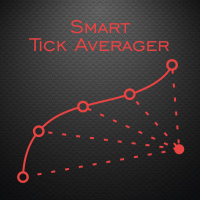
The Smart Tick Averager Expert Advisor is a cost averaging system, based on the analysis of the tick data. Smart Tick Averager finds a short-term trend impulse and attempts to capture a part of the rollback. In case the movement continues in the impulse direction, the EA chooses a moment for opening additional trades according to the grid step. It applies a filter, which minimizes the probability of falling into a strong trend movement. It also uses a filter of the segment, taking its amplitude

Url Watermark is an handy indicator that allows you to see the name of the financial instrument, the time frame, and the website link on chart. Very simple to use. You can also add your web site Logo image. Note : the size of the bitmap must be the same as the input, otherwise the picture will not be loaded It allows a full customization to fit the indicator to any type of chart.
Input Values LOGO SETTINGS Logo file name (.bmp): example "\\Images\\MyLogo.bmp" (attention: leave the correct folde
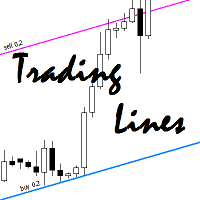
This utility is an Expert Advisor for semi-automatic trading within a price channel. It enters the market when the price crosses the channel boundary. Trend lines with a special type of description should mark the boundaries of the price channel. Trader is responsible for creating and aligning such trade lines on the required chart. The lines should be placed according to the same rules the "buy limit" and "sell limit" pending orders are placed. A trend line with a description of type "buy x" (w

Perfection is a multicurrency, fully automated and secure trading robot. The robot is designed for both portfolio trading and trading a single instrument. The EA does not use averaging methods, the volume of positions is strictly regulated. Orders are opened only in the direction of market movement in a grid. Due to this, the robot operates efficiently on any strong movements. The decision making algorithm does not use indicators. Instead, the robot automatically calculates the key levels, which

Stochastic Trend Bars indicator is the modified version of the standard stochastic indicator. This indicator is different from the standard stochastic indicator and turned into a trend bars indicator. Added visibility to understand trends. Easy to use and simple. The user will easily detect trends. You can use this indicator as a trend indicator on its own. Or as a trend filter along with other strategically relevant indicators. Easy to use and simple to understand trends.
Suggestions and Featu

Pivots Dashboard is the single most complete instruments set for Pivot Points trading currently available in the market. We have done a comprehensive research prior to the product design to make sure that this product meets every need of Pivot Point trading. Pivots Points are significant levels technical analysts can use to determine directional movement and potential support/resistance levels. Pivot Points are thus predictive or leading indicators. While the points were originally used by floor

What Trades Manager can do for your trades . Collect all order positions into one chart (pict. 1). All orders will be grouped by pair symbol , sum of order positions, lots, running pips, and profit/losses. All orders will be summarized and displayed at the bottom of the panel. You can set target profit, stop loss and placing stop-profit automatically to each order (pict. 4). From one chart, it will be easier to monitor and manage all orders without moving to another chart. The green color is sur

The Grid Trader Expert Advisor is a very special algorithm that allows traders to benefit from sideways markets. It trades long and short sides separately and creates two different grids according to its setting. Each side has its account and virtual take profit, determined in money. EA also uses virtual stop loss based on the account's percentage amount. Traders can work with a classic grid where the distance between orders is fixed or choose a more "adaptive" dynamic grid with ATR-based d

SimpleEA is an automated Expert Advisor based on candle pattern for EURCHF. The EA does not use indicators. The entry is based on this unique pattern and the EA automatically close the position on specific spot. Option is added to manually add TP and SL levels, but that is not needed. This pair is chosen due to the range it follow and this EA require a Broker with average spread on EURCHF up to 1 pip. WARNING: Please note, the below results are with EA auto TP and no SL. This EA may be risky, pl

The Fishing Scalper EA is a fully automated scalping Expert Advisor. It trades oversold and overbought conditions in the market. It uses smart algorithms to adapt to the market. This EA trades both long and short positions at the same time. The trader should know when to activate and deactivate the EA. Do no trade this EA during major news events.
General Advice Use EURUSD M1. Use leverage 1:400 or higher. Use an ECN broker. Use 0.01 lots per 1000 EURUSD. For every 1000 EURUSD extra, 0.01 lots

The fully automated Yellow EA works on short-term trend changes creating the price "corridor" set in the parameters. Trading is carried out at the external borders of this corridor by opening positions in different directions with different lot sizes.
Version of Yellow Expert Advisor for MetaTrader5 .
The strategy is simple, but effective.
Presence of a sufficient number of parameters allows trader to customize the advisor in accordance with his trading style.
Telegram: https://t.me/realfor

MetaTrader 5 version available here : https://www.mql5.com/en/market/product/24882 FFx Basket Scanner is a global tool scanning all pairs and all timeframes over up to five indicators among the 16 available. You will clearly see which currencies to avoid trading and which ones to focus on.
Once a currency goes into an extreme zone (e.g. 20/80%), you can trade the whole basket with great confidence. Another way to use it is to look at two currencies (weak vs strong) to find the best single pairs
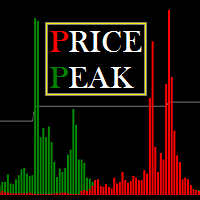
Price Peak is designed to search for extremes, places where the price is likely to reverse and the current trend is likely to change to the opposite. The indicator is suitable for any currency pairs. However, for the indicator values to be displayed adequately, it is necessary to have sufficient history data for the timeframe the indicator is attached to. It is recommended to attach Price Peak on the timeframes from M1 to D1. Its calculations use 7 methods, which are selected by a certain parame
DStochastic is an improved version of the classic Stochastic oscillator with an added moving average. The indicator dampens the market noise, determines the direction of the market and reduces the number of false signals. We have also added a function of multicolor signal line display of increase and decrease by means of dots. The blue dots indicate the development of an ascending trend, the red dots - descending. Similar to all standard oscillators, DStochastic can be combined with all trend in

CME Daily Bullettin Open Interest provides the data on the open interest of futures contracts on the CME for your charts. Open interest is a special type of volume, that shows how many contracts are being held by the market participants at each moment of time. This type of information is available only in futures markets. But now, with this indicator, you can also analyze these data when trading the spot markets, such as FOREX. In addition, the indicator provides data on the open interest for th

Trend reversal indicator. This indicator is based on expected value, as well as the Bollinger Bands and Ichimoku Kinko Hyo technical indicators. A trend reversal is determined by a complex mathematical formula, and its confirmation is based on the values of BB and the Ichimoku cloud. Signals are generated at the peak of a trend reversal, i.e. Trend Arrow Finder identifies the beginning of a new trend and the end of the previous trend. When a new candle opens, a signal for opening positions (buy

Instructions Attach the indicator to any chart (advised H4) Use input tabs (defaults are 5 and false ) Press ok and continue trading.
Description The indicator uses a kind of pattern breakout strategy to help your trading strategy. I am using this strategy on H4 charts for many of pairs with a trailing stop and default indicator settings. Better results are shown on USDJPY, EURJPY, CADJPY, EURGBP, EURUSD, USDCAD, USDCHF, NZDUSD and GBPUSD.
Trailing stops should be different for each pair. The b

VR Black Box 는 MetaTrader 4와 MetaTrader 5용 자동 트레이딩 전문가 어드바이저로, 모든 초보자의 가장 큰 문제를 해결해 줍니다. '매수할까, 매도할까?'라는 끊임없는 고민에서 해방시켜 주고, 연속적인 거래 사이클을 스스로 유지합니다. 로봇은 시장을 맞히려 하지 않습니다. 항상 가격 움직임의 편에 서며, 가상 '비밀' 레벨 , 트레일링 스톱 , 잔고 관리 가 가장 세심한 트레이더의 손보다도 더 확실하게 예금을 지켜 줍니다. 설정 파일(set files), 제품 데모 버전, 지침 및 보너스는 [블로그] 에서 확인할 수 있습니다 제품 고유 기능 상세 분석 VR Black Box의 가장 큰 특징은 트렌드 원칙과 유연한 실행 아키텍처의 결합입니다. 일반적인 트렌드 로봇은 '매수할까, 매도할까?'라는 한 가지 질문에만 답합니다. VR Black Box는 훨씬 더 중요한 두 번째 질문에도 답합니다: 진입 후 포지션을 정확히 어떻게 관리할 것인가 . 초보자들이 가장

The Stochastic Oscillator is a momentum indicator that uses support and resistance levels. The term "stochastic" refers to the point of a current price in relation to its price range over a period of time. You can use a New Stochastic in the same way as classical one: Overbought and Oversold areas to make a Buy or Sell orders. This new indicator shows all variety of Fibonacci Levels (from 23.6 to 76.4) which can be used as Overbought and Oversold levels as well as points to close an open positio

"Virtue" is a fully automated Long term Expert Advisor. It calculates market condition itself and decides to enter a position. "Virtue" needs patience that is the why its name Virtue. Patience is a virtue. You must be patient to make some Money. You have to wait for it to find optimal conditions to open an order. It will be enough to just install it on the platform. No need to optimize many parameters. Expert is optimized for EURUSD H1 timeframe. First download demo and test it for your broker.
This indicator is the logical continuation of the well-known equidistant channel indicator: https://www.mql5.com/en/market/product/8723 . The main purpose of the indicator is the visualization of price levels relative to the parallel channel using Fibo Bobokus levels in a separate window and the price history. This often allows forecasting the future price movement with a sufficiently high degree of probability. The Fibo levels calculation equation is as follows: FiboLevel = (50-(100*((Close[i]-

Determining the current trend is one of the most important tasks for a trader regardless of their trading style. Price Direction is able to define a trend with a fairly high accuracy. The indicator applies the proprietary method in its calculations. Price Direction is suitable for any currency pair and timeframe. It does not change its readings. The indicator is based on volatility and the unique method. The histogram color depends on the current trend strength - the darker the histogram, the st

FastMove is a panel with 5 buttons, a notification area and a text entry. Its goal is to enable quick and simple execution. Buttons: MOVE - Move the interface BUY - Start of buy process SELL - Start of sell process L - Select quantity of lots % - Select quantity of percent of balance Areas: Notifications - This area displays notifications of the various states of the program and the commands sent. Text input - Here you enter the number of lots or the percentage of risk capital depending on the o
FREE

The DoubleEverest Expert Advisor is a pure, distilled idea. This automated EA follows its own unique mathematical algorithm. DoubleEverest : no indicators no martingale, locking, averaging, other risky money management techniques trades every day DoubleEverest catches the price in the European and American sessions. Considers the volatility and dynamics of the market. DoubleEverest places pending orders on the price extremes: of the past and current day, fractals, significant resistance and supp
So incredibly useful, once you use it you will wonder why it's not built into MT4! The most advanced candle countdown and custom timer alert indicator for MetaTrader 4. Successful trading strategies all have one thing in common: they all rely on a candle closing before deciding what action to take. Action, reaction. Unfortunately, in MetaTrader 4, unless you have your eyes glued to the screen 24/5, it is so easy to miss amazing trading opportunities simply because you weren't looking as the cand

This utility is a functional panel for manual trading. A special feature provided by the panel is the possibility to choose the stealth mode, in which operation is invisible to the broker! In this mode, a trader can open one sell and one buy order (in future updates, the number of orders will be increased). Any number of orders can be opened in the normal mode. In the assistant parameters, you can set stop loss, take profit, trailing stop, etc. In addition, you can control drawdown and limit it

WPR by Profile, or WPR for Professionals Geo_WprPro is one of the well-known currency profile indicators. It simultaneously displays two WPR indicators with different parameters in the matrix form on all timeframes of multiple currency pairs forming the currency profile . As follows from the description, " WPR is a leading indicator that often goes ahead of the price chart. The oscillator frequently reaches extreme values before the price reversal as if anticipating that event: it almost always

Multi Exposition Meter makes your multi instrument exposure clear and readable, no matter how complicated and hedged it is. It does the following: It measures which instruments are traded against which ones in any moment. Measures the exposure share (weight) of each instrument, regarding its volume. Measures total volume, volume at risk and hedged volume. It measures the factor of diversification of the exposure. It calculates the amount of hedging per each instrument, in percent. Shows spread c

The Expert Advisor itself uses anomalies in momentum to identify short term bursts within the market to capture profit. With the use of the standard deviation and variance, the EA looks for changes in the Average True Range in order to place trades at peaks and troughs within the market that have the highest probability of establishing a new trend. It uses a number of different mathematical principles as well as embedded custom indicators. When using this expert advisor, there are four require

This Expert Advisor focuses on trading candle spikes. A position is opened if the market starts a correction after generating a large spike. This consolidation is used to enter a trade before an upcoming momentum. TakeProfit and StopLoss are calculated and set by the robot for each position based on the current volatility. Your advantages with this system: No martingale, no scalping & no hedging. Backtest results since 2013. Risk calculation: You can enter your dollar loss. The lot size will be

Close Assistant (CA) is a full featured utility for monitoring and closing a set of positions placed by trader or EA. It closes filtered orders in specified time or level or candle patterns or when a certain profit or loss of the total positions is reached. CA uses Zero Profit Lock function to save deposit when total profit falls to zero. Profit and loss levels can be set in fixed amount of account currency or percentage of balance or equity or margin. CA only monitors and works on filtered po

This type of EA does not open orders itself. (in backtest mode it open random orders for visualizing, how EA works) This utility is for manual trader, who like trading with Trailing Stops and want automatically trail stop loss of opened positions by preferred algorithm. This EA using one of the seven algorithms (MA, Fractals, SAR, ATR, Movement of Candlesticks, Profit and Points) to catch the trend. You can specify a breakeven level to move stop loss of your opened positions. You can filter ope

Best and worst Dashboard was born from the idea to have a panel that includes all the symbols in a chart. It is very importance to understand which symbols are both positive and negative. In the past, we realized the single indicator Best and Worst ( https://www.mql5.com/en/market/product/11784 ), now thanks to the upgrading of the Metatrader the dashboard displays all the instruments simultaneously. A great revolution. This Dashboard is able to calculate performance at any time frame and clicki
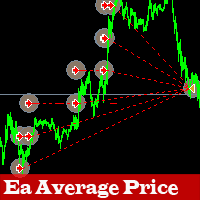
The Expert Advisor relies on a grid strategy and identifies a strong trend. It can also work on all pairs with a minimal spread. The EA uses average price deals, users can install martingale, hedging and scalping.
This is an automated system that is optimized and ready to use. The configuration is simple.
Recommendations Deposit min 1000$ or appropriate cent account Use a small spread
Parameters MagicNumber : unique (magic) number of the EA TrailingStopLoss: as a position gains in profit, a st

Leo Trend is a signal indicator that shows the market entry points, as well as the trend direction and flat on the chart in the form of arrows and lines. Leo Trend will be useful both for beginners creating a trading strategy, and for professionals to integrate into ready-made trading systems. Leo Trend works without redrawing and without significant delays. The operation of the indicator is demonstrated in the video. In addition, you can test this indicator in the strategy tester free of charge

BcWm is an Expert Advisor working based on some of the most accurate price action classical patterns related to trend change. This EA can be used on all currency pairs on H1 and H4 timeframes. You can use this expert advisor on more that one pair at the same, diversify and reduces exposure to a single pair or on individual operation. Please note this is not fast making money but rather generating longer term signals on higher timeframe, so it will not open trades every day. This is NOT martingal

Accelerator_EA is an Expert Advisor using a trend strategy based on the indicator AC-Complete (www.mql5.com/en/market/product/24613). "Acceleration/Deceleration Technical Indicator (AC) measures acceleration and deceleration of the current driving force. This indicator will change direction before any changes in the driving force, which, it its turn, will change its direction before the price. If you realize that Acceleration/Deceleration is a signal of an earlier warning, it gives you evident a

This EA is working based on our Shark indicator ( https://www.mql5.com/en/market/product/22786 ). After forward testing this EA for more than 2 months and publishing live signals on our Telegram channel https://t.me/SharkChannel , we received so many positive feed-backs from the clients. Therefore, I decided to put this simple but nice EA on the Market! The robot is multi pair and multi timeframe. So it can monitor several instruments on different timeframes to find shark patterns and then trade

MAJOR CHANGES HAS BEEN MADE. Parameter description will be changed. EXPECT ANOTHER UPDATE BEFORE JUNE ENDS.
PRICE WILL GO UP AFTER THE FINAL UPDATE.
True Currency Meter with Email and SMS push notifications! Have you ever wondered why would some pairs would move more than others, and 100 pips on EURGBP is bigger than 100 pips on EURUSD? And during the news, some would move 200 pips but some would only move 150 pips? This is the key to the newly developed "28 pairs" True Currency Strength Meter

Challenger EA is a fully automated Expert Advisor. The EA is a medium-term scalper. Our EA has been created to work confidentially. So, it can close orders with actual account currency value at profit or loss. Also works with stop loss. The EA's strategy has been improved to make reasonable and low-medium risk profit. But, you can also increase your risk, although we do not recommend doing that. The EA opens trades when these events occur; The EA searches a main trend. Then, waits for a medium t

Combined SCCC is an all in one Expert Advisor. The EA combined 4 expert advisors. Our EA has been created to work confidentially. So, it can close orders with actual account currency value at profit or loss. Also works with stop loss. The EA's strategies have been improved to make reasonable and low-medium risk profit. But, you can also increase your risk, although we do not recommend doing that.
Combined SCCC Combined these EAs; Secret Scalper EA - https://www.mql5.com/en/market/product/24112
Scalper X indicator is very simple but powerful indicator. This is a very useful indicator, combined with a panel for fast trading will give you many satisfaction. This indicator can be used in any currency pairs and on any time frame, It fits at every speed of trading. Moreover, it's relatively easy to trade with Scalper X Indicator. This indicator produces two signals: BUY Signal: arrow aqua SELL Signal: arrow red
Indicator parameters Signal Gap - the gap value that produces the signal Colors
The main idea is the distribution of the balance to trade a large number of foreign exchange instruments. This allows tracking a larger number of price movements in the market. It uses the CCI (14) indicator on the timeframes H4 and M5 , as well as a spread filter.
Hardware features: It is attached to one window of a currency pair (any), but monitors all instruments available for trading in the terminal. Does not require vast CPU resources, because it uses sequential analysis algorithm. It can
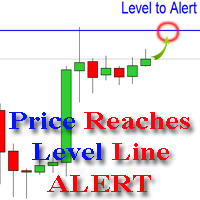
The indicator alerts you when the market price crosses your line level (adjustable). You can change color, thickness and default pip distance for the line via the parameter in input tab (see the screenshot and video below).
Parameters line_color : color for the line to be drawn line_thickness : thickness of the line sound : name of sound file if you want it to play at crossing time default_distancepip : at the first times you add the indicator on chart, it will use this param to draw the line w
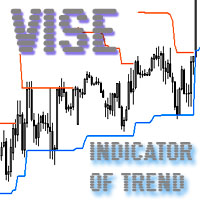
Vise is a trend indicator. The upper and lower lines follow the price showing the prevailing price direction. Frequent breakthroughs of the upper line indicate a bullish trend, while frequent breakthroughs of the lower line indicate a bearish one.
Parameters Points for UpLine - initial number of points for the upper line; Points for DownLine - initial number of points for the lower line. During the breakthrough of the upper level (line), this level shifts upwards by Points for UpLine. If the up
MetaTrader 마켓은 MetaTrader 플랫폼용 애플리케이션을 구입할 수 있는 편리하고 안전한 환경을 제공합니다. Strategy Tester의 테스트를 위해 터미널에서 Expert Advisor 및 인디케이터의 무료 데모 버전을 다운로드하십시오.
MQL5.community 결제 시스템을 이용해 성능을 모니터링하고 원하는 제품에 대해 결제할 수 있도록 다양한 모드로 애플리케이션을 테스트할 수 있습니다.
