 MetaTrader 5
 Experts
 지표
지표
 라이브러리
라이브러리
 유틸리티
유틸리티
 위젯
위젯
 규칙
규칙
MetaTrader 4용 Expert Advisor 및 지표 - 320
 트레이딩 로봇은 자동으로 시장거래를 수행하는 반면 지표는 가격을 더 잘 분석하고 가격 행동을 예측할 수 있게 해줍니다.
이러한 어플리케이션을 사용하면 MetaTrader 4에서 더 많은 기회를 포착하는 동시에 보다 정보에 입각한 방식으로 거래를 수행할 수 있습니다.
트레이딩 로봇은 자동으로 시장거래를 수행하는 반면 지표는 가격을 더 잘 분석하고 가격 행동을 예측할 수 있게 해줍니다.
이러한 어플리케이션을 사용하면 MetaTrader 4에서 더 많은 기회를 포착하는 동시에 보다 정보에 입각한 방식으로 거래를 수행할 수 있습니다. 
Foreign Currency Robox EA - the robot was created for traders who trade EURUSD. The default settings in the robot are for EURUSD. If you wish to trade on a different currency pair, you need to select other parameters in the settings of the robot. With the help of the new Stels_FX function, this robot is able to accurately determine the current price direction and predict the future trend direction. This robot is able to automatically adapt to the current market conditions using the averaging coe
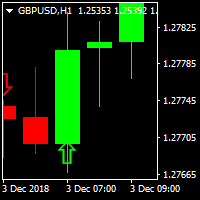
PIPs Forecast Indicator A traders perfect tool to catch big pips in the market One of its kind indcator that gets you in the game early enough
Supporting Multi-Currencies Works on all time-frames but if you're not a scalper stick to H1,H4,D1, W1 and MN for good results. Comes Pre-configured to ensure consitency Can be used alongside other indicators to avoid accumulation regions and Asian session ranges. For details, MT5 and EA questions feel free to contact me on elllykamau@gmail.com
Now with
(Currently 30% OFF)
Before reading the description of this indicator, I just want to introduce to you following concept Moving Average Line - Typical moving average which is based on one chart alone. Currency Strength Line - The moving average of a certain pair in which the strength is based on 28 pairs. Can be said as the real moving average line.
Moving Average indeed is one of the most popular indicator which almost every trader use. Currency Strength Meter is also a trend indicator which

EZT_Ichimoku_MTF
Multitimeframe Ichimoku indicator. Display up to 4 different Ichimoku on the chart. Every line of every ichimoku is customizable, you can turn off/on or choose different thickness or color. You can choose to see only the cloud in multiple ichimokus.
Optional info panel to identify the different Ichimokus. Works the same way like the original Ichimoku indicator.
Auto Open Close Magic RSI.
Auto Open Close Magic RSI , это Робот открывающий и закрывающий ордера по значениям индикатора ( RSI Magic Kjuta ). Рекомендуемый период для установок по умолчанию М15. С советником можно загрузить RSI Magic Kjuta или RSI Magic Kjuta trial . Не забыть сделать настройки такие же, как в советнике. Скриншот за прошедшие полгода. С 500$ до 16000$ 3200%.
slip=3; Проскальзывание Lots=0.2; Объем step=120; Минимальное расстояние до открытия следующего ордера Magic=123456;

Strong Scalper Pro by LataLab - scalper Expert Advisor is based on the author's formulas for analyzing volatility and the strength of price movement. This allows the flexibility to determine global and local trends in the market and their correction, to obtain the most accurate entry points. All of the basic algorithms of the adviser have passed multiple tests on historical data over the past 10 years, the principle of operation is maximally adapted to the dynamics and volatility of today's mark

What is InvisibleStopLoss? InvisibleStopLoss is a tool designed to allow the trader to hide his/her stop loss from other market participants. Unlike the usual stop loss attached to an order pernamently and visible to the broker, InvisibleStopLoss exists only on the MT4 termina l side and is visible only to the trader.
How to use it in trading?
With the help of the InvisibleStopLoss you can hide your stop order from the broker and set it up as a normal stop loss.
Additionally, InvisibleStopLos
The dashboard should help to get a quick overview of the correlations of different assets to each other. For this, the value series are compared according to the Pearson method. The result is the value of the correlation (in percent). With the new single asset mode, you can immediately see which symbols have the highest positive or negative correlation. This prevents you from accidentally taking a risk on your trades with highly correlated symbols. Usage
There are different methods for the corr

A unique author's strategy that simultaneously determines the trend reversal, entry points and estimated profit levels for each transaction. The indicator can determine entry points on any trading period, starting with the M5 chart to W1. At the same time, for the convenience of the user, an arrow is always drawn at a certain point and the recommended profit levels (Take Profit1, Take Profit2, Manual Take Profit) the Stop Loss level is also displayed.
A great advantage of the indicator Trend Sw

MARKET PREDATOR 1 --------------------------------------------------- This powerful and reliable indicator is based on a custom trend following strategy. It does not signal against the obvious trend. No fancy and clouded charts. It is a simple but powerful BUY and SELL signals indicator. It is great for Day Traders and Scalpers too. Each currency pair works better with a specific timeframe so use the recommended timeframes with their respective pairs as below:
PAIR || TIMEFRAME ==
Scalping Binary Option Pro is an arrow indicator that is completely free from repainting . Although it may work incorrectly in strategy testers, its signals remain relevant for real trading. Signals: A red arrow pointing down indicates a selling opportunity, while a green arrow pointing up indicates a buying opportunity. Settings: All you need to adjust are the colors of the signal arrows and the sound alert for signal notifications. Usage Recommendations: It is best to use the indicator on hig

This indicator allows you to analyze the hidden trends and correlations between the 8 most traded currencies via unique strength meter which creates multiple charts in a single window based on the price action of each currency in relation to all other currencies. The indicator also includes interactive panel where you can see the trends for all 28 pairs as well as the distance to the highest and the lowest price for the selected period. With this panel you can switch between currency pairs with
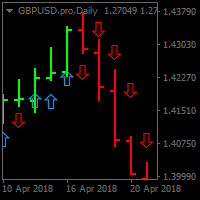
BUY SELL SIG. Utilizing unique price calculations BUY SELL SIG . generates high quality signals Now Features easy to use and Buy and Sell signals for Pro and Novice traders Supports Multi-currency Best results viewed on H1,H4 ,D1 and W1 Timeframes Supports audio alerts and notifications. No complex input parameters just notifications and the indicator style properties
ADR Dashboard for MT4 – Put Price Movements into Context How far has a market already moved today? Is its current trading range unusually narrow or already close to its historical average? The ADR Dashboard helps you answer these questions at a glance – across multiple configurable markets or directly on a single asset’s chart. What Does the Dashboard Show? ADR stands for Average Daily Range : the average difference between a day’s highest and lowest prices. It measures the daily trading range,
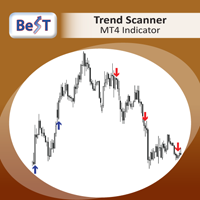
BeST_Trend Scanner is an MT4 Indicator that uses a proprietary algorithm in order to identify the most likely levels and probable moment for an upside or a downside trending price move.
BeST_Trend Scanner is a very useful tool that defines in advance and with a high statistical percentage of accuracy the subsequent Resistance & Support Levels of the anticipated upside or downside trending move of price and so
When used at its Reverse Entries Mode :
It generates Buy or Sell arrows at the ver
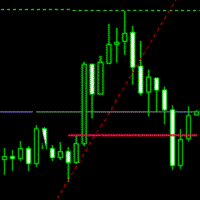
Breakout System This indicator is based on the trend line and breakthrough. Pair: EURUSD, GBPUSD. Timeframe: M15 Or H1. Input Parameters AlertsOn - alert on or off. TrendLine - show trend line. TrendLineStyle - style of trend line. UpTrendColor - color of up trend. DownTrendColor - color of down trend. ShowTakeprofit - show take profits. ShowTakeprofitStyle - style of take profit. UpperTakeprofitColor - color of up take profit. LowerTakeprofitColor - color of down take profit.

This indicator is based on the ADX indicator and gives you safe entry points.
You can customize the indicator to your needs: RISK SSP COUNTBARS
The only condition that has to be met when entering a trade is, that the arrow faces in the same direction as the Adx color candles.
Download the FREE DEMO and test it!
The Acc arrow indicator is compatible with the other part of the system; the fully FREE Adx color candles
>>>> https://www.mql5.com/en/market/product/33768
ENJOY and check ou

This is a Virtual Grid EA with positive (for traders) slippage. I recommend it for pair EURUSD. EA may be use as Rebate generator. Works ok during news and gaps (with depo >1000$). Working timeframe M1 .
Strategy The system does not use regular takeprofits and stop loss. Martingale is not used. EA use unique indicator (for open "Zero"). Monitoring (5EAs)
_ https://www.mql5.com/en/signals/508303 Parameters (one of the safest) Rebate Virtual Grid MM_Type 0 MM: 0-mi

Our strategy relies on a choppy movement on most Forex pairs during the Asian session. Most traders in London sleep when the Sun shines over the Pacific and this results to a very slow movement of GBPUSD pair between 9:00 PM GMT and 7:00 AM GMT. Buy order: Place a buy-stop order just five pip above the upper band. Place a stop loss just one pip below the lower band. Place a profit target at the upper LawnGreen Arrow. Sell order: Place a sell-stop order just five pip below the lower band. Place

Nemo Wave is a fully automated Expert Advisor with no use of martingale. It s base on Trend Averaging Strategy.
Set File : https://drive.google.com/open?id=1zZm8UgoiKEViWFJv_xCcv98HMpnWHu8W by Stunning EA ( www.stunningea.com )
General Recommendations The minimum deposit is 10,000 Cent or USD1,000, recommend pair USDJPY or any pair with JPY . Use a broker with good execution and with a spread of 1-4 points. A very fast VPS is required, preferably with a latency of no more than 10ms.
T
In statistics, Regression Channel is a approach for modelling the relationship between a scalar response (or dependent variable) and one or more explanatory variables (or independent variables).We Applied relative strength index(rsi) values to develop regression models of various degrees in order to understand relationship between Rsi and price movement. Our goal is range prediction and error reduction of Price divergence , thus we use Rsi Regression

The REVOLUTION Great Achiever FT - AUTO 1000 POINTS / 10 % ANOTHER EXCELLENT EA FOR YOU TO CONSIDER USING IT TO GROW YOUR INVESTMENT !!! THE REVOLUTION Great Achiever is suitable for the investors who want to have a simple and ready to use Expert Advisor (EA). This fixed EA Setting is modified and created from The REVOLUTION Simple Trade which has free customized Setting or Strategy Build EA which is suitable for experienced/advanced traders who have many ideas and strategies innovated system
Intra Day Pivot Trader Irrespective of price fluctuations, there will always be a pivot and price will always rotate about its pivot. This EA is designed to search for daily trading opportunities ONLY WITHIN THE FIRST & SECOND PRICE LEVELS - below the Resistance Level 2 (R-2) and above the Support Level 2 (S-2). Settings Descriptions Transience - This is the period for trade decision making in the specified time frame of the price chart. Entering a Zero (0) value means that the 'said' time-fra

Piramid Machine is a tool supporting manual trading, allowing for a radical increase in profits. Principle of operation: The trader must open the first position himself. In the "Auto_size_position" mode, the robot will determine the size of the item based on the assumed risk risk "Risk_perc" and the automatically set SL level. The SL level is defined as: for position "BUY" = Lowest - V_BE_buffer, The Lowest level is defined as the lowest level of the candle number "V_BE_candles_back".
for the "

This expert advisor is based on a classic system built on few and effectiveness technical indicators. Main signal is obtained from MACD indicator, the signal is then filtered on Relative Strength Index (RSI) indicator and also a third indicator such the Stochastic oscillator. The EA also deal with Stop Loss and Take Profit levels, in order to keep risk and money management under control. Every trade is closed by trailing method, with input parameters to choice trailing stop level. System is simp

HEDGING AND TRAILING https://www.mql5.com/en/users/earobotkk/seller#products This Expert will hedge your trade position automatically. There are 2 buttons on chart for you to enter a trade. Blue button for buy entry and Red button for sell entry. It also can trail stop all hedged positions. It can also open its own trades with auto entry feature. How It Works : (1) By Clicking Button. When you found a setup, click the button (blue for buy and red for sell). Expert will immediately open a stop

The Expert Advisor builds a grid of orders at prices near support or resistance levels. Entry points are calculated by the EA using the author's algorithm and based on a variety of factors. The EA uses several time ranges for analysis. The built-in trend filter allows to make more accurate entries with a greater likelihood of closing them with profit and thus reducing the number of simultaneously open orders. All orders are closed upon reaching the expected profit. Through the use of TakeProfit

This indicator is a tool to show history orders on chart. Indicator show open time and price, close time and price and profit in pips on chart. It can to help the trader to see all history orders which are opened either manually or by an automated system.
You can to use indicator on any symbol and any time frame.
You can to get the source code from here .
Parameters
Delete Objects If Terminated Indicator - Delete objects of chart if terminate indicator. Size Fonts Of Info On Chart - Size of
FREE

Pivots Channels Breakouts presents 16 different formulas for Pivots Levels. It draws each one of them and also draws specific channels, trend histograms, and SL/TP levels derived from them . It includes commonly used formulas as Classic, Woodie, ATR, Fibonacci, Camarilla and Demark Pivots, and also presents never seen before formulas based on the Padovan mathematical sequence. Price often reacts at Pivots levels, and at Resistances (R) and Supports (S) of these formulas. That is why a lot of tra

Time Bubble ***Specialized for GBPJPY 1H time frame***
(tested for two years with success rates about 82%)
Time Circle's smart algorithm detects the price circles with time . give strong signals at the right time as result of combine the price and time.
our team spent months to develop this indicator specially for GBPJPY ..with high success rates about 82% win trades over two years .tested from December 2016 to November 2018.
*** in last two years total signals 1012 with 829 Wins and 183 Lo

This positions risk visualization indicators, indicators allow you to clearly know price go back will be generated how much account Loss Percent. This is very useful indicator for Controlling Risk when account is open positions, attach this indicator to the chart of the open positions, this indicator will draw three Lines, the three Line of Loss Percent default value is 10% 30% 50% user can define their own Loss Percent value. Loss Percent corresponding Back Point will show in the upper
Moving Average Crossover Alert
This indicator uses two moving averages, fast MA1 and slow MA2, to indicate a change in trend or direction of movement.
You change the default MA's, one fast and one slower, to your preference.
An alert and a notification is sent once MA's cross each other. Note: you can change the default settings of the 2 moving averages.
I hope you will find this indicator very useful, as I do.

Santa Scalping is a fully automated Expert Advisor with no use of martingale. Night scalping strategy. The SMA indicator filter are used for entries. This EA can be run from very small accounts. As small as 50 EUR.
General Recommendations The minimum deposit is 50 USD, default settings reccomend for eurusd m5 gmt +2 . Please use max spread 10 if you will not have orders change it to -1. Use a broker with good execution and with a spread of 2-5 points. A very fast VPS is required, preferably w

Advisor "Orders Assistant" is designed to control the positions and orders that are opened manually by the trader. The control is performed by automatically placing TakeProfit and StopLoss orders after the position is opened by the trader, or setting a pending order and further tracking the position using the services “Transfer StopLoss to breakeven” and “Trailing Stop”.
The Expert Advisor also provides the ability to install virtual TakeProfit and StopLoss, which allows you to use scalping str

Hedge Guru is a full automated Expert Advisor that can work on all timeframes with all currencies . 1 Hour timeframe and major currencies recomended. It simply uses the combination of martingale and hedging strategies with stop loss to reduce the risk. MaximumLevel Parameter defines the point to close an order with loss.
Attention:
For targeting more profit with HEDGE GURU , using high lot size is not recommended, for targeting higher profits, HEDGE GURU should be used on multiple currencies
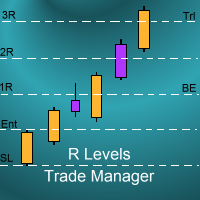
Introduction
The SDS_TradeManager EA is a powerful EA designed to manage your positions once you have been filled. It basically works a break-even stop and also a trailing stop where the trigger levels and trail levels are all specified in "R's", that is to say multiples of the initial trade risk. Many successful professional traders think about all their trades and profit taking in terms of multiples of the initial risk R. So for example, if your initial risk on your trade is 50 pips and you wa
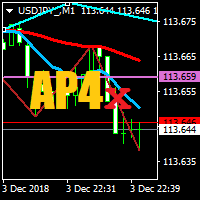
Trend Zone Break Alert
This indicator uses two trend lines, T1 and T2, to create a trend channel. You can move these trend lines anywhere on the chart in order to create your Trend Channel Zone, T1 must always be above T2.
An alert and a notification is sent once the zone has been broken.
Alert:-
If the alert is set to true, then when a candle closes above T1 or below T2 an alert will be sent.
If the alert is set to false, then when the Moving Average moves above T1 or below T2 an alert will
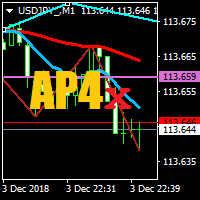
Horizontal Zone Break Alert
This indicator uses two horizontal lines, H1 and H2, to create a horizontal channel. You can move these horizontal lines anywhere on the chart in order to create your Horizontal Channel Zone, H1 must always be above H2. An alert and a notification is sent once the zone has been broken.
Alert:-
If the alert is set to true, then when a candle closes above H1 or below H2 an alert will be sent.
If the alert is set to false, then when the Moving Average moves above H1 o

Snake Wave Strategy: This is a Hedge expert, it relies on RSI for an entry ( Above RSILimit ;Buy, Below RSILimit ;Sell). it starts by opening the corresponding order with an ( InitialLot ) ,setting ( FixedTPSL ) as stoploss and takeprofit equally, and setting an opposite pending order based on the percentage ( DifferencePercentage ) assigned on the ( FixedTPSL ) variable and so on with multiplication of the lot using ( LotMultiplier ). Example : Ask : 1.2222 , Bid : 1.2220
First Order : Buy at 1

Hedge Expert : Its a simple Hedge technique gives you the ability to control entry points with a click of a button. When you hit Start the expert opens two orders, one buy and one sell according to the settings in the dashboard ( Lot , SL , TP). when you hit Stop, all of opened orders will be closed.
When one of the orders closed to stop loss ( i.e Buy order) the sell order will adjust its stop loss according to a variable called (SL_Adjust), setting a new stop loss at (Sl_Adjust) pips away fro
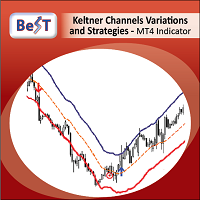
BeST_Keltner Channels Variations & Strategies is an MT4 Indicator based on the original Keltner Channels Technical Analysis Indicator and it is a very useful Visual Tool that can display in the Chart all the known Variations of Keltener Channels and also the corresponding 10 totally Strategies i.e. all ENTRY signals (BUY and SELL) and also any corresponding EXIT signal, in which the Enrty and Exit Signals are derived exclusively by using Keltner Channels Variations. Every variation of K
Индикатор RSI magic kjuta.
Пользовательский Индикатор ( RSI magic kjuta ) на основе стандартного Индикатора Силы ( Relative Strength Index, RSI ) с дополнительными настройками и функциями. К стандартной линии RSI добавлены линии максимального и минимального значения RSI на графике. Теперь можно визуально наблюдать прошедшие максимумы и минимумы RSI , а не только значения по закрытию баров, что позволяет избежать путаницы при анализе торгов. Например, советник открыл или закрыл ордер, но на
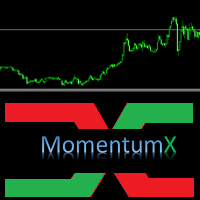
MomentumX is a great tool for traders to find possible direction change and continuation in trend. MomentumX indicator inverts momentum and is best used together with Momentum found in your MT4(See picture 2) It can be used for short term trading and mid term trading on any timeframe and instrument.
Only setting is period and color of the line.
Check out my other products: https://www.mql5.com/en/users/tkjelvik/seller#products
To spot entries, you can trade crossover between MomentumX and M
The EA's algorithm determines the stop / reversal trend levels by calculating the absolute difference between the wave segments in the last 48 trading hours. The RSI indicator plays a supporting role when deciding to open a trade.
Signal advisor in real time HERE . Recommended: EURUSD 15m for default settings, VPS server. Settings: Commentary to orders - Comments to orders; Profit in points - Take profit in points; Take% if> 3 orders - Take % profit if orders are more than 3; Risk for autolot -

Eazy Trader is a fully automated Expert Advisor with no use of martingale. Night scalping strategy. With a minimum of input parameters.
So easy that a Child can make money. Just set the Winther GMT Offset and you are good to go.
This EA can be run from very small accounts. As small as 50 EUR.
General Recommendations The minimum deposit is 50 USD, default settings reccomend for eurusd m5 gmt +2 . Use a broker with good execution and with a spread of 2-5 points. A very fast VPS is required, pr
The used timeframe is M15. The EA optimized for all pairs: This is not a scalping robot. Every trade has fixed Stop Loss and Take Profit. NO Martingale / Grid involved. The optimum Lot setting is 0.01 for every 50 USD. You must have the current version running in MetaTrader 4. Settings Lots lot size is set by a user BuyUp indent from important price level. SellDown indent from important price level. UpTF Time Frame for UP UpL indent

Wait & See
Wait & See is a fully automated Expert Advisor. No manual trading is suggested. All screenshots belong to backtests with EURUSD H1 timeframe.
WARNING: Wait & See uses 1,2,3,4 and 5 as magic numbers. If you are using other Expert Advisors to send orders at the same time with Wait & See , do not use these preserved magic numbers for other orders.
Wait & See is based on three main steps: Open a new order, martingale if needed and take profit. Open new order: Wait & See uses the MAC

Smart Watermark는 자동으로 크기를 조정하고 중앙에 맞추는 동안 기호와 기간을 표시합니다. 또한 차트를 다른 사람과 공유하기 위한 사용자 지정 서명을 설정할 수 있습니다.
매개변수:
매개변수 설명
폰트
워터마크를 표시하는 데 사용되는 글꼴 유형
글꼴 색상
워터마크를 표시하는 데 사용되는 글꼴 색상
글꼴 스타일
글꼴의 스타일입니다. 없음, 기울임꼴, 밑줄 또는 취소선 중에서 선택합니다. 기본값은 없음입니다.
글꼴 두께
글꼴의 무게입니다. 옵션은 Thin에서 Black까지 다양합니다. 기본값은 보통입니다.
글꼴 비율 백분율(0 - 100)
차트 너비를 기준으로 글꼴 크기를 조정해야 하는 백분율입니다. 기본값은 10입니다.
최소 글꼴 크기
차트가 너무 작으면 워터마크를 읽을 수 없습니다. 이렇게 하면 워터마크를 항상 읽을 수 있도록 최소 글꼴 크기를 설정할 수 있습니다. 기본값은 47입니다.
투명도(0 - 255)
워터마크의 투명도. 0은 완전히 투명합니다. 기본값은 25

Общие сведения Для начала торговли достаточно небольшого депозита. Подходит для мульти-валютной торговли.
Принцип работы Эксперт открывает ордера по встроенному индикатору. Каждый тик эксперт определяет ордер с самой отрицательной прибылью. Далее эксперт определяет суммарную прибыль ордеров на Buy и Sell по каждой валютной паре. Если общая прибыль ордеров на Buy или на Sell по каждой валютной паре плюс сумма ордера с самой отрицательной прибылью превышает значение параметра Profit . Эксперт за

The robot is designed for automatic night trading. The strategy is suitable for many currency pairs. You can trade several pairs at the same time. The EA opens trades from 21:00 to 1:00 by EET time (GMT + 3 in summer, + 2 in winter). GMT time of the broker is determined automatically, or you can configure it manually (required in the tester). A special price channel indicator is used for the entry and exit signals. At the bottom of the channel there is a BUY signal, at the top for SELL. Dependin

Saboten Trading is a fully automated Expert Advisor that uses Swing Price Action strategy to enter trade with hidden take profit and stop loss every orders. It uses smart algorithms to adapt to all markets. This EA can work successfully with any brokers and spreads. This EA always uses hidden take profit and stop loss. No martingale, no hedging, no grid trading, no arbitrage. You can use EA with any brokers and spreads. Minimum balance is $100. However, bigger amount will help the EA perform b

One of the main components of successful trading is the correct determination of the direction of the market. This indicator shows the general directionality of the price movement and is painted in the corresponding color. Allows you to conduct trend and counter trend trading It works on all timeframes, on any currency pairs, metals and cryptocurrency Can be used when working with binary options
Distinctive features Does not redraw; Simple and clear settings; Works on all timeframes and symbols

Pound Puppies GBPUSD M30 Everything is already set up for GBPUSD M30 timeframe . Strategy is based on breakout of the HIGHEST channel after some period of consolidation. It uses Stop pending orders with ATR Stop Loss and FIXED Take Profit . Strategy uses also MOVE TO BREAK EVEN and PROFIT TRAILING functions to lock as much profit as possible. For every candle the pending orders are modified to adapt the market behavior. You need to set only the lotsize depending on the amount of capital in

Shogun Tokugawa USDJPY H1 Everything is already set up for USDJPY H1 timeframe . Strategy is based on breakout of the HIGHEST IN RANGE channel after some period of consolidation. Strategy trading only on the LONG SIDE. It uses Stop pending orders with ATR Stop Loss and FIXED Take Profit . Strategy uses also MOVE TO BREAK EVEN and PROFIT TRAILING functions to lock as much profit as possible. For every candle the pending orders are modified to adapt the market behavior. You need to set only

GOLD TREASURE HUNTER H1 Everything is already set up for GOLD H1 timeframe . Strategy is based on breakout of the HIGHEST channel after some period of consolidation. It uses Stop pending orders with FIXED Stop Loss and Take Profit . Strategy uses also PROFIT TRAILING function to lock as much profit as possible. For every candle the pending orders are modified to adapt the market behavior. You need to set only the lotsize depending on the amount of capital in relation to the expected risk. EA

Hidden-HAT EA.
Hide your Strategy from Brokers eyes this expert allows you to set goals wholly hidden from the eyes of Brokers It is easy with HiddenHat EA, Although its possibilities are instrumental. In many cases, you place an order and set T/P after your position reaches the target price the T/P not activated Because the Broker can see and control it without your knowledge and that can make terrible consequences by adding spread Markup by 2 or 3 points then you find the price going in the

외환 시장에서 성공할 수 있도록 도와줄 EA를 찾고 계십니까? 실제 시장 상황에서 작동하도록 설계된 추세 기반 EA인 Beast Super Signal EA를 소개합니다. 비현실적이고 곡선에 맞는 백 테스트에 작별을 고하고 실제 시장처럼 승패가 있는 제대로 작동하는 EA를 환영합니다. 당사의 EA는 인기 있는 베스트셀러인 Beast Super Signal 표시기를 기반으로 하여 간단하고 사용하기 쉽습니다. The Beast Super Signal EA는 현재 시장 상황을 지속적으로 모니터링하여 발전하는 트렌드를 찾거나 기존 트렌드에 뛰어들 수 있습니다. 모든 내부 전략이 일치하고 서로 100% 일치하는 경우에만 EA가 새로운 매수 또는 매도 주문을 개시합니다. 이렇게 하면 성공 확률이 가장 높은 거래만 입력할 수 있습니다.
구매 후 비공개 VIP 그룹에 추가되도록 저에게 메시지를 보내주세요! (전체 구매만 해당).
최신 최적화된 세트 파일을 구입한 후 저에게 메시지를 보내주세요.

Reverse scalper is a scalper which detects small reverse signals on every pair and timeframe. It is easy to understand for rookie and experienced traders. For correct entry wait till candle closes before entering.
Features Easy to understand Usable for every pair and timeframe How to trade Open long if histogram closes below -0.20 Open short if histogram closes above 0.20

시간대 변환기는 차트의 시간을 현지 시간 으로 자동 변환하여 표시합니다 . 사전 설정 파일 자동 로드 지침:
이 기능은 표시기를 항상 실행하고 싶지 않지만 표시기를 사용자 정의하고 표시기를 추가할 때 해당 사용자 정의를 적용하려는 경우에 유용합니다. 표시기를 로드하고 표시기 속성으로 이동한 다음 "입력" 탭을 클릭합니다. 원하는대로 설정을 사용자 정의 완료되면 "저장"을 클릭하고 폴더 디렉토리 트리에서 한 번 위로 이동한 다음 "파일 > 시간대 변환기" 폴더로 이동합니다.
사전 설정 파일의 이름을 입력하고 "저장"을 클릭합니다. 이제부터 표시기를 로드할 때마다 사용자 정의 설정이 자동으로 적용됩니다. 사전 설정을 변경하려는 경우 다음 중 하나를 수행해야 합니다. a) "로드"를 클릭하여 표시기의 "입력" 탭을 통해 다시 로드한 다음 원하는 변경 사항을 적용하고 파일을 다시 저장합니다.
b) Timezone Converter 폴더에서 파일을 삭제하고 위의 지침을 반복하십시오. 로컬 브

Band-It Trader is a multifunctional trading expert, which is highly customizable, and may be used in different ways. Settings work together in any combinations, thus helping trader to implement his ideas on the markets.
The idea behind Band-It Trader is to filter a signal with different selectable logics and filters, applicable not only to entry signals, but to group of orders as well.
Settings:
MAX_SLIPPAGE_IN_POINTS - sets the maximum slippage limit in points for placing orders MAX_SPREAD_IN

"Simple Daytrader" indicator is an indicator for daytrading. It calculates entry points with an own simple exit strategy.
Main features Indicator shows you when to enter the market Enter the market on candle close Indicator calculates stop loss on candle high/low No optimization needed, indicator is optimized Usable on every pair Input Parameters SLCalculation - Calculates SL-Line on high/low of the last x bars

The Advanced Trend Scalper indicator is designed to help both novices and professional traders. The indicator analyses the market and gives you buy and sell signals. It does not use any other indicators, it works only with the market actions. The signal appears right after the candle close and it does not repaint. The efficient algorithm provides a high degree of reliability of such signals. Advanced Trend Scalpe r for the MetaTrader 5 terminal : https://www.mql5.com/en/market/product/3334

Viking Scalper is a fully automated Expert Advisor with no use of martingale. Night scalping strategy. The RSI indicator filter are used for entries. This EA can be run from very small accounts. As small as 50 EUR.
General Recommendations The minimum deposit is 50 USD, default settings reccomend for eurusd m5 gmt +2 . Please use max spread 10 if you will not have orders change it to -1. Use a broker with good execution and with a spread of 2-5 points. A very fast VPS is required, preferably w

Automated multicurrency Expert Advisor with an unlimited number of currency pairs. In this case, it is possible to indicate on each individual currency pair how the adviser will work with it. You can add orders manually.
The expert does not have a specific strategy. Everyone chooses what features he will use. And on what indicators and on which TF to work with them.
Real account, which is fully led by an expert. MACD and Envelopes are used . Индикаторы Two Moving Average Envelopes RSI Force I

Общие сведения Для начала торговли достаточно небольшого депозита. Подходит для мульти-валютной торговли. Не зависим от качества соединения и торговых условий. Мониторинг моих счетов: https://www.mql5.com/ru/signals/author/mizrael
Принцип работы Эксперт открывает ордера по встроенному индикатору. Если прибыль ордера больше значения параметра Profit в пунктах графика. Данный ордер закрывается и открывается новый в противоположном направлении объёмом Lot . Если прибыль ордера меньше значения
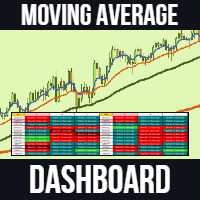
Moving Average Dashboard Pro is an improved and advanced indicator of the free version "Moving Average Crossover Bars ago Dashboard" The moving average dashboard pro gives you a dashboard view of bullish and bearish moving average crossovers. For example, if there was a bullish moving average crossover 5 sessions ago, then you would see 5 bars ago . This indicates that there was a bullish crossover 5 sessions ago. This indicator is useful if you want to catch the trend early on when using moving
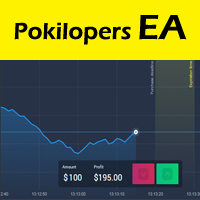
Pokilopers - the finished trading system is presented as an indicator for the Metatrader4 platform. When added to a chart, Pokilopers automatically analyzes the situation on the market, determines the direction of the trend, resistance points, the price movement channel and other market factors that affect the current and future price movements. After that, Pokilopers automatically determines the most effective point for opening a trade and gives the trader a signal in the form of an arrow. Afte
ScalperMultiChartsMT5 는 야간 스캘핑을위한 완전 자동 다중 통화 거래 시스템입니다. 특징 전문가 고문은 28 개의 주요 전공과 십자가에서 거래합니다 , Gold, Silver . 전문가 고문은 위험한 방법을 사용하지 않습니다 전문가 고문은 이해를 위해 사용 가능한 최소 입력 매개 변수 수를 사용합니다 전문가 고문은 고정 및 숨겨진 정지 손실을 설정하고 브로커의 모든 주문에 대해 이익을 취합니다 전문가 고문은 매직 넘버 마법을 사용하여 주문을 식별합니다 권장 사항 좁은 확산과 주문의 빠른 실행을 가진 모든 중개인은 거래에 적합합니다 최소 권장 보증금은$100 입니다 전문가 고문은 기본 매개 변수와 함께 사용할 수 있으며 차트에 전문가 고문을 설치하는 것으로 충분합니다 매개 변수 미끄러짐-가격 미끄러짐 매직-매직 넘버 로트-주문량 TradeHour-고문의 거래 시간 그리고 다른 사람...
하기 전에 허용하는 전문가가 무역에서 특정한 통화 쌍,테스트에서

Secgo Expert is a fully automated Expert Advisor designed for Traders. This Expert Advisor uses several indicators (RSI and Moving Average). Pair recommendations for EA use EURUSD . This Expert Advisor trades on any Time Frame.
The system is ready-to-use with the setup is simple,with simple optimization on Take Profit, Stop Loss, and Trailing.
Please use a good broker with low spread and low stop level
Parameters Magic = magic number to identify the order's mode for the EA. OrderCmt = used

Portia is a fully automated Expert Advisor. It is based on the scalping strategies. This system is suitable for sideways market and medium trend. The mechanism of this system is based on the principle of mean reversion and momentum of market price. The system automatically adjusts its settings to stop losses and profitability. This EA has been back tested for 5 years of real tick data (2019-2024). The EA does not use martingale, grids, hedging, averaging and other risky strategies.
Key Featur
MetaTrader 마켓은 과거 데이터를 이용한 테스트 및 최적화를 위해 무료 데모 거래 로봇을 다운로드할 수 있는 유일한 스토어입니다.
어플리케이션의 개요와 다른 고객의 리뷰를 읽어보시고 터미널에 바로 다운로드하신 다음 구매 전 트레이딩 로봇을 테스트해보시기 바랍니다. 오직 MetaTrader 마켓에서만 무료로 애플리케이션을 테스트할 수 있습니다.
