 MetaTrader 5
 Experts
 지표
지표
 라이브러리
라이브러리
 유틸리티
유틸리티
 위젯
위젯
 규칙
규칙
MetaTrader 4용 Expert Advisor 및 지표 - 302
 트레이딩 로봇은 자동으로 시장거래를 수행하는 반면 지표는 가격을 더 잘 분석하고 가격 행동을 예측할 수 있게 해줍니다.
이러한 어플리케이션을 사용하면 MetaTrader 4에서 더 많은 기회를 포착하는 동시에 보다 정보에 입각한 방식으로 거래를 수행할 수 있습니다.
트레이딩 로봇은 자동으로 시장거래를 수행하는 반면 지표는 가격을 더 잘 분석하고 가격 행동을 예측할 수 있게 해줍니다.
이러한 어플리케이션을 사용하면 MetaTrader 4에서 더 많은 기회를 포착하는 동시에 보다 정보에 입각한 방식으로 거래를 수행할 수 있습니다. 
Just $30 for six months!!!. This will draw Supply & Demand zones just by clicking on a candle. It can also draw the mean threshold of the zone. https://youtu.be/XeO_x7cpx8g
As a drawing tool, it is not active all the time after adding it to the chart.
Activate by pressing 's' twice on the keyboard within a second. If activated but then decided not to draw, deactivate by pressing 's' once. Box color depends if candle is above or below current price.
Settings/Inputs: Number of candles the box

Just $30 for six months!!!. This will draw Order Blocks just by clicking on a candle with different colors for different timeframes. It will use the body or the wicks. It can also draw the mean threshold of the candle open/close or high/low.
As a drawing tool, it is not active all the time after adding it to the chart.
Activate by pressing 'b' twice on the keyboard within a second. If activated but then decided not to draw, deactivate by pressing 'b' once. Box color depends if candle is abov

Just $30 for six months!!!. This will draw Order Blocks just by clicking on a candle. It will use the body or the wicks. It can also draw the mean threshold of the candle open/close or high/low. As a drawing tool, it is not active all the time after adding it to the chart. Activate by pressing 'b' twice on the keyboard within a second. If activated but then decided not to draw, deactivate by pressing 'b' once. Box color depends if candle is above or below current price. Settings/Inputs: Number

Tortoise Master Professional This expert Master is designed to enter orders according to trend parameters of other TimeFrames, using as parameters MACD, Moving Averages and the characteristics of each currency pair to assist in the decision to invest has the possibility to enter the market in the opposite direction. of movement (reverse). Position is plotted by a stoploss and static takeprofit, based on price.
Operation: Tortoise works on regular variable spread brokers and generally works be
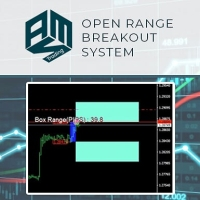
This Expert Advisor implements the Range Breakout Strategy, a simple yet effective short-term trading strategy. Easy to use and supervise Fully configurable settings Customizable break-even, SL, TP Built-in money management Works for ECN/Non-ECN brokers Works for 2-3-4-5 digit symbols Trading is FIFO (NFA) Compliant
The Range Breakout Strategy Using this strategy, the trader places a buy stop/limit just above the open price of your defined range and a sell stop/limit just below the open price.

Growth 651% dd only 21.62% Top 4 best EA's on mql5 for 3 years! This ea trades every day and non-stop, if you purchased i will provide settings and full support.
Because mt4 only has max 1 pair to backtest and this ea trades with correlation pairs! Therefore, a separate real account is attached to the product, where you can constantly monitor all trading results

This expert works with several indicators Rasai and Mollinger Band and also depends on certain models of candles and that the success rate of the deal more than 90% and also contains strict capital management works based on the correct rate of capital management is correct in addition to the success rate is good Try it yourself The result is communicating with me.
Super grid nineth (ninth) generation is another grid type EA on this huge forex system population, this EA not using any indicator to avoid any fake signaling to open or closing position orders. This EA will open pending order stop and limit in the first time EA run, then maintain all opened order with unique way to balancing account free margin and make equity growth. This EA have unique system not like anyother grid EA, with correct setup and run on max 3 pairs in one account, this EA capable
Mars 11 is a Trend indicator is a powerful indicator of FOLLOW DIRECCTION for any par and any timeframe. It doesn't requires any additional indicators for the trading setup.The indicator gives clear signals about opening and closing trades.This Indicator is a unique, high quality and affordable trading tool. Can be used in combination with other indicators Perfect For New Traders And Expert Traders Low risk entries. Never repaints signal. Never backpaints signal. Never recalculates signal.

Are you a trend trader tired of noise, spikes and whipsaws? The Royal Ace Signal Bar indicator tracks the market trend with an unmatched reliability, by ignoring sudden fluctuations and market noise around the mean price. It allows you to be steady when everyone else is shaky. Amazingly easy to trade The indicator needs no optimization at all It implements a multi-timeframe dashboard The indicator is non-repainting
Anatomy of the Indicator The Royal Ace Signal Bar indicator displays a col

Greetings to all friends! I propose to get acquainted with the high-tech and multilateral advisor Money Nest. The Expert Advisor is developed on the basis of the "Nest" indicator and contains three robots at once. Advisor management allows you to work with each robot separately and together, which allows you to configure the work as safely as possible using hedged positions with the maximum profit as much as the adviser allows. For maximum efficiency, it is necessary to optimize the instrument y

Jabuti Super Trend Explorer: This expert is designed to enter orders according to trend parameters of larger TimeFrames, MACD and Moving Averages, and has the ability to enter the market in the opposite direction of movement (reverse), and also analyzes currency pairs and their characteristics to assist in decision to invest. The position is plotted by a stoploss and static takeprofit based on price.
Operação: Jabuti Super Trend Explorer works on regular variable spread brokers and generally w

Testosteron uses independent strategies, including trading on short-term and long-term trends! by default, trades on the EURJPY currency pair M5 timeframe!
The EA works at night and deals are not opened every day! How often deals are opened can be viewed in the strategy tester!
Test the adviser since 2010 to understand how it works on history.
Please pay attention to my other products: https://www.mql5.com/en/users/malishko89/seller#products
Please note that the adviser has summ

The OMEGA PIP is a unique revolutionary semi -automated software which change the game entirely to your favor.This product developed from years of research in the FX Market is embedded with complex algorithms which filters off false signals, generating only accurate valid signals which is immediately printed on your chart , thus it guarantees profit anytime its installed on your computer. Due to this significant feat, the daunting and the strenuous effort a traders goes through during

The Ceres Trend Indicator displays polynomial regression on history and in the current time.
In the indicator settings: module - degree of regression (1 - linear, 2 - parabolic, 3 - cubic, etc.) koeff is the standard deviation channel multiplier.
The main direction of application of this indicator is the ability to determine the likelihood of further growth. If there is an intersection of the linear regression line from below, then this indicates a trend inhibition and a possible reversal. Si

Choose all the pairs that have positive swap in your broker Then, the EA will buy/sell before the triple swap takes place, and it will close the position after the triple swap is paid to you. It is recommended to test the EA at least 1 month in demo account so you can see the results. If you have any doubt or suggestion, don't hesitate to contact me! HOW TO USE
Inputs swapDay = The day that the 3x swap is paid in your broker lots = The lot size that you want to use SL = stop loss in points (not
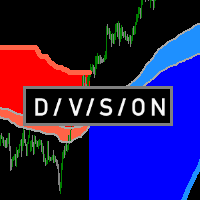
Определения текущей тенденции одна из самых важных задач трейдера не зависимо от стиля торговли. Индикатор Division поможет с достаточно высокой вероятностью это сделать. Division - индикатор распознавания тенденции, использующий в качестве источника данных подобие скользящих средних, в расчете которых используются объемы. От этих средних строятся границы, которые служат сигнализатором для смены текущей тенденции. Показания индикатора не изменяются не при каких условиях. При желании можно вкл

Tasmanian Devil is a fully automated Expert Advisor with no use of martingale and gridsystems. It Uses significant price levels to make the order entries.
All trading positions contain a stop loss, and also include take profit. Which results in a very low draw down. Advantages
Advanced algorithm for tracking positions. Each item contains a protective stop loss. Work with fixed and risk based lots on MM. Does not use indicators, grid, martingale, arbitration. More exit strategies Protecti

Комплексный индикатор который работает на основе 4-х стандартных индикаторов МТ4: Moving Average, Stochastic, Bollinger Bands, RSI (в дальнейшем список индикаторов будет расширятся). Показания индикаторов берутся из 7-и тайм фреймов от М1 до D1. Строка Average показывает средние значения индикаторов в разрезе тайм фреймов. Сигналы индикаторов: Moving Average: быстрая скользящая выше медленной скользящей - покупка; быстрая скользящая ниже медленной скользящей - продажа; данные берутся из последне

DO NOT STOP OCCUPY THE POWER OF THE UNION OF VARIOUS TIME FRAMES. From now on you can see the RSI that you use for your trading analysis in a single window without having to be opening others to form very graphic and easy. Color settings Possibility of deactivating the timeframes you want. Up or down arrows in relation to the previous sail. We also have Multiframe MACD and Momentum version available. Visit My signals https://www.mql5.com/es/signals/620506

Ссылка на мониторинг: https://www.mql5.com/ru/signals/631995 Для начала торговли достаточно небольшого депозита. Идеален для быстрого разгона депозита!!! Подходит для мультивалютной торговли. Невосприимчивость к большой задержке и величине спреда.
Принцип работы После запуска советника на графике советник запоминает уровень открытия первого ордера. Выше уровня открытия первого ордера советник выставляет сеть ордеров на Sell . Ниже уровня открытия первого ордера советник выставляет сеть ордер

Instructions to the Figures MACD advisor Opening of orders by MACD indicator waves. Closing orders on the MACD indicator wave.
Default values. extern double TakeProfit=500; extern double StopLoss=500; extern double externalLots=0.01; extern double TrailingStop=10000; extern bool isAutoMoneyManagmentEnabled = false; extern int moneyManagement4And8Or12And24_4_Or_12 = 12; extern double TrailingFiboLevel = 0.236; extern double maxOrders = 30; extern double riskOnOneOrderPercent = 2; extern bool li

This indicator allows you to determine the likelihood that the price will reach one or another level. Its algorithm is quite simple and is based on the use of statistical data on the price levels of a particular currency pair. Thanks to the collected historical data, it is possible to determine the extent to which the price will change during the current bar. Despite its simplicity, this indicator can provide invaluable assistance in trading. So, with its help it is possible to determine TakePr

The most handy indicator for searching classical and hidden divergences either between price chart and an oscillator-type indicator or between two oscillator-type indicators.
Just drop the indicator on the chart at which 1 or 2 oscillators are executed (see the video below).
The indicator doesn't require setting-up. You have just to choose the operation mode: to search divergences between price chart and an oscillator or between two oscillators..
Switch between classical and hidden divergence

Script to reduce the exposure of your operations on the chart. Convenient and quick to use. Just drag the script to a point in your template, and in the input values you will be able to modify several variables to reduce the exposures. We would appreciate your feedback, so we can improve ourselves. Good trading. Parameters: FilterTrade = All; All positions or only the buy or only the sells. Only_Profit = True; Only those in profit if true, in false it applies to all positions. Reduce_Perc = 50
Gladiator Signal indicator for binary options can be used in the forex market...
a signal appears when you open a new candle, we need to wait for it to close.. and at the time of opening a new one if the signal is to open a deal for one candle of the current timeframe works great on all time frames... in the settings you can enable turn off the alert and sound vision...

Ни для кого не секрет, что для того чтобы, заработать на финансовых рынках необходимо движение цены инструмента. И чем движение сильнее тем больше возможностей предоставляется для торговли трейдеру. Для поиска сильных движений цены и был разработан PulseScanner. Панель предназначена для быстрого визуального нахождения и отображения сильных движений цены по всем периодам и на любых выбранных валютных парах одновременно. Индикатор имеет несколько режимов поиска и визуального отображения сигналов.
Introduction to X3 Chart Pattern Scanner X3 Cherart Pattern Scanner is the non-repainting and non-lagging indicator detecting X3 chart patterns including Harmonic pattern, Elliott Wave pattern, X3 patterns, and Japanese Candlestick patterns. Historical patterns match with signal patterns. Hence, you can readily develop the solid trading strategy in your chart. More importantly, this superb pattern scanner can detect the optimal pattern of its kind. In addition, you can switch on and off individu
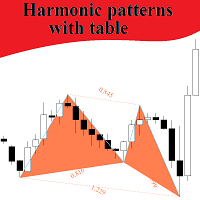
This indicator searches harmonic patterns on different TFs, and can track patterns in real time on all TFs for seted symbols. High and Low points for patterns defined by Bill Williams method, not by Zigzag or Fractals, it's more clear signals. Important input parameters: Where patterns search : "Current symbol" - searches patterns on the current symbol; "Seted symbols" - indicator creates table with seted symbols. Allowable percent of deviation : percent of deviation from perfect pattern Sym
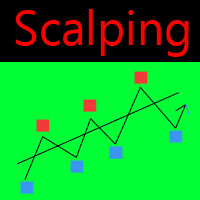
Scalping Modulator is a scalping trading system. The indicator consists of several analytical modules. It automatically analyzes the market and shows the trader all the necessary information for trading. Scalping Modulator draws two trend lines on the chart. One line shows the long-term direction of the price, the second line shows the medium-term direction of the price. The indicator also draws red and blue dots on the chart. They indicate a likely change in price movement. In order to open a

The expert uses independent strategies, including trading on short-term and long-term trends! By default, he trades on the GBPJPY m5 currency pair! Transactions are accompanied by invisible stop loss for the broker.
Please pay attention to my other products: https://www.mql5.com/en/users/malishko89/seller#products
Please note that the adviser has summergmtshift and wintergmtshift in its settings, so summer and winter gmt may differ! It all depends on your broker! So that testing i
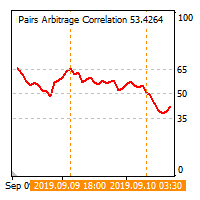
The cross-correlation indicator calculates the relationship between the specified pairs for the previous period. Automatically selects the instruments with the highest and the lowest correlation, and then simulates trading on the selected pairs on the same test period. Then indicator displays the pairs that have shown the best trading results. Visualizes the PAC (Pairs Arbitrage Correlation) criterion for the pairs selected by the trader. The signal to open trades is set by the PAC levels. When
This EA has been developed for DAX (GER30) M30 timeframe, everything is tested and ready for immediate use on real account. This Expert Advisor is based on BREAKOUT of the TRENDLINE after some time of consolidation. It uses STOP pending orders with FIXED Stop Loss and FIXED Take Profit . To catch more profit there is also a TRAILING PROFIT function provided. At 9:00 pm we are closing trading every Friday to prevent from weekly gaps. !!!Adjust these times to your broker time. Preset valu
Ilan16Dynamic The robot uses Martingale strategy. It starts working from a set point and withdraws at the other set point. Once the initial order has been opened, each of the following ones is opened (Additional orders) in a set amount of pips. The robot uses an average price for that. The robot is capable of creating break-even orders. In this case it changes the Magic number and starts a new order series. Input parameters Wk - new order series allowed. LONG TRADE - Long Trade allowed. SHORT

Script to move the stoploss of your positions all on one level or just a stoploss of one of them. Convenient and quick to use. Just drag the script to a point in your template, at the price level you want, and the utility will ask you if you want to move all the stoplosses to that level, or move only one stoploss of a position. Very useful when the positions are very near or the stoplosses are too near. We would appreciate your feedback, so we can improve ourselves. Good trading.
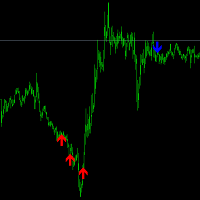
This index doesn't disappear, it doesn't get rewritten, the way it's calculated is to look for a trend shift, when the arrow comes up, there's a high probability that the trend will change. It is recommended to use a larger cycle, but you can also use the 5 minute cycle, the larger the cycle, the higher the winning rate. Indicators in the form of arrows, blue down arrow short, red up arrow do, in a large trend may appear in a continuous arrow, every arrow appears, is an opportunity to add positi

LRY SL Robot is a fully automated multi-currency trading robot, trading according to the "rise-fall ratio". EA operating environment EA can run in any currency, at any time. The minimum capital is $300. Parameters Lot - lot size for pending orders. Open Percentage - Start trading "percentage signals" Close Percentage - Turn off trading "percentage signals" Compound Interest - As the balance increased, so did the number of orders Move Stop Loss - Change distance of stop loss line after earnings A

Layout modified version for high-resolution displays!
The different server times for each broker can be a heavy load when trading in short period.
This indicator displays the minimum trade information required to win at a glance.
The sub window displays the local time, and the main chart displays not only the local time,
-Symbol
-Period
-BarEndTime
-Spred
-TokyoTime
-LondonTime
-NewYorkTime
-ServerTime
and so on...
The information display on the main chart can be selected from fo

Ranger Pro is a fully automated expert adviser that detects and takes advantage of ranging price action and make precise entries based on several indicators including RSI and Moving Averages while also utilizing price action to filter out false signals. Ranger Pro can either be set to avoid strong trends, trade with the trend, or both. User settings can range from conservative to moderate to aggressive with a minimum account balance of $400. Set files are available in Comments. Ranger Pro is cur

Script utility to clean up your template from every object. Convenient and quick to use. Just drag the script onto your template and it will be cleaned of all visible and non-visible objects present. Very useful for objects that cannot be eliminated simply by writing or shapes, etc. We would appreciate your feedback, so we can better ourselves. Happy Trading.
FREE

TickChart Indicator plots tick line on the main window of MetaTrader. ( Free version is "TickChart Indicator Lite" )
The tick-line shows the most detailed, fastest and real-time activities of the market, which are usually hidden in bars or candles longer than 1 minute. Usually, several new tick-line segments appear while a bar of M1 time frame is completed. After the release of an important economic indicator, the number of ticks per bar may exceeds 100. This indicator overlays the tick-line on

Curiosity 10 The Bars Signals It is an advanced trading system. This is a fully automatic Expert Advisor, which allows you to presize the trade according to the preferences of the trader. Curiosity 10 The Bars Signals have more than 260 customization options for your trade. Different options for different styles of trade. Curiosity 10 The Bars Signals is a Trend system of trade with different algorithm of trade mode. This EA using signals to place orders. Is a revolution in the customizatio
This means now you can trade on multiple MetaTrader 4 accounts simultaneously, mirror the trades of any trading bot to your friends and family accounts (even if it is locked to your MT4 account number), create investment portfolios of many MT4 accounts, remove risk of unregulated Forex brokers, turn losing trading strategy into a winner and become an independent account manager immediately without the need to sign any contracts or opening expensive PAMM accounts with the broker. Reverse Trading

Indicator is used for: defining price probability distributions. This allows for a detailed representation of the channel and its borders and forecast the probability of a price appearing at each segment of its fluctuations; defining the channel change moment. Operation principles and features Indicator analyzes a quote history on lower timeframes and calculates a price probability distribution on higher ones. Forecast algorithms allow the indicator to calculate probability distributions and m
Hulk GBPCHF passes the test from 2000 to the current day! The expert uses independent strategies, including trading on short-term and long-term trends! trades on the GBPCHF, GBPCAD m5 currency pair by default !
Please pay attention to my other products: https://www.mql5.com/en/users/malishko89/seller#products
Please note that the adviser has summergmtshift and wintergmtshift in its settings, so summer and winter gmt may differ! It all depends on your broker! So that testing is

Flower Trend Flower Reserve The Flower Trend Expert Advisor is able to trade in fully automatic mode or manage orders opened by user.This is a very useful tool for you, but avoid big news and illiquid markets. open account(Deposit>5000$) from this link, you can use this EA for free https://www.usgfx.com/RegAcc/RegAccStep1?culture=zh-CN&IB=2128p8x8R8x8K8P-0b EA signal : https://www.mql5.com/zh/signals/630704 Recommendations
Before using the EA on a real account, test it with minimal ri
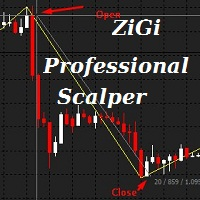
ZiGi Professional Scalper Indicator: Real Wave Analysis Tool This indicator reveals the true waves of the market by identifying alternating highs and lows on the price chart, thus displaying the market's wave structure. The algorithm of this indicator is entirely new, and its association with ZiGi Professional Scalper and Zigzag is purely cosmetic. It is based on eight radically different algorithms and is capable of calculating market volumes in real-time. When using this indicator, manual wave

it is an indicator for trading on the forex market and binary options, it is a trend tool with which you can take it most often when the first signal appears, open a trade in the indicated direction stop loss set above the arrow if the signal is lower or below the arrow if the buy signal when signals appear in the same direction where the transaction is open, you can enter into additional stop loss orders; we also set up trading without take profit; you need to close the transaction when a signa

The expert advisor opens trades when the forex market is ranging and the RSI indicator enter in oversold or overbought areas. The Stop Loss, Take Profit, and Trailing Stop are calculated based on the ATR indicator. The recommended currencies pairs are EURUSD, EURGBP, USDJPY, EURCHF, EURNZD, AUDCAD and the recommended timeframe to operate and to do backtests is M5 . This Expert Advidor can be profitable in any TimeFrame and with any Currency Pair but you should know how to adjust the parameters
A professional version of the ZigZag indicator for visualizing the structure of price movements by fractals. Fractal ZigZag fixes the flaws of the standard version of the ZigZag indicator MT4. It uses Price action and a unique filtering algorithm to determine fractals. Suitable for all types of trading.
Ideal for trading according to the WM pattern "Sniper" strategy !!! Features Marks the place of price reversal during the formation of a new fractal with specified parameters. Suitable for al

DYJ ArtOfMakingMoney attempts to gauge bullish and bearish forces in the market by using two separate measures, one for each type of directional pressure. The EA's BearsIndex attempts to measure the market's appetite for lower prices
The EA's BullsIndex attempts to measure the market's appetite for higher prices Features Monitors all pairs at the same time. The EA monitors the top 35 pairs by default, but you can select less pairs if you wish. It is a multi-currency EA that can be run from a s
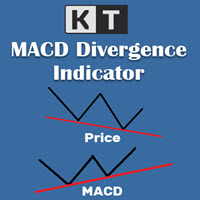
KT MACD 다이버전스는 가격과 오실레이터 사이에 형성되는 일반 다이버전스와 숨겨진 다이버전스를 보여줍니다. 만약 당신의 거래 전략이 추세 반전을 예측한다면, MACD의 일반 다이버전스를 활용하여 잠재적인 전환 지점을 예측할 수 있습니다. 추세 지속을 기반으로 하는 전략이라면 MACD의 숨겨진 다이버전스가 적합합니다.
KT MACD 다이버전스의 한계
MACD 다이버전스를 단독 진입 신호로 사용하는 것은 위험할 수 있습니다. 모든 다이버전스가 반전 신호로 해석될 수는 없습니다. 더 나은 결과를 얻으려면 가격 행동 및 기타 분석 기법과 함께 사용하는 것이 좋습니다.
기능 소개
가격과 오실레이터 간의 일반 및 숨겨진 다이버전스를 표시합니다. 비대칭 다이버전스는 정확도를 높이고 혼란을 줄이기 위해 제거됩니다. 추세 반전 및 추세 지속 전략 모두에 사용할 수 있습니다. EA(Expert Advisor)에 완벽하게 통합 가능합니다. 진입뿐만 아니라 청산 시점에도 활용할 수 있습니다. 모든
TDI Multi Timeframe Scanner:
This Dashboard indicator uses the TDI (Trader's Dynamic Index) Indicator to find best trades. Read detailed How to Use Guide: https://www.mql5.com/en/blogs/post/758252
Extra indicators also available in above post.
Checks for: - SharkFin Pattern Free indicator for SharkFin: https://www.mql5.com/en/market/product/42405/ - TDI Trend: Strong/Weak Trend Up/Down - TDI Signal: Strong/Medium/Weak Signal for Buy/Sell - Consolidation - Overbought/Oversold - Volatility Ban

All time zones. But I use it daily and 4 hours continuously. When trading in small time zones it is necessary to check the top time zones and especially 4 hours and logs. Red Arrow - SELL Green Arrow - BUY When the Green Arrow is lit while the Bar is Blue (Check the overall trend rise) - Buy When the Red Arrow is lit while the Bar is Red (Check general trend downtrend) - Sales NO RE-PAINTING GOOD TRADE

There are simply experts working at high tide and this mine working at low tide (falls on prices) The backtest on EURUSD was done with the default parameters without any optimization and you can see the result below. Works well on other pairs also.
Parameters MMmode - false = fixed lot Fixed_Lot - lot size to trade. Risk% LotSize (MMmode=true) - risk % of balance ENV - 192 Dev - 0.7 Multi 2.0 Step 50 Tprofit/Sloss? Take profit - take profit in pips. Stop loss - stop loss in pips. Profit tar

How to work with an expert adviser: “Double Paired moving averages”
This is a trend strategy and has simple rules of risk management, so I advise you to study this strategy in more detail and keep it in your portfolio. If you don’t have time to constantly sit at your computer or constantly get your phone out to monitor the state of the market, then this strategy is for you!
An expert advisor will help you track signals and inform you about it.
The idea of using this strategy is very simple

Infinity Oscillator Ultimate는 RSI, 스토캐스틱, MACD, CCI 및 거래량 전략을 활용하는 트레이더의 거래 경험을 향상시키도록 설계된 포괄적인 OSCI-KIT 입니다. 포괄적인 범위의 기능을 갖춘 이 지표는 시장 추세를 분석하고 반전 및 되돌림을 식별하며 ATR을 사용하여 일중 목표를 계산하고 중요한 거래 이벤트에 대한 정보를 얻을 수 있는 강력한 도구 세트를 제공합니다. 이 지표의 뛰어난 기능 중 하나는 가장 인기 있는 5개의 오실레이터를 단일 지표 창으로 통합하는 기능입니다. 각 오실레이터는 고유한 색상으로 표시되어 트레이더가 추세, 반전 및 되돌림을 한 눈에 쉽게 식별할 수 있습니다. 이러한 오실레이터를 결합함으로써 Infinity Oscillators Ultimate는 시장 역학에 대한 전체적인 관점을 제공하여 트레이더가 정보에 입각한 거래 결정을 내릴 수 있도록 합니다. 트레이더가 시장 움직임에 대한 최신 정보를 얻을 수 있도록 이

The Quadro Trend indicator works stably, correctly, and gives great flexibility when analyzing prices. There are many similar indicators, but Quadro Trend , unlike most of them , gives pretty good signals.
A great tool for working inside the day. On charts with a period of less than a day will help you see the daily candle in its usual form.
U-turn occurs when an arrow of the corresponding color appears. There is a parameter in the indicator to enable the supply of alerts when the color chang

EA Qbit – trading robot that has collected all the most effective tools from the most reliable and profitable strategies. Easy to set up. Doesn’t require optimization. Suitable for professional and novice traders. Aggressive trading methods such as grid or hedging not used. Working with every brokers. The EA is based on a trading strategy from support and resistance levels to the continuation of the trend. Effective management of open orders allows you save profits and protect the balance, ti

Welcome to my new indicator. It is a simple trend indicator, suitable for all instruments and timeframes. You should adjust it to your taste and you will know this product it's trustworthy. Trading skills and risk management, as usual are needed! There is not a perfect indicator in the market but you can find great helpers, and I think this is one of them. Inputs: SupRes_Interval Original setting is 5 and works very well with Indices. Lower numbers are more sensitive and suitable for scalpin

The unique robot combines two robots "Next xxx" and "Robot nest". The algorithm of work was developed on neural networks. Advisors work both separately and individually, which is a unique alliance of two robots. Customizable to all trading instruments. For maximum efficiency, you need to do optimization. Optimization must be done together with both robots or each separately. The EA works efficiently in the flat and trend. Transactions can become hedged positions and exit them as efficiently as p

Demo version with full functionality, time limit. You have one week to test the product. Trading is carried out according to the indicator. In the settings, there is a limit on the number of opened orders. Recommended currency pair USDCHF. It works on all time frames. Recommended M5. To limit losses used StopLoss. The adviser is suitable for trading both for beginners and professionals, settings are minimized.

The robot is based on thirty of the 30 most popular patterns. You can work using all patterns and different currency pairs at the same time. It is recommended to start work with a minimum lot to cover the largest number of patterns and tools. You can disable the templates of your choice. There is also the possibility of changing each template. I wish you a successful trading P.S. Nest.

The robot works on the basis of two levels of support and resistance. Levels are calculated online and changed relative to the settings. The settings are simple and reliable. You can use trailing stop. It works on all trading instruments and at any time intervals. Settings allow you to use any trading strategy from scalping to long-term trading. I wish you a successful trading P.S. Nest.
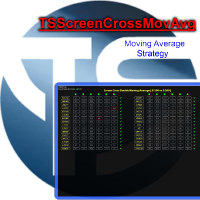
indicator for trading with the strategy with two moving averages. Intelligent algorithm for scalper and intraday traders. Multi time frame and multi currency panel. The benefits you get : Easy to use panel that alerts you to crossings of moving averages, as per strategy, on each currency. Possibility to choose your favorite crosses. Possibility to choose to activate only the preferred time frames. Never redesigns, does not retreat, never recalculates. Works on forex and CFD, timeframe from M
MTF Moving Averages is an useful indicator that brings you data from fully customizable higher timeframe Moving Averages on your charts, you can add multiple Moving Averages to use even more data of current market conditions. Check the indicator in action [Images below]
What MTF Moving Averages does apart from showing higher timeframe MA's?
Time saver , having all your higher timeframe MA's in just one chart, time is key, avoid switching between timeframes. Enter Trends precisely, easy to follo
HEDGING MASTER line indicator It compares the power/strength lines of two user input symbols and create a SMOOTHED line that indicates the degree of deviation of the 2 symbols Strategy#1- FOLLOW THE INDICATOR THICK LINE when CROSSING O LEVEL DOWN --- TRADE ON INDICATOR THICK LINE (TREND FRIENDLY) !! Strategy#2- TRADE INDICATOR PEAKS (Follow indicator Reversal PEAKS Levels)!! you input - the index of calculation ( 10/20/30....) - the indicator Drawing start point (indicator hi

The robot works on secret algorithms for expanding activity and absorbing prices. It is adapted for work on any tools. Works on the MT4 platform. All settings are static and suitable for any trading tactic of all time periods. The quality of work depends on the settings of the robot. The robot is made on the basis of many recommendations of traders. If you have any suggestions for additions to the adviser, write in the comments to discuss everything.

The EA works on the calculated levels of the selected time period, trailing orders is used. Works on all tools. It is possible to use martingale. Advisor settings allow you to configure trading for any tactics of both intraday and long-term trading. Trading is fully automatic. Write about all your wishes to improve the product. AAA Category. the quality of trading depends on the settings of the robot.
Mars 10 is a Oscillators indicator is a powerful indicator of CHANGE DIRECCTION for any par and any timeframe. It doesn't requires any additional indicators for the trading setup.The indicator gives clear signals about opening and closing trades.This Indicator is a unique, high quality and affordable trading tool. Can be used in combination with other indicators
Perfect For New Traders And Expert Traders Low risk entries. Never repaints signal. Never backpaints signal. Never recalculates
MetaTrader 마켓은 개발자들이 거래 애플리케이션을 판매할 수 있는 간단하고 편리한 사이트이다.
제품을 게시하고 마켓용 제품 설명을 어떻게 준비하는가를 설명하는 데 도움이 됩니다. 마켓의 모든 애플리케이션은 암호화로 보호되며 구매자의 컴퓨터에서만 실행할 수 있습니다. 불법 복제는 불가능합니다.
