 MetaTrader 5
 Experts
 지표
지표
 라이브러리
라이브러리
 유틸리티
유틸리티
 위젯
위젯
 규칙
규칙
MetaTrader 4용 새 Expert Advisor 및 지표 - 142
 트레이딩 로봇은 자동으로 시장거래를 수행하는 반면 지표는 가격을 더 잘 분석하고 가격 행동을 예측할 수 있게 해줍니다.
이러한 어플리케이션을 사용하면 MetaTrader 4에서 더 많은 기회를 포착하는 동시에 보다 정보에 입각한 방식으로 거래를 수행할 수 있습니다.
트레이딩 로봇은 자동으로 시장거래를 수행하는 반면 지표는 가격을 더 잘 분석하고 가격 행동을 예측할 수 있게 해줍니다.
이러한 어플리케이션을 사용하면 MetaTrader 4에서 더 많은 기회를 포착하는 동시에 보다 정보에 입각한 방식으로 거래를 수행할 수 있습니다. 
주요 주식 지수의 개장 변동성을 활용하고 시장이 개장 벨에서 이탈하는 시점에 발생하는 갑작스러운 움직임으로부터 이익을 얻으십시오. 전략의 목표는 시장이 공개적으로 한 방향으로 빠르고 강하게 움직이고 움직이는 은행에서 이익을 얻는 것입니다. 시장이 약하고 방향 없이 열리면 EA는 헤지 손실을 잠그고 포지션을 종료하기 전에 시장이 방향을 결정할 때까지 기다립니다. 주가지수 헤지 EA는 개장 전 범위를 분석하고 어느 방향으로든 빠른 움직임으로 시장이 열리자마자 현금화할 수 있는 이상적인 거래 거리를 찾습니다. 이 전략은 DAX, DOW, NAS, S&P500 또는 FTSE와 같은 모든 주식 지수에서 작동합니다. 사전 시장 범위가 너무 크거나 작은 경우 사전 시장 가격 조치를 건너뛰고 초기 5분 개시 범위에서 휴식을 취하려고 시도합니다. 이 기능은 너무 좁은 범위에서 휩소를 피하거나 범위가 너무 넓으면 목표를 달성하지 못할 가능성을 방지하기 위해 공개적으로 이상적인 거래 조건을 만드는 데
*메모 : 조기 구매자를 위한 40% 할인! 무료 EA 출시는 11월 둘째 주입니다. 무료 EA가 제공되면 할인은 종료됩니다.
RSi 지표는 특정 상품이나 쌍이 과매수 또는 과매도되는 시점을 가리키는 가장 인기 있는 지표 중 하나입니다.
통화 강도 측정기는 여러 통화를 기반으로 하는 추세 지표이기도 합니다.
RSi 통화 강도 미터는 RSi 알고리즘과 통화 강도 미터를 갖춘 단일 차트 지표입니다.
또한 28개의 메이저 및 마이너 쌍이 대시보드에 표시되는 원클릭 기능도 있습니다. 특정 쌍을 클릭하면 차트가 선택한 차트로 자동으로 변경됩니다.
제품 장점: 무료 EA를 통해 거래를 관리하세요. 자세한 내용은 저에게 메시지를 보내주세요 입력 매개변수 RSi 설정 - 기본 매개변수는 65/35 레벨의 기간 14입니다. 레벨이 높거나 낮을수록 신호는 적지만 더 정확해집니다. 선 그래프, 대시보드 및 시장 동향 유형 디스플레이 설정 - 글꼴 통화 색상, 신호 색상, 선 색상 및 X 및
macd와의 3ma 교차를 기반으로 하는 바이너리 거래에 대한 지표로, 오픈 바에서 매수 및 매도 신호를 제공하며 다시 칠하거나 다시 칠하지 않습니다.
이 지표는 마틴게일 거래를 위해 만들어졌기 때문에 높은 승률에 초점을 맞추지 않으며, 지표는 연속으로 가장 낮은 손실 신호 수에 중점을 둡니다.
전략 :
최소 예치금은 1000 단위이며, 1 단위로 거래를 시작합니다(거래 규모는 1000 자본당 1 단위입니다)
현재 신호가 손실되면 다음 신호에서 거래 크기를 두 배로 늘립니다. 연속으로 최대 7개의 손실 신호가 있는 표시기 설정만 사용합니다.
지난 10000개의 양초에 대해(x개 양초에 대한 내역 거래를 표시하기 위해 설정에서 입력할 수 있는 숫자입니다)
-권장 타이머 프레임 : 모두
- 사용기한 : 운영기간과 동일
매개변수:
1.빠른마 기간
2.빠른 MA형
3.느린마 시대
4..슬로우마타입
5.트렌드 마 시대
6.트렌드 MA타입
7.바 개수(신호 및 백테스트 결과를 표시하는 데 사
혁신적인 거래 솔루션의 세계에 오신 것을 환영합니다! 우리는 최신 거시 경제 통계 및 현대 신경망 계산을 기반으로 작업,당신의 관심을 우리의 고급 거래 고문 공정위 신경에 제시한다. 고문은 복잡한 알고리즘을 사용하여 시장 상황을 분석하여 고급 인공 지능 알고리즘을 사용하여 경제 정보의 숨겨진 패턴을 인식합니다. 그것은 당신에게 가장 전문적인 거래 경험을 제공하여 거래 진입 및 종료에 대한 고유 한 포인트를 제공합니다. 모든 사람들은 고품질 거래가 항상 위험과 이익 사이의 균형이라는 것을 알고 있습니다. 우리는 고유 한 위험 관리 시스템을 개발했으며 고문은 귀하의 자본을 안전하게 유지하기 위해 신중하게 관리합니다. 공정위 신경 거래 고문으로 거래 전략을 자동화하고 복잡한 결정을 단순화하십시오! 위험을 최소화하면서 자본을 늘릴 수있는 기회를 얻으십시오! 그리고 이 모든 것-미래에 대한 편안함과 자신감. 오늘 우리의 무역 고문을 시도하고 전문적이고 높은 품질의 거래의 세계에 빠져! 고문

인디케이터는 차트에 모든 텍스트와 이미지를 표시하며 매크로에서 요청한 정보도 표시할 수 있습니다. 텍스트 블록은 3개, 이미지 블록은 1개가 있습니다. 글꼴 선택, 크기, 색상, 들여쓰기 및 위치 지정이 가능합니다. 스크린샷에 브랜드를 붙이거나 차트에 필요한 정보를 표시하고 싶을 때 UPD1 Watermark 는 매우 유용한 도구가 될 것입니다.
설정 설명.
텍스트 설정(3개 블록). Text 1, 2, 3 – 텍스트 또는 매크로를 입력합니다. Font Name – 글꼴 이름을 입력합니다. 오류 발생 시 기본 글꼴이 사용됩니다. Font Size – 글꼴 크기를 지정합니다. Font Color – 글꼴 색상을 지정합니다. Corner – 개체 스냅 각도를 선택합니다. Visual Position – 개체를 차트 앞 또는 뒤에 배치합니다. X – 픽셀 단위의 가로 들여쓰기. Y – 픽셀 단위의 수직 들여쓰기.
이미지 설정(1블록). Image – 이미지를 선택합니다. Manua
FREE

소개 MetaTech Algo Invest는 최첨단 플래그십인 Endurance M4를 소개합니다. 트리플 모듈 적응형 마틴게일 시스템 기술을 갖춘 혁신적이고 안정적이고 신뢰할 수 있는 전문 조언자입니다. 거래 신호는 과매수 및 과매도 시장 가격 모델을 사용하여 생성됩니다. 약 40개월의 안정적인 거래 이력과 1.9 이상의 이익률을 입증했습니다. Endurance M4는 무엇보다도 3단계 안전 시스템을 사용하여 최대한 안정적이고 원활한 거래를 제공합니다. Endurance M4는 시스템과 기호가 공생하여 작동하므로 Forex 쌍 EURUSD를 위해 특별히 개발되었으며 이는 시스템이 EURUSD에서만 작동하고 거래된다는 것을 명심하십시오.
전문가는 설정이 거의 없고 직접 사용할 수 있으며 어떤 방식으로든 최적화할 필요가 없으므로 사전 지식이 필요하지 않습니다. 수년에 걸쳐 조정되어야 할 유일한 것은 GMT 오프셋입니다. 제품 라이브 거래 신호 https://metatech-alg
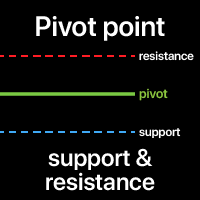
피벗 포인트는 전체 시장 트렌드를 결정하는 데 사용됩니다. 피벗 레벨 자체는 이전 바의 최고가, 최저가, 종가의 평균입니다.
다음 바에서 피벗 포인트 위에서 거래하는 것은 지속적인 강세장을 나타내는 것으로 간주되며, 피벗 포인트 아래에서 거래하는 것은 약세장을 나타냅니다.
피벗 포인트는 지표의 기초가 되지만, 피벗 포인트를 기반으로 투영된 다른 지지 및 저항 수준도 포함됩니다. 이러한 모든 수준은 가격이 거부될 수 있는 위치를 파악하는 데 도움이 됩니다. 다기능 유틸리티 : 66개 이상의 기능 포함 | 문의 사항이 있으면 저에게 연락하세요 | MT5 버전 지표 설정에서 다음을 구성할 수 있습니다: 기간 계산에 사용 (클래식 방법은 일일 타임프레임에서 계산을 포함)
선 색상 과 스타일 텍스트 위치 폰트 스타일 및 크기 프로그램 파일은 " Indicators " 디렉토리에 배치해야 합니다.
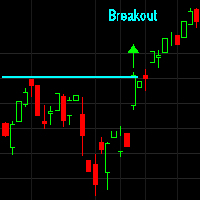
이것은 거래 시스템을 따르는 돌파 및 추세입니다. 이러한 종류의 시스템은 가격 모멘텀과 추세 지속성을 활용하려고 합니다. 모든 추세 추종 시스템은 외환 쌍, 주가 지수, 석유 및 가스와 같은 에너지 상품, 구리 및 니켈과 같은 산업 금속, 금 및 은과 같은 귀금속과 같은 상관관계가 없는 상품 바구니에서 가장 잘 거래됩니다. 이런 종류의 거래 시스템과 스타일은 이와 같은 거래 시스템으로 놀라운 결과를 얻은 악명 높은 Turtle's Traders에 의해 유명해졌습니다. 추세 추종 및 브레이크아웃 시스템으로서 자산 곡선은 평균 회귀 시스템보다 덜 규칙적이며 승률은 낮지만 승리하는 거래는 패자 거래보다 크며 적절한 거래를 하면 장기적으로 전체 이익이 일반적으로 더 높습니다. 시장. 이 시스템은 시스템 포트폴리오를 더욱 다양화하고 성공 가능성을 극대화하기 위해 평균 회귀 시스템을 실행하는 데 좋은 동반자입니다. 모든 거래 시스템과 마찬가지로 목표 시장에 대한 최적화 및 백테스트는 필수입니다

Welcome to the era of intelligent automated trading with Sclapix Max. This MT4 robot is a cutting-edge trading solution meticulously designed exclusively for the MetaTrader 4 (MT4) platform. Whether you're a novice trader looking to harness artificial intelligence to enhance your trading performance or an experienced trader seeking the ultimate tool to automate sophisticated trading strategies, Sclapix Max is your answer. Transforming Your Trading: With Sclapix Max, you'll experience a radical t
FREE

Mr Martin is trend trading. The expert system goes through the entire history for most currency pairs with simple settings. The bot has a very developed internal architecture. Works with pending orders. Able to work with trailing stop for pending orders. With trailing stop for real orders. For deferred and real ones, you can set stop loss and take profit separately. The bot can also work with virtual top loss and take profit.
The advisor can be run on any hourly period, any currency pair and o

Friendly Bot is a multi-currency, multi-functional advisor that works on any time frame and in any market conditions. - The robot’s operation is based on an averaging system with a non-geometric progression of constructing a trading grid. - Built-in protection systems: special filters, spread control, internal trading time limitation. - Construction of a trading network taking into account important internal levels. - Ability to customize the aggressiveness of trading.
The Expert Advisor comes

With the help of this Practica Trend forex indicator algorithm, you can quickly understand what kind of trend is currently developing in the market. The Practical Trend indicator accompanies long trends, can be used without restrictions on instruments or timeframes. With this indicator, you can try to predict future values. But the main use of the indicator is to generate buy and sell signals.
The Practical Trend indicator is used in the forex markets. One of the main definitions for monitorin

The Crit indicator analyzes price behavior and, if there is a temporary weakness in the trend, you can notice this from the indicator readings, as in the case of a pronounced change in trend direction. Entering the market is not difficult, but staying in it is much more difficult. With the Crit indicator, staying on trend will become much easier! This indicator allows you to analyze historical data and, based on it, display instructions for further actions on the trader’s screen.
A arrow techn
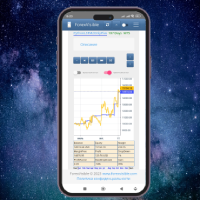
This client utility is intended for sharing and copying signals, as well as for monitoring your Expert Advisor on the site https://forexvisible.com . The Android version of the site can be downloaded here The version for the MT4 terminal can be downloaded here https://www.mql5.com/en/market/product/106509 There are many reasons to use this application in your trading, and these are: 1. If you have many trading advisors and many accounts, it is very difficult to track them and monitor everyt
FREE

The Idiom bot (for EURUSD) works on the Metatrader trading platform, which is widespread in the Forex market. The bot is based on a complex transaction control algorithm. Many indicators are used as the main entry signal (Envelopes, ADX, Bands, MA, RSI, AD, Alligator, BearsPower, Fractals, Momentum).
Environment for the bot: Currency pair - EURUSD. TimeFrame - H1. The maximum spread is 20 pips. The required deposit is $10,000 (or equivalent). The maximum drawdown is 12%.
Peculiarities: Built-

Get all benefits of a grid strategy and none of its disadvantage | Built by a grid trader >> for grid traders.
This is MT4 version, click here for Blue Sonic Donchian MT5 (settings and logics are same in both versions) Real monitoring signal --> Sonic Gold | Sonic Fx Intro BlueSonic Donchian EA ('Sonic') is a next-gen multi-currency multi-timeframe EA base on Donchian indicator. Other than normal one-off entry, users would have option to activate grid series to maxi

Are you tired of struggling in the world of trading? I've been trading for over 5 years, and it took me quite some time to achieve consistency. Right now, I'm successfully using this trading robot to generate passive income with my funded account on FTMO. I understand how frustrating it can be when proprietary firms profit from your setbacks. This trading bot can be your ticket to success by helping you meet the requirements of most prop firms. However, please keep in mind that I currently run i

Dr Trend is a trend indicator for the MetaTrader 4 trading platform. This indicator allows you to find the most likely trend reversal points. You won’t find a proprietary indicator like this anywhere else. A simple but effective system for determining the Forex trend. From the screenshots you can see for yourself the accuracy of this tool. Works on all currency pairs, stocks, commodities, cryptocurrencies.
Are you already tired of constant ups and downs? You shouldn’t fall victim to unstable m

Using signals generated by a single indicator can be risky while trading. This is because using just one indicator to trade can give more false signals. Thus, many forex traders used three or more indicators to filter out good trade setups. However, using multiple indicators for signals can also be complicating and confusing. This is especially true when these indicators are generating contradictory signals. The Super Arrow indicator, however, provides good signals by using multiple indicators.

The Trahin indicator determines the prevailing trend. They help analyze the market on a selected time interval. Easy to set up and works on all pairs and all time intervals. Trend indicators make it possible to classify the direction of price movement, determining its strength. Solving this problem helps investors enter the market on time and get good returns.
For any trader, it is extremely important to correctly determine the direction and strength of trend movement. Unfortunately, there is
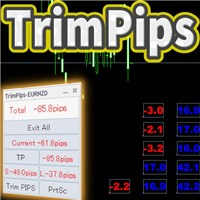
TrimPips solves the following problems at once. I want to know the total of current positions and total pips of current currency at a glance. I want to know the total pips display for plus positions, minus positions, short positions, and long positions at a glance. I want to close the position all at once. I want to close my current currency position all at once. I want to close short and long positions all at once. I want to close both positive and negative positions at once. I want to set TP/

Indicator for Scalping with Signal Arrows
Three-Level Sensitivity Setting
This indicator rapidly identifies changes in price direction and provides signals for opening positions.
Signals trigger instantly on the current candle.
It includes built-in audio and visual alerts for trend changes.
It can send notifications to your phone or email.
It works on all timeframes, across all currency pairs, metals, indices, and cryptocurrencies.
It can be used for binary options trading.
Key Featur
Discover IT MACD Crossover, your ultimate ally for maximizing your profits in the foreign exchange market. Our Expert Advisor (EA) leverages the powerful MACD technical indicator to execute trades automatically with unparalleled precision.
Key Features:
- MACD Crossover Strategy: IT MACD Crossover is based on the proven strategy of MACD crossover to identify trading opportunities. Crossings between fast and slow exponential moving averages (EMA) trigger buy or sell signals, suitable for all m
FREE
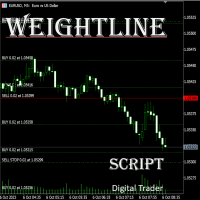
In multi-asset, multi-position trading environments—such as those involving forex, stocks, gold, and other instruments—traders often face a critical pain point: when holding multiple positions in the same instrument, it’s difficult to quickly and intuitively assess the current market price relative to all long and short positions. This makes it challenging to accurately determine the overall average entry cost, leading to delayed stop-loss and take-profit decisions. The problem worsens with mixe
FREE

The modern Fox Scalp bot works using sharp tick movements. Goes through the entire history and all currency pairs with one single setting. Unique trading system! You can work on any hourly period, any currency pair and on the server of any broker. It is recommended to work on liquid Forex pairs with a low spread. The lower the commission and spread, the greater the profit. You can start using it with 100$ and 0.01 lot.
Recommendations for working with a scalpel:
The MaxSpread parameter plays

With this automatic trading forex robot, trades are opened in the direction of the trend, regardless of which direction the price moves. In this video, it is seen that with a balance of $ 100, the forex trading robot made 100% profit in 2 months. This Forex trading robot opens Trend directional trading. This trading robot also hedges transactions. This trading robot opens trades according to the specified distance. Whichever direction the price moves, it continues to open transactions in that di

Sirius strategy for working on the Forex market with a scalping base.
The algorithm involves carrying out a trading operation in the shortest possible time. As a rule, this period of time is seconds and is only sometimes limited to several minutes.
There is an opinion that scalping is for beginners. But in fact, it is wrong. In order to carry out a trading operation correctly and profitably, a trader needs to learn scalping, otherwise the result may be negative. This is why using a bot is mor
This is a simple EA which works on the EMA crossover strategy. It uses fixed pips to put hard Stop Loss and Take Profit levels on every trade. Warning! This is a martingale system which may or may not wipe your trading account. If you want to take the risk anyway then must use it with proper money and risk management. NOTE: Martingale is good for compounding the account in less time. In other words, “Grow it or Blow it!”
POINTS: 1. Martingale System 2. Works in all markets. 3. Very Risky! 4. Ha
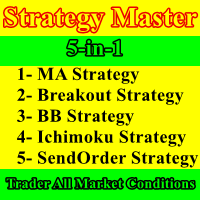
Strategy Master is a 5-in-1 EA, offering a choice of 5 distinct strategies within a single expert advisor. You can activate one to five strategies simultaneously and customize your trading by enabling or disabling filters to validate entries. These five strategies encompass a range of approaches, including three technical strategies (Moving Average, Bollinger Bands, and Ichimoku), a renowned price action strategy (Breakout), and a time-based strategy (SendOrder at Time). We understand that mar

Camarilla Pivot Points is a math-based price action analysis tool that generates potential intraday support and resistance levels. Pivot price values are stored in output buffers within this indicator, enabling any Expert Advisor to utilize this indicator's data for trading purposes. This indicator offers the potential for developing numerous strategies. To explore some of these strategies, please visit the following websites: https://www.babypips.com/forexpedia/camarilla-pivot-points https:
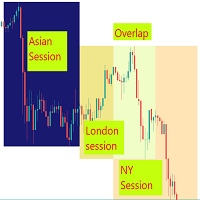
Visual guide which divides the 24 hours into three trading sessions. The default setting is to show Asian , London and New York sessions. But, the session start and end hours can be adjusted as required.
The indicator is useful to develop trading strategies by making it easy to see the market behavior during the three sessions.
Inputs Time Zone Start and End hours (Please provide values in HH:MM format, like 02:00, not like 2:00. Both the hours and minutes should have 2 digits) Ti

Works to open two hedging deals, buying and selling, with a goal of each deal of 20 points With the opening of multiple cooling deals in the manner of another lot size and suspending each type of sale or purchase transaction At a profit level.
Parameters:
Lot1: Manual Lot Size Auto_Lot: Set true to automatically calculate optimal Lot Size based on risk preferences, Set False if you want use manual lot size. Max_Risk: Max Risk as percentage of Equity* the greater this percentage is the greater
Price Action Supply/Demand, Support/Resistance, Swing Low, Swing High Scanner Indicator is a software designed to automatically draw and mark regions on price charts, making it easier for traders to identify potential reaction sites. The software can be used for various currency pairs and commodities such as AUDCAD, gold, and bitcoin. Highlights The software automatically marks regions on price charts, indicating past working areas and potential reaction sites. Traders can easily switch be

The Pure Cross Entry Signal Indicator is a powerful tool designed to assist traders in making informed decisions in the financial markets. This advanced indicator leverages cutting-edge algorithms and technical analysis to identify potential entry points with high accuracy. The indicator works based on instant price movements. This indicator is a complete trading product. This indicator does not need any additional indicators.
The indicator certainly does not repaint. The point at which th
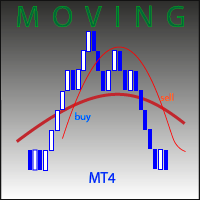
This advisor compares the position of two moving averages. When the fast average is located above the slow one, the advisor buys, and if located below the slow one, sells. Point of entry determined by filtering using additional indicators. Recommended for use on EURUSD,H1. Default settings are given for this pair and selected over the interval over the past 2 years. To limit losses for each the transaction is settled and SL is placed. Profitable trades are accompanied

Nice Price Signal is a powerful and easy-to-use MT4 indicator that provides traders with accurate and reliable entry and exit signals. The indicator uses a variety of technical indicators to analyze the market and identify trends and reversals. Features: Accurate and reliable signals: The indicator uses a variety of technical indicators to analyze the market and identify trends and reversals. This helps to ensure that traders are entering and exiting trades at the right time. Easy to use: Th

True Super Arrows is a powerful and versatile indicator that can help you identify and trade profitable trends. The indicator uses a combination of technical indicators to generate arrows that point to the direction of the trend. Features: Multiple trend identification methods: The indicator uses a combination of moving averages, trend lines, and other indicators to identify trends. Accurate trend direction: The indicator uses a variety of techniques to ensure that the arrows are pointing in

Trading Advisor for margin currency pairs and metals. Conservative trading of 100,000 units per 0.01 lot. The standard trade is 10,000 units per 0.01 lot. Aggressive trading with high risks of 1000 units per 0.01 lot. You can always pick up your starting lot. The EA is fully automated, you only have to put up the initial lot depending on your initial deposit. The recommended timeframe is H1. 1. Test on any steam, iron and fuel oil 2. Try starting with convenient depots 3. When going into a dra
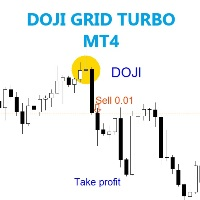
The EA trades when doji pattern were detected on chart. Best time frame 30 mins, Any pair any broker no limited, recommend minimum deposit 500$
SETTING Symbol - Symbole on your chart. Candle_size_pips - Size pips before doji born. Lots - start lot. Multiple_lots - Multiply lot for next order. Max_lots - maximum lot. Trade_boost - Frequency of opening position (Less number = less order , 1-100 value). Grid_boost - Frequency of opening grid position (Less number = more order , recommended 7
FREE
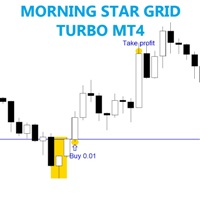
The EA trades on morning star pattern . Best time frame 30 mins, Any pair any broker no limited, recommend minimum deposit 500$
SETTING Candle_size_pips - Minimum size of previous candle. Lots - start lot. Multiple_lots - Multiply lot for next order. Max_lots - maximum lot. Grid_boost - Frequency of opening position (Less more order). Grid_minimum_pips - Check distance grid from last order. TP_pips - take profit, in pips. SL_money - Stop loss in money. Number order for DD Reduction Algoritm
FREE
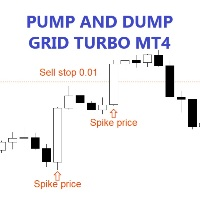
The EA trades on pending order which spike price and comeback to previous price, the pending order will deleted when end of the day . Best time frame 30 mins, Any pair any broker no limited, recommend minimum deposit 500$
SETTING Symbol - Symbol on your chart. Spike_period - Speed of price (Set less = more trade). Spike_value - Time of price speed increase or decrease (Recommended value 0.1-2.0). Candle_size_pips - Maximum candle size previous pending order. Lots - start lot. Multiple_lots - Mu
FREE
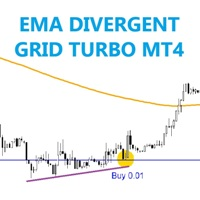
The EA trades on price make divergent between EMA and candle stick . Any pair, time frame any broker no limited, recommend minimum deposit 500$
SETTING EMA_period - Set EMA period Bar_history - Set candle history passed. Lots - start lot. Multiple_lots - Multiply lot for next order. Max_lots - maximum lot. Grid_boost - Frequency of opening position (Less more order). Grid_minimum_pips - Check distance grid from last order. TP_pips - take profit, in pips. SL_money - Stop loss in money. Numbe
FREE

This indicator is designed based on the Moving Origin indicator
When the moving origin indicator breaks the price, this indicator gives a signal
It is useful for better viewing of signals and analysis on them
Attributes: Can be used in all symbols Can be used in all time frames Too many signals Simple and quick settings Easy way to work
Settings: period: like moving average settings alarmShow: If you want to receive an alert in Metatrader after receiving the signal, enable this setting
alarmS
FREE
Indicador Gratuito desarrollado por Mr Beast Inversiones Mr Beast : Gestión de riesgo profesional. Brindo a la comunidad la entrada a productos de M Beast. Echar un vistazo a mis señales y expert advisors. Descuentos de hasta 70% Diclaimer: La negociación en Forex, CFD y Opciones conlleva un riesgo de pérdida sustancial y no es adecuada para todos los inversores. El alto grado de apalancamiento puede actuar en su contra y también en su favor, Antes de decidirse a operar en productos tan apalanca
FREE
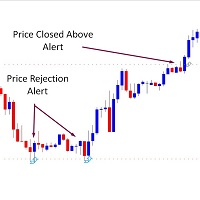
*** Introductory Offer! *** Ends soon - do not miss it! The Price Alerts 3 in 1 Indicator is part of my suite of Price and Trendline Alerts Indicators. I'm excited to introduce the Price Alerts 3 in 1 Indicator – part of my new suite of Price and Trendline Alert Indicators – fantastic tools designed to: … alerts you when 1. candles close above or below significant prices 2. price breaks above or below significant prices 3. price rejects significant prices in the markets you trade. With t
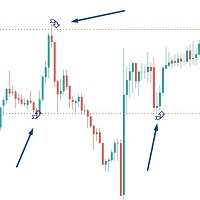
*** Introductory Offer! *** Ends soon - do not miss it! The Price Rejection Alerts Indicator is part of my suite of Price and Trendline Alerts Indicators. I'm excited to introduce the Price Rejection Alerts Indicator – part of my new suite of Price and Trendline Alert Indicators – fantastic tools designed to alert you when candles close above or below significant prices in the markets you trade. With this indicator, you can set up to 4 price alerts on any asset, allowing you to quickly spo

Easy and simple, Moving A utumn MT4 . You're the boss, watch, smile. Recommendations:
Currency pair: GBPUSD ,EURUSD ,XAUUSD. Use Currency : One . Timeframe: H4 Minimum lots: 0.15 Platform: MetaTrader 4
Profit : 250 -200
Minimum deposit : $1000 IMPORTANT: It is very impoportant to use LOW SPREAD accounts for best results ! VPS recommended Committed to Continuous Improvement: We are dedicated to continually optimizing and enhancing our to provide you with the best possible trading experi

Trend based indicator
Identify trends with this indicator
A simple-to-use trend indicator
No complicated settings
Attributes: Can be used in all symbols Can be used in all time frames Relatively high signals No complicated settings Specific to the trend Lifetime support
Settings: Alarm Show Alert: By activating these settings, after receiving the signal, you will receive an alarm in Metatrader
Alarm Show Notification: By activating these settings, after receiving the signal, you will receive a

Gold Bricks FX USES THE TREND WAVE INDICATOR AND IT CAN IDENTIFY THE BEGINNING AND THE END OF A NEW WAVE TREND MOVEMENT.
AS AN OSCILLATOR, THE INDICATOR IDENTIFIES THE OVERBOUGHT AND OVERSOLD ZONES.
IT WORKS GREAT TO CATCH THE SHORT TERM PRICE REVERSALS AND USES A MARTINGALE STRATEGY TO CLOSE ALL TRADES IN PROFIT.
USE DEFAULT SETTINGS ON H1 OR HIGHER TIME FRAME ON ANY PAIR FOR MORE ACCURATE TRADES
WHY THIS EA :
Smart entries calculated by 4 great strategies The EA can be run on even a $300

The Royal Mint New indicator for MetaTrader is a trend-following system that analyzes the trend bias of any currency pair. It is a superior version of the regular Heiken Ashi indicator, designed with more advanced technical tools like the trend reversals, a T3 line, and the moving average. The T3 line of the indicator works as an extra layer of confluence to confirm when the moving average crosses over. Moreover, the Heiken Ashi bars of the indicator would change to blue to depict a potential bu
The Ultimate Moving Average Crossover EA AFFORDABLE & POWERFUL - The settings are up to you. Create Signals and Automatically Enter Trades if Desired. Introducing our state-of-the-art Moving Average Crossover Expert Advisor, a sophisticated tool for traders who understand the unparalleled significance of moving averages in the forex market. Our EA isn't just any ordinary tool; it's a powerful blend of precision and customization that offers a multi-layered approach to trading.
Key Features: Mu

This EA Forex is developed based on a stochastic oscillator indicator. It sets the parameters including %K, Slowing, %D, Price filed, and MA method to fit with XAUUSD trading. The grid martingale is used to improve the trading strategy also. Recommend List Details Initial Deposit $1,000 OR 10,000 USC Currency Pair XAU/USD Time Frame M30 Relative DD 61.23% Profit 135% per year Winrate 75.10% Duraion 2-24 hr. Account ECN, STD, Cent account

Fiery Pinnacle USES THE TREND WAVE INDICATOR AND IT CAN IDENTIFY THE BEGINNING AND THE END OF A NEW WAVE TREND MOVEMENT.
AS AN OSCILLATOR, THE INDICATOR IDENTIFIES THE OVERBOUGHT AND OVERSOLD ZONES.
IT WORKS GREAT TO CATCH THE SHORT TERM PRICE REVERSALS AND USES A MARTINGALE STRATEGY TO CLOSE ALL TRADES IN PROFIT.
USE DEFAULT SETTINGS ON H1 OR HIGHER TIME FRAME ON ANY PAIR FOR MORE ACCURATE TRADES
WHY THIS EA :
Smart entries calculated by 4 great strategies The EA can be run on even a $300
Simple alert system which will alert you on your mobile terminal, email and on the chart whenever RSI crosses below the overbought level or above the oversold level. Use this alert system, so you don’t have to watch the chart all day for the RSI levels to break.
INPUTS: 1. RSI Period- (Default is 14). Number of candles the RSI indicator will look back for the calculations. 2. OB Level- (Default is 70). This is the Overbought level or Upper level for the RSI indicator. 3. OS

This expert is based on patterns
The main patterns of this specialist are candlestick patterns
Detects trends with candlestick patterns
It has a profit limit and a loss limit, so it has a low risk
The best time frame to use this expert is M30 time frame
The best currency pairs to use with this expert is the EURUSD, GBPUSD, AUDUSD, USDCAD currency pairs
Attributes: Can be used in the EURUSD, GBPUSD, AUDUSD, USDCAD currency pairs Can be used in M30, H1, H4 time frames Has profit limit and loss

KJ Grid MT 4 is a trading expert advisor (EA) designed for grid trading, where positions are opened in a grid pattern. This means the first trade in the cycle is opened, and more trades are opened at price gap intervals if price moves in that direction. These positions will be closed according to the closing option chosen, generally in profit. The number of positions, their lot sizes, and the distance in points between positions are chosen in the EA settings. The most important setting is the cl

Готовый Инструмент для Трейдера с большим арсеналом технического аспекта, который будет помощником в торговле! Индикатор имеет буферные стрелки, алерт, возможность настройки нужных уровней сигнала, возможность торговать на пробой и ретест! работать можно на любом инструменте, и любом таймфрейме. Можно регулировать цвета линий что бы было приятно использовать этот инструмент в своём торговом шаблоне!

MetaProfitX utilizes a unique strategy where it continuously scalps small profitable trades. MetaProfitX stands out from other expert advisors due to its remarkable approach to handling losing trades. Unlike traditional methods that solely rely on Stop Loss orders to limit losses, MetaProfitX employs a sophisticated technique to manage losing positions, trading as a basket, closing all at once on a small profit. This unique strategy allows MetaProfitX to optimize its risk management, mini

O TakeFast AI é um algoritmo sofisticado e inovador que emprega Inteligência Artificial em conjunto com a análise técnica tradicional para antecipar os comportamentos do mercado financeiro. Este Expert Advisor utiliza Redes Neurais Recorrentes, mais especificamente, células de Memória de Longo Prazo e Curto Prazo (LSTM), que são treinadas com base em dados provenientes de indicadores de análise técnica. Através deste método, o EA consegue aprender quais indicadores são os mais influentes para pr

프리시전 트레이딩 시스템의 로저 메드칼프에 의한 프리시전 인덱스 오실레이터 (Pi-Osc)
버전 2는 차트에 신속하게 로드되도록 주의 깊게 다시 코딩되었으며 경험을 향상시키기 위해 몇 가지 다른 기술적 개선 사항이 통합되었습니다.
Pi-Osc는 정확한 거래 타이밍 신호를 제공하도록 개발되었으며 시장이 모든 사람의 스톱을 청산하기 위해 가야 하는 극도의 고갈 지점을 찾는 데 목적이 있습니다.
이 제품은 극단적인 지점이 어디에 있는지 알고 있는 고전적인 문제를 해결하며 트레이더로서의 삶을 훨씬 간단하게 만듭니다.
이것은 업계 표준 오실레이터와는 상당히 다른 강력한 차이점을 가지고 있는 고도로 복잡한 합의 지표입니다.
사용하는 기능 중 일부는 수요 지수, 자금 흐름, RSI, 스토캐스틱, 패턴 인식, 거래량 분석, 표준 편차 극단점 및 다양한 길이에서 위와 유사한 변형을 갖습니다.
미숙한 눈에는 다른 오실레이터와 비슷해 보일 수 있지만 RSI 또는 모멘텀과 같은 다른 오실레이

DYJ T3ModeMA 는 T3 알고리즘을 기반으로 합니다.
T3 알고리즘은 미국 잡지' TASC' 가 발표한 문장' 더 나은 모바일 평균선' 에 기술 분석 분야에 도입됐다.
T3 은 가격 시퀀스를 매끄럽게 하는 동시에 추세 추적 시스템의 지연을 줄일 수 있습니다.
포인터의 기둥 크기에 따라 입장 신호가 결정되며, 기둥 크기가 0 에 가까울 때 추세의 전환점입니다.
이 지표는 모의 거래 기술을 사용합니다.
개판 신호와 파장 신호의 전반적인 수익성을 평가하는 지표를 제공합니다.
네가 어떤 평가 모델로 거래하든 모두 편리하다.
최대 이익 모델 평가 모델을 선택할 때,
추적 손실 방지 기능을 사용하는 것이 좋습니다.
이렇게 하면 추세 이윤을 최대한 추적할 수 있다.
반대 신호를 선택하여 평가 모드를 끄면
맞은편 신호가 다시 평평해질 때까지 참을성 있게 기다리는 것이 좋습니다.
이것은 추세가 실제로 끝나고 이익을 얻을 때까지 기다릴 수 있습니다. 지수 오픈 및 플랫 창고를 자동으로 따라야
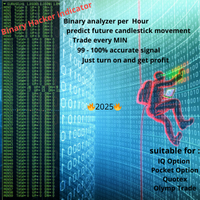
빠르게 변화하는 금융 시장에서 모든 초는 중요하며 모든 결정은 거래를 성사시키거나 망칠 수 있습니다. 바이너리 해커 지표(Binary Hacker Indicator)는 분 단위로 가격 움직임을 분석하는 방식을 혁신할 준비가 된 획기적인 도구입니다. 거래의 정밀도 밝히기: 바이너리 해커 지표는 일반적인 거래 도구가 아닙니다. 실시간 분석기 역할을 하며 차트의 각 분을 분석하여 트레이더에게 귀중한 통찰력을 제공합니다. 광범위한 수동 분석이 필요한 기존 지표와 달리 바이너리 해커는 거래 전략에서 추측 작업을 제거하고 순수 데이터에 기반한 계산된 접근 방식을 제공합니다. 매 분의 힘: 거래의 매 분을 분석하고 매수와 매도 압력 사이의 복잡한 균형을 이해할 수 있다고 상상해보세요. 바이너리 해커를 통해 이러한 비전이 현실이 됩니다. 이 독창적인 지표는 시장을 지속적으로 모니터링하고 매 분마다 상승 틱과 하락 틱의 수를 계산하여 가격 액션의 본질을 쉽게 이해할 수 있는 정보로 정제합니다. 독특

"Ppr PA" is a unique technical indicator created to identify "PPR" patterns on the currency charts of the MT4 trading platform. These patterns can indicate possible reversals or continuation of the trend, providing traders with valuable signals to enter the market.
Features: Automatic PPR Detection: The indicator automatically identifies and marks PPR patterns with arrows on the chart. Visual Signals: Green and red arrows indicate the optimal points for buying and selling, respectively. Ar
FREE

Emilian: MetaTrader 4를 위한 전문 자문기 개요 이동 평균 지수(EMA)와 상대 강도 지수(RSI 21)를 사용하여 거래를 열고 닫는 Emilian 전문 자문기를 만나보세요.
맞춤형 위험 관리 전략을 제공하는 Emilian은 Average True Range (ATR 12) 또는 특정 pip 값들을 사용하여 이익 실현과 손절 레벨을 설정합니다.
주요 특징 이동 평균 크로스오버 전략: 크로스오버 신호를 위해 빠르고 느린 EMA를 활용합니다. RSI 21 확인: RSI 21을 통해 거짓 긍정을 줄이는 추가 확인 계층을 추가합니다. 유연한 포지셔닝: 완전히 거래 선호도에 맞게 조절 가능한 롱 및 숏 포지션을 허용합니다. 동적 위험 관리: ATR 기반 또는 pip 기반 이익 실현 및 손절 설정 사이에서 선택합니다. 입력 파라미터 LongPositions: 롱/구매 포지션을 열 수 있게 합니다. ShortPositions: 숏/판매 포지션을 열 수 있게 합니다. Lots

트렌드스위프트 누구나 사용할 수 있도록 설계되었으며, 거래 초보자도 사용할 수 있습니다. 절대 다시 칠하지 마세요. 표시는 가까운 곳에서 가까운 곳까지 제공됩니다. 단독으로 사용하도록 설계되어 다른 표시기가 필요하지 않습니다.
어떻게 작동하나요? TrensSwift는 가격 조치 및 피보나치 시스템과 결합된 내부 추세 지표를 사용하고 있습니다. 이 전략은 사후 재계산, 평활화 또는 보간 없이 엄격하게 적용됩니다. 댓글 섹션의 통계 덕분에 전략의 "성공"을 즉시 확인할 수 있습니다. 실시간으로 캔들 근처에서 캔들 종가까지 추세 표시기는 신호 조건이 유효할 때까지 기다린 다음 화살표로 표시합니다(구매는 녹색, 매도는 주황색). 표시기는 거래 기회가 시작될 때 SL과 TP를 표시하고 전체 작업 동안 이를 유지합니다. 놀랄 일도 아니다.
TrendSwift는 다음을 나타냅니다. 거래를 개시할 곳. 닫을 시기. 이익실현 및 손절매
TrendSwift 작동 어떤 악기라도 제한 없이
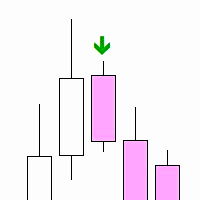
"Inside Bar PA" is a technical indicator designed to determine the inner bars on the chart. An internal bar is a bar or candle, the maximum and minimum of which are completely contained in the previous bar. This may signal a potential reversal or continuation of the trend, depending on the context.
Features: Automatic detection of internal bars. Visual marking of internal bars with arrows on the chart. The ability to adjust the distance of the mark from the bar. How to use: Attach the indicato
FREE

Let us introduce you to a new era of neural indicators for financial markets! Intelligent Moving is a unique indicator that trains its neural network in real time! You no longer need to look for the optimal indicator parameters for each specific situation. No more late signals. The artificial intelligence is able to adapt itself and predict any market movements.
Visually, the indicator is drawn as a main solid moving average line, two dotted lines of standard deviations and signal arrows. For
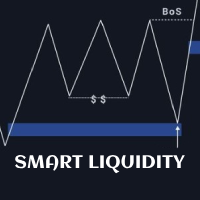
Smart Liquidity Levels is a valuable tool for identifying optimal liquidity levels, enabling retail traders like us to strategically set our stop-loss orders. T he essential tool for traders seeking to maximize their trading success. The liquidity level is a critical component of inner circle trading (ICT). It assists us in determining when and how we should enter the market. Watch the video for detailed instructions. Here's why understanding liquidity levels is crucial in trading and how our

Robot Name: Xelar EA Description: Xelar EA - Your Gateway to High-Risk, Potentially Highly Profitable Trading Experiences! Are you in search of a trading robot capable of providing risk-loving traders the opportunity to achieve exceptional profits? Xelar EA could be exactly what you've been looking for. This highly specialized trading robot has been developed to conquer the markets in a unique and efficient manner. Information: After every 5 sales, the price increases by $100. Please contact me

GAMMA is a fully featured trade manager and account monitoring assistant that offers a variety of trade and account monitoring and mechanization functionalities vital to a trader’s toolkit. This assistant takes on all the mechanical parts of trading, freeing up more time for you focus on other activities that promote your personal and financial well-being. The trading functions GAMMA helps you to automate include:
equity monitoring and preservation
stop loss and take profit placement breakeven
MetaTrader 마켓은 거래 로봇과 기술 지표들의 독특한 스토어입니다.
MQL5.community 사용자 메모를 읽어보셔서 트레이더들에게 제공하는 고유한 서비스(거래 시그널 복사, 프리랜서가 개발한 맞춤형 애플리케이션, 결제 시스템 및 MQL5 클라우드 네트워크를 통한 자동 결제)에 대해 자세히 알아보십시오.
