GapHunter
40 USD
ダウンロードされたデモ:
50
パブリッシュ済み:
15 9月 2021
現在のバージョン:
1.60
Didn't find a suitable robot?
Order your own one
on Freelance
フリーランスにアクセス
Order your own one
on Freelance

取引の機会を逃しています。
- 無料取引アプリ
- 8千を超えるシグナルをコピー
- 金融ニュースで金融マーケットを探索
Можете ли вы добавить оповещения к стрелкам? Можете ли вы добавить функцию для настройки размера стрелки? Кроме того, для чего нужны другие настройки? Кажется, что какие бы настройки я ни менял, стрелки остаются на одном месте.
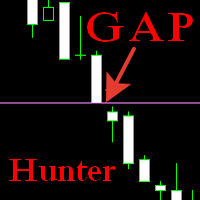
Yes, I will add alerts. The arrows show the gaps of a given timeframe. The timeframe is set in the Timeframe_for_Search parameter. By default, the minimum 1 Minute is set, all gaps are shown on it.
Can you add alerts to the arrows? Can you add a function to customize arrow size? Also, what are the other settings for? It seems that no matter what settings I change the arrows stay in the same place.
I will also add the size of the arrows
Yes, I will add alerts. The arrows show the gaps of a given timeframe. The timeframe is set in the Timeframe_for_Search parameter. By default, the minimum 1 Minute is set, all gaps are shown on it.
I will write instructions on the settings... I thought it was clear from the names. Here are the basic settings:
Timeframe_for_Search - the timeframe on which gaps are searched.
Min_GAP_size_in_points - the minimum size of the gap to search for.
Max_GAP_size_in_points - the maximum size of the gap to search for.
Mark_GAP_size_in_points - the size of the gap, which can be highlighted in a separate color.
Search_Depth_in_Days - search depth in days starting from the current one
Version 1.60 Relesed
New presets:
Alert_On - Alert to the last Gap.
Arrows_Font_size - Changes the font size of the arrows.
Yes, I will add alerts. The arrows show the gaps of a given timeframe. The timeframe is set in the Timeframe_for_Search parameter. By default, the minimum 1 Minute is set, all gaps are shown on it.
Thank you!