ZhiBiJuJi MT4
168 USD
ダウンロードされたデモ:
930
パブリッシュ済み:
20 2月 2019
現在のバージョン:
2.0
Didn't find a suitable robot?
Order your own one
on Freelance
フリーランスにアクセス
Order your own one
on Freelance

取引の機会を逃しています。
- 無料取引アプリ
- 8千を超えるシグナルをコピー
- 金融ニュースで金融マーケットを探索
HOW TO INSTALL THE INDICATOR PLZ HELP
HOW TO INSTALL THE INDICATOR PLZ HELP
After renting or purchasing, you can add it to the chart by opening it in mt4.
HOW TO INSTALL THE INDICATOR PLZ HELP
First of all, your mt4 should log in to the account of the MQL5 website, and then enter the already downloaded indicators in the market inside the terminal. Click the indicator to find the location of the indicator. Alternatively, the downloaded indicator can also be found in the market in the indicator in the navigation.
Hi
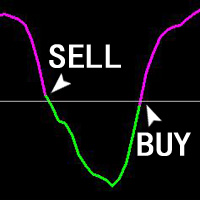
I rented the indicator could you please tell me the buy buffer# Sell buffer#
thanks
Hi
I rented the indicator could you please tell me the buy buffer# Sell buffer#
thanks