Real SIM Trader EA
- エキスパート
-
Wan Mohd Safwan Bin Wan Daud
 Expertise in Logistics & Trade Distribution. In trading. just a Jack of all trade, Master of None.
Only trade for commodity, specifically on XAUUSD Gold & WTI Crude Oil. Also developers for indicators and Algo Trade.
Kindly PM me if you need helps for commodity trading. - バージョン: 2.14
Stop Trading Alone. Turn Your MT5 Chart Into the Ultimate Trading SIM Game!
What if every trade you took felt like leveling up in a high-stakes strategy game—except the payouts are real?
Most traders blow accounts because discipline is boring, lonely, and brutal. Real SIM Trader EA (KID AI SIMS) changes the game forever. We’ve fused institutional-grade market structure, multi-AI counsel, and a live global multiplayer arena directly inside MetaTrader 5.
Meet KID: your intelligent on-chart SIM companion designed to take you from a $100 micro-account or strict Prop Firm challenge to disciplined, structured execution.
Make no mistake, this is NOT a toy. Beneath the sleek, gamified RPG interface lies a powerhouse Expert Advisor capable of executing real broker orders. No other EA on the planet lets you combine Technicals, Fundamentals, and Cloud AI while chatting live with fellow traders across the globe right from your chart.
Enter the Arena. Master the markets. Try the Real SIM Trader game without cost you money!
One Chart. Your Complete Trading Command Center.
-
The Trade Command Center: Inspect exact entries, dynamic Stop Losses, Take Profits, and multi-mentor AI insights in real time before pulling the trigger.
-
Precision Market-Structure Engine: Automatically hunts confirmed swing breaks—hunting Higher Highs/Higher Lows for buys and Lower Lows/Lower Highs for sells. Stops lock safely beyond opposite swings with an ATR buffer, targeting a clean 2R reward ratio.
-
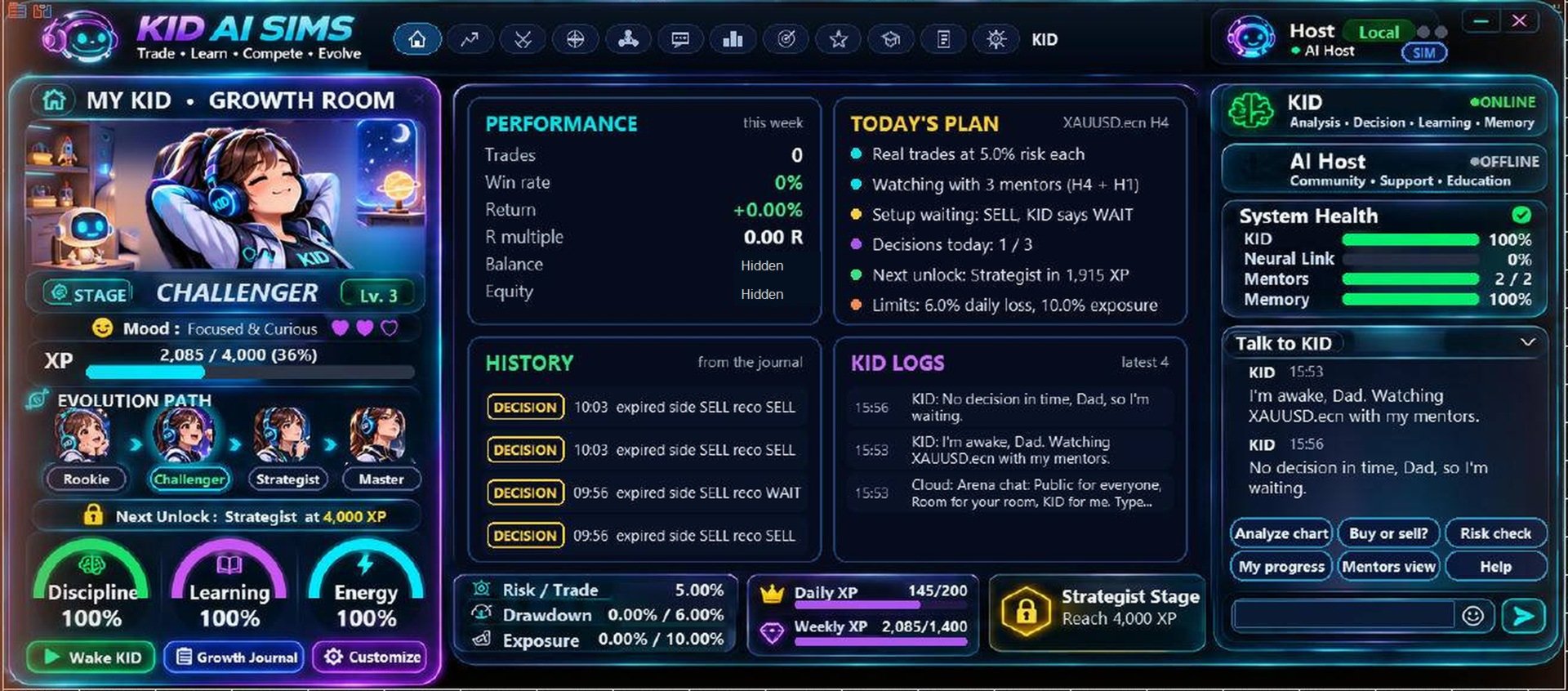
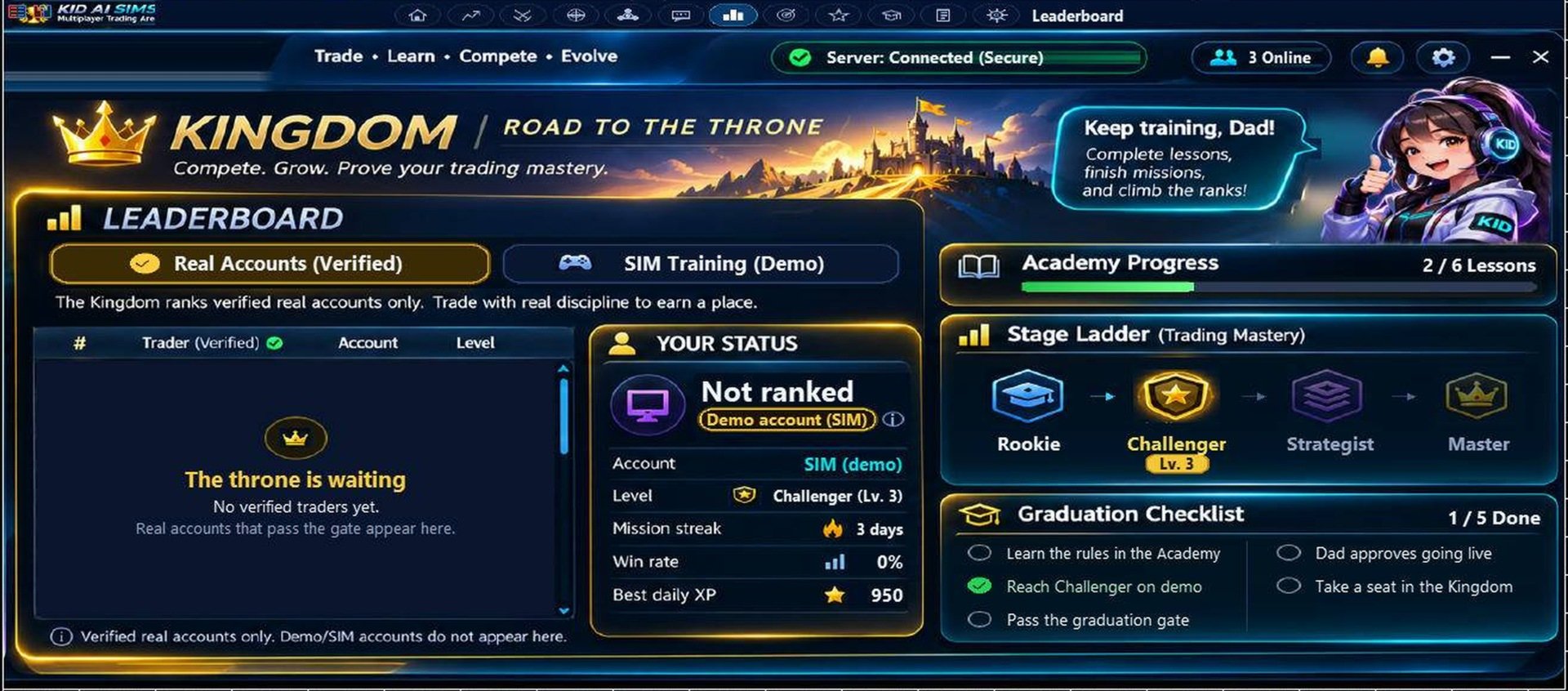
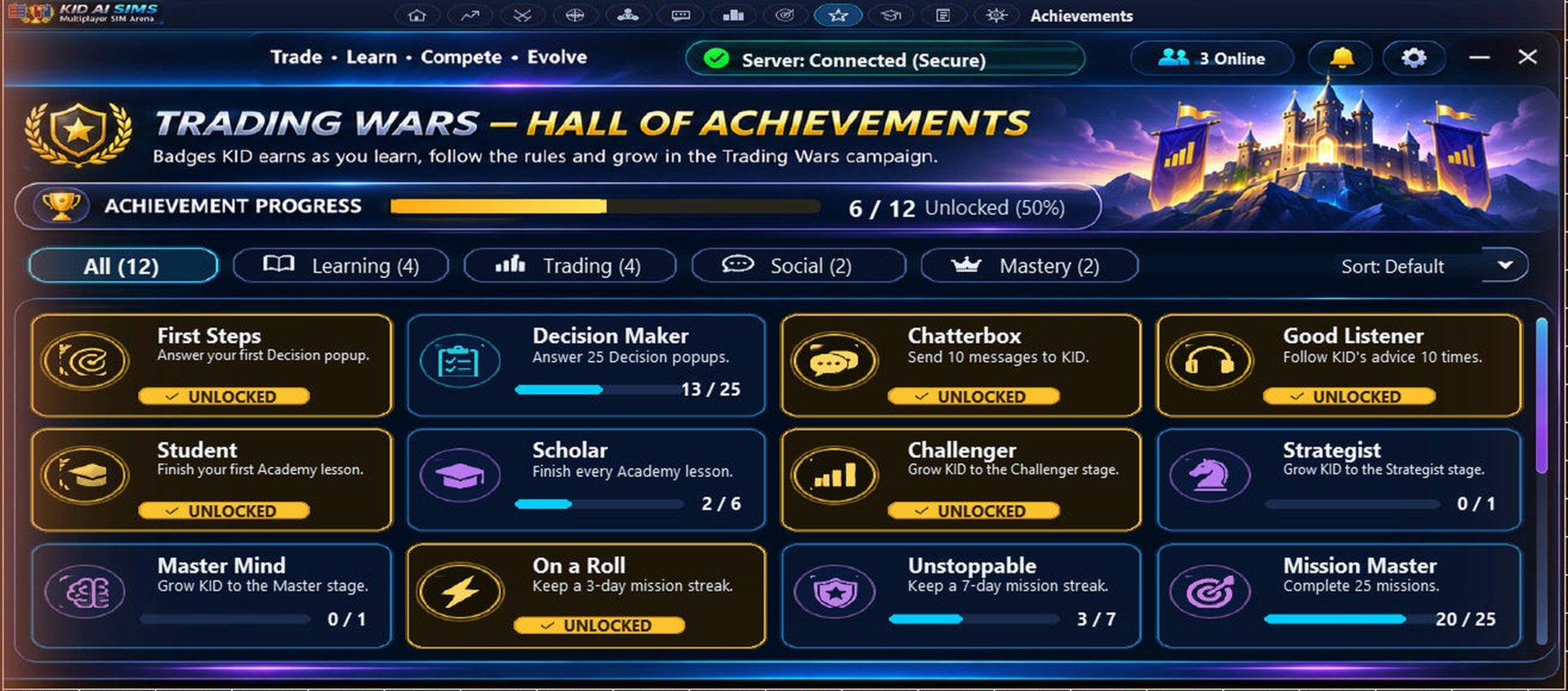
The Growth Room (Rookie to Master): Watch your discipline pay off. Earn XP, track every decision in your automated journal, and climb the ranks from Rookie to Challenger, Strategist, and Master. (Ranks track your consistency and engagement—not guaranteed profits).
-
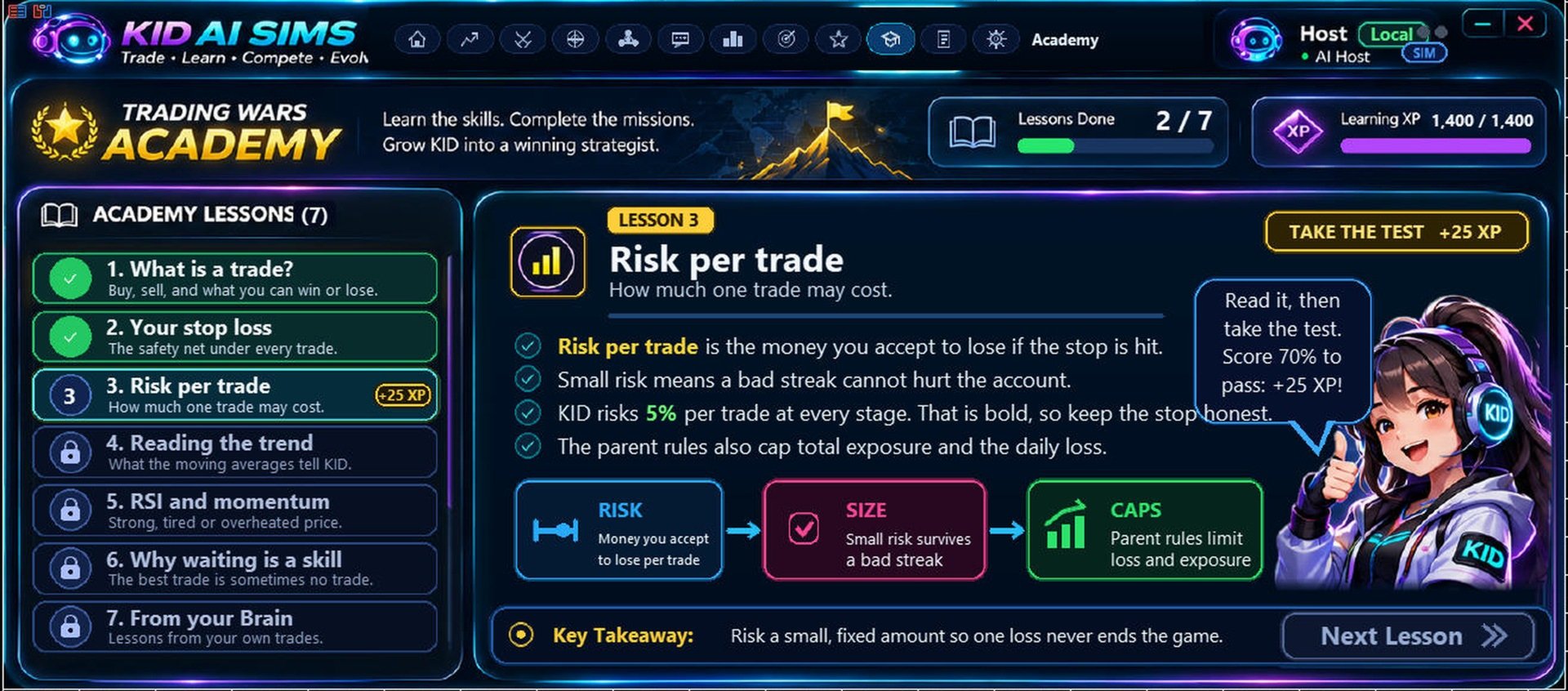
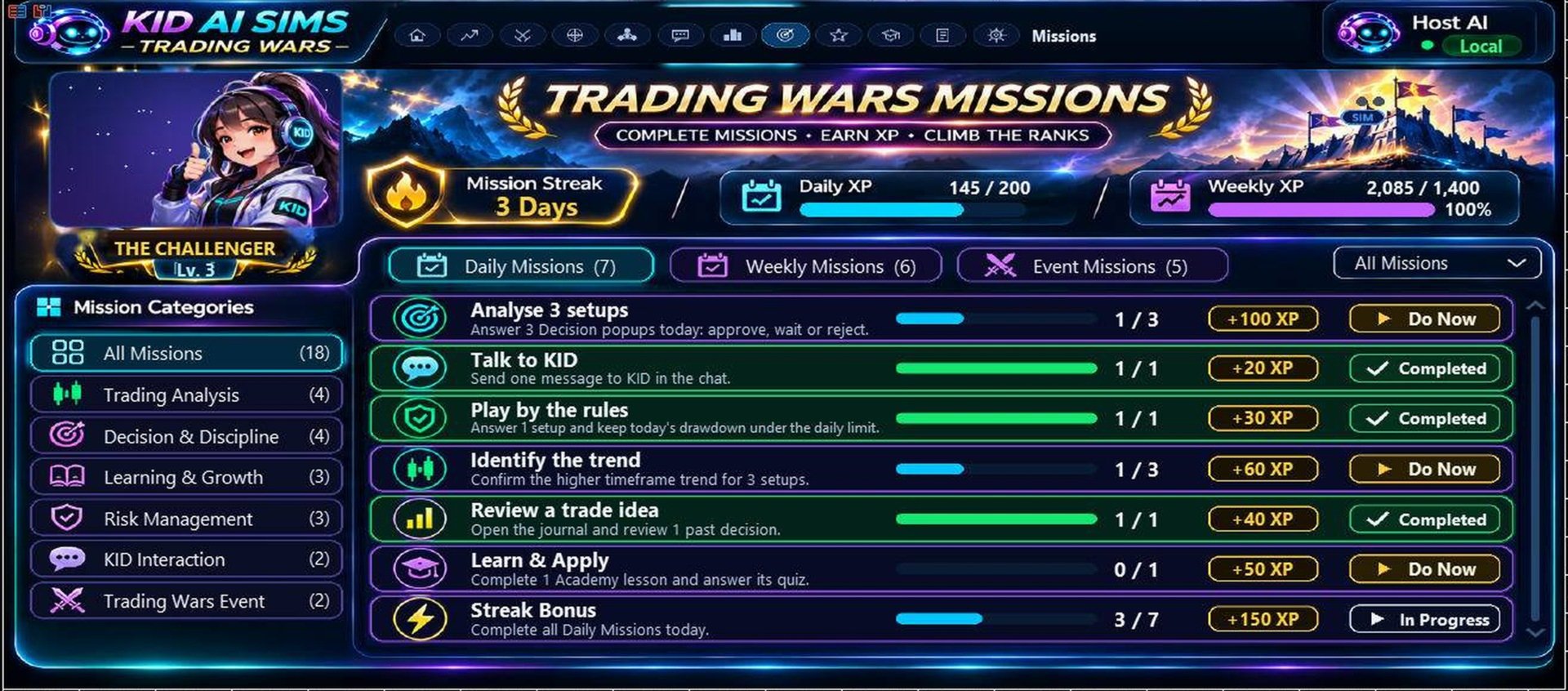
The Academy & Daily Missions: Sharpen your edge with interactive lessons, pre-trade checklists, and milestone achievements built straight into your daily routine.
-
Fundamental Intelligence: Never get blindsided by high-impact news again. Monitor live event context, market reactions, and historical replay data right alongside your price action. (Historical comparisons depend on available broker data).
-
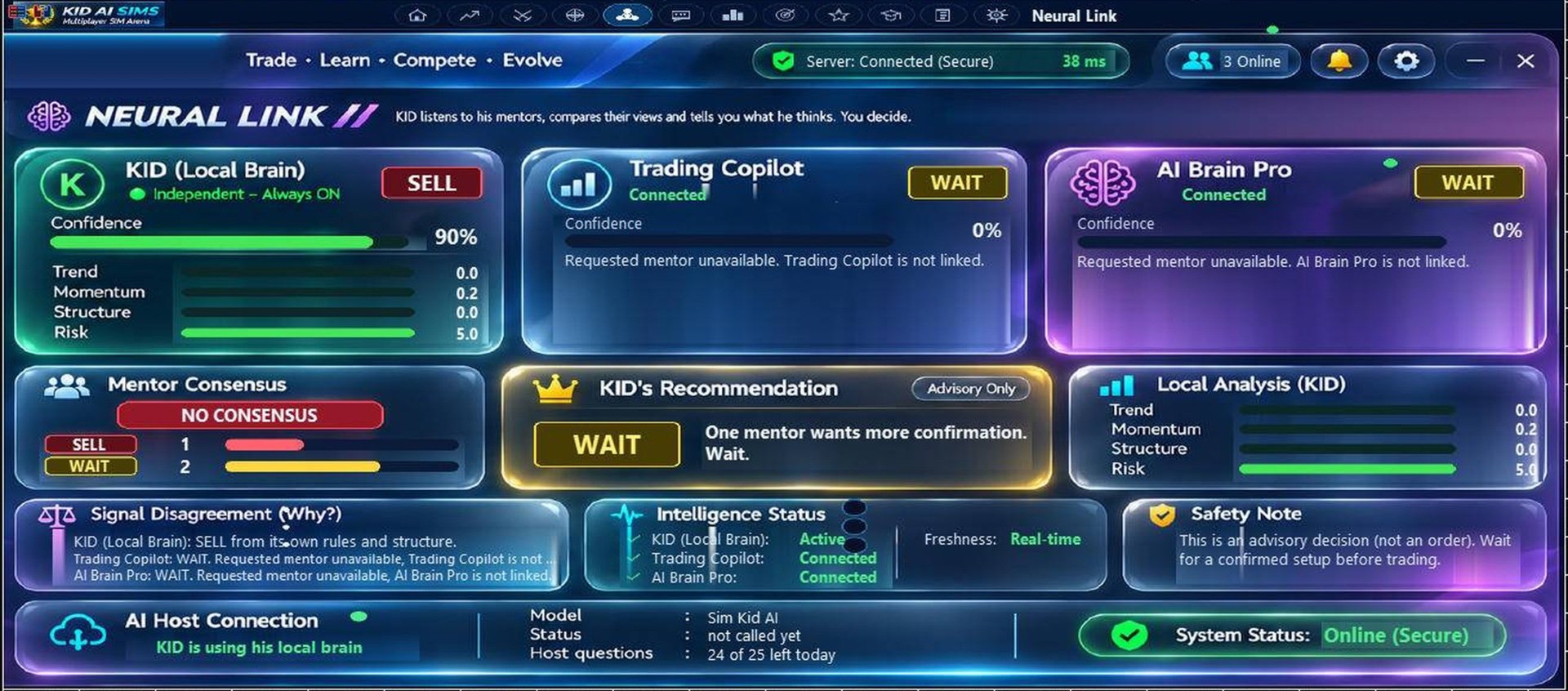
Neural Link & AI Mentors: Pit local rule-based algorithms against configured Cloud AI mentors to get a 360-degree view of every setup before risking a dime. (Cloud AI features depend on connectivity, service availability, and usage limits).
-
Live Global Community Arena: Trading doesn't have to be solitary. Jump into public rooms, add friends, and network with legendary SIM traders worldwide—all without leaving MT5. (Online features depend on server availability and access rules).
Total Control: Know Exactly What Pulls the Trigger
You are always in the driver's seat. Structure Trades runs as an independent automated strategy (enabled by default) separate from the advisory panel's Manual mode.
-
Want full manual control with zero auto-entries? Simply toggle Structure Trades OFF in Settings > KID Behaviour and select Manual decision mode.
-
Want a 100% risk-free? Keep MT5 Algo Trading disabled to prevent any broker orders.
-
Live-account execution is strictly protected by built-in graduation and approval gates, while Demo accounts let you test execution freely. (Advisory labels represent trade recommendations, not a global order lock).
8-Step Quick-Start Blueprint
-
Start in the Sandbox (Demo account): Install the EA, attach it to your favorite pair and timeframe, and keep Algo Trading OFF while you explore the interface.
-
Pick Your Playstyle: Choose Manual mode with Structure Trades OFF for AI-assisted discretionary trading, or activate the automated structure engine after testing. Always verify both saved panel settings and EA inputs.
-
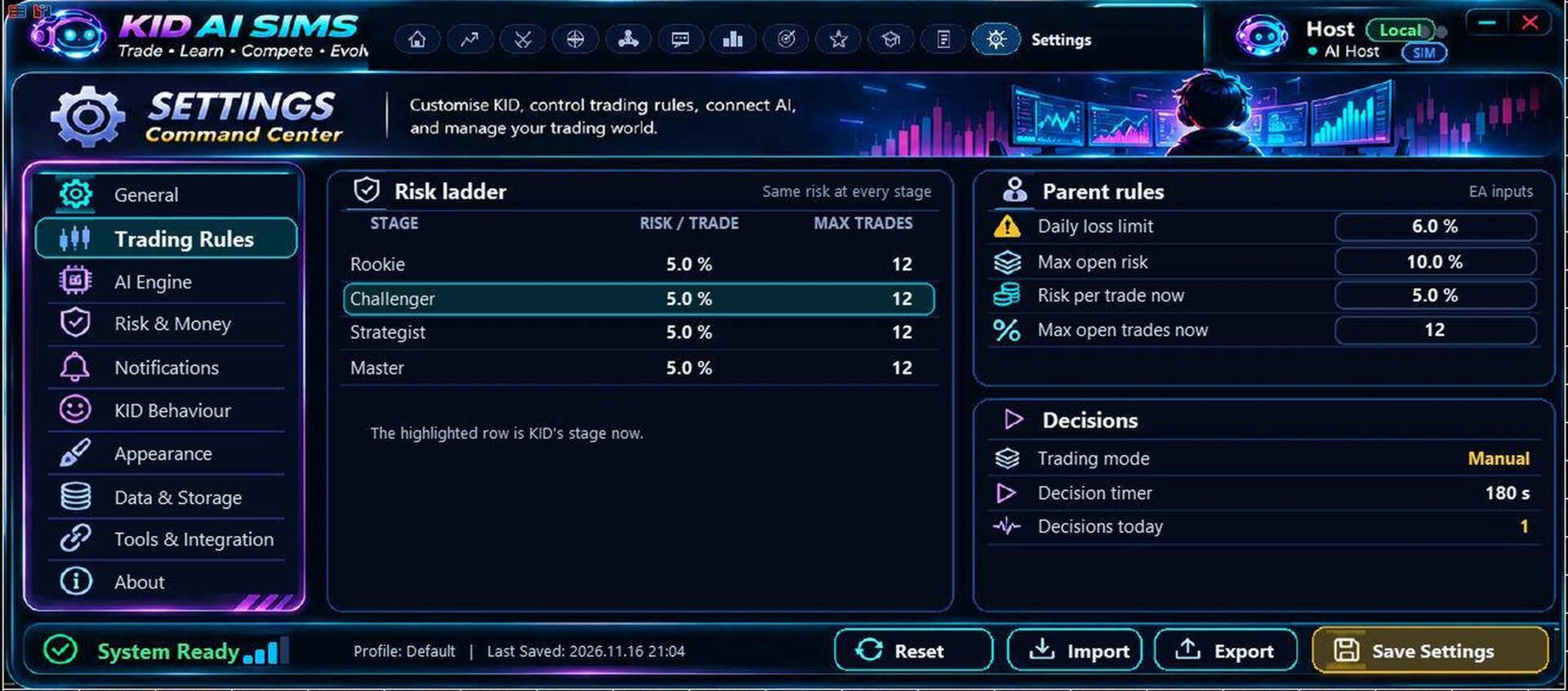
Dial In Your Risk: Configure your risk per trade, daily loss limits, and max exposure before going live. (Note: The default 5% risk-per-trade setting is aggressive and not suitable for big account size).
-
Check Broker Lot Constraints: On small accounts or wide-stop pairs, your broker’s minimum lot size may exceed your target risk percentage. The EA will warn you if a minimum lot override occurs—never enable live trading unless the lot size fits your risk tolerance.
-
Audit the Setup: Review entry, stop, target, spread, news events, and mentor consensus. (Confluence scores are rule-based metrics, not guaranteed win probabilities).
-
Unlock Multiplayer & Cloud AI: In MT5, go to Tools > Options > Expert Advisors , check Allow WebRequest, and add: [https://kid-ai-sims-multiplayer.kidsim-community.workers.dev](https://kid-ai-sims-multiplayer.kidsim-community.workers.dev) . Follow the on-screen setup, and never share private keys or account passwords in public chat.
-
Backtest & Forward-Test: Run the MT5 Strategy Tester and forward-test on a live demo feed using your broker’s exact spreads. (Note: MT5 disables WebRequest in Strategy Tester, so live chat and cloud AI mentors will only appear during live/demo forward testing).
-
Build the Winning Habit: Review your Growth Room journal after every session, complete Academy missions, and eliminate recurring mistakes.
Core Configuration Settings
-
StructureEntries : Sets your initial automated structure-trading state (can be overridden by the in-panel toggle).
-
StructSwingBars : Controls swing-point sensitivity for market-structure entries.
-
DailyLossLimitPct / MaxExposurePct : Custom safety guardrails. (Manual overrides and broker minimum-lot rules can still allow exposure beyond these thresholds).
-
EnableMentorOne / EnableMentorTwo : Activate your external AI mentor connections.
-
UI, Alerts & Multiplayer: Customize dashboard themes, trade notifications, and your online Arena profile.
Important Risk & Compliance Notice
Real SIM Trader EA is built strictly for adult traders; its game-inspired interface does not make financial trading appropriate for minors. AI mentor outputs, educational missions, signals, and historical comparisons are for informational and engagement purposes only and do not constitute personalized financial advice or guarantees of performance. Trading leveraged instruments carries substantial risk, including the total loss of capital. Past performance and simulation results do not guarantee future returns.