FX Session Matrix Pro
- インディケータ
- バージョン: 4.0
- アクティベーション: 5

Overview
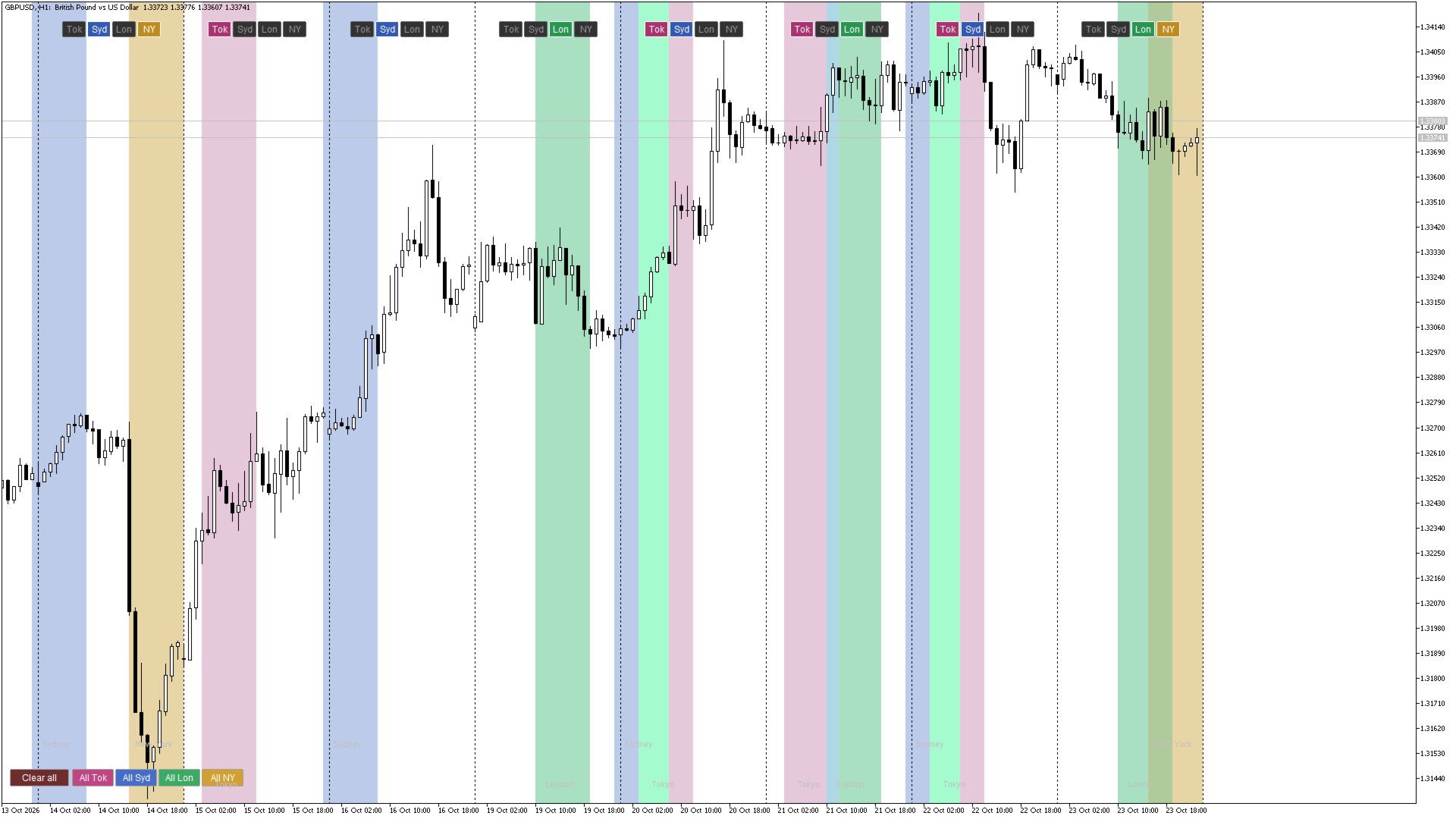
FX Session Matrix Pro is a charting indicator for MetaTrader 5 that lets you highlight the Tokyo, Sydney, London and New York trading sessions on the days you choose, instead of shading every session on every day.
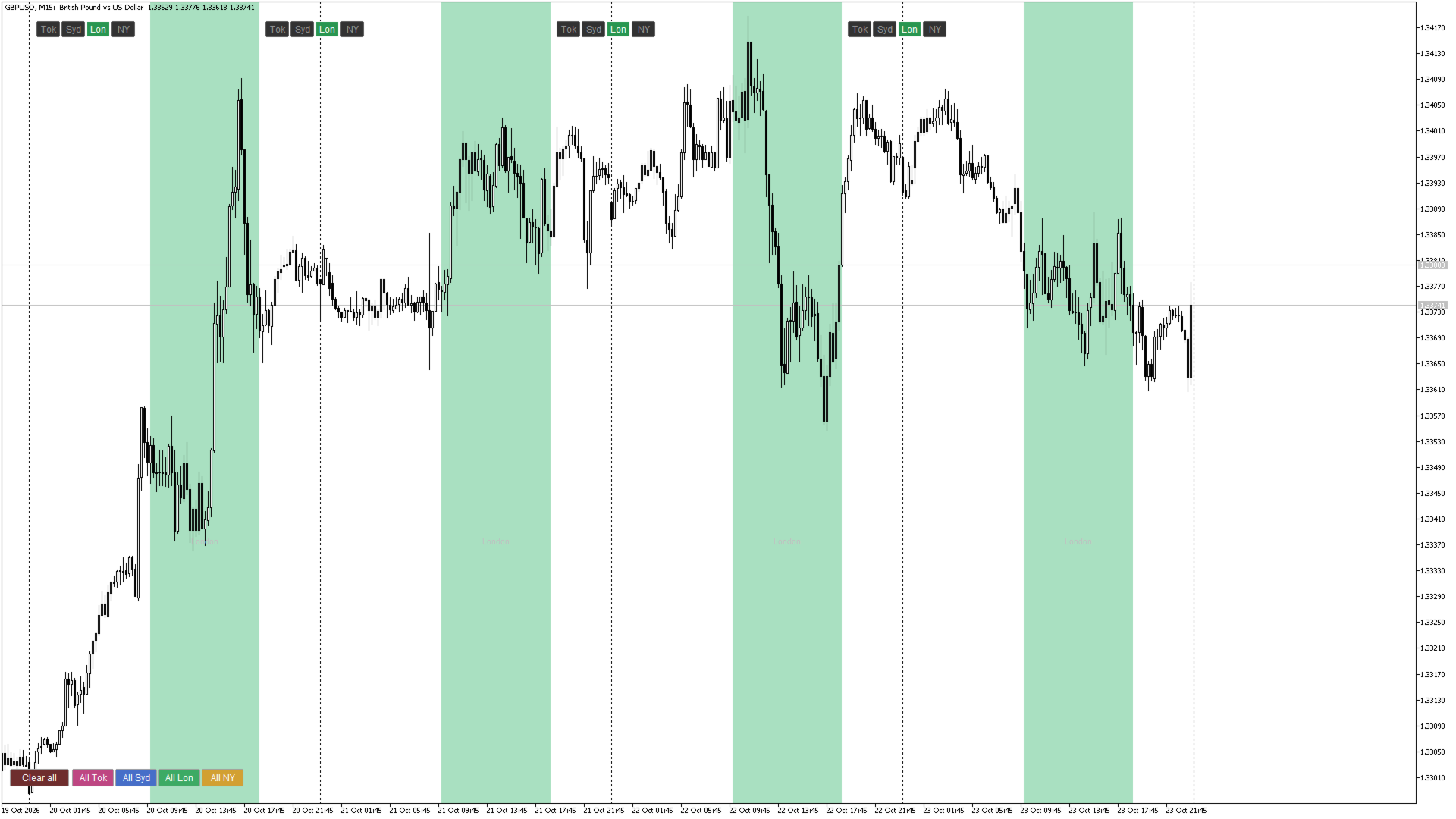
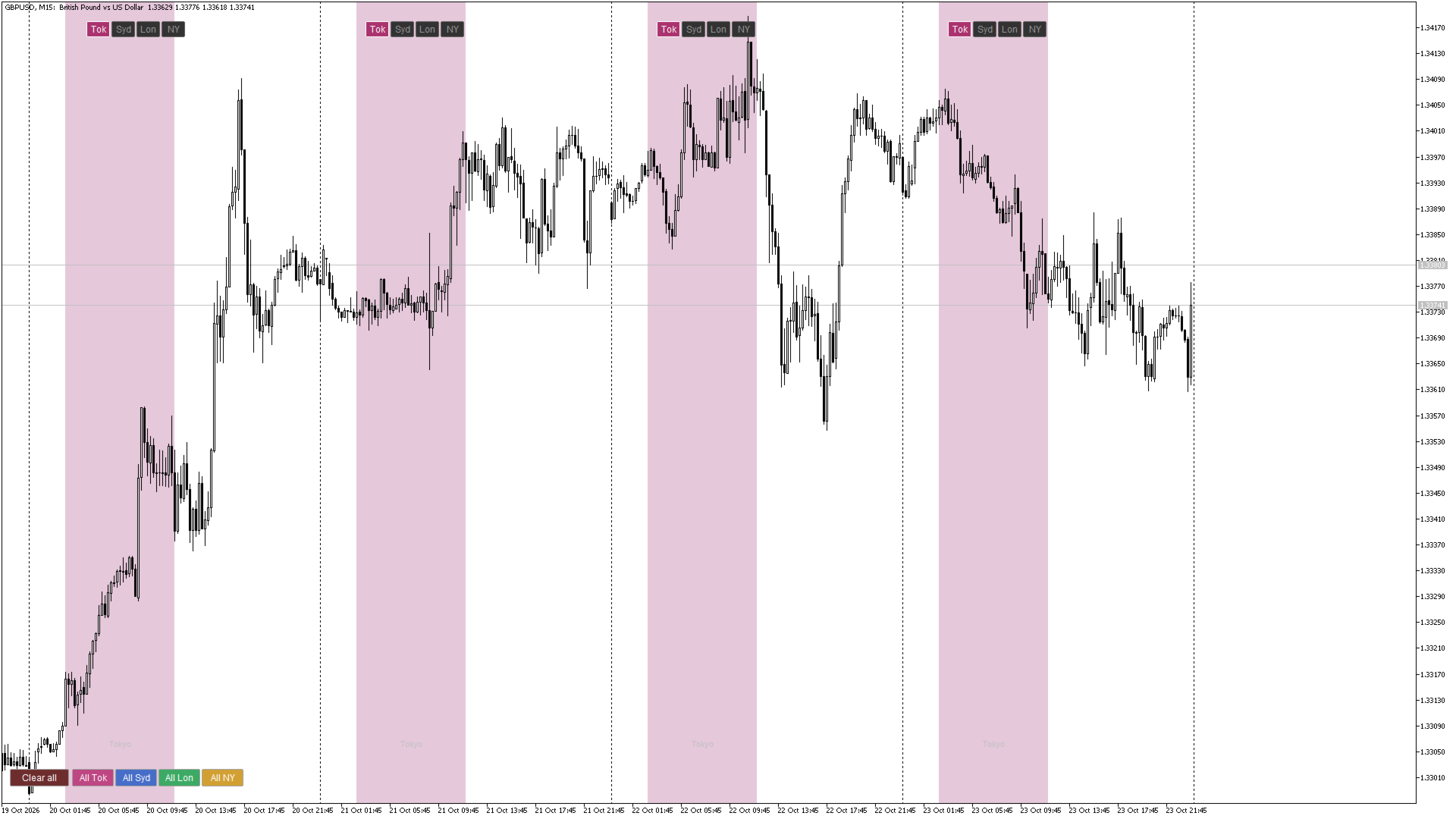
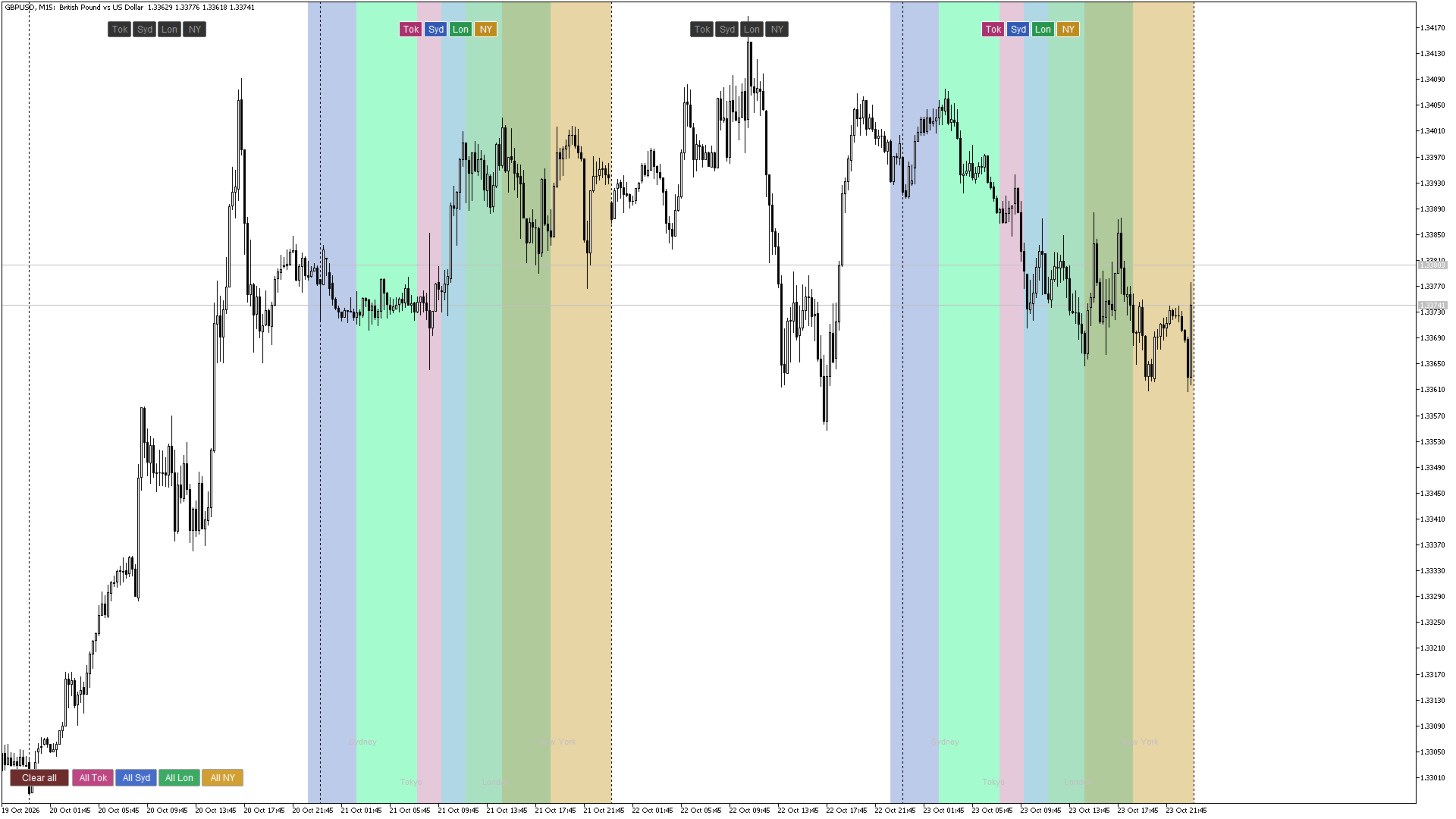
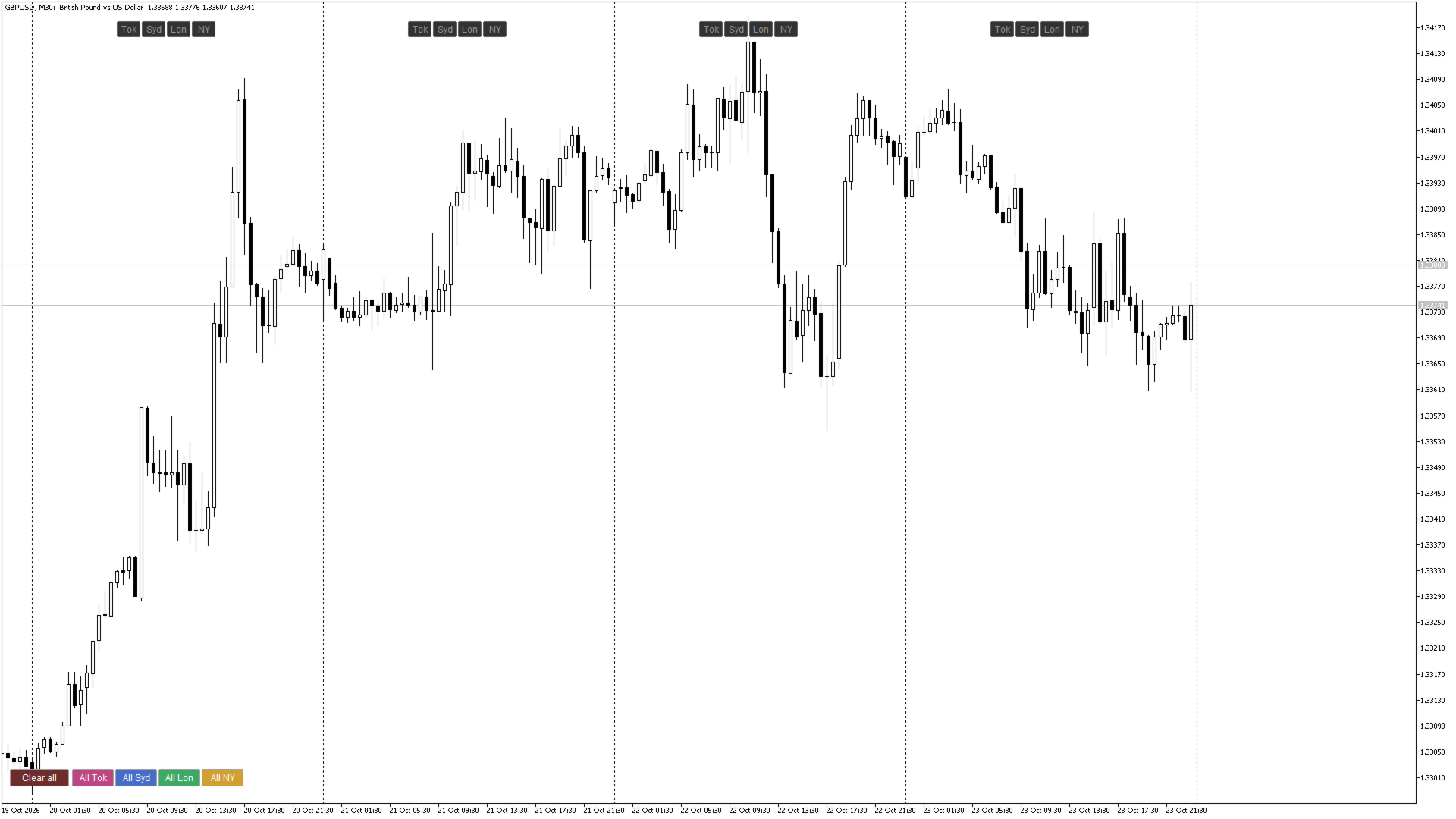
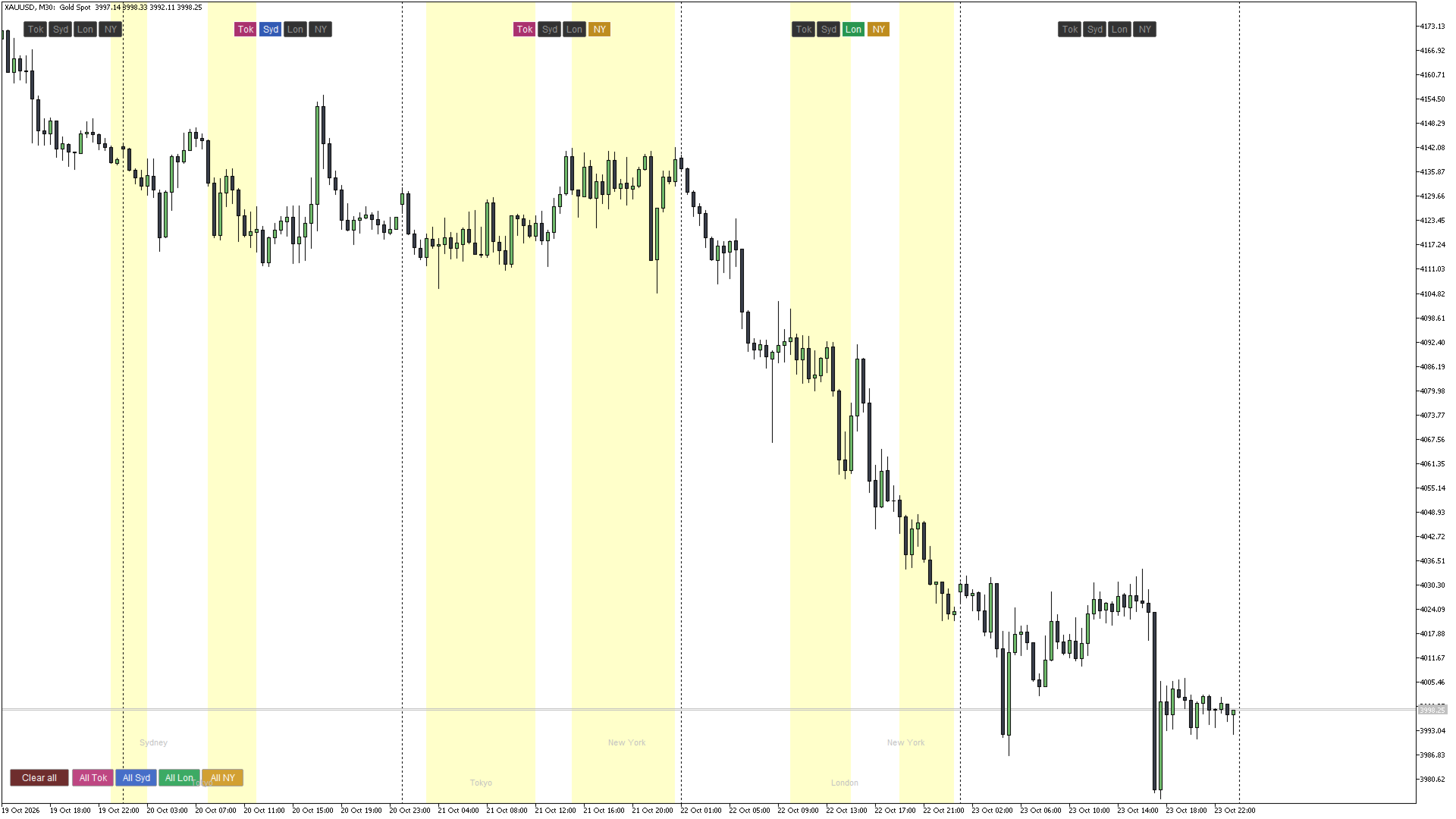
Every trading day on your chart gets its own small row of buttons: Tok, Syd, Lon, NY. Click a button to highlight that session for that day only. Click it again to remove it. You decide exactly which sessions appear on your chart, and the rest of the chart stays clean.
FX Session Matrix Pro is a visual aid for studying market hours and session behaviour. It does not trade, does not generate signals, and does not predict price.
Key advantages
- You are in control. Mark only the sessions that matter to your review, on only the days that matter.
- Clean charts. No more screens filled with overlapping coloured zones you did not ask for.
- Fast bulk marking. One click can switch a session on or off across every day currently on screen.
- Correct hours all year. Sessions follow each city's local hours, with daylight saving applied automatically.
- Works with your broker. The indicator reads your broker's server time, so bands line up with your candles.
- Nothing to relearn. Plain buttons on the chart. No external files, no extra windows.
Features
- Per-day session buttons: Tokyo, Sydney, London and New York for every trading day, placed over that day on the chart.
- Master buttons: "All Tok", "All Syd", "All Lon" and "All NY" toggle one session across all days currently visible. A "Clear all" button removes every highlight.
- Live session marker: the session that is open right now gets a pulsing border on its button, so overlaps such as London / New York are easy to spot.
- Exact times on hover: hover over a button or a highlighted band to see the date and the session's open and close times in your broker's server time. This makes it easy to check daylight-saving shifts.
- Automatic daylight saving: US, UK/EU and Australian rules are applied to the relevant sessions.
- Broker server time detection: the server's GMT offset is detected automatically, or you can set it manually.
- Highlights are remembered: your marked sessions are saved per symbol, so they are still there after changing timeframe or restarting the platform. Old entries are cleared automatically.
- Follows the chart: button rows move with the chart as you scroll and zoom, and hide themselves when a day is too narrow to fit them.
- Top or bottom placement: put the day buttons at the top or bottom of the chart.
- Fully adjustable: session hours, colours, labels and button spacing are all inputs.
Supported timeframes and accounts
- Works on M1, M5, M15, M30, H1 and H4 charts.
- On D1, W1 and MN charts the indicator switches itself off and shows a short note.
- Works on any symbol and on both hedging and netting accounts. The indicator does not open, close or modify any trades.
How to use
- Attach FX Session Matrix Pro to an intraday chart.
- Find the row of four buttons above (or below) each day.
- Click a session button to highlight that session on that day. Click again to remove it.
- Use the "All ..." buttons at the opposite edge of the chart to mark one session on every visible day, or "Clear all" to remove all highlights.
- Hover over any button or band to see the exact open and close times in server time.
Input parameters
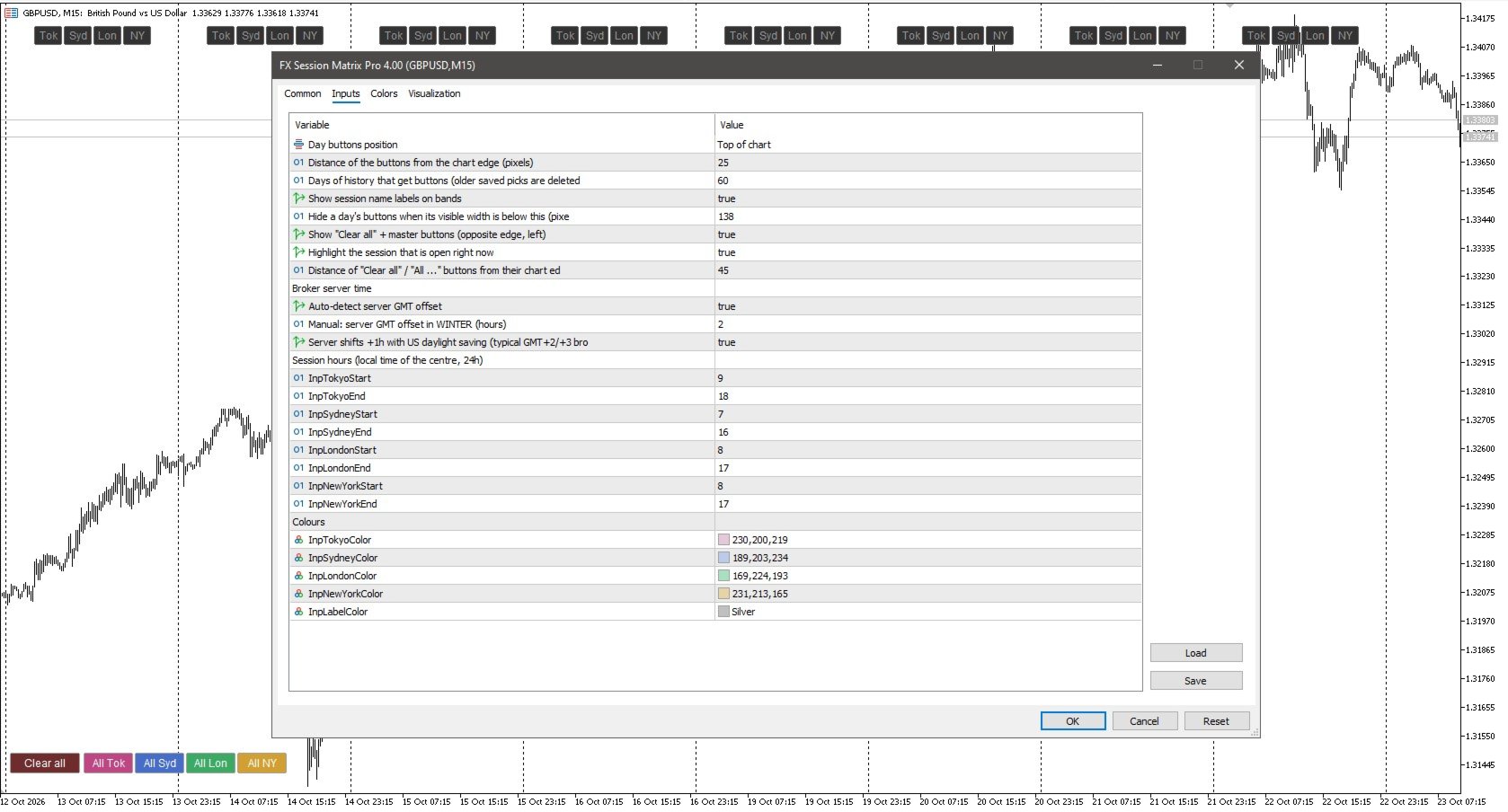
General
| Parameter | Description | Default |
|---|---|---|
| Day buttons position | Place each day's button row at the top or the bottom of the chart | Top |
| Distance of the buttons from the chart edge (pixels) | Vertical position of the day buttons | 25 |
| Days of history that get buttons | How many days back the buttons and highlights are available. Older saved highlights are removed automatically | 60 |
| Show session name labels on bands | Show the session name on each highlighted band | true |
| Hide a day's buttons when its visible width is below this (pixels) | Day buttons are hidden when a day is too narrow to fit them. Zoom in to bring them back, or lower this value | 138 |
| Show "Clear all" + master buttons | Show or hide the "Clear all" and "All ..." buttons | true |
| Highlight the session that is open right now | Pulsing border on the live session's button, and a lighter band if it is highlighted | true |
| Distance of "Clear all" / "All ..." buttons from their chart edge (pixels) | Vertical position of the master buttons | 45 |
Broker server time
| Parameter | Description | Default |
|---|---|---|
| Auto-detect server GMT offset | Detects your broker's server time automatically | true |
| Manual: server GMT offset in WINTER (hours) | Used only when auto-detect is off. Enter your broker's winter GMT offset | 2 |
| Server shifts +1h with US daylight saving | Set to true for brokers on GMT+2 / GMT+3. Set to false for brokers with a fixed offset | true |
Session hours (local time of each financial centre, 24-hour format)
| Parameter | Description | Default |
|---|---|---|
| Tokyo start / end | Tokyo session hours, Tokyo local time | 9 / 18 |
| Sydney start / end | Sydney session hours, Sydney local time | 7 / 16 |
| London start / end | London session hours, London local time | 8 / 17 |
| New York start / end | New York session hours, New York local time | 8 / 17 |
Colours
| Parameter | Description |
|---|---|
| Tokyo / Sydney / London / New York colour | Fill colour of each session band. Choose tones that suit your chart background |
| Label colour | Colour of the session name labels |
Good to know
- Check the server time once. If the bands look shifted by one or two hours, turn off auto-detect and enter your broker's GMT offset manually. Setting "Server shifts +1h with US daylight saving" correctly matters for brokers with a fixed offset.
- Overlapping sessions. Where two highlighted sessions overlap, the later-drawn one covers the earlier one. Choose distinct colours to keep them readable.
- Weekends and holidays. Sessions are drawn on weekdays only. Public holidays are not taken into account.
- Visual tool. The indicator draws on the chart with objects. It provides no indicator buffers, so other programs cannot read values from it.
Support
Questions and feedback are welcome in the Comments tab of this product page. Updates are published through the Market.
Disclaimer
FX Session Matrix Pro is a charting and visualisation tool. It does not provide trading advice or trade signals and does not guarantee any results. Trading leveraged products carries a high risk of loss.