SX Sessions
- インディケータ
-
Nikolett Gorjanacz Toth
 SizerX – risk and trade management tools for MetaTrader 5.
Built by a trader, for traders: position sizing, trade management, pyramiding and prop firm protection in one clean panel. Every feature is tested on live and Strategy Tester charts before release. - バージョン: 1.0
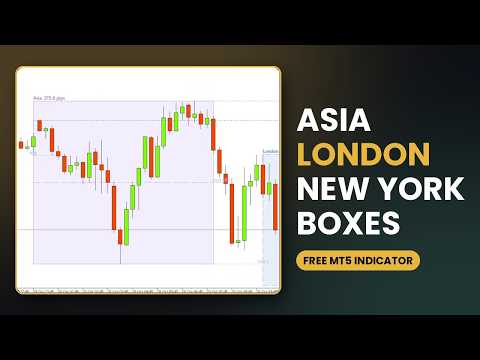
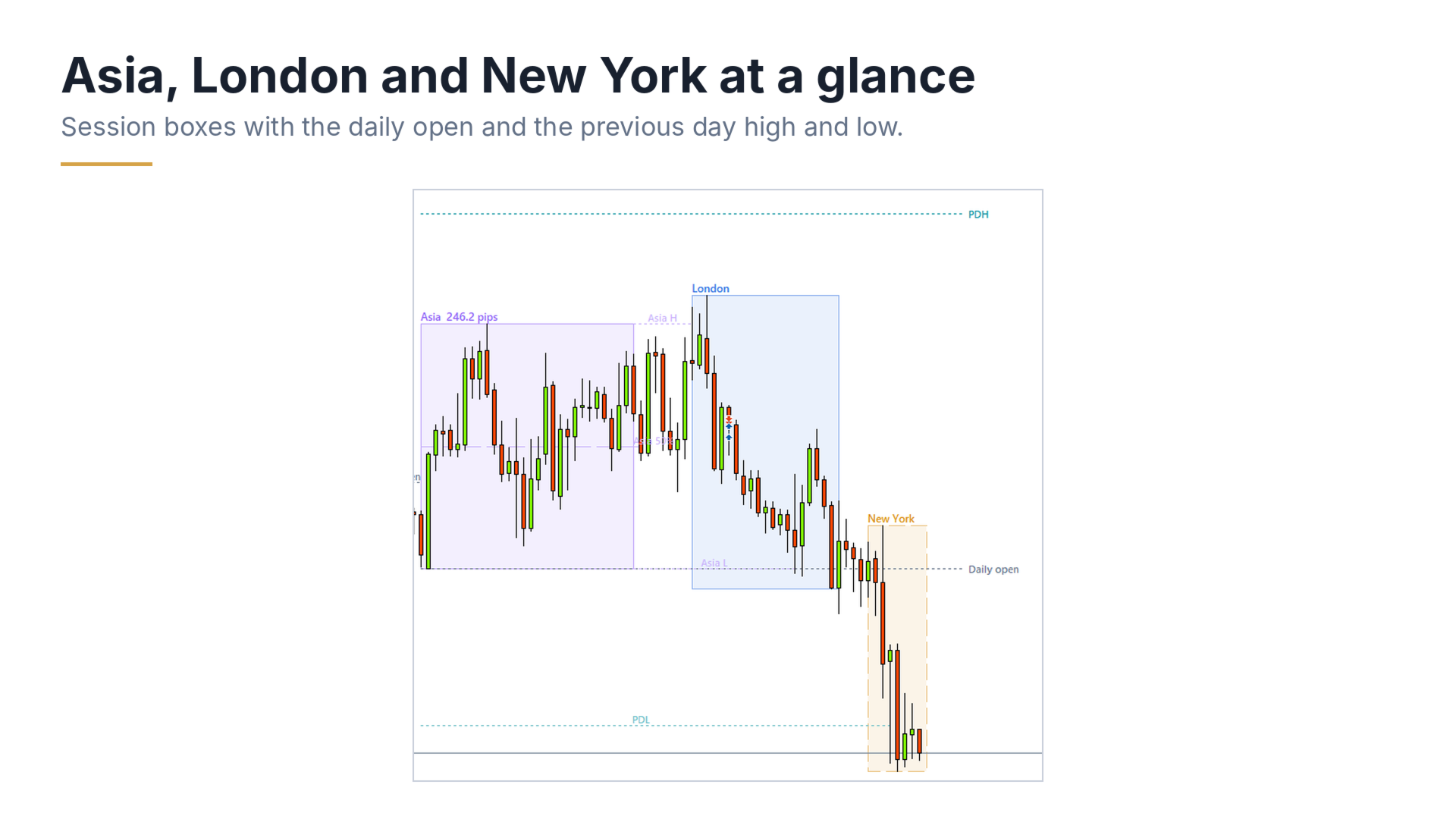
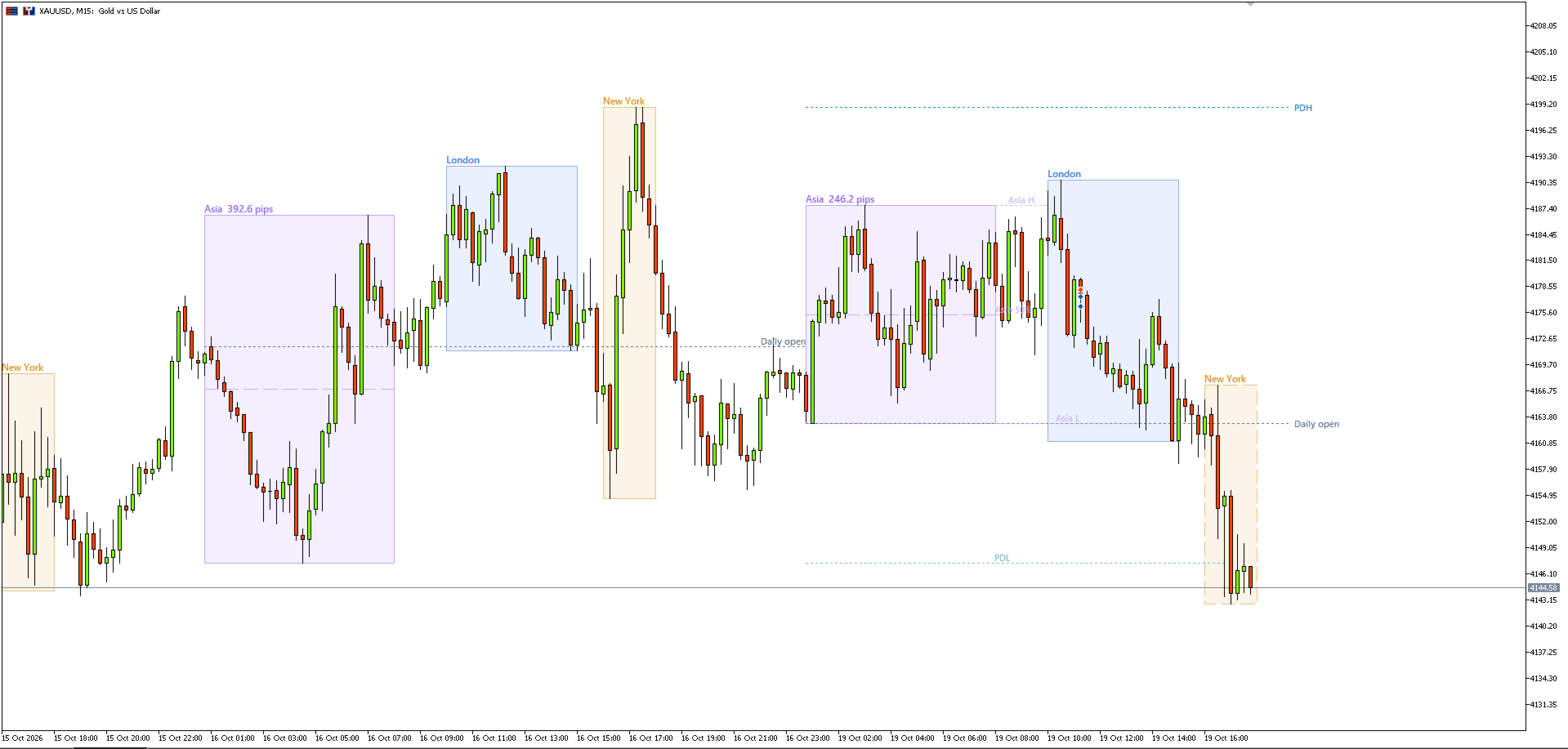
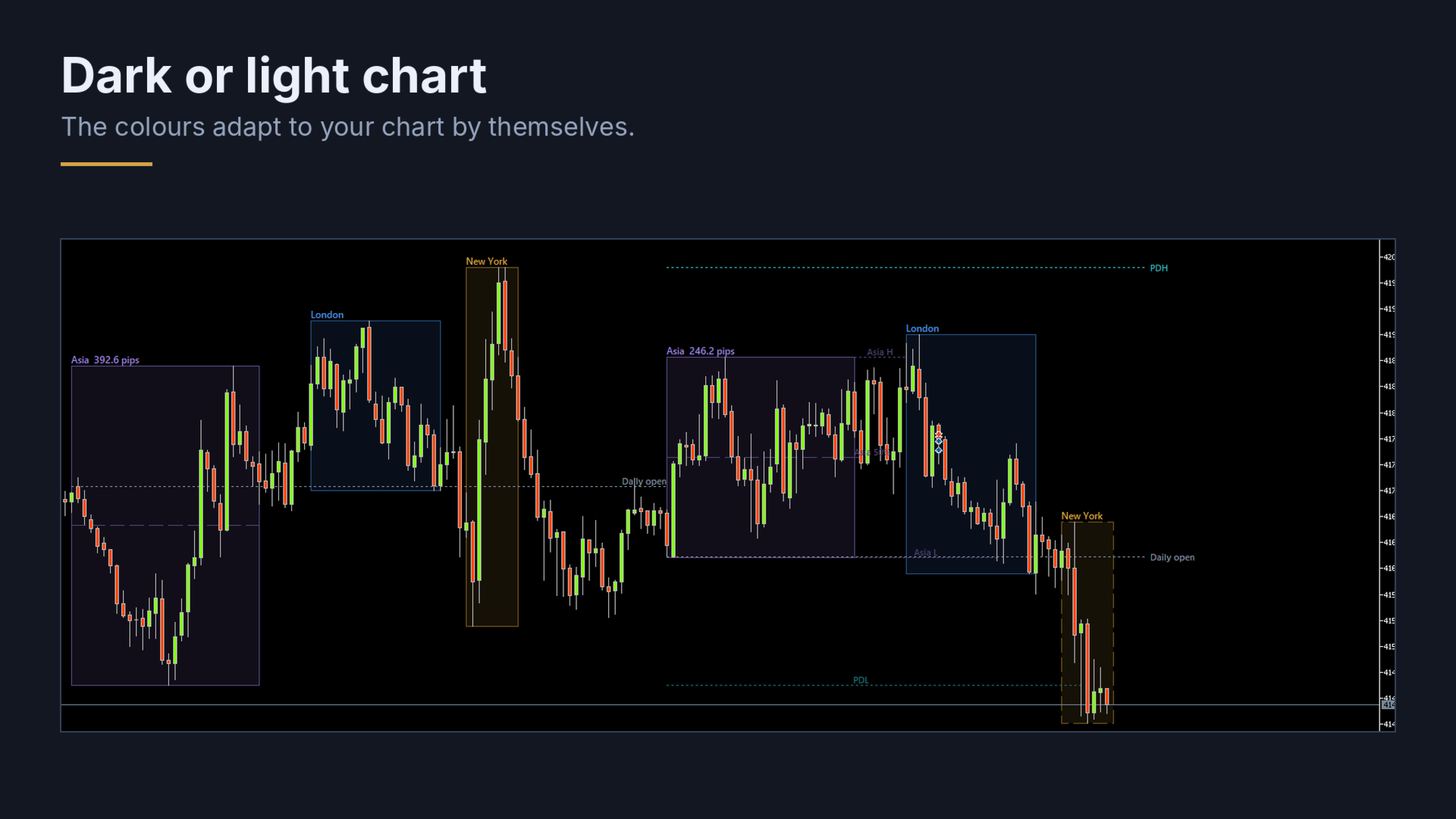
SX Sessions draws the Asia, London and New York sessions as clean boxes on your chart, with the daily open and the high and low of the previous day. The session times follow the clock changes in summer and winter by themselves, so the boxes stay in the right place all year.
What you get:
- Asia, London and New York boxes from the session high to the session low, with a light fill and the session name
- The running session is drawn with a dashed border and grows with the price
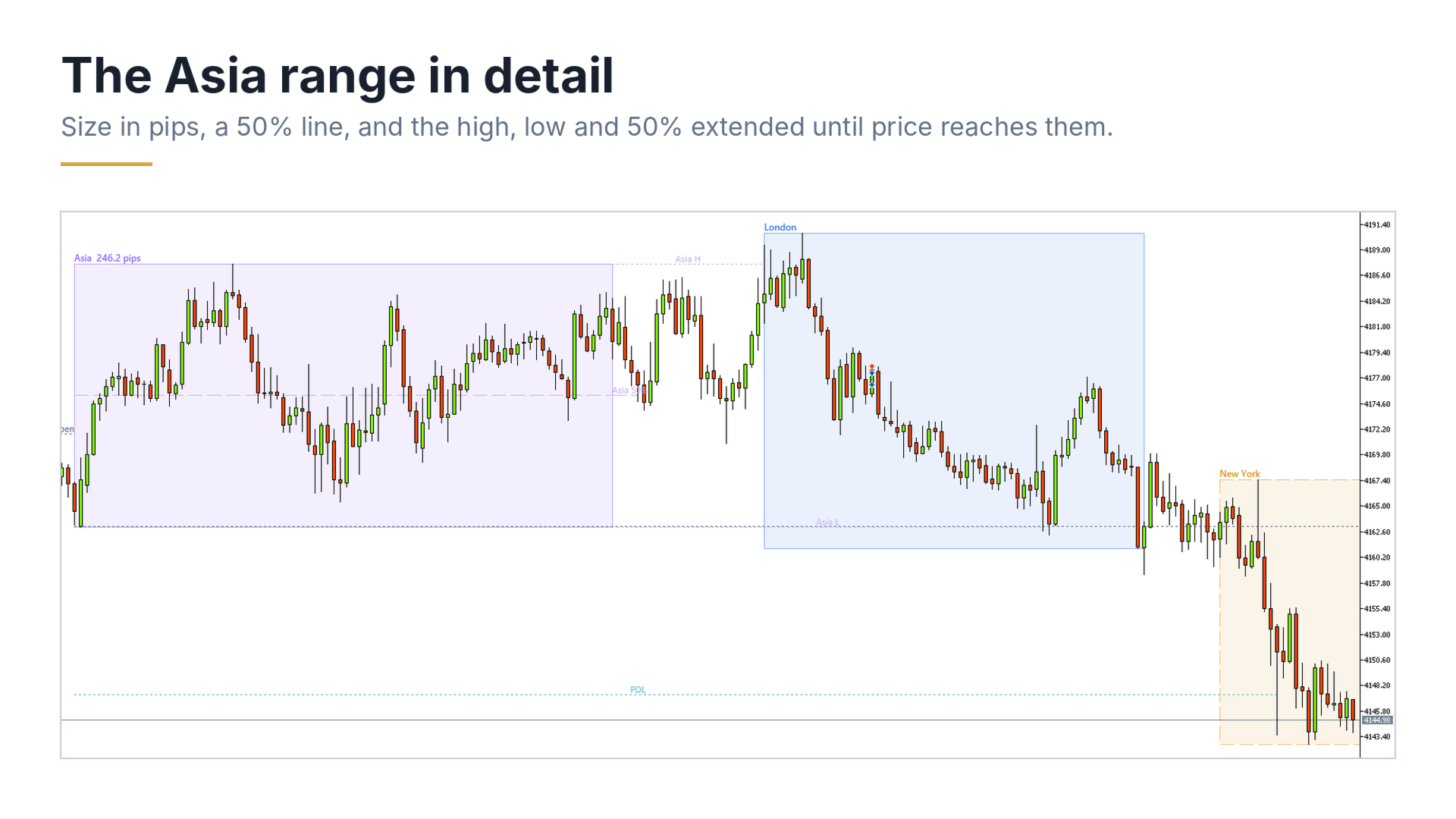
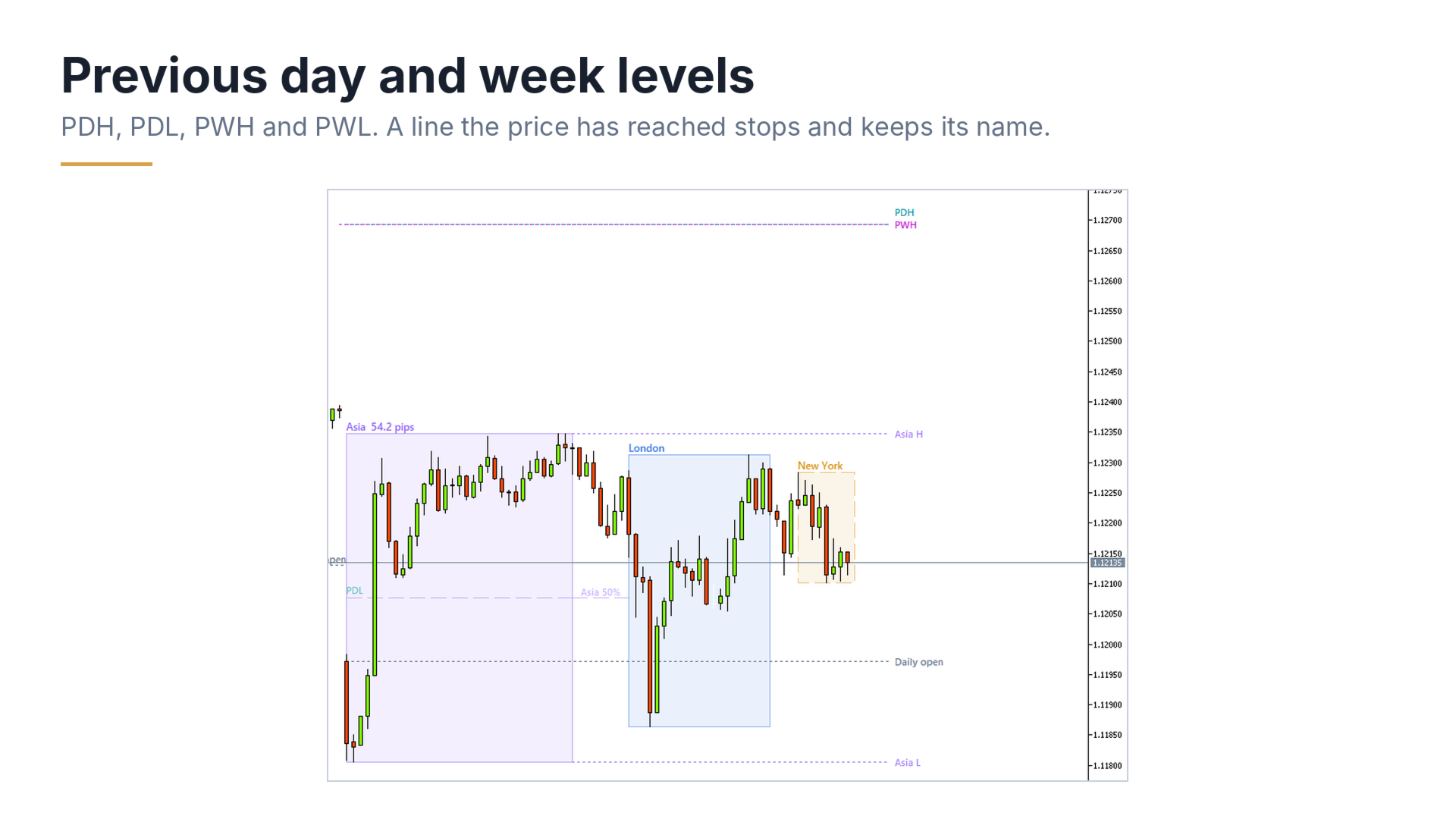
- Asia: its size in pips next to the name, a 50% line inside the box, and its high, low and 50% extended to the right until the price reaches them
- Daily open line for every day (the start of the day of your broker)
- Previous day high and low (PDH / PDL), and previous week high and low (PWH / PWL)
- A line that the price has reached stops there and becomes fainter, and keeps its name. The daily open line always runs on.
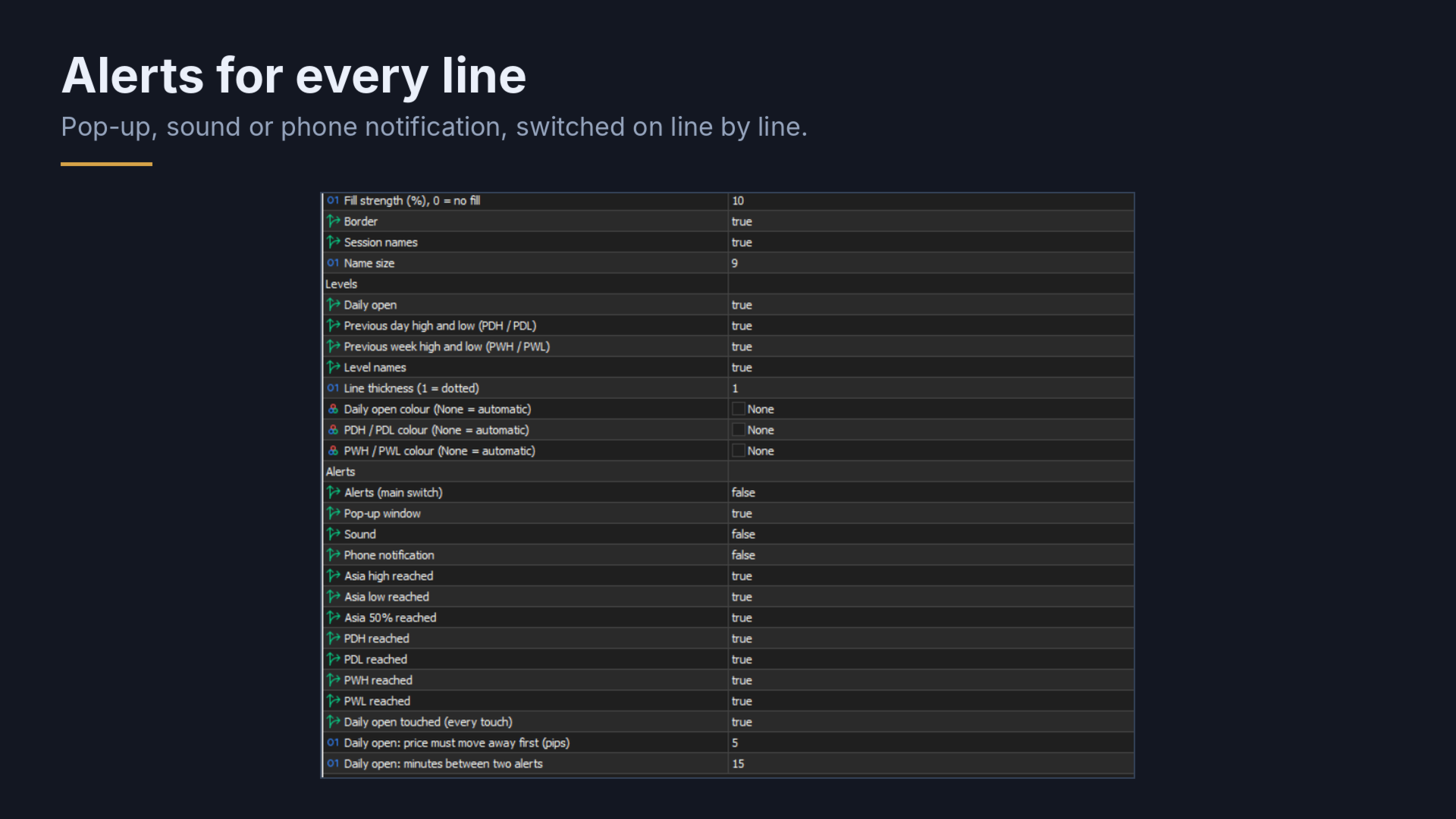
- Alerts: a separate switch for every line, with pop-up, sound and phone notification. The daily open alerts on every touch, after the price has moved away from it.
- Works on dark and light charts and on high-resolution screens
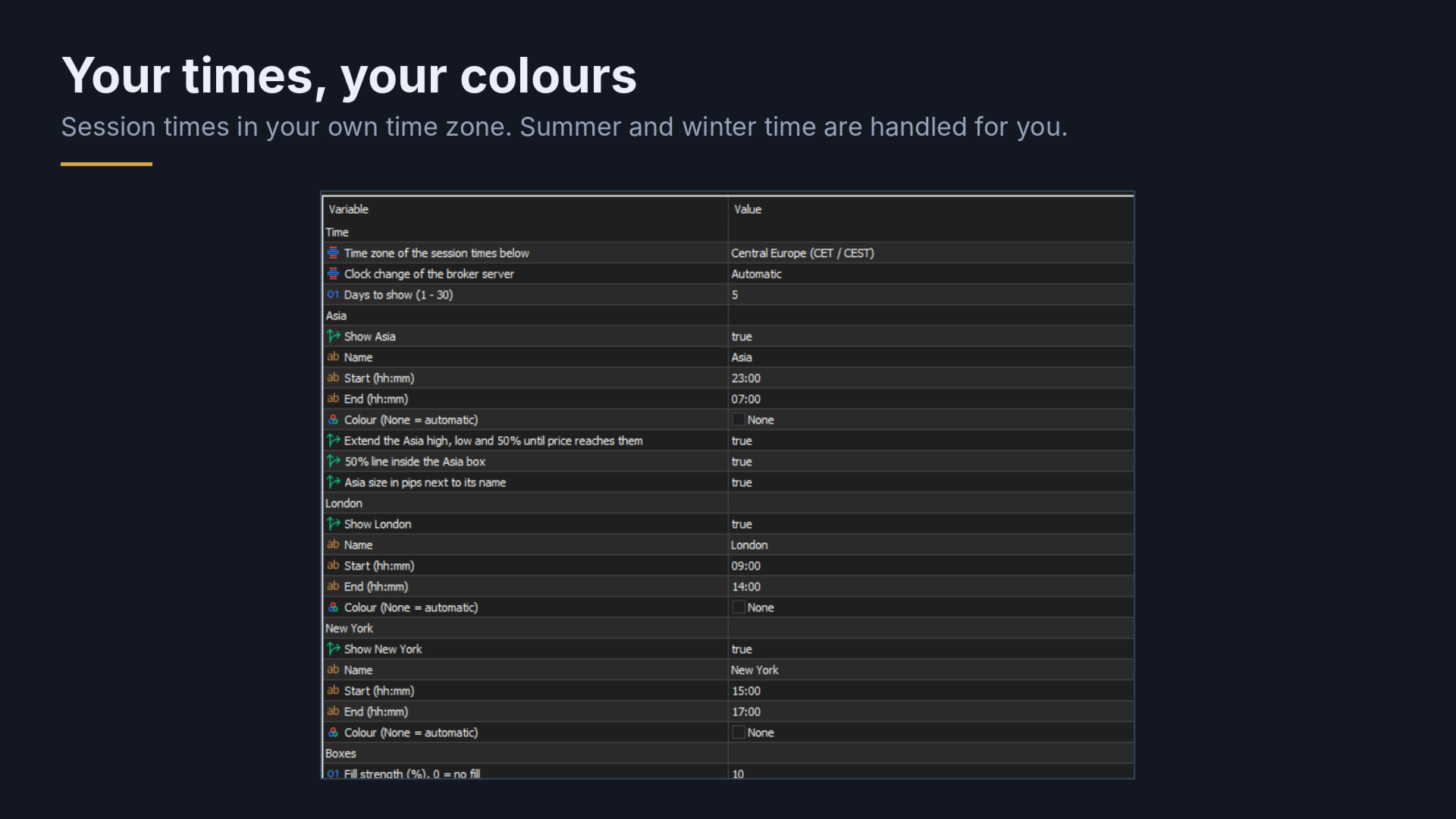
Session times: you enter the times in the time zone you choose (Central Europe, London, New York, UTC or the broker server time). The indicator converts them to the time of your broker, also in the weeks when Europe and the USA change their clocks on different dates. The default times are Asia 23:00 - 07:00, London 09:00 - 14:00 and New York 15:00 - 17:00, Central European time. Every time, name and colour can be changed.
How to use it:
- Attach the indicator to a chart (M1 to H1 for the boxes; the levels are shown on higher timeframes too).
- If you want other session times, change them in the inputs.
- To get alerts, switch on "Alerts" and choose the lines you want.
Inputs: time zone, clock change of the broker server, number of days, name, start, end and colour of each session, Asia extras, box fill and border, levels, line thickness, colours and alerts.
Please note: the broker server clock is detected automatically. Most brokers follow the US clock change; if your broker uses another rule, you can set it in the inputs. Alerts only work while the terminal is running.
SX Sessions only draws on the chart. It does not open, modify or close trades.