記事"グラフィカルインタフェース I: コントロールのフォーム(チャプター 2)"についてのディスカッション
アナトリーさん、フォームのパラメータ(位置、状態...)を保存したり、読み込んだりするメソッドが基本クラスにありませんでした。将来、フォームの種類を考慮して、そのようなメソッドを追加する予定はありますか?
そのような記事を計画しています。しかし私のバージョンでは、どのパラメータを保存、ロードするかはMQLアプリケーションの開発者が決定します。
こんにちは。アナトリー、もちろん、あなたの労苦と仕事ぶりには深い敬意を表したいと思います。しかし、Expert Advisorの例でライブラリをテストしていて質問があります。ウィンドウを構成するすべての要素の色がデフォルトでライトグレーに設定されているのに、なぜウィンドウの色は黒なのでしょうか?どこかに色の重なりがあり、その結果ウィンドウが黒くなっているのではないでしょうか?スクリーンショットを添付します:
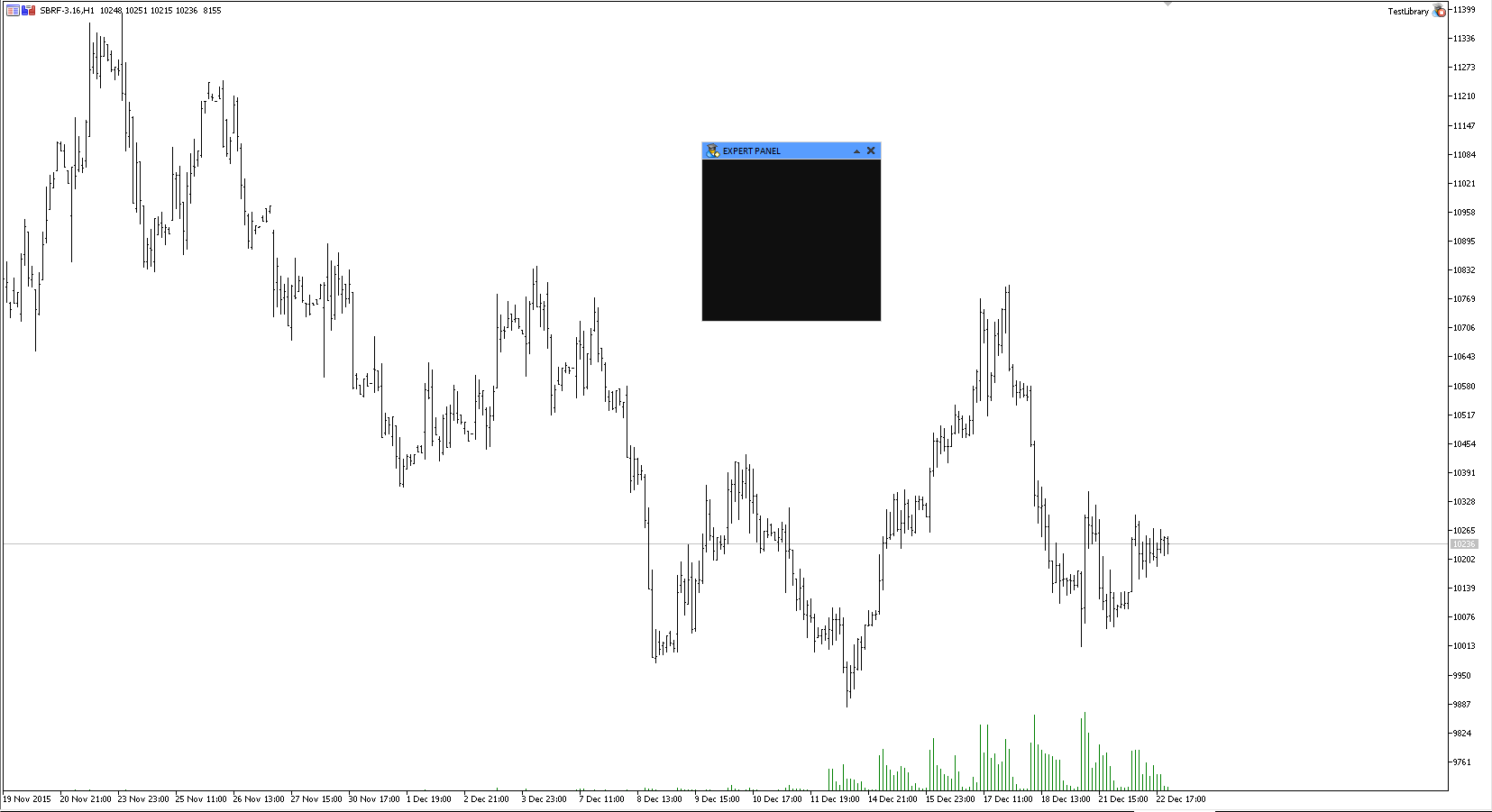
こんにちは。アナトリー、もちろん、あなたの労苦と仕事ぶりには深い敬意を表したいと思います。しかし、Expert Advisorの例でライブラリをテストしていて質問があります。ウィンドウを構成するすべての要素の色がデフォルトでライトグレーに設定されているのに、なぜウィンドウの色は黒なのでしょうか?どこかに色の重複があり、その結果ウィンドウが黒くなるのではないでしょうか?スクリーンショットを添付します:
CWindow クラスのコンストラクタ(ファイルWindow.mqh)でフォームのデフォルトの色を見ることができます。
フォームの色を変更する必要がある場合は、CWindow クラスの対応するメソッドを使用してください。フォームのプロパティは作成前に設定されます。
この例は記事で示した:
//+------------------------------------------------------------------+
//|| コントロール用のフォームを作成します。
//+------------------------------------------------------------------+
bool CProgram::CreateWindow(const string caption_text)
  {
//--- ウィンドウ配列にウィンドウ・ポインタを追加する。
   CWndContainer::AddWindow(m_window);
//--- プロパティ
   m_window.XSize(200);
   m_window.YSize(200);
   m_window.WindowBgColor(clrWhiteSmoke);
   m_window.WindowBorderColor(clrLightSteelBlue);
   m_window.CaptionBgColor(clrLightSteelBlue);
   m_window.CaptionBgColorHover(C'200,210,225');
//--- フォームの作成
   if(!m_window.CreateWindow(m_chart_id,m_subwin,caption_text,1,1))
      return(false);
//---
   return(true);
  }
//---
結果

ヘッダー・テキストの色を変えるメソッドが見つからなかったので、window.mqhに追加することにした:
string m_caption_text;
int m_caption_height;
color m_caption_text_color;
color m_caption_bg_color;
color m_caption_bg_color_off;
color m_caption_bg_color_hover;
color m_caption_color_bg_array[];
とメソッドを追加することにした:
color CaptionTextColor(void) const { return(m_caption_text_color); }
さて、このメソッドはそれに応じて変化する:
//|| ヘッダーのテキスト・ラベルを作成する|
//+------------------------------------------------------------------+
bool CWindow::CreateLabel(void)
{
string name=CElementBase::ProgramName()+"_window_label_"+(string)CElementBase::Id();
//--- オブジェクトの座標
int x=CElementBase::X()+m_label_x_gap;
int y=CElementBase::Y()+m_label_y_gap;
//--- テキストラベルを設定する
if(!m_label.Create(m_chart_id,name,m_subwin,x,y))
return(false);
//--- プロパティを設定する
m_label.Description(m_caption_text);
m_label.Font(CElementBase::Font());
m_label.FontSize(CElementBase::FontSize());
m_label.Color(m_caption_text_color);
m_label.Corner(m_corner);
m_label.Selectable(false);
m_label.Z_Order(m_button_zorder);
m_label.Tooltip("\n");
//--- 座標を保存する
m_label.X(x);
m_label.Y(y);
//--- 終点からのインデント
m_label.XGap(x-m_x);
m_label.YGap(y-m_y);
//--- 寸法を保存する
m_label.XSize(m_label.X_Size());
m_label.YSize(m_label.Y_Size());
//--- オブジェクト・ポインタを保存する
CElementBase::AddToArray(m_label);
return(true);
}
ヘッダーテキストの色を変えるメソッドが見つからなかったので、window.mqhに追加することにした:
よかった。次の記事でこの機能も追加するつもりだ。
ライブラリの最新バージョンはこちらの記事からダウンロードできます:GUI X: 描画されたテーブルのための新機能(ビルド9)。
こんにちは、アナトーリさん。あなたの記事はとても素晴らしく、コーディングも印象的です。
私はチャート上にパネルを構築する手助けが必要です。助けていただけますか?
ありがとうございます。
こんにちは。どうすればこれらのエラーを修正できるのかお聞きしたいです。ありがとうございました。
'Window.mqh'    Window.mqh      1       1
'Element.mqh'   Element.mqh     1       1
'Objects.mqh'   Objects.mqh     1       1
'Enums.mqh'     Enums.mqh       1       1
'Defines.mqh'   Defines.mqh     1       1
'ChartObjectsBmpControls.mqh'   ChartObjectsBmpControls.mqh     1       1
'ChartObject.mqh'       ChartObject.mqh 1       1
'Object.mqh'    Object.mqh      1       1
'StdLibErr.mqh' StdLibErr.mqh   1       1
'ChartObjectsTxtControls.mqh'   ChartObjectsTxtControls.mqh     1       1
'Colors.mqh'    Colors.mqh      1       1
undefined class 'CBmpLabel' cannot be used      Window.mqh      25      15
   see declaration of class 'CBmpLabel' Objects.mqh     20      7
undefined class 'CLabel' cannot be used Window.mqh      26      12
   see declaration of class 'CLabel'    Objects.mqh     19      7
undefined class 'CBmpLabel' cannot be used      Window.mqh      27      15
   see declaration of class 'CBmpLabel' Objects.mqh     20      7
undefined class 'CBmpLabel' cannot be used      Window.mqh      28      15
   see declaration of class 'CBmpLabel' Objects.mqh     20      7
undefined class 'CBmpLabel' cannot be used      Window.mqh      29      15
   see declaration of class 'CBmpLabel' Objects.mqh     20      7
undefined class 'CBmpLabel' cannot be used      Window.mqh      30      15
   see declaration of class 'CBmpLabel' Objects.mqh     20      7
'ENUM_WINDOW_TYPE' - unexpected token, probably type is missing?        Window.mqh      36      5
'm_window_type' - semicolon expected    Window.mqh      36      22
'ENUM_WINDOW_TYPE' - unexpected token, probably type is missing?        Window.mqh      99      5
'WindowType' - semicolon expected       Window.mqh      99      23
'void' - name expected  Window.mqh      102     5
'}' - expressions are not allowed on a global scope     Window.mqh      104     5
'const' modifier not allowed for nonmember functions    Window.mqh      118     28
'const' modifier not allowed for nonmember functions    Window.mqh      126     30
'const' modifier not allowed for nonmember functions    Window.mqh      132     29
'const' modifier not allowed for nonmember functions    Window.mqh      138     32
'const' modifier not allowed for nonmember functions    Window.mqh      144     37
'public' - unexpected token, probably type is missing?  Window.mqh      168     3
'long' - unexpected token, probably type is missing?    Window.mqh      170     46
'double' - unexpected token, probably type is missing?  Window.mqh      170     66
'string' - unexpected token, probably type is missing?  Window.mqh      170     88
'virtual' - unexpected token    Window.mqh      172     5
'virtual' - unexpected token    Window.mqh      174     5
'virtual' - unexpected token    Window.mqh      176     5
'virtual' - unexpected token    Window.mqh      177     5
'virtual' - unexpected token    Window.mqh      178     5
'virtual' - unexpected token    Window.mqh      179     5
'virtual' - unexpected token    Window.mqh      181     5
'virtual' - unexpected token    Window.mqh      182     5
'}' - expressions are not allowed on a global scope     Window.mqh      183     1
'RollUpSubwindowMode' - member function not defined     Window.mqh      222     15
'ChangeSubwindowHeight' - member function not defined   Window.mqh      235     15
'Hide' - member function not defined    Window.mqh      294     15
'DefaultIcon' - member function not defined     Window.mqh      362     17
'advisor.bmp' as resource "::Images\EasyAndFastGUI\Icons\bmp16\advisor.bmp"     advisor.bmp     1       1
'indicator.bmp' as resource "::Images\EasyAndFastGUI\Icons\bmp16\indicator.bmp" indicator.bmp   1       1
'script.bmp' as resource "::Images\EasyAndFastGUI\Icons\bmp16\script.bmp"       script.bmp      1       1
'm_window_type' - struct member undefined       Window.mqh      193     5
'm_chart' - undeclared identifier       Window.mqh      210     5
'SetWindowProperties' - undeclared identifier   Window.mqh      212     5
')' - expression expected       Window.mqh      212     25
'm_window_type' - undeclared identifier Window.mqh      286     8
'W_DIALOG' - undeclared identifier      Window.mqh      286     25
'.' - struct or class type expected     Window.mqh      396     15
'Create' - undeclared identifier        Window.mqh      396     16
'Create' - some operator expected       Window.mqh      396     16
'(' - unbalanced left parenthesis       Window.mqh      396     7
',' - unexpected token  Window.mqh      396     33
'name' - some operator expected Window.mqh      396     35
expression has no effect        Window.mqh      396     23
',' - unexpected token  Window.mqh      396     49
expression has no effect        Window.mqh      396     41
',' - unexpected token  Window.mqh      396     52
expression has no effect        Window.mqh      396     51
')' - unexpected token  Window.mqh      396     55
expression has no effect        Window.mqh      396     54
')' - unexpected token  Window.mqh      396     56
'.' - struct or class type expected     Window.mqh      402     11
'BmpFileOn' - undeclared identifier     Window.mqh      402     12
'BmpFileOn' - some operator expected    Window.mqh      402     12
')' - unexpected token  Window.mqh      402     40
expression has no effect        Window.mqh      402     27
'.' - struct or class type expected     Window.mqh      403     11
'BmpFileOff' - undeclared identifier    Window.mqh      403     12
'BmpFileOff' - some operator expected   Window.mqh      403     12
')' - unexpected token  Window.mqh      403     41
expression has no effect        Window.mqh      403     28
'.' - struct or class type expected     Window.mqh      404     11
'Corner' - undeclared identifier        Window.mqh      404     12
'Corner' - some operator expected       Window.mqh      404     12
')' - unexpected token  Window.mqh      404     27
expression has no effect        Window.mqh      404     19
'.' - struct or class type expected     Window.mqh      405     11
'Selectable' - undeclared identifier    Window.mqh      405     12
'Selectable' - some operator expected   Window.mqh      405     12
')' - unexpected token  Window.mqh      405     28
expression has no effect        Window.mqh      405     23
'.' - struct or class type expected     Window.mqh      406     11
'Z_Order' - undeclared identifier       Window.mqh      406     12
'Z_Order' - some operator expected      Window.mqh      406     12
')' - unexpected token  Window.mqh      406     35
expression has no effect        Window.mqh      406     20
'.' - struct or class type expected     Window.mqh      407     11
'Tooltip' - undeclared identifier       Window.mqh      407     12
'Tooltip' - some operator expected      Window.mqh      407     12
')' - unexpected token  Window.mqh      407     24
expression has no effect        Window.mqh      407     21
'.' - struct or class type expected     Window.mqh      409     11
'X' - some operator expected    Window.mqh      409     12
'.' - struct or class type expected     Window.mqh      410     11
'Y' - some operator expected    Window.mqh      410     12
'.' - struct or class type expected     Window.mqh      412     11
'XGap' - some operator expected Window.mqh      412     12
'.' - struct or class type expected     Window.mqh      413     11
'YGap' - some operator expected Window.mqh      413     12
'.' - struct or class type expected     Window.mqh      415     11
'.' - struct or class type expected     Window.mqh      415     24
'X_Size' - undeclared identifier        Window.mqh      415     25
'X_Size' - some operator expected       Window.mqh      415     25
'(' - unexpected token  Window.mqh      415     31
'XSize' - some operator expected        Window.mqh      415     12
'.' - struct or class type expected     Window.mqh      416     11
'.' - struct or class type expected     Window.mqh      416     24
'Y_Size' - undeclared identifier        Window.mqh      416     25
'Y_Size' - some operator expected       Window.mqh      416     25
'(' - unexpected token  Window.mqh      416     31
'YSize' - some operator expected        Window.mqh      416     12
'm_icon' - parameter conversion not allowed     Window.mqh      418     26
   void CElement::AddToArray(CChartObject&)     Element.mqh     195     10
'm_icon_file' - undeclared identifier   Window.mqh      109     9
'm_tooltips_button' - undeclared identifier     Window.mqh      112     9
'm_right_limit' - undeclared identifier Window.mqh      115     9
'm_is_minimized' - undeclared identifier        Window.mqh      119     16
expression not boolean  Window.mqh      119     16
'm_is_minimized' - undeclared identifier        Window.mqh      122     9
100 errors, 11 warnings         101     12

- 無料取引アプリ
- 8千を超えるシグナルをコピー
- 金融ニュースで金融マーケットを探索
新しい記事 グラフィカルインタフェース I: コントロールのフォーム(チャプター 2) はパブリッシュされました:
本稿はグラフィカルインターフェイスに関するシリーズの続きです。シリーズ第一弾のグラフィカルインタフェース I: ライブラリストラクチャの準備(チャプター 1)ではライブラリの目的を詳細に考慮します。第一部の記事へのリンクの完全なリストは各章の終わりにあります。そこではまた、開発の現段階でのライブラリの完全版をダウンロードすることができます。ファイルはアーカイブと同じディレクトリに配置される必要があります。
前章で は、グラフィカルインターフェイス作成のためのライブラリの構造についてお話ししました。そこでは (1)プリミティブオブジェクトの派生クラス、 (2)全てのコントロールの基本クラス、及び (3)共通のイベントハンドラ内でこれらのコントロールを制御ポインタを格納し、管理するための原則のクラスが作成されました。
本稿ではグラフィカルインタフェースの第一及び主要素である、コントロールのフォームを 作成します。このフォームには複数のコントロールが任意の場所と組み合わせで添付することができます。フォームは移動可能で、それに接続されているすべて のコントロールは一緒に移動されます。
作成が試まれているウィンドウはどのような部分で構成されているのでしょうか。
図1コントロールのフォームの複合パーツ
作者: Anatoli Kazharski