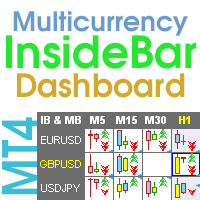
Inside Bar Dashboard
37.50 USD
Versione demo scaricata:
49
Pubblicato:
7 febbraio 2023
Versione attuale:
2.50
Non hai trovato un robot adatto?
Ordina il tuo
su Freelance
Vai alla sezione Freelance
Ordina il tuo
su Freelance
Come acquistare un Robot di Trading o un indicatore
Esegui il tuo EA
hosting virtuale
hosting virtuale
Prova un indicatore/robot di trading prima di acquistarlo
Vuoi guadagnare nel Market?
Come presentare un prodotto per venderlo con successo

Ti stai perdendo delle opportunità di trading:
- App di trading gratuite
- Oltre 8.000 segnali per il copy trading
- Notizie economiche per esplorare i mercati finanziari
Registrazione
Accedi
Accetti la politica del sito e le condizioni d’uso
Se non hai un account, registrati
Hi Taras,
I bought Inside Bar Dashboard, do I need special settings?
Hi Taras,
I bought Inside Bar Dashboard, do I need special settings?
Hello.
What do you mean?
You can change the settings as you need for your trading.
Yes, of course, but can I accept the settings like this?
Yes, of course, but can I accept the settings like this?
It's still not clear, why you are asking me about your trading?
If you cannot "accept the settings like this" - change the settings as you need.
Thank you for your review.
Quick question what settings can i use to ensure the pop out charts use a dark background ? (instead of white) I set my chart to use a BLACK background but it defaults back to NONE if I select any of the cells or change the timeframe. The white background for the pop out windows make's it difficult to see levels etc
Hello.
I just checked (changed the background) everything works for me.
What are your settings, what is the sequence of actions.
the background of that chart is black but if you change the symbol the chart background will change to none. Here is my set file. If I change the timframe of the chart in use for the indicator, the settings of the chart will revert back to default i.e background none
Your settings are set to open the chart in a new window with a different template.
I don’t have your template, but for me, after opening a new window, the indicator does not change the background of the pop-up charts (in the old window).
I have not got an issue with my template, the problem is with the actual chart used for the dashboard it looses all colors if one changes the timeframe
I have not got an issue with my template, the problem is with the actual chart used for the dashboard it looses all colors if one changes the timeframe
I don't see any candles on your chart, which means your template has been changed.
Turn on candles on the chart and they will appear in the pop-up chart of the indicator.For pop-up charts, the indicator takes colors from the main chart.
If the colors of the main chart are changed, then the colors of the pop-up chart will also be changed.
If you don't need the pop-up chart, you can disable it in the settings.
I work around the issue by changing the foreground back to black whenever I change the TF.
This means that some indicator (or EA) sets this color to White.
Hi there. I have just paid for this indicator and even received an email confirming the purchase. I opened up my MT4, logged in to MQL5, went to the Market bar, then Purchases, and nothing is there to install?
I have made sure I am logged in to the MQL5 website, as I have gone in to the actual website itself and under "purchases", I can see it is there and that I have purchased it, but it still doesn't show in the Purchases section on my MT4 platform,
Hi there. I have just paid for this indicator and even received an email confirming the purchase. I opened up my MT4, logged in to MQL5, went to the Market bar, then Purchases, and nothing is there to install?
I have made sure I am logged in to the MQL5 website, as I have gone in to the actual website itself and under "purchases", I can see it is there and that I have purchased it, but it still doesn't show in the Purchases section on my MT4 platform,
Hello.
I don't know. It should be there.
Try rebooting your computer.
Maybe there are some delays on the site.
You can also write to the service desk.
If you don't have it installed, you can cancel the purchase.