Ballast Spread Log MT4
- Indicatori
- Versione: 1.0

Free. What does trading really cost at your broker, hour by hour? Ballast Spread Log measures the spread tick by tick, keeps a log for every weekday hour and shows on the chart when trading is cheap and when it is expensive. It never trades.
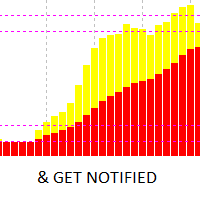
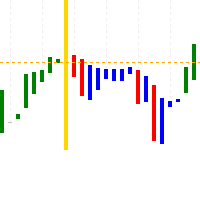
- 24 bars, one per hour (server time): the average spread from Monday to Friday or only for today's weekday. Green = normal, orange = above 1.5x typical, red = above 3x typical.
- Time weighted: a spread that lasts 30 seconds counts 30 times more than one that lasts 1 second. Simple tick averages hide this.
- Now, typical, limit: the typical spread is the median of the last 24 hours; above 3x typical (your setting) the spread counts as wide.
- Cost per lot in your account currency, now and at the typical spread.
- Most expensive and cheapest hours, the largest spread of today and how many minutes it was wide.
- Alert and push notification when the spread turns wide (optional).
- Log file MQL4\Files\SpreadLog_<symbol>.csv for Excel: average, maximum, wide seconds and logged seconds per weekday hour. The log continues after a restart.
- MT4 stores no spread history, so the bars fill as the log grows: an hour appears after 10 logged minutes.
Tested
- The MT4 tester keeps the spread fixed, so two runs (EURUSD, Gold) replayed a changing spread: 18 million ticks, 3,761 wide spells. An independent second-by-second tracker compared the average, maximum and wide time of every weekday hour, the typical spread and the start and end of every wide spell: 0 differences.
- The log file saved and loaded again: 0 differences.
Notes
- It only logs while the terminal runs. Pauses longer than 60 seconds without a tick count as 60 seconds (market closed).
- Attach it to one chart per symbol. Two charts of the same symbol write the same file.
- Spreads differ between brokers and account types: the log shows yours, not the market's.
- In the Strategy Tester the spread is fixed, so all bars look the same there. Use it on a live or demo chart.
Inputs
- Wide when spread > this x typical spread — 3 (0 = off)
- Bars: only today's weekday — false = Monday to Friday
- Alert / push notification when the spread turns wide — false
- Font size, panel distance from the left and top — 9, 6, 20
Works well with
- Ballast Spread Guard MT4 — lifts pending orders and shields stops while the spread is wide
- Ballast Loss Finder MT4 — free: shows where your account loses money