ScalpAssistantProfi Pro
- Experts
- Versione: 15.64
- Attivazioni: 20

ScalpAssistant Profi Pro — Manual Trading Panel with Order Flow Card
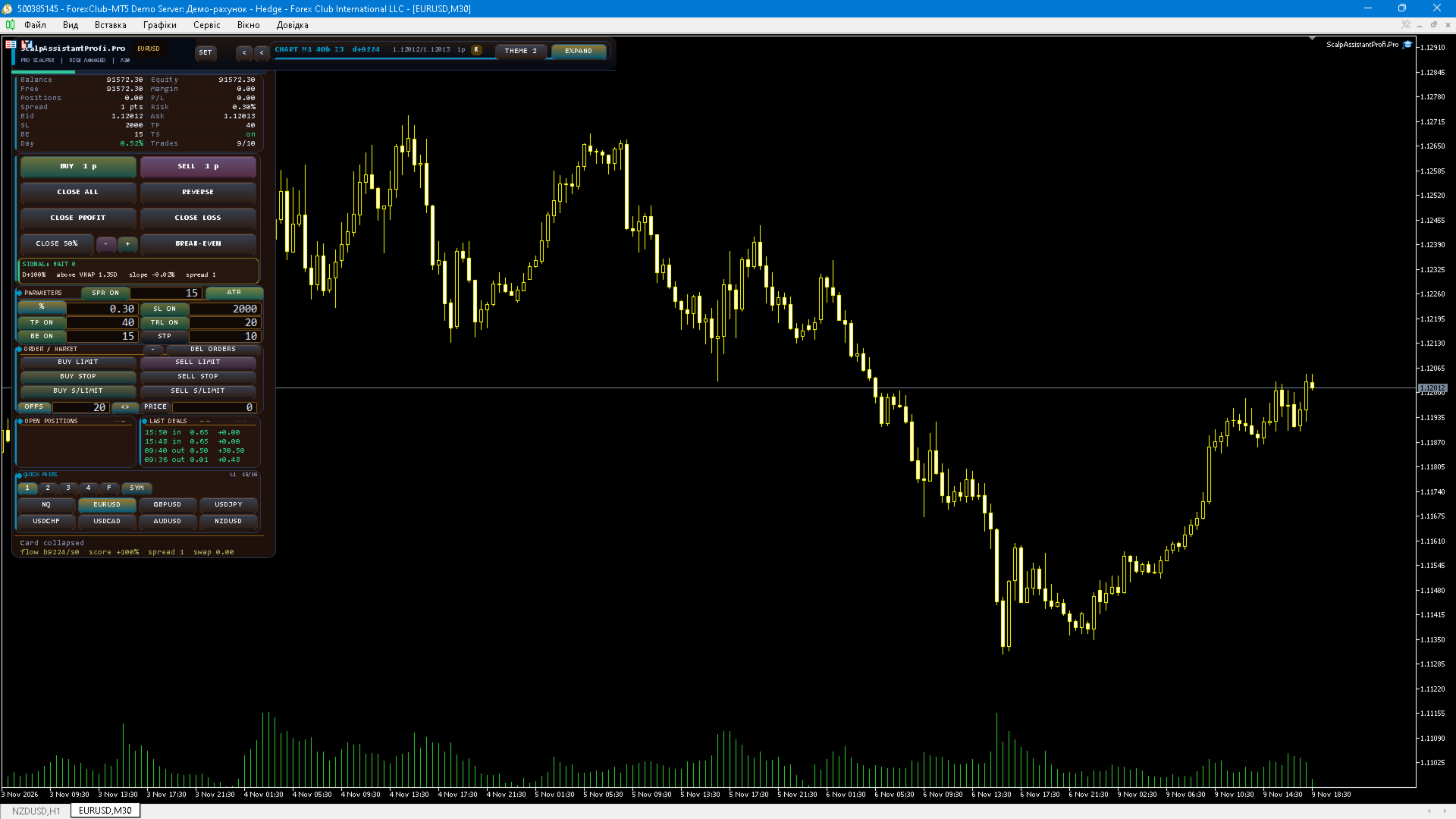
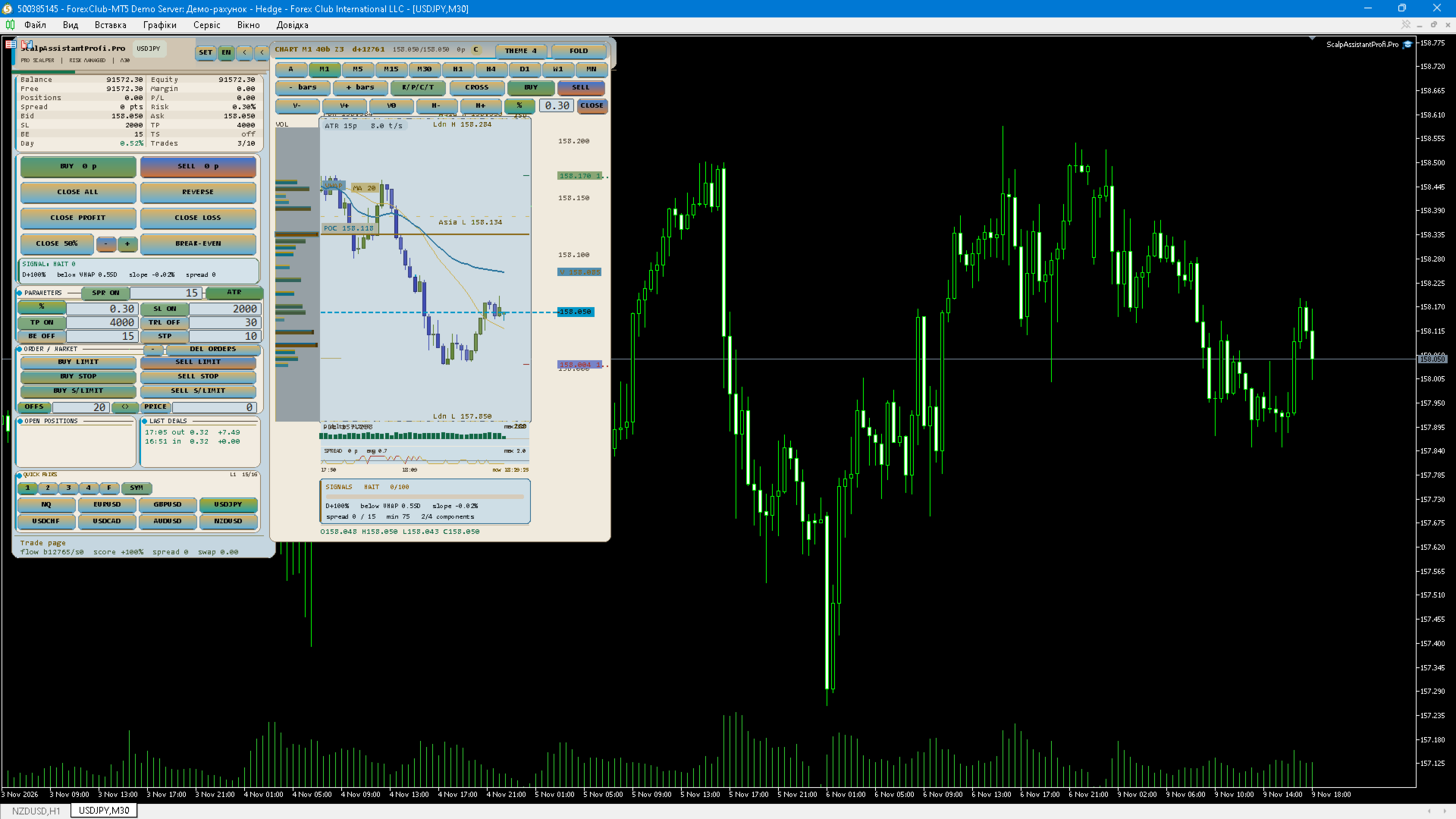
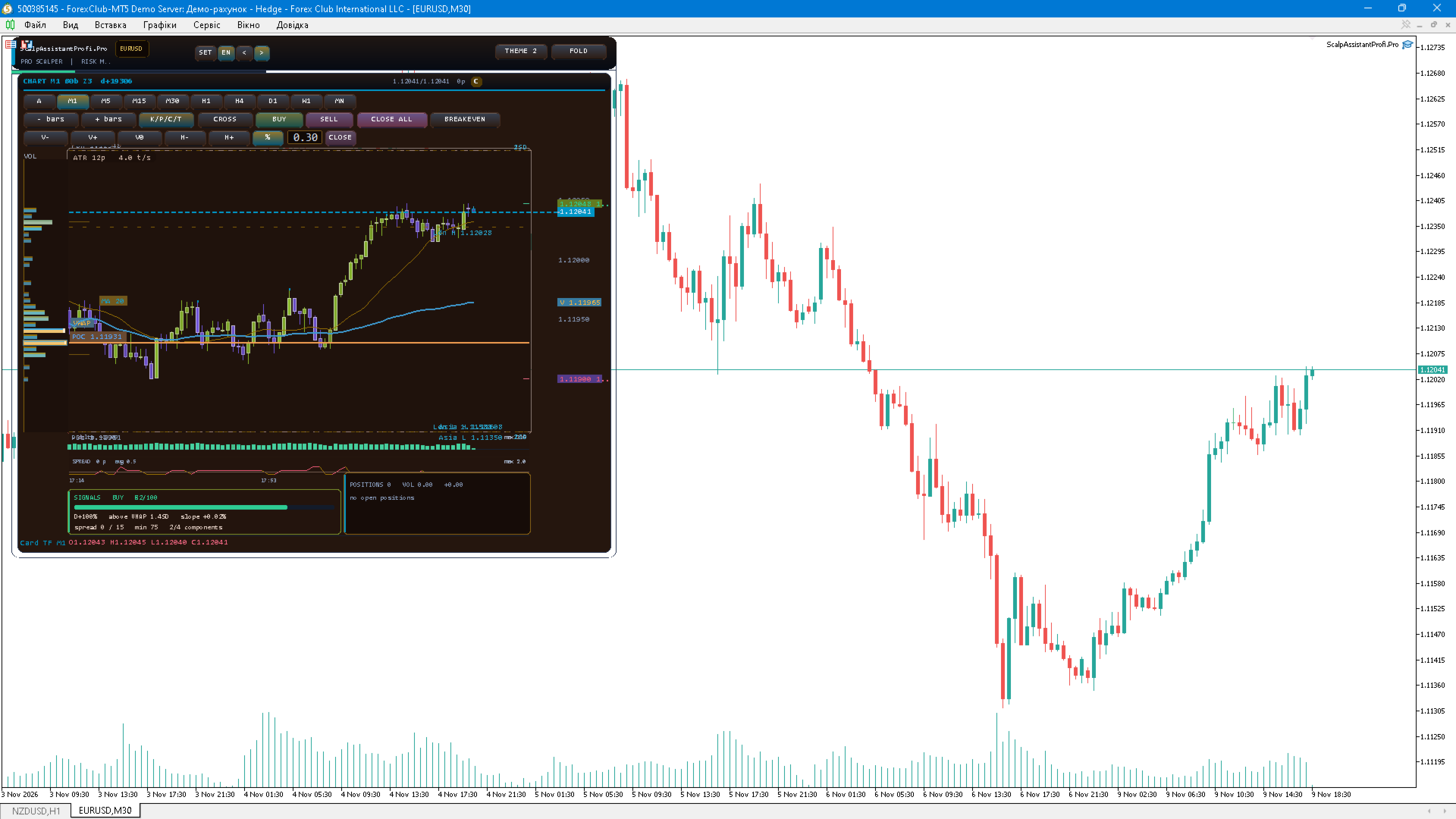
ScalpAssistant Profi Pro is a fully manual trading panel for MetaTrader 5 that puts the daily toolkit of a scalper into one compact card next to the chart. The Expert Advisor never opens trades on its own: entries, exits and position management remain under your control at all times.
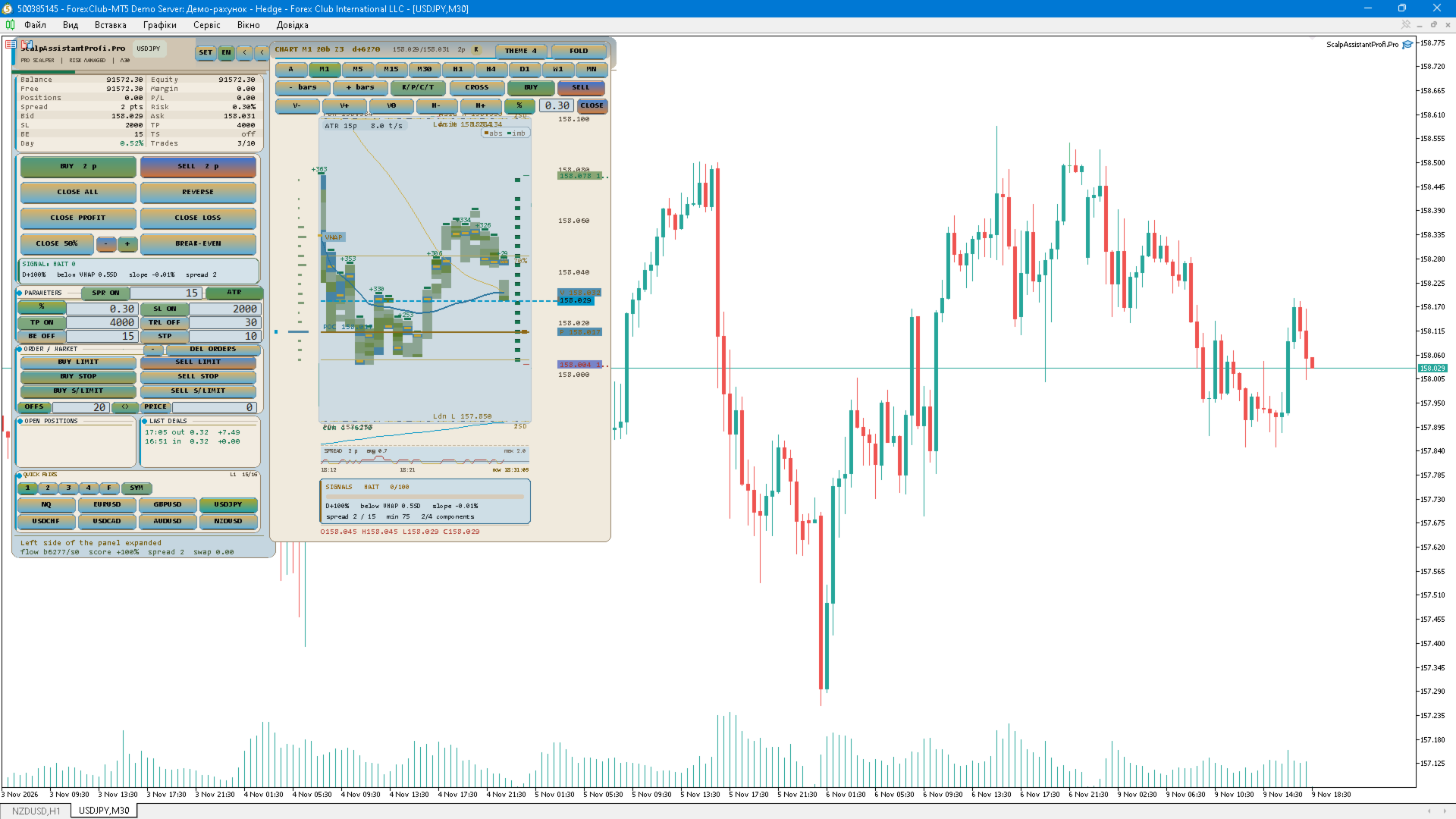
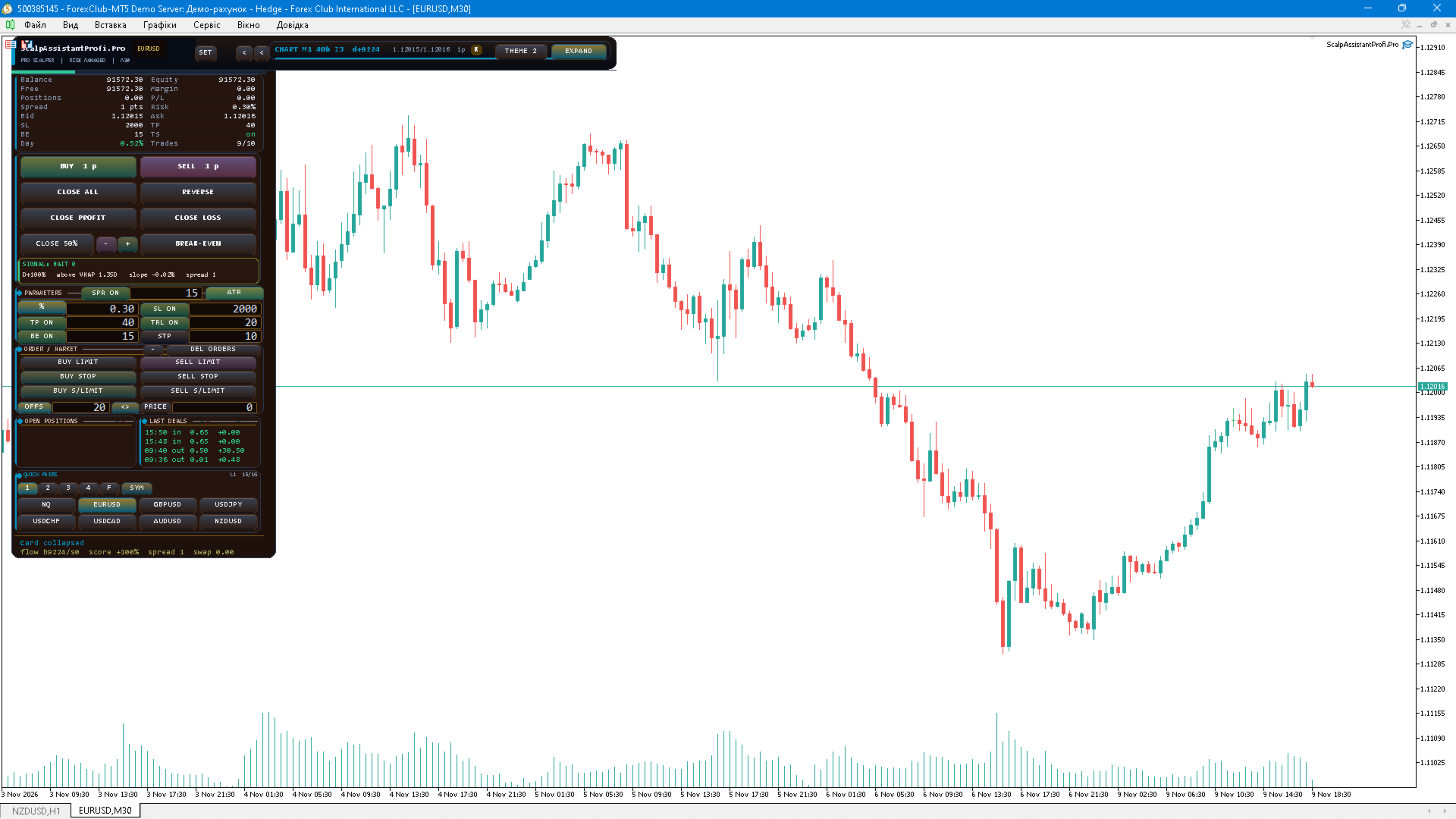
Orders and execution. The panel sends market orders and all pending order types — Buy Limit, Sell Limit, Buy Stop, Sell Stop, Buy Stop-Limit and Sell Stop-Limit. Two price input modes are available: OFFSET measured from the current price, or an exact PRICE. Every order is validated against the broker stops level, the freeze level, the symbol volume step and the min/max volume limits, and the result code of each request is written to the journal and to the panel status line.
Position sizing. Volume can be fixed or calculated from a percentage of the account balance or equity. In risk mode the lot is derived from the stop loss that is actually sent, so a wider stop automatically produces a smaller position. Symbol volume step and limits are applied automatically.
Stops and targets. SL and TP can be set manually in points, or calculated from ATR. In ATR mode the indicator is calculated on the card timeframe — the same timeframe the signal block uses — with an adjustable multiplier, a configurable TP multiplier and an optional maximum SL cap so a high-timeframe ATR cannot turn a scalp entry into a swing trade. All distances respect the broker minimum stop distance, and TP is never placed closer than the current spread multiplied by the configured coefficient.
Position management. Break-even moves the stop to a protected level after a configurable profit, the trailing stop follows the price at an adjustable start distance and step, and partial close takes a percentage of the position at a chosen profit level. Positions can be closed individually, by opposite positions with close-by, or all own orders can be removed with one button.
Risk guards. The panel enforces a maximum number of positions, a maximum total volume, a maximum number of trades per day, a losing-streak guard with a cooldown pause, and a daily loss and profit limit measured in percent of the balance. Every guard is reported on the panel, and entries are blocked with a clear message instead of failing silently.
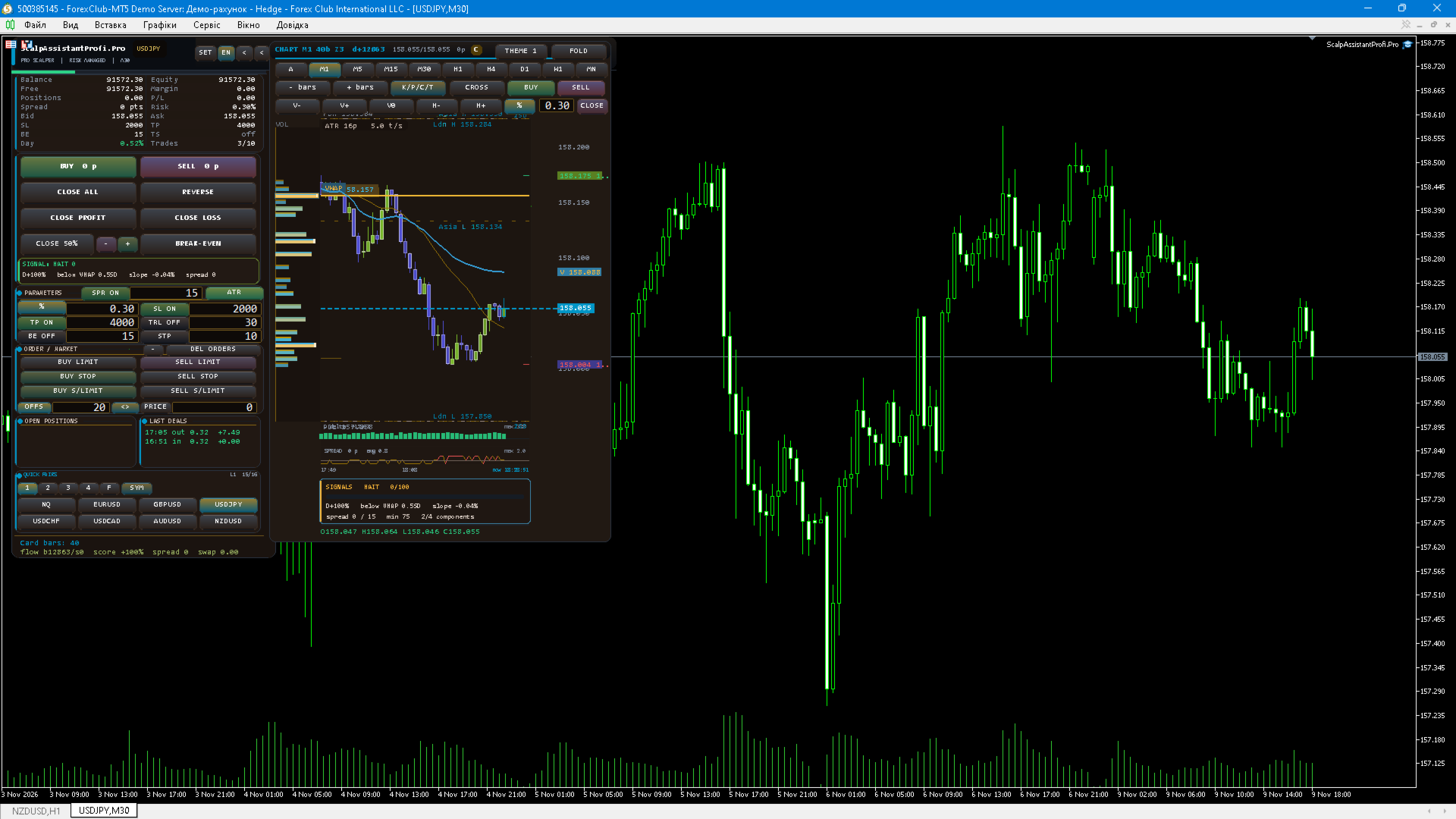
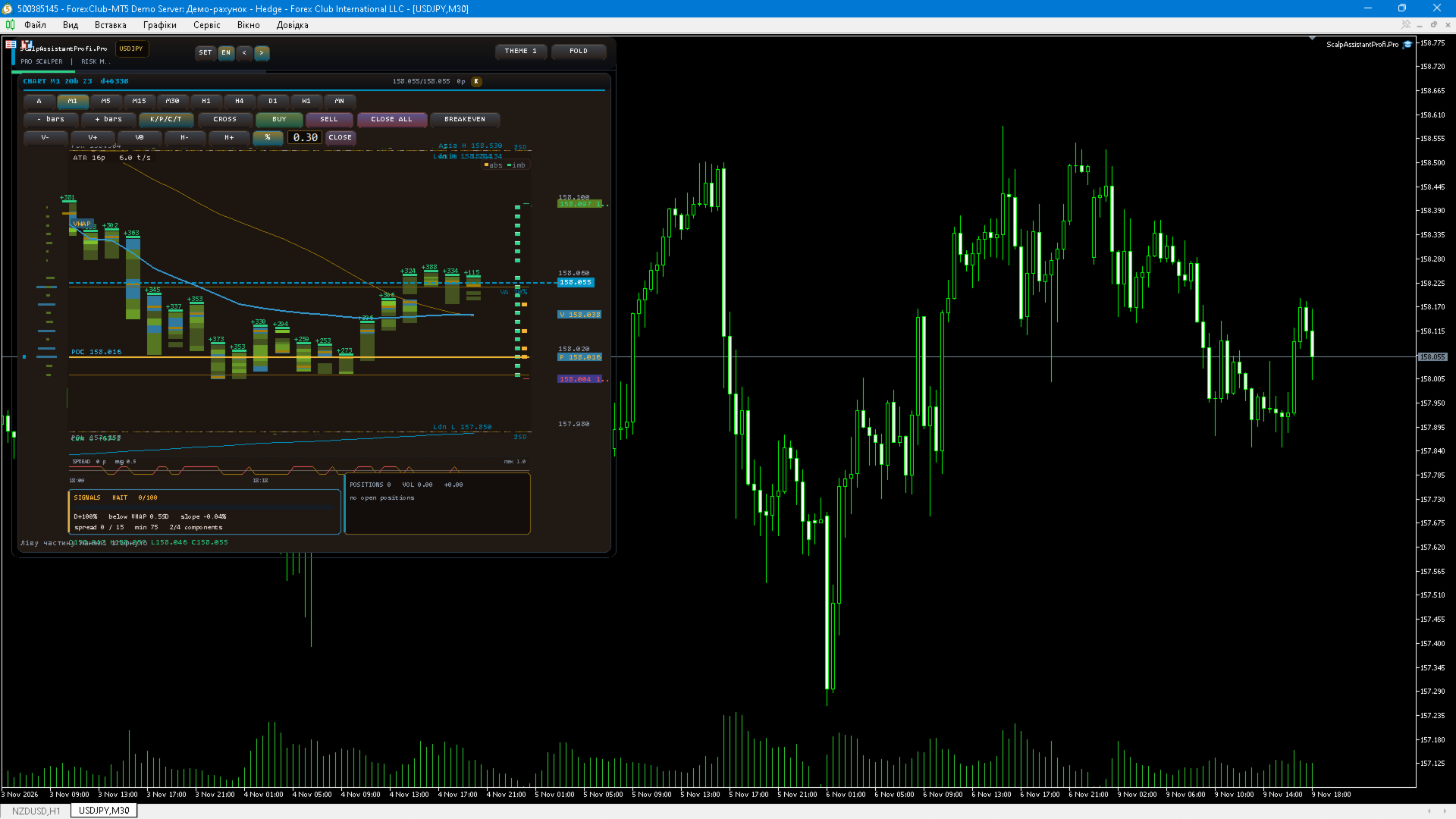
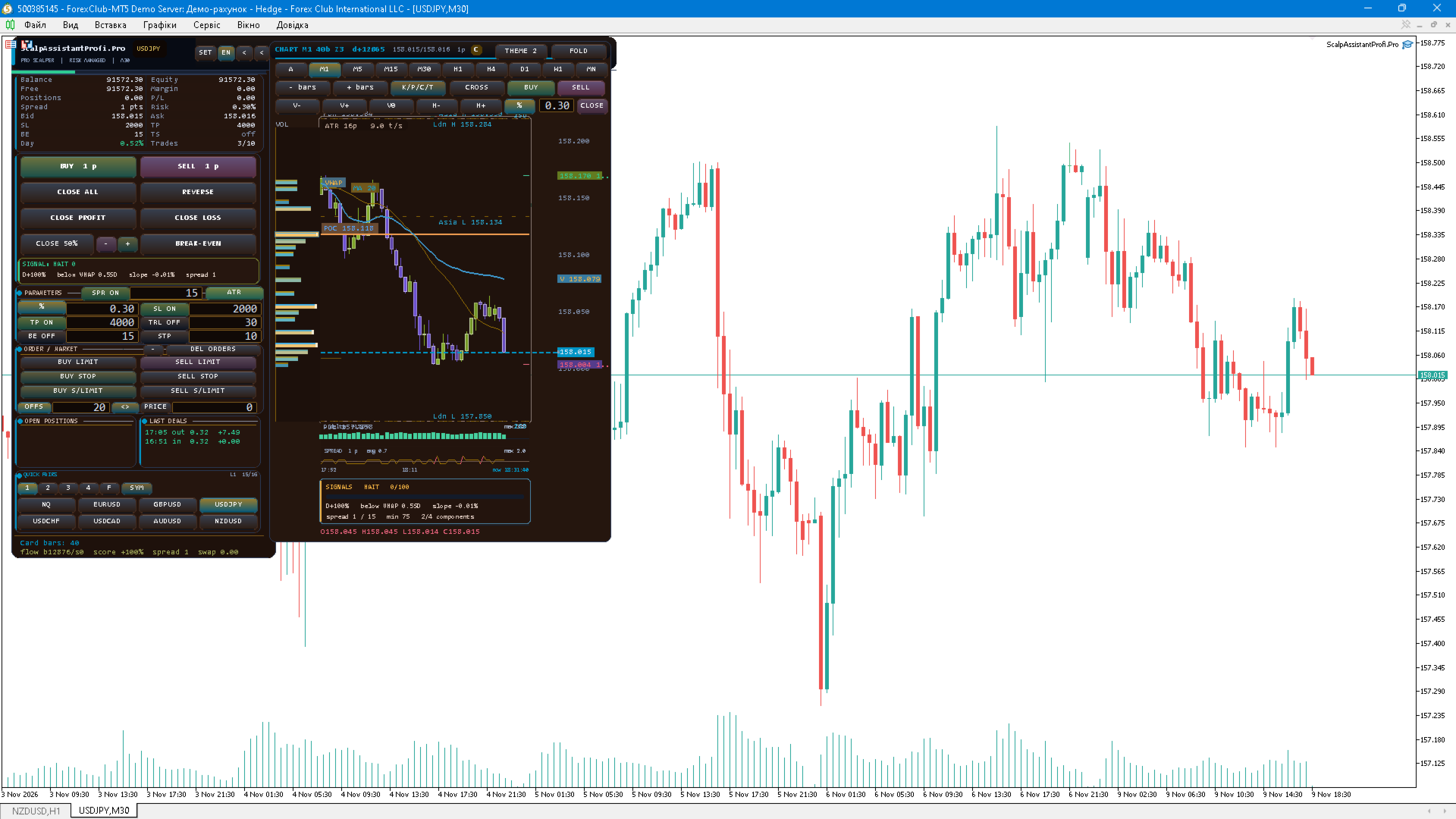
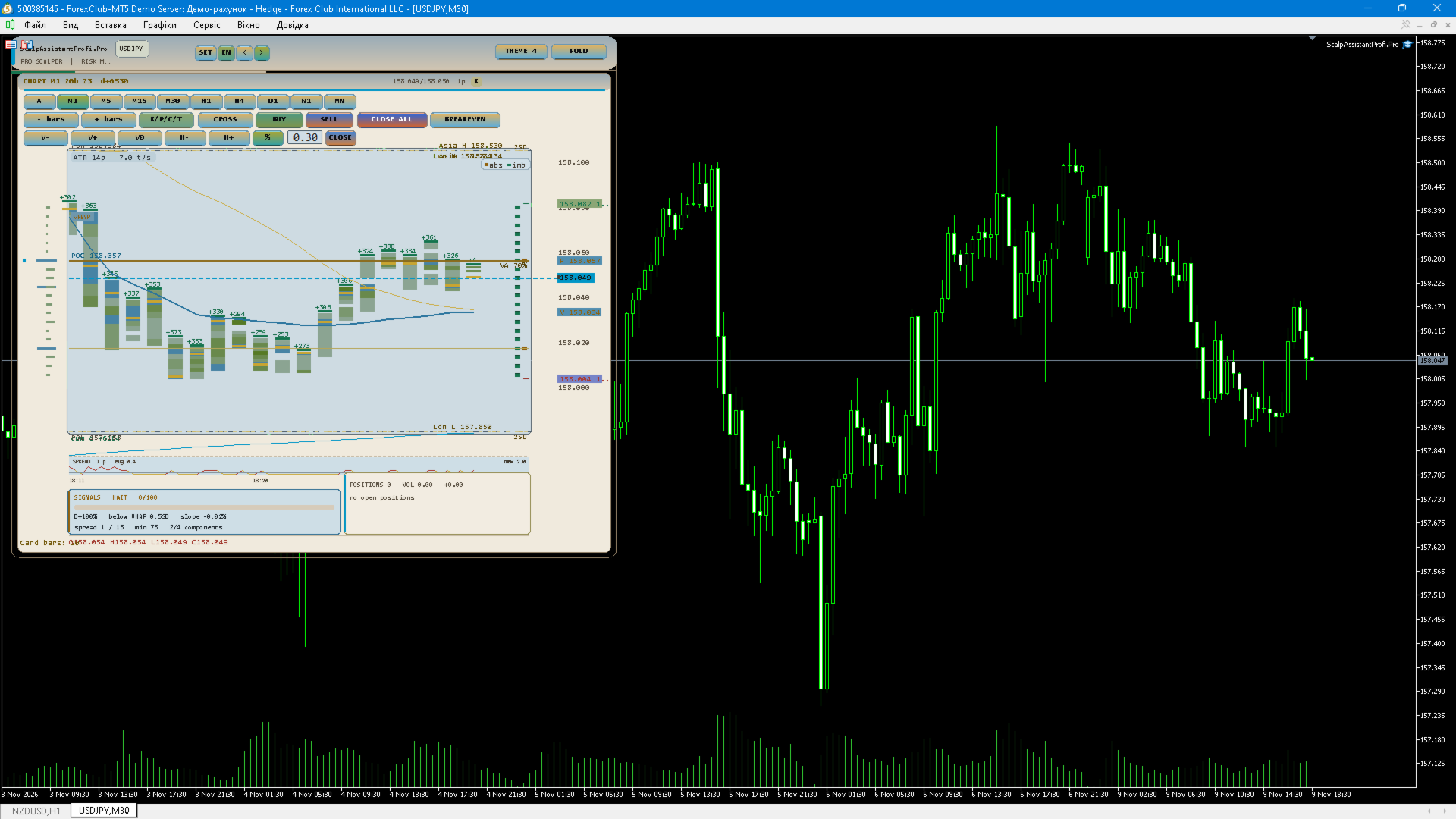
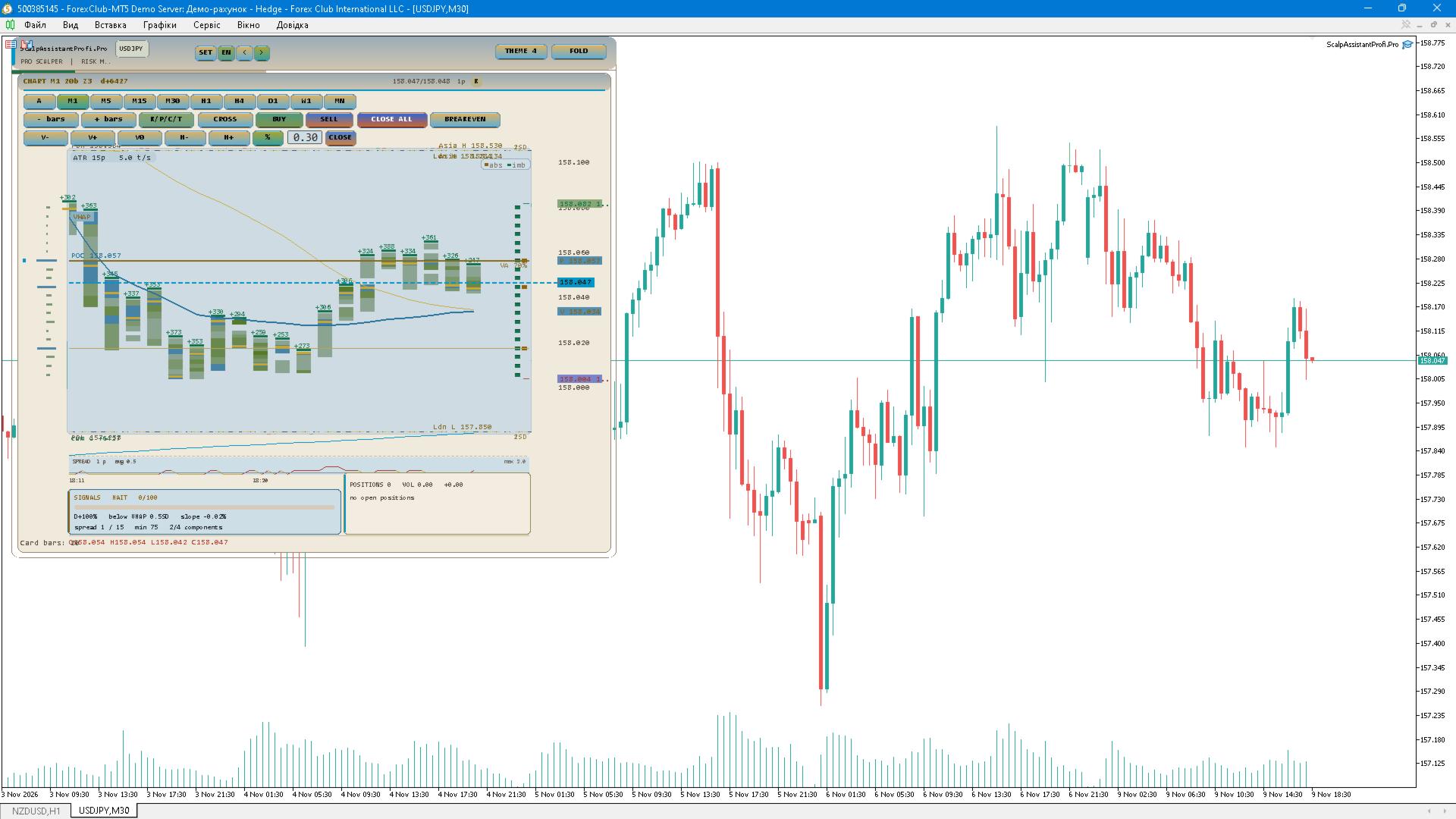
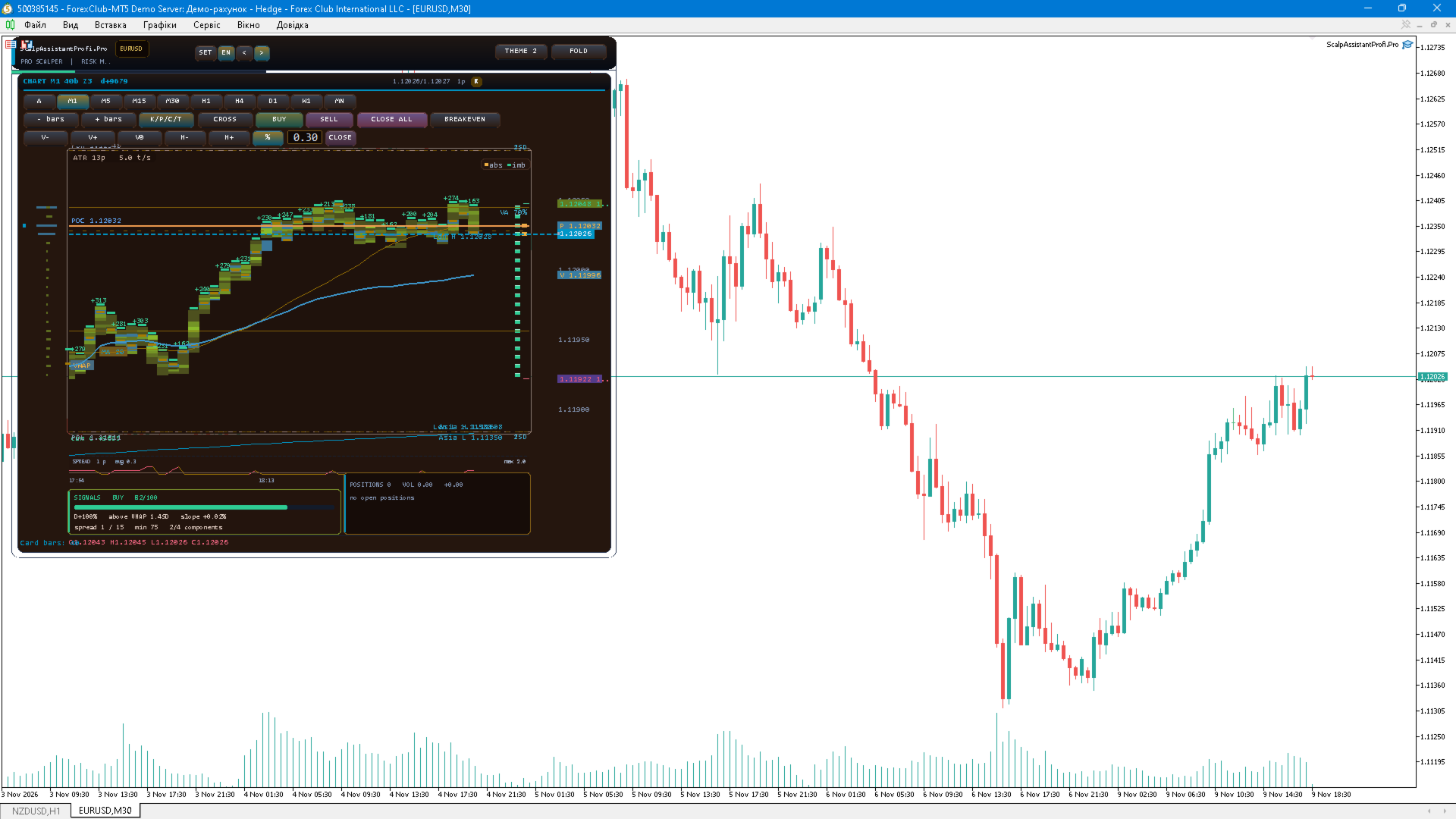
Chart card. The card is drawn with CCanvas and can show candles with SMA, ATR, VWAP with standard-deviation bands, day open, previous day high and low, Asian and London session levels, a spread strip, a delta strip, tick clusters, a footprint profile with point of control, a heat map, cumulative delta, and draggable SL and TP lines. Any view can be switched on or off, the card has its own timeframe independent of the chart, and the whole card can be folded away.
Signal block. The optional SIGNAL block computes a composite score out of four components: tick delta between buyers and sellers (40 points), price position relative to the intraday VWAP measured in standard deviations (25 points), the price slope over the last closed bars (20 points) and spread/ATR filters (15 points). Direction requires at least two components to agree. The score is fixed once per closed bar, so it does not repaint inside the bar. A minimum score threshold filters weak setups, and a sound alert plus a popup can be sent on each new signal, with an anti-spam pause. An optional correlation filter suppresses a signal that is already active on a correlated instrument — for example a BUY on EURUSD while a BUY signal or position already exists on GBPUSD or gold. The signal block is a context indicator only: it does not trade and it does not guarantee profit.
Symbols and workspace. A quick-pairs block holds four user lists plus favourites, with symbol search and one-click chart switching. Folds, card view, timeframe, panel position and daily statistics are persisted between sessions per symbol, while trading settings are shared across all symbols that use the same magic number. SL, TP, break-even, trailing, risk, lot and maximum spread are stored separately for every symbol, so gold, FX and indices can keep their own distances.
Interface. Five colour themes including two light ones, three interface languages (Ukrainian, English, Russian), tooltips on the chart card, hotkeys, a configurable refresh rate, a CSV trade journal and an expert settings page that lists the parameters in a paged view without opening the properties dialog.
Recommendations. Test the panel on a demo account first and check the symbol properties of your broker: minimum stop distance, typical spread and volume step. For XAUUSD, indices and crypto assets raise the stop distances and the maximum spread filter, otherwise valid entries may be rejected. Clusters, footprint and the heat map require real tick data: in the Strategy Tester choose the "Every tick" or "Real ticks" model, otherwise the card displays a "NO TICKS" notice.
Risk warning. Trading on financial markets carries a high risk of losing money. Past performance and backtesting results do not guarantee future profitability. The author accepts no liability for any losses incurred while using this product.