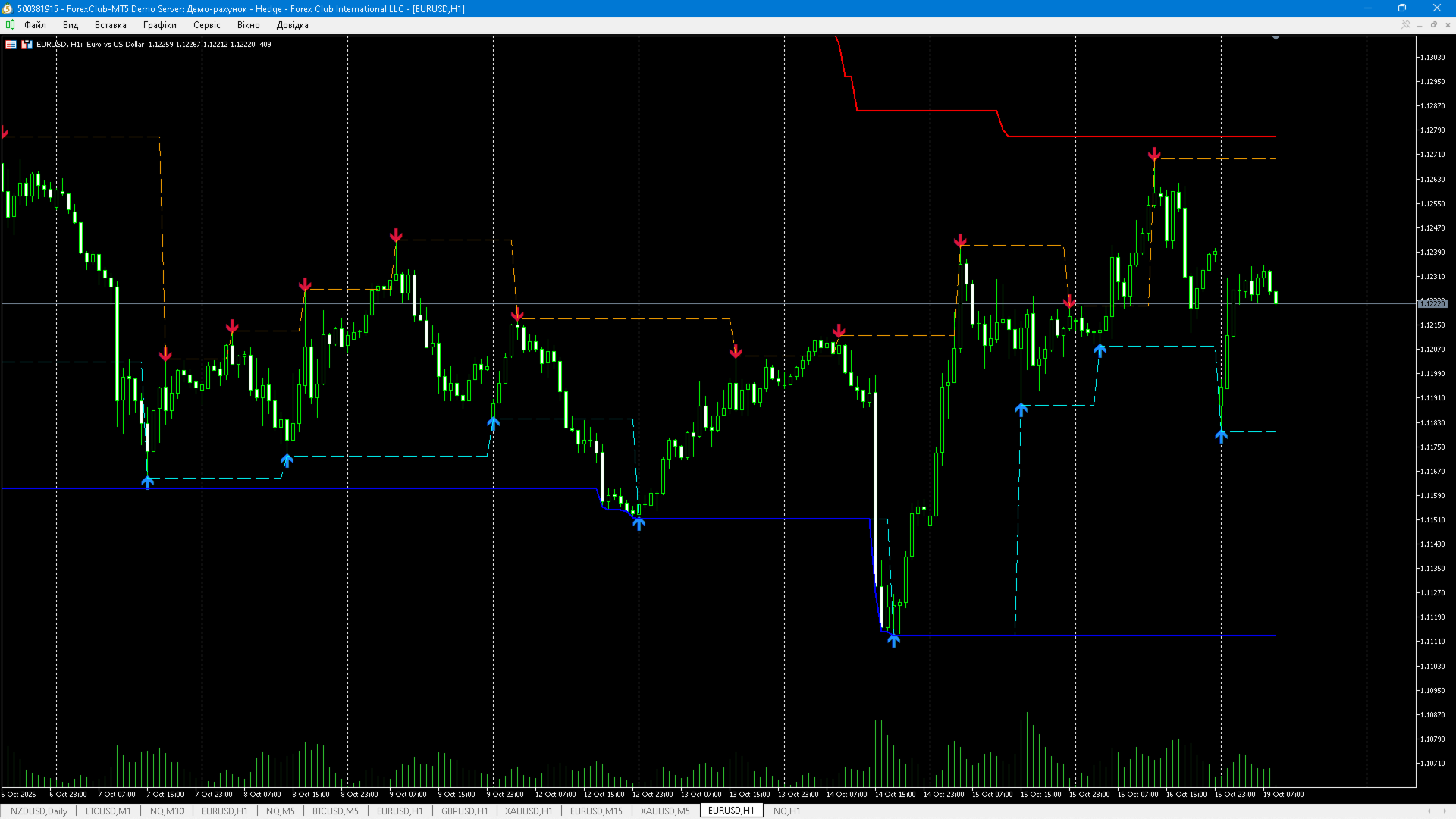
Swing Range High Low
- Indicatori
- Versione: 1.50
- Attivazioni: 20

Swing Range High Low — 4-Level Market Structure & Range
Automatic swing highs/lows with confirmed level lines and a price range channel. Clean structure, no repaint option, alerts and push.
Full description
Swing Range High Low is a chart indicator that marks confirmed swing pivots and turns them into four readable price levels: the last confirmed Swing High, the last confirmed Swing Low, and the upper/lower boundaries of the working range.
What it draws
| Element | Meaning |
|---|---|
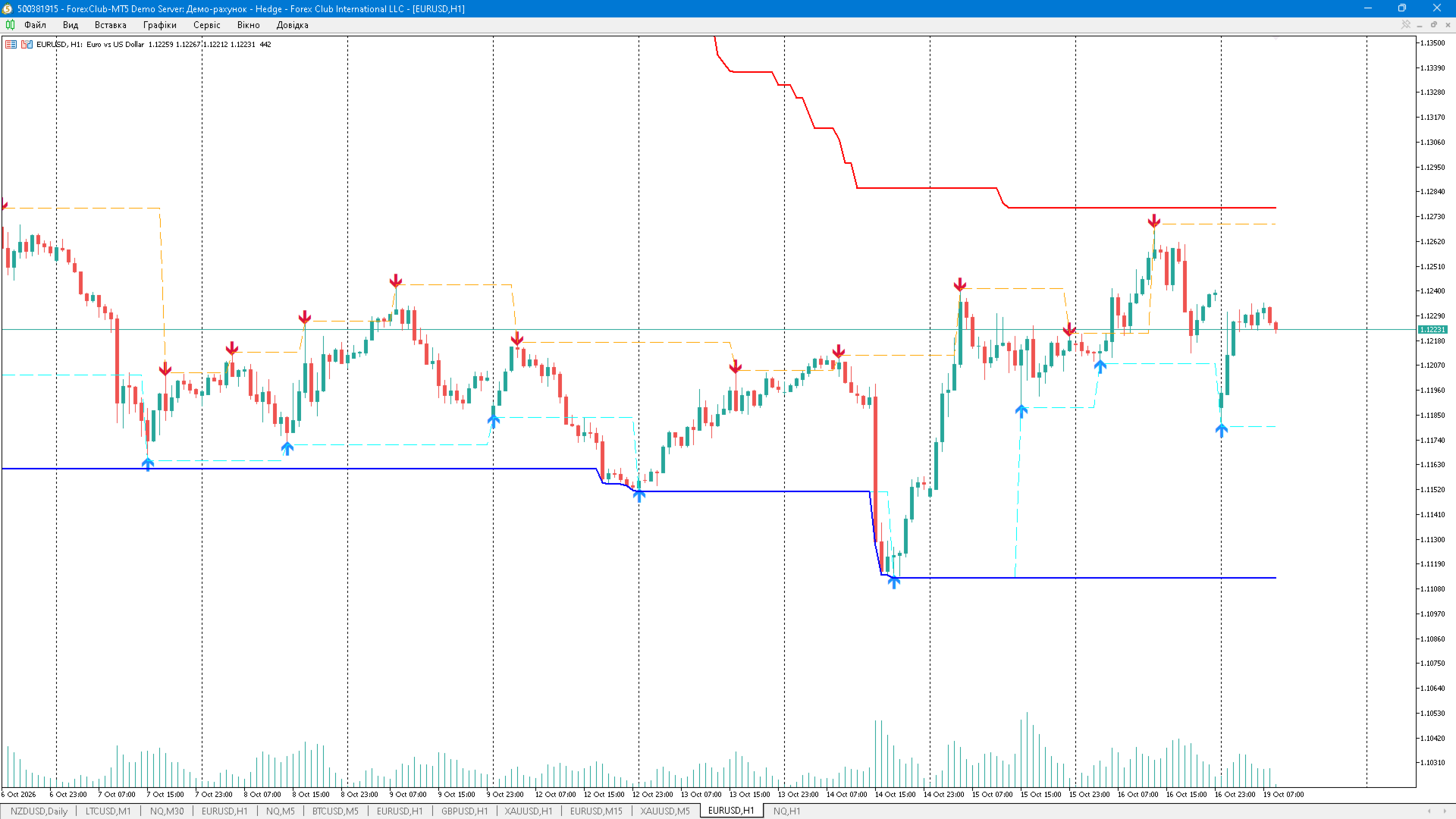
| Red ▼ arrow | Confirmed Swing High (bar's high is higher than LeftBars bars to the left and not lower than RightBars bars to the right) |
| Blue ▲ arrow | Confirmed Swing Low (mirrored logic on lows) |
| Orange dashed line | Level of the last confirmed Swing High, carried forward |
| Aqua dashed line | Level of the last confirmed Swing Low, carried forward |
| Red solid line | Range High |
| Blue solid line | Range Low |
| Dotted segments (optional) | Connect consecutive Swing Highs and consecutive Swing Lows |
All six series are visible in the Data Window with explicit labels.
How it works
- Pivot detection. A bar is a Swing High when its high strictly dominates the LeftBars bars to the left and is not lower than the RightBars bars to the right (mirrored for lows). An optional tolerance in ticks treats near-equal extremes as equal and prevents duplicate signals on plateaus.
- Level carry-forward. Once a pivot is confirmed, its price becomes a horizontal level that extends to the right until the next pivot of the same type appears. These are the “last recognised” support/resistance levels.
- Range channel. Two modes:
- Price extremes — max high / min low over a rolling window (or the whole loaded history);
- Confirmed swing levels — max swing high / min swing low inside the window. The window can be a fixed bar count, 0 for the full history, or -1 for auto (the currently visible chart area).
- Incremental calculation. Only the “dirty” tail is recalculated on new ticks; a full recalculation is O(N) using monotonic queues. No handles, no history loops per tick.
- No repaint mode (optional). With Confirm only after bar i+RightBars closes a pivot is published only after its right context is fully closed — signals are delayed but never change afterwards.
Alerts
- Popup alert on a new confirmed swing;
- Mobile push notification;
- Sound file playback. Alerts fire once per confirmed bar (never per tick), with a configurable backfill limit to avoid spam after weekends or reconnects.
Inputs
| Input | Default | Description |
|---|---|---|
| Bars to the left | 5 | Left context for pivot detection |
| Bars to the right | 5 | Right context for pivot confirmation |
| Equal-extreme tolerance, ticks | 0 | Treats near-equal extremes as equal |
| Confirm only after bar i+RightBars closes | false | Non-repainting mode |
| Arrow offset from level, ticks | 10 | Vertical arrow offset, based on tick size |
| Draw segments between consecutive swings | false | Optional dotted trend segments |
| Max segments per swing type | 50 | Limit for objects |
| Range mode | Price extremes | Price extremes or swing levels |
| Range window, bars | -1 | -1 = visible area, 0 = full history |
| Build range on closed bars only | false | Range does not move intrabar |
| Popup alert / Push / Sound | false | Notification channels |
| Sound file name | alert.wav | File from MQL5\Files or Sounds |
| Max alerts per call | 5 | 0 = unlimited |
How to use
- Levels for entries and stops: long from a Swing Low bounce with the stop below the level; short from a Swing High with the stop above it.
- Range trading: buy near Range Low, sell near Range High; a confirmed break outside the channel switches the context to breakout.
- Structure filter: rising swing lows allow longs, falling swing highs allow shorts. The buffers (indices 2–5) can be read via iCustom to build EA filters.
Recommended settings
- M1–M5 scalping: 2/2 , price mode, window 60–200
- M15–H1 intraday: 5/5 , price mode, window 100–500 or auto
- H4–D1 swing: 8/12 , swing mode, window 300–1000
- MN1 positional: 5/8 , swing mode, window 12–36
Notes and limitations
- With non-repainting mode off, the newest confirmed pivot may still change until its right context closes — this is normal fractal behaviour.
- In price mode with window 0 the Range lines show the all-history extreme and never move down (by definition).
- This is an analysis/visualisation tool, not a trading system. It provides no entry signals and no risk management. Past price structure does not guarantee future results.