ScalpAssistantProfi Pro

ScalpAssistant Profi Pro — Manual Trading Panel with Order Flow Card

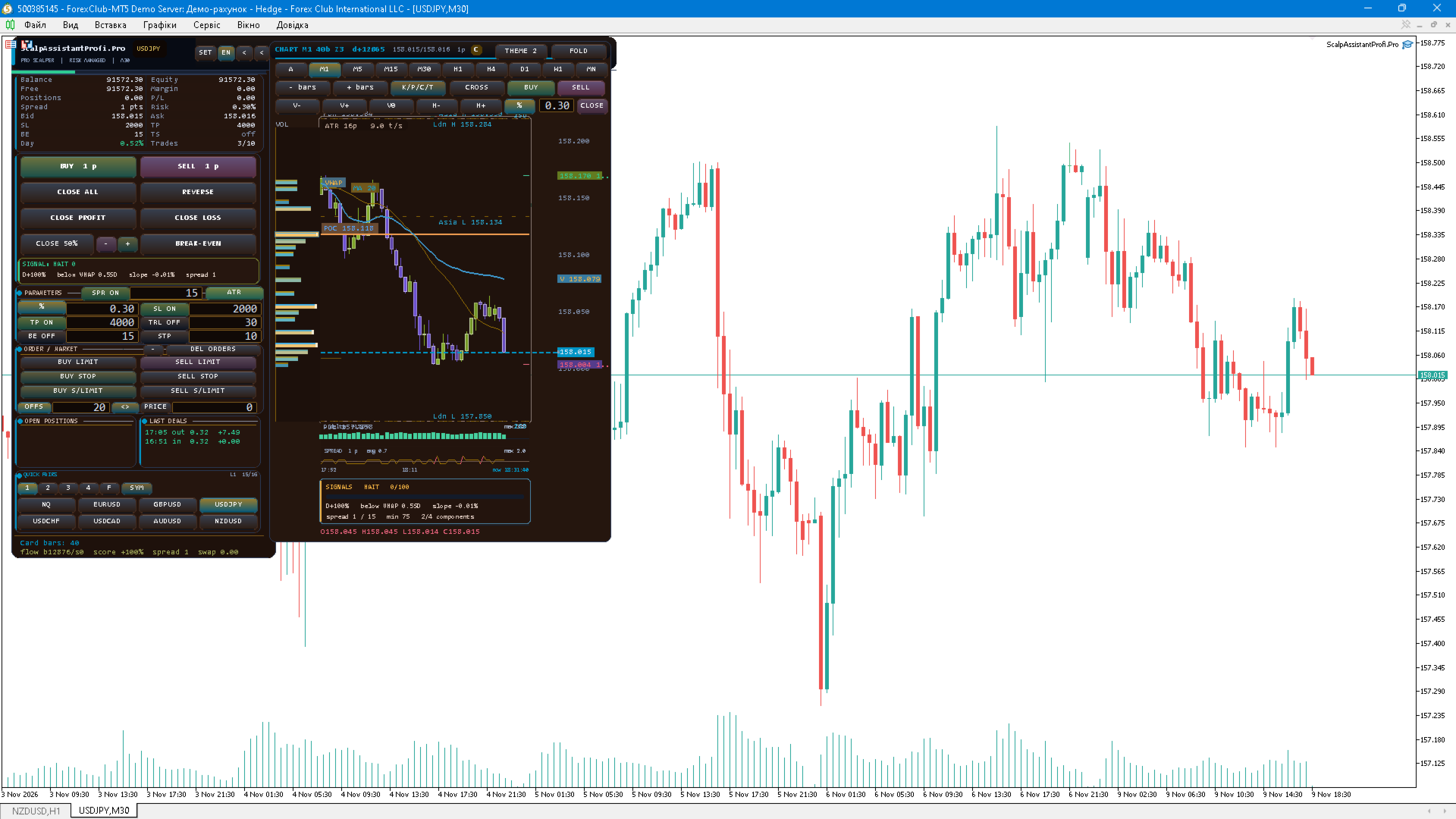
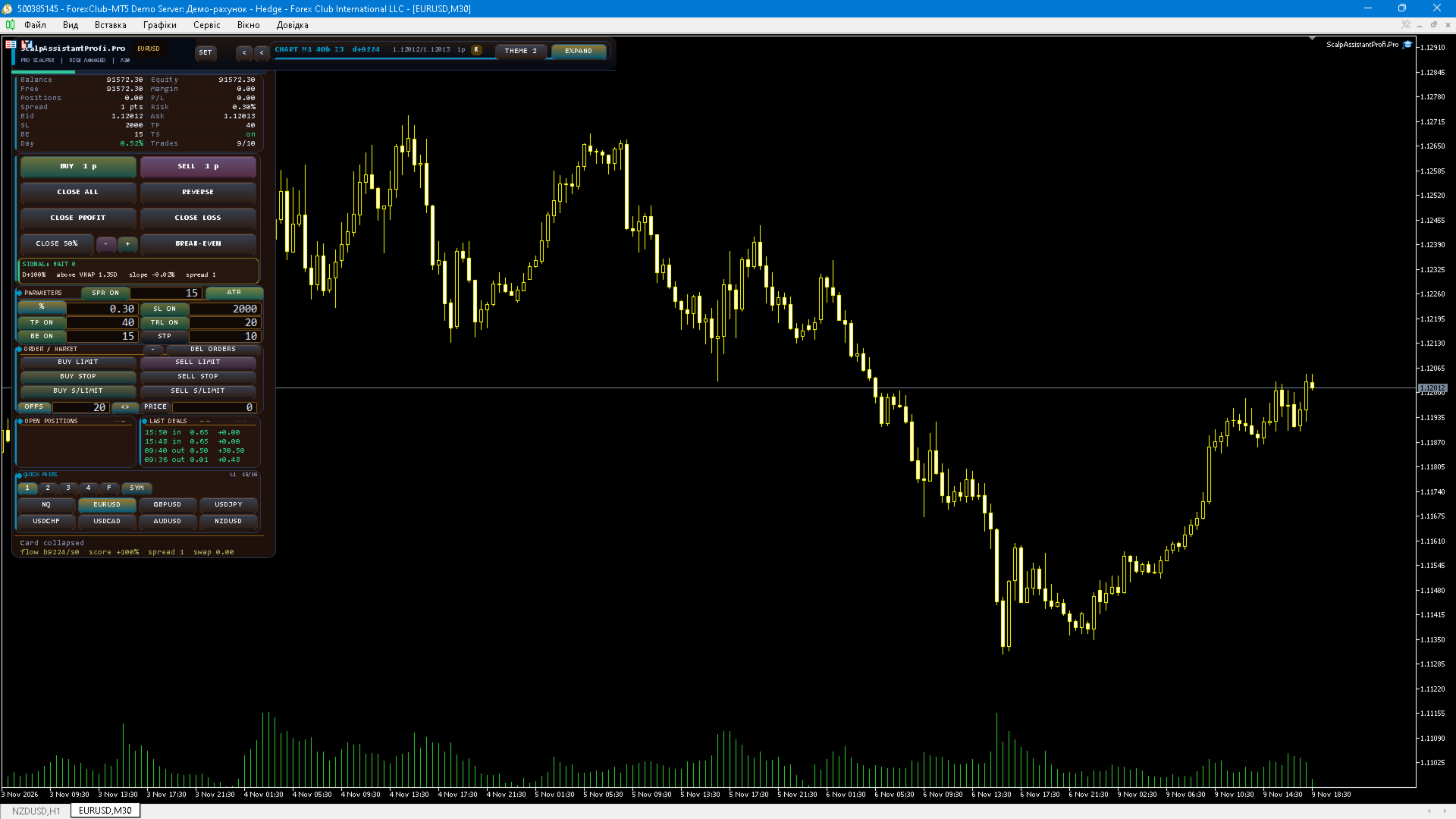
ScalpAssistant Profi Pro is a fully manual trading panel for MetaTrader 5 that puts the daily toolkit of a scalper into one compact card next to the chart. The Expert Advisor never opens trades on its own: entries, exits and position management remain under your control at all times.

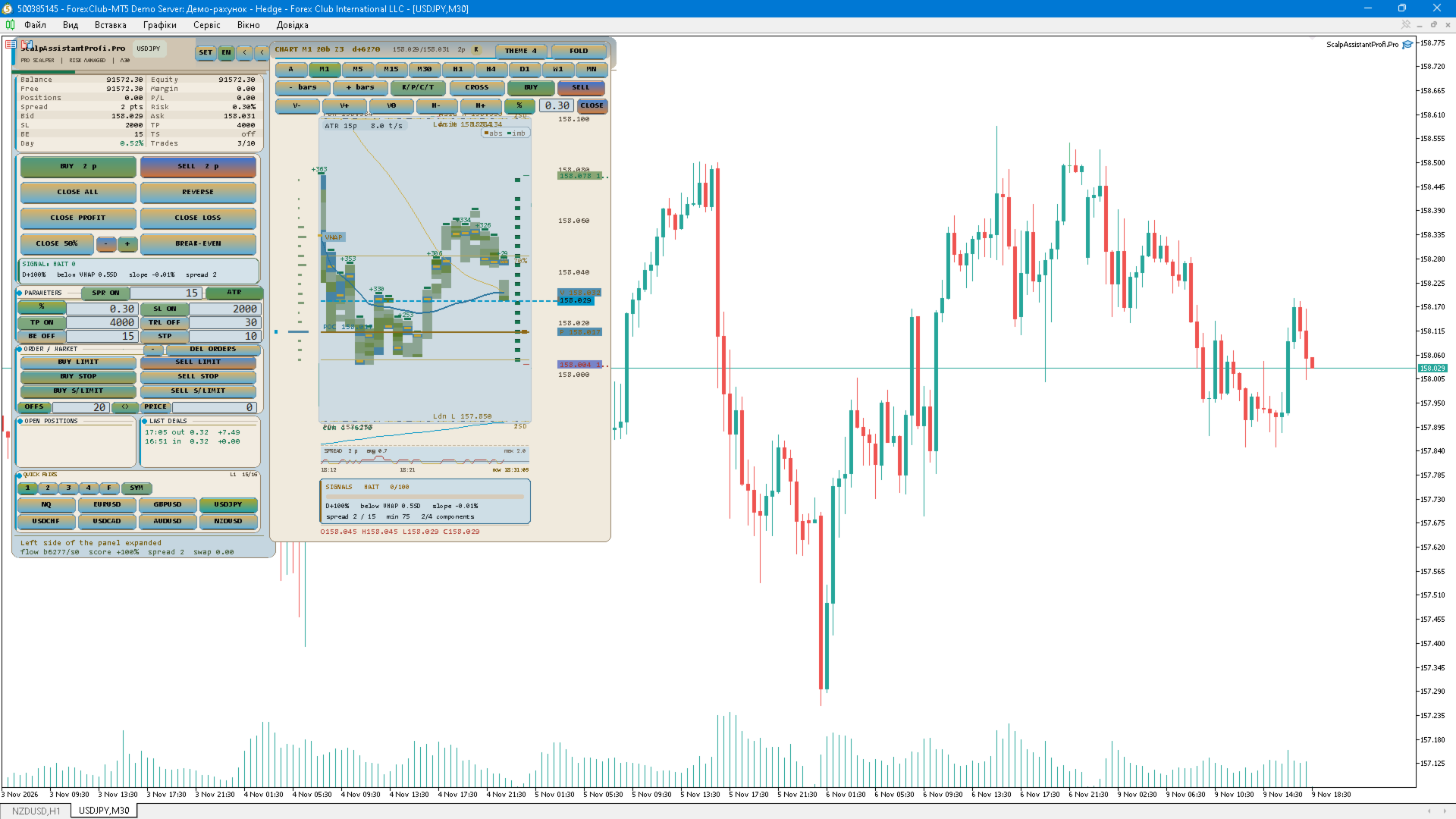
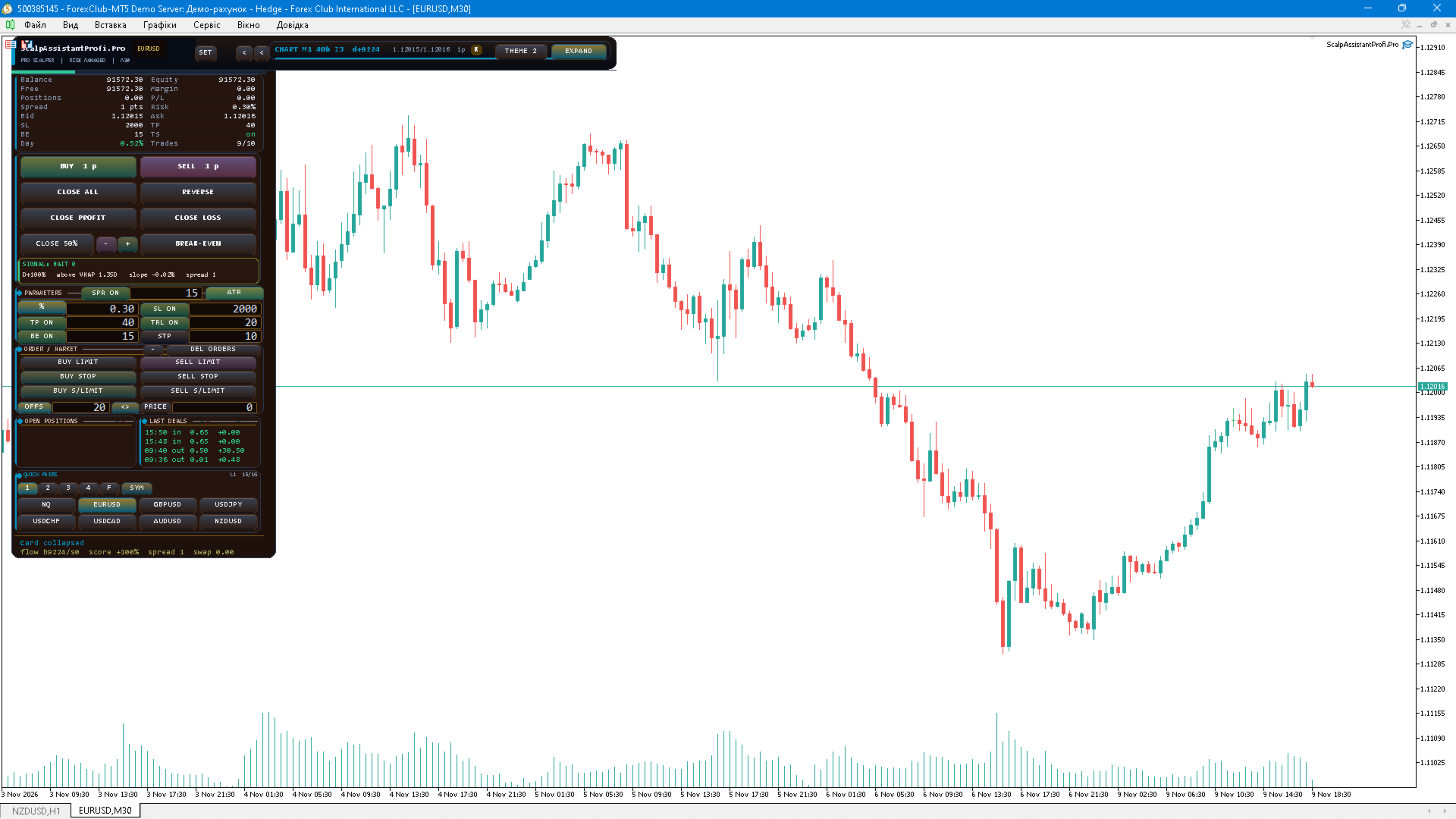
Orders and execution. The panel sends market orders and all pending order types — Buy Limit, Sell Limit, Buy Stop, Sell Stop, Buy Stop-Limit and Sell Stop-Limit. Two price input modes are available: OFFSET measured from the current price, or an exact PRICE. Every order is validated against the broker stops level, the freeze level, the symbol volume step and the min/max volume limits, and the result code of each request is written to the journal and to the panel status line.

Position sizing. Volume can be fixed or calculated from a percentage of the account balance or equity. In risk mode the lot is derived from the stop loss that is actually sent, so a wider stop automatically produces a smaller position. Symbol volume step and limits are applied automatically.

Stops and targets. SL and TP can be set manually in points, or calculated from ATR. In ATR mode the indicator is calculated on the card timeframe — the same timeframe the signal block uses — with an adjustable multiplier, a configurable TP multiplier and an optional maximum SL cap so a high-timeframe ATR cannot turn a scalp entry into a swing trade. All distances respect the broker minimum stop distance, and TP is never placed closer than the current spread multiplied by the configured coefficient.

Position management. Break-even moves the stop to a protected level after a configurable profit, the trailing stop follows the price at an adjustable start distance and step, and partial close takes a percentage of the position at a chosen profit level. Positions can be closed individually, by opposite positions with close-by, or all own orders can be removed with one button.

Risk guards. The panel enforces a maximum number of positions, a maximum total volume, a maximum number of trades per day, a losing-streak guard with a cooldown pause, and a daily loss and profit limit measured in percent of the balance. Every guard is reported on the panel, and entries are blocked with a clear message instead of failing silently.

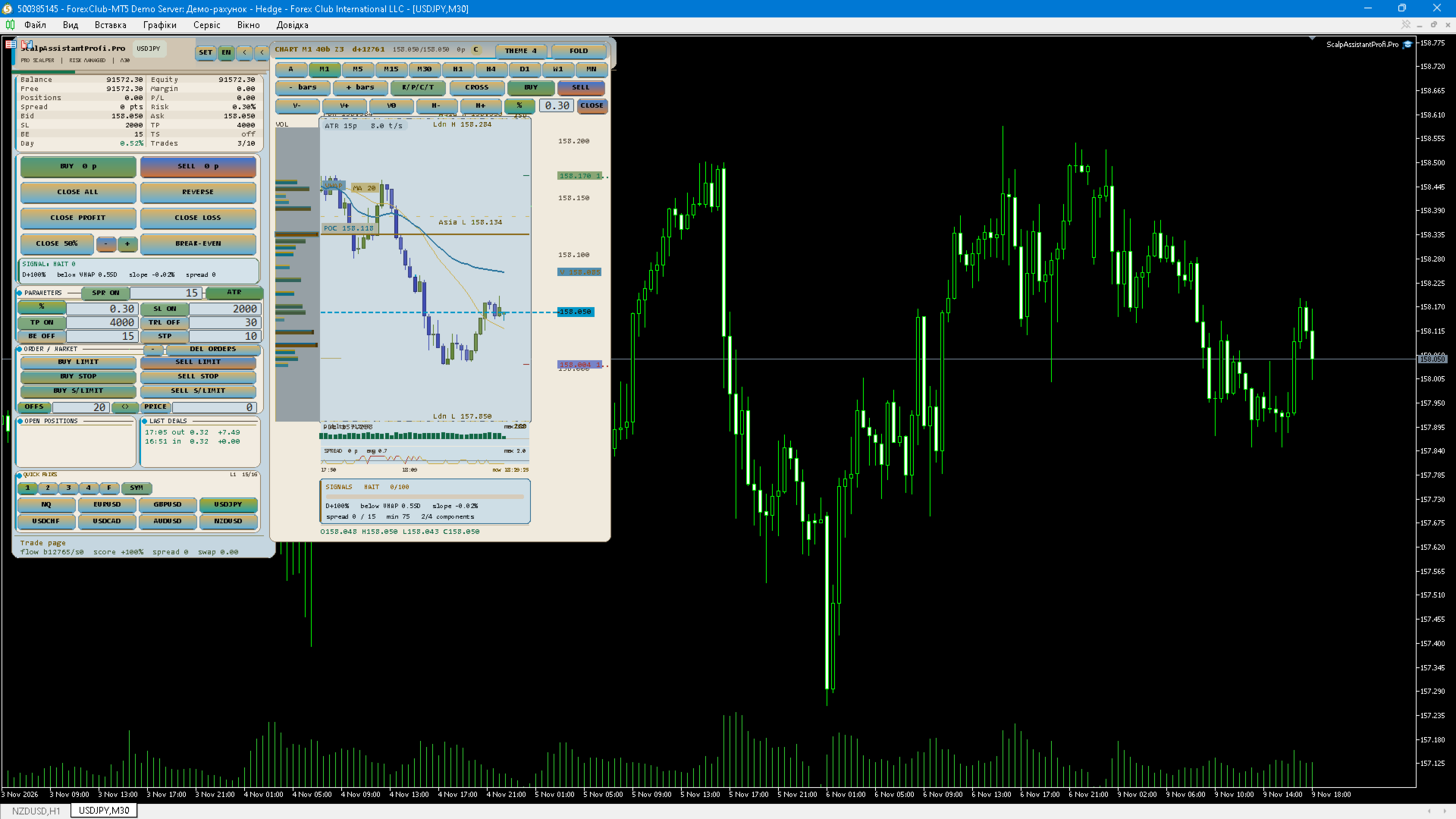
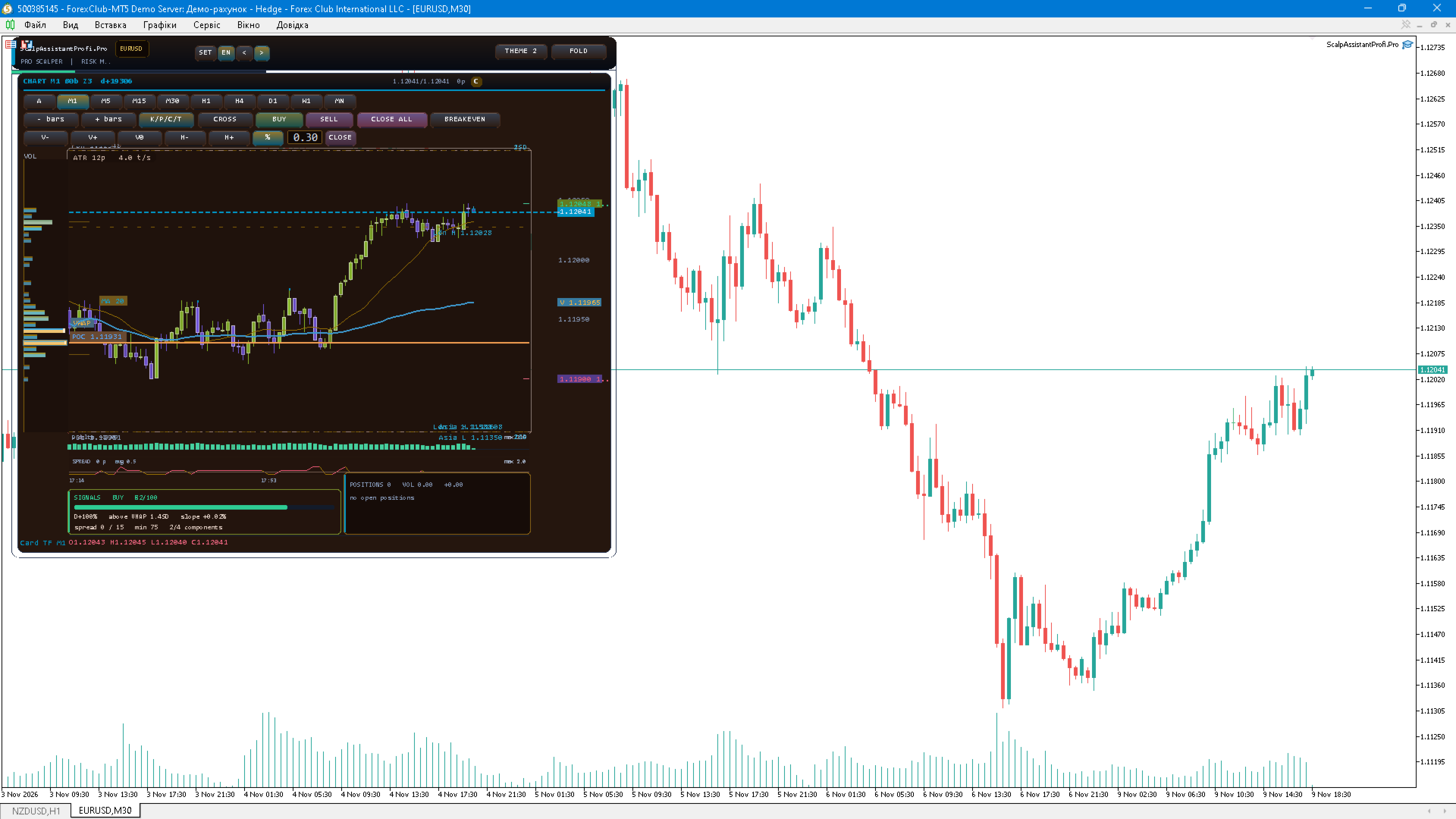
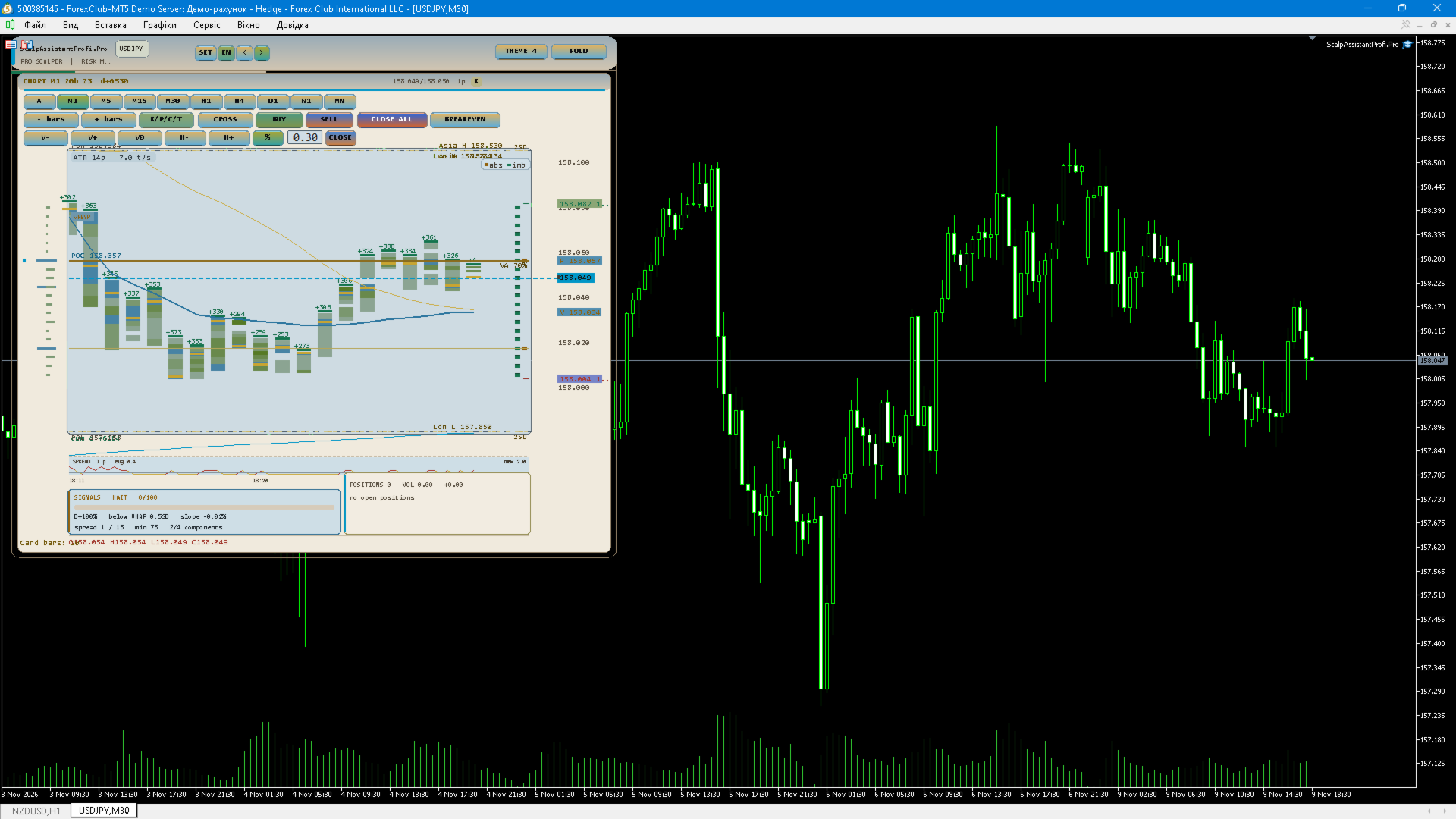
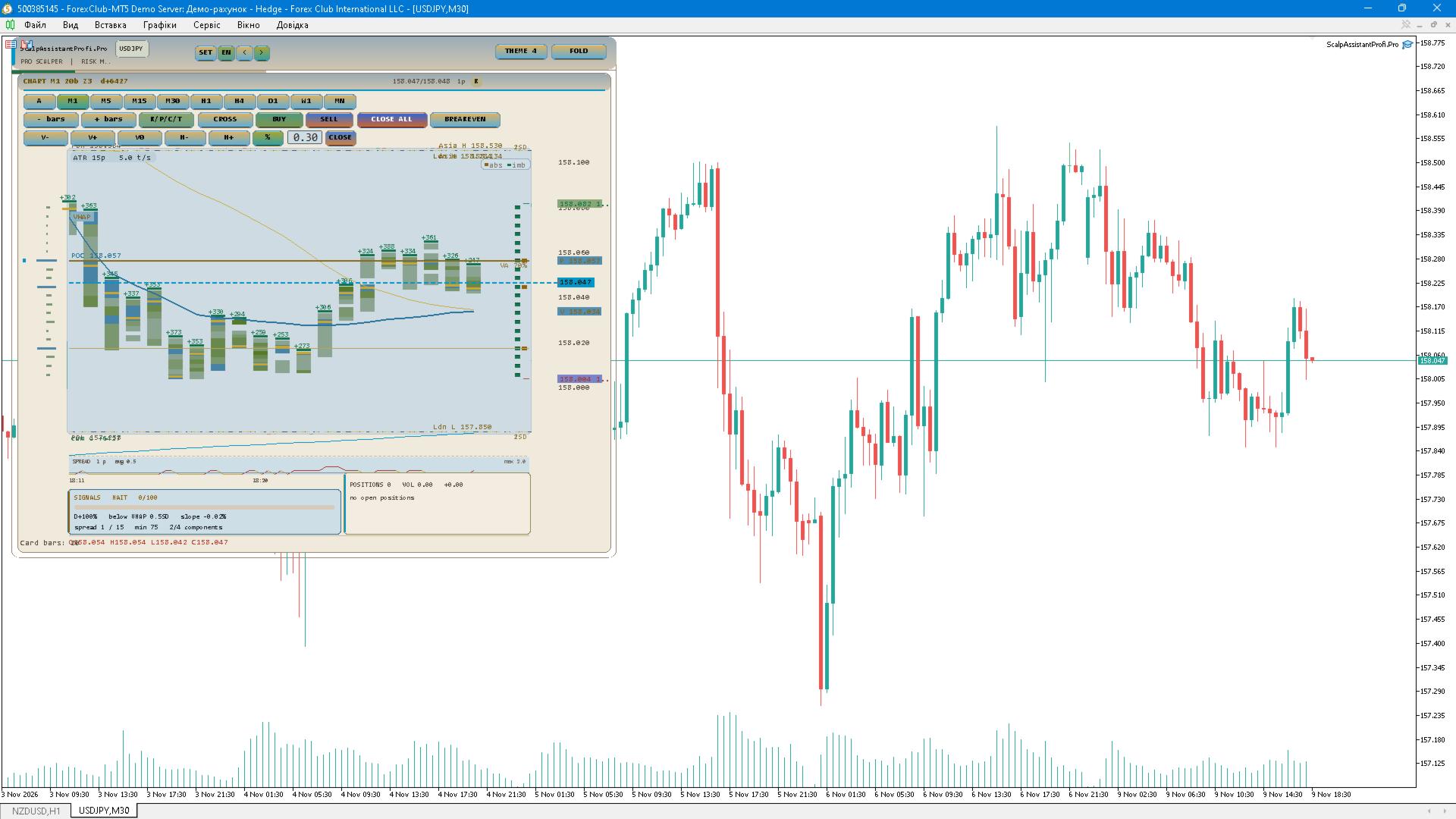
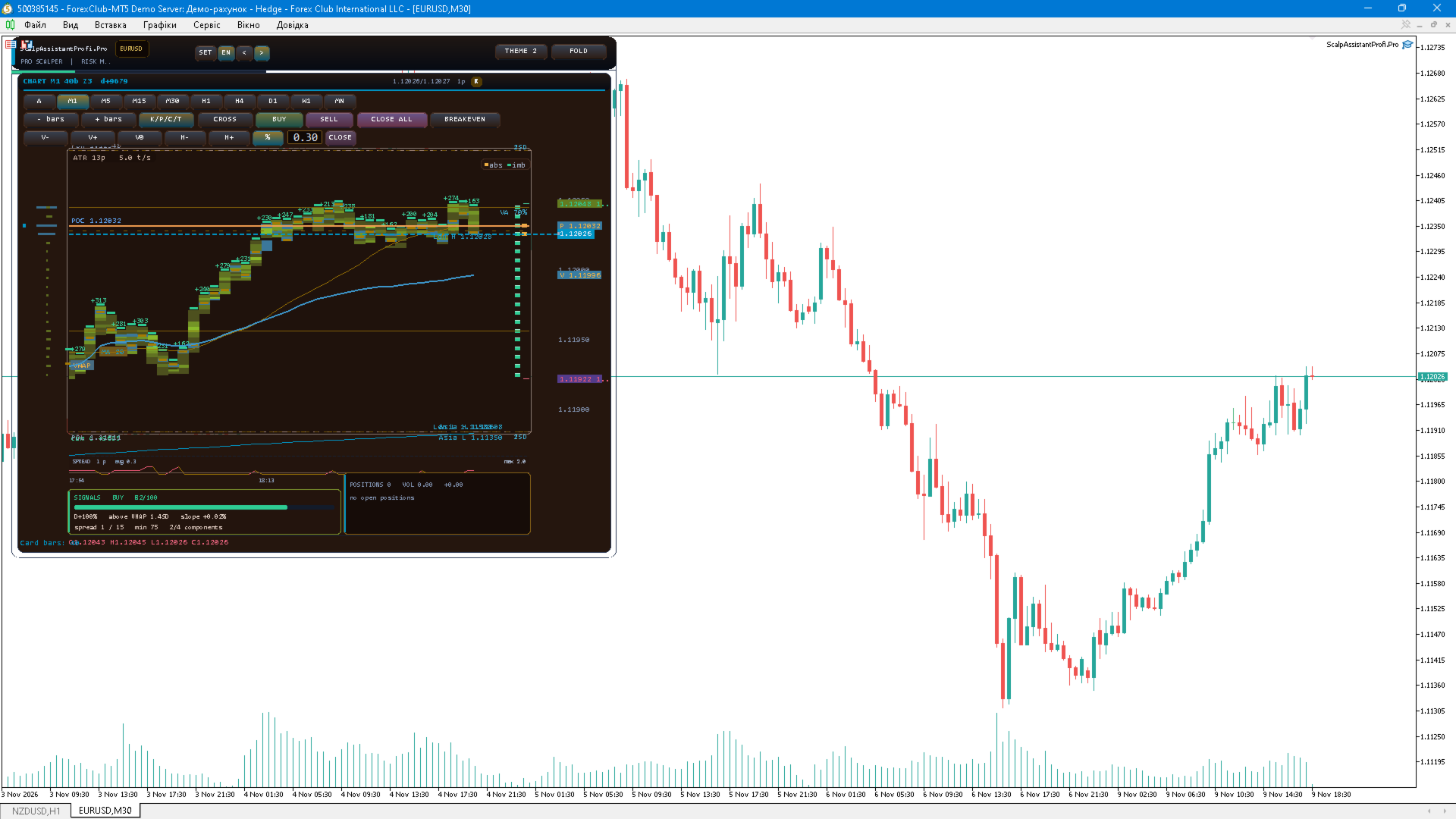
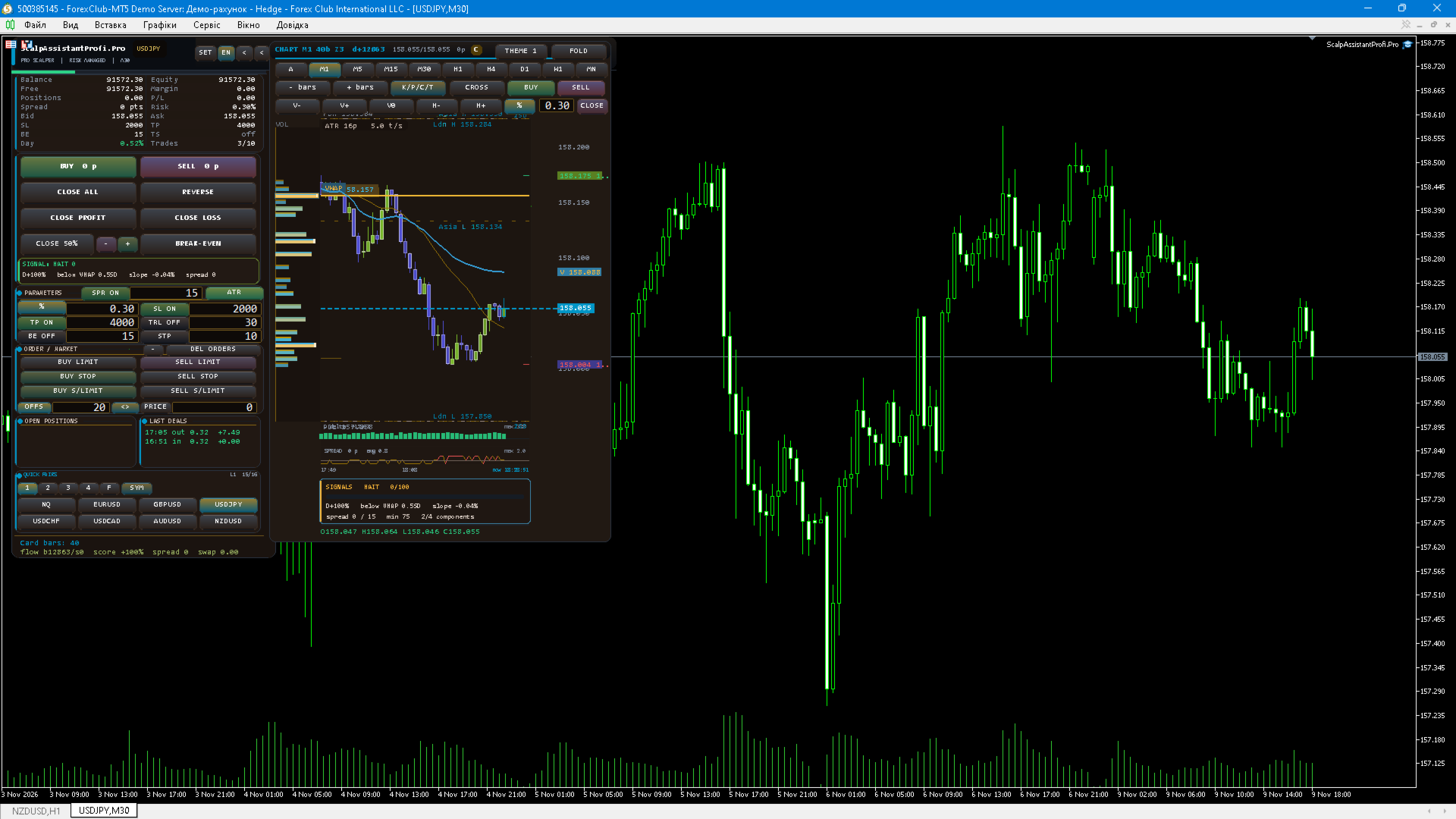
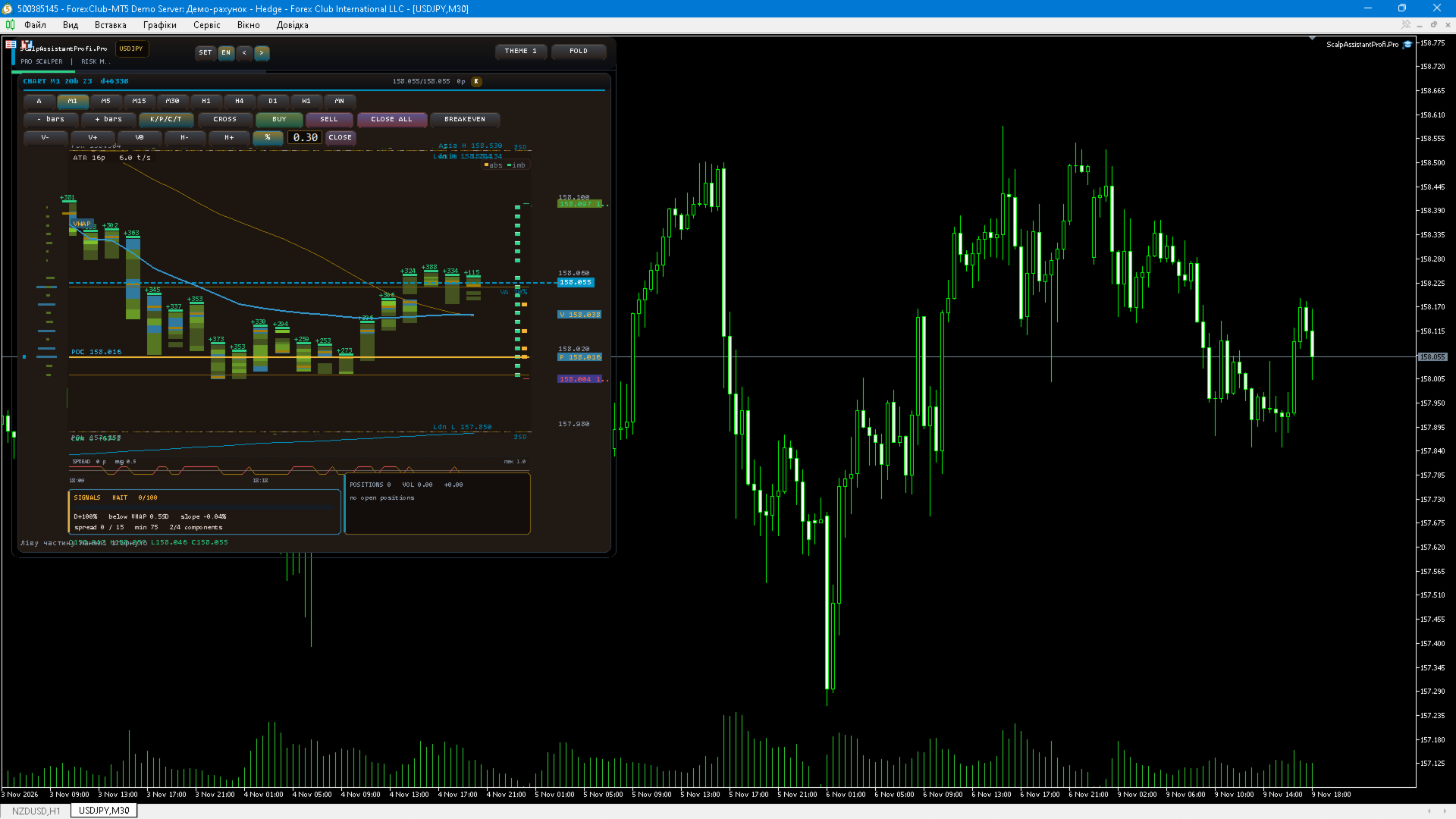
Chart card. The card is drawn with CCanvas and can show candles with SMA, ATR, VWAP with standard-deviation bands, day open, previous day high and low, Asian and London session levels, a spread strip, a delta strip, tick clusters, a footprint profile with point of control, a heat map, cumulative delta, and draggable SL and TP lines. Any view can be switched on or off, the card has its own timeframe independent of the chart, and the whole card can be folded away.

Signal block. The optional SIGNAL block computes a composite score out of four components: tick delta between buyers and sellers (40 points), price position relative to the intraday VWAP measured in standard deviations (25 points), the price slope over the last closed bars (20 points) and spread/ATR filters (15 points). Direction requires at least two components to agree. The score is fixed once per closed bar, so it does not repaint inside the bar. A minimum score threshold filters weak setups, and a sound alert plus a popup can be sent on each new signal, with an anti-spam pause. An optional correlation filter suppresses a signal that is already active on a correlated instrument — for example a BUY on EURUSD while a BUY signal or position already exists on GBPUSD or gold. The signal block is a context indicator only: it does not trade and it does not guarantee profit.

Symbols and workspace. A quick-pairs block holds four user lists plus favourites, with symbol search and one-click chart switching. Folds, card view, timeframe, panel position and daily statistics are persisted between sessions per symbol, while trading settings are shared across all symbols that use the same magic number. SL, TP, break-even, trailing, risk, lot and maximum spread are stored separately for every symbol, so gold, FX and indices can keep their own distances.

Interface. Five colour themes including two light ones, three interface languages (Ukrainian, English, Russian), tooltips on the chart card, hotkeys, a configurable refresh rate, a CSV trade journal and an expert settings page that lists the parameters in a paged view without opening the properties dialog.

Recommendations. Test the panel on a demo account first and check the symbol properties of your broker: minimum stop distance, typical spread and volume step. For XAUUSD, indices and crypto assets raise the stop distances and the maximum spread filter, otherwise valid entries may be rejected. Clusters, footprint and the heat map require real tick data: in the Strategy Tester choose the "Every tick" or "Real ticks" model, otherwise the card displays a "NO TICKS" notice.

Risk warning. Trading on financial markets carries a high risk of losing money. Past performance and backtesting results do not guarantee future profitability. The author accepts no liability for any losses incurred while using this product.
제작자의 제품 더 보기
ProScalp Panel — a professional manual-trading panel for MetaTrader 5 ProScalp Panel is a compact trading control panel that sits directly on the chart. It combines order entry, position management, risk protection and quick access to your favourite symbols in one window. The panel generates no trading signals — every order is opened only by your command. KEY FEATURES • Market orders: BUY / SELL with stop loss and take profit applied automatically from panel settings. • Volume mode: fixed lot or
Bjorgum Key Levels (Bj Key Levels) MT5 Multi-timeframe support/resistance indicator that builds automatic price zones around pivot points — not just single lines. Zones are dynamic: width adapts to current volatility (ATR), every touch is counted, and each zone has its own life cycle — age, max touches, breakout, or role reversal.  Key features - **Automatic S/R zones from pivots** — pivot lookback is configurable (default 7 bars left / 7 bars right) - **Volatility-adaptive width** — zone wi
Pro_Multi_Timeframe_SR_Zones.mq5 — Description A multi-timeframe support/resistance (S/R) indicator for MetaTrader 5. The name is Pro_Multi_Timeframe_SR_Zones. It draws support and resistance price zones (rectangles) on the chart, found on 8 higher timeframes, with lines in the center of the zone, strength labels (hits), and control buttons. The file header states "Version 6.02 (Enhanced)," and #property version states 6.07. What the indicator does Scans 8 higher timeframes: M5, M15, M30, H1,
Manual Trade Panel  is a manual trading tool that replaces the standard "New Order" dialog and keeps every routine trader action in one compact panel docked to the chart. The panel generates no trading signals and never trades by itself: every order is sent only after you click a button or place a line on the chart. FEATURES Market entries - BUY / SELL buttons executing at the current market price. - Two volume modes: LOT (fixed volume) and RISK% (volume is derived from the risk percentage of eq
SimpleTerminal — manual trading panel for MetaTrader 5 SimpleTerminal is a convenient expert advisor for manual trading directly on the chart. The panel always stays on top of other chart objects, can be dragged by its background with the mouse, and all its settings are saved separately for each symbol. The interface is available in English and Ukrainian, including tooltips. Instant trade entry One click opens BUY and SELL market orders, as well as BUY STOP, SELL STOP, BUY LIMIT and SELL LIMIT p
Overview Session_VWAP is a custom indicator for MetaTrader 5 (version 1.33) that calculates the Volume-Weighted Average Price (VWAP) within a trading session and builds ±1σ and ±2σ deviation bands around it (standard deviations). It also fills the area between the bands, shows a statistics panel, and fires alerts on line crossings. It draws in the main chart window and is designed for intraday timeframes M1–H12. How it works 1. VWAP calculation (cumulative across session bars) typical = (High +
Short description A professional manual trading panel for MetaTrader 5: one-click market and pending orders, adaptive ATR grid, break-even, trailing stop, deposit protection, projected P/L with spread and commission, draggable SL/TP lines, EN/UA/RU interface and three themes. Full description Fury Trading Panel — manual trading panel for MetaTrader 5 Fury Trading Panel is a compact on-chart control center for manual trading on MetaTrader 5. It combines fast order entry, full risk control and gri
ScalpPanel v1 — manual trading panel for scalping and position management Short description ScalpPanel v1 is a compact on-chart trading panel for MetaTrader 5: market and pending entries with risk-based lot sizing, SL/TP in points, breakeven, trailing stop, partial close and quick access to favourite symbols. Three UI languages (EN / UA / RU), three themes, scalable layout, settings persisted between sessions. Full description ScalpPanel v1 is an Expert Advisor panel for MetaTrader 5 that combin
Anchored VWAP Pro — Anchored VWAP with standard deviation bands and an interactive panel SHORT DESCRIPTION (119 chars) Anchored VWAP with ±1σ/±2σ bands, zone fill, extra anchors (PDH, PDL, week, month), signals, alerts, interactive panel. FULL DESCRIPTION Anchored VWAP Pro is a professional implementation of the Anchored Volume Weighted Average Price (AVWAP) with standard deviation bands, zone fill, additional anchored series, signal arrows, alerts and an interactive information panel. Unlike th
Swing Range High Low — 4-Level Market Structure & Range Automatic swing highs/lows with confirmed level lines and a price range channel. Clean structure, no repaint option, alerts and push. Full description Swing Range High Low is a chart indicator that marks confirmed swing pivots and turns them into four readable price levels: the last confirmed Swing High, the last confirmed Swing Low, and the upper/lower boundaries of the working range. What it draws Element Meaning Red arrow Confirmed Sw
Advanced Patterns Master Pro — chart pattern scanner for MetaTrader 5 OVERVIEW Advanced Patterns Master Pro is a chart-window indicator that finds classical reversal and continuation patterns on the loaded symbol and timeframe, marks them with necklines, captions and price levels, and shows the resulting trading context in a compact control panel. Every layer is switched on and off with one click, so the chart stays readable on any timeframe. PATTERNS • Head & Shoulders and inverse Head & Should
SmartTradePanel pro— manual trading and position management SmartTradePanel pro is a professional control panel for traders who make their own decisions but want fast, precise and fully manual order management directly from the chart. The panel contains no trading strategy: it never opens a position on its own signal, it executes only your clicks. Volume, direction, stop levels and timing are always under your control. One compact window next to the chart replaces a dozen dialogs: market and p
필터:
리뷰 없음
리뷰 답변