MarketProfile Complete
- Indicatori
- Versione: 1.16
- Attivazioni: 5

MarketProfile Complete
A visual TPO workspace for MetaTrader 5 that brings profile structure, session context and M30 price action together.
Compare profiles across sessions, focus on one daily session with Profile + M30, or review chronological TPO columns. The built-in information panel helps you inspect key levels, value-area changes and the available data.
Explore the workspace
- Multi-profile view: compare several profiles and select the session you want to examine.
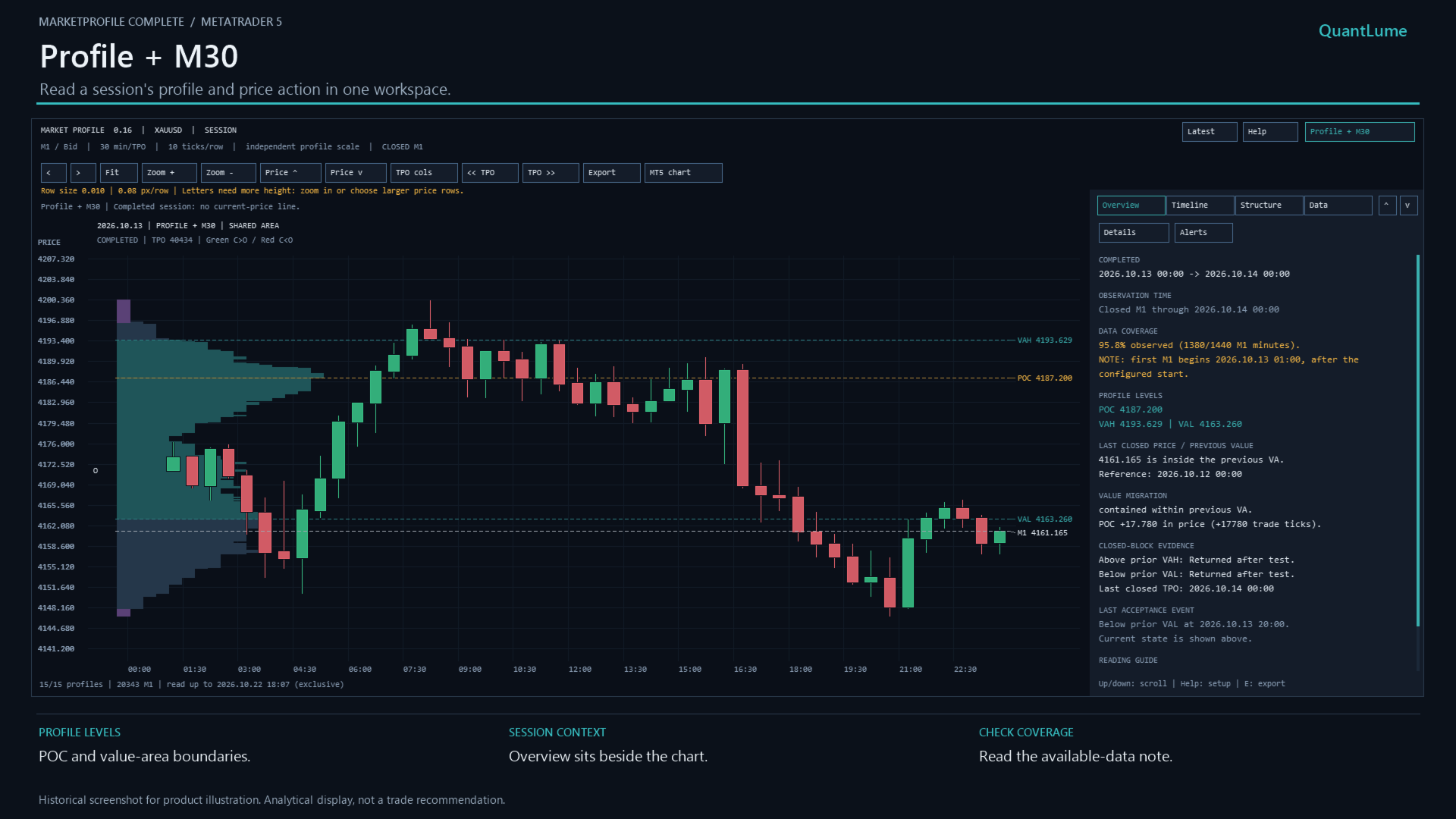
- Profile + M30: view a selected daily profile with M30 candles on one price scale. Choose a shared-area or side-by-side layout in the indicator settings.
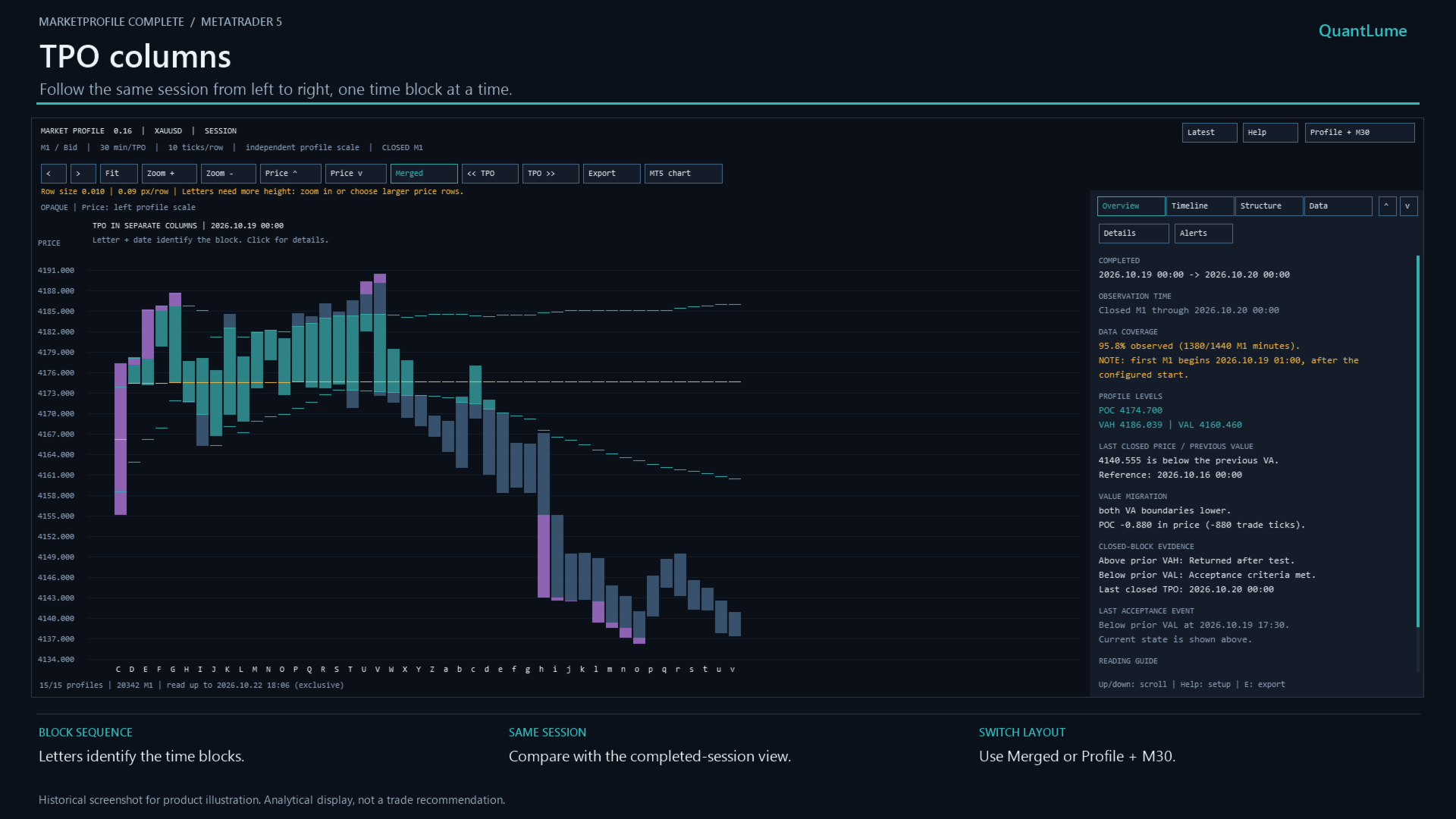
- TPO columns: inspect the selected profile in chronological columns.
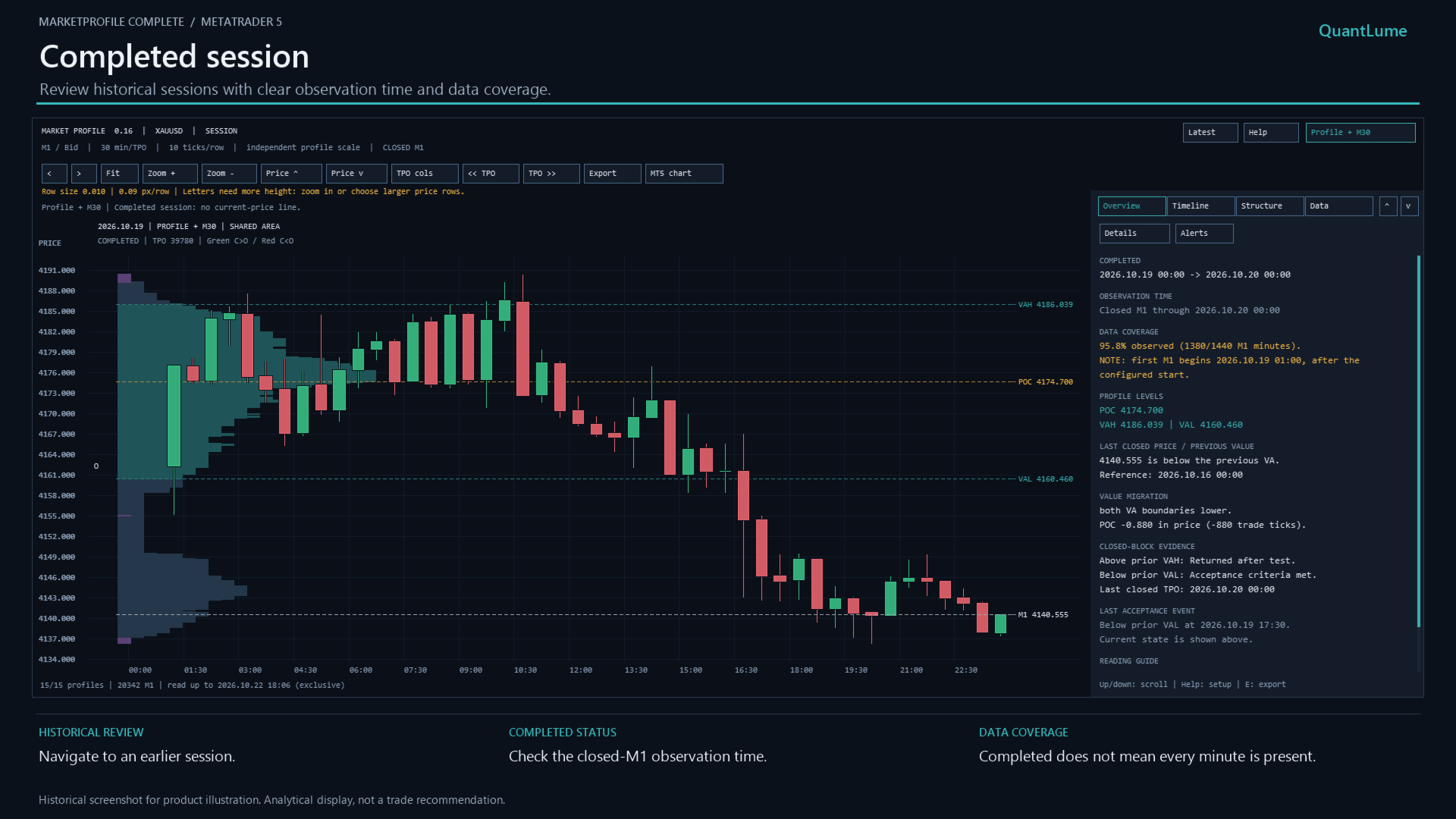
- Overview and Details: read a compact summary or a more detailed session report.
- Timeline, Structure and Data: review development, inspect profile features and examine selected rows or candles.
Main features
- Session, weekly, monthly and custom range profiles.
- Point of Control (POC), Value Area High (VAH) and Value Area Low (VAL).
- Previous-profile comparisons and broader context from prior sessions.
- Daily Initial Balance, extensions, single prints and previous POC references.
- Historical navigation, zoom, price positioning and Fit controls.
- Guided session setup and configurable fixed price-row size.
- Optional desktop and mobile event notifications.
- CSV and text-report exports for your own review.
- Historical cutoff settings and visual Strategy Tester support.
Getting started
- Install through MQL5 Market in MetaTrader 5 desktop, attach the indicator to your chosen symbol and maximize the chart.
- Open Help. Check the session times against your broker's server time and choose a suitable fixed row size. Start with SESSION mode to use Profile + M30.
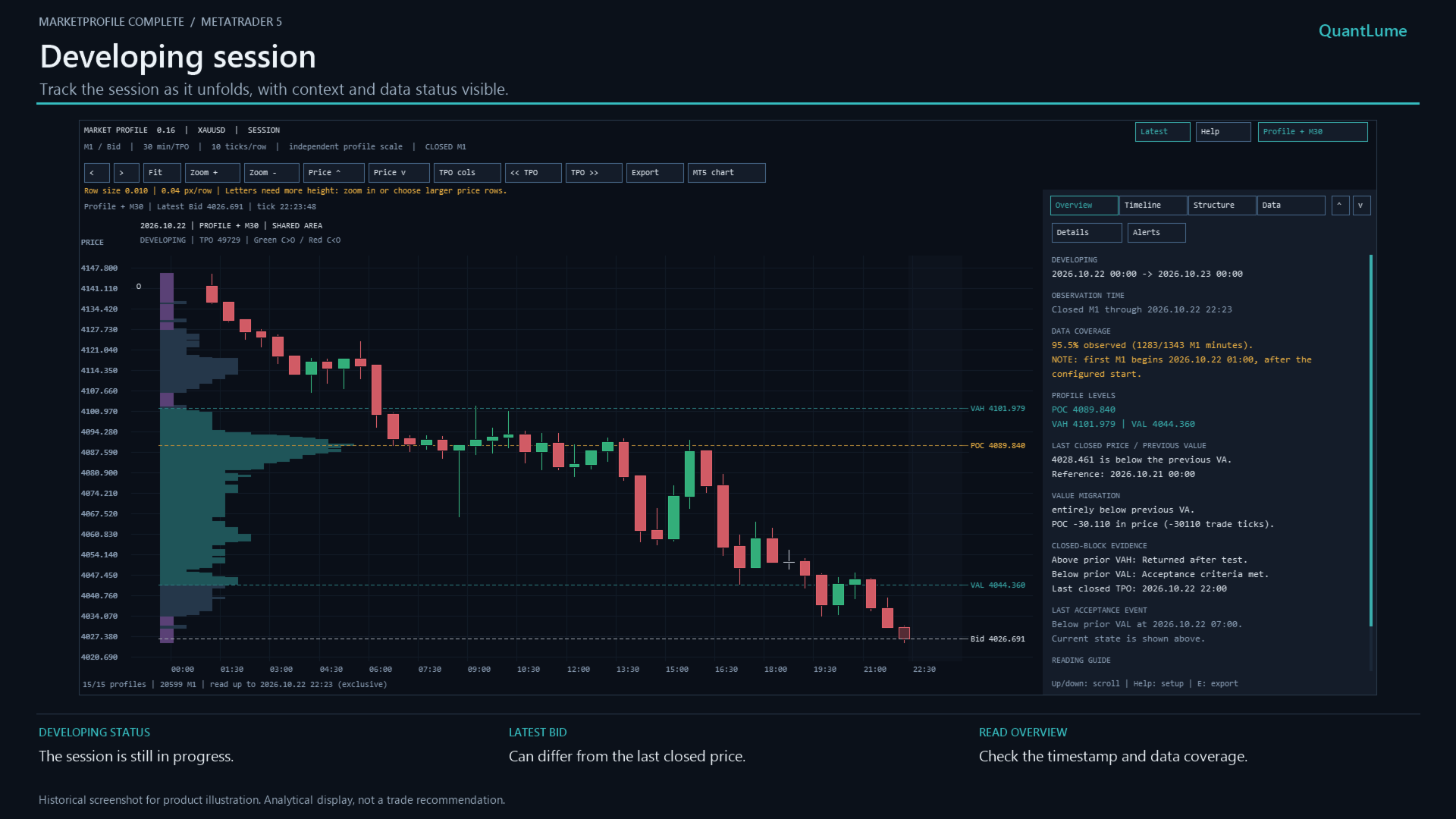
- Select Latest for the newest loaded profile, or use the left/right arrow buttons to inspect earlier profiles.
- Use Profile + M30 to switch between the combined session display and the multi-profile workspace. Select TPO cols for chronological columns; the button changes to Merged for switching back.
- Start with Overview, then explore the other information tabs. Use Fit, Zoom +, Zoom - and the price-position buttons to adjust the display. Select MT5 chart to show the native chart again.
Notifications and practical requirements
Enable the event categories you want in Inputs. For mobile delivery, also enable the indicator's push option and configure MT5 Tools > Options > Notifications. Keep the desktop terminal running and connected. Notification delivery is disabled in historical-cutoff mode and the Strategy Tester.
The indicator requires available M1 history from your broker. Session times use broker-server time, with no automatic exchange-time-zone or daylight-saving conversion. Check data coverage before interpreting a profile; gaps may reflect trading breaks, absent ticks or missing history.
Profile + M30 is available in daily SESSION mode. Its candles remain M30 regardless of the underlying chart timeframe. A chart area of at least 1366 × 768 is recommended; the minimum is 950 × 480. In the visual tester, controls are processed as replay ticks arrive.
Developing profiles change as new data arrives. Revised broker history or changed settings can also change completed profiles. MarketProfile Complete is a TPO analysis indicator, not a volume profile or an automated trading system. It does not place orders or guarantee trading results.