Gold Grid Panel

Trade Smarter with Automated Gold Grid Trading
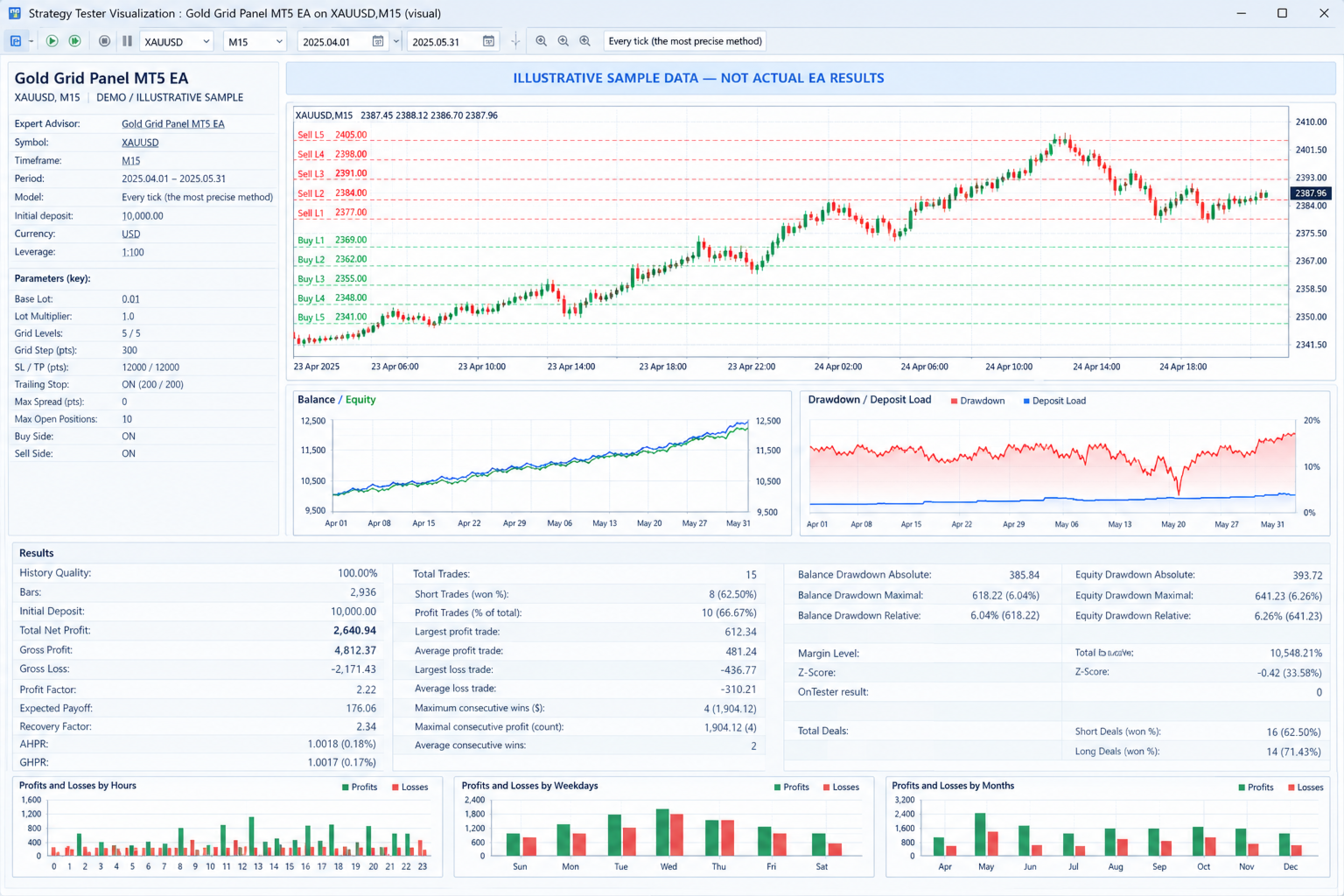
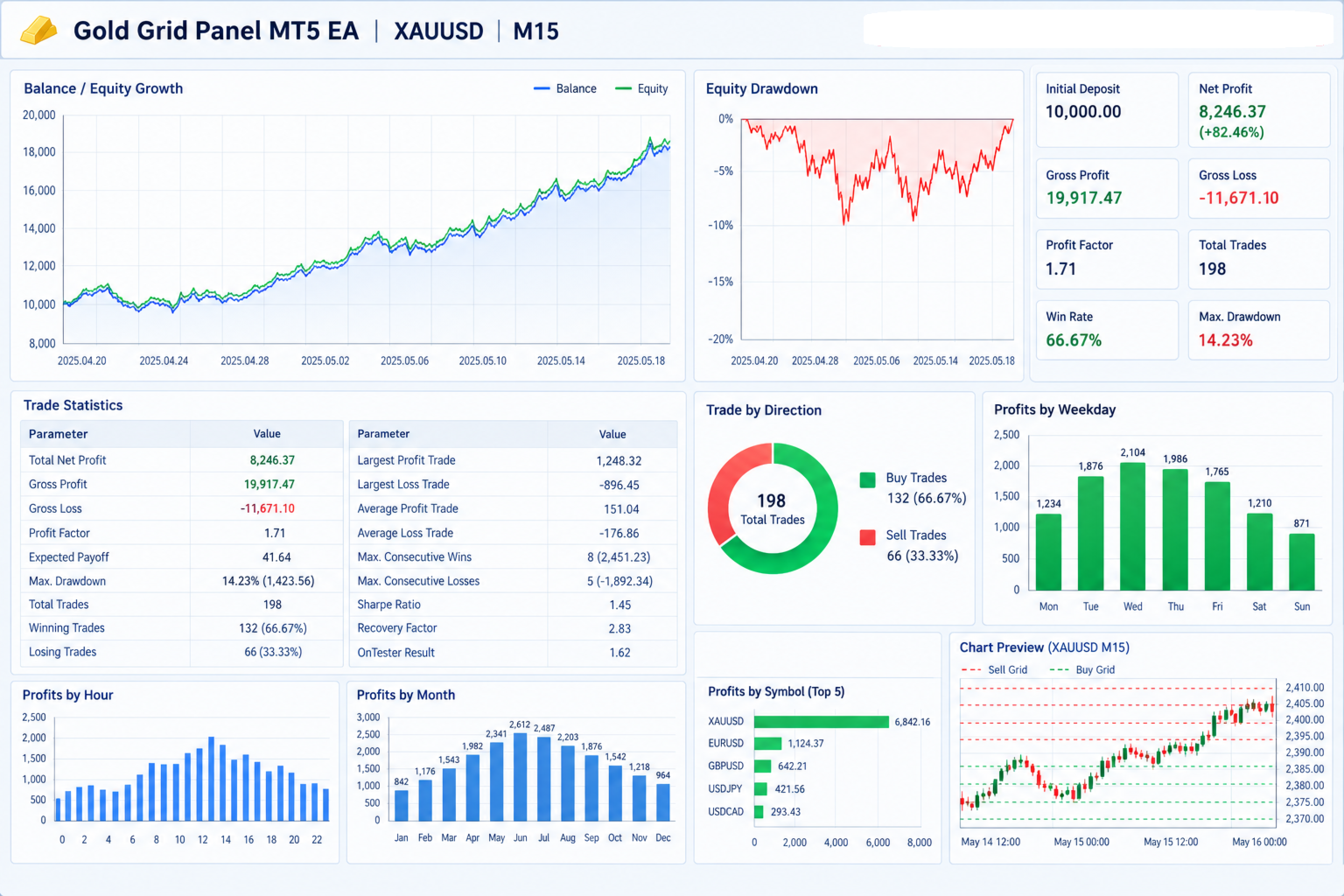
Gold Grid Panel MT5 EA is an automated trading Expert Advisor (EA) for MetaTrader 5. It uses a grid trading strategy to place Buy Limit and Sell Limit orders at predefined price levels. It includes trailing stop management, adjustable trading settings, and an on-chart dashboard to help traders monitor their accounts.
Key Features and Advantages
1. Automated Grid Trading
Automatically places Buy Limit and Sell Limit orders at different price levels around a reference price. This reduces the need to place every order manually.
2. Adjustable Grid Levels
Customize the number of grid levels and the distance between orders to suit your trading strategy and preferences.
3. Flexible Lot Sizing
Set your starting lot size and lot multiplier. The EA can increase lot sizes at successive grid levels, allowing you to customize your trading approach. Higher multipliers also increase risk.
4. Built-in Stop Loss and Take Profit
Configure stop-loss and take-profit distances for individual grid orders to help manage trade exits and define trading risk.
5. Automatic Trailing Stop
The EA can automatically adjust stop-loss levels as trades move into profit. You can customize when trailing begins and the distance maintained from the market price.
6. Any-Spread Mode
The default settings allow new pending orders to be placed without a maximum-spread filter. Traders can also enable a spread limit to prevent new orders from being placed when the spread is too high. Actual execution remains subject to broker conditions.
7. Equity Protection
Set an equity drawdown threshold. When account equity reaches the configured limit relative to the starting balance, the EA attempts to close its positions, delete its pending orders, and halt further trading.
8. Maximum Position Control
Set a limit on the number of open positions managed by the EA to help control exposure. This limit does not eliminate the risks associated with pending orders or changing market conditions.
9. Live Trading Dashboard
View important account and trading information directly on the chart, including balance, equity, base lot size, stop-loss and take-profit settings, open positions, pending orders, and EA status.
10. Visual Grid Levels
Display grid levels on the chart with separate colors for buy and sell levels, making the strategy easier to understand and monitor.
11. Customizable Trading Direction
Enable Buy Limit orders, Sell Limit orders, or both, depending on your strategy.
12. Improved Order Management
The EA tracks its own orders and positions using a unique magic number and avoids unnecessarily moving the grid anchor while grid orders or positions remain active.
Why Choose Gold Grid Panel MT5 EA?
- Saves time by automating grid order placement.
- Offers flexible settings for different trading approaches.
- Helps monitor account performance through a live dashboard.
- Includes trailing stops and configurable equity protection.
- Provides clear visual grid levels directly on the trading chart.
- Allows traders to adjust order sizes, grid spacing, and trading direction.
Platform and Usage
- Platform: MetaTrader 5 (MT5)
- Product type: Automated trading Expert Advisor
- Primary use: Grid-based trading, particularly for gold when configured for a compatible gold symbol
- Trading mode: Buy Limit, Sell Limit, or both
- Recommended practice: Test on a demo account and optimize the settings for your broker before using real funds.
Important Risk Disclaimer
Gold Grid Panel MT5 EA does not guarantee profits. Grid strategies can accumulate multiple losing positions during strong market trends, and lot multipliers can increase losses rapidly. Stop losses may be affected by slippage, gaps, liquidity, and broker execution conditions. Equity protection is a safeguard, not a guarantee against losses beyond the configured threshold.
Gold Grid Panel MT5 EA — Smart Automation. Flexible Controls. Risk-Aware Trading.
NOTE; THE INPUTS CAN BE ADJUSTED TO YOUR PERSONAL PREFERENCE
Gold Grid Panel MT5 EA — Input ParametersThe EA provides configurable settings for grid trading, lot sizing, stop-loss and take-profit management, risk controls, and chart display. Users can adjust these parameters in the Expert Advisor settings in MetaTrader 5.
1. Trade Settings
| Parameter | Default Value | Description |
|---|---|---|
| InpBaseLot | 0.01 | Sets the starting lot size for the first grid level. |
| InpLotMultiplier | 1.0 | Controls how lot size changes at each new grid level. A value of 1.0 keeps lot sizes constant. |
| InpLevels | 5 | Sets the number of grid levels on each side of the reference price. |
| InpGridStepPts | 300 points | Sets the distance between consecutive grid levels. |
| InpSLPts | 12000 points | Sets the stop-loss distance for each trade. |
| InpTPPts | 12000 points | Sets the take-profit distance for each trade. |
| InpUseTrailingStop | true | Enables or disables automatic trailing-stop management. |
| InpTrailingStopPts | 200 points | Sets the distance between the current market price and the trailing stop. |
| InpTrailingStartPts | 200 points | Sets the profit distance required before trailing-stop management begins. |
| InpMagic | 20261014 | Assigns a unique identifier to the EA's trades and orders. |
| InpSlippage | 30 points | Sets the maximum price deviation allowed for trade execution. |
2. Filters and Risk Management
| Parameter | Default Value | Description |
|---|---|---|
| InpMaxSpreadPts | 0 | Sets the maximum spread allowed for placing new pending orders. Zero disables the spread filter. |
| InpMaxOpenPos | 10 | Sets the maximum number of open positions allowed before the EA stops placing additional grid orders. |
| InpMaxDDPercent | 15.0% | Sets the equity protection threshold relative to the account balance recorded when the EA starts. Zero disables this protection. |
| InpBuySide | true | Enables or disables Buy Limit grid orders. |
| InpSellSide | true | Enables or disables Sell Limit grid orders. |
3. Display Settings
| Parameter | Default Value | Description |
|---|---|---|
| InpShowPanel | true | Displays or hides the on-chart information panel. |
| InpShowLevels | true | Displays or hides the grid-level lines on the chart. |
| InpBuyColor | Lime | Sets the color of buy grid levels. |
| InpSellColor | Red | Sets the color of sell grid levels. |
Important Notes
- Grid levels: With the default setting of five levels, the EA can maintain up to five planned buy levels and five planned sell levels, subject to trading conditions and risk controls.
- Lot multiplier: Values above 1.0 increase lot sizes at successive levels and can significantly increase risk.
- Spread filter: A zero spread limit allows new pending orders to be placed regardless of the current spread, subject to broker rules.
- Equity protection: When the configured threshold is reached, the EA attempts to close positions, delete pending orders, and stop trading.
- Trailing stop: Although the default settings enable trailing-stop management, the implementation should be checked to confirm that the enable/disable input is applied as intended.
- Broker compatibility: Point distances, minimum lot sizes, stop levels, and execution rules depend on the broker and trading symbol.
Risk warning: These settings do not guarantee profits or prevent all losses. Test the EA on a demo account before using real funds.