Scalping Cockpit
- Experts
- Versione: 2.2
- Attivazioni: 5

Scalping Cockpit — Scalping panel for MetaTrader 5: lot size calculator, one-click orders and trade manager
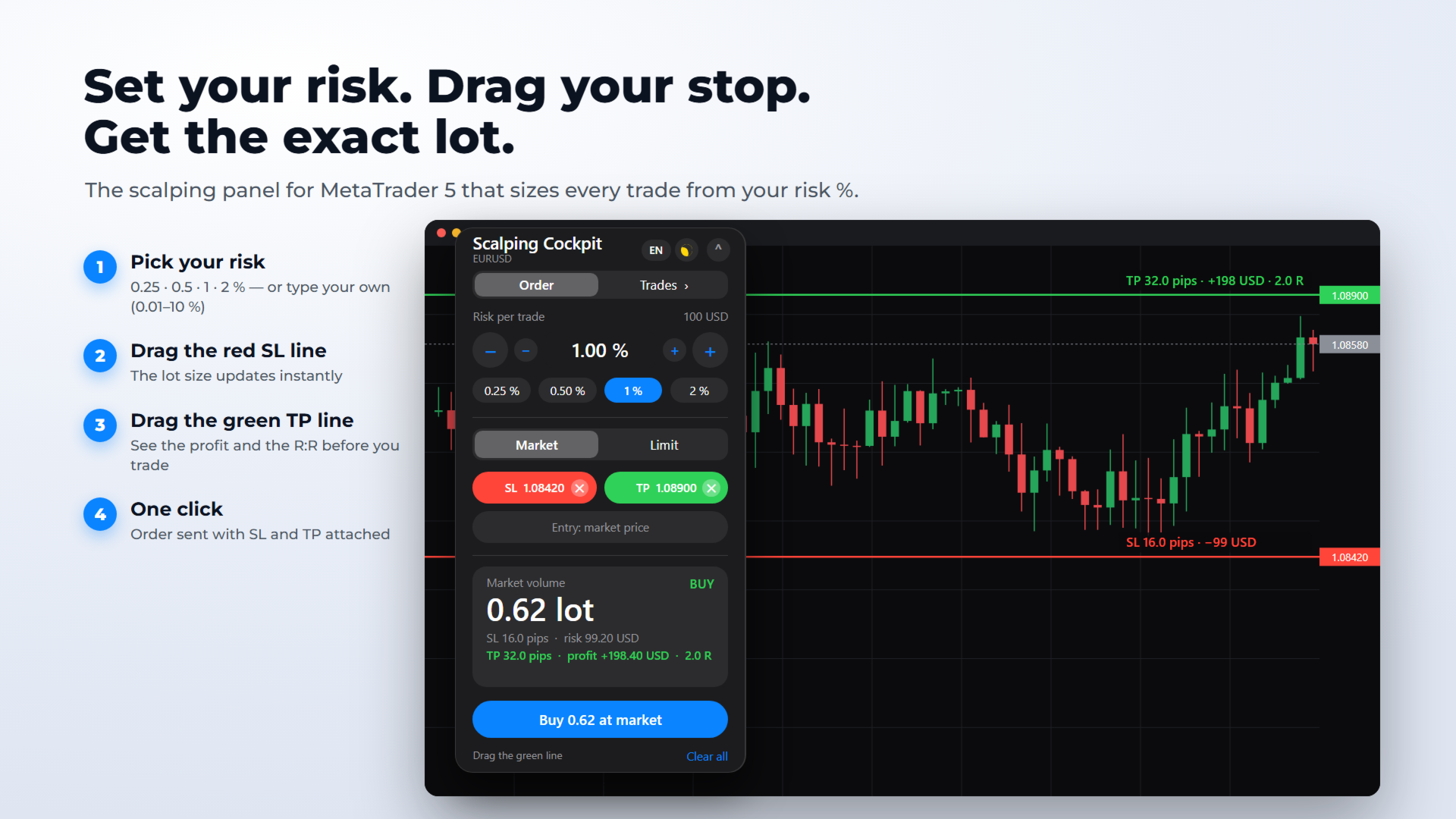
Scalping Cockpit is a scalping panel that turns your risk into the right lot size, in one look. Choose your risk in %, drag a stop-loss line and a take-profit line on the chart: the panel shows the volume, the money at risk, the potential profit and the R:R — then sends the order with SL and TP attached in one click. A second tab lets you manage your open trades.
Made for scalpers and day traders who want speed without ever getting the position size wrong. Scalping Cockpit is a tool suited to and recommended for prop-firm trading: on funded and challenge accounts, a controlled risk on every trade is the rule, and the panel applies it for you.
HOW IT WORKS — ORDER TAB
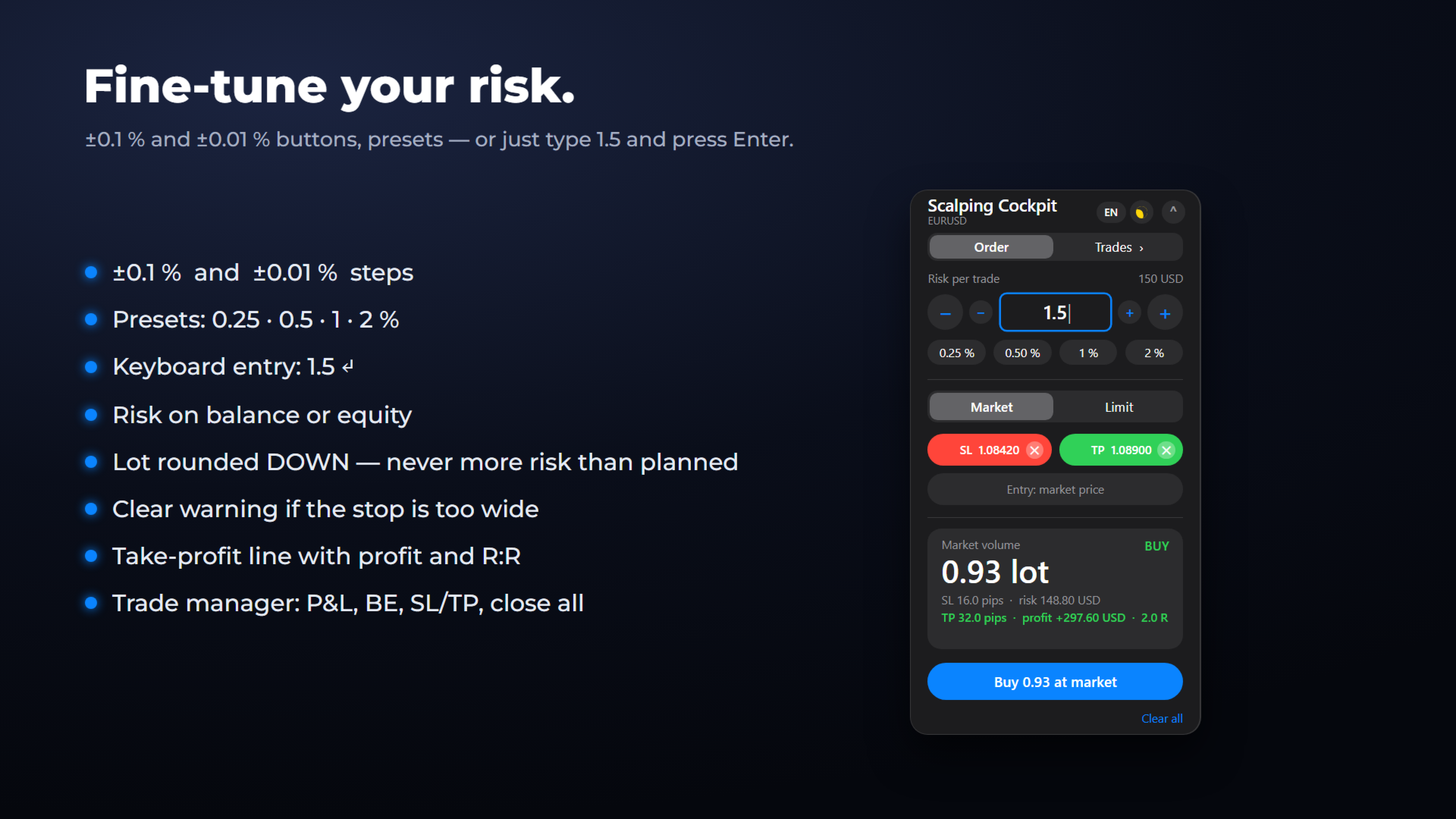
1. Pick your risk per trade: 0.25 / 0.5 / 1 / 2 %, fine-tune with the −/+ buttons (0.1 % and 0.01 % steps), or type your own value between 0.01 and 10 % (e.g. 1.5 + Enter).
2. Click "Place stop" and drag the red line. The lot size updates instantly.
3. Click "Place TP" and drag the green line (placed at 2R from your stop by default). The panel shows the profit in money and the R multiple.
4. You choose the direction, the panel follows: place the stop under the price for a buy, over the price for a sell (in Limit mode: under or over your entry line) — the matching order is prepared automatically.
5. Market mode: the volume is recalculated live, tick by tick.
6. Limit mode: click the chart at your entry price. The order type is chosen for you — Buy Limit, Sell Limit, Buy Stop or Sell Stop — and the volume is recalculated when you move the blue line.
7. Press the big button: the order goes out with its stop-loss and take-profit.
TRADES TAB — MANAGE YOUR POSITIONS
- Total open P&L, number of positions and balance
- Each position with symbol, side, volume, live P&L, SL and TP
- BE: stop-loss moved to the entry price in one click
- SL/TP: the position's levels appear as dashed lines — drag them, then click Apply
- ✕ closes one position; "Close all" closes every open position and asks for a second click to avoid mistakes
RECOMMENDED FOR PROP-FIRM TRADING
- Precise percentage risk on every trade, on balance or equity
- Volume always rounded DOWN to the broker's lot step: the planned loss never exceeds your target (before slippage)
- A stop-loss is attached to every order sent by the panel
- You decide and you click: Scalping Cockpit is a trade assistant, not an automated trading robot
- Clear warning when the stop is too wide for the minimum lot; a TP placed on the wrong side is flagged and the order is sent without it
Always check the rules of your own prop firm.
COMPATIBILITY
- MetaTrader 5 (desktop terminal), any broker or prop-firm server
- Netting and hedging accounts
- Any symbol: Forex, indices, gold, oil, crypto, stocks — distances in pips on Forex, in points elsewhere
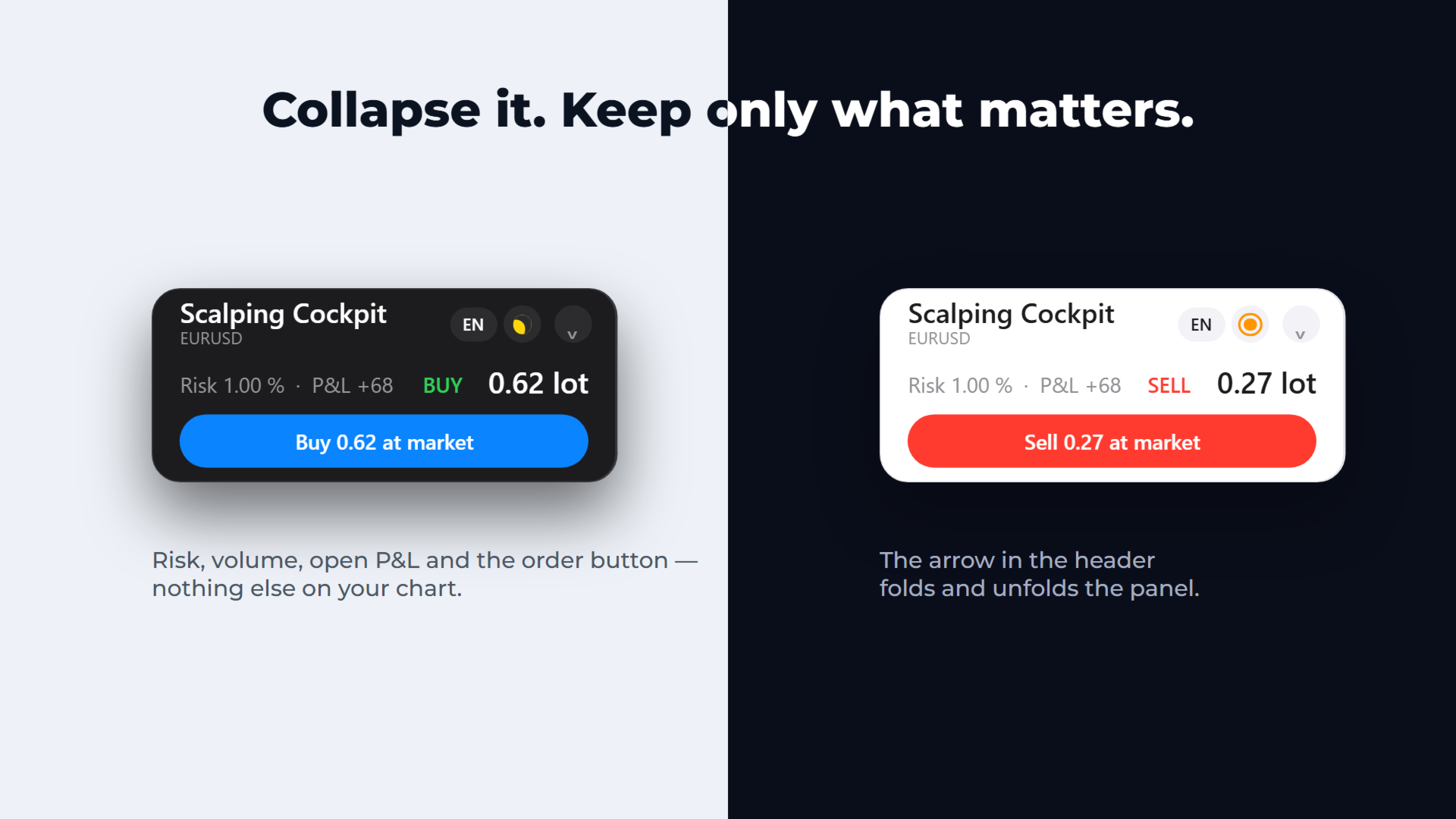
- Light and dark themes (starts in your chart colors), English / French / Spanish — both switchable on the panel
- Collapsible and draggable panel; labels on the SL and TP lines (distance, money at risk or profit, R:R) and on the entry line (order type and lot)
IMPORTANT
- Scalping Cockpit never trades on its own. Nothing is opened, modified or closed unless you click a button.
- Strategy Tester only (without visualization): the panel opens and closes a minimum-lot test position so that the automatic validation can check order execution. This never happens on a live or demo chart.
- It is an Expert Advisor (MetaTrader only lets Expert Advisors send orders): enable "Algo Trading", one Expert Advisor per chart.
- The Trades tab shows up to 5 open positions, plus the number of the others ("Close all" closes them all). Pending orders are managed in MetaTrader.
- SL/TP editing with lines works for positions on the chart's symbol; BE and close work for every symbol.
- Your broker may refuse a stop or a breakeven too close to the price; the panel then shows the broker's message.
INPUTS
Language · Starting risk (%) · Risk on balance or equity · Theme (auto / light / dark) · Panel position · Magic number
Trading involves risk. Scalping Cockpit is a position-sizing, order-entry and trade-management tool and does not guarantee results.
This EA does not provide any trading signals: every trading decision is yours.