AdnanEdge Trading System
- Indicatori
- Versione: 1.0
- Attivazioni: 5

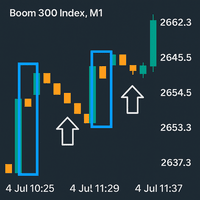
AdnanEdge is a technical signal indicator for MetaTrader 5. It analyzes market conditions using five independent strategies and displays BUY or SELL arrows on the chart when a valid signal appears. The indicator is read-only and does not place trades.
The built-in dashboard shows the current signal direction, strategy name, quality score, market regime, and relative volume. An adaptive mode automatically selects the best strategy for current conditions.
Key Features
-
Five signal strategies: MA Crossover, RSI Reversal, EMA Crossover, Pin Bar, and Momentum
-
Adaptive mode that selects the best strategy per bar
-
Market regime detection: Trend, Range, High Volatility, Low Volatility, Extreme
-
Quality score from 0 to 100 for every signal
-
Popup, sound, and push notifications
-
Real-time dashboard with current signal and market statistics
-
Non-repainting signals based on closed-bar data
Input Parameters
Signal Strategy
SignalStrategy selects which signal logic to use. Options are Adaptive, MA, RSI, EMA, PinBar, and Momentum. Adaptive mode evaluates all five strategies and picks the highest-scoring signal. Use Adaptive if you want the indicator to adjust automatically. Use a fixed strategy if you want consistent behavior for a specific trading style.
Trade Direction
AllowBuyTrades enables or disables long signals.
AllowSellTrades enables or disables short signals.
Enable both for two-way trading. Disable one if your strategy is directional.
Signal Quality
MinimumStrategyScore sets the minimum quality score required for a signal to appear. Range is 0 to 100. Default is 50. Lower values produce more signals. Higher values produce fewer but stronger signals. A range of 55 to 65 is a reasonable starting point.
Trade Mode Presets
TradeMode applies preset filters that restrict which strategies are active.
-
Extreme Conservative: MA and EMA only
-
Conservative: MA, EMA, and RSI
-
Moderate: all strategies
-
Intense, Extreme, Auto, Manual: same as Moderate in this version
Position Management
OneTradeAtATime limits the indicator to one active signal at a time.
MaxBarsInTrade sets how many bars a signal can remain open before timing out. Default is 200. Use 20 to 50 for scalping and 100 to 300 for swing trading.
AllowReversal permits a new signal to close an existing one if direction changes.
Cooldown Periods
CooldownBarsAfterTP sets bars to wait after a winning trade.
CooldownBarsAfterSL sets bars to wait after a losing trade. Default is 2.
CooldownBarsAfterTO sets bars to wait after a timeout.
Increasing CooldownBarsAfterSL to 3 or 5 reduces immediate re-entries after losses.
Stop Loss and Take Profit
SLTPMode selects the calculation method.
-
ATR Only: stop distance based on current ATR
-
ATR Regime: ATR multiplied by regime-specific factor
-
Fixed Pips: uses FixedSLPips and FixedTPPips
-
Fixed Points: uses FixedSLPoints and FixedTPPoints
ATR_Multiplier sets the base stop distance as a multiple of ATR. Default is 1.0. Use 0.5 to 0.8 for tighter stops or 1.5 to 2.5 for wider stops.
RR_Ratio sets the take profit distance relative to stop distance. Default is 1.5. A value of 2.0 requires lower win rate to be profitable.
SLMinPips and SLMaxPips clamp the calculated stop distance. Default minimum is 8, maximum is 120.
FixedSLPips and FixedTPPips are used only in Fixed Pips mode. Defaults are 40 and 60.
Visual Settings
ShowArrows toggles signal arrows on the chart.
ShowStrategyLabel toggles the strategy tag next to arrows.
ArrowOffsetPoints sets arrow distance from the bar. Default is 15.
ShowSLTPProjection is disabled in this version by design.
ShowResolutionLabel is disabled in this version by design.
MA Strategy Filters
These apply when the MA strategy is active.
MAPeriod default is 21.
FastMAPeriod default is 9.
SlowMAPeriod default is 50.
UseMAAlignmentFilter requires proper MA ordering. Default is true.
MAAlignmentMinATR sets minimum separation as a fraction of ATR. Default is 0.05. Increase to 0.10 for fewer, higher-quality signals.
MA_UseTripleStack requires fast, mid, and slow MAs to be aligned.
MA_MidPeriod default is 21.
MA_UseSlopeFilter requires fast MA slope in signal direction.
MA_SlopeLookback sets bars for slope measurement. Default is 3.
MA_SlopeMinATR sets minimum slope as a fraction of ATR. Default is 0.05.
MA_UsePullbackEntry enables pullback entries instead of crossovers. Default is true.
MA_PullbackATR sets pullback proximity to fast MA. Default is 0.30.
MA_PullbackMaxBars sets pullback validity. Default is 5.
RSI Strategy Settings
RSIPeriod default is 14.
RSIOverbought default is 70.
RSIOversold default is 30.
Narrow the band to 65 and 35 for more signals. Widen to 75 and 25 for fewer but stronger signals.
Momentum Strategy Settings
MomentumPeriod default is 10.
MomentumThresholdPoints default is 100. Lower for more signals, raise for stronger confirmation.
Pin Bar Strategy Settings
PinBarMinWickBodyRatio default is 2.0.
PinBarMaxBodyRangePercent default is 35.
PinBarContextBars default is 5.
Market Regime Settings
ADXPeriod default is 14.
TrendADXLevel default is 23. Lower to 20 if trend regime rarely appears.
VolatilityLookback default is 50.
HighVolatilityATR default is 1.80.
ExtremeVolatilityATR default is 2.50. Raise to 3.0 if extreme regime appears too often.
LowVolatilityATR default is 0.65.
Alert Settings
AlertPopup shows a popup window on signal.
AlertPush sends a mobile push notification.
AlertSound plays a sound file.
AlertSoundFile default is alert.wav.
Enable Popup and Sound for active trading. Enable Push for passive monitoring.
Dashboard Settings
ShowDashboard options are None, Min, Max, and Pro. Default is Pro.
DashboardX and DashboardY set panel position.
DashboardWidth sets panel width.
FooterText sets the bottom text.
Increase DashboardX or DashboardY if the panel overlaps chart objects. Increase DashboardWidth if text appears cut off.
State and Logging
PersistState saves indicator state between sessions. Default is true.
VerboseLog writes detailed information to the Experts log. Default is true.
ScoreWriteCSV writes signal results to a CSV file. Default is true.
How to Tune the Inputs
For Scalping on M1 to M5
Set MinimumStrategyScore to 50. Use Fixed Pips mode with FixedSLPips 8 and FixedTPPips 12. Set RR_Ratio to 1.5. Set MaxBarsInTrade to 20. Set CooldownBarsAfterSL to 1. Enable Adaptive mode.
For Intraday Trading on M15 to H1
Use default settings. Set MinimumStrategyScore to 60. Use ATR Regime mode with ATR_Multiplier 1.0. Set RR_Ratio to 1.5. Set MaxBarsInTrade to 100.
For Swing Trading on H4 to D1
Set MinimumStrategyScore to 70. Set TradeMode to Extreme Conservative. Use ATR Regime mode with ATR_Multiplier 1.5. Set RR_Ratio to 2.0. Set MaxBarsInTrade to 300. Set CooldownBarsAfterSL to 5.
For Range-Bound Markets
Select RSI or PinBar strategy. Set MinimumStrategyScore to 55. Set RR_Ratio to 1.2. Set SLMinPips to 10.
For Trending Markets
Select MA or EMA strategy. Set MinimumStrategyScore to 60. Set RR_Ratio to 2.0. Set AllowReversal to false.
Adjusting for Different Instruments
For volatile instruments such as gold, oil, and indices, increase ATR_Multiplier to 1.5 or higher and set SLMinPips to at least 50.
For major forex pairs on intraday timeframes, default settings work well. For scalping, reduce SLMinPips to 5 to 8.
For exotic pairs and crypto, set MinimumStrategyScore to 65 and consider disabling Adaptive mode in favor of a specific strategy.
Troubleshooting
If you see too many signals, raise MinimumStrategyScore by 10 points, set CooldownBarsAfterSL to 3 or higher, or set TradeMode to Conservative.
If you see too few signals, lower MinimumStrategyScore to 45, disable some MA filters, or switch to Adaptive mode.
If signals appear too late, reduce MAPeriod and FastMAPeriod, or disable MA_UsePullbackEntry.
If signals stop appearing, verify that at least one of AllowBuyTrades or AllowSellTrades is enabled. Check the Experts log for specific errors.
If dashboard text overlaps, increase DashboardWidth or adjust DashboardX and DashboardY.
If the indicator fails to initialize, verify that indicator periods are within valid ranges and that at least one trade direction is enabled.
Summary
AdnanEdge provides flexibility through its input system. The default settings suit balanced intraday trading. Adjust the quality threshold, stop loss mode, and strategy selection first, as these have the largest impact. Refine the strategy-specific filters afterward if you need more control.
For most users, starting with Adaptive mode, ATR Regime stops, and a quality threshold between 55 and 65 provides a reasonable balance of signal frequency and confirmation. Tune from there based on your own observations.