Gold Scalpers Pro
- Experts
-
Ihsan Ullah
 Custom MQL5 development for MetaTrader 5: Expert Advisors, indicators, optimisation and fixes. Available on Freelance.
What I build: - Versione: 4.59
- Aggiornato: 1 ottobre 2026
- Attivazioni: 20
Gold Scalpers Pro is a fully automated Expert Advisor for one market: XAUUSD (gold) on the M5 chart. It opens, manages and closes its own trades. Every position is sent with a stop loss that is calculated from market structure before the order exists, so no trade is ever left unprotected.
The EA does not use martingale, grids or averaging into losing positions. Position sizing is a fixed lot that you set.
How it opens a trade
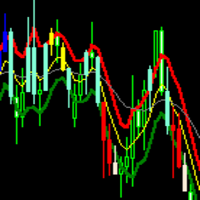
The EA works from the Slope Direction Line and a 50-period EMA. Two triggers can open a trade, and both are enabled by default:
- the slope line crossing the 50 EMA, upward for a buy and downward for a sell
- the slope line changing direction, from falling to rising for a buy and from rising to falling for a sell
Whichever trigger fires first opens the trade, and the trade then uses the stop and the target that belong to that trigger. You can also restrict the EA to one of the two triggers.
Every signal is then checked against three filters. The ZeroLag MACD must be on the matching side of its zero line. A range filter skips signals while price is hugging the EMA. An optional confirmation candle must close in the signal direction with a minimum body size. A signal that fails any enabled filter is skipped, and the journal records which filter stopped it.
Signals are read from the last closed candle only. A candle that is still forming cannot produce a trade or an alert.
Stops and targets
The stop for a cross entry is placed at the most recent swing low for a buy, or swing high for a sell, beyond the 50 EMA, with a buffer you can set. It is not a fixed pip distance, so it follows what price has actually done. A trade opened by a direction change uses its own stop, placed beyond the extreme of the candles at that turn, and its own take profit.
Three mechanisms manage the position after entry:
- Break-even. Once the position is a set distance in profit, the stop is moved to the entry price plus a locked amount.
- Step stop. Each time an add-on order fills, the stops in the basket are tightened. Stops are only moved towards price, never away from it.
- Momentum pyramiding. The EA can add positions to a trade while it is in profit, at a spacing you set, and does not add to a position that is in loss. It is enabled by default, with one add-on placed 600 pips ahead of the entry.
Risk limits
All limits are optional and each one is switched off by setting it to zero.
- Daily profit target, in account currency
- Maximum drawdown from the equity peak, which closes open positions and pauses for the rest of the day
- Prop-firm mode, which applies a percentage daily loss limit and a percentage total drawdown limit measured from balance baselines, and stops trading on a breach
- Caps on open positions, on new trades per day, and on the spread at which a trade may be opened
- A cooldown period after a run of losing trades
A new trading day clears the previous day's drawdown pause, so the EA resumes on its own.
Sessions and news
Trading can be limited to the Sydney, Tokyo, London and New York sessions in any combination, and an optional end-of-day setting closes open positions before the session ends. Two session cutoffs are on by default: no new entries in the last 3 hours of New York (NYLateCutoffHours), or in the first 2 hours of Tokyo (TokyoOpenSkipHours). Either can be set to zero. A news filter pauses new entries for a window either side of high-impact releases, and the width of that window is an input.
On the chart
A panel in the corner of the chart shows the active session, a signal readiness bar, open positions, the trade count for the day, the win rate and the profit or loss so far. It also carries buttons to buy, to sell, to pause the EA and to close everything.
Alerts are sent as terminal pop-ups and as MetaTrader 5 mobile push notifications. Risk alerts, such as the drawdown pause, are always delivered. Direction changes are reported as they happen. Repeating status messages are rate limited so they do not fill your phone, and anything held back is written to the journal with the reason.
When the EA is attached it runs a self-check and prints a pass, warn or fail report to the journal, covering trading permissions, the symbol, the lot size against the limits of your broker, indicator handles, history depth, spread and the session setup. A misconfigured setting is reported at once instead of leaving you waiting for a trade that cannot happen.
Recommended setup
- Symbol: XAUUSD. The default settings are tuned for gold. Other symbols will load, with a warning.
- Timeframe: M5
- Account: hedging, with raw or ECN spreads preferred
- Balance: from 500 USD at 0.01 lots, scaling the lot with the balance
- A virtual private server, so the EA runs without interruption
Inputs: entries
- Timeframe. The timeframe the signals are read from, M5 by default.
- StrategyPreset. Custom, colour scalping, or EMA and MACD swing. A preset changes only the entry settings it names and leaves the risk settings alone.
- EntryMode. Which trigger may open a trade: the direction change, the EMA cross, or either.
Inputs: stops and targets
- SwingSLBufferPips and TakeProfitPips. The buffer beyond the swing point, and the target for a cross entry.
- ColourSLCandles, ColourSLBufferPips and ColourTPPips. The stop and target for a direction-change entry.
- UseBreakEven, BreakEvenPips and BreakEvenLockPips. When the stop moves to break-even, and how much it locks.
- UseStepStop and StepStopDistancePips. How closely stops follow once add-ons fill.
Inputs: size and exposure
- FixedLot. The lot size for the first entry.
- TradesPerSignal. How many positions one signal may open, from 1 to 10, each with its own stop and target.
- UseScaleIn, AdditionalTrades, AddOnLot and PipsInterval. Whether the EA pyramids, and the size and spacing of the add-ons. Set UseScaleIn to false for single entries.
- MaxOpenPositions, MaxTradesPerDay and MaxSpreadPips.
Inputs: risk and sessions
- DailyProfitTarget. Stop opening new trades for the day at this amount. Zero switches it off.
- MaxDrawdownPct. Close everything and pause if equity falls this far from its peak.
- PropFirmMode. Apply the percentage daily loss and total drawdown limits.
- SessSydney, SessTokyo, SessLondon and SessNewYork. The sessions in which trading is allowed.
- NewsFilter. Pause new entries around high-impact news.
Inputs: alerts
- ColourFlipAlert. Report every direction change of the slope line.
- StartupSlopeAlert and StartupSlopeTrade. Report the direction showing when the EA is attached, and whether that direction may be traded.
- AlertMinGapSec, AlertMaxPerHour and SignalAlertMaxPerHour. The rate limits for alerts.
Version 4.50
Version 4.50 added the strategy presets, alerts on every direction change of the slope line, and a separate stop and target for direction-change entries. It also made a new trading day clear the previous day's drawdown pause, and made the journal name the filter that skipped an entry.
Please note that trading carries a high level of risk and is not suitable for every investor. An automated system can lose money. Past results and test results do not indicate future results. Test the EA on a demo account first, and do not risk money you cannot afford to lose.