Z Score Spring v2
- Indicatori
- Versione: 2.8
- Attivazioni: 5

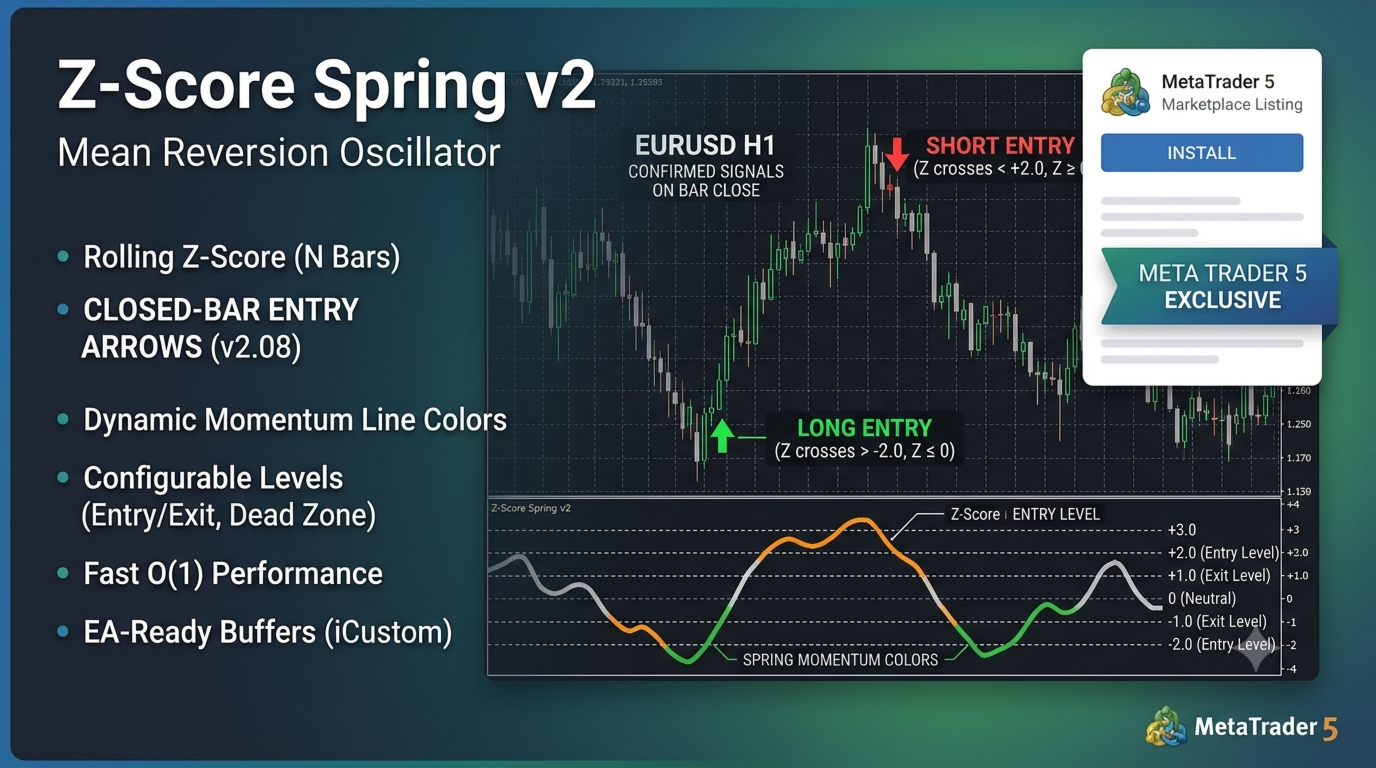
Z-Score Spring v2 is a MetaTrader 5 oscillator based on a rolling Z-score. It measures how many standard deviations price (or log returns) has moved from its recent mean over N bars.
Features:
• Z-score line with levels at 0, ±Exit, ±Entry (defaults: 0, ±1, ±2)
• Momentum colors on the line (visual only — arrows use Z-cross logic)
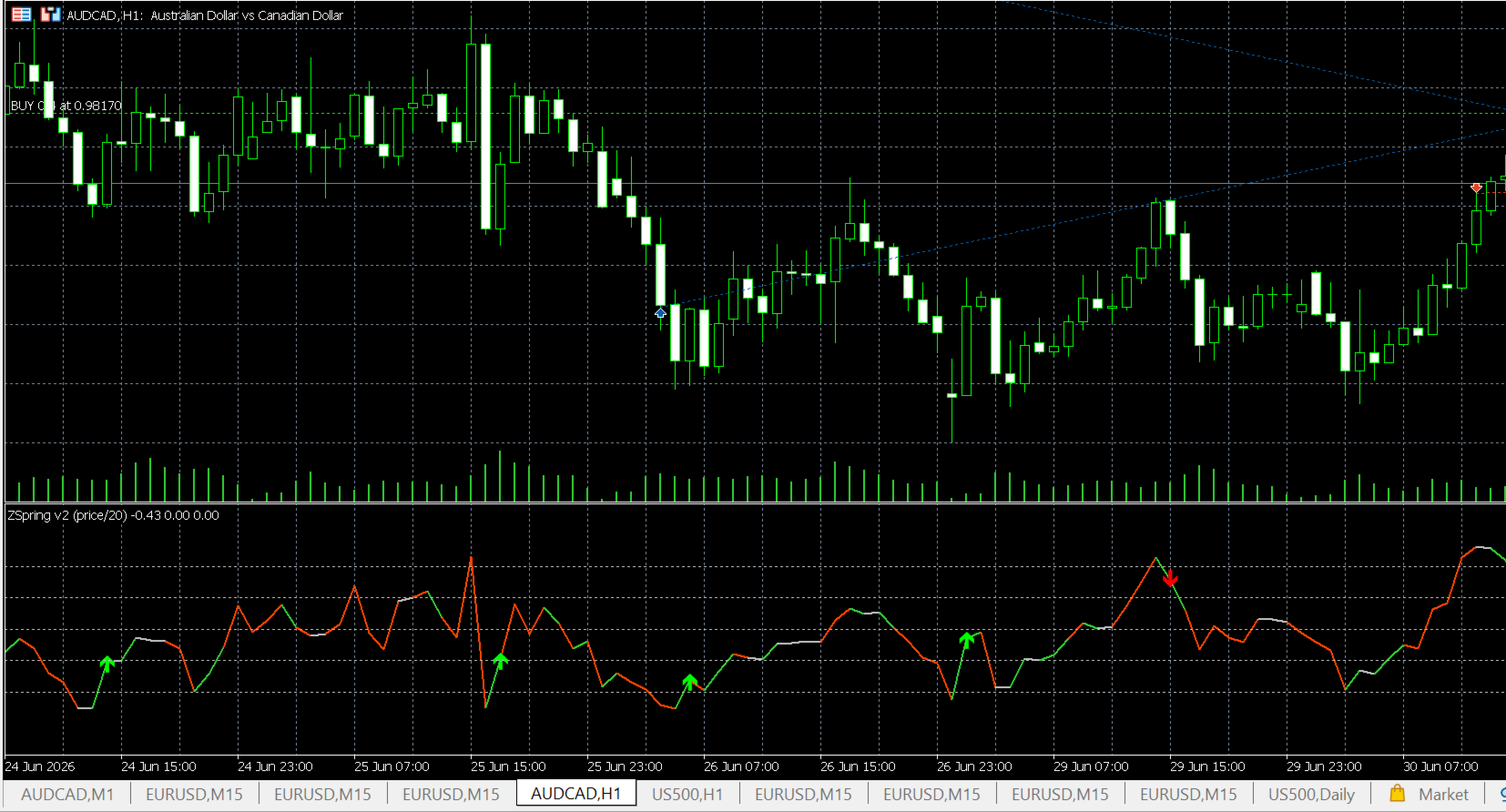
• Long / short entry arrows on closed bars (default)
Line colors (spring momentum, informational):
• Silver — neutral (small Z change)
• Orange — tension (Z and dZ same direction)
• Green — release (Z and dZ opposite directions)
Entry arrows (v2.08):
• Green up arrow (LONG): Z crosses above −Entry Level (default −2) while Z ≤ 0
• Red down arrow (SHORT): Z crosses below +Entry Level (default +2) while Z ≥ 0
Arrows do NOT require a green line segment. By default, signals confirm on bar close.
Version 2 highlights:
• Price or log-return input
• Fast O(1) rolling statistics
• Configurable entry/exit levels, scale, dead zone
• Optional alerts
• EA-ready buffers via iCustom
Best suited to mean-reverting conditions. In strong trends you may see mostly one-sided signals.
HOW TO INSTALL AND RUN (MQL5 Market purchase)
---------------------------------------------
After buying on MetaQuotes Market you do NOT copy files manually — the product is tied to your MQL5 account.
1. Open MetaTrader 5 and log in with the same account used for the purchase.
2. Open the **Market** tab (Ctrl+M) → **Purchases** and confirm the product is downloaded / installed.
3. In **Navigator** (Ctrl+N): **Indicators → Market** — find **Z-Score Spring v2** (market listing name).
4. Drag the indicator onto a chart OR double-click and choose symbol / timeframe.
5. Set inputs in the dialog (see below) and click **OK**.
6. If missing: right-click **Navigator → Refresh**, or restart MT5.
7. Updates: **Market → Purchases** → **Update** when a new version is available, then re-attach the indicator to your chart.
Note: the Market license is account-bound. Do not expect to share the .ex5 file outside your licensed terminals.
HOW TO READ THE INDICATOR (trading / analysis)
----------------------------------------------
The indicator runs in a **separate subwindow** below price.
Levels (defaults):
±2 — extreme zone (entry arrows)
±1 — reversion reference (internal logic)
0 — statistical mean
Line colors (informational only — arrows use Z-cross logic):
silver = neutral | orange = tension | green = release
Signals (v2.08):
• green UP arrow = LONG — Z crosses back above −2 while Z ≤ 0
• red DOWN arrow = SHORT — Z crosses back below +2 while Z ≥ 0
• by default arrows appear on the **closed bar** (Confirm entries on bar close)
Typical workflow:
1. Z moves beyond ±2 (stretched market).
2. Z crosses back through ±Entry — arrow appears.
3. Take the trade only with your own confirmation, SL/TP, and filters.
Recommended starting inputs:
Source: Log return | Period: 20 | Entry: 2.0 | Exit: 1.0
Fixed scale: On | Scale max: 4.0 | Confirm on bar close: On
Alerts (optional):
Enable **Enable alerts** for pop-up / push on new closed-bar signals.
For mobile push: MT5 → Tools → Options → Notifications — set MetaQuotes ID.
For EAs:
Use iCustom with the exact Market product name (see EA section). Buffers 0–3.
EA INTEGRATION
--------------
int h = iCustom(_Symbol, _Period, "zscore spring v2",
1, 20, PRICE_CLOSE, true, 4.0, 0.10, 2.0, 1.0, true, false);
Buffers: 0=Z-score, 1=color index, 2=long arrows, 3=short arrows
DISCLAIMER
----------
Technical analysis tool only, not financial advice. Test on demo. Trading involves risk of loss.