LocalCopyTrading
- Utilità
- Versione: 1.2
- Attivazioni: 5

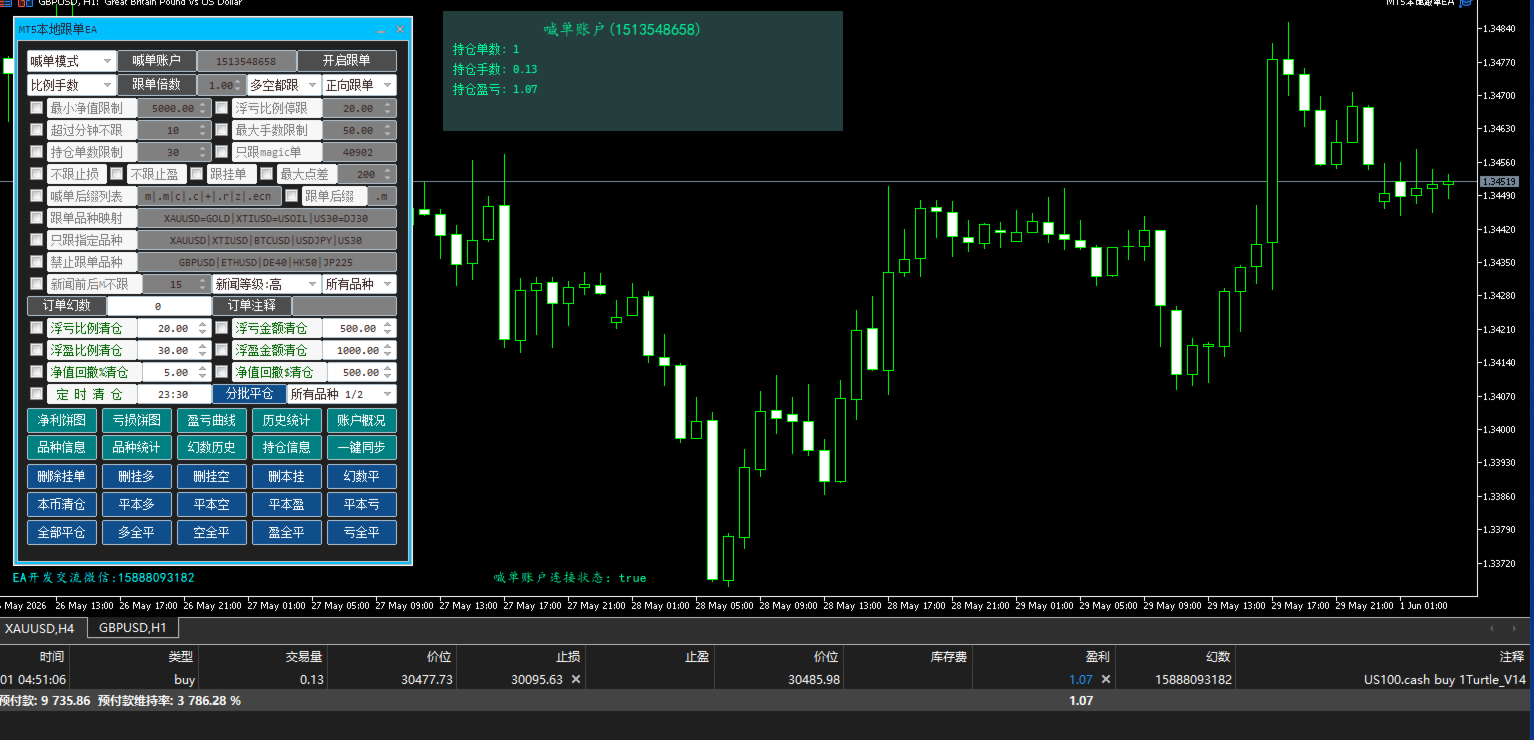
MT5 Local Copy Trading EA – Brief Introduction
Lot Mode
Fixed lots / Lot ratio (multiple of signal account’s lot size)
If calculated lot < minimum lot → open with minimum lot
If calculated lot > maximum lot → open with maximum lot
Normal / Reverse Copying
Normal copying: copies all order types (Stop, Limit, StopLimit)
Reverse copying: copies only Limit and Stop orders (does not copy Buy Stop Limit / Sell Stop Limit)
Reverse copying – SL/TP:
Reverse order’s Stop Loss = signal order’s Take Profit
Reverse order’s Take Profit = signal order’s Stop Loss
Reverse pending orders: if signal order is a Limit order, the reverse copy will place a Stop order (opposite direction)
By default, Stop Loss and Take Profit are copied
Optional Filters
Copy pending orders or not
Copy only Buy trades
Copy only Sell trades
Do not copy Stop Loss
Do not copy Take Profit
Spread Filter
Do not copy if current spread > N points for the symbol
Account Risk Filters (Follower)
Do not copy if follower’s equity < specified minimum
Do not copy if follower’s maximum drawdown exceeds a specified ratio
Symbol Matching (different brokers)
Suffix handling:
Signal has suffix / follower has no suffix
Signal has no suffix / follower has suffix
Both have no suffix
Both have suffix but different
List of possible suffixes on signal side: m|.m|c|.c|p|k|#|.pro|.ecn|.raw|.cash|.standard
Follower can specify only one suffix
Symbol mapping (left = signal symbol, right = follower symbol; include suffix if any):
XTIUSD=WTIUSD|XBRUSD=UKOUSD (crude oil: WTI, USOUSD, OIL… / Brent)
XAUUSD=GOLD|XAGUSD=SILVER (precious metals: gold, silver)
DE40=DER40|USTEC=NAS100|US30=DJ30 (indices: NASDAQ, Dow Jones, DAX, Hang Seng, China50)
Symbol Filter
Copy only specified symbols
Blocklist – do not copy certain symbols
Symbol list must use the follower’s symbol names (including suffixes)
Time Filter (Order Age)
Do not copy if order age > N minutes (based on signal server time: current server time – order opening time)
News Event Filter
Do not copy during N minutes before / after a news event (using MT5’s built‑in economic calendar on the follower side)
Trading Session Filter
Avoid copying outside specific open/close times for each symbol
Order‑Level Limits (Follower)
Do not copy if signal order lot size > maximum allowed lot
Do not copy if number of open orders on follower account exceeds a limit
Magic Number Filter
Copy only orders with a specific Magic Number from the signal account
Custom Magic Number & Comment (Follower)
User‑definable Magic Number and comment for copied orders
If Magic = 0, automatically use the follower’s own order ticket number
Partial Close Copying
Copy partial closes only if follower’s number of partial closes < signal’s number of partial closes
Signal side records: number of partial closes and the last partial‑close volume
Follower side tracks its own partial‑close count and volume
If follower’s position is already minimum lot → do not copy partial close
Otherwise, compute the partial‑close volume based on the signal’s last partial‑close volume
Comment is updated when a partial close is copied
Account Risk Management (both signal & follower)
Close all positions when profit/loss reaches a certain ratio or amount (profit/loss or equity drawdown)
Close all positions when maximum equity drawdown ratio/amount is hit
Scheduled position closure
One‑Click Sync
Synchronise all positions: if signal has a position that follower does not have, open it with one click
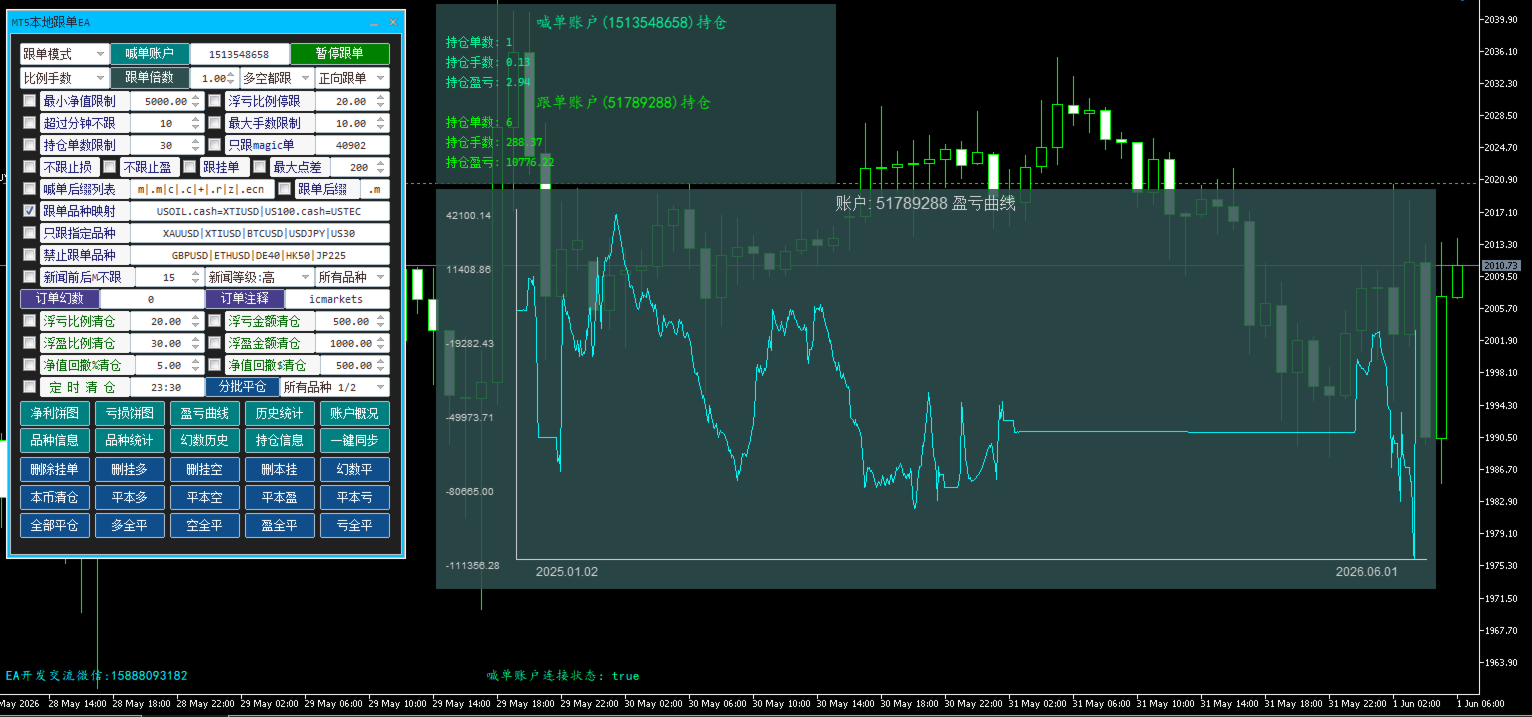
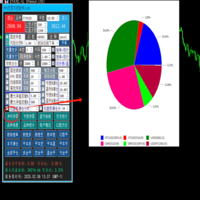
Account Statistics (both signal & follower)
Current trading symbol information
Historical trade statistics
Profit/Loss curve
P/L pie chart by symbol
Magic Number statistics
Per‑symbol profit/loss
Overall account summary
Display of Open Positions
Option to show/hide position information
In copy mode – shows both signal and follower positions
In signal mode – shows only signal positions
When P/L statistics or per‑symbol stats are shown, position display is automatically hidden (can be manually turned back on)
Manual Partial Close (both signal & follower)
Partial close all symbols or only the current symbol
Partial close fractions: 1/2, 1/3, 1/5
If the position size is already the minimum lot → close entirely
Manual partial closes on the follower affect automatic partial‑close copying: if follower’s partial‑close count >= signal’s partial‑close count → no further partial‑close copies
One‑to‑Many Copying
One follower account can copy from multiple signal accounts simultaneously
The follower can also run its own strategies (manual trades, other EAs) alongside copied trades
Persistence after EA Restart
After EA restarts, it does NOT copy orders that were opened before the restart
Signal order tickets from before restart are recorded and ignored
Connection Status Monitoring
Check interval: 1–5 minutes
Signal account sends a heartbeat message every minute
Follower side: if no heartbeat from signal for >5 minutes → treat as disconnected