 MetaTrader 5
 Experts
 Indicatori
 librerie
 Utilità
 Widget
 Regole
Guarda i video tutorial del Market su YouTube
Come acquistare un Robot di Trading o un indicatore
Esegui il tuo EA
hosting virtuale
hosting virtuale
Prova un indicatore/robot di trading prima di acquistarlo
Vuoi guadagnare nel Market?
Come presentare un prodotto per venderlo con successo
Nuovi Expert Advisors e Indicatori per MetaTrader 4 - 274
 I robot di trading eseguono le operazioni di mercato automaticamente, mentre gli indicatori permettono di analizzare al meglio le quotazioni e prevedere il comportamento dei prezzi. Con queste applicazioni, sarai in grado di eseguire operazioni in MetaTrader 4 in modo più consapevole, cogliendo più opportunità.
The mechanism of work of the Red Bot Expert Advisor is designed so that before opening a transaction, they undergo instant implicit filtering, which, if there are competent and practical settings, allows the buyer to level the number of unprofitable and unproductive transactions. The adviser has a large number of internal regulators, software installations and special codes that help to safely and efficiently trade.
This is a fully automated Expert Advisor, built on the scalping strategy, work

Forex Gump Special is an automatic trading robot for the GBPUSD currency pair. The robot trades on the basis of breaking the boundary price. Using the averaging algorithm, the robot analyzes the market and marks the points of maximum and minimum prices, thus building a virtual channel. Further, the robot analyzes the price movement and as soon as the price goes beyond the virtual channel, the robot opens a deal in the opposite direction. This trading algorithm is based on the idea of returnin

The indicator does not use predictions. It merely shows what range the price is in.
However, it does a good job with chart markings and mapping current trade preferences.
It can act as an independent tool of medium and long-term urgent trade, and together with oscillators it is possible to build a good scalper system. Important! The signal is 0 bar - does not repaint! Indicator parameters:
Zone Range (Pips) - size of zone in pips excluding the number of characters;
Line or Histogram Width -

Perfect Set Files - m5 mini spread Set M15 m15 only one currency Set M1 only 0-3 spread M15 set - works based on the VolatilityAverageSingleHighLimit indicator Signal Settings: ModeIndicator - indicator operation mode, Off / Average / High WorkZeroBar - work on the zero bar (true) if false - we fix the intersection of the indicator lines on the formed bars VolatilityAveragePeriod - indicator period VolatilityAverageRatio - indicator ratio Lots - fixed lot LotsPercent - pe

Reverse Grid is adopted from the dynamic grid trading system. The system has a mechanism for positioning, buying and selling according to trends. The system does not use a specific percentage to stop losses, but instead uses zone management methods to reduce the increase of drawdown. Passed 5 years back test of real tick data (2015-2020)
Key Features Timeframe: M15 Currency pairs: EURUSD Use only five-digit accounts Initial deposit: $ 1000 It is recommended to use a low spread ECN Broker, 1:5
SETTINGS OF SLOW MA MA period is the averaging Period for calculation MA shift is Shift of the indicator concerning the schedule. Averaging method - Averaging method. Price type - The used price. SETTINGS OF FAST MA MA period is the averaging Period for calculation MA shift is Shift of the indicator concerning the schedule. Averaging method - Averaging method. Price type - The used price. OTHER SETTINGS Arrow indent, points - An arrow space from MA. Turn on the Alert? - to include/switch off

GOOD LUCK Please contact me The indicator allows you to trade binary options. The recommended time frame is М1 and the expiration time is 2, 3, 5 minutes. The indicator suitable for Auto and Manual trading. A possible signal is specified as a arrows above/under a candle. You should wait until the candle closes! Arrows are not re-painted Trade sessions: Any Currency pairs: Any Working time frame: M1,M5 Expiration time: 1,2,3,4, 5, 10, 15 minute With auto trading with Bot, buffer
This indicator allows to hide ZigZag indicator (on all MT4 timeframes) from a date define by the user with the panel ("Hidden Candles"). This indicator can be use with other "Hidden Indicators". Indicator Inputs: Depth Deviation Backstep Information on "ZigZag" indicator is available here: https://www.mql5.com/en/articles/1537 ************************************************************* Hey traders!! Give me your feeds! We are a community here and we have the same objective.... make some mo
FREE
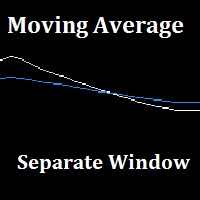
"Separate Moving Average" is a custom indicator made from the combination of 2 moving averages in a different window (the indicator window) for the goal of removing the clutter from the price chart, the indicator also has arrows to show the moving average cross either long or short. All the moving average parameters are customizable from the indicator input window.
FREE

As the title says, this is an indicator that shows the current open market (session). It has 4 sessions with customizable schedule : 1. London session, 2. New York session, 3. Sydney session, 4. Tokyo session.
Indicator inputs: - The color of each session. - The open time and close time of the sessions. - The line width.
The objective of the indicator, is to follow each sessions, observe at what times are multiple sessions open, and thus take the chance of the high market movements.
FREE
Many traders, especially the beginners, get tired of manual trading and start using robots. Of course, advertising plays a significant role in choosing the algorithm. Often, system and EA vendors hide information about their product until the customer buys it. Profit Hunter EA is no exception, so in our review we will try to find out whether this robot is efficient or you should better search for its counterparts.
Profit Hunter EA
A variation of the "martingale" technique used in the EA is a

In the financial world, risk management is the process of identification, analysis and acceptance of uncertainty in investment decisions. Essentially, risk management occurs when an investor or fund manager analyzes and attempts to quantify the potential for losses in an investment, such as a moral hazard, and then takes the appropriate action given his investment objectives and risk tolerance. This tool should be the success key before you lost your capitals due to the unawareness of market beh

Daklak MT4 is a EA which use the martingale strategy. This EA has been tested for 20 years historical data with good result and acceptable drawdown. Note: 1. The default setting is set for AUDUSD 30M chart. 2. Minimum deposit: $1000 3. Account type: Hedging Account Parameters Lot Size per 1000=0.01- Mean the starting lot size will be 0.01 per 1000 unit balance. (ex: if the balance is $3000, the first trade lot size will be 0.01)
Start Distance Rate=5.0- Mean the distance rate of the first

The "Camel EA" is based on Moving Averages. It confirms the uptrend or the downtrend, and enters the trade accordingly. It has been optimized to follow the trend.
The recommended settings for the EA: Currency: EURUSD Timeframe: H1 EA Settings : Default settings are optimized to work best with the settings above. For other timeframes, these settings might need to be changed.
EA inputs: - Fast moving average: a moving average that follows the price and smooths it to reduce market fluctuations -

Market Volatility Why Use Volatility Indicators For Options? Binary options traders can profit from volatility indicators more than traders of conventional assets. There are two main reasons for this statement:
Some Trades Win On Volatility Alone Traders of conventional assets are unable to win a trade on volatility alone. Stock traders, for example, can use volatility indicators as one factor in the decision-making process, but volatility indicators say little about whether an asset’s price wi

Market XVolatility / is an indicator that analyzes and visualizes momentum and price strength. The MXV is a confirmation indicator that analyzes buying and selling pressure by looking at price movements and whether volume is falling or rising. Therefore, the MXV is used by trend-following traders who want to know if a trend is strong enough to enter and by counter-trend traders who look to fade trends. RED color in up
A red color means that there is indecision in the market and that price

This indicator is specially made for binary options trading. The indicator works well with seven currency pairs. EURUSD, AUDCAD, GBPUSD, AUDUSD, EURGBP, EURJPY, NZDUSD. The indicator works with online daily quotes on mt4 as well as offline OTC quotes for weekend trading. Provided your options broker offer OTC facility for weekend trading. It is profitable with or without martingale. But more profitable with martingale of 6 steps maximum. It work on 1 minute, 5 minutes, 15 minutes and 30 minutes

Opposite market “Always go with the trend. Education is imparting of information to the mind and the shaping of the mind and of the personality” – Richard Weaver
When many of us started trading Forex several years ago there was very little information about Forex trading systems available on the Internet. But thanks to the internet, we can now download this strategies that are inculcated within this different systems
Opposite market V.1.0, will surely give you what you desire for you investme

The Spacial § Two System in this EA,Normal System is a Trend tradeing , Contrarian System is a martingale . § The Trend trade add order increase profit.
§ Have a simple CCY Power system.
§ Recording of top price & reach a certain distance reopen order. § Can Set the Time setting use on night scalper. This EA is suitable for trading EUR/USD, CAD/CHF, USD/CAD, AUD/USD, EUR/CAD, EUR/AUD, AUD/CAD, , or any symbols you like. Defaults setting are not optimized for any symbols, please find your own se

This EA Automatically sets stop loss and take profit levels on limit orders. It is fully adjustable : you can set the amount of pips for your SL or TP level Helps limit your risk Automatically Just drag and drop onto your MT4 chart and it start working for you You can save different pip levels to drag onto the chart You only have to drag it onto the chart once and it will automatically set your SL and TP level Every time you enter a Pending Order

INVISIBLE BID MANAGER - invisible positions for my broker.
Entry for bid price into trading positions.
If you have a floating spread, you won't miss a deal.
Trade open, after reaching bid price. Suitable for floating spread, opening long position does not wait for ask price, but store entered at bid price.
SETUP
BuyLots - volume Buy trade in lots BuyOpenPrice - opening price Buy trade BuySLPrice - StopLoss Buy Buy Price BuyPTPrice - Profit Target Buy Buy Price
SellLots - volume Sel

Position Cloner (PC) is a helpful utility that can be used like an EA to duplicate specific positions within the same MT4 instance. This is valuable e.g. to increase the risk when copying a signal to your account. When trading big capital you can also decrease the original risk of your EAs or manually opened positions and then let PC duplicate them. This way you avoid negative slippage due to inordinate lot sizes.
You can choose between different, fully customizable options of how PC must clone

覆盖98%价格区间的通道指标,是您投资分析的利器。 肯特纳通道Keltner Channels是一种反映股票价格运动趋势和波动性的价格通道。它与著名的布林线Bollinger Band有一定的相似性,但计算方法不同。 肯特纳通道(KC)是一个移动平均通道,由叁条线组合而成(上通道、中通道及下通道)。若股价於边界出现不沉常的波动,即表示买卖机会。肯特纳通道是基于平均真实波幅原理而形成的指标,对价格波动反应灵敏,它可以取代布林线或百分比通道作为判市的新工具。 肯特纳通道是由两根围绕线性加权移动平均线波动的环带组成的,其中线性加权均线的参数通道是20。价格突破带状的上轨和下轨时,通常会产生做多或做空的交易信号,指标的发明人是Chester Keltner,由Linda Raschke再度优化改进,她采用10单位的线性加权均线来计算平均真实波幅(ATR)。 肯特纳通道Keltner Channels的构成: 一个简单的Keltner Channels含有三条线:中线,上轨和下轨。 中线是EMA(20),价格的20日EMA均线。 上轨=中线+2*A

I slippage=0; - allowed slippage, 0 - not used S cmt=""; - comment on orders I Magic=20200131; - magic, the order ID of the EA S WorkTime="00:00-24:00"; - the format is HH: MM-HH:MM, all day 0-24 or 00: 00-24:00 D fix_lot=0.01; / / fix lot - working lot Order_tp D=100.0; //TP. I recommend – 10.0-take profit in points as for 4 characters! the EA automatically detects 5-character instruments and will increase the value 10 times automatically. D order_sl=0.0; / / SL-stop loss in points

Forex market time indicators, including Sydney, Tokyo, London, New York 4 market times Considering server daylight saving time switching and daylight saving time switching in each market input int InpServerTimeZoneNoDSTOffset =2; no DST servertime GMT offset input ENUM_DST_ZONE InpServerDSTChangeRule = DST_ZONE_US; // Server-side daylight saving time switching rules According to New York or Europe
input int InpBackDays = 100; // maximum draw days, for performance reasons
input bool Inp

The EA automatically opens orders both when the price moves in the direction of an open position, and against it, depending on the settings. He will always open the necessary additional orders in time for you if you suddenly find yourself not at the terminal. And it will also automatically close them when the specified profit margin is reached. Functions: manual opening of any types of orders; automatic opening of market orders in accordance with the settings; the ability to set a lot multipli

Lizard Scalper Pro is a trading robot for the trading on forex. This is a Counter Trend system that trades mainly during Asian and NY sessions. Expert advisor not use grid, martingale , arbitrage o high frequency trading . Fix and Visible Stop loss and Take Profit
Important Information Revealed By purchasing this Expert Advisor you are entitled to receive a free copy of Eagle Scalper Pro ! (All future updates included) -> To Receive it, Please Contact me by mql5 or email !
The s

The indicator calculates the saturation levels of the price chart. A signal to exit the resale area is a buy signal. A signal to exit the overbought area is a sell signal. Usually, you need to set relative values for the overbought and oversold levels of Bottom and Top - for this indicator.
Most often, a good trend is visible on the price chart visually. But an experienced trader must clearly understand the current balance of power in the market before entering. And the indicator will help t

V O L A T I L I T Y W A T C H E R A highly powerful Market Volatility Detector. It gives current situation of market technical sentiment.
V E R Y I M P O R T A N T Once the tool detects and alerts you, you have to act on it right away for more precision of entries. Once the recommended pair to trade is gone, wait for the next recommendation. If your MT4 is newly installed, there's no sufficient data yet for all 28 pairs that the tool monitors. You have to

Flashkey - Professional Keyboard - Seteable Shortcuts for MT4 Professional investors do not use a mouse, use shortcuts FlashKey is a program that allows the user to operate very quickly in the financial markets trought HOTKEYS (shortcuts). With all functions executed DIRECTLY FROM THE KEYBOARD. Turn an ordinary computer into a PROFESSIONAL TRADING KEYBOARD Features: Quickly open orders to market Simultaneously send many pending orders Close all positions Covers positions to Breackeven Modify St

Expert Advisor for trading binary options in EA mt4. He has one step of a martingale with an adjustable coefficient. Displays its indicators on the chart. It can work on several currency pairs at the same time. It is possible to choose a working time frame. Trading greatly depends on the settings of the built-in indicator, so it is advisable to choose the most optimal settings, although you can also trade with the built-in ones. Also has built-in money management. successful bidding to all.

Pulsar it is a Secure Automated Software for trade Forex market and indices.
The architecture is a Fully Automatic Autonomous Robot Expert capable of independently analyzing the market and making trading decisions
Pulsar It is an advanced trading system. This is a fully automatic Expert Advisor. NO INPUT TO SELECT FOR THE TRADER ALL AUTO MATED THIS SYSTEM IS ALWAIS IN THE MARKET IN THE TWO DIRECCTION MAKE WINING CYCLES
PULSAR . It is a 100% automatic system, the system controls b

The EA uses the Stochastic indicator. Long and Short trades are opened each in their own range of indicator levels. The lot of transactions changes depending on the established risk level and the results of previous transactions. The EA has two modes of use. 1-without using the averaging network. 2 - using the averaging network. To choose from, according to your preferences.
The settings for these modes are different.
The default settings are optimized for EURGBP M15 in non-network averaging

The EA’s unique algorithm calculates the average price (reflected in the form of a trend line on the chart), which is the center of price attraction in the framework of the traded timeframe.
At times of increasing volatility, the adviser begins work with the goal of fixing profit in the region of the center of attraction of the price.
Advisor does not use dangerous trading methods.
It is recommended to install a trading expert on a remote server (VPS). Recommended Trading Instruments (TF 5M)
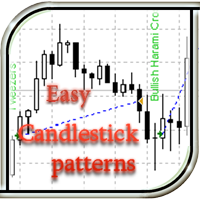
This EA recognizes candlestick patterns, opens trades depending on the last candlestick pattern, and also displays its name (when the ShowInfo option is enabled) directly on the chart of the currency pair. There are also additional indicators whose parameters are adjustable (for example, ADX volatility indicator, dynamic stop loss parameter, trailing stop). The EA can determine both simple models consisting of 1 candlestick, and complex ones from 2 to 5 candles. The simple version of this advise
FREE

This is a trend indicator with some filters. If you use this tool as it is written in the recommendation. Trading recommendations 1 It is worth opening a deal while receiving a signal (The blue dot indicates that it is possible to open an order for Buy. The red dot indicates that it is possible to open an order for Sell) 2 Set Take Profit at 40 pips or 4 points 3 Stoploss is not installed in its place, we exit on the opposite signal if the transaction was unprofitable
It is important to need a

Данная панель упростит работу тем, кто использует в своей торговле горизонтальные уровни. Панель дает возможность быстро переключатся по инструментам, при этом в несколько кликов устанавливать уровни на графиках и взаимодействовать с ними. Имеется гибкая настройка оповещения. Одно из преимуществ данного продукта, показывать вид пробития уровня, это ложный пробой или закрепление за уровнем.
Настройки
Market_Watch - При (true) выводит инструменты из списка панели "Обзор рынка", при (false) инструм

Expert for a binary options on mt4, he have two built-in a indicators and many different settings. The expert has one a level of martingale, but it is recommended to use it on the instruments with a yield of 85 percent. it can be used simultaneously on a variety of currency instruments. All settings have already been made, but you can also configure them yourself . Currency for do trading is a Russian ruble. Good trading to everyone.

Простая в управлении Торговая панель обеспечит безопасную торговлю. Вычислит объём сделки от заданного уровня Stop Loss и величины убытка. Поможет рассчитать сейф, и в ноль закрыть неверную сделку. Интуитивно понятный интерфейс делает панель удобной в управлении, освобождая внимание трейдера для принятия решения о входе в сделку. Программа сделает все расчёты за вас. Поэтому работа с помощью панели Снайпер - оптимальное решение для торговли с соблюдением Мани-менеджмента. А это главный ключ к по

PROFIT TAKEN Полностью автоматический советник при необходимости применяется усреднение. Советник может торговать на любых парах. Усовершенствована стратегия Мартингейла - появилась возможность выбора коэффициента что увеличивает шансы приумножить депозит и выйти быстрее из просадки, а так же выбор торговли не по фиксированному лоту а по проценту от депозита . Робот ориентирован на круглосуточную торговлю. Советник открывает ордера на определенных уровнях при определенной комбинации баров
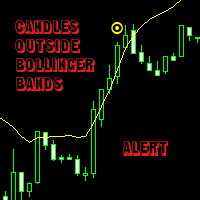
This indicator allows you not loosing any important moment of the market, at the same time that you dont need to be in front of the chart watching that moment to come.
You just set the patterns up, and then the indicator will bring the signal and alert to call your attention.
Its possible to be alerted when volativity comes without watching the charts like a crazy.
You can set it up and follow the trend, when trend gets power. (Eg. A big period and a small deviation number could call attenti
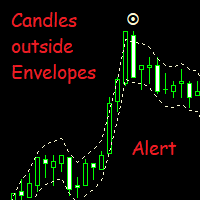
This indicator allows you not loosing any important moment of the market, at the same time that you dont need to be in front of the chart watching that moment to come.
You just set the patterns up, and then the indicator will bring the signal and alert to call your attention.
Its possible to be alerted when volativity comes without watching the charts like a crazy.
You can set it up and follow the trend, when trend gets power. (Eg. A big period and a small deviation number could call attent

I developed a special algorithm indicator
Indicator EXACTLY-SR-LEVELS looks for confluence of at least two combination algorithm levels (day+week,day+mont,day+year, week+month, week+year,month+year)
LEVELS ARE NOT REDRAWN IF THE NEW HIGH / LOW INDICATOR IS CALCULATING NEW LEVELY AND DRAWS IN THE GRAPH
On a new low/high day - the S/R day is recalculed. On a new low/high week - the S/R week is a recalculed On a new low/high month - the S/R month is a recalculed On a new low/high year - the S/R
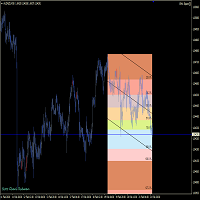
This tools is design to easily forecast the projection of the current trend through the inputs of Zigzag and get out of the market when the trend do not the ability to maintain it's volatility to go further... the indicator gets the initial and final price from the value of zigzag automatically by adjusting the intdepth of zigzag. You can also switch from Projection to Extension from the inputs tab of indicator.
FREE
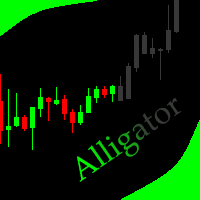
This indicator allows to hide Bill Williams Alligator (on all MT4 timeframes) from a date define by the user with a vertical line (Alone) or a panel (with "Hidden Candles"). Indicator Inputs: Jaws Period Jaws Shift Teeth Period Teeth Shift Lips Period Lips Shift Method Apply To Information on "Alligator" indicator is available here: https://www.metatrader4.com/en/trading-platform/help/analytics/tech_indicators/alligator ************************************************************* Hey traders!
FREE

Moment - авторский индикатор, имеющий простые настройки, и несколько типов сигналов. Каждый пользователь сможет настроить его показания под свой стиль торговли, и валютную пару. Индикатор не меняет свои показания.
Со всеми моими продуктами можно ознакомиться по ссылке https://www.mql5.com/ru/users/slavakucher/seller
Параметры индикатора Основные настройки ( Main Settings ): HistoryBars - количество баров для отображения. CalculationPeriod - период для расчетов. IndicatorDelta - дельта. Indi

Zone Recovery Hedging Strategy What to do when the market goes against you? No matter how good you are at taking the entry points, no matter how good you are at predicting the market, it is a matter of time before the market goes against your trade. What do you do when the market goes against you? Do you just take the loss and try to recover the loss later from other trades? Or, do you just sit there and watch in dismay as this one bad trade eats up your hard earned profit and the money you inv

Trading Binary ? No problem, Scorpion Binary custom indicator helps you spot the entry points to the binary options (call / put).
Indicator Inputs : - Signal arrow distance from the candle (in pips) - Signal arrow size (from 1 to 5) - call / put put signal color - Window pop up alert - Email alert - Push notifications
Recommended Settings : - Timeframe : M1, M5, and M15 - Expiry time : 3 candles (3 minutes for M1, 15 minutes for M5, 45 minutes for M15)
For any suggestion, issues, or question.
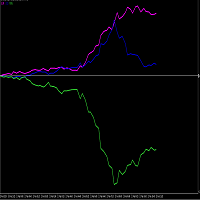
PLEASE NOTE THAT LIKE MANY SUCH INDICATORS ON THIS MARKET, THIS INDICATOR WILL NOT WORK AS A DEMO DOWNLOAD FOR STRATEGY TESTER. Therefore the 1 month option at the lowest cost allowed of $10 is available for you to test. One of the better ways to trade is to analyze individual currencies rather than currency pairs. This is impossible with standard chart indicators on MT4. This currency strength meter allows one to trade the USDMXN or EURMXN. Each currency (not pair) is measured constantly ag
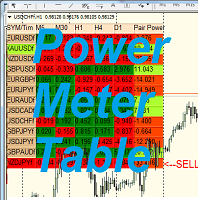
SYMBOL POWER based on inputted 5 time frames and Compared to 20 Other Symbols !! Great Indicator YOU DON'T HAVE TO SHIFT ON ALL TIME FRAMES FOR EACH CURRENCY PAIR TO CONCLUDE ITS TREND AND ITS POWER YOU HAVE IT ALL IN ONE TABLE , 20 CURRENCY PAIR WITH 5 TIME FRAMES ALSO , COMPARE BETWEEN CURRENCIES STRENGTH AND ALERTS THE STRONGER /WEAKER PAIR BASED ON 5 TIMEFRAMES CALCULATIONS ALEERTS enable /disable using 5 time frames M5 M30 H1 H4 and D1 ( latest version You SELECT you own 5 timeframes from

This Indicator is made on the behalf of traders to trade inside the Gann angles. The indicator has the inside function of auto adjusting the chart window zooming in/out when the terminal is connected to the internet and new Tick come to draw the angles on the proper way of price and time. The angle would be not drawn until the suitable zooming is not achieved upon tick by tick.
The starting value of angle drawn is calculated the Zigzag indicator. The zigzag can be adjusted through the back-cand

ECN Scalping is a trading adviser using an algorithm based on the ability to adapt to the current market situation. All orders are opened with a strictly fixed Stop Loss. How it works?
Buy our advisor. Download to your terminal. Set on the chart of any currency pair (for example EURUSD). Turn on the Autotrade button and "Allow live trading". Do not change the settings, Advisor is automatic! Please notice that the performance of the EA depends heavily on your choice of Broker and VPS. Key Optim

Virtual Bot Pro will open virtual trades, using them to monitor the market to determine the entry point(according to the inputs parameters), at which point Virtual Bot Pro will start opening real trades. It is recommended to test this Expert on demo account or cent account.
Input Parameters TF - the choice of time frame Start - choose whether you want to trade long or short positions only or both.
Trend Disabled Enabled TF Trend - the choice of Time Frame for trend.
Spread - for 5 digit

在购买EA时,请注意以下风险: 1)过去的表现并不能保证未来的盈利能力(EA也可能造成亏损)。 2)对于高点差和高滑点平台,大批量交易可能会很糟糕。 OWL Scalper能够为刚开始交易的人们以及希望分散投资风险的更高级的交易者提供一种现成的交易解决方案。该EA在一天中安静的时间段执行交易操作。交易是根据特殊算法开仓和平仓的。该EA不需要太多时间来了解设置,因为EA提供了最少的输入,这些输入适用于大部分货币对。 推荐:USDCHF、EURAUD、GBPUSD、AUDCHF、AUDNZD、EURCHF、NZDCHF、GBPJPY 时间范围:M5
参量 MAGIC :唯一的EA魔术号 StopLoss :最大允许损失值 TakeProfit :最大利润值 CompoundMode: 是否使用复利模式 Risk: 每次使用多少资金进行交易(0.1==10%),并自动计算手术(如果 CompoundMode =true) Lot: 固定手数(如果 CompoundMode =false) BarOutSL: 在上一个订单s/l关闭后,在几根K线内暂停同方向交易 StartTime: 交易

Предлагаю ознакомиться с первым моим советником.
Много писать не буду. Советник простой.
Скриншот тестирования есть под описанием.
Рекомендации:
Работает на паре EURUSD
Таймфрейм - М1.
Торговый терминал - MetaTrader4.
Минимальный рекомендованный депозит - $10000 для лота 0.01.
Минимальное рекомендованное кредитное плечо торгового счёта - 1:500.
Параметры - по умолчанию.
Но при желании можно экспериментировать на демо-счёте.

Автоматический торговый советник - скальпер, использующий для торговли период низкой волатильности рынка. Советник использует продвинутый алгоритм для поиска точек входа, а так же несколько дополнительных фильтров на вход и выход из сделки. Советник не нуждается в оптимизации или какой-либо дополнительной настройке. Мониторинг работы советника: https://www.mql5.com/ru/signals/author/whitelake
Особенности Не использует мартингейл, усреднение, пересиживание убыточных сделок. На всех ордерах исп

This is a Currency Strength Meter Indicator. Build in different calculation methode that show very smooth index. It prevent for minor trend strengtness in case for decreasing fake signal. I'll explain about the parameters below : suffix : Additional quote after name of currency,should be added. (i.e. EURUSD.c, suffix is .c ) TF1 : First Coloum Type of Timeframe. TF2 : Second Coloum Type of Timeframe. TF3 : Thirth Coloum Type of Timefra

Trade Copier è un'utilità professionale progettata per copiare e sincronizzare le transazioni tra conti di trading. La copiatura avviene dal conto/terminale del fornitore al conto/terminale del destinatario, che sono installati sullo stesso computer o vps. Prima di acquistare, puoi testare la versione demo su un account demo. Versione demo qui . Istruzioni complete qui . Funzionalità e vantaggi principali: Supporta la copia degli ordini: MT4> MT4, MT4> MT5, MT5> MT4, inclusi i conti di compensaz

Indicatore di tendenza, soluzione unica rivoluzionaria per il trading di tendenze e il filtraggio con tutte le importanti funzionalità di tendenza integrate in un unico strumento! È un indicatore multi-timeframe e multi-valuta al 100% non ridipingibile che può essere utilizzato su tutti i simboli/strumenti: forex, materie prime, criptovalute, indici e azioni. OFFERTA A TEMPO LIMITATO: l'indicatore di screening di supporto e resistenza è disponibile a soli 65$ e a vita. (Prezzo originale 250$) (o

Segui il trend attivo e i suoi ritracciamenti KT Trend Trading Suite combina la direzione del trend con l'analisi di ritracciamenti e breakout sul grafico. Una linea colorata mostra lo stato direzionale attivo, mentre i riquadri di segnale indicano opportunità di continuazione che si formano dopo un ritracciamento nel trend. Linea blu: mostra un trend rialzista stabilito. Linea color salmone: mostra un trend ribassista stabilito. Riquadro di segnale: segna un'area di ritracciamento rilevata in c

I livelli di supporto o resistenza delle PR si formano quando l'azione dei prezzi di un mercato inverte e cambia direzione, lasciando dietro di sé un picco o un minimo (punto di oscillazione) nel mercato. I livelli di supporto e resistenza possono ritagliarsi range di trading. L'indicatore identifica l'oscillazione alta e l'oscillazione bassa in base alla quantità X di barre (periodo) definita nell'insieme di indicatori.
Nota: se ti piace il nostro indicatore dell'azione dei prezzi, prova il
FREE

Trend Monitor è un indicatore MT4 (Metatrader 4) personalizzato che analizza l'indicatore dell'analizzatore di tendenza e volatilità. Inoltre, identifica l'inizio e la fine della tendenza che funziona per la maggior parte delle coppie di valute e dei periodi di tempo. L'indicatore Trend Monitor utilizza una formula ottimizzata basata sull'angolo della media mobile per calcolare la volatilità del trend.
Se stai cercando un indicatore di supporto e resistenza buono e affidabile, prova il nostro i
FREE

EA Boat GoodLine
The Boat GoodLine expert Advisor works by averaging two stochastics with selectable and configurable parameters, limiting noise and minor "false" movements using the Lim parameter. The EA is easily optimized for selecting all settings parameters.
The robot calculates the trend and makes trades in the direction of it. The EA has two modes for ending trades.
Normal mode ( Net = false ) ends trades with the TakeProfit or StopLoss expert Advisor.
In the " Net = true " mode, i

Ship Cruise
The Ship Cruise expert Advisor trades on the RSI indicator signals. Trades are made in one direction or another when the indicator reaches values of 30 or 70 .
Profitable trades are closed with a take profit. Unprofitable ones are processed by the expert Advisor using the averaging method, a network of transactions is built in the same direction, the break-even level is calculated, and when the price reaches this level, the network is closed with a take profit.
The EA has a min

EURGBP; EURUSD; GBPJPY; GBPUSD; XAUUSD; GBPCAD etc.
Notice: Before using this Scalper-ProfiTrader robot you have to know that it is optimized and with a few parameters by default, use it in trend charts, look for strong trends and put it, you also have to know that it goes very well on high volatility charts, its more success is based on volume even that carries a volume strategy with coverage of 80% and a small 20% martingale just in case, but you can even disable it.
You have to use this

The "Treasure" expert Advisor trades on the signals of the "CandlestickPatternsRecognition" indicator. It is based on candlestick reversal formations. The trading volume used to open a position depends on the results of previous trades. It is possible to enable the Autolot function or trade a fixed lot, there is also a trailing and breakeven function. It is possible to limit the maximum amount of risk (in % of the Deposit). Conduct trade on a pair GBPUSD TF: H4. Minimum Deposit: $ 10 on cent acc

The informer provides information on the current state of open market positions. The visual presentation consists of two parts. The left side contains the latest transactions executed on the account. Transactions are sorted by time. The right part shows the current state of the aggregate positions of the instruments. Sorting of positions is carried out in descending order of the margin load on the account. Updating and recalculating the status of positions is performed automatically and/or by
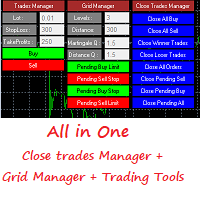
This is a demo version . Download the full version from this link https://www.mql5.com/fr/market/product/84850
Full version Allows you to : Set the number of levels (trades). Lot size and you can do Martingale to raise the lot size for each level. Set distance between levels, and you can manage the distance for each level using Distance Q. Static TP and SL for each level. You can open : BUY STOP / BUY LIMIT / SELL STOP / SELL LIMIT (levels in one click). Close all buy orders. Close all s
FREE

The EA uses a strategy based on the use of two custom indicators and trading is carried out on 4 timeframes. The expert uses an adaptive impulse system for determining market entries that performs numerous calculations using two custom indicators on M5, M15, M30, H1, H4. A multi-currency adviser trades in 26 currency pairs. Use multicurrency testing for 26 currency pairs in MetaTrader 5. Instructions for launching multicurrency testing are shown in the video. The EA does not use Martingale and A

The principle of this indicator is very simple: detecting the trend with Moving Average, then monitoring the return point of graph by using the crossing of Stochastic Oscillator and finally predicting BUY and SELL signal with arrows, alerts and notifications. The parameters are fixed and automatically calculated on each time frame. Example: If you install indicator on EURUSD, timeframe M5: the indicator will detect the main trend with the Moving Average on this timeframe (for example the Moving
Il MetaTrader Market è il posto migliore per vendere robot di trading e indicatori tecnici.
Basta solo sviluppare un'applicazione per la piattaforma MetaTrader con un design accattivante e una buona descrizione. Ti spiegheremo come pubblicare il tuo prodotto sul Market per metterlo a disposizione di milioni di utenti MetaTrader.

Ti stai perdendo delle opportunità di trading:
- App di trading gratuite
- Oltre 8.000 segnali per il copy trading
- Notizie economiche per esplorare i mercati finanziari
Registrazione
Accedi
Accetti la politica del sito e le condizioni d’uso
Se non hai un account, registrati