Christian Kotschote
Christian Kotschote
  • Informations
Aucun
expérience
2
produits
0
versions de démo
0
offres d’emploi
0
signaux
0
les abonnés
The Trading Place à
I've been trading since 2021, with Expert Advisors since 2024, and today I run an EA portfolio across several accounts and brokers. As an engineer with a PhD, I'm used to building processes that leave little room for error.

Trading taught me something the hard way: EAs are often sold on polished backtests and "verified" badges. It cost me roughly $30,000 (my own estimate, courses, prop challenges and bots included) to learn which promises hold up and which don't.

Since then my focus is on EA integrity:
- comparing backtests, vendor signals and live results,
- learning to spot hidden martingale or grid behaviour before it shows up in the account.

Happy to discuss building an EA portfolio, risk and position sizing, and why a strategy often behaves differently live than in the tester.

Community: CK Algo Lab - https://www.mql5.com/en/messages/01bf48ac406cdd01


Chris,
founder of ArcanGuard.
Christian Kotschote
Christian Kotschote
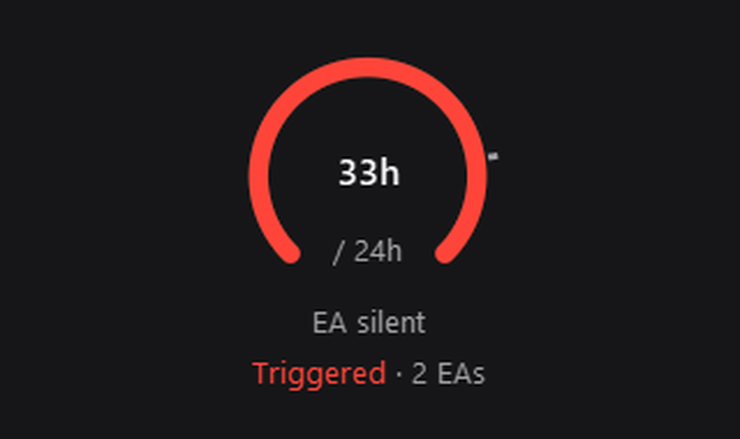
⏱️ 13 days. Zero trades. No error, no alert.
🤖 One of my EAs just stopped, and the account looked totally normal. i only saw it when I put all accounts side by side.
👇 How long would it take you to notice?
Christian Kotschote
Christian Kotschote
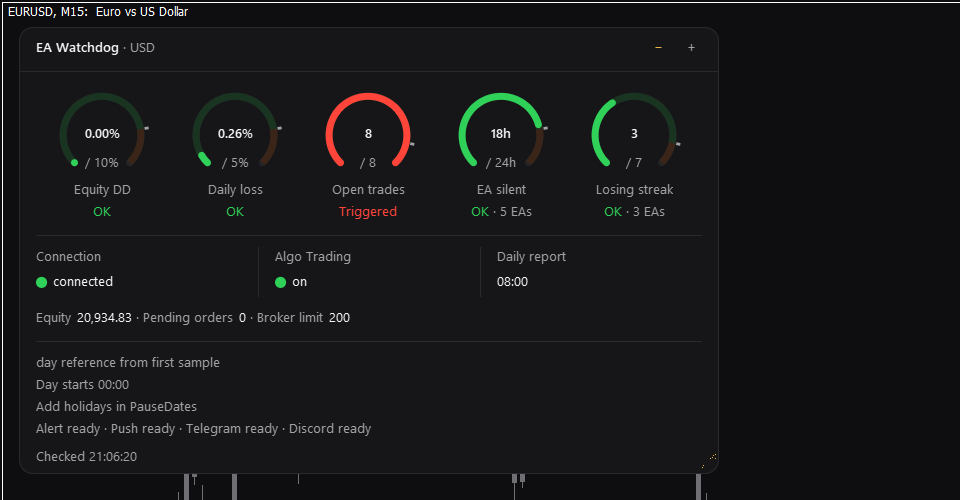
A real watchdog alerts you when danger is imminent.

My best friend is called EA Watchdog MT5.

And how do you monitor your portfolio when you're not glued to the terminal?
Christian Kotschote
Christian Kotschote
Hi all,

EA Watchdog MT5 1.1 is out. What changed:

- a status light in the header: Loading, Ready, Error or No connection
- the terminal alert shows the value and the limit, for example "Equity drawdown 7.50 (limit 2.00)"
- losing streak: without a backtest value the limit is marked "est." (estimate)
- EA silent says "trading again" only after a new deal or an open position

The update comes through the Market as usual. Manual: https://www.mql5.com/en/blogs/post/779095

If something looks odd on your side, just post it here with a screenshot.

Best regards
Chris
Christian Kotschote
EA Watchdog MT5 (Version 1.1) zeigt, wie viel jeder von Ihnen gesetzten Grenze verbraucht ist, und sendet eine Meldung, wenn eine Grenze erreicht ist. Dieses Kurzhandbuch behandelt die Installation, die Überwachungen, alle Eingaben, die Meldungen und die Einrichtung von Telegram und Discord...
Christian Kotschote
Christian Kotschote
Each EA knew its own stops. The daily limit only knew the total 😅 Per EA or whole account, how do you set your loss limit?
Christian Kotschote
Christian Kotschote
📊 EA Desk MT5 1.3: your account data, ready for your own tools

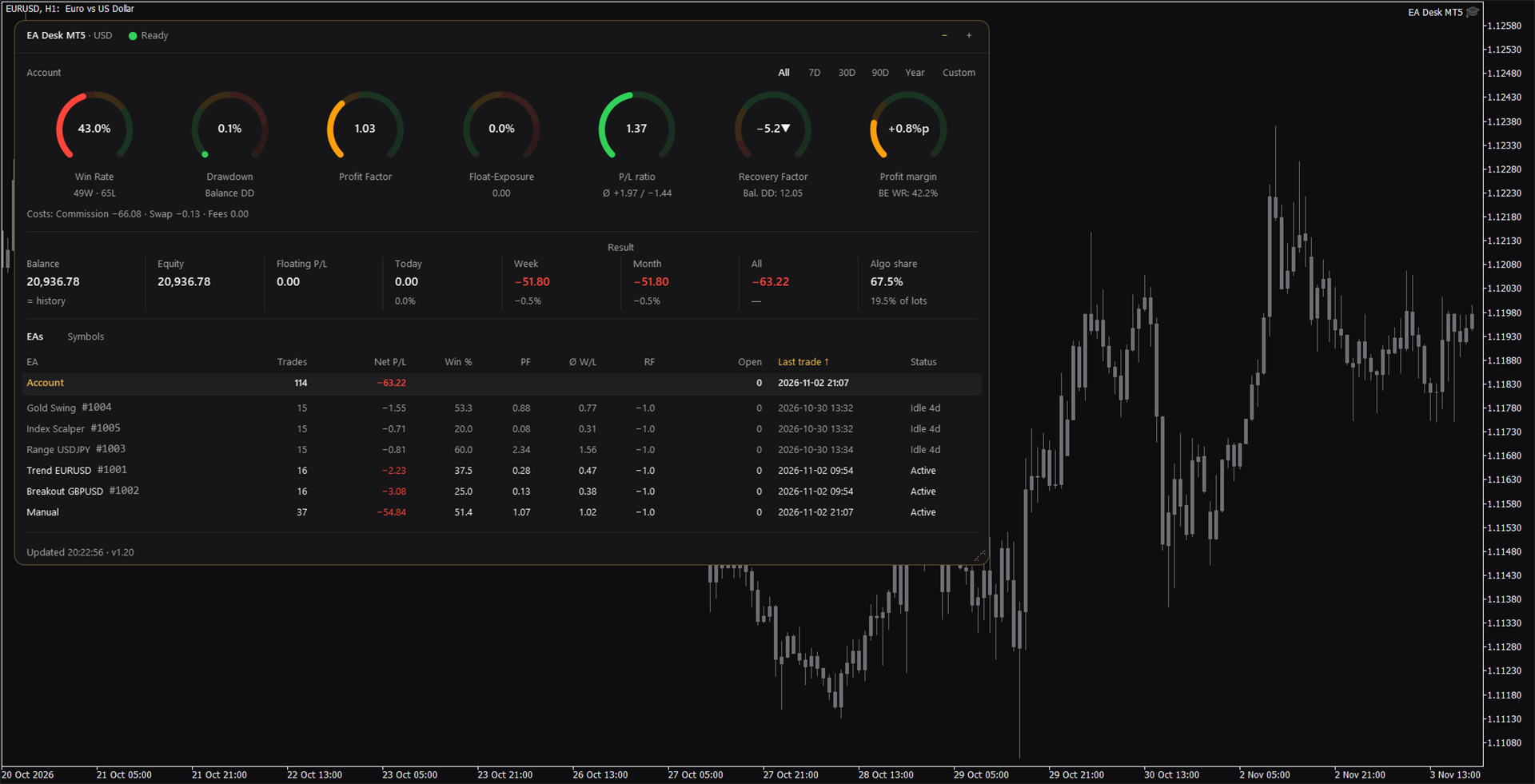
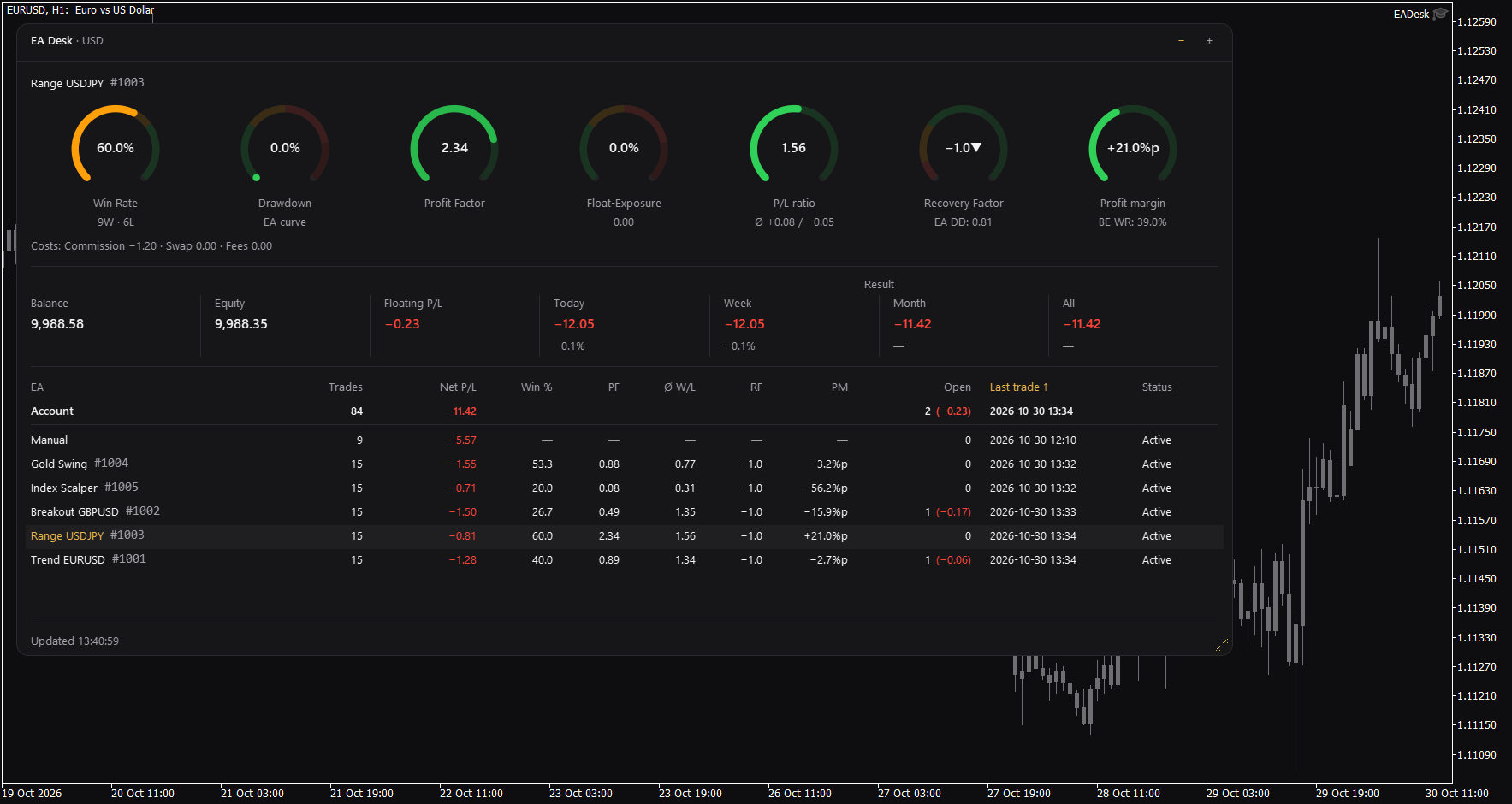
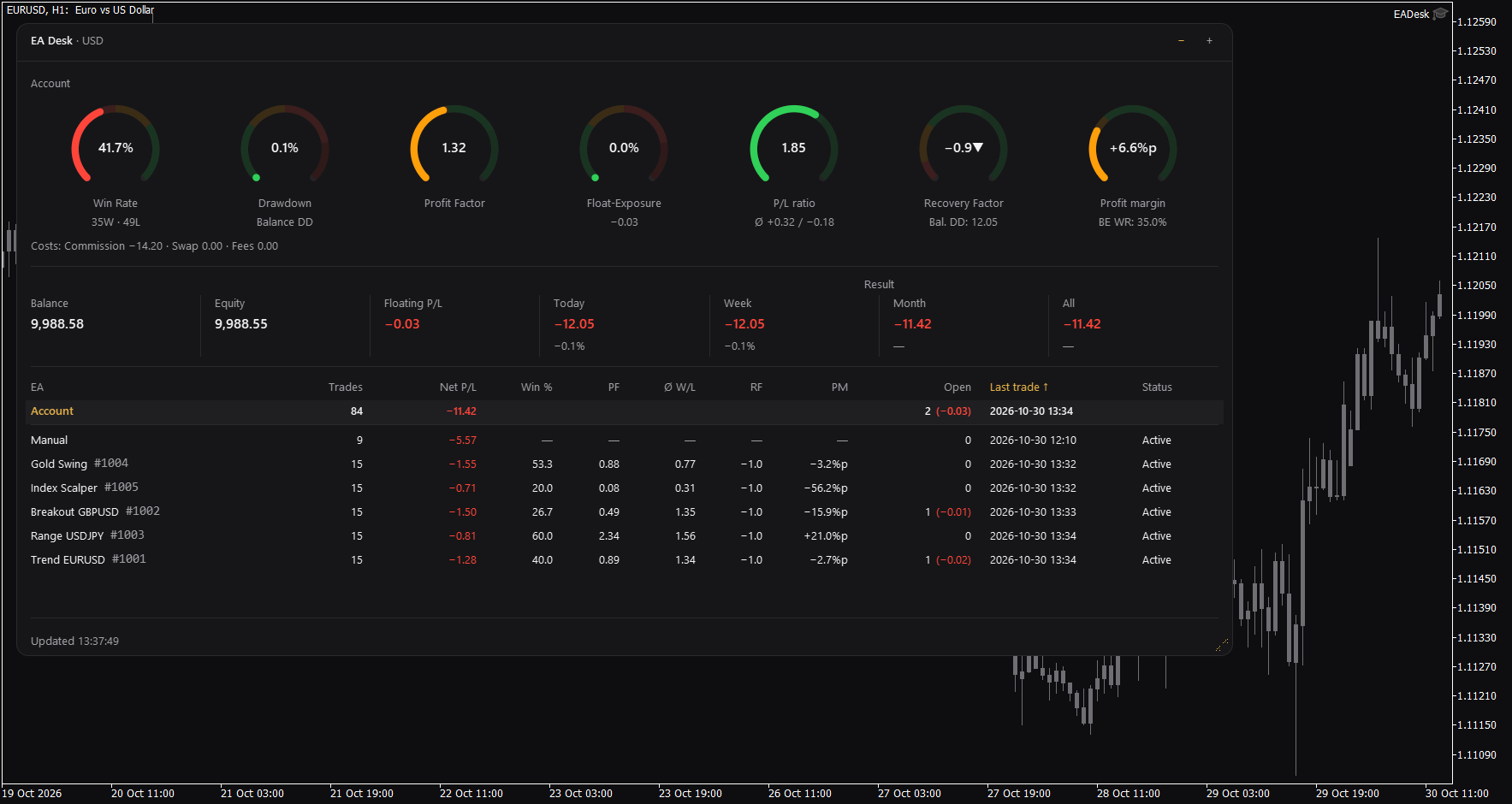
Which of your Expert Advisors is carrying the account, and which one has gone quiet? EA Desk MT5 answers that on one chart: results per Magic Number and per symbol, for the period you choose, with win rate, drawdown, profit factor, costs and the share of algorithmic trading. It is free, it only reads, and it does not trade.

🔄 New in 1.3: a fuller optional export
If you keep a trading journal, a spreadsheet or your own dashboard, EA Desk can now send it considerably more data in JSON format:

• For every deal: where it came from (Expert Advisor, manual, SL, TP, stop out), SL and TP, type, price and time of the order, and for new deals the spread shortly before the deal.
• Account type, leverage and margin values, including margin call and stop out levels.
• Terminal state: connection, Algo Trading switch, VPS, build and a random terminal ID.
• The charts that run an Expert Advisor, with the name of the Expert Advisor (also from other vendors), plus spread, swaps and specification of the symbols of your open positions and of your buy and sell deals of the last 7 days.

🔒 You stay in control
The export is off by default, EA Desk has no built-in address, and without an address that you enter yourself nothing leaves the terminal. All additions are new fields only: receivers that ignore unknown fields, as format 1.0 requires, keep working. The manual lists everything that is sent.

👉 Product page: https://www.mql5.com/en/market/product/205108
📖 User manual: https://www.mql5.com/en/blogs/post/778831

Questions and feedback are welcome in the comments of the product page.
Christian Kotschote
Christian Kotschote
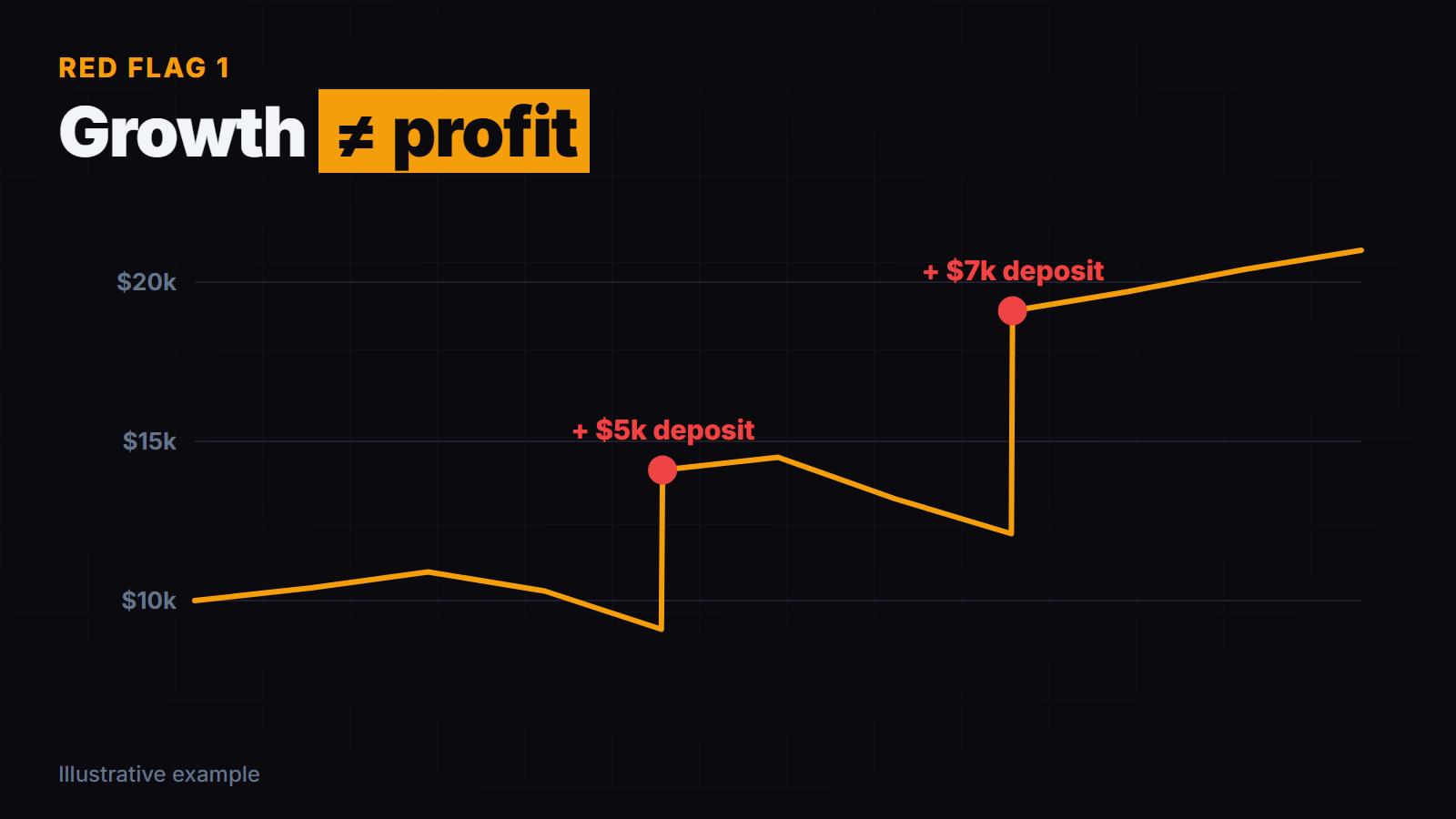
Two big jumps in the curve... both were deposits, not profit 🙃 Do you check the deposit history before you trust a growth %?
Christian Kotschote
Christian Kotschote
EA Desk MT5 1.2: periods, symbols and an optional export

EA Desk MT5 is a free, read-only panel that shows your account results per Expert Advisor (Magic Number) in one view. Version 1.2 adds:

- Period choice above the rings: All, 7D, 30D, 90D, Year and, if you switch it on, a custom period. Rings, cost line, result line, table and Algo share follow it.
- Tab Symbols next to EAs, with the results per symbol.
- Algo share: the share of closed positions and lots with a Magic Number other than 0.
- A line under Balance that compares the balance with the deal history.
- A status light in the header: Loading, Ready, No connection or Error.
- Optional export of your account data in JSON format to an address that you enter yourself. It is off by default. EA Desk has no built-in address: without your address nothing leaves the terminal. What is sent is described in the manual.

EA Desk still does not trade. One chart is enough for the whole account.

Product page: https://www.mql5.com/en/market/product/205108
User manual: https://www.mql5.com/en/blogs/post/778831

Questions and feedback are welcome in the comments of the product page.
Christian Kotschote

EA Watchdog MT5 - User Manual

2 novembre 2026, 21:03
EA Watchdog MT5 (version 1.1) shows how much of each limit you set is used, and sends a message when a limit is reached. This short manual covers installation, the watches, all inputs, the messages and the set-up of Telegram and Discord. EA Watchdog MT5 on the Market: https://www.mql5...
Christian Kotschote Produits publiés

Shows how much of each limit you set is used: equity drawdown, daily loss, open trades, EA silence and losing streak. Sends a message to the terminal, the MetaTrader app, email, Telegram or Discord when a limit is reached. EA Watchdog does not trade. COMMUNITY: CK Algo Lab :  https://www.mql5.com/en/messages/01bf48ac406cdd01 EA Watchdog MT5 shows how much of each limit you set is used - equity drawdown, daily loss, open trades, EA silence, losing streak - and sends a message when a limit

Christian Kotschote
Most grid or averaging EAs aren't sold as grid. The page says "smart recovery" or "adaptive entries", and the balance curve looks almost perfect. I ran one myself for a while. The balance went up quietly, week after week...
Christian Kotschote

EA Desk MT5 - Benutzerhandbuch

1 novembre 2026, 11:34
Dieses Handbuch beschreibt EA Desk MT5 , Version 1.30: jeden Teil des Panels, wie die Zahlen berechnet werden und was Sie tun können, wenn etwas unerwartet aussieht. EA Desk MT5 im Market: https://www.mql5...
Christian Kotschote
Christian Kotschote
EA Desk MT5 is now available in the Market, free.

It is a read-only panel that shows your account results and one row per Magic Number, so you can see which Expert Advisor is active and which has been quiet. It does not trade and sends no data.

The design is calm and shows only what you need: seven rings, the account line and one table.

Market: https://www.mql5.com/en/market/product/205108
Manual: https://www.mql5.com/en/blogs/post/778831

Questions and suggestions are welcome in the product comments.
Christian Kotschote
Christian Kotschote
EA Desk MT5 is now available in the Market, free.

It is a read-only panel that shows your account results and one row per Magic Number, so you can see which Expert Advisor is active and which has been quiet. It does not trade and sends no data.

The design is calm and shows only what you need: seven rings, the account line and one table.

Market: https://www.mql5.com/en/market/product/205108
Manual: https://www.mql5.com/en/blogs/post/778831

Questions and suggestions are welcome in the product comments.
Christian Kotschote
Christian Kotschote
EA Desk MT5 is now available in the Market, free.

It is a read-only panel that shows your account results and one row per Magic Number, so you can see which Expert Advisor is active and which has been quiet. It does not trade and sends no data.

The design is calm and shows only what you need: seven rings, the account line and one table.

Market: https://www.mql5.com/en/market/product/205108
Manual: https://www.mql5.com/en/blogs/post/778831

Questions and suggestions are welcome in the product comments.
Christian Kotschote

EA Des MT5 - User Manual

30 octobre 2026, 13:10
This manual describes EA Desk MT5 , version 1.30: every part of the panel, how the numbers are calculated and what to do if something looks unexpected. EA Desk MT5 on the Market: https://www.mql5...
Christian Kotschote Produits publiés

Shows account results per Magic Number and per symbol for a period you choose, so you can see which Expert Advisor is active and which has been quiet. Optional data export to an address you enter. EA Desk does not trade. COMMUNITY:  CK Algo Lab :  https://www.mql5.com/en/messages/01bf48ac406cdd01 EA Desk MT5 is a free, read-only panel that shows your account results per Expert Advisor and per symbol, for a period you choose, in one calm view, and which Expert Advisors have gone quiet

Christian Kotschote
Christian Kotschote
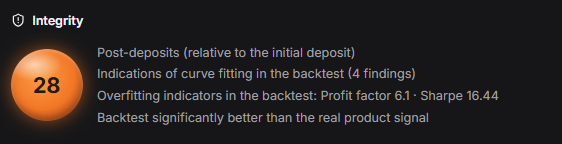
Which developer is brave enough to put their EA through an integrity check?
Christian Kotschote
Christian Kotschote
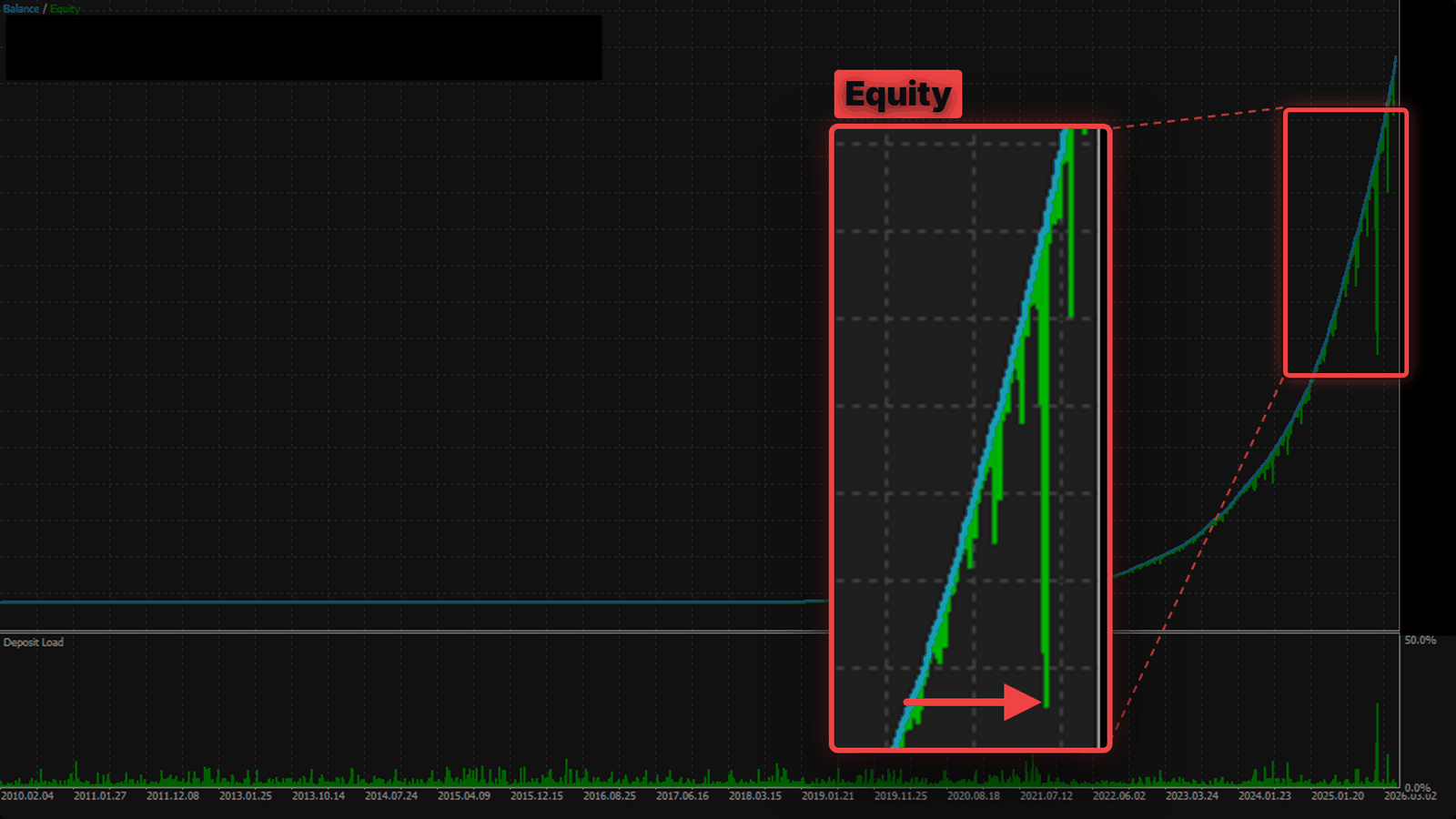
Balance line looks perfect for years... then you switch on equity and see what the grid was hiding 😅 Do you check equity in every backtest before you buy?
Christian Kotschote
Christian Kotschote
Good morning,

can an EA really achieve a Profit Factor of 50? And are there really traders who buy something like that?

Crazy world...
12