Pending Orders from any Price

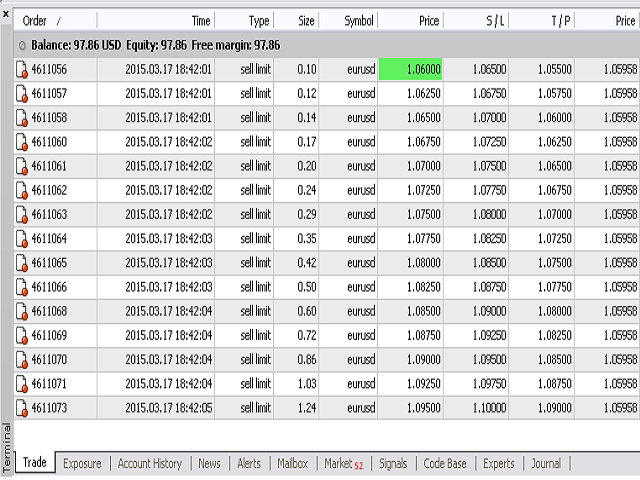
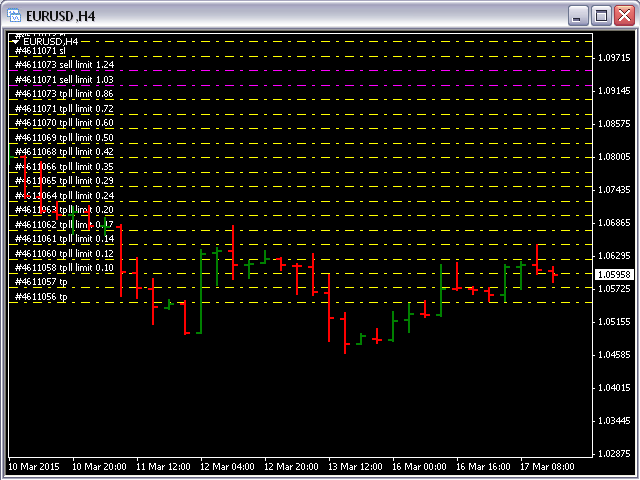
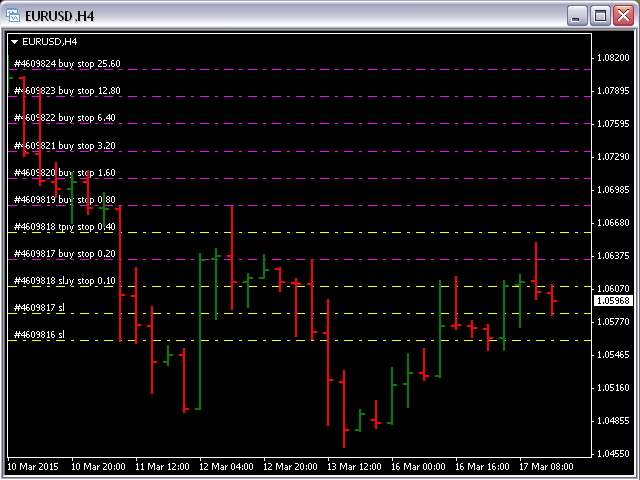
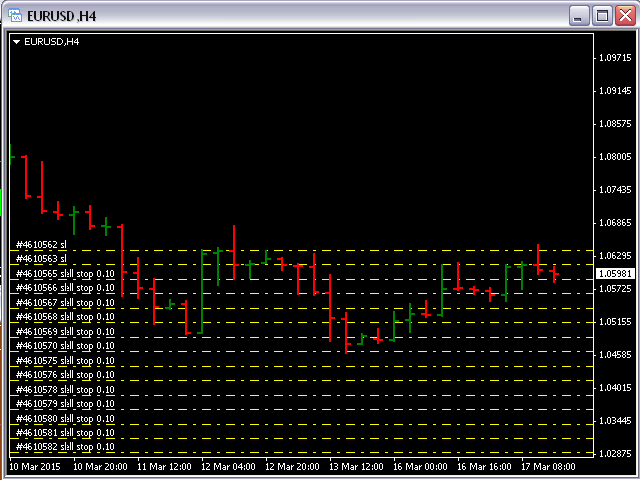
Pending Orders Grid Complete System opens any combination of Buy Stop, Sell Stop, Buy Limit and Sell Limit pending orders and closes all existing pending orders. Only one time of the pending order at the same time!!!

You will have a possibility to put a legitimate Open Price for the first position in the grid. Usually it should in the area of Support/Resistance lines.

You just need to drop this script on the chart of a desired currency pair.


Input Parameters

Before placing all pending orders, the input window is opened allowing you to modify all input parameters:

  • DeleteAllPendings - if true, then all pending orders (for the current currency) will be deleted. (No pending orders will be created!);
  • Order_Type - you can choose what kind of pending orders you want to use (only Buy Stop, Sell Stop, Buy Limit or Sell Limit will work);
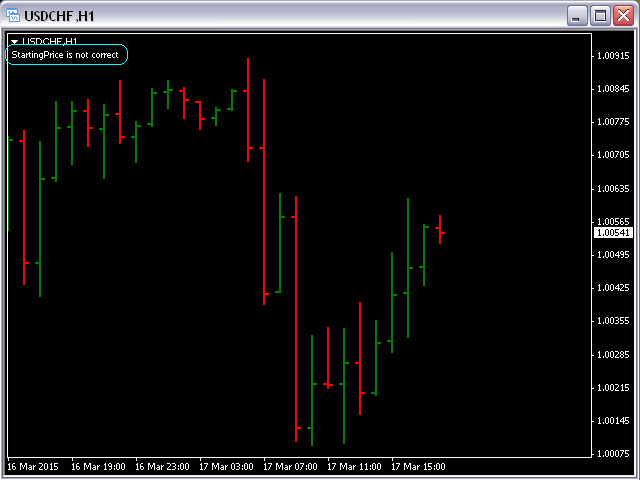
  • StartingPrice - you must put a legitimate price for the first position in the grid (Comment will appear if the Price is not right or too close to the current price);
  • InitLot - initial lot size;
  • LotCoeff - if 1, all pending orders will have the same lot size;
  • InitStep - difference between two consecutive orders in points;
  • StepCoeff - if 1, all pending orders will have the same InitStep;
  • NumOfOrders - number of pending orders you want to place on the chart;
  • Slippage;


Attention:

  • If DeleteAllPendings=true, the script will be able to delete existing pending orders for the current currency pair only.
  • You have to allow automated trading on the "Expert Advisors" tab (Tools->Options).
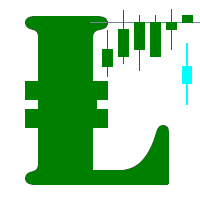
  • You must put a legitimate Starting Price for the first position in the grid. Comment will appear in the left upper corner of the chart if the Price is not right or too close to the current price (see the first screenshot).

Produits recommandés
ZyloFx Prop Guard Manager MT5
Rosa Lina Martinez Jimenez
IMPORTANT: After purchasing this product, please send me a private message to receive the installation guide, setup instructions, and direct product support. ZyloFx Prop Guard Manager MT5 is a professional account protection utility for MetaTrader 5, designed for traders who need disciplined control over daily and overall drawdown. This Expert Advisor does not open trades, does not provide entry signals, and does not use any trading strategy. Its purpose is to work as a protective layer on you
TradesManger
Ali Abdalrasool Ai-sayyd Sobai
Ultimate Manager is the ultimate Expert Advisor (EA) for MetaTrader5, empowering traders with seamless control over every aspect of their trades. This powerful tool manages lot sizes, stop losses, trailing stops, trade durations, and trailing activation thresholds with precision. Featuring intuitive buttons, you can execute two trades simultaneously, close all positions, close buys only, close sells only, or close profitable trades in an instant. Designed for efficiency and risk management, Ulti
Trade Control Panel
Jerry Jilun Anak Liban
Trade Control Panel Function Normal One Click Function Close All Close All Profit Close All Loss Close All Pending Order Close All Sell Close All Buy Advance One Click Function 1.  Close Partial Lot Sell by Percent It will help you partial close for all open position by desire percent you wanted. No longer partial close one by one for every open position Manual input for desire percent 2. Close Partial Lot Buy by Percent It will help you partial close for all open position by desire percent
Cet outil peut vous aider à clôturer toutes les commandes ouvertes en un seul clic, cliquez simplement sur « Tout fermer ». Si vous souhaitez uniquement clôturer les ordres rentables, cliquez sur le bouton « Fermer les ordres rentables ». Après avoir cliqué, tous les ordres flottants seront fermés ; Si vous souhaitez uniquement clôturer les ordres avec des pertes flottantes, cliquez sur le bouton « Fermer les ordres perdants ». Après avoir cliqué, tous les ordres avec des pertes flottantes seron
GS trade report
Aleksander Gladkov
5 (1)
3 in 1 : Report + monitoring + sending messages (Telegram, ...) to optimize trading and use of advisors. Monitoring: Panel on the chart Sending messages to Telegram Sending messages to Email Sending Notifications Sending pop-up messages Sound notifications when the established Profit/Loss levels are exceeded Monitoring is activated by pressing the Start button. Profit for the period by currency pairs, hours and Magic number for the current account. Forms four tables: by symbols, by magic number
One Click Trader  is a tool designed for MetaTrader 4 platform, which enables you to take your trading to the next level. It enables you to open, manage and close your trades in simple an efficient way by just one click of your mouse button. "-"   ,  "+"  change OCT window size  Up arrow minimizes the OCT panel Down arrow maximizes the OCT panel Right arrow displays the next panel with additional features Left arrow hides the panel with additional features Red  SELL  button enables you to open s
Synchronizer
PATRICK PAARSCH
This Expert Advisor monitors all open positions across all symbols in MetaTrader 5. Whenever a Stop Loss (SL) or Take Profit (TP) is manually set or adjusted on any position, the EA automatically applies that value to all other open positions , regardless of symbol or order type (Buy/Sell). This ensures consistent and synchronized SL and TP levels across your account. Perfect for mobile trading via tablet or smartphone!

All Pending Orders with StopLoss opens any combination of Buy Stop, Sell Stop, Buy Limit and Sell Limit pending orders and closes all existing pending orders. If boolSL = true then this Script will calculate one common StopLoss value as the StopLoss for a first/last orders and put this value in all pending orders. Input Parameters Before placing all pending orders, the input window is opened allowing you to modify all input parameters: DeleteAllPendings : if true , then all pending orders (for
Gann Box MT5
Frederic Jacques Collomb
L'indicateur Gann Box est un outil puissant et polyvalent conçu pour aider les traders à identifier et exploiter les niveaux clés du marché. Cet indicateur permet de dessiner un rectangle sur le graphique, qui est automatiquement divisé en plusieurs zones avec des niveaux stratégiques  0, 0.25, 0.50, 075, 1 . Lorsque le prix touche un de ces niveaux, des alertes se déclenchent, offrant ainsi une aide précieuse pour les décisions de trading. Vous savez instantanément l'évolution du marché par ra
Un seul graphique. Un contrôle total. Ne perdez plus de temps à gérer les objets, les couleurs et les paramètres de chaque graphique séparément.       Gestionnaire de synchronisation de graphiques   , vous pouvez       synchronisez, copiez et contrôlez tous vos graphiques MetaTrader       instantanément, en utilisant un seul panneau et quelques raccourcis. Dessinez une fois, actualisez partout. Ouvrez et fermez vos graphiques d'un simple clic. Gardez votre espace de travail propre grâce à      
Strategy Manager is a  Multi-Time-Frame & Multi-Currency  Dashboard for  Metatrader 4 and 5. Thanks to a free, external graphical user interface, build your own strategy by combining any indicators and loading them into the dashboard to see the result ! In addition, you can precisely  set-up your Auto-trading & Notifications and use indicators for Stop-Loss, partial profit or limit. Filter your automatic trading & notifications with forex calendar and more. Open and Manage your orders directly w
Open Trade MT5
Frank William Jr Colbert
A basic entry and position management EA that opens trades on multiple currency pairs at specific times. It includes its own internal trailing stop and take-profit logic, as well as integrated "end-of-day" and "Friday" profit-close features from the other scripts. Features: Opens trades on user-defined `PairsSet1` through `Set6` at specific `TradeTime` inputs. Configurable position sizing (`Lots`), Stop Loss, and Take Profit. Includes its own `TrailOrders` function that trails both SL and TP b
Telegram to mt5 pro
Janet Abu Khalil
4 (4)
Telegram to MT5 Pro — Advanced Telegram Signal Copier with Auto-Fix, Multi-TP, Risk Control and Full Trade Management Telegram to MT5 Pro — Copieur de signaux Telegram professionnel Telegram to MT5 Pro est un copieur de trading haute performance qui exécute automatiquement les signaux de Telegram directement dans votre compte MetaTrader 5, avec un contrôle total du risque, de l’exécution et de la gestion des trades. Le système se compose de deux composants : • L’Expert Advisor (EA) exécuté dans
ProBridger
Marius Ovidiu Sunzuiana
How Traders and Analysts Can Use the Data Export Bridge to Improve Their Analytics The MQL Data Export Bridge unlocks a new level of analytical power by transforming MetaTrader into a real‑time data provider for any external research environment. Here are the most impactful ways different users can apply the bridge to enhance their trading performance. Build Predictive Models with Machine Learning Who benefits: Quantitative traders, data scientists, algorithm developers How it helps: Export t
Position Prime
Mariana Cordeiro Neves Fernandes
Téléchargez dès maintenant la version de démonstration gratuite et testez toutes les fonctionnalités de gestion des risques de votre outil de test de stratégie avant d'acheter ! Position Prime est un assistant d'exécution visuelle et un gestionnaire de risques de niveau institutionnel pour MetaTrader 5. Conçu pour les traders qui exigent vitesse et précision, il élimine le besoin de calculs manuels de lots et transforme votre graphique en une véritable station de trading. Planifiez, exécutez et
Superior Telegram Signals Multi-Platform Trade Copier & Notification System   Available for MetaTrader 4 and MetaTrader 5 Superior Telegram Signals   is a utility that connects a trading terminal to the Telegram application. It is designed to send automated trade notifications, chart screenshots, and account status updates to a specified Telegram chat, channel, or group. Use Cases This tool can be used by: Signal Providers:   To automate the broadcasting of trade signals, modifications, and clos
AW Metatrader to Telegram MT5
AW Trading Software Limited
5 (1)
Un système automatisé d'envoi de notifications afin qu'aucun de vos abonnés ne rate vos événements de trading depuis votre terminal de trading. Un utilitaire qui envoie des notifications au messager Telegram sur toutes les opérations de trading sur votre compte. Instructions pas à pas pour connecter l'utilitaire à une chaîne dans Telegram -> ICI / MT4 -> ICI Avantages : Installation facile et instructions détaillées, Possibilité d'envoyer des captures d'écran ajustables, Texte de notification pe
Ultimate MT5 to Telegram (UMT) sends controlled trades (via symbol, magic, comment) to your telegram channel. It sends open and closed trades, including pending orders and TP/SL modifications, along with chart screenshots, to any telegram channel. Additionally, you can send trade reports of open trades and summary profit/pip reports for day, week, or month. You can customize the design of the trade actions or reports with variables and emoticons.  A beautiful panel allows you to visualize all t
Prenez le contrôle de votre routine de trading sans effort avec le Trades Time Manager révolutionnaire. Cet outil puissant automatise l'exécution des ordres à des moments précis, transformant votre approche de trading. Créez des listes de tâches personnalisées pour diverses actions commerciales, de l'achat à la définition des commandes, le tout sans intervention manuelle. Guide d'installation et d'entrées de Trades Time Manager Si vous souhaitez recevoir des notifications sur l'EA, ajoutez notre
Fvg In Fvg
Claudiu-georgian Zavera
FVG In FVG EA — From Learn to Earn. The most-watched imbalance on any chart, taken where you have not seen it before: a Fair Value Gap confirmed inside a Fair Value Gap. A GAP EVERYONE WATCHES. AN EXECUTION NO ONE ELSE HAS. The EA detects the Fair Value Gap — the 3-candle imbalance — on a higher timeframe, then requires a second FVG, formed inside the first, on the timeframes you choose. Only an overlap above your threshold validates the zone: Most Powerful Overlap FVG Zones — rigorously selec
# Telegram Signal Forwarder EA for MetaTrader 5 ## Overview This Expert Advisor automatically forwards all trading activity to a Telegram channel or group. It tracks **positions AND pending orders** in real-time and sends formatted signals. **Key Feature:** All follow-up messages (close, partial close, modify, delete) are sent as **replies to the original signal** in Telegram, creating a clean threaded conversation for each trade. ## Signal Types ### For Positions (Market Orders) - **OPEN
MT5 to Telegram: Professional Signal Provider Bridge Take your MetaTrader 5 trading to the next level. MT5 to Telegram is a high-performance utility designed specifically for traders who want to broadcast their market execution to Telegram Channels, Groups, or Private Chats instantly. Whether you are scaling a Signal Service business or simply want to track your own trades remotely on your mobile device, this tool provides the most reliable and professional-looking bridge for the MT5 platform.
Automatic calculation of a trading lot taking into account Stop Loss (in pips) and the percentage of risk from the account balance. The Expert Advisor panel is located on the chart at the top left. On the panel of the advisor, you can select the size of the stop loss in pips and the percentage of risk from the balance. You can set the deviation from the current price in pips for pending orders. The red color indicates the amount in the deposit currency that you can lose when the stop loss is tr
Telegram ChartSnap MT5 is an utility tool to bridge your MetaTrader 5 activities to your Telegram chat/group/channel. It will screen shot your MetaTrader 5 chart and send it to your dedicated Telegram chat/group/channel through a Telegram bot. The whole process will keep repeating based on a time cycle that predetermined by the user. It is a convenient tool for those who like to get access to their favorite system/dashboard that only available at MetaTrader Desktop. Beside that, trader can easi
Pending Orders Stacking Utility EA
Opengates Success International
Pending Orders Stacking EA Cet expert manuel a été créé pour empiler des ordres en attente jusqu’au nombre souhaité par l’utilisateur ou autorisé par le courtier. Peut empiler des ordres en attente Buy Stop. Peut empiler des ordres en attente Sell Stop. Peut ouvrir la première transaction en instantané et le reste en ordres en attente (optionnel). Peut fermer tous les ordres en attente. Peut fermer toutes les transactions ouvertes. Possède des boutons de périodes pour naviguer facilement entre l
Danko DTC Panel
Ricardo Almeida Branco
Do not buy before seeing the Danko Trend Color product, as this panel is a way to view a summary of this indicator on various timeframes. The Danko DTC Panel utility allows you to look at the trend in up to 5 timeframes. When clicking on the timeframe texts, a new window will open with the indicator plotted on the screen so you can see the complete chart. The width of the panel, with the amount of candles you want to see, is customizable, see the images below. Ao clicar nos textos dos timeframe
Trade Guardian Risk Manager est un Expert Advisor utilitaire MT5 dédié à la maîtrise du risque et à la protection de l’equity. Beaucoup savent trader. Peu savent s’arrêter. Trade Guardian formalise la discipline et applique mécaniquement vos limites lorsque l’émotion ou la sur-exposition prend le dessus. Outil de gestion du risque Aucune logique de trading — Does NOT open trades : n’ouvre aucune position, ne fournit aucun signal, ne contient aucune stratégie, ne garantit aucun résultat. Prin
Bonjour les Traders! Je suis votre assistant commercial. Pas beaucoup de mots, laissez - moi vous parler de ma spécialité: 1. Je suis bon dans la gestion de vos positions, peu importe à quelle extrémité vous passez une commande, je peux vous aider à ajouter une ligne de stop raisonnable et à déplacer le stop loss en premier. 2. Je peux vous aider à éviter la hausse et la baisse, à éradiquer les faiblesses humaines qui ne tiennent pas leurs principes à la racine. 3. Je vais vous envoyer un messa
XAU Steady Gain Pro
Sivakumar Subbaiya
XAU Steady Gain Pro: Institutional-Grade Neural Trading for XAU/USD Complete Trading Suite: Gain full market transparency. When you buy this EA, you’ll also receive two professional-grade Signal Generation Indicators to help you confirm every entry with institutional precision. MT4 Indicator Nebula Pullback System – Worth $50  : See the Indicator     https://www.mql5.com/en/market/product/162844 MT5 Indicator Quantum Cross Indicator – Worth $50 : See the Indicator     https://www.mql5.com/en/m
Complete Pending Orders Grid System opens any combinations of Buy Stop, Sell Stop, Buy Limit and Sell Limit pending orders and closes all existing pending orders. You just need to drop this script on the chart of a desired currency pair. Before placing all pending orders, the input window is opened allowing you to modify all input parameters: DeleteAllPendings – if 'true', then all pending orders (for current currency) are deleted. BuyStop – if 'true', Buy Stop order is opened. SellStop – if 'tr
Les acheteurs de ce produit ont également acheté
Trade Assistant MT5
Evgeniy Kravchenko
4.43 (214)
It helps to calculate the risk per trade, the easy installation of a new order, order management with partial closing functions, trailing stop of 7 types and other useful functions. Additional materials and instructions Installation instructions - Application instructions - Trial version of the application for a demo account Line function -   shows on the chart the Opening line, Stop Loss, Take Profit. With this function it is easy to set a new order and see its additional characteristics bef
Bienvenue sur Trade Manager EA, l’outil ultime de gestion des risques conçu pour rendre le trading plus intuitif, précis et efficace. Ce n’est pas seulement un outil d’exécution d’ordres ; c’est une solution complète pour la planification des trades, la gestion des positions et le contrôle des risques. Que vous soyez débutant, trader expérimenté ou scalpeur ayant besoin d’une exécution rapide, Trade Manager EA s’adapte à vos besoins, offrant une flexibilité sur tous les marchés, des devises et i
TradePanel MT5
Alfiya Fazylova
4.88 (162)
Trade Panel est un assistant commercial multifonction. L'application contient plus de 50 fonctions de trading pour le trading manuel et permet d'automatiser la plupart des tâches commerciales. Avant l'achat, vous pouvez tester la version de démonstration sur un compte de démonstration. Télécharger la version d'essai de l'application pour un compte de démonstration : https://www.mql5.com/fr/blogs/post/762644 . Instructions complètes ici . Commerce. Permet d'effectuer des opérations commerciales e
Version Bêta Le Telegram to MT5 Signal Trader est presque prêt pour la sortie officielle en version alpha. Certaines fonctionnalités sont encore en développement et vous pourriez rencontrer de petits bugs. Si vous rencontrez des problèmes, merci de les signaler, vos retours aident à améliorer le logiciel pour tout le monde. Telegram to MT5 Signal Trader est un outil puissant qui copie automatiquement les signaux de trading depuis des chaînes ou groupes Telegram vers votre compte MetaTrader 5 .
Farmed Hedge Yield Farming | All Markets (Manual - Hybrid - Semi/Automated EA) MULTI-ASSET SUPPORT Trade any asset available on your broker - Forex: Major, Minor, Exotic pairs - Crypto: BTC, ETH, XRP, SOL, BNB - Stocks: Apple, Tesla, Amazon, Google, etc. - Commodities: Gold, Silver, Oil, Gas - Indices: US30, NAS100, SPX500, DAX40 - Any CFD your broker offers VERIFIED TRADING RESULTS - Farmed Hedge Yield Axi Copy:  https://www.mql5.com/en/signals/2356376 - Farmed Hedge Yield Exn Copy:   https:/
================================================================================ POC BREAKOUT - V20.72. Full Professional Grade Toolkit ================================================================================ POC Breakout is a full MetaTrader 5 trading dashboard for discretionary traders who want breakout signals, Point of Control (POC) context, volume profiles, order flow, market structure, news, alerts, and advanced trade planning in one professional workspace. Attached directly to you
Telegram to MT5 Multi-Channel Copier copie automatiquement les signaux de trading de vos canaux Telegram directement vers MetaTrader 5. Pas de bots, pas d'extensions de navigateur, pas de copie manuelle. Vous recevez un signal sur Telegram et l'EA ouvre l'opération sur votre terminal en quelques secondes. Le produit comprend deux composants : une application Windows qui écoute vos canaux Telegram, et cet Expert Advisor qui exécute les signaux sur votre terminal MT5. Une version MT4 est également
Power Candles Strategy Scanner - Outil de recherche de configurations multi-symboles à optimisation automatique Le Power Candles Strategy Scanner utilise le même moteur d'auto-optimisation que celui qui alimente l'indicateur Power Candles, pour chaque symbole de votre Market Watch, en parallèle. Un panneau vous indique quels symboles sont statistiquement négociables à l'instant, quelle stratégie est la plus performante pour chacun, la paire Stop Loss / Take Profit optimale, et vous alerte dès qu
Anchor Trade Manager
Kalinskie Gilliam
5 (5)
Anchor: The EA Manager Run your full EA portfolio without conflicts, without stacked risk, and without watching every chart yourself. Anchor coordinates up to 64 Expert Advisors on a single account, including daily loss protection built for prop firm rules. Attach Anchor to any chart. Type your EA names and magic numbers in one line. Click OK. Anchor begins coordinating immediately. Built for portfolios. Built for prop firms. Built for discipline. The Problem Running multiple EAs on the same acc
Footprint Chart Pro — Professional OrderFlow EA for MetaTrader 5 Version 6.34 | Professional tool for real traders | Institutional-Grade Visualization DEMO USERS - PLEASE SELECT EVERY TICK / REAL TICK WHEN TESTING AND YOU HAVE DOWNLOADED HISTORICAL DATA. IF YOU SEE A WAITING SCREEN AND IT IS NOT DOWNLOADING, IT MEANS YOU HAVE LOW HISTORICAL DATA. TRY 1 MIN AND 5 MIN FIRST ON 1 DAY DATA. ONE DAY DATA SHOULD BE THE NEWEST AND MOST CURRENT DATE. PLEASE WAIT UNTIL THE MARKET HAS ROLLED OVER PERIOD.
EasyInsight AIO MT5
Alain Verleyen
4.92 (12)
EASY Insight AIO – La solution tout-en-un pour un trading intelligent et sans effort Présentation Imaginez pouvoir analyser l’ensemble du marché — Forex, Or, Crypto, Indices et même Actions — en quelques secondes, sans aucune analyse manuelle de graphiques, sans installation complexe ni configuration d’indicateurs. EASY Insight AIO est votre outil d’exportation ultime, prêt à l’emploi, pour un trading alimenté par l’IA. Il fournit une vue d’ensemble du marché dans un fichier CSV propre — prêt
The product will copy all telegram signal to MT5 ( which you are member) , also it can work as remote copier.  Easy to set up, copy order instant, can work with almost signal formats, image signal,  s upport to translate other language to English Work with all type of channel or group, even channel have "Restrict Saving Content", work with  multi channel, multi MT5 Work as remote copier: with signal have ticket number, it will copy exactly via ticket number. Support to backtest signal. How to s
Trade Manager DaneTrades
Levi Dane Benjamin
4.28 (29)
Trade Manager pour vous aider à entrer et sortir rapidement des transactions tout en calculant automatiquement votre risque. Y compris des fonctionnalités pour vous aider à éviter le sur-trading, le trading de vengeance et le trading émotionnel. Les transactions peuvent être gérées automatiquement et les mesures de performances du compte peuvent être visualisées dans un graphique. Ces fonctionnalités rendent ce panneau idéal pour tous les traders manuels et contribuent à améliorer la plateforme
EA Auditor
Stephen J Martret
5 (4)
EA Auditor is an independent analysis tool for traders evaluating Expert Advisors and trading signals on MetaTrader 5. It audits backtest reports, reviews posted developer signals, and cross-verifies the two against each other to help traders assess strategies before committing capital. The MQL5 market offers a wide range of Expert Advisors from many developers, with varying approaches, quality, and transparency. EA Auditor provides a consistent, data-driven framework for reviewing them, answer
Premium Trade Manager - Le panneau de trading avec un coach intégré Premium Trade Manager intègre un coach de trading directement dans votre graphique, avec un moteur d'exécution complet en dessous. Configurez le trade comme vous le faites toujours, puis laissez Max, votre coach de trading IA, analyser ce setup exact par rapport à votre compte en direct et vous donner un verdict clair avant de vous engager : le stop est-il discipliné, le risque est-il raisonnable, une publication à fort impact e
HINN Lazy Trader
ALGOFLOW OÜ
5 (1)
LIMITED SUMMER SALE -40% ! ONLY $470 insead of $790!  Maximum real discount! ONLY UNTIL 08/22 The core idea: using the user interface, you configure the parameters the chart must meet before entering a position (or positions), choose which entry models to use, and set the rules for when trading and planning should end. Lazy Trader  handles the rest: it  takes over all the routine chart watching and execution! full description  :: 3 key videos [1] ->  [2]   ->  [3] What can it do? - Understand
Quant AI Agents
Ho Tuan Thang
5 (1)
Quant AI Agents are independent trading Expert Advisors. Instead of trading using a fixed strategy like other conventional EAs, Quant AI Agents   is a   multi-agent AI trading framework   that turns natural-language strategy prompts into live.  WANT THE SAME RESULTS AS MY LIVE SIGNAL?   Use the exact same brokers I do:   IC MARKETS , IC TRADING   .  Unlike the centralized stock market, Forex has no single, unified price feed.  Every broker sources liquidity from different providers, creating un
Welcome to ENTRY IN THE ZONE WITH SMC MULTI TIMEFRAME Entry In The Zone with  SMC Multi Timeframe  is a professional trading indicator built on Smart Money Concepts (SMC), combining market structure analysis with a No Repaint BUY / SELL signal system in a single indicator. It helps traders understand market structure more clearly, identify key price zones, and focus on higher-quality trading opportunities. By combining Multi-Timeframe Analysis, Points of Interest (POIs), and real-time signals, t
The News Filter MT5
Leolouiski Gan
4.78 (23)
Ce produit filtre tous les conseillers experts et les graphiques manuels pendant les heures de publication des actualités, de sorte que vous n'avez pas à vous soucier des pics de prix soudains qui pourraient détruire vos configurations de trading manuelles ou les transactions entrées par d'autres conseillers experts. Ce produit est également livré avec un système de gestion des ordres complet qui peut gérer vos positions ouvertes et vos ordres en attente avant la publication de toute actualité.
Trader Evolution
Siarhei Vashchylka
5 (7)
" Trader Evolution " - A utility designed for traders who use wave and technical analysis in their work. One tab of the utility is capable of money management and opening orders, and the other can help in making Elliott wave and technical analysis. Manual (Be sure to read before purchasing) | Version for MT4 Advantages 1. Trading in a few clicks. Immediate and pending orders are available in the panel 2. Money management. The program automatically selects the appropriate lot size 3. Simplifies
EA Performance Tracker
Russell Leeon Tan
5 (3)
EA Performance Tracker (AESTracker) A clean, modern dashboard that shows exactly how your trades and EAs are performing — right on your chart. It reads your full account history automatically and breaks down the numbers by magic number / strategy. Display only — it does not place any trades. What it shows - Account header: live Balance, Equity, and Open (floating) P/L - Profit summary: gross profit, net profit, and the exact commission & swap deducted - Key stats: win rate, profit factor, exp
YuClusters
Yury Kulikov
4.93 (43)
Attention: You can view the program operation in the free version  YuClusters DEMO .  YuClusters is a professional market analysis system. The trader has unique opportunities to analyze the flow of orders, trade volumes, price movements using various charts, profiles, indicators, and graphical objects. YuClusters operates on data based on Time&Sales or ticks information, depending on what is available in the quotes of a financial instrument. YuClusters allows you to build graphs by combining da
Timeless Charts
Samuel Manoel De Souza
5 (7)
Timeless Charts est un utilitaire de trading tout-en-un destiné aux traders professionnels. Il combine des types de graphiques personnalisés tels que les graphiques en secondes et Renko avec une analyse avancée du flux d’ordre s utilisant Footprints , Clusters , Profils de Volume , études VWAP et outils d’analyse ancrés pour une compréhension plus approfondie du marché. Le trading et la gestion des positions sont effectués directement depuis le graphique via un panneau intégré de gestion des ord
FUTURES ORDERFLOW FOOTPRINT CHART Professional OrderFlow EA for MetaTrader 5 Version 1.01| Professional tool for real traders | Institutional-Grade Visualization STRATEGY TESTER USERS - PLEASE SELECT EVERY REAL TICK WHEN TESTING AND YOU HAVE DOWNLOADED HISTORICAL DATA. IF YOU SEE A WAITING SCREEN AND IT IS NOT DOWNLOADING, IT MEANS YOU HAVE LOW HISTORICAL DATA. TRY 1 MIN AND 5 MIN FIRST ON 1 DAY DATA. ONE DAY DATA SHOULD BE THE NEWEST AND MOST CURRENT DATE. PLEASE WAIT UNTIL THE MARKET HAS ROL
Telegram To MT5 Receiver
Levi Dane Benjamin
4.53 (15)
Copiez les signaux de n'importe quel canal dont vous êtes membre (y compris les canaux privés et restreints) directement sur votre MT5.  Cet outil a été conçu en pensant à l'utilisateur et offre de nombreuses fonctionnalités nécessaires pour gérer et surveiller les trades. Ce produit est présenté dans une interface graphique conviviale et attrayante. Personnalisez vos paramètres et commencez à utiliser le produit en quelques minutes ! Guide de l'utilisateur + Démo  | Version MT4 | Version Disc
AlgoRadar
Stephen J Martret
5 (4)
AlgoRadar is an on-chart analytics dashboard for MT5 that aggregates Expert Advisor performance across multiple accounts, brokers, and platforms, including both MT4 and MT5 data, into a single live view on your MT5 chart. All analysis runs from the chart interface, with no external applications or manual report processing required. EA Analysis and Ranking For traders running multiple Expert Advisors, AlgoRadar provides a consolidated view of each EA's performance across accounts. Active EAs a
Auto Trade Copier is designed to copy trades to multiple MT4, MT5 and cTrader accounts/terminals with 100% accuracy. The provider and receiver accounts must be on the same PC/VPS. With this tool, you can copy trades to receiver accounts on the same PC/VPS. All trading actions will be copied from provider to receiver perfectly. This version can be used on MT5 accounts only. For MT4 accounts, you must use Auto Trade Copier (for MT4). Reference: - For MT4 receiver, please download Trade Receiver Fr
AI Agent Supervisor is NOT an Expert Advisor. AI Agent Supervisor   is a   multi-agent AI risk & portfolio supervisor   that watches every EA on your account and intervenes in real time.  WANT AN AI PORTFOLIO MANAGER WATCHING YOUR FLEET 24/7?   Run your fleet on the same brokers I do:   IC MARKETS , IC TRADING   .  Unlike the centralized stock market, Forex has no single, unified price feed.  Every broker sources liquidity from different providers, creating unique data streams. The Supervisor r
News Filter EA
Rashed Samir
5 (1)
News Filter EA: Advanced Algo Trading Assistant News Filter EA is an advanced algo trading assistant designed to enhance your trading experience. By using the News Filter EA , you can integrate a Forex economic news filter into your existing expert advisor, even if you do not have access to its source code. In addition to the news filter, you can also specify trading days and hours for your expert. The News Filter EA also includes risk management  and equity protection features. MT4 Version Ma
Trade Manager DashPlus
Henry Lyubomir Wallace
4.85 (13)
DashPlus est un outil de gestion de trading avancé conçu pour améliorer l'efficacité et la performance de vos transactions sur la plateforme MetaTrader 5. Il offre un ensemble complet de fonctionnalités, incluant le calcul des risques, la gestion des ordres, des systèmes de grilles avancés, des outils basés sur les graphiques et des analyses de performance. Fonctionnalités principales 1. Grille de récupération Implémente un système de grille flexible et de moyenne pour gérer les transactions dan
Plus de l'auteur
This indicator is designed for M1 timeframe and shows: Sum of points when the price goes up (Green Histogram). Sum of points when the price goes down (Red Histogram).  In other words, by the number and ratio of bullish points to bearish ones, you can do a technical analysis of the state of the market. If the green histogram prevails over the red one, you can conclude that at the moment the buyers are stronger than the sellers, and vice versa, if the red histogram prevails over the green, the se
This Multi TimeFrame indicator is based on the "Fractals" classical indicator. 2 Inputs: TimeFrame1; TimeFrame2; You can put any available TimeFrame values (from M1 (Period_M1) to MN1 (Period_MN1)) equal or greater ( >= ) than the Period of the current Time Frame. The last Fractals will shown as color lines (Dots Line) of Support and Resistance for the Price moving.
This is a Multi-Time indicator which allows to display RSI and Stochastic indicators from upper timeframes on a single chart. As an example: a single chart EURUSD M5 and RSI (blue line) and Stochastic (yellow line) from H1. Red Histogram is representing Lower trend and Green Histogram is representing Upper trend.
When you put this Multi TimeFrame Parabolic SAR indicator on the chart it will automatically use Parabolic SAR from next available 3 timeframes. Green arrow will show the beginning of Up trend and Red arrow will show the beginning of Down trend. If AlertsEnabled = true, the indicator will show the Alert (message window) with a text like this: "Price going Down on ", Symbol(), " - ", Period(), " min", " price = ", Bid; If eMailEnabled = true the Indicator will send you an eMail with the same text
The zero line is characterized the Flat trend. V-shaped impulse indicates the entrance to the opposite direction. U-shaped impulse = entry orders in the same direction. If AlertsEnabled = true, the indicator will show the Alert (message window) with a text like this: "Price going Down on ", Symbol(), " - ", Period(), " min", " price = ", Bid; If eMailEnabled = true the indicator will send you an eMail with the same text an Alert message with subject: "Trinity-Impolse" (of course you have to chec
The indicator displays the usual Moving Average with input parameters: maPeriod_1; maMethod_1; maAppPrice_1. Then it calculates and displays MA on MA1 with input parameters: maPeriod_2; maMethod_2. Then it calculates and displays MA on MA2 with input parameters: maPeriod_3; maMethod_3. If AlertsEnabled = true the Indicator will show the Alert (message window) with a text like this: "Price going Down on ", Symbol(), " - ", Period(), " min", " price = ", Bid; If eMailEnabled = true the Indicator w
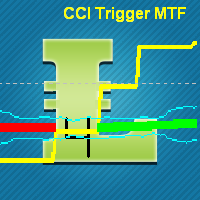
Multi TimeFrame Indicator "MTF CCI Trigger" based on the Commodity Channel Index from the upper TF (input parameter "TimeFrame") yellow line. Aqua line is representing ATR envelopes from the current TF. Green and Red arrows is triggered by CCI and represented UP and DOWN trends accordingly.
The BBImpulse indicator is based on the standard Moving Average indicator. You have MA input parameters: maPeriod - Moving Average period; maMODE - Moving Average mode (0 = MODE_SMA; 1 = MODE_EMA; 2 = MODE_SMMA; 3 = MODE_LWMA); maPRICE - Applied price (0=PRICE_CLOSE; 1=PRICE_OPEN; 2=PRICE_HIGH; 3=PRICE_LOW; 4=PRICE_MEDIAN; 5=PRICE_TYPICAL; 6=PRICE_WEIGHTED). Green Histogram is representing an UP-trend, Red Histogram is representing a Down-trend.
Multi TimeFrame indicator MTF ADX with Histogram shows ADX indicator data from the TF by your choice. You may choose a TimeFrame equal or greater than current TF. Yellow line is representing a price trend from the upper TF. Green line is representing +DI from the upper TF. Red line is representing -DI from the upper TF. Green histogram is displaying an Up-trend. Red histogram is displaying a Down-trend.
This Indicator creates 2 white lines based on Exponential Moving Averag e of High and Low prices. You can regulate how many bars will be involved in the calculation with input parameter HL_Period. Red and Blue arrows are displaying the moment to go Short and Long trades accordingly.
The most common way to interpreting the price Moving Average is to compare its dynamics to the price action. When the instrument price rises above its Moving Average, a buy signal appears, if the price falls below its moving average, what we have is a sell signal. To avoid a spontaneous entries one may use this update from Moving Average Indicator = Stepper-MA.
Envelopes technical Indicator is formed with two Moving Averages one of which is shifted upward and another one is shifted downward. Envelopes define the upper and the lower margins of the price range. Signal to sell appears when the price reaches the upper margin of the band; signal to buy appears when the price reaches the lower margin. To avoid a spontaneous entries one may use this update from Envelopes Indicator = Envelopes-Stepper.
The interpretation of the Bollinger Bands is based on the fact that the prices tend to remain in between the top and the bottom line of the bands. Abrupt changes in prices tend to happen after the band has contracted due to decrease of volatility; If prices break through the upper band, a continuation of the current trend is to be expected; If the pikes and hollows outside the band are followed by pikes and hollows inside the band, a reverse of trend may occur; The price movement that has starte
Fibonacci sequence is defined by integer sequence: 0, 1, 1, 2, 3, 5, 8, 13, 34, 55, 89, 144, ... By definition, it starts from 0 and 1, the next number is calculated as a sum of two previous numbers. Instead of the standard moving average, the indicator uses the caluclation of average price in form: Bar0 + Bar1 + Bar2 + Bar3 + Bar5 + Bar8 + Bar13 +... Input parameters:  FiboNumPeriod (15) - Fibonacci period; nAppliedPrice (0) - applied price (PRICE_CLOSE=0; PRICE_OPEN=1; PRICE_HIGH=2; PRICE_LOW=
This indicator present a main Moving Average line with input parameters maPeriod_1, maMethod_1 and maAppPrice_1. The second line will be a calculation of the Moving Average data of a first line with input parameters maPeriod_2, maMethod_2. The third line will be a calculation of the Moving Average data of a second line with input parameters maPeriod_3, maMethod_3. To avoid a spontaneous entries one may use this indicator-stepper.
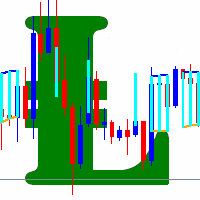
This indicator (as almost all others) is based on classical Moving Averages. It shows the Average Bar under the current bar colored in aqua or over the current bar colored in orange. Input Parameters: ma_Period and ma_Method. The Average Bar maybe helpful to predict where the price will move in the nearest future. Of course, this "near future" depends of the current time frame.
Buy when the market is falling and sell when the market is rising. When the market is moving down you start observing and looking for buy signals. When the market is moving up you start looking for sell signals. This indicator points to the moments to Buy (Blue arrow) and to Sell (Orange arrow). Two input parameters: barsNumber and step for optimization (depending on symbol and Time Frame).
This indicator shows: A green light in case the price goes up; A red light in case the price goes down; A yellow light in case there are a sideways trend. A sideways trend is the horizontal price movement that occurs when the forces of supply and demand are nearly equal. This typically occurs during a period of consolidation before the price continues a prior trend or reverses into a new trend
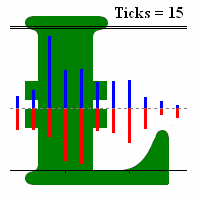
This indicator is created for M1 timeframe. It shows how many ticks has occurred during current minute and ( after the slash) the sum of points Up (aqua color) and Down (orange color). In times of a high trading activity a grow up number of ticks Up and Down will signal of a big move of the price in the near future. In times of a high trading activity a grow up number of sum of points Up and Down will signal of a big move of the price in the near future too.
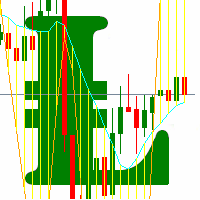
Two yellow lines. This is similar to classical Envelopes but with automatic deviation. The Envelopes indicator is   a tool that attempts to identify the upper and lower bands of a trading range. Aqua line. This is a classical Commodity Channel Index added to the Envelopes on the chart, not in a separate window. The Commodity Channel Index ( CCI ) is a technical   indicator   that measures the difference between the current price and the historical average price.
Probability deals with the likelihood of an event happening.   Forex   probability indicates a possibility at a specific time. This is because the forex market is highly volatile, and predicting future events affecting it is impossible. This indicator will show a positive number above the current High or negative number under the current Low as a probability of the trend. Higher time frames usually show a higher probability, even more then 100%.
Envelopes is an excellent indicator when the market is trending. Open Long position when the ClosePrice crossed the upper Aqua band. Close Long position when the Price crossed the upper Yellow band moving down. Open Short position when the ClosePrice crossed the lower Aqua band. Close Short position when the Price crossed the lower Yellow band moving up.
Moving Average Bars is a self-explanatory indicator with one input parameter: nPeriod. When the previous Price Close is above the previous indicator Bar, the probability to go Long is very high.   When the previous Price Close is under the previous indicator Bar, the probability to go Short is very high.
This indicator is based on the same idea as https://www.mql5.com/en/market/product/2406 , but instead of Average Bars it uses series or Fibonacci sequence. When the previous Price Close is above the previous indicator Bar, the probability to go Long is very high. When the previous Price Close is under the previous indicator Bar, the probability to go Short is very high.
This indicator is based on two ideas: Correlations between 5 main currency pairs: EURUSD, GBPUSD, USDCHF, USDJPY, USDCAD; US Dollar Index = the value of the United States dollar relative to a basket of foreign currencies. The use of the indicator is the same as classical  Commodity Channel Index  (CCI) indicator. CCI is calculated with the following formula:  (Typical Price - Simple Moving Average) / (0.015 x Mean Deviation) (Typical Price - Simple Moving Average) / (0.015 x Mean Deviation)
A  tick  is a measure of the minimum upward or downward movement in the  price  of a security. A  tick  can also refer to the change in the  price  of a security from one trade to the next trade.  This indicator will show amounts of ticks when the price goes up and down. This indicator is designed for M1 time frame and shows: Sum of points when the price goes up (Green Histogram). Sum of points when the price goes down (Red Histogram). 
This indicator is a combination of 2 classical indicators MA and RVI. The Relative Vigor Index (RVI) is a momentum indicator used in technical analysis that measures the strength of a trend by comparing a security's closing price to its trading range while smoothing the results using a simple moving average   The input parameter  counted_bars  determines how many bars the indicator's lines will be visible. The input parameter MaRviPeriod  is used for MA and RVI calculation.
This indicator is a combination of 2 classical indicators: MA and Force Index. The input parameter  counted_bars  determines on how many bars the indicator lines will be visible. The input parameter  MaForcePeriod  is used for MA and Force calculation. You may go Long if the current price crossed Up the Ribbon (HISTOGRAM)  and you may go Short if the current price crossed Down the Ribbon (HISTOGRAM)
This indicator is a combination of 2 classical indicators: MA and CCI. Two moving averages form Upper and Lower bands. The input parameter  counted_bars  determines on how many bars the indicator's lines will be visible. The input parameter  barsNum  is used for MA and CCI calculation.
This indicator is using 2 classical indicators: Commodity Channel Index from the higher TF (which you may change using input parameter TimeFrame ) and Average True Range from the current TF. The Green ribbon indicates the upper trend and the Red ribbon indicates the down trend. Buy when the Yellow line crosses the Upper bound (Aqua line). Sell when the Yellow line crossover the Lower bound (Aqua line).
Filtrer:
Aucun avis
Répondre à l'avis