ACB Breakout Arrows MT5

145 USD
Démo téléchargée:
1 663
Publié:
5 juin 2017
Version actuelle:
5.5
Vous ne trouvez aucun robot qui vous convient ?
Commandez le vôtre
dans la section Freelance
Aller à la section Freelance
Commandez le vôtre
dans la section Freelance
Comment acheter un robot de trading ou un indicateur
Exécutez votre EA sur
hébergement virtuel
hébergement virtuel
Test un indicateur/robot de trading avant d'acheter
Vous voulez gagner de l'argent sur Market ?
Comment présenter un produit pour qu'il se vende bien

Vous manquez des opportunités de trading :
- Applications de trading gratuites
- Plus de 8 000 signaux à copier
- Actualités économiques pour explorer les marchés financiers
Inscription
Se connecter
Vous acceptez la politique du site Web et les conditions d'utilisation
Si vous n'avez pas de compte, veuillez vous inscrire
Recommended Pairs and Time Frame
A complete list of Pairs and Time-frame along with the optimized input parameters is available here - Quick Guide(PDF)
Note:
The optimization has been carried out using a specific trading strategy based on this indicator. It doesn’t necessarily mean that the set of inputs provided in this PDF are best amongst all. You can experiment with your inputs and findings.
If you are using our indicator with your own trading strategy or you are not aware of the concept of optimization then you don’t need to follow the recommended settings at all. Default settings are more than good for most of the traders.
http://bit.ly/2tjLO7L
http://bit.ly/2tjLO7L
http://bit.ly/2tjLO7L
www.ACBForexTrading.com
I may have missed this instruction..but is there a way to auto trade? I have been able to install it on the MT4.
I love the indicator by the way.
FeedBack:
I have noticed that it ALWAYS seems to hit QP, and the First take profit. The Qp hits relatively soon to maybe a few hours, the take profit one maybe half day to a full day. The final one takes up to 3 days. So patience is key in Forex.
M1 is crazy fast..so you could miss it if you are waiting for it to be sent to your phone.
M5 gives you a enough time to do diligence.
You catch more pips the higher your time frame.
My thoughts. Qp all day, I'm a scalper..lol
I may have missed this instruction..but is there a way to auto trade? I have been able to install it on the MT4.
I love the indicator by the way.
FeedBack:
I have noticed that it ALWAYS seems to hit QP, and the First take profit. The Qp hits relatively soon to maybe a few hours, the take profit one maybe half day to a full day. The final one takes up to 3 days. So patience is key in Forex.
M1 is crazy fast..so you could miss it if you are waiting for it to be sent to your phone.
M5 gives you a enough time to do diligence.
You catch more pips the higher your time frame.
My thoughts. Qp all day, I'm a scalper..lol
Hey LuckieStar,
I am extremely sorry, somehow I was not aware of your comment.
Yes, the indicator can be automated. You have to hire a programmer(I guessed you may be not a programmer yourself, I could be wrong though). All the buffer values have been provided on the product page.
Best regards,
Nitin.
Black Friday Sale is Here! The discount offer will end on 26th Nov 2017.
ACB Breakout Arrows MT4 and MT5 are available for 99$
- https://www.mql5.com/en/market/product/20818
- https://www.mql5.com/en/market/product/23373
ACB Trade Filter indicator can be downloaded for free.
- https://www.mql5.com/en/market/product/22264
https://www.mql5.com/en/market/product/28832
Hi
When i change timeframe Risk change.
What correct timeframe that risk stay right?
Hi
When i change timeframe Risk change.
What correct timeframe that risk stay right?
Hi Souza,
Did you mean the calculated lot size based on the risk percentage?
Good day,
Please could you advice? mine is not showing well. the bars at the end are not showing and the reading are not readable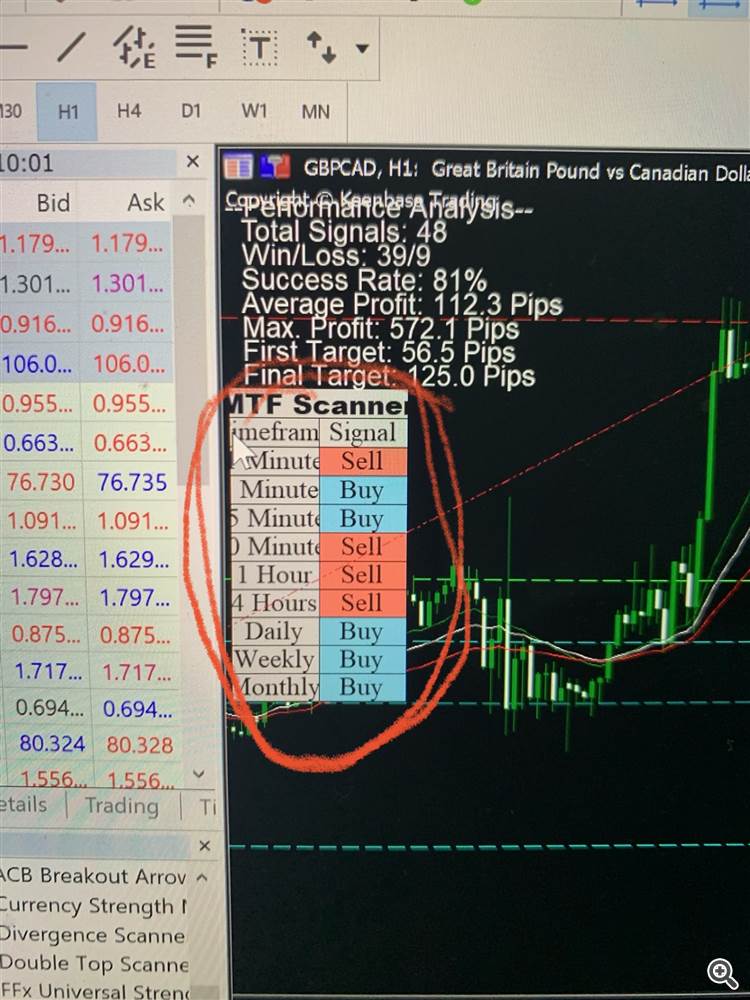
Good day,
Please could you advice? mine is not showing well. the bars at the end are not showing and the reading are not readable
What is your screen size and resolution?
Are you using any kind of scaling in the display settings?
What is your screen size and resolution?
Are you using any kind of scaling in the display settings?
My screen size is 13.3 inches and the scaling is auto at 300.
Best regards,
Emmanuel
My screen size is 13.3 inches and the scaling is auto at 300.
Best regards,
Emmanuel
Turn off the custom scaling and restart your PC.
Turn off the custom scaling and restart your PC.