Candle TimeZone Panel
- Indicateurs
-
Yang Yu Qun
 Risk control and trade management tools for MetaTrader 4 & 5.
I build one kind of thing, and I build it properly: utilities that protect
accounts. Risk panels, drawdown guards, prop-firm rule enforcement, and
trade-event notifications — for manual traders, funded-challenge traders, - Version: 1.0
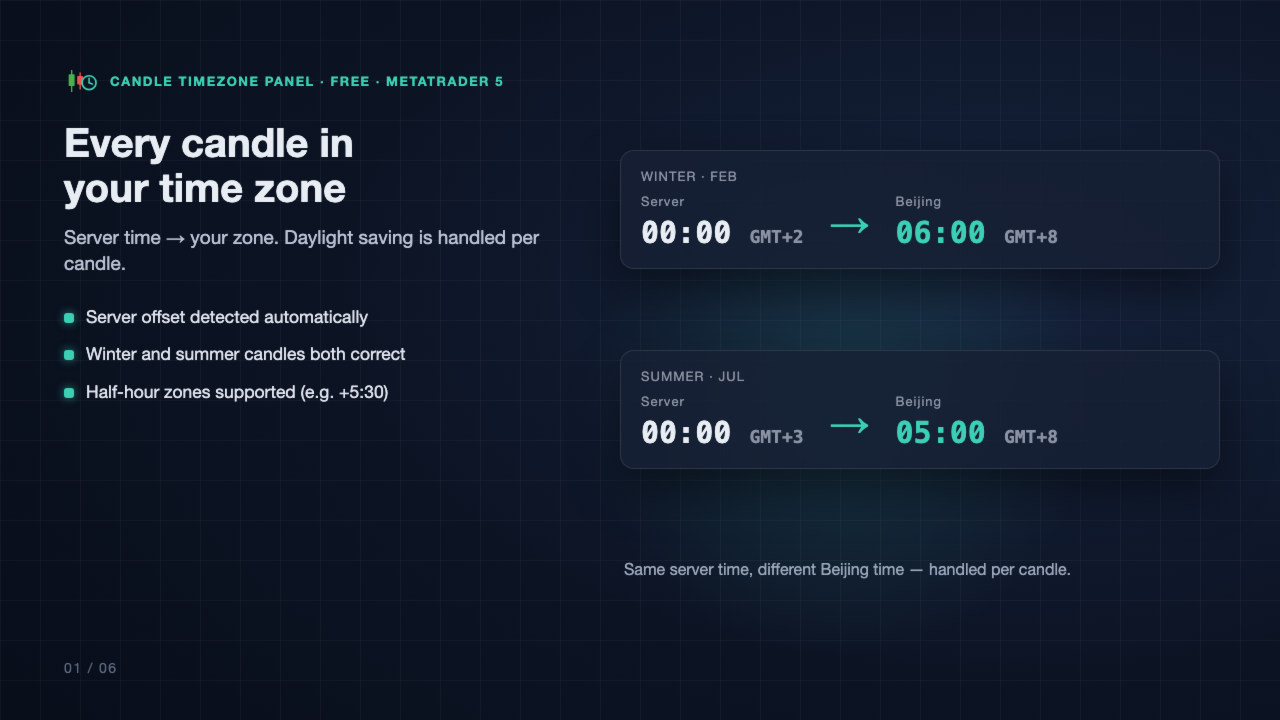
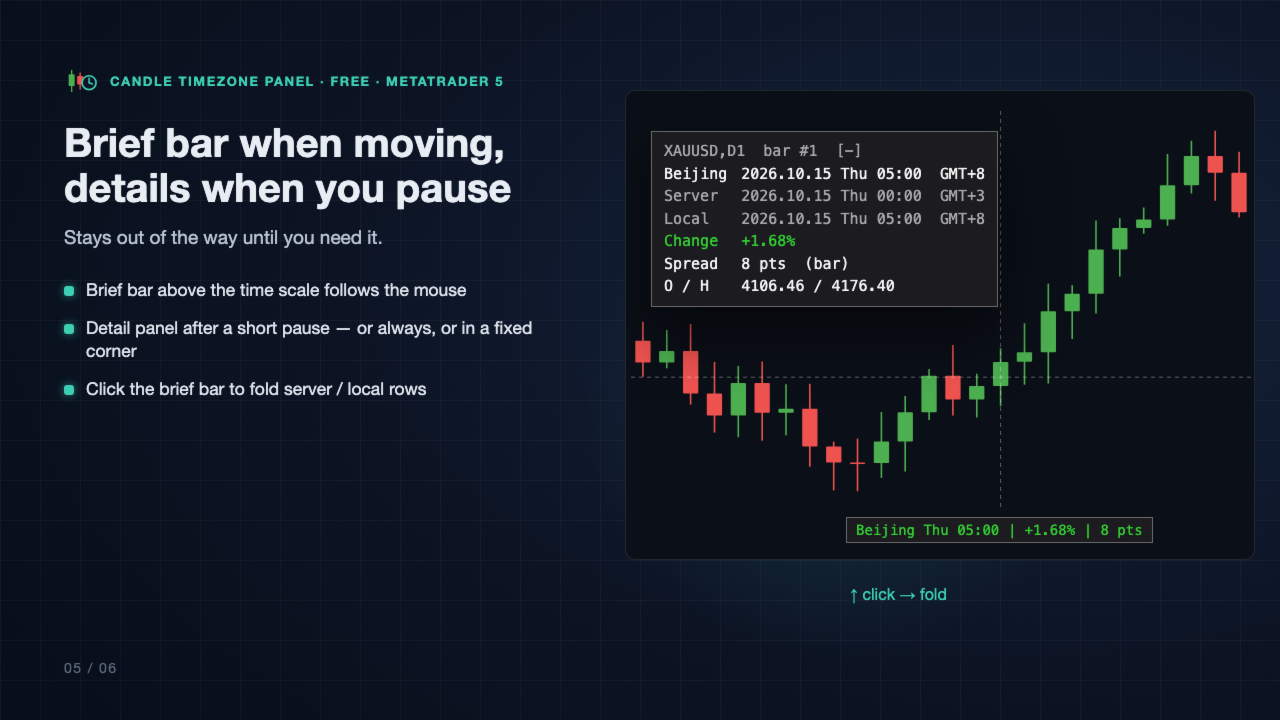
Your broker's chart runs on server time. Candle TimeZone Panel shows, for any candle under the mouse, when it really happened in your own time zone, plus how much it moved and its spread. No mental math, no wrong hour after a daylight-saving switch.
What you see when you point at a candle
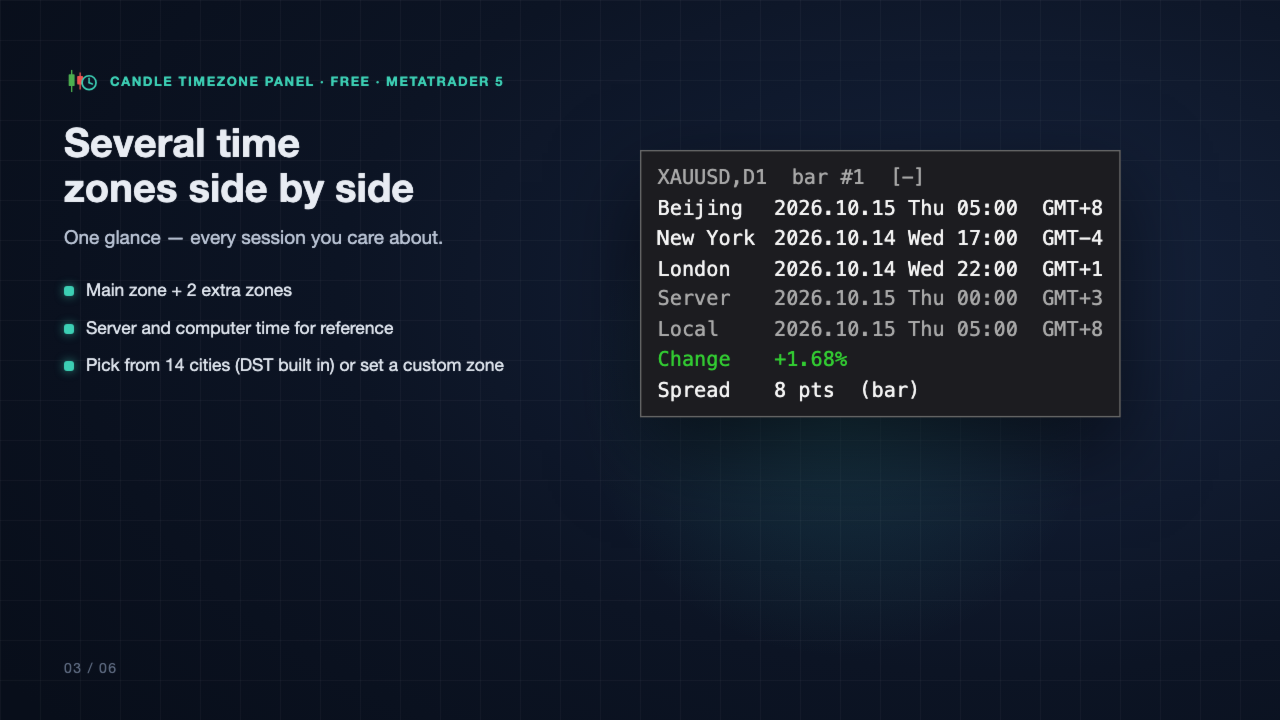
- Its open time in your main time zone, with the GMT offset (default: Beijing).
- Up to 2 extra time zones side by side, e.g. New York and London.
- Server time and this computer's time for reference (can be hidden).
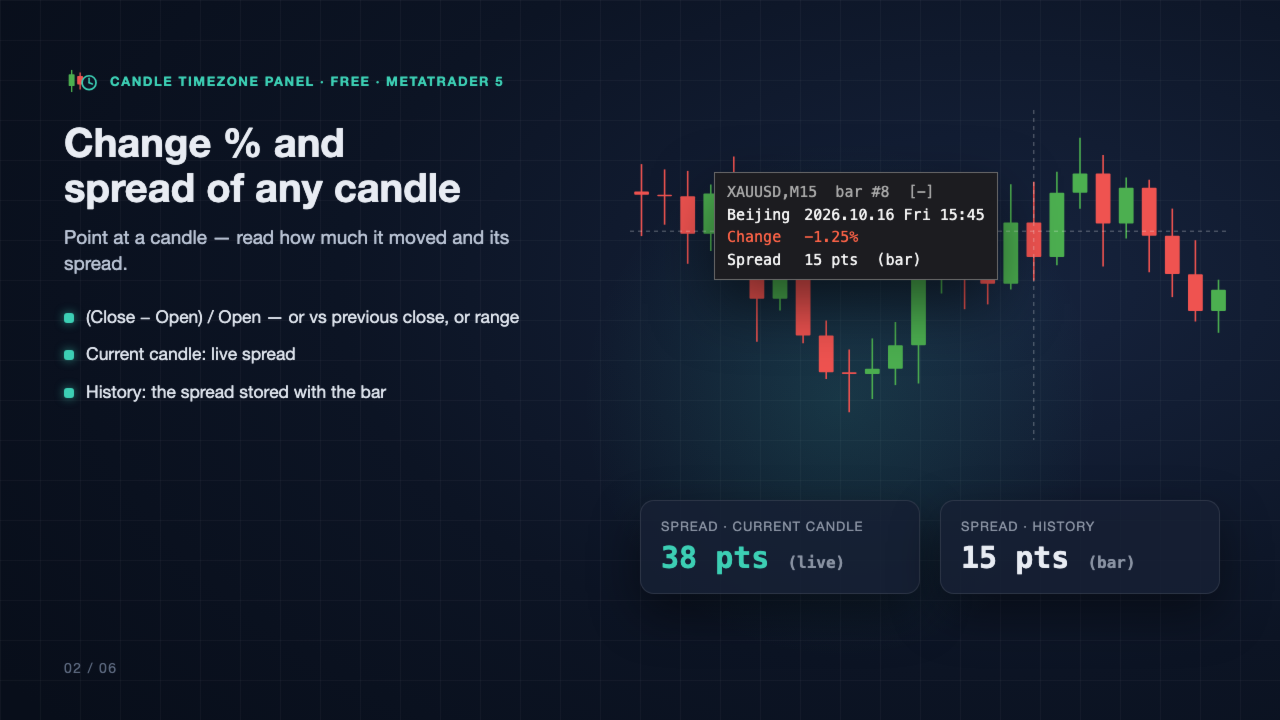
- Change % of the candle: (Close − Open) / Open, or vs the previous close, or the range.
- Spread: live on the current candle; on older candles, the spread value stored with that bar.
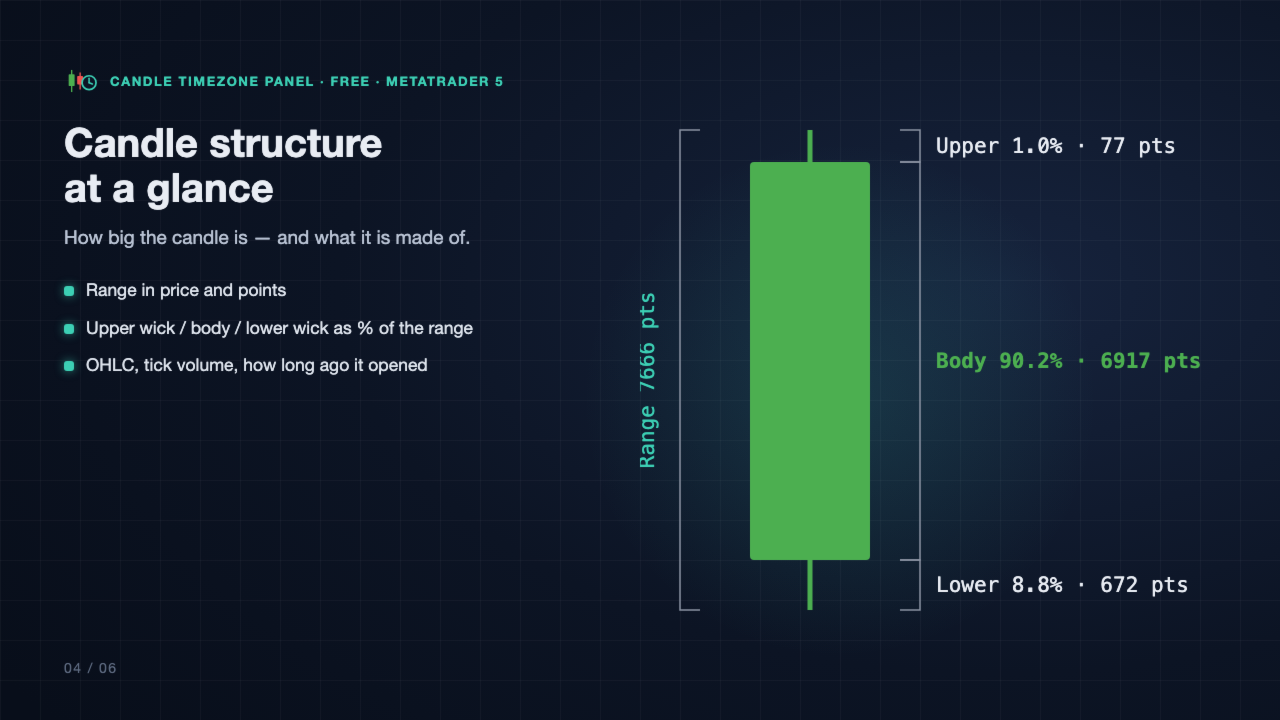
- Open / high / low / close, range in price and points.
- Upper wick, body and lower wick as % of the range and in points.
- Tick volume and how long ago the candle opened.
Time zones done right
- Pick a zone from the list: Beijing, Hong Kong, Singapore, Tokyo, Seoul, Sydney, Mumbai, Dubai, Moscow, Frankfurt, London, UTC, New York, Chicago, or set a custom one (half-hour offsets such as +5:30 are supported).
- Daylight saving (US, EU, Australia) is applied by the date of each candle, so summer and winter candles are both correct.
- The server's time offset is detected automatically.
Stays out of the way
- A one-line brief bar above the time scale follows the mouse.
- The detail panel opens after a short pause on a candle (or always, or off), and flips side near the chart edges.
- Or pin the panel to a fixed corner.
- Click the brief bar to fold the server and local time rows.
- Hidden when the mouse is on the time scale or leaves the chart.
Fits your terminal
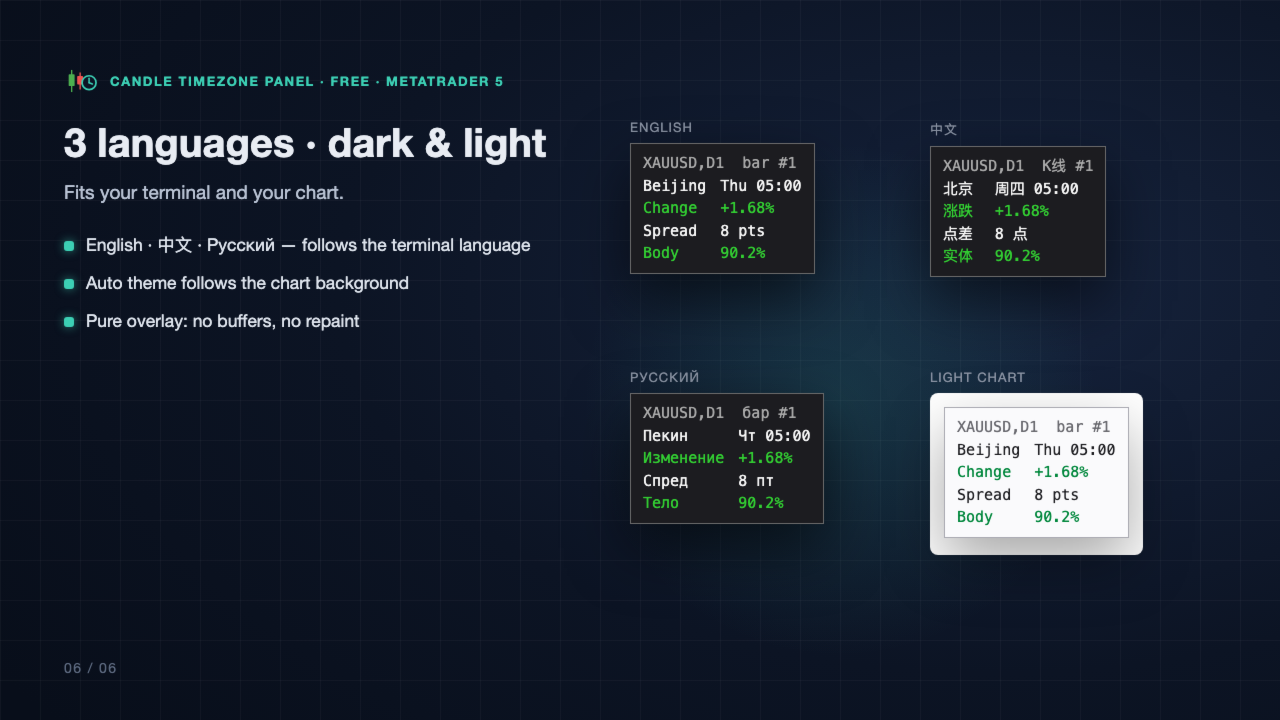
- Panel text in English, Chinese or Russian; follows the terminal language by default.
- Auto theme follows the chart background (dark or light), or choose Dark, Light or your own colors.
- Sharp on high-DPI screens.
Good to know
- Pure display overlay: no indicator buffers, nothing drawn on history, no repaint. It does not trade.
- Spread on older candles is the value the terminal stored with that bar, not an average over the bar and not the spread you actually got.
- Local (computer) time on older candles uses today's offset of your computer.
- Server daylight-saving rule: most brokers follow the US rule (the default). If your broker's server time does not change with the seasons, set "Server DST rule" to None.
- Works on any symbol and any timeframe.
Main inputs
- Display: panel language, color theme, detail panel mode and delay, brief bar, follow mouse / fixed corner, font.
- Time zones: main zone, extra zones 2 and 3, custom zone (name, offset, DST rule), show server / computer time, server time zone (Auto / Manual) and its DST rule.
- Candle info: change % formula and decimals, spread on/off and unit (points / price), OHLC, structure, tick volume, candle age.
- Custom colors: used when Theme = Custom.
Questions or ideas? Leave a comment on this page — feedback is welcome.