Saeid Soleimani / Profile
- Information
|
3 years
experience
|
10
products
|
700
demo versions
|
|
0
jobs
|
0
signals
|
0
subscribers
|
For the past 10 years, I've been developing financial trading systems and expert advisors. Over the last 4 years, I've specialized in integrating artificial intelligence and machine learning into automated trading solutions.
My expertise includes:
• MQL4/MQL5 programming for MetaTrader platforms
• AI and Machine Learning in trading systems
• Quantitative analysis and algorithmic strategies
• Risk management and portfolio optimization
I've published 10 expert advisors, each rigorously tested through 667+ demo versions to ensure reliable performance across different market conditions.
I'm dedicated to helping traders leverage AI technology to enhance their trading performance through innovative, research-backed solutions.
The Boy Plunger Gold EA is a revolutionary scalping Expert Advisor (EA) designed for the Gold and Silver markets. This EA does not require a low spread account and offers smart take profit and stop loss levels, without the need for trailing features. The EA is intended for use and backtesting specifically in 2023. Main EA setting: Timeframe: The timeframe used for market analysis. It is set to PERIOD_H4, which represents the 4-hour timeframe. ATR_Period: The number of bars used for calculating
24 Hours
https://www.mql5.com/en/market/product/102014?source=Site+Profile+Seller
49$ Don't Miss out
24 Hours
https://www.mql5.com/en/market/product/102311?source=Site+Market+My+Products+Page#description
49$ Don't Miss out
https://www.mql5.com/en/market/product/102311?source=Site+Market+My+Products+Page#description
49$ Don't Miss out
Amber Waves Scalper Candle Pattern EA is a simple yet efficient automated trading system for the MetaTrader 4 platform. Focusing on candlestick patterns, the EA identifies potential trading opportunities and detects breakout areas. This expert advisor does not rely on Martingale or grid strategies and can be applied to any timeframe. Special Discount 69 $ For 10 copies It is not sensitive to the time frame Download the
This guide provides a detailed explanation of the input parameters for the Tailor EA Expert Advisor and how they affect the EA's trading behavior, using pips as the unit of measurement.
Input Parameters
N_pips (ushort): The number of pips used for specific calculations in the EA strategy.
Min_Corridor (ushort): The minimum size of the trading corridor in pips.
Max_Corridor (ushort): The maximum size of the trading corridor in pips.
InpLots (double): The fixed volume for trading, in lots. If set to 0, the EA will use the value of the Risk parameter for lot size calculation.
Risk (double): The risk percentage to be used for lot size calculation. If set to 0, the EA will use the value of the InpLots parameter.
STOPLOSSMODE (SLMode): The stop loss mode (fixed or Fibonacci-based).
FixSL (int): The fixed stop loss value in pips, used if STOPLOSSMODE is set to fixed.
TakeProfit (int): The take profit value in pips.
Fibo_StopLoss (ENUM_FIBO): The Fibonacci level used for stop loss calculation if STOPLOSSMODE is set to Fibonacci-based.
Trailing (bool): Enable or disable the trailing stop feature.
InpTrailingStop (double): The trailing stop distance as a percentage of the current profit.
InpTrailingStep (double): The trailing stop step as a percentage of the current profit.
TrailingStart (double): The profit percentage at which trailing stop is activated.
Line (bool): Display additional lines on the chart for trading levels and the trading corridor.
m_magic (ulong): The unique identifier for the Expert Advisor's orders.
MaxSpread (int): The maximum allowable spread in pips.
StartHour (int): The start time for trading, in hours.
StopHour (int): The end time for trading, in hours.
FridayStopTime (int): The time on Friday when trading should be stopped, in hours.
TailorNews (string): A label for news filter settings.
NewsFilterMode (bool): Enable or disable the news filter feature.
MinsAfter (int): The number of minutes after news release during which trading is not allowed.
MinsBefore (int): The number of minutes before news release during which trading is not allowed.
Configuration
To configure the input parameters for the Tailor EA Expert Advisor, follow these steps:
Open the MetaTrader platform and navigate to the "Navigator" panel.
Find the "Expert Advisors" section and expand it.
Locate the "Tailor EA" Expert Advisor in the list and double-click it.
In the "Inputs" tab of the "Properties" window, you will find the input parameters listed above.
Adjust the parameter values according to your preferences and click "OK" to apply the changes.
This guide provides an overview of the input parameters for the updated Tailor EA.5 Expert Advisor and how to configure them.
Input Parameters
N_pips (ushort): The number of pips for a specific calculation. Default is 1.
Max_Corridor (int): The maximum size of the trading corridor in points. Default is 2000.
Min_Corridor (int): The minimum size of the trading corridor in points. Default is 200.
Risk (RiskOfLot): The risk type for lot size calculation. Default is 3.
Tradingamount (more): The trading amount . Default is 1.
Inp_Lot (double): The fixed volume for trading, in lots. Default is 0.01.
StopLoss (double): The stop loss value in points. Default is 22.
Takeprofit (double): The take profit value in points. Default is 400.
MaxSlippage (int): The maximum allowable slippage in points. Default is 10.
MaxSpread (int): The maximum allowable spread in points. Default is 10.
sleep (int): The sleep time between High Spread Detect. Default is 5.
Magic (int): The unique identifier for the Expert Advisor's orders. Default is 4599.
Timeframe (ENUM_TIMEFRAMES): The time frame for the Expert Advisor. Default is the current time frame.
TrailingMode (TrailHard): The trailing stop mode. Default is 3.
TralStart (double): The trailing stop activation level in points. Default is 2.
TrailingStop (int): The hidden trailing stop distance in points. Default is 3.
TrailingStart (int): The hidden trailing stop activation level in points. Default is 2.
TrailingStep (int): The hidden trailing stop step in points. Default is 1.
TimeStart (double): The start time for trading, in hours. Default is 3.
TimeEnd (double): The end time for trading, in hours. Default is 22.
TAG (string): The tag for the Expert Advisor. Default is "Tailor EA.5".
Info (bool): Display additional information on the chart. Default is true.
Configuration
To configure the input parameters for the updated Tailor EA.5 Expert Advisor, follow these steps:
Open the MetaTrader platform and navigate to the "Navigator" panel.
Find the "Expert Advisors" section and expand it.
Locate the "Tailor EA.5" Expert Advisor in the list and double-click it.
In the "Inputs" tab of the "Properties" window, you will find the input parameters listed above.
Adjust the parameter values according to your preferences and click "OK" to apply the changes.
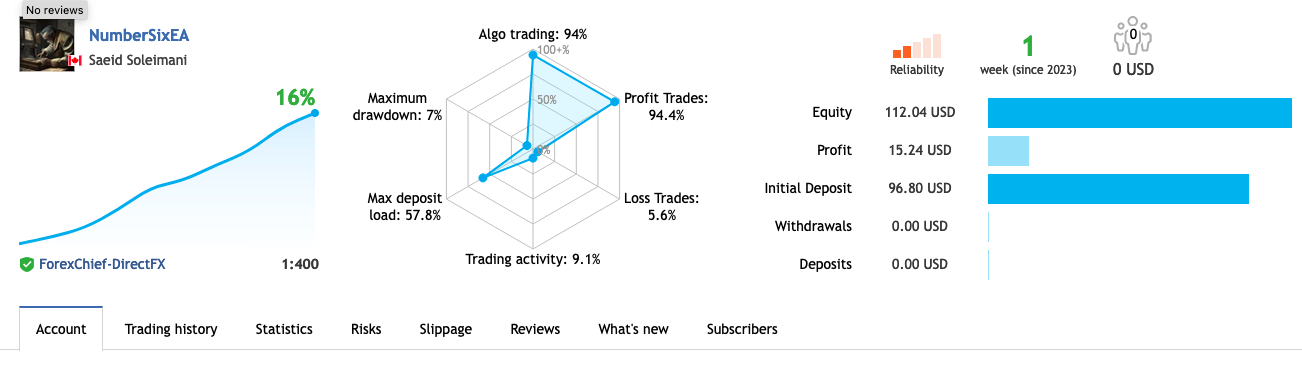
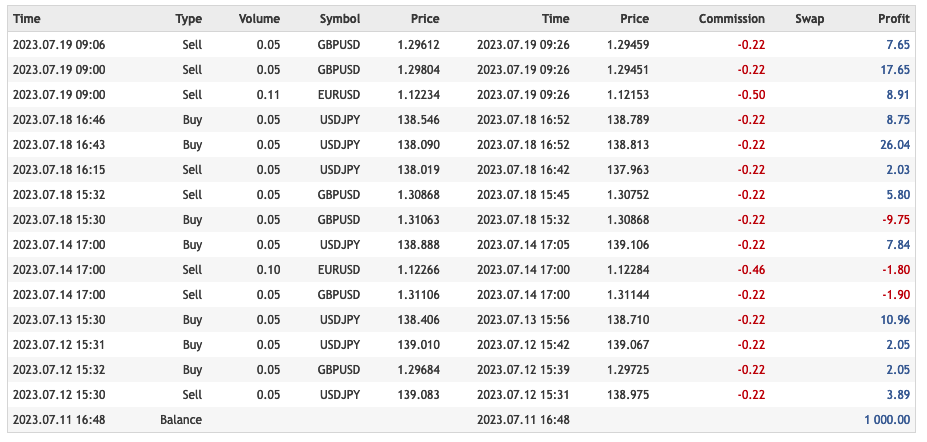
You can refer to the link to see the results of the TAILOR
At the same time as this post was published, the discount was included. Limited time