Published products
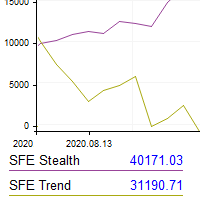
This utility shows the performance of the account (closed operations) in a graphical panel attached to a graph as an indicator. The purpose of the utility is to have a quick and clear view of the performance of transactions organized by different EAs or any desired combination.
The utility has the following features in the current version 1.0:
- Custom groups can be defined, to analyze and compare different performances within the account. The groups can contain filters of two types, filters
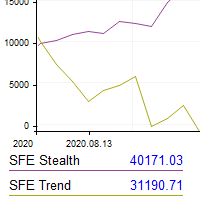
This utility shows the performance of the account (closed operations) in a graphical panel attached to a graph as an indicator. The purpose of the utility is to have a quick and clear view of the performance of transactions organized by different EAs or any desired combination.
The utility has the following features in the current version 1.0:
- Custom groups can be defined, to analyze and compare different performances within the account. The groups can contain filters of two types, filters

Binance Grid Pro offers an alternative to the built in Grid systems Binance Platform offers.
This utility let you define a grid parameters for interact with your Binance account using an Isolated Margin account. This is, similar to Spot Grid in Binance. This is not for handle with derivatives contracts, is for handle with Spot through Isolated Margin Account. But obviosly this utility offers a different approach than built in Binance Grid to handle the Grid, which I have found useful based on

This expert advisors trades in medium timeframes trying to catch big movements.
Live setup
The EA is very easy to configure, and can be used with the default parameters. Only the parameters related to the size of orders should be checked. The EA should be attached to ONLY one chart, for example a BTCUSD chart on M5 timeframe. The EA is very light on resource demand, and can be used with other EAs.
Published signals
- Growth
- 1 970%
- Subscribers
- 1
- Weeks
- 573
- Trades
- 3343
- Win
- 64%
- Profit Factor
- 1.44
- Max DD
- 23%
- Growth
- 25%
- Subscribers
- 0
- Weeks
- 64
- Trades
- 1036
- Win
- 52%
- Profit Factor
- 1.08
- Max DD
- 39%
- Growth
- 20%
- Subscribers
- 0
- Weeks
- 61
- Trades
- 1000
- Win
- 52%
- Profit Factor
- 1.09
- Max DD
- 34%
2.
SFE Impulse
- Growth
- 285%
- Subscribers
- 1
- Weeks
- 164
- Trades
- 964
- Win
- 58%
- Profit Factor
- 1.40
- Max DD
- 28%
- Growth
- 358%
- Subscribers
- 0
- Weeks
- 577
- Trades
- 3140
- Win
- 62%
- Profit Factor
- 1.13
- Max DD
- 68%