The Candle Timer MT5

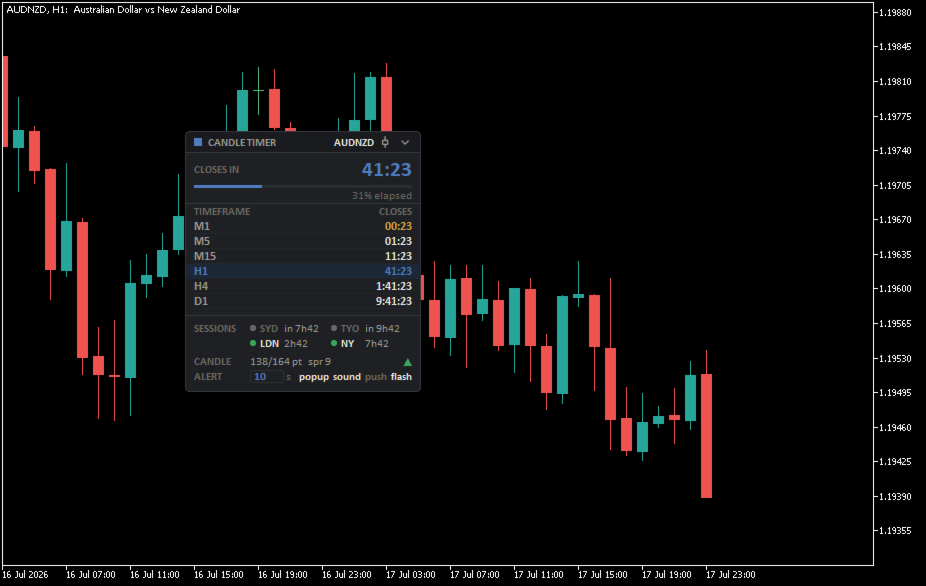
Countdown timer for candlestick charts and trading session start times. A small block on the chart controls everything related to the current moment: how much time remains until the current candle closes, what's happening on other timeframes, which trading sessions are open, and the current bar status.


What the panel displays
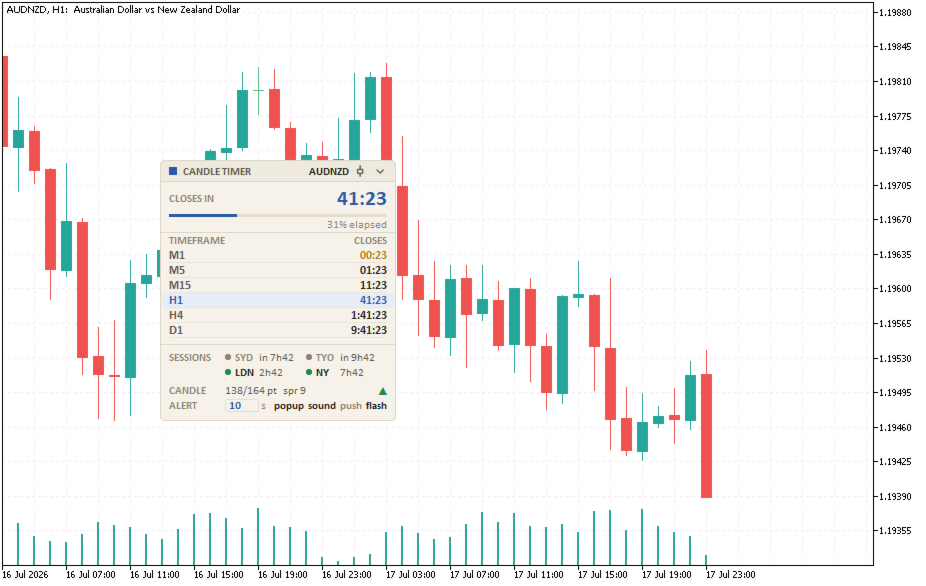
In the center of the panel is a countdown to the current candle close. Below the countdown is a candle progress indicator, the color of which changes as the candle approaches the close: a quiet start, a warning bar in the final minutes, and a critical bar in the final seconds. You can also set different types of notifications.

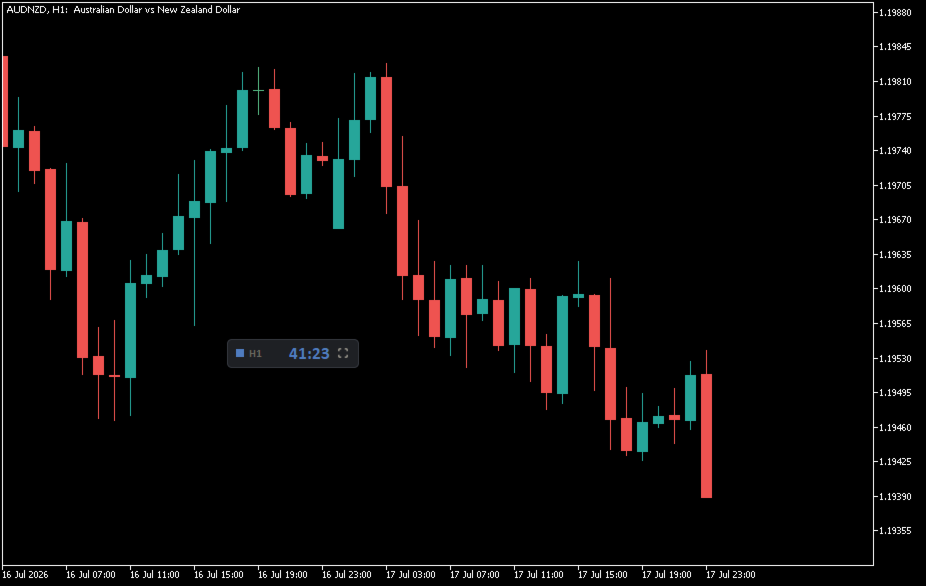
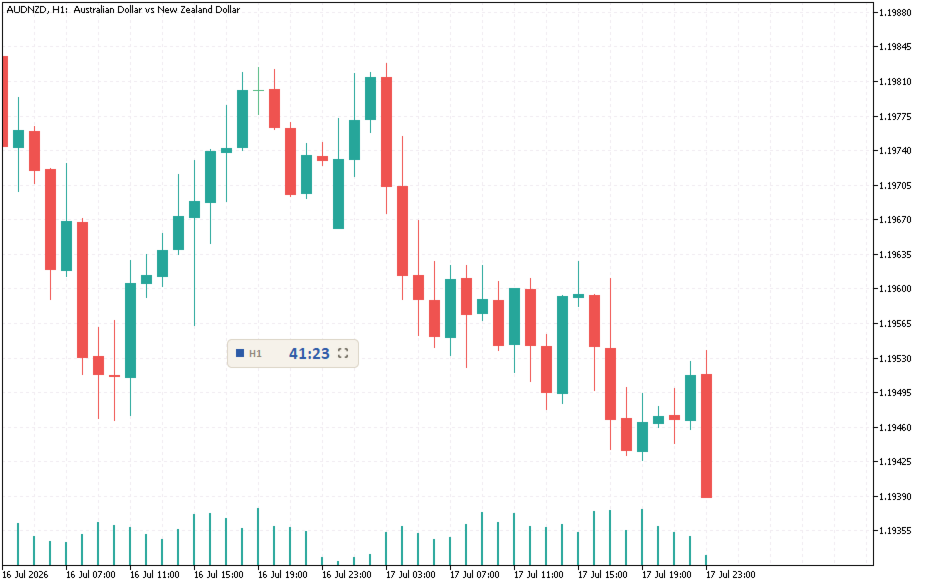
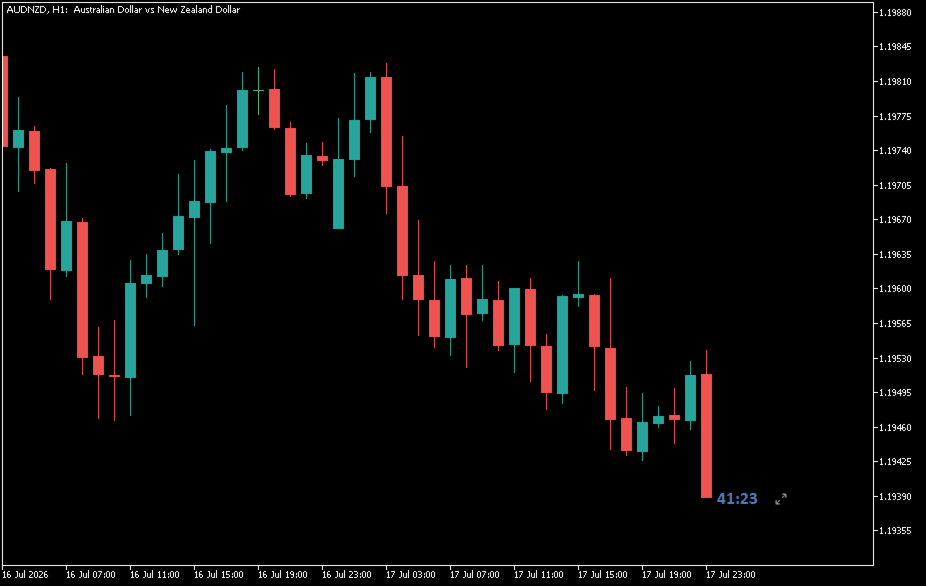
Next are countdowns for other timeframes in your set (by default, M1, M5, M15, H1, H4, and D1): the active period is highlighted, and clicking on the bar switches the chart period. Below is a session timer with Sydney, Tokyo, London, and New York opening indicators and a countdown to the next event, as well as a contextual candlestick panel: the current bar's range relative to the average ATR, a real-time spread with a threshold exceeding warning, and a directional arrow. The panel can be expanded into a full-featured monitoring dashboard, collapsed into a compact chip with a single timeframe and countdown, or attached directly to the current bar's closing price on the chart. The panel can be dragged and dropped, and its position and selected view are remembered when changing timeframes.
Settings
General theme, panel size, font and font size, countdown font size, and X/Y axis position.
Timeframes: List of timeframes for the panel.
Sessions: Display sessions and the Sydney/Tokyo/London/New York window (server time).
Candlestick Context: Displays the context line, ATR period, and spread warning threshold.

Alerts: Alert levels in seconds, channels (window, sound, sound file, push notification, flash).

Status thresholds: "Attention" and "Critical" in seconds.
Countdown Colors: Customizable countdown text colors for the three states (None = theme color).

More from author
Countdown timer for candlestick charts and trading session start times. A small block on the chart controls everything related to the current moment: how much time remains until the current candle closes, what's happening on other timeframes, which trading sessions are open, and the current bar status. What the panel displays In the center of the panel is a countdown to the current candle close. Below the countdown is a candle progress indicator, the color of which changes as the candle approa
FREE
Filter:
No reviews
Reply to review