Discussion of article "Trading signals module using the system by Bill Williams"
TP and SL are not included in the Expert Advisor? Should I close trades manually?
Where exactly do I paste this snippet?
void OnChartEvent(const int id,
                  const long &lparam,
                  const double &dparam,
                  const string &sparam)
{
  filter0.ChartEvent(id,lparam,dparam,sparam);
}
What does the letter 'N' stand for ?

What does the letter 'N' stand for?
Where exactly do I paste this snippet?
In the Expert Advisor you should make a handler for chart events (OnChartEvent) - either automatically when creating the Expert Advisor or inserted later. And make the above call in the handler. As a matter of fact, the given code can be simply copied into the Expert Advisor.
I understand that, as a dilettante I would like to know exactly where to paste it so that I don't "go to the wrong place", but I've already gone the other way, through compilation of the source :-)
Another question, where I need to correct to make the panel in Russian, for my personal convenience, I can't stand English....
I understand that, as a dilettante, I would like to know where exactly to put it, so that not "not there", but I have already gone the other way, through the compilation of the source :-))
Another question, where you need to correct that the panel in Russian was, I for personal convenience, I do not digest Engl....
When restarting the terminal, a new panel is overlaid on top of the old one, and the old one is inactive
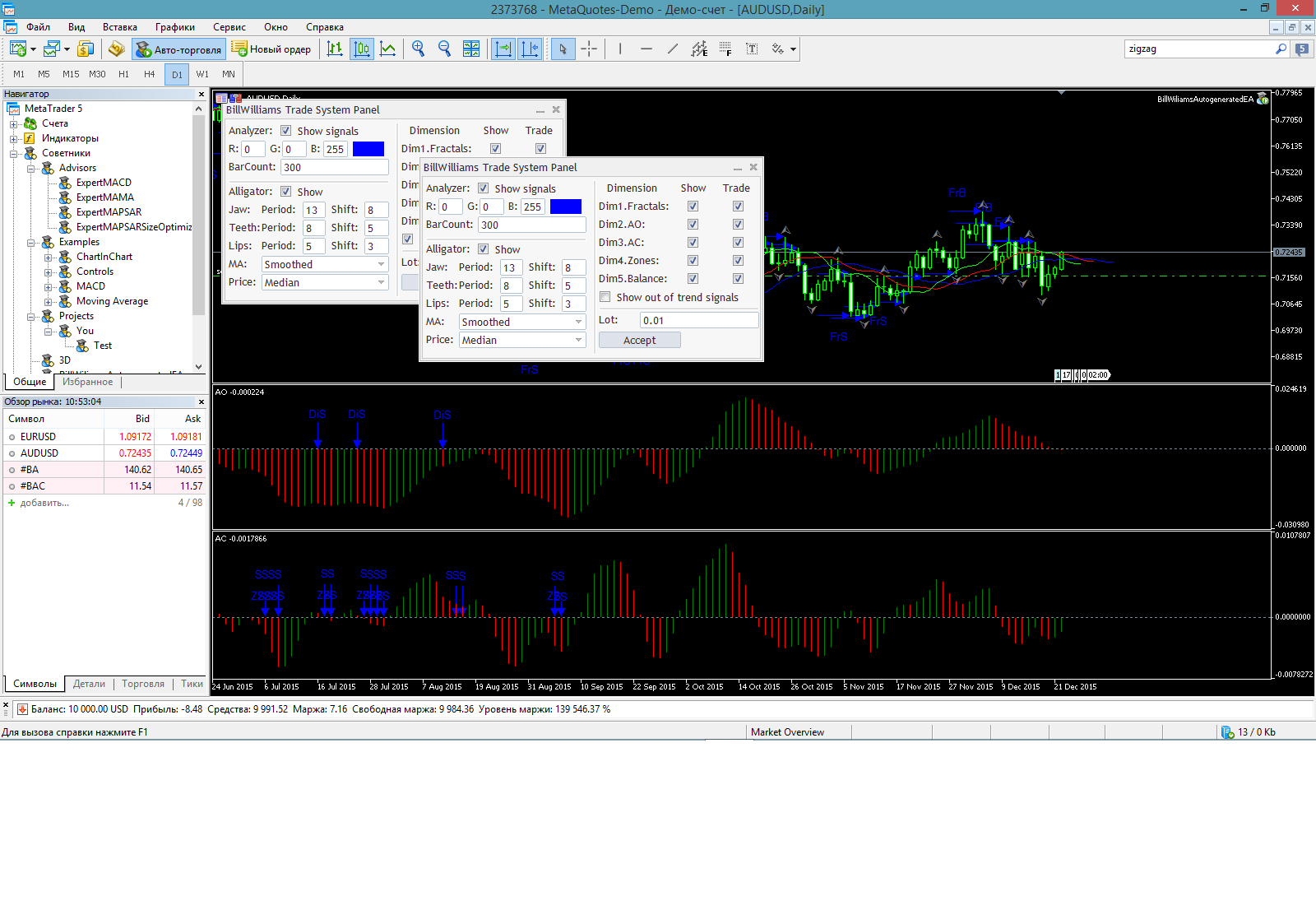
And when exiting the terminal, there is an obvious pause, which is incomprehensible.

- Free trading apps
- Over 8,000 signals for copying
- Economic news for exploring financial markets
You agree to website policy and terms of use
New article Trading signals module using the system by Bill Williams has been published:
The article describes the rules of the trading system by Bill Williams, the procedure of application for a developed MQL5 module to search and mark patterns of this system on the chart, automated trading with found patterns, and also presents the results of testing on various trading instruments.
The trading system by Bill Williams described in his book called "New trading dimensions" is certainly something that any trader is familiar with. This is one of the systems that contains clear and understandable rules for a majority of beginners. But the simplicity of rules is only apparent — the trading system comprises more than a dozen of trading patterns.
Many have attempted to create an Expert Advisor themselves based on this system, but pattern formalization, correct search and interpretation frequently prove difficult. In order to automate trading as well as identify and mark the system patterns, I have developed a module of trading signals for creating robots in MQL5 Wizard.
I aimed to create maximum convenience for those potential users of the MetaTrader 5 terminal, who may wish to study the trading system independently. The difference of the suggested trading module from other 60 published modules for MQL5 Wizard is that it contains configuration options with a visual interface.
2. Graphic panel
2.1. General information
The interface of the graphic panel is shown below:
Figure 16. Graphic panel to manage the Expert Advisor
The graphic panel consists of four logical blocks:
After changing settings press "Accept" button to save them.
Author: Nikolay Churbanov