Input variables
- My Code Compiled correctly but I have a problem with it
- Help with Looping and OrderProfit()
- [ARCHIVE]Any rookie question, so as not to clutter up the forum. Professionals, don't pass it by. Can't go anywhere without you - 5.
In MT5, go to File==>Open Data Folder==>Tester==>cache, and delete all files. Then back out to Tester==>logs, and delete all files. Finally, go back to the Data Folder==>MQL5==>Profiles==>Tester, and delete all files inside the Symbols folder and below the Symbols folder. Close the Data Folder, restart MT5, and start a fresh backtest.
If you inspect your previous duplicate backtest, you'll likely find an entry in the Tester Journal that reads something like, "Settings applied from [blah blah blah].txt". In my experience, it can refuse to go away until I delete all of the Tester history.
If all else fails, just rename your most recent code edit to something new like "[blah blah blah]_v2". That will disassociate the EA from whichever buggy file remains in the Tester.
(This post assumes that you've changed your Tester Inputs settings, and that those new settings failed to take effect).
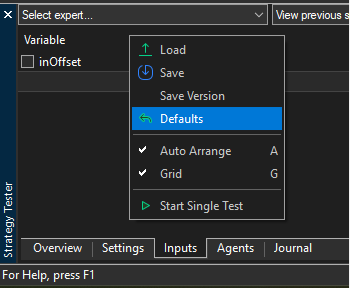
This is normal. If you change the Defaults, you need to reset the input values in the Tester.

- Free trading apps
- Over 8,000 signals for copying
- Economic news for exploring financial markets
You agree to website policy and terms of use