MQL5 Login not working on Bottles on Arch Linux
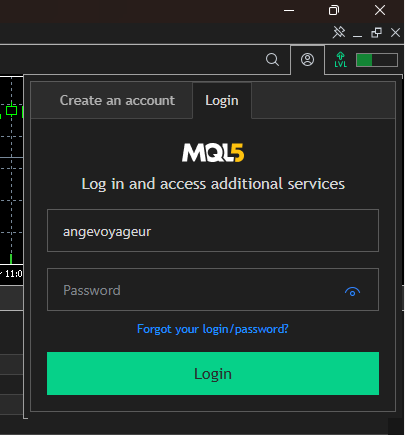
when I click to login to MQL5 in the top right
I do not have Linux and Mac computers so I can not practically help sorry.
But as far as I know - the login to MQL5 is not located in the top right; it is locatated in Community tab of Metatrader:
Tools - Options - Community.
I know.
But some users had the issue (in past - according to the posts on the forum) to login to Community at the top right of Metatrader but it was sucessful for them to login by using Community tab.
Why? No idea ...
That is why I post about Community tab ...
I know.
But some users had the issue (in past - according to the posts on the forum) to login to Community at the top right of Metatrader but it was sucessful for them to login by using Community tab.
Why? No idea ...
That is why I post about Community tab ...
I managed to login to the community tab but the market is still not being displayed. @Alain Verleyen May I suggest a Flatpak or AppImage for Linux users to make things a lot simpler. You wouldn't have problems like this and everything will run smoothly.
Using "Windows 11" with Wine 11.7, the display using WebView2 is working correctly.
An installation script is provided : https://www.mql5.com/en/articles/625
If you are using an other method, it's at your own risk.

- 2013.01.18
- www.mql5.com

- Free trading apps
- Over 8,000 signals for copying
- Economic news for exploring financial markets
You agree to website policy and terms of use
I installed the MicrosoftEdgeWebView2 dependency in Bottles like another recent forum post said and when I click to login to MQL5 in the top right, it draws an empty box. How do I fix this? Am I missing another dependency? There are no errors in the journal anymore.