New MetaTrader 5 Platform Version Build 5640: Dark Theme Improvements and Markdown Support in MetaEditor
Hi!
No mention of the "Blend2D situation", but judging by the chart axis' numbers, it seems it is already out.
Unfortunately, some of the problems of the previous problematic 5572 version seem to still be here. For instance: compiling the exact same code, an EA in maximum x64, is spending 47s in this (and 5572) versions compared to 16s in 5430.
Hi. Thanks for this update. Two notes from me:
1. Unfortunately, it broke the VPS and Signals tabs for me - they appear blank now. Wine 10, Debian 12, Xephyr. Reverting terminal64.exe to 5572 helps.
2. Change request for next update: when processing a deal from a signal, please drop the repeated attempt at looking up a conversion rate for the base currency, as such futile attempt is causing unacceptable delay in copying (1.1 seconds for me, including in MQL5 VPS). See https://www.mql5.com/en/forum/8203/page117#comment_59056518 for the detail. Maybe this is as easy as commenting out a function call?

- 2026.01.03
- www.mql5.com
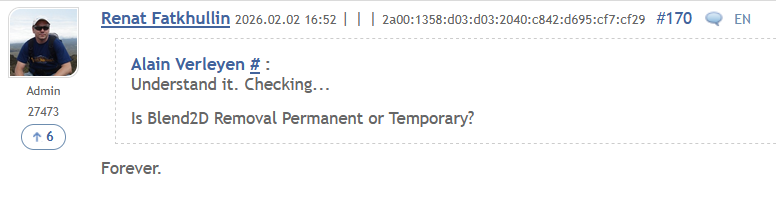
It's still lagging like someone throw sand in gears. My CPU is 30% at peak but terminal is lagging, even the simple cross tool is not keeping up with the cursor, it's like 0.1fps. It only works "smooth" on empty chart! Add some indicators and drawings and it barely runs.
What did you do to this software? Why it works slower than a web interface??? It was never this slow! What is going on???

- Free trading apps
- Over 8,000 signals for copying
- Economic news for exploring financial markets
You agree to website policy and terms of use
On Friday, February 20, 2026, an updated version of the MetaTrader 5 platform will be released.
In this version, we have refined the dark interface theme by updating the overall background color, as well as the colors of tabs and scrollbars, to provide a more comfortable and visually consistent user experience.
We have also introduced the ability to conveniently work with Markdown files in MetaEditor. You can now use Markdown to create descriptions and documentation for your projects when publishing them to AlgoForge.
MQL5 has also received several improvements: we fixed a number of compiler issues, added the new Color2PRGB function, and extended support for NormalizeDouble — it can now be applied to matrices and vectors.
MetaTrader 5 Client Terminal
By default, .md files open in preview mode with basic styling applied for convenience. To switch to edit mode, use the context menu.
The update will be distributed via Live Update.