The strangeness of the MA line in the mt4 app!
Please consider which section is most appropriate — https://www.mql5.com/en/forum/172166/page6#comment_49114893
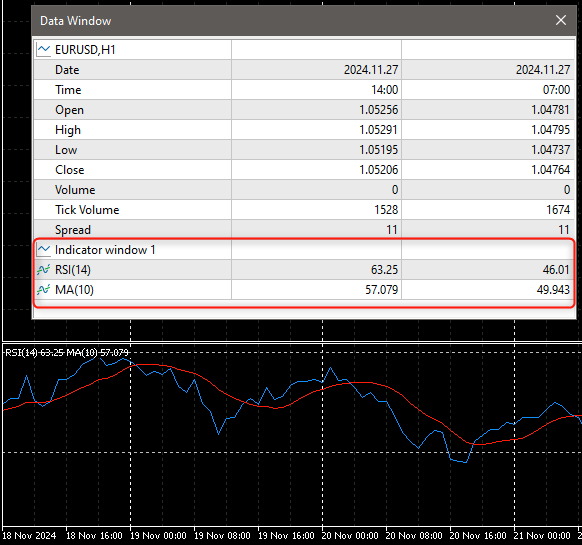
The RSI and MA have different units and range. They should not be placed on the same chart window (as independent indicators).
This is because they will scale independently of each other and will look different depending on the window size and chart zoom.
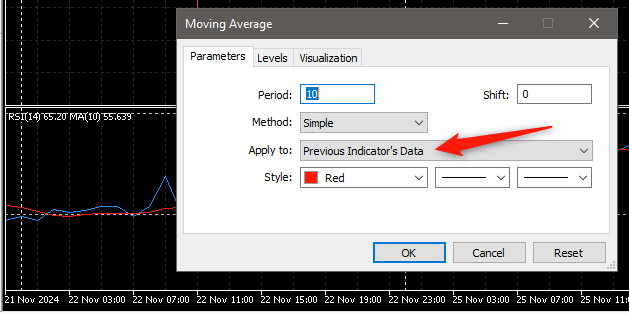
The ONLY exception to this, is when they are dependant, for example, when you apply an MA to the RSI data itself ...
Forum on trading, automated trading systems and testing trading strategies
Fernando Carreiro, 2024.11.27 13:15
No, you did not apply it correctly. I repeat, you need to select the "Previous Indicator's Data" as the applied price option. In your example, you did not do that.
ẽ tự động thay đổi tỷ lệ và trông khác nhau tùy thuộc vào kích thước cửa sổ và mức thu phóng của biểu đồ.
Ngoại lệ DUY NHẤT cho điều này là khi chúng phụ thuộc
So is it possible to create an indicator with MA line within RSI on MT4 PC but displayed similarly to MA within RSI on MT4 MOBIE? Because I trade on mobile quite effectively and I want to create an EA to trade according to it!
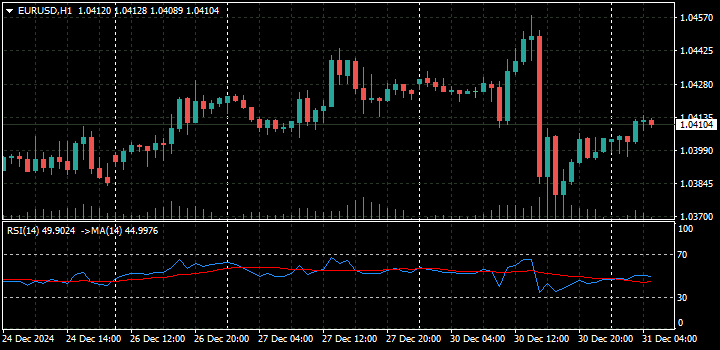
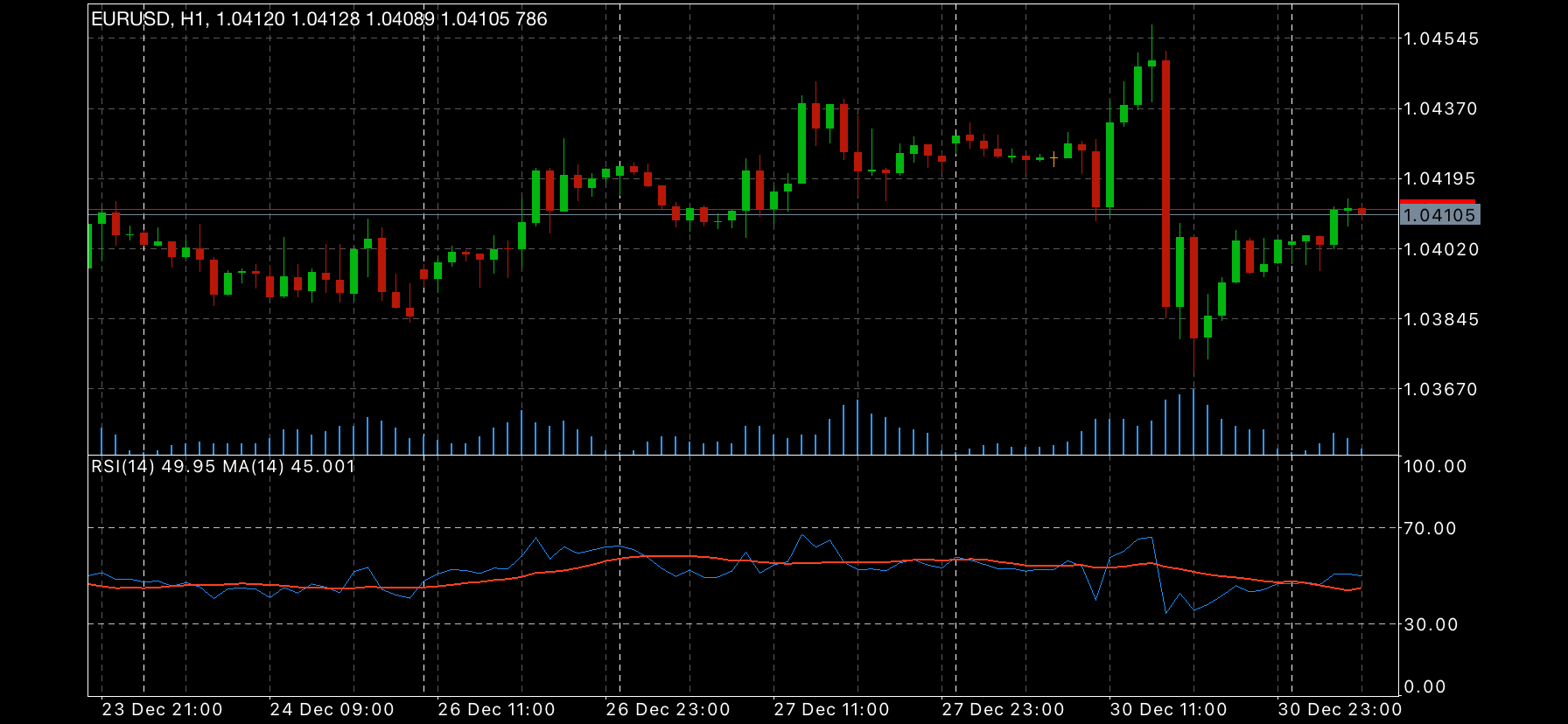
Note: Even if you choose the MA line according to the parameter "close" or "priveius indicator's data", the MA line is still different from the mobile version!
So is it possible to create an indicator with MA line within RSI on MT4 PC but displayed similarly to MA within RSI on MT4 MOBIE? Because I trade on mobile quite effectively and I want to create an EA to trade according to it!
Note: Even if you choose the MA line according to the parameter "close" or "priveius indicator's data", the MA line is still different from the mobile version!
Here are some screenshots ...

Yes ! I get it ! but I need to use "close" ! Is there any way to make the MA line on PC the same as the MA line on mobile? Same parameters of course!
I just want to find a way to switch from manual trading on the phone to automatic trading on the computer
Yes ! I get it ! but I need to use "close" ! Is there any way to make the MA line on PC the same as the MA line on mobile? Same parameters of course!
if both the mobile and pc receive the same ticks and price changes, and you do as Fernando says, use "Previous Indicators Data", when attaching the ma, then, they will be the same, albeit they may look different due to automatic zoom and the size and shape difference of your screens.
But if you use the web terminal and not the mt4 app, then, you will have different ticks and price changes, therefore, you may have different mas between pc and your mobile device.web terminal chứ không phải ứng dụng mt4, thì b
but I want to use it in the "close" section! and they don't match even I have selected "close" on both pc and mobie ! They are very different! On PC the MA line never touches the 10 or 90 level of rsi! But the MA line on mobie often touches these milestones
Yes ! I get it ! but I need to use "close" ! Is there any way to make the MA line on PC the same as the MA line on mobile? Same parameters of course!
I just want to find a way to switch from manual trading on the phone to automatic trading on the computer
You should not use close. Did you not understand my previous answer?
The RSI and MA have different units and range. They should not be placed on the same chart window (as independent indicators).
This is because they will scale independently of each other and will look different depending on the window size and chart zoom.

- Free trading apps
- Over 8,000 signals for copying
- Economic news for exploring financial markets
You agree to website policy and terms of use
I have a question: when the MA line is inserted into the RSI, it displays quite strangely!
MA100 on mt4 PC
Ma100 on mt4 mobie
Also the MA100 line is placed in the RSI frame! But the display of the MA100 line on mobile is completely different from the MA100 line on PC!
So what is the difference here?
I often trade according to the MA100 signal on mobile, now I want to code an indicator on PC that can display the same as on mobile, is this possible?