Auto trading button
It is NOT the MT5 system that keeps telling you to enable it again. It is probably because you are still running the EA locally and it is probably the one giving you the message.
So, simply disable the EA that is still running locally if you don't need it. If you synchronised correctly, then it is already running n the VPS, so you no longer need it running locally.
Yes, as Sergey already wrote, as long as you have migrated successfully your local trading environment to your MQL5 VPS, you are trading there and not locally anymore, so you don't need to click the Algo Trading button again in your local MT5 terminal.
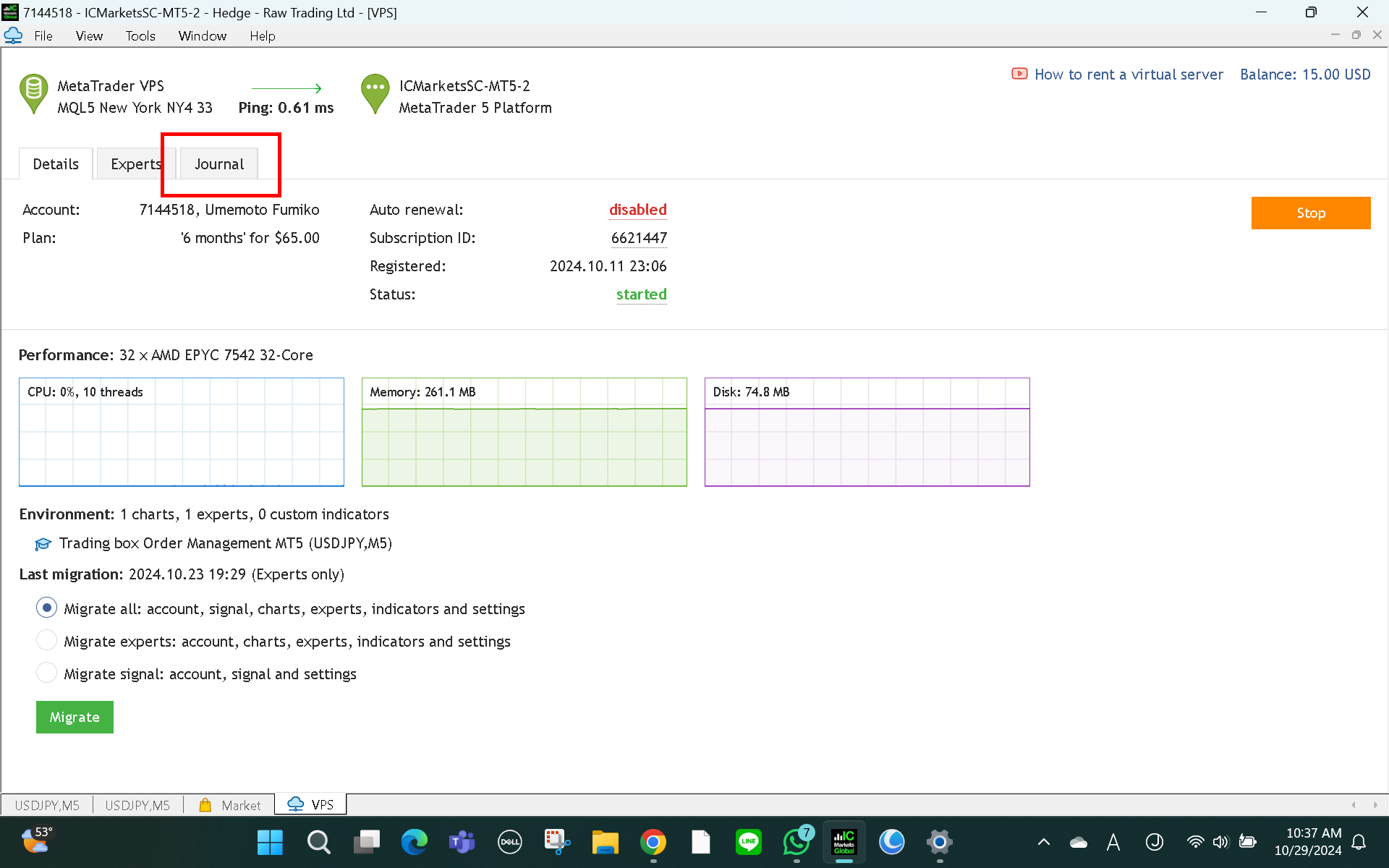
So, right click in your MQL5 VPS >> Journals and check the everything runs smoothly.
Thank you for answering my question.
I turned off the Auto button, and the EA didn't open the trade, but the VPS is working properly and I already immigrated EA to VPS.
I don't understand what's happening here...


Thank you for answering my question.
I turned off the Auto button, and the EA didn't open the trade, but the VPS is working properly and I already immigrated EA to VPS.
I don't understand what's happening here...
We told you to check the MQL5 VPS Journal to make sure that you have migrated your trading evnironment to your MQL5 VPS successfully.

- Free trading apps
- Over 8,000 signals for copying
- Economic news for exploring financial markets
You agree to website policy and terms of use
WARNING: After you've synchronized your trading environment with your MQL5 VPS, you DO NOT NEED TO CLICK THE AUTO TRADING BUTTON AGAIN in your local MT5 terminal, because if you do, you will trade with your Expert Advisor twice and that is very dangerous!
Because of this warning, I turned off the Auto trading button, but the mT 5 system keep on saying, enable the button...
Is it still fine without turning on the auto trade button?