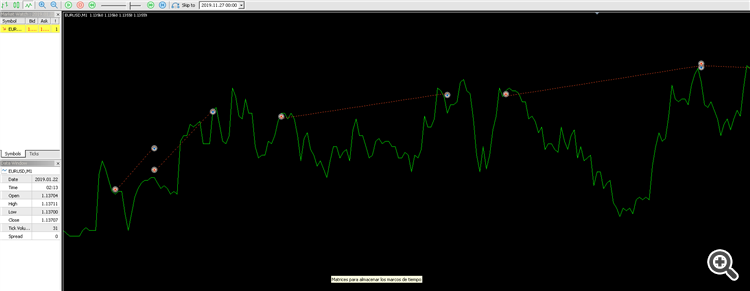
visual mode simulation vs non- visual mode simulation
Forum on trading, automated trading systems and testing trading strategies
Manuel Alejandro Cercos Perez, 2023.06.18 09:36
https://www.mql5.com/en/code/21700
https://www.mql5.com/en/code/21247
If an indicator checks for updates in only all or 1 rates, it gives errors: when in non visual mode, an indicator would only call OnCalculate when called in a CopyBuffer so if it is not accessed during some candle you could get an OnCalculate where rates_total==prev_calculated+3, for example. Also in non visual the backtest does only the open price tick for each candle, in visual it does open-high-low-close (only open for code, the other 3 for indicators), and indicators get updated in all ticks. In the example there are also other CopyBuffers that would miss data if they don't update 1 by 1 (and would have data from open only, instead of close, so that also changes even when going 1 by 1). In visual or live charts they usually work perfectly though.
You can test them with a simple EA like this one:
input string indicatorName = "NAME";
input int mainBuffer = 0;
input int displace = 1;
input int daysToPrint = 2;
input int jump = 0;
input bool only_hash = false;


int handle;


//+------------------------------------------------------------------+
//|                                                                  |
//+------------------------------------------------------------------+

union LongDouble
{
  long long_value;
  double double_value;
};

//int file=0;

long hash;

int OnInit()
{
        hash = 0;

        //if (!MQLInfoInteger(MQL_VISUAL_MODE))
        //      file=FileOpen("_NONVISUALTEST.txt", FILE_COMMON|FILE_WRITE|FILE_TXT|FILE_ANSI);

   handle = iCustom(Symbol(), PERIOD_CURRENT, indicatorName);


   return(INIT_SUCCEEDED);
}
//+------------------------------------------------------------------+
//| Expert deinitialization function                                 |
//+------------------------------------------------------------------+
void OnDeinit(const int reason)
{
        //if (!MQLInfoInteger(MQL_VISUAL_MODE))
        //{
        //      FileWrite(file, "\nHash: ", hash);
        //      FileClose(file);
        //}
        //else
                Print("\nHash: ", hash);

}
//+------------------------------------------------------------------+
//| Expert tick function                                             |
//+------------------------------------------------------------------+

datetime TimeStamp;
int jumpCount=0;

//+------------------------------------------------------------------+
//|                                                                  |
//+------------------------------------------------------------------+
void OnTick()
{
   if(TimeStamp!=iTime(_Symbol,PERIOD_CURRENT,0))
   {
      TimeStamp=iTime(_Symbol,PERIOD_CURRENT,0);
      if (jumpCount<jump)
      {
         jumpCount++;
         return;
      }
      else
      {
         jumpCount=0;
      }

      double val[];
      CopyBuffer(handle, mainBuffer, displace, daysToPrint, val);

      string to_print = "";

      for (int j = 0; j < daysToPrint; j++)
      {
        LongDouble lb;
        lb.double_value = val[j];

        hash = hash ^ lb.long_value;

        if (!only_hash)
                to_print += DoubleToString(val[j]) + " ";
      }
                if (!only_hash)
                {
                        //if (!MQLInfoInteger(MQL_VISUAL_MODE))
                        //      FileWrite(file, to_print);
                        //else
                Print(to_print);
                }


   }
}
//+------------------------------------------------------------------+
There are multiple indicators that have errors of this kind, but to be fair there is no way (that I know) to test an indicator in non visual mode by itself!
The tester works so by default, by design - MQ did so for the sake of efficiency.
You should read about #property tester_everytick_calculate and add it into your indicator source code. The tester will recalculate indicator on every tick automatically.

- www.mql5.com

- Free trading apps
- Over 8,000 signals for copying
- Economic news for exploring financial markets
You agree to website policy and terms of use
I am having issues with my simulations, it happens visual mode my expert works as it should, but when I try non - visual mode, shows a lot of mistakes , my expert is a multiframe expert that looks for several timeframes from biggest to smallest with confirmations in several times. I don´t think it rewrites but I don't know what to do because in non-visual mode cannot be optimized. any advice would be useful, thanks
non visual mode
visual mode