
You are missing trading opportunities:
- Free trading apps
- Over 8,000 signals for copying
- Economic news for exploring financial markets
Registration
Log in
You agree to website policy and terms of use
If you do not have an account, please register
its not isolated to windows 10 enteprise. mql needs to solve this issue
ive tried on so many win10 computers. fresh and existing. i am not sure if anything to do with the way windows is now working since they force people to update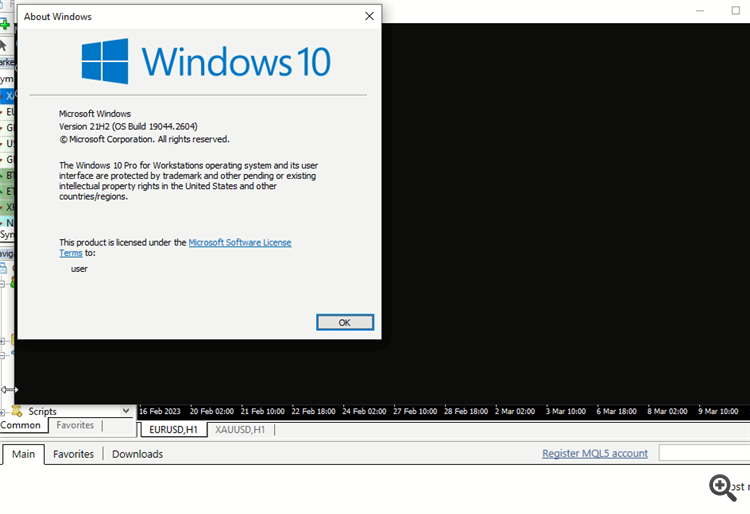
hi
thanks for the reply. it seems that its mt4 thats causing problems. i have not yet figure out whats causing the issue. mt5 works flawlessly.
will this provide a better clue for the mt4 issue? failed to load products?
hi, i have the same error, may be the general of all connection mt4 <-> mql5 market
i think it really is a issue mql website needs to solve. how can it be that mt5 doesnt have issue but mt4 has ? i wish i can stop using this outdated 20year old app but many EAs are still being developed on it
I can confirm this problem.
Previously my MT4 was working without issue, but since so many users are reporting this error currently, I decided to try reproduce it and give some credibility to their claims.
So this is what I did to reproduce the problem.
So, I can confirm, that is indeed a problem with MetaQuotes servers when servicing MetaTrader 4, especially for new or clean setups.
EDIT: Please note, that MT5 was able to collect all the data again without issue. Only MT4 is was not able to do it properly for the Market section.
EDIT2: Also, I am not using a VPS. It is a normal computer, I did not have the issue myself either with MT4. I did this test to show that the other users were not being silly. I purposely reproduced the conditions of a clean installation in order to reproduce the issue. So to repeat, I did not have the issue. All was working correctly for me, but it fails if it is a clean setup.
MQL4 Market: failed to load products (get header failed [12150])
Me too !
I cannot install indicator or EA for MT4.
This is a known issue and as Fernando already posted I have confirmed it too.
All documentation and proof has been sent to MQL5.com admins and technicians and I am sure that they will solve it soon.
Thank you! I forwarded this possible solution to the administration/developers.
In my own tests above, that file is created, but its content is null. So I don't think it is a matter of not creating the file.