Choppiness Index
30 USD
Demo heruntergeladen:
874
Veröffentlicht:
6 September 2016
Aktuelle Version:
1.4
Keinen passenden Roboter gefunden?
Geben Sie Ihren Eigenen in Auftrag
auf Freelance!
Gehen Sie zu Freelance
Geben Sie Ihren Eigenen in Auftrag
auf Freelance!
Wie man einen Roboter oder Indikator kaufen kann
Starte Deinen EA im
Virtual Hosting
Virtual Hosting
Teste einen Indikator/Roboter vor dem Kauf
Möchtest Du Geld im Market verdienen?
Wie man Produkte richtig präsentiert

Sie verpassen Handelsmöglichkeiten:
- Freie Handelsapplikationen
- Über 8.000 Signale zum Kopieren
- Wirtschaftsnachrichten für die Lage an den Finanzmärkte
Registrierung
Einloggen
Sie stimmen der Website-Richtlinie und den Nutzungsbedingungen zu.
Wenn Sie kein Benutzerkonto haben, registrieren Sie sich
good indicator together ADX smoothed :-)
Thanks a lot! Happy trading :)
-Jay
Developers can use the following code with iCustom:
iCustom(NULL,0,"Choppiness Index",14,1,1,1,0); // Current Choppiness Index Value
Hi!
Can you add e-mail alerts?
Thank you!
Or even better... could you add a function that closes all positions if achieved a certain level
Hi!
Can you add e-mail alerts?
Thank you!
Hi David! Sure, I can do that. What conditions would you like for the alerts? When Chop Index crosses 0 and above/below 11.8?
-Jay
Or even better... could you add a function that closes all positions if achieved a certain level
I'm not sure if that would be in the scope of this indicator. It's absolutely possible, but we would have to write a separate EA, not an indicator to do this. There is significantly more time involved in that (extensive testing, etc) which would push up the price, and we're trying to keep the prices low.
If you already have an EA running, perhaps the easiest would be to import Choppiness Index values into your EA using the iCustom function, and add the condition to close all positions based on Chop values in your EA. Here is the iCustom code that you can copy & paste into your EA:
double CIvalue = iCustom(NULL,0,"Choppiness Index",14,1,1,1,0); // Current Choppiness Index Value
Hi David! Sure, I can do that. What conditions would you like for the alerts? When Chop Index crosses 0 and above/below 11.8?
-Jay
Hi Jay!
Thank you for your answer.
I am looking to use this indicator on Martingale EAs. So the Martingale strategy would only activate when market is choppy.
I think the best would be that the alerts could be sent on a variable setting. IF that's not possible then, for my Martingale propose I think the best would be to get a message every time it crosses the 0 line.
I'll contact some Martingale developers referring to this indicator. Maybe they'll find it pointless, maybe the'll find it useful. In any case, I will let you know if I get any relevant feedback from them.
Kind regards,
David
Hi Jay!
Thank you for your answer.
I am looking to use this indicator on Martingale EAs. So the Martingale strategy would only activate when market is choppy.
I think the best would be that the alerts could be sent on a variable setting. IF that's not possible then, for my Martingale propose I think the best would be to get a message every time it crosses the 0 line.
I'll contact some Martingale developers referring to this indicator. Maybe they'll find it pointless, maybe the'll find it useful. In any case, I will let you know if I get any relevant feedback from them.
Kind regards,
David
Hi David,
Ok, I will add alerts for a 0 cross as well as user-adjustable upper and lower threshold settings. I'll upload the new code shortly, there will be a small delay for the update to go through the market review process, so I would anticipate it will be available later this week/early next week.
The Martingale developers are more than welcome to incorporate Choppiness Index values into their EA for users such as yourself who have downloaded both products. I hope it helps! I would suggest one way to do this is add a boolean user input to their EA (true = Choppiness Index .ex4 file is present, false = no Choppiness Index) that if true, calls a function incorporating Choppiness Index conditions. I am happy to discuss implementation with the Martingale developers if they send me a message.
Thanks for the feedback, and happy trading!
Jay
Hi Jay!
...
I think the best would be that the alerts could be sent on a variable setting. IF that's not possible then, for my Martingale propose I think the best would be to get a message every time it crosses the 0 line.
...
Kind regards,
David
Hi David,
Great news, the Choppiness Indicator has been updated with alerts! The update has passed independent review, and can now be downloaded. According to your suggestion I have added alerts for a 0 cross, as well as alerts for user-selectable upper and lower levels.
Thanks again for the feedback, and happy trading!
Jay
Hello, I do not have the same indicator of the display on your storefront. I wanted to know how to spot ranges please. Thank you
Hi Romu, I'm not 100% sure what you mean about not having the same, could you please message us with screenshot of your terminal so I can understand? The screenshot displayed on the product listing is exactly how the Choppiness Index looks.
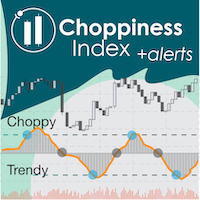
Sure, happy to help! The Choppiness Index is designed to detect choppy (sideways) and trendy price movements. Values above 0 = choppy prices, and values below 0 = trendy prices. Depending on the time interval of your chart with respect to the size of the range you're looking to spot, one of two things will happen. 1) Small ranges (with respect to the time interval) will be identified as choppy sideways price movements. 2) Large ranges will be identified by the CI as an oscillation between several trendy movements (representing upward and downward movements inside the range) interspersed with small choppy periods (at the maxima/minima of the ranging movement).
I recommend that you select a time interval differently depending on whether you want to 1) avoid ranging movements of a certain size, or 2) trade max/mins of ranging movements, using CI to cue the maxima and minima.
I hope that helps, please let me know if you have any other questions!
I see white candles on my example but not on yours. The display is not the same. I do not not understand eventually indicator. I will study and get back to you later.
Hi Romu, thanks for clarifying. As you can see in the screenshot on the product page, the CI does have light grey bars under the line ("WhiteSmoke" color). This is much more obvious on a black background than on a white background.
If you would like to hide or change the bars, it is very easy. Just go to Choppiness Index properties > Colors and change the color on the top item (number 0). You could change the color to black or a much darker grey to make the bars less obvious on the black background. Changing the color of the second item (number 1) will change the color of the line.
Ok, please let me know if you have any other questions!
Jay
Could you please add on chart arrows when the index crosses above & below the zero line as well
thanks
Jay
Could you please add on chart arrows when the index crosses above & below the zero line as well
thanks
Hi Justin, that's a great idea thanks! We will add this feature into the next update of Choppiness Index.
Thanks, happy trading,
Jay
I would like to have CI for MT5.
Hi gastaodm,
Thank you for the feedback, I am very glad that you like the CI indicator! We are currently working on porting our indicators over to MT5.. we don't have CI done in MT5 quite yet, but please stay tuned!
Best,
Jay
Would it be possible to get push alerts with this indicator?
Thanks
Dennis
I would like to have CI for MT5.
Hi gastaodm,
The CI has now been converted for MT5, you can download it here!
Best,
Jay