• 信息
10+ 年
经验
60
产品
243
演示版
630
工作
0
信号
0
订阅者
Taras Slobodyanik
Taras Slobodyanik
Heikin Ashi Dashboard (version 1.90)
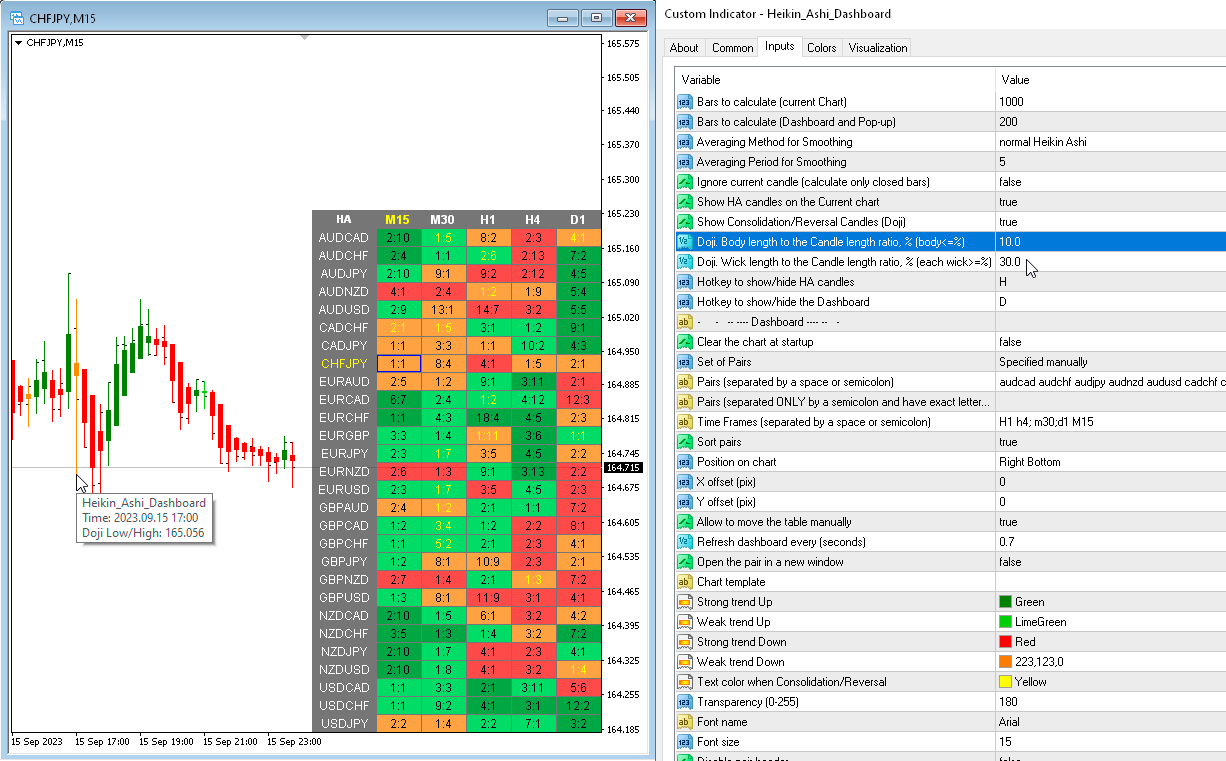
1) Added parameters for Doji calculation: "Doji. Body length to the Candle length ratio, % (body<=%)" and "Doji. Wick length to the Candle length ratio, % (each wick>=%)".
2) Added a parameter to the "Popup chart" for Doji: "Highlight Doji candles". You can now turn off "Highlight Weak candles" and only see Doji.
3) The "Y-offset (pix, +/-)" parameter can now be negative.
Taras Slobodyanik 已发布产品
评论: 2
37.50 USD

该指标具有三个主要工具:放大镜(缩放图表)、标尺(时间和价格刻度)和十字准线。 您可以用鼠标移动它并自定义不同的显示格式,自定义每个元素的大小和颜色。 放大镜(缩放图表)允许您显示任何时间范围和不同比例的蜡烛。 默认热键:“Q”- 更高的时间范围,“A”- 更低的时间范围,“W”- 减小蜡烛尺寸,“S”- 增加蜡烛尺寸,“Z”- 显示/隐藏缩放图表 您可以在评论页面找到最新的演示。 → 演示版仅适用于 USDJPY 货币对 . 时间刻度根据时间周期标记图表。 您可以设置时移,以便您可以在刻度上看到您的当地时间,而不是经纪商的时间(因此它会在图表上显示您的当地时间,而不是 MT 时间)。 时间格式可以设置为 24 小时制或 12 小时制。 热键“T”- 显示/隐藏时间刻度。 价格刻度垂直标记图表。 您可以设置显示数字和四舍五入价格的格式。 热键“P”- 显示/隐藏价格等级。 十字线可以显示价格、时间、柱数、点数、百分比、根据指定手数计算的利润(按手数计算的利润)、根据指定金额计算的手数(按风险手数)。 热键“C”- 显示/隐藏十字准线。

Taras Slobodyanik 已发布产品

该指标具有三个主要工具:放大镜(缩放图表)、标尺(时间和价格刻度)和十字准线。 您可以用鼠标移动它并自定义不同的显示格式,自定义每个元素的大小和颜色。 放大镜(缩放图表)允许您显示任何时间范围和不同比例的蜡烛。 默认热键:“Q”- 更高的时间范围,“A”- 更低的时间范围,“W”- 减小蜡烛尺寸,“S”- 增加蜡烛尺寸,“Z”- 显示/隐藏缩放图表. 您可以在评论页面找到最新的演示。 → 演示版仅适用于 USDJPY 货币对 . 时间刻度根据时间周期标记图表。 您可以设置时移,以便您可以在刻度上看到您的当地时间,而不是经纪商的时间(因此它会在图表上显示您的当地时间,而不是 MT 时间)。 时间格式可以设置为 24 小时制或 12 小时制。 热键“T”- 显示/隐藏时间刻度。 价格刻度垂直标记图表。 您可以设置显示数字和四舍五入价格的格式。 热键“P”- 显示/隐藏价格等级。 十字线可以显示价格、时间、柱数、点数、百分比、根据指定手数计算的利润(按手数计算的利润)、根据指定金额计算的手数(按风险手数)。 热键“C”- 显示/隐藏十字准线。

Taras Slobodyanik
Taras Slobodyanik
Inside Bar Dashboard (version 1.40)
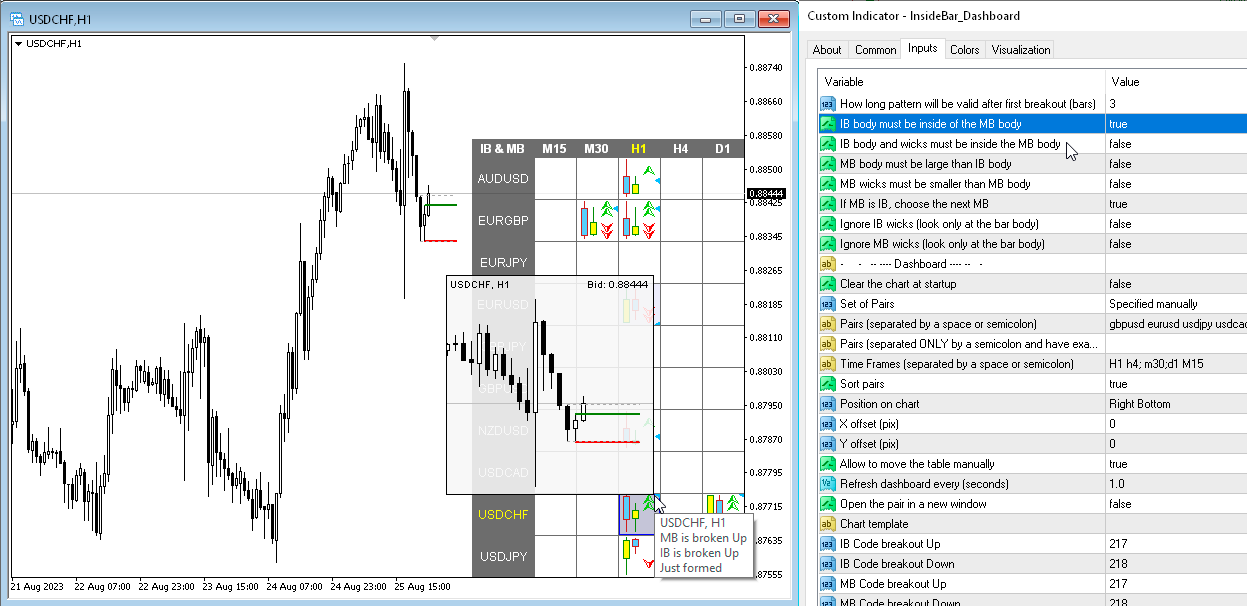
1) Added parameter "IB body must be inside of the MB body".
2) Added parameter "IB body and wicks must be inside the MB body".
3) Added a Dashboard recovery check when running multiple copies on the same chart.
Taras Slobodyanik
Taras Slobodyanik
Inside Bar Dashboard (version 1.10)
1) Added a hotkey to hide the dashboard, by default "D".
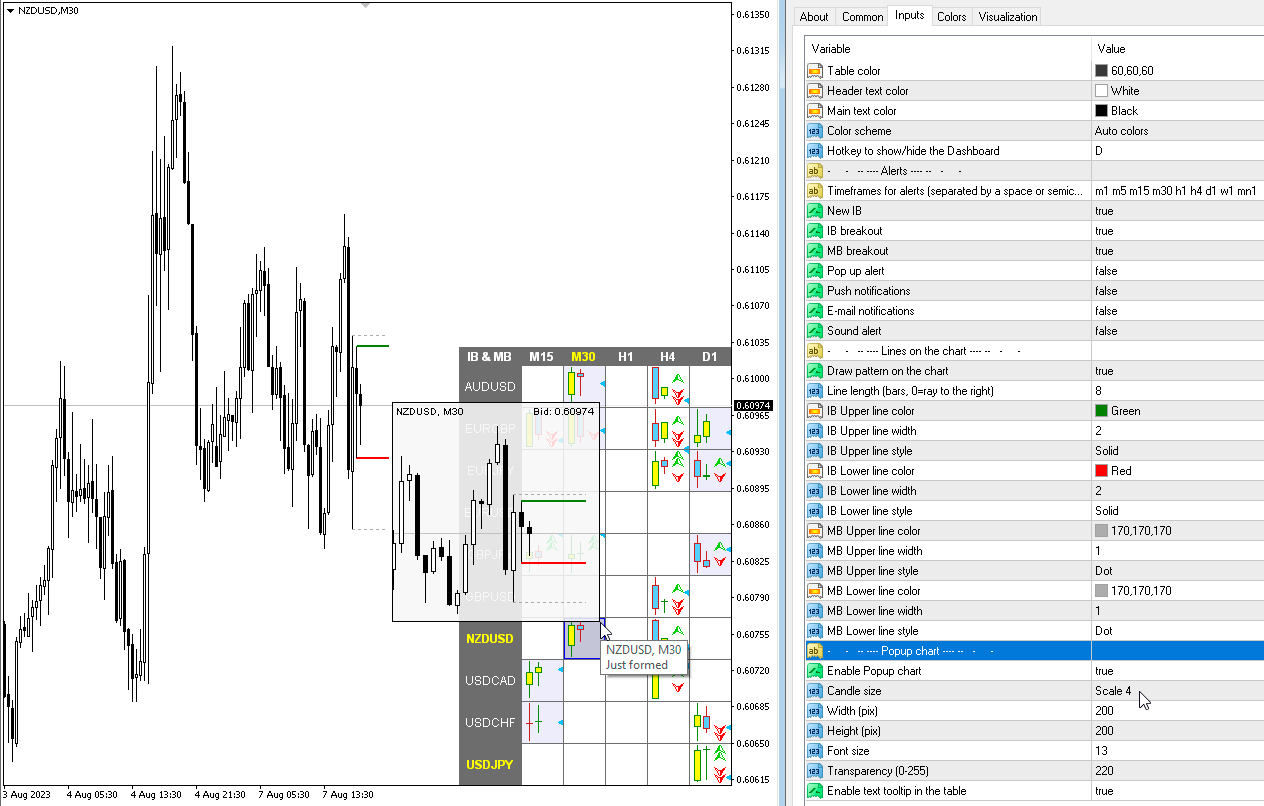
2) Added "Popup chart" parameters. Now, when you hover the mouse over the cells, you can see a pop-up chart from this timeframe.
3) Added "Color scheme" parameter.
4) Added the ability to enable/disable alerts for each Symbol when clicking on the name of the Pair. If no Pair is selected then alerts are enabled for all Symbols.
5) The condition of the list of pairs for the second parameter has been changed. Pairs in the second parameter must be typed only with a semicolon and must be in exact case. "Pairs (separated ONLY by a semicolon and have exact letter case)"
Amos Tsopotsa
Amos Tsopotsa 2023.09.24
How do I get access to this indicator and does it have buffers to create an EA
Taras Slobodyanik
Taras Slobodyanik
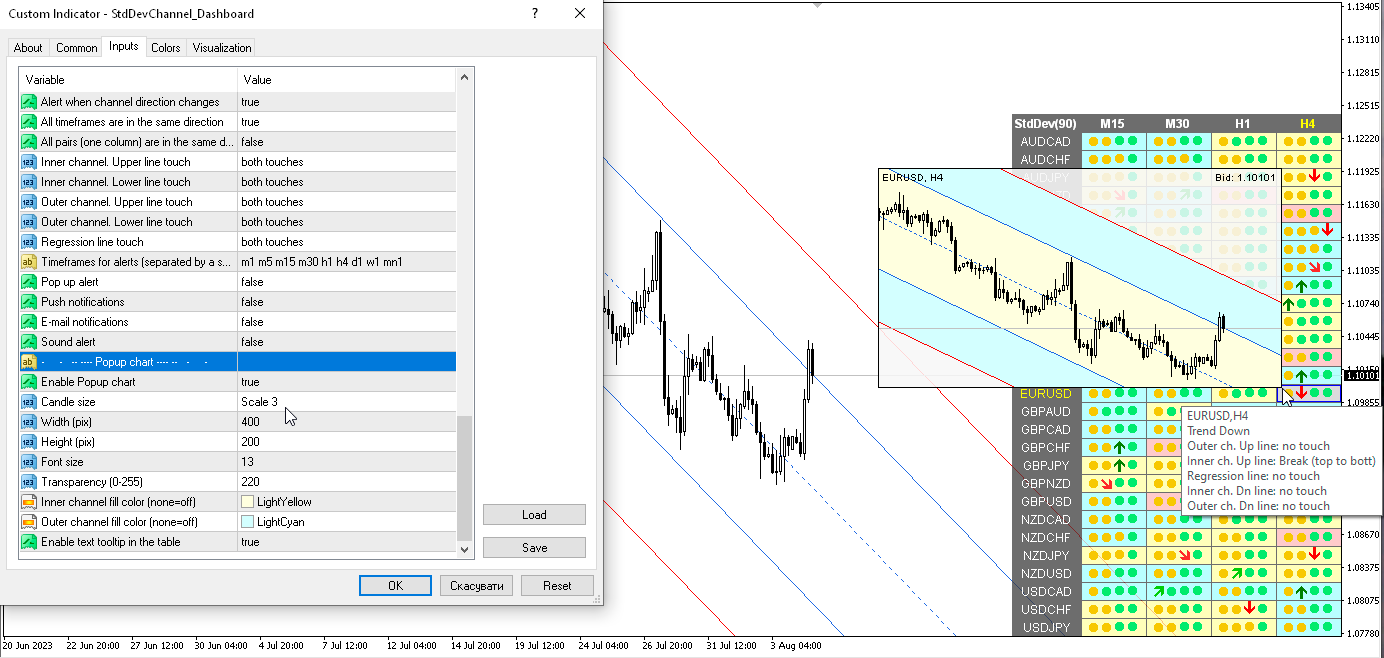
Standard Deviation Channel Dashboard (version 1.60)
1) Added a hotkey to hide the dashboard, by default "D".
2) Added "Popup chart" parameters. Now, when you hover the mouse over the cells, you can see a pop-up chart from this timeframe.
3) Added "Color scheme" parameter.
4) Added alert and cell highlight for the middle line.
5) Added the ability to enable/disable alerts for each Symbol when clicking on the name of the Pair. If no Pair is selected then alerts are enabled for all Symbols.
6) The condition of the list of pairs for the second parameter has been changed. Pairs in the second parameter must be typed only with a semicolon and must be in exact case. "Pairs (separated ONLY by a semicolon and have exact letter case)".
Taras Slobodyanik
Taras Slobodyanik
Fractals Dashboard (version 3.50)
1) Added a hotkey to hide the dashboard, by default "D".
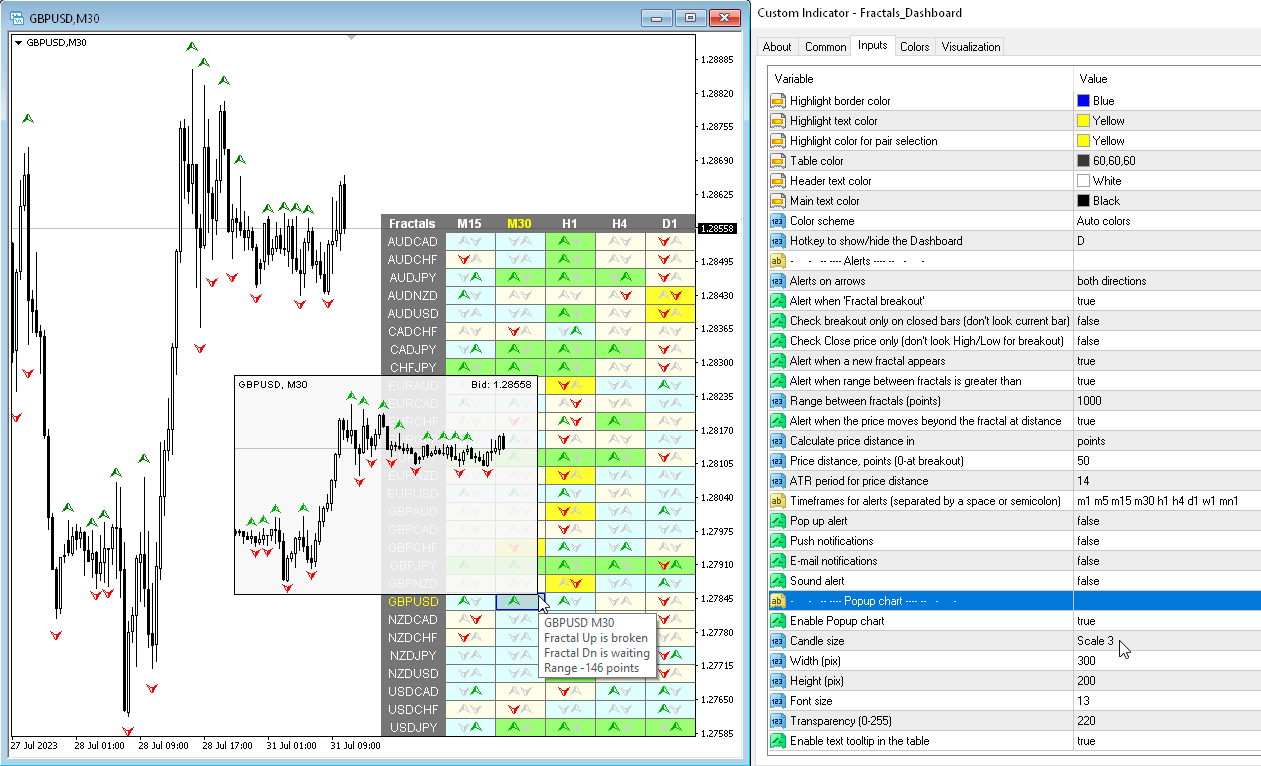
2) Added "Popup chart" parameters. Now, when you hover the mouse over the cells, you can see a pop-up chart from this timeframe.
3) Added "Color scheme" parameter.
4) The condition of the list of pairs for the second parameter has been changed. Pairs in the second parameter must be typed only with a semicolon and must be in exact case. "Pairs (separated ONLY by a semicolon and have exact letter case)"
Taras Slobodyanik
Taras Slobodyanik
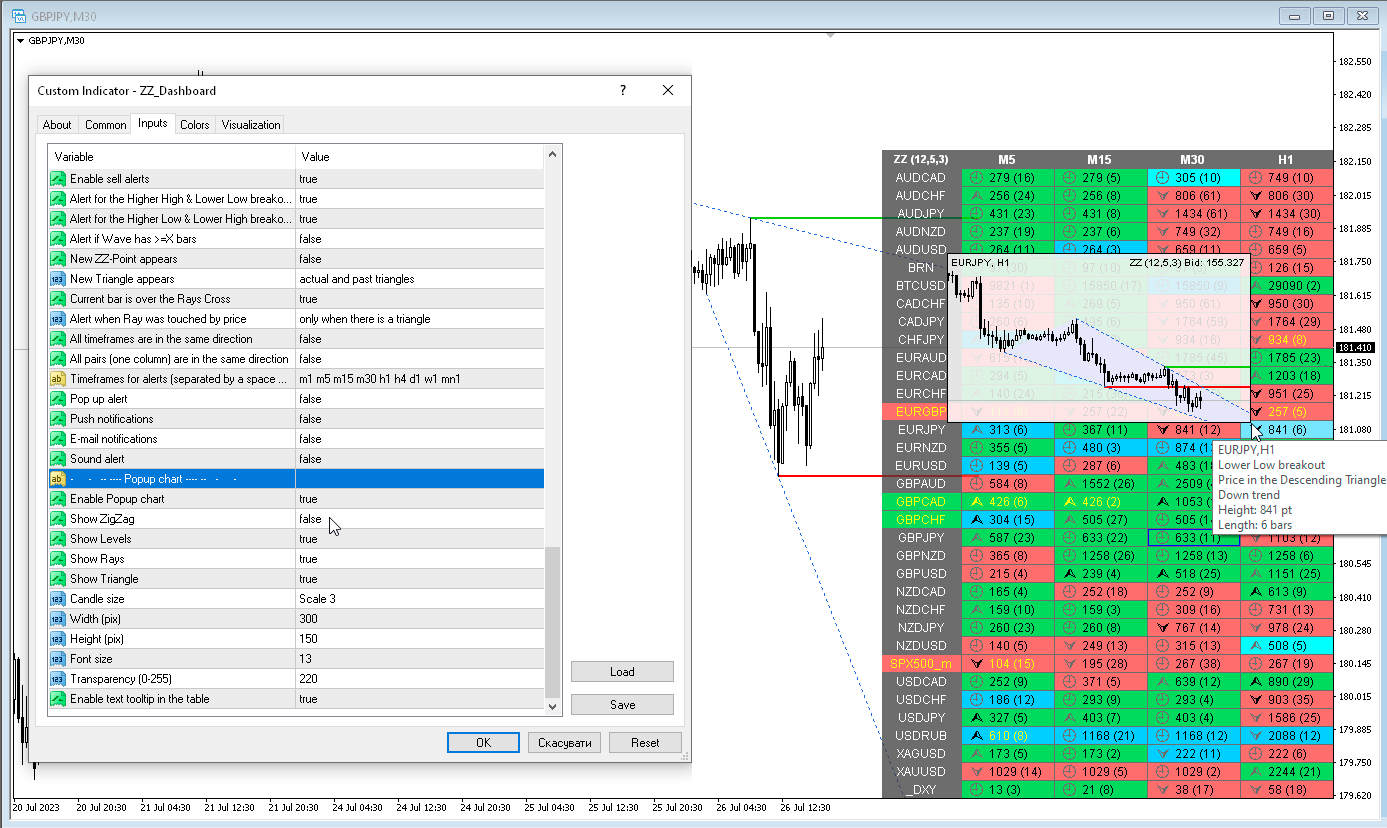
ZigZag Dashboard (version 4.00)
1) Various alerts have been added for the Triangle. Also cell fill colors when the price is in the Triangle.
2) Added more tooltips, fixed some text descriptions.
3) Added "Color scheme" parameter.
4) Added a hotkey to hide the dashboard, by default "D".
5) Added "Popup chart" parameters. Now, when you hover the mouse over the cells, you can see a pop-up chart from this timeframe.
6) The condition of the list of pairs for the second parameter has been changed. Pairs in the second parameter must be typed only with a semicolon and must be in exact case. "Pairs (separated ONLY by a semicolon and have exact letter case)"
7) Code optimization and bug fixes.
Taras Slobodyanik
Taras Slobodyanik
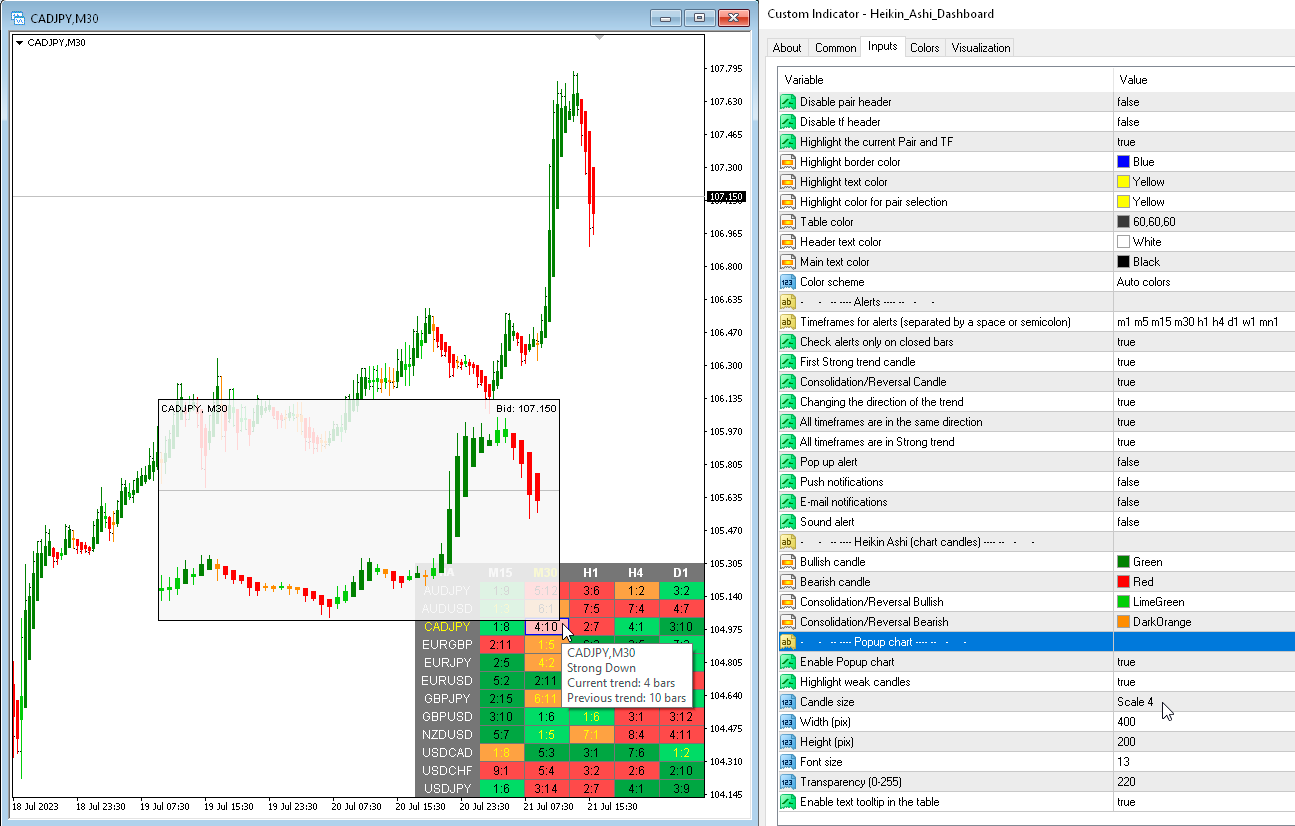
Heikin Ashi Dashboard (version 1.40)
1) Added "Popup chart" parameters. Now, when you hover the mouse over the cells, you can see a pop-up chart from this timeframe.
2) Added "Bars to calculate" parameters for Dashboard and Chart.
3) The condition of the list of pairs for the second parameter has been changed. Pairs in the second parameter must be typed only with a semicolon and must be in exact case. "Pairs (separated ONLY by a semicolon and have exact letter case)"
4) Fixed some minor bugs.
Taras Slobodyanik
Taras Slobodyanik
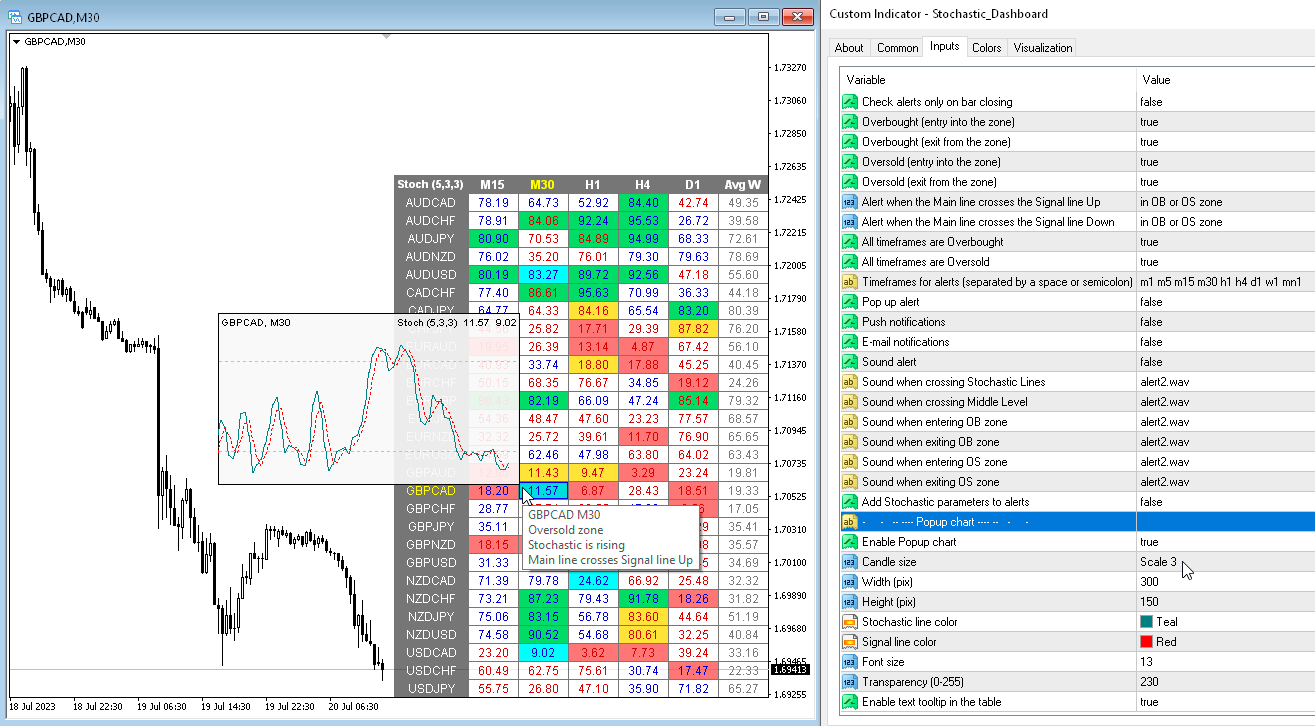
Dashboard Stochastic Multicurrency (version 5.30)
1) Added "Popup chart" parameters. Now, when you hover the mouse over the cells, you can see a pop-up chart from this timeframe.
2) Fixed some minor bugs.
Taras Slobodyanik
Taras Slobodyanik
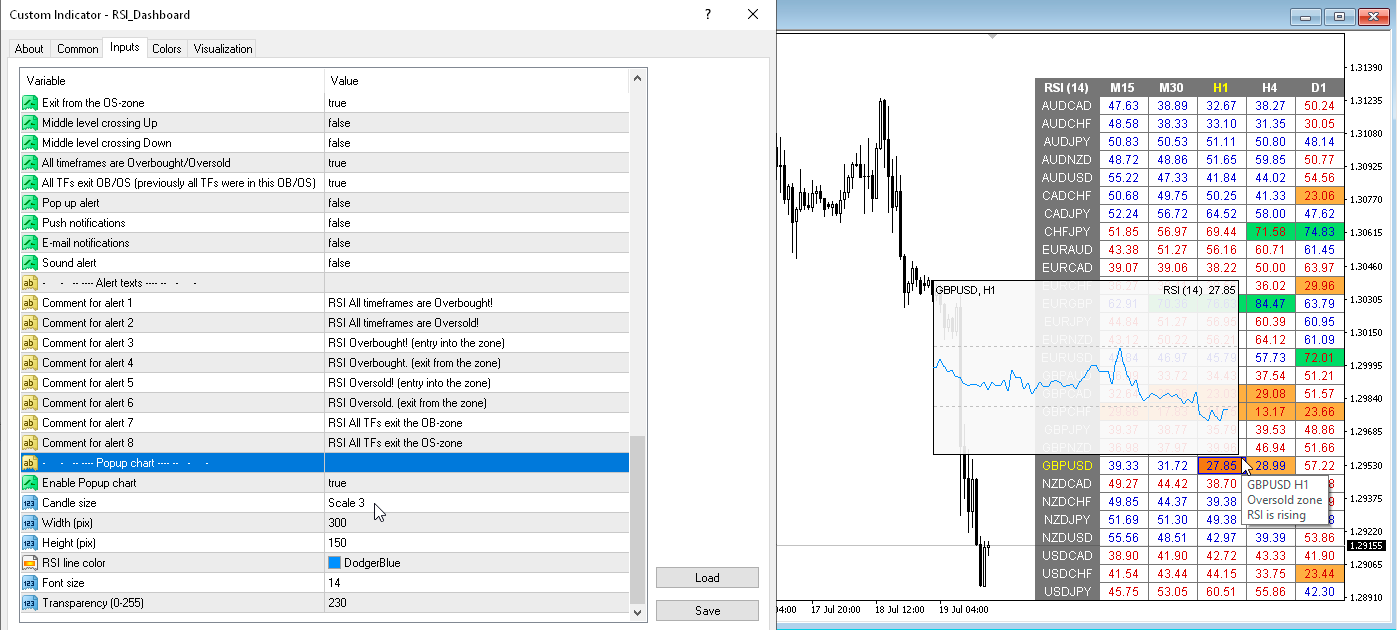
Dashboard RSI Multicurrency (version 4.00)
1) Added "Popup chart" parameters. Now, when you hover the mouse over the cells, you can see a pop-up chart from this timeframe.
2) Fixed some minor bugs.
Taras Slobodyanik
Taras Slobodyanik
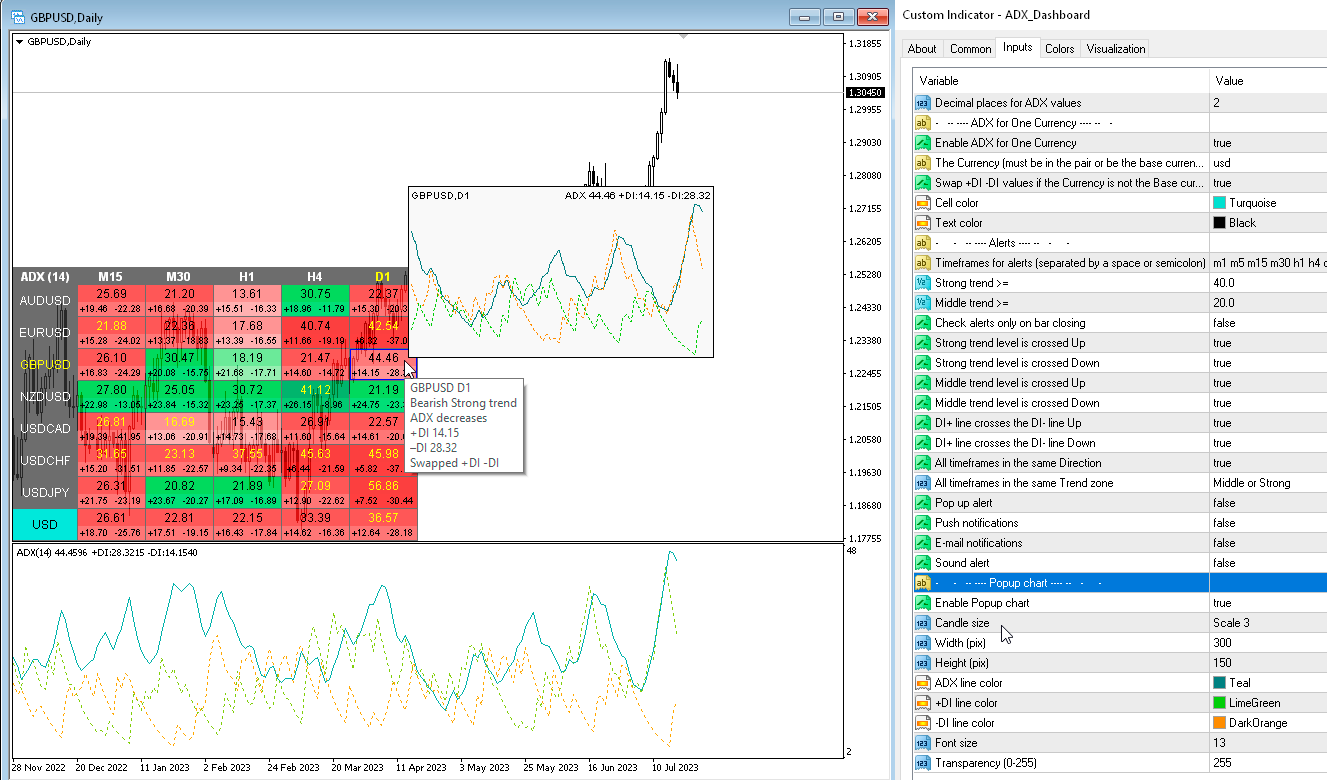
ADX Dashboard (version 2.20)
1) Added "Popup chart" parameters. Now, when you hover the mouse over the cells, you can see a pop-up chart from this timeframe.
2) Fixed some minor bugs.
Taras Slobodyanik
Taras Slobodyanik
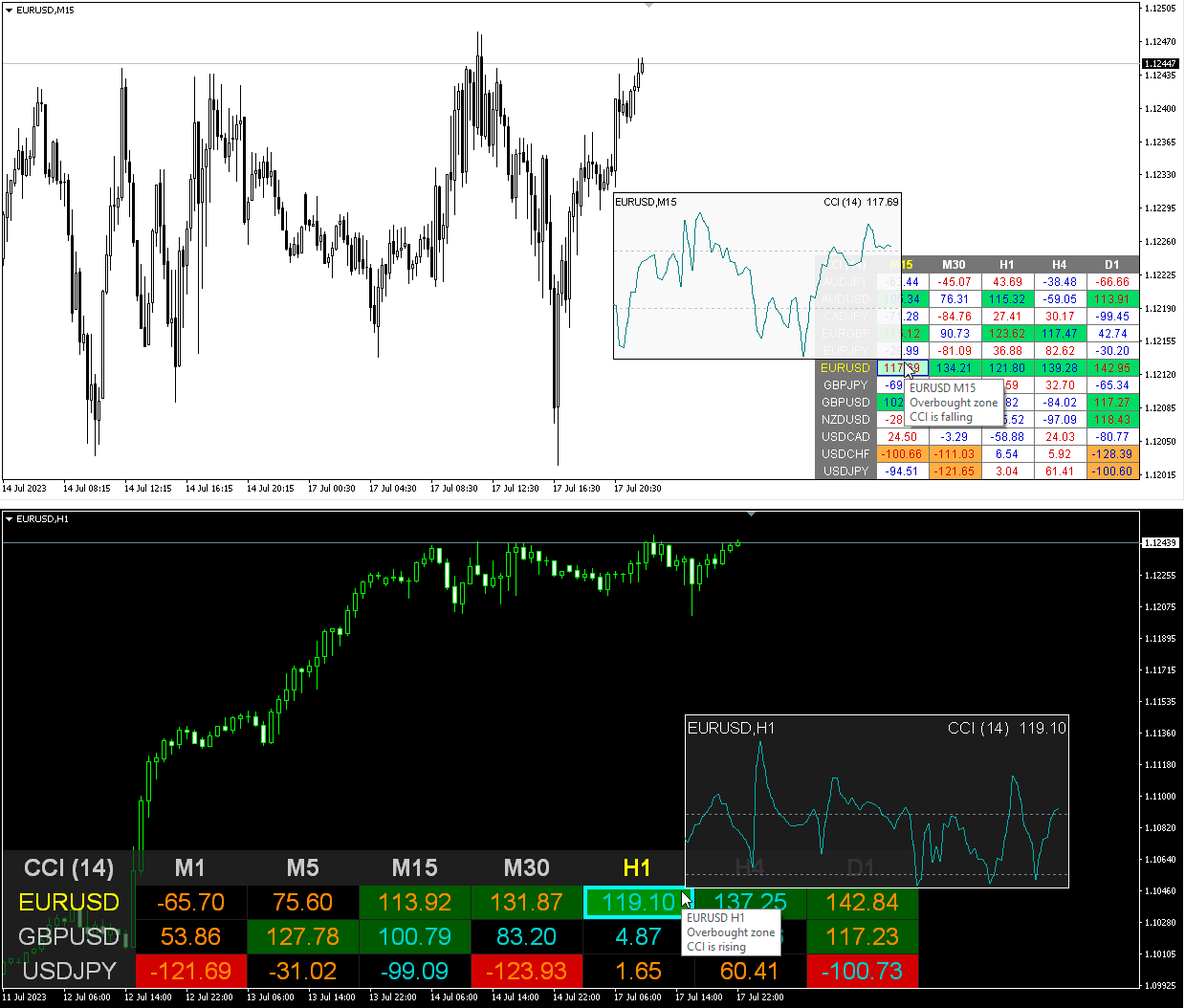
CCI Dashboard (version 2.80)
1) Added "Popup chart" parameters. Now, when you hover the mouse over the cells, you can see a pop-up chart from this timeframe.
2) Fixed some minor bugs.
Taras Slobodyanik
Taras Slobodyanik
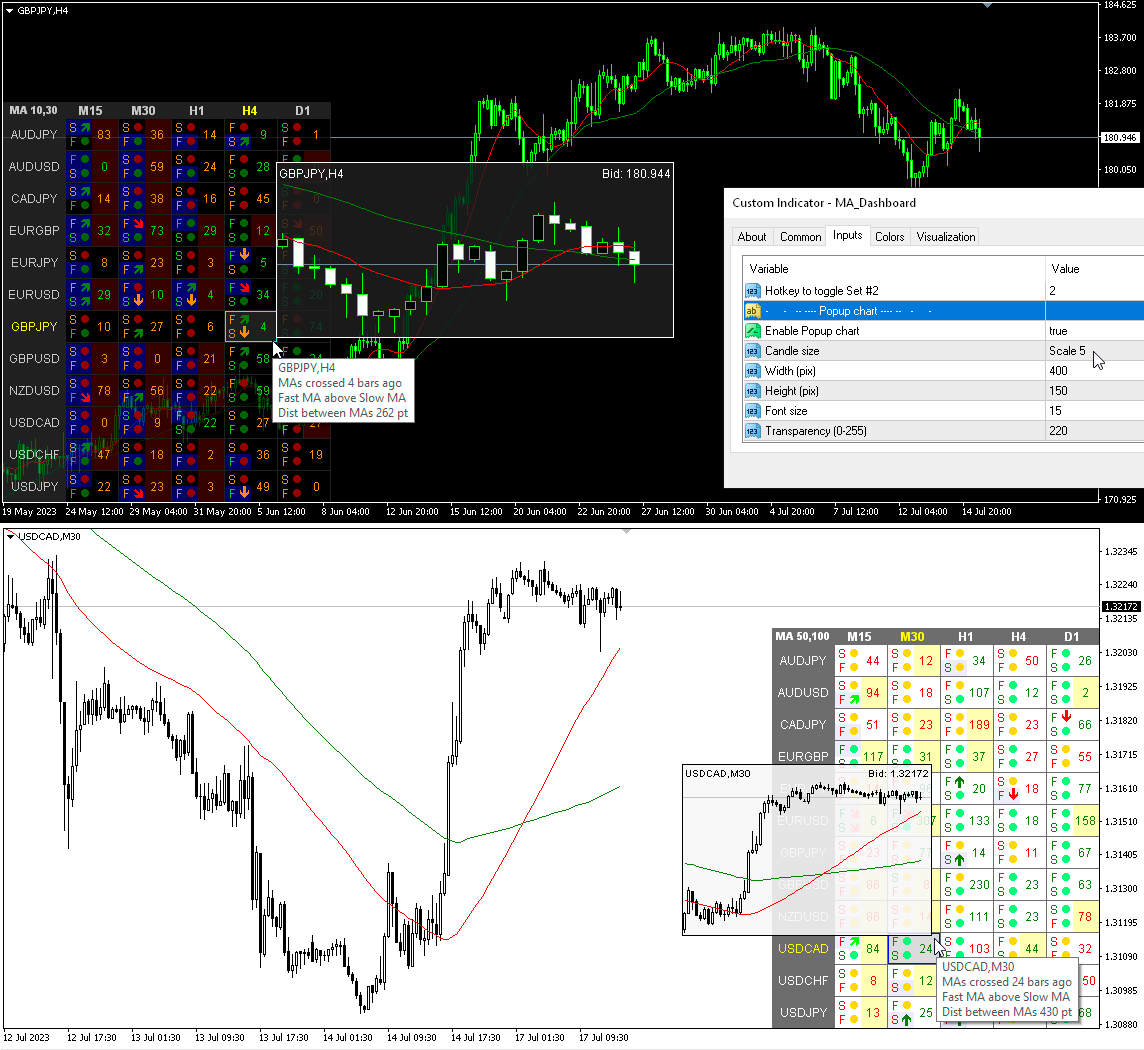
MA Dashboard (version 2.20)
1) Added "Popup chart" parameters. Now, when you hover the mouse over the cells, you can see a pop-up chart from this timeframe.
2) Fixed some minor bugs.
Taras Slobodyanik
Taras Slobodyanik
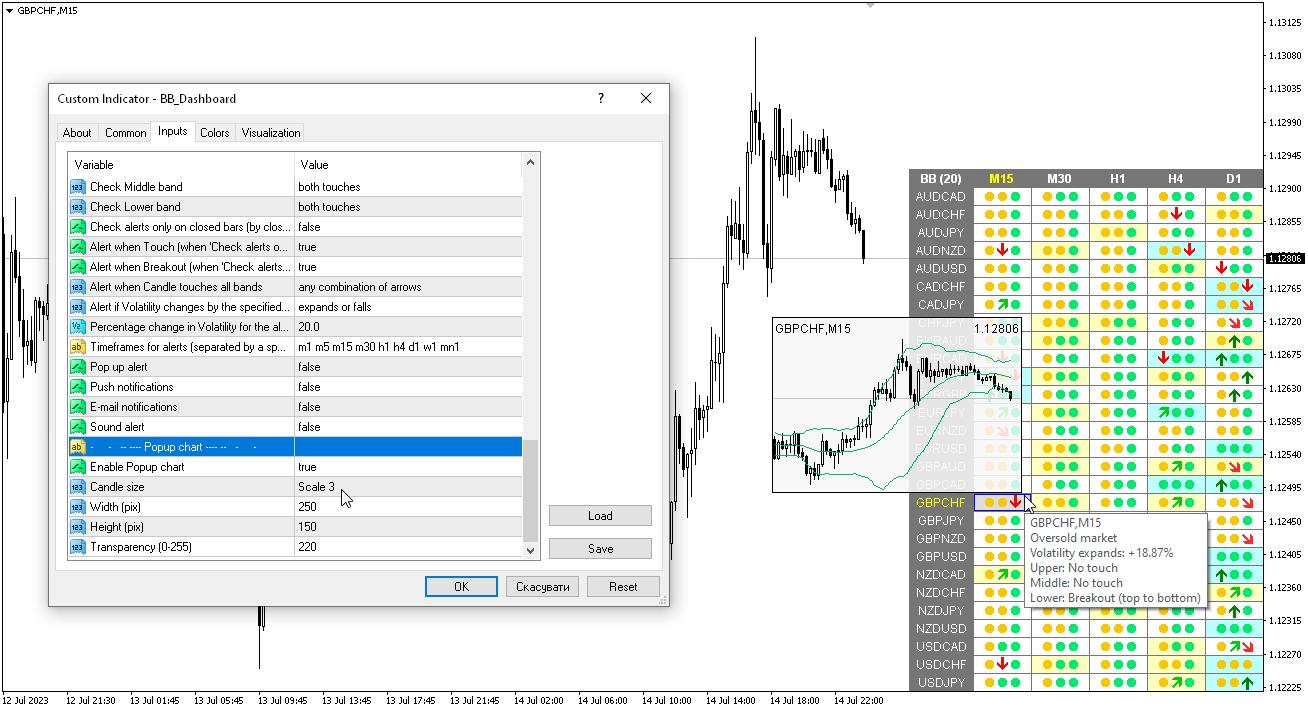
Bollinger Bands Dashboard (version 2.50)
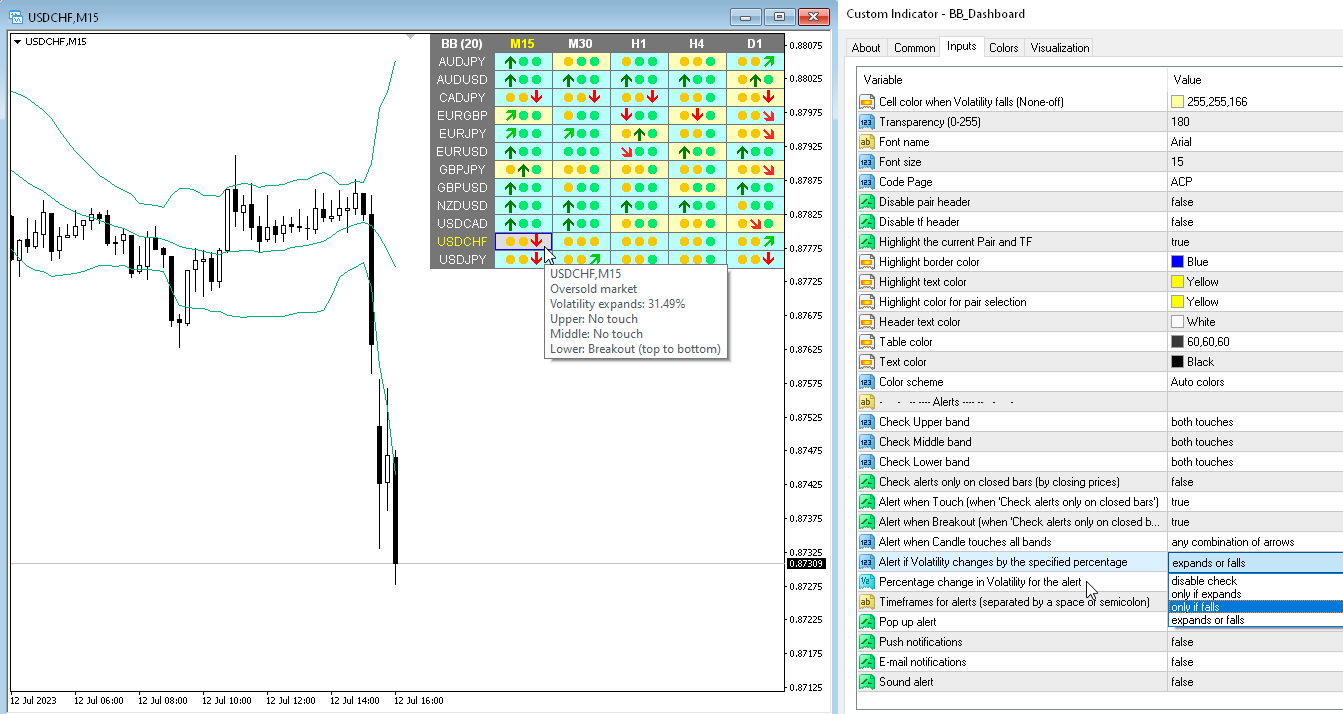
1) Added "Popup chart" parameters. Now, when you hover the mouse over the cells, you can see a pop-up chart from this timeframe.
2) Fixed some minor bugs.
Taras Slobodyanik
Taras Slobodyanik
Bollinger Bands Dashboard (version 2.30)
1) Added alert when changing volatility "Alert if Volatility changes by the specified percentage".
2) Added text to tooltips.
Taras Slobodyanik
Taras Slobodyanik
Bollinger Bands Dashboard (version 2.20)
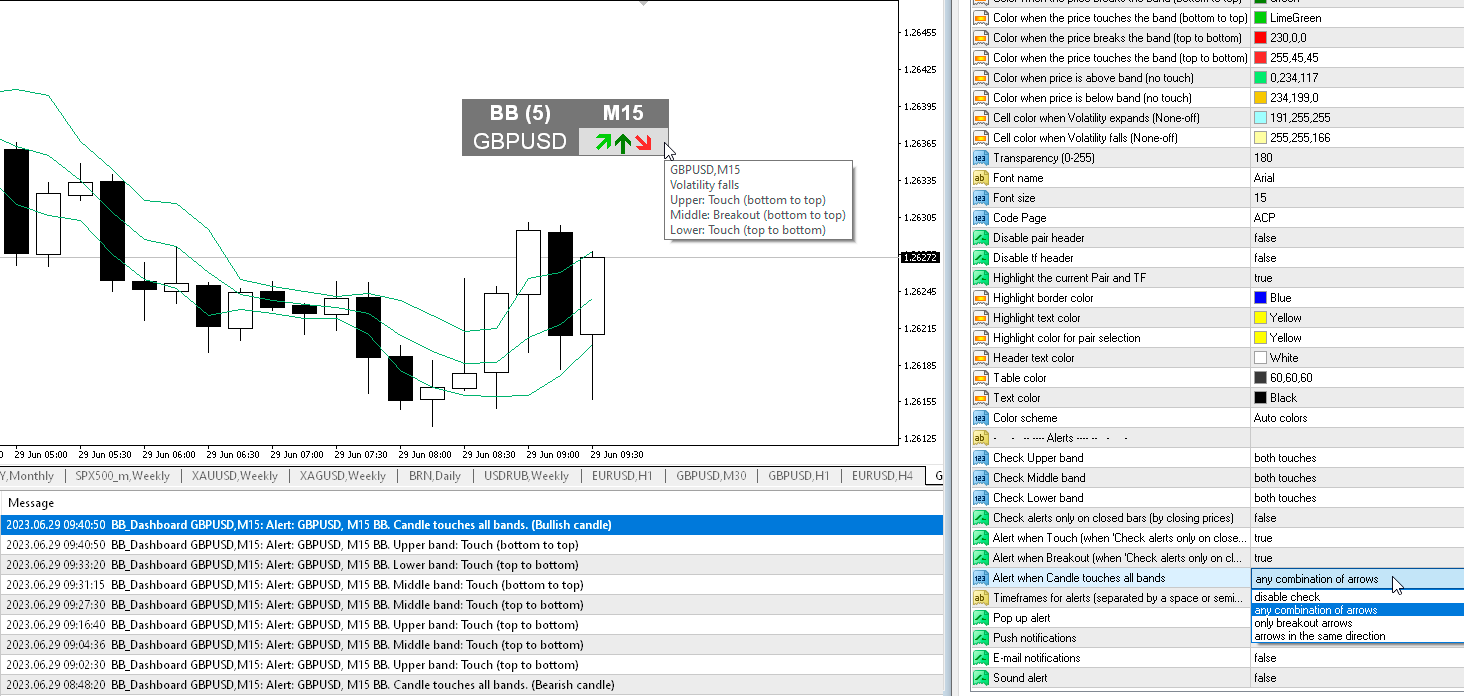
1) Added alert "Alert when Candle touches all bands". Alert options: "any combination of arrows", "only breakout arrows", "arrows in the same direction".
2) Added the ability to enable/disable alerts for each Symbol when clicking on the name of the Pair. If no Pair is selected then alerts are enabled for all Symbols.
3) Added "Color scheme" parameter. Now the color scheme can automatically change.
4) Fixed a bug where the table disappeared when the chart was resized after moving.
Taras Slobodyanik
Taras Slobodyanik
MA Dashboard (version 2.0)
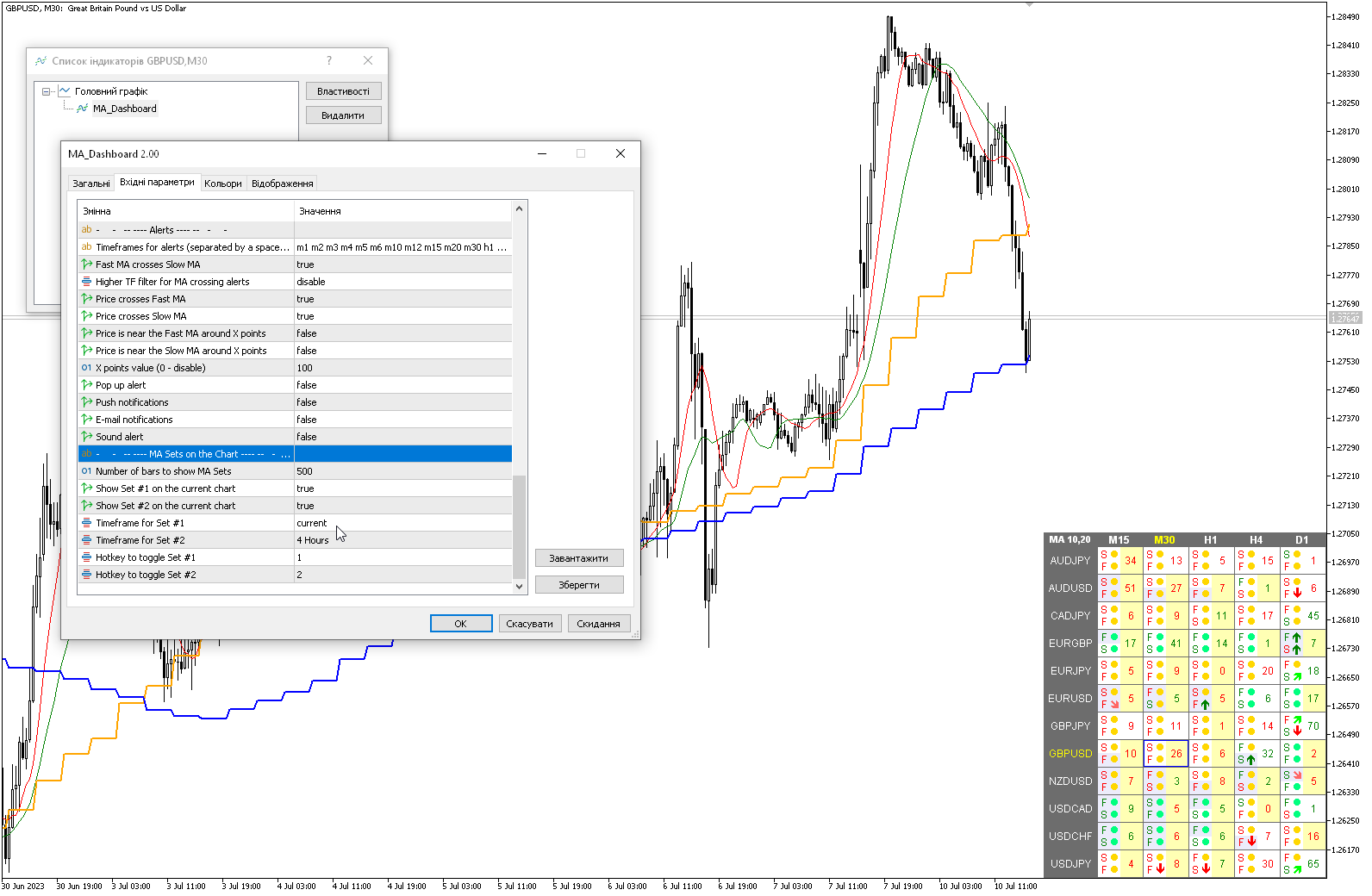
1) Added "Color scheme" parameter. Now the color scheme can automatically change.
2) Added parameters for displaying Fast MA and Slow MA lines on the current chart "MA Sets on the Chart". You can select the MA timeframe to display. The default hotkeys are "1" and "2".
Taras Slobodyanik
Taras Slobodyanik
MA Dashboard (version 1.90)
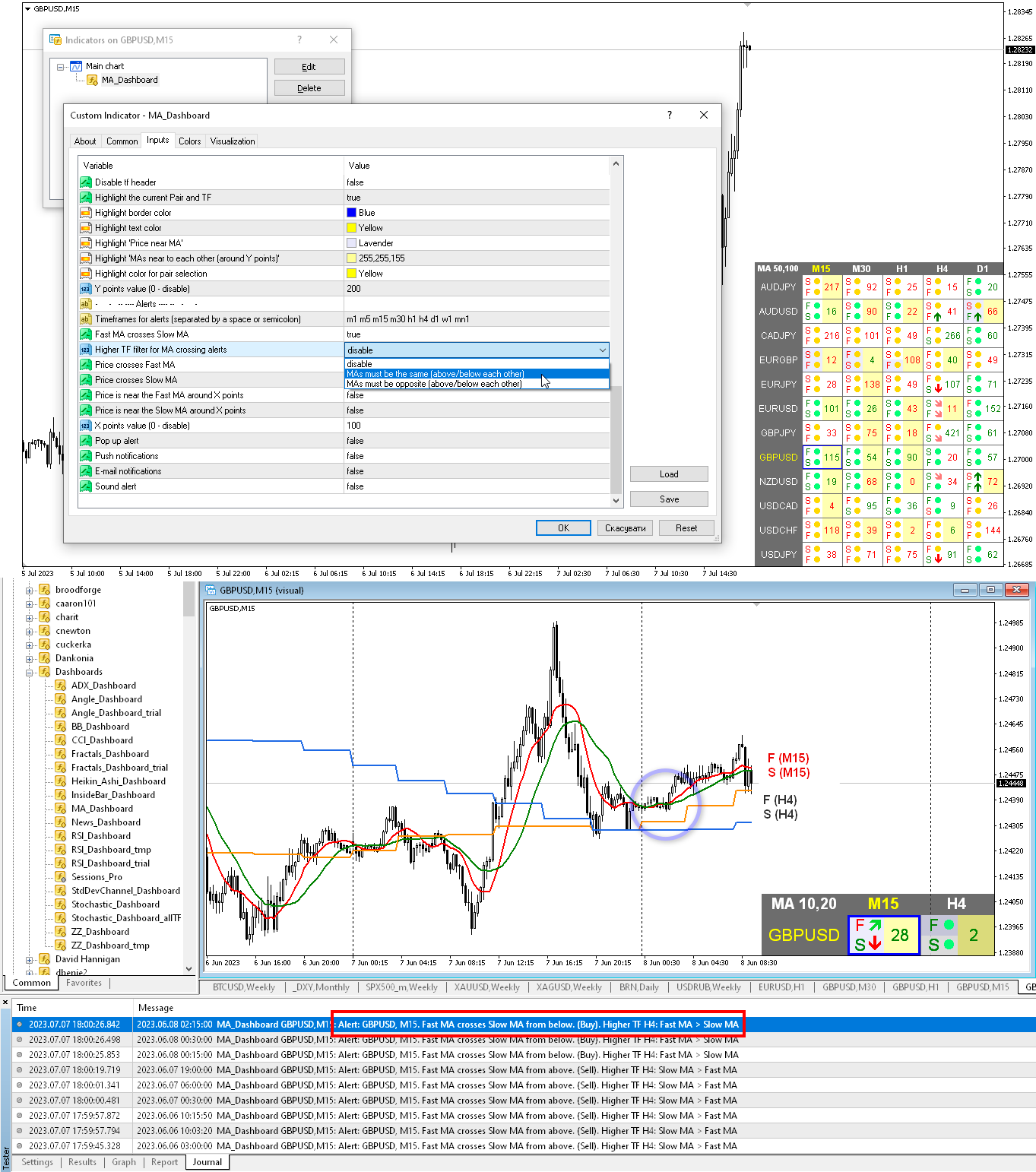
1) Added filter for MA crossing alerts - "Higher TF filter for MA crossing alerts". When the filter is enabled, when MAs cross, the indicator will check the MA values from the next higher timeframe (on the dashboard). If MAs from the higher timeframe meet the specified conditions, the MA crossing alert will be sent, otherwise there will be no alert.
Taras Slobodyanik
Taras Slobodyanik
ADX Dashboard (version 2.0)
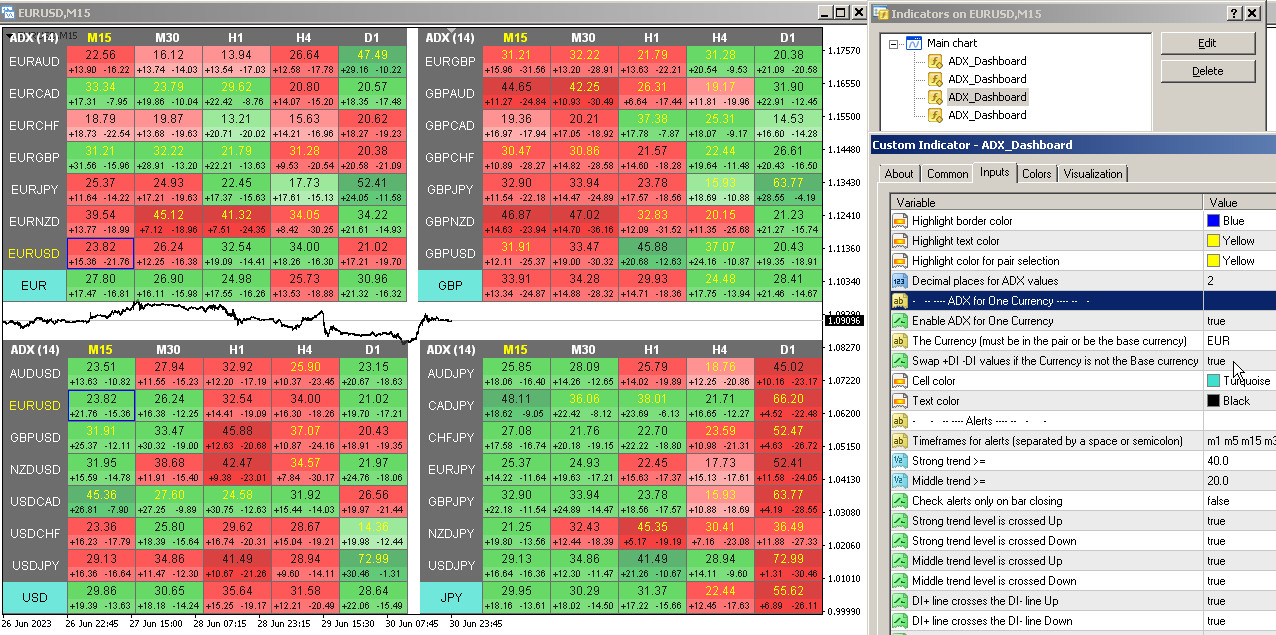
1) Added parameters "ADX for One Currency" and "Swap +DI -DI values". The dashboard will automatically select pairs containing the specified Currency or those pairs that have this Currency as the base. The indicator will also calculate the ADX for this Currency on a separate line.
2) Alert bug for "All timeframes in the same Trend zone" has been fixed.