ShapeRadar MT4

ShapeRadar - 经典图表形态指标

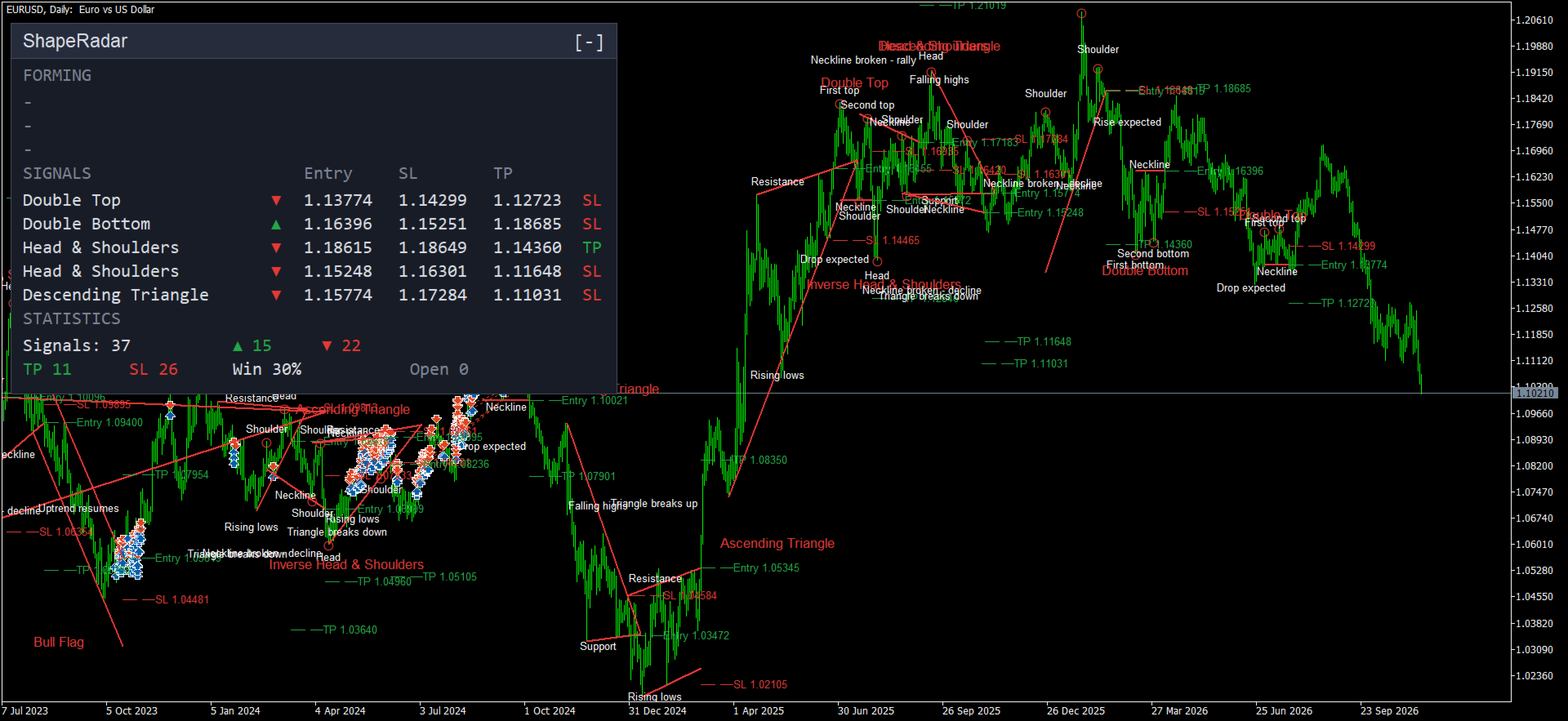
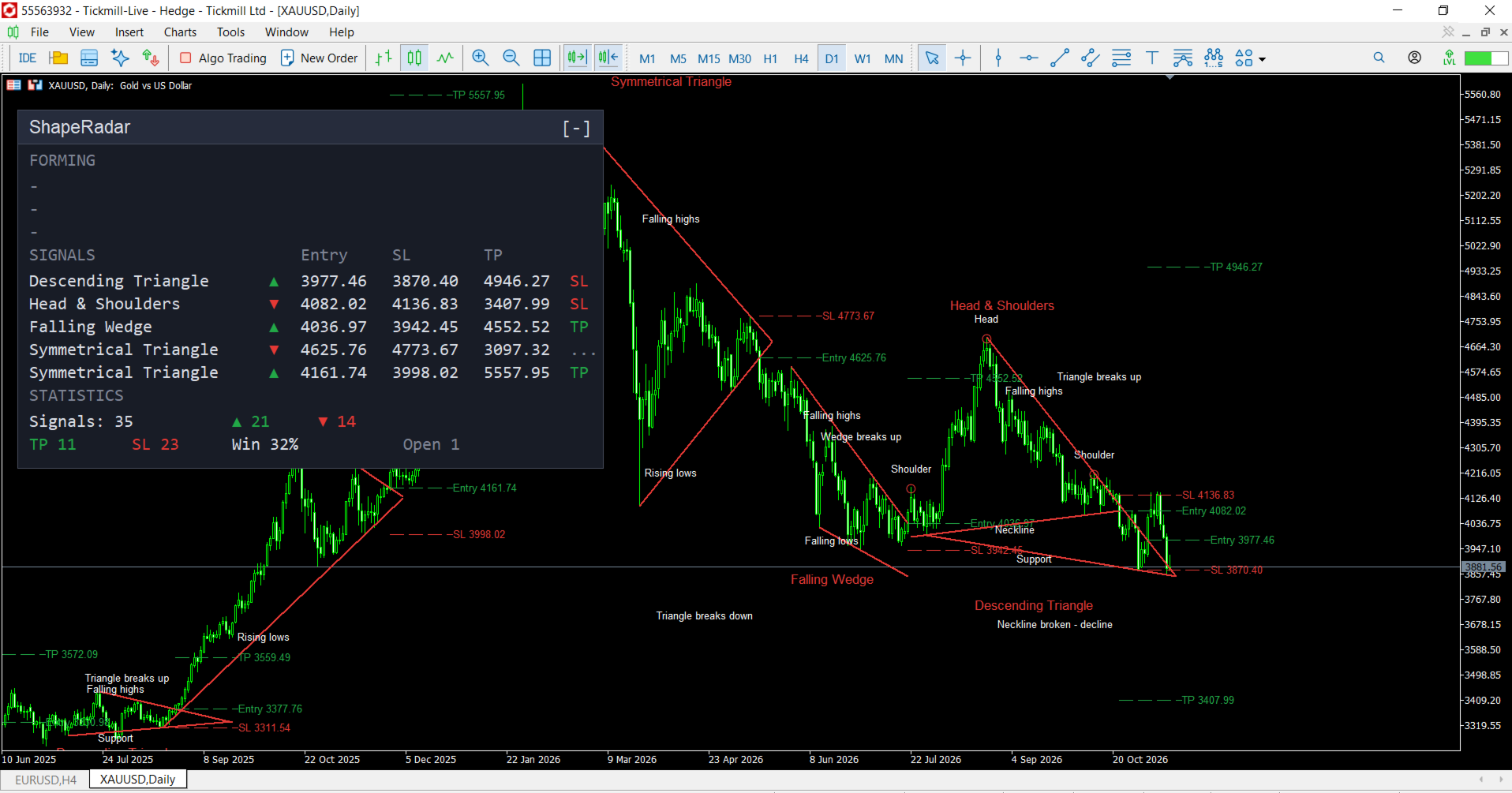
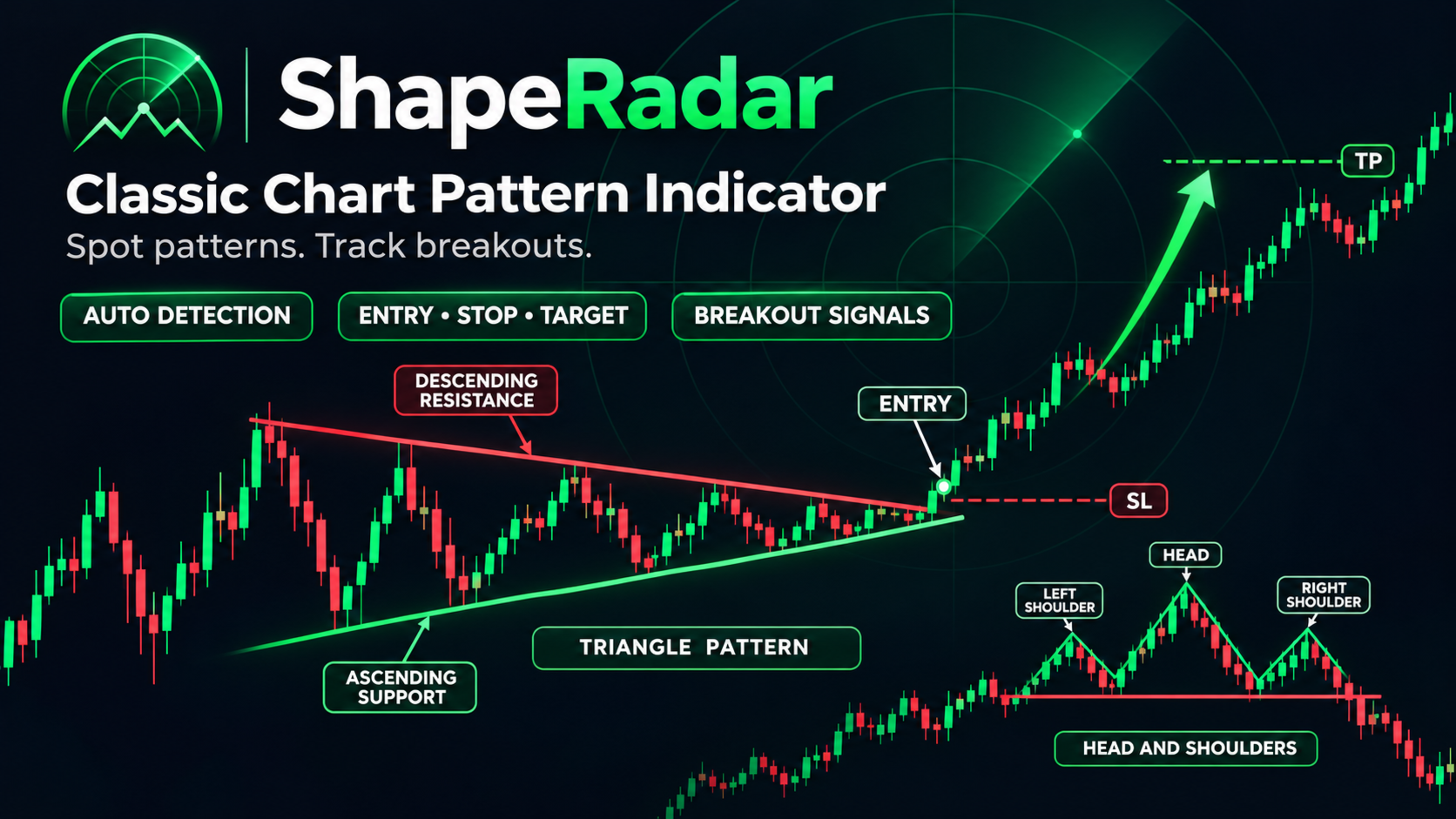
ShapeRadar 可自动识别图表上的经典技术分析形态:双顶、三重顶、双底、三重底,头肩顶/头肩底,上升楔形和下降楔形,矩形,三角形,旗形和三角旗形。当价格收盘突破形态边界时,指标会画出该形态、入场点、止损位和目标位,并在信息面板中汇总所有已识别的形态。

指标适用于任何品种和周期。信号只在K线收盘后确认,因此已经画出的标记不会消失,也不会在当前K线上重绘。图表上清楚显示形态位置、突破位置以及入场、止损和目标,面板则把所有信息集中在一处。

欢迎订阅我的频道:https://www.mql5.com/en/channels/algotrader

注意 - 赠品!购买后请联系我,即可免费获得我的任意一款指标!

可识别的形态

  • 双顶与双底
  • 三重顶与三重底
  • 头肩顶、头肩底
  • 上升楔形与下降楔形
  • 矩形
  • 对称三角形、上升三角形、下降三角形
  • 看涨旗形与看跌旗形
  • 看涨三角旗与看跌三角旗

图表上显示的内容

  • 形态线条:颈线,或楔形、三角形、旗形、矩形的边界线。
  • 关键点(顶点、底点、头部、肩部)上的圆圈和标注,以及预期走势的说明。
  • 形态上方或下方的形态名称。
  • Entry、SL、TP 价位,以带价格的短虚线显示。目标位根据形态大小推算,止损位根据形态几何结构设置。
  • 已形成但尚未被突破的形态用灰色虚线显示(参数 “Forming patterns”)。

信息面板

面板默认位于左上角。可用鼠标在任意位置拖动,可通过标题栏的 [-] / [+] 按钮折叠,也可以缩放。每个图表都会记住面板的位置和状态。面板分为三个区块。

“Forming”(正在形成)区块

这里显示已在图表上完整形成、但价格尚未收盘突破边界的形态,即等待突破的形态。共三行,每组一行:顶部反转形态、底部反转形态,以及双线形态(楔形、三角形、矩形、旗形、三角旗)。每行包含:

  • 已识别形态的名称;
  • 预期方向箭头:红色向下、绿色向上,两个箭头表示两个方向都可能突破;
  • 等待计数,格式为"已过 / 最大K线数"。最大值由参数 “Bars to wait for breakout” 设定。

用途:这是一个提前预警。交易者可以在突破之前就看到形态,并提前准备方案:确定需要关注的价位,在边界附近设置提醒或挂单,评估到入场点和目标位的距离。形态在以下情况下会从该区块消失:

  • 价格收盘突破边界,形态变成信号(转入 “Signals” 区块);
  • 形态失效:价格收盘突破了相反一侧的边界;
  • 等待时间已到;
  • 形态走到尽头,例如三角形的顶点;
  • 图表结构发生变化,形态被重新构建。

区块中显示短横线,表示当前没有已完成且在等待的形态。这是正常现象:形态并不总是出现,而且很多时候价格在形态最终确认后立刻突破边界,形态会直接进入 “Signals” 区块。

“Signals”(信号)区块

最近 5 个信号,最新的在上面。各列含义:

  • 形态名称;
  • 方向箭头(绿色向上为买入,红色向下为卖出);
  • Entry - 入场价;
  • SL - 止损位;
  • TP - 目标位;
  • 结果:"TP" 表示已达目标,"SL" 表示触发止损,"...” 表示信号仍在进行中,"-“ 表示长时间内两者都未触发。

该区块让您把图表上的信号与精确价格对照,并快速看到之前信号的结果。

“Statistics”(统计)区块

  • Signals - 已识别的信号总数,旁边是向上和向下信号的数量。
  • TP - 达到目标的信号数量。
  • SL - 以止损结束的信号数量。
  • Win - 已结束信号中达到目标的比例(TP / (TP + SL))。
  • Open - 仍在进行中的信号数量。

统计基于已分析的历史数据,帮助您判断形态在特定品种和周期上的表现。如果同一根K线同时触及止损和目标,则按止损计算。请选择数据令您满意的品种和参数。

使用方法

  1. 将指标加载到图表,先使用默认参数。
  2. 关注 “Forming” 区块:它显示哪里可能很快出现信号。
  3. 信号出现后,可把图表上的 Entry、SL 和 TP 作为交易参考。
  4. 为进一步筛选,可关闭不需要的形态并调整灵敏度。
  5. 通过 “Statistics” 区块评估所选品种上的表现。
  6. 开启提醒,无需一直盯盘。
  7. EA 可读取 4 个隐藏缓冲区:信号代码(形态编号,正负号表示方向)、入场价、止损和止盈。

参数说明

Detection(形态识别)

  • Swing length (bars on each side) - 高点或低点要被视为有效,两侧各需要多少根K线。数值越小形态越多但噪音越大,数值越大形态越少但更大。
  • Equal highs/lows tolerance, % - 双顶/三重顶(底)中各顶点或底点,以及矩形边界之间允许的差异,以形态高度的百分比表示。
  • Shoulder symmetry, % - 头肩形态中两个肩部之间允许的差异。
  • Trendline touch tolerance, % - 一个点距离线多远仍算作触及;同一容差也限制K线实体穿过线条的程度。
  • Flat line tolerance, % - 线条倾斜多少仍算水平(用于矩形和三角形)。
  • Parallel / converging, % - 线条平行(旗形)或收敛(楔形、三角形、三角旗)的容差。
  • Flag/pennant pole >= x first pullback - 旗形或三角旗之前的冲击波,至少要比形态内第一次回撤大多少倍。数值越大,筛选越严格。
  • Minimum pattern height (ATR) - 形态的最小高度,以 ATR 为单位。用于过滤过小、意义不大的形态。
  • Bars to wait for breakout - 形态完成后,等待突破的K线数量,超过则不再跟踪。
  • Longest pattern (bars) - 形态的最大长度(K线数)。
  • Head & Shoulders target measured from - 头肩形态的目标位以什么为基准:Head(头部)或 Shoulder(肩部)。
  • History bars to analyze (0 = all) - 分析多少根历史K线。数值越小加载越快;0 表示全部历史。

Patterns(形态开关)

  • Double Top / Bottom、Triple Top / Bottom、Head & Shoulders (+ inverse)、Rising / Falling Wedge、Rectangle、Triangles、Flags、Pennants - 启用或关闭对应的形态。

Drawing(绘制)

  • Circles and captions - 关键点上的圆圈和文字标注。
  • Entry / SL / TP levels - 入场、止损、目标的线条和标签。
  • Pattern name - 在图表上显示形态名称。
  • Forming patterns - 以灰色虚线显示等待突破的形态。
  • Patterns kept on chart - 图表上保留最近多少个形态,更早的会被删除。
  • Level line length (bars) - Entry / SL / TP 线条的长度(K线数)。
  • Line width - 形态线条的粗细。
  • Text size - 图表文字大小:Small、Normal、Large。
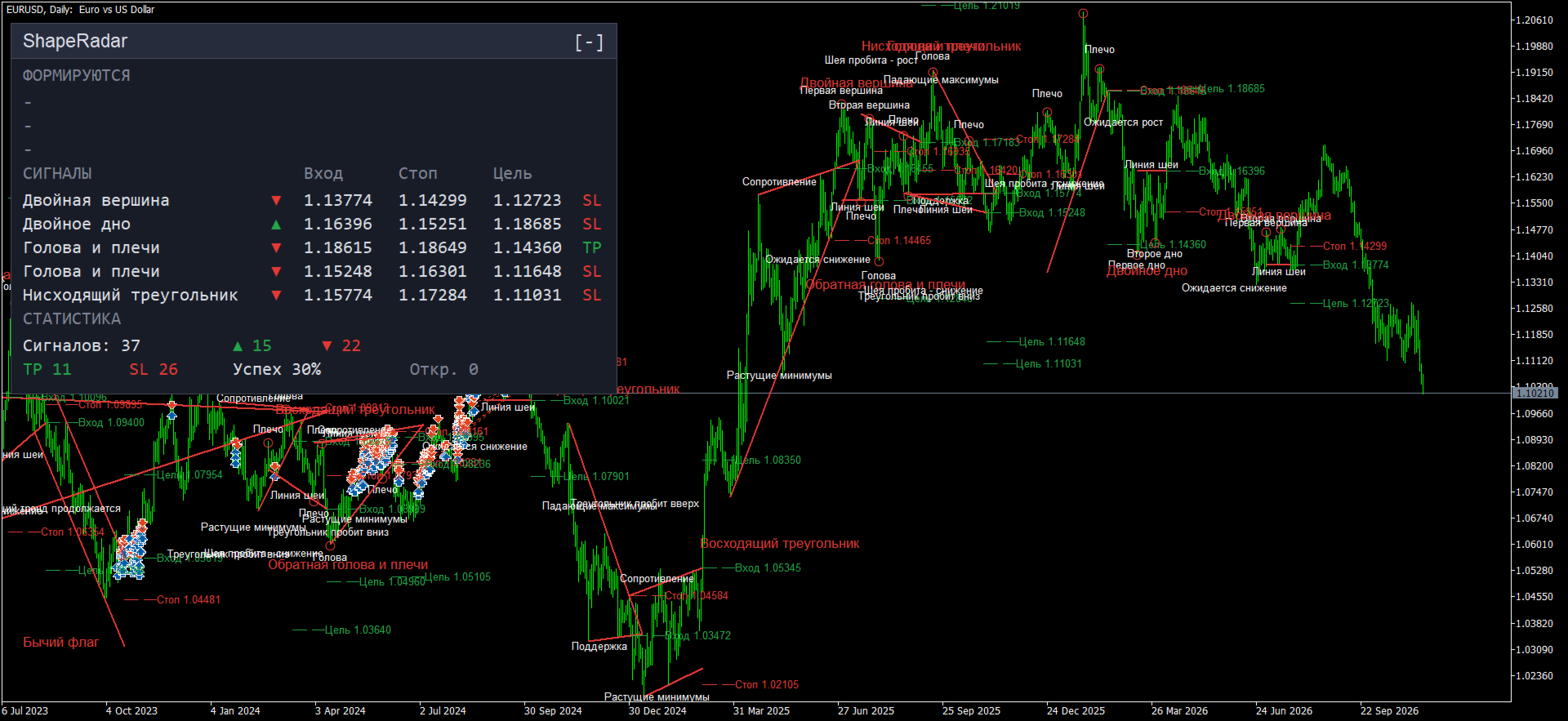
  • Chart text language - 图表标注和面板的语言:English 或 Russian。

Alerts(提醒)

  • Popup alert、Push notification、Email - 出现新信号时的通知方式。

Colors(颜色)

  • Pattern lines - 形态线条和形态名称的颜色。
  • Entry and TP - 入场、目标和买入箭头的颜色。
  • Stop loss - 止损和卖出箭头的颜色。
  • Forming patterns - 正在形成的形态线条颜色。

Panel(面板)

  • Show panel - 显示或隐藏面板。
  • Panel scale, % (0 = adaptive to chart) - 面板缩放比例(百分比)。设为 0 时,面板会自动适应图表窗口大小。
  • Panel X offset (from left) 和 Panel Y offset (from top) - 面板的初始位置,默认为左上角。
  • Panel background、Panel border、Panel text - 面板颜色。
作者的更多信息
Buy and sell zones
Evgeniy Zhdan
5 (2)
该指标显示市场当前所处的状态:上升趋势、下降趋势或横盘(震荡)。状态以彩色区域的形式直接显示在价格图表上,并同步显示在信息面板中。 MT5 version:   https://www.mql5.com/en/market/product/70409 如何看图 青绿色区域 — 上升趋势。 红色区域 — 下降趋势。 灰蓝色区域 — 横盘。 区域由两条线界定。粗线为慢线,细线为快线,两条线的颜色会随市场状态一起变化。 状态不会在边界处来回闪烁:只有市场明确进入新状态后,颜色才会改变。 使用方法 交易过滤。 区域显示趋势颜色时顺势交易;出现横盘时减少操作或调整策略。 选择策略。 趋势中适合顺势入场和回调入场;横盘中适合在区间边缘操作,或等待突破。 阶段转换。 从横盘转为趋势,往往意味着单边行情的开始;从趋势转为横盘,意味着行情放缓,可能接近结束。 多周期使用。 在大周期和操作周期上同时加载:大周期提供方向背景,操作周期寻找入场时机。 强度监控。 面板上的强度刻度下降,说明行情正在减弱。 参数设置 Trend / flat detection(趋势与横盘识别) Fast period — 快
SuperTrend
Evgeniy Zhdan
2.5 (2)
The Supertrend Expert Advisor The Supertrend Expert Advisor with averaging elements. It has been developed during three months until I finally got good results. It is not a scalper. The minimum balance to start trading - 100 $. Is automatically adjusted to the 4 and 5-digit prices. Has an efficient risk management system. The lot and limit on the maximum lot is automatically calculated based on the settings specified in the EA. As a result, you have a complete automated trading system. Download
Stardust
Evgeniy Zhdan
StarDust searches for divergences in the values of several indicators considering them as signs of flat and enters the market if a relatively steady trend is detected. The Expert Advisor trades "basic" symbols with a low spread. The best results are achieved on М15. The EA automatically adjusts to 4 and 5-digit quote flows. Settings Comment_to_orders – comment to a placed order. The field can be left blank if no comment is required. MM – enable money management with automatic setting of a worki
Top Floor
Evgeniy Zhdan
The EA catches the price when it moves against the trend in an effort to open an order in an opposite direction (direction of the main trend). Screenshots illustrate examples of entries and the strategy gist. The EA uses stop losses depending on values of ATR. Settings: Lot_ - if Risk_ = 0, the EA will trade this lot; Risk_ - risk per one trade. Stop loss is taken into account; koeff_ATR - coefficient multiplied by the ATR value to calculate stop loss (the bigger the value, the bigger stop loss
FastBoom
Evgeniy Zhdan
The FastBoom EA finds the most probable points of price pullback/reverse and places an order. It places averaging orders if the price moves further against take profit. Settings of the EA: Lots - initial lot; LotExponent - multiplier for following orders (Martingale). 1 - no multiplier. TakeProfit - take profit in points; Stochastic Settings InpKPeriod - K Period of Stochastic InpDPeriod - D Period of Stochastic InpSlowing - Stochastic Slowing LevHigh - level for sell positions of Stochastic L
The Expert Advisor calculates the double/triple divergence of volumes, and starts trading. It uses a unique formula of lot calculation, which greatly improves stability of trading. Recommended TF - 1h. Currency pair - EURUSD , but the EA can be used on any trading instruments which are not subject to high volatility. Settings mode - trading direction can be set manually; close - order close level (details on the screenshot); Step between orders - step between orders in points; Maximum orders -
OrderOnLine
Evgeniy Zhdan
The Expert Advisor opens orders from the horizontal line, the a trader can set on any level by dragging using the mouse or by changing the line properties. For example, when a horizontal line is above the current price, the EA will open a Buy order once the horizontal line is reached. And vice versa: If the line is below the current price, the EA will open a sell order once the line is crossed. A buy crossover of the line is: opening of the current candlestick below the horizontal line; the curr
SellerATR
Evgeniy Zhdan
5 (1)
The Expert Advisor only sells. Recommended currency pairs : EURUSD; GBPUSD; USDCHF; USDJPY; USDCAD; AUDUSD; EURGBP; EURAUD; EURCHF; EURJPY; GBPCHF; CADJPY; GBPJPY; AUDNZD; AUDCAD; AUDCHF; AUDJPY; CHFJPY; EURNZD; EURCAD; CADCHF; NZDJPY; NZDUSD. Timeframe: H1. Percent% manages closing both loss-making and profitable deals based on the account overall status. Using the EA on 23 symbols mentioned above allows the robot to cope with the drawdown in case of a long trend. While positions on some pairs
Illusion
Evgeniy Zhdan
3 (2)
The Illusion EA uses the probability theory - after a series of consecutive virtual losses - i.e. right during a flat the EA already starts trading in the trend. In addition, the EA considers the ratio of bullish/bearish candles on the higher timeframes to determine the greatest probability of the price movement direction. Only 1 order can be opened at a time. In case of a loss the following order will be placed with an increased lot (the multiplication coefficient is set in the parameters). The
ChangingTrends
Evgeniy Zhdan
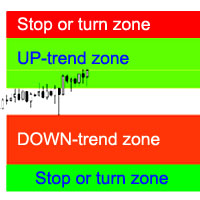
該指標計算最可能的趨勢止損/逆轉區域,有信心的趨勢運動區域。 計算考慮: 價格變動率; 圖表的相對偏差角度; 價格變動的平均幅度; 價格離開“舒適區”; ATR 指標的值。 當價格進入止損/反轉區域時,該指標可以生成警報。 設置 Draw the entire length? - 繪製直到圖表末尾的區域; Show Stop UP-trend - 顯示上升趨勢的停止/反轉區域; Show UP-trend - 顯示上升趨勢的區域; Show DOWN-trend - 顯示有信心的下降趨勢區域; Show Stop DOWN-trend - 顯示下降趨勢的停止/反轉區域; Alert in the area change - 當價格進入趨勢止損/變化區域時生成警報; 接下來是每個交易區域的顏色設置。
GoldenCoast
Evgeniy Zhdan
The indicator plots a trend line and determines the levels for opening trades, in case the price goes "too far" away from the trend level. More detailed information is available in the screenshots. Settings Away from the trend line - distance from the trend line to the trades level; Arrow Signal for deals - enable displaying an arrow when the price reaches the trades level; Size of Arrow - size of the arrow; Alert Signal for deals - enable generating alerts when the price reaches the trades lev
Turbina
Evgeniy Zhdan
5 (4)
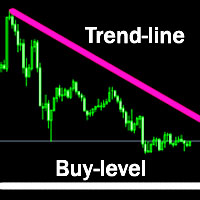
The axiom of the Forex market is that any trend will be broken. The Expert Advisor determines trend direction (the pink line), and calculates levels for opening opposite orders depending on the settings. The value of Away from the trend line for Deal will be different for each pair and timeframe, depending on the volatility of the trading instrument. Next orders can be opened with an increased lot (a static lot is used by default). See the screenshots to understand the idea of the Expert Advisor
Odysseus
Evgeniy Zhdan
The Expert Advisor determines the moments of strong movements and opens a position in the direction of the most probable price movement. The strategy always uses stop loss and take profit. Several independent orders can be in the market (the maximum number is set in parameters). The goal of the EA's underlying trading system is the quantitative excess of the number of profitable deals over the number of losing ones. Recommended: EURUSD 5m; GBPUSD 5m; USDJPY 5m. The Expert Advisor is able to work
Vise
Evgeniy Zhdan
Vise is a trend indicator. The upper and lower lines follow the price showing the prevailing price direction. Frequent breakthroughs of the upper line indicate a bullish trend, while frequent breakthroughs of the lower line indicate a bearish one. Parameters Points for UpLine - initial number of points for the upper line; Points for DownLine - initial number of points for the lower line. During the breakthrough of the upper level (line), this level shifts upwards by Points for UpLine. If the up
Twinkle
Evgeniy Zhdan
Twinkle is a trend-based scalper using stop loss and take profit invisible to the broker. The EA does not look for trend reversals. The EA catches strong market movements and opens orders in the direction of the trend. Your broker will not see the order closing levels. The EA closes orders independently when reaching the take profit or stop loss levels specified in the settings. Recommended trading symbols: EURUSD M5, GBPUSD M5. ECN accounts with 5 digits quotes are recommended. Expert Advisor
Shine
Evgeniy Zhdan
4.75 (4)
This Expert Advisor implements elements of the Martingale system. Orders are opened at a specified distance from the moving average. The Parabolic SAR indicator and certain technical details are used to ensure the most accurate entries. The EA is highly customizable. It is recommended for simultaneous use on 4 currency pairs: EURUSD M15; GBPUSD M15; USDJPY M15; USDCAD M15. Despite good stability, it is advisable to disable the EA operation during the days rich in news releases. Configurations P
LuckyCase
Evgeniy Zhdan
LuckyCase is an Expert Advisor with martingale elements. The EA strategy is based on a significant "deviation" of the price from SAR inadicator and the Bands levels breakthrough point. The money management system is an essential part of the EA. It starts working after a trade is opened. Trades are closed after accumulating specified points of market orders, by deposit % or after an opposite side of the channel is broken through. The default EA settings are meant for: EURUSD M15; USDJPY M15. The
Elize
Evgeniy Zhdan
The Elize Expert Advisor has been designed to work with the EURCHF currency pair. It considers the peculiarities of this trading instrument, its behavior and dependence on the behavior of other currencies. In particular, when the currencies of the European countries (EURUSD, GBPUSD, EURNOK, EURCHF) move in the same direction, the EA starts its operation and opens a deal in the trend direction of the European currencies. In the event of price rollbacks, the EA uses a unique method for making the
AllTrendLines
Evgeniy Zhdan
4 (1)
Brief Description of the All Trend Lines Indicator The indicator analyzes the wave structure of the market. What it displays on the chart: First. Wave pivots (semaphores) • Red markers – wave highs • Yellow markers – wave lows • Yellow-green markers – additional local extremes Second. Trend lines • Purple/blue lines – trends based on highs (resistance/support) • Beige/green lines – trends based on lows • Lines are built automatically by connecting wave pivots of the same type Third. Main trend
FastTraffic
Evgeniy Zhdan
The Expert Advisor has been specifically developed for trading gold (Spot Gold). The strategy is based on Fibo levels calculated from the previous (first) candle High/Low and the width of the current and lower timeframes channel. If important Fibo levels of different orders are located in a single price channel (within a spread), the EA defines this channel as the target for price movement and starts operation. Martingale and averaging are not used. Each order is independent and is accompanied b
Jazz
Evgeniy Zhdan
The algorithm of this Expert Advisor determines the significant price levels, where the trend often turns into a flat or reverses. Stochastic Oscillator serves as an additional filter of overbought/oversold zones. The EA sets stop loss and take profit after opening an order. The underlying trailing strategy applies a trailing stop. The EA is recommended for simultaneously use on three trading instruments: EURUSD M5, GBPUSD M5, EURCHF M5. Settings: Comment to order - comment to orders. MaxRisk -
Panther
Evgeniy Zhdan
The Expert Advisor looks for technical analysis patterns formed on the higher (hourly) timeframe to start working on the 5-minute chart. Technical analysis patterns used: double top/double bottom, head/shoulders, flag, expanding/narrowing triangles. The Relative Vigor Index technical indicator is used as the filter for opening deals. It is based on the idea that on the bull market the closing price is, as a rule, higher, than the opening price. It is the other way round on the bear market. This
Spook
Evgeniy Zhdan
The Expert Advisor calculates the divergence on the current and higher timeframes. In case the divergences coincide, the EA starts its operation. Deals have strict take profit and stop loss levels. Each deal is managed by trailing stop. The strategy involves the use of a tight stop-loss. Therefore, losing deals and/or series of losing deals are not uncommon. This EA is not suitable for those who have difficulties coping with losing deals. The EA is recommended for simultaneous use on the followi
Intensive
Evgeniy Zhdan
The Expert Advisor algorithm determines on daily charts those candlestick patterns, which set the intraday trading direction. The trading EA determines how long the price is moving in overbought/oversold zones and starts working in the direction of the expected trend movement. Each position is accompanied with a tight stop loss and take profit. Only one active position can be open in the market. The EA was developed and tested using 99% quality quotes. The Expert Advisor has a built-in news filt
Slender
Evgeniy Zhdan
The strategy of this Expert Advisor is based on a hedging system, which implies placing opposite orders. The EA algorithm determines trend beginning and opens a position in the trend direction. In case of a wrong entry, the EA tries to neutralize the drawdown through opposite (hedging) orders at a preset interval (Coefficient of counter orders). Orders are closed when one of the two values ​​is reached - profit in percent or profit in points. The EA does not use lot increase. The EA wast tested
Dreamer
Evgeniy Zhdan
Советник работает по принципу хеджирования с периодическими "перекосами" в сторону трендовых направлений. Направления тренда советник определяет на основании стандартного индикатора Parabolic Stop and Reverse system (SAR). Уникальная стратегия установки балансирующих позиций позволяет избегать больших просадок даже при самых не благоприятных рыночных условиях. Параметры по умолчанию рекомендуется использовать на торговом инструменте: GBPJPY 15m. Разработка и оптимизация параметров производились
Snoot
Evgeniy Zhdan
5 (1)
This Expert Advisor works using a grid in the direction of a trend movement with the step between opened positions defined in the settings. The positions are closed by the total take profit. The Parabolic SAR standard indicator is used to filter order opening, which comes in the MetaTrader 4 package. The EA has been developed and tested using 99,9% quality of quotes. Operation of the EA in real time can be viewed in the signals . The best trading results have been achieved on CHFJPY M15. Settin
Solipsism
Evgeniy Zhdan
The Expert Advisor builds channels based on the data obtained using ATR and MA indicators according to the equations: Upper channel border = MA + ATR * (FIBO); Lower channel border = MA - ATR * (FIBO), where FIBO has the following values: Style of Trade - Aggressive = 1.61852; Style of Trade - Average = 3.26704; Style of Trade - Calm = 4.85556. Trades are opened inside the channel with the intervals defined in the settings. Long and short positions are opened independently. Positions are closed
The trading statistics indicator notifies the trader of the aggregate income of the trading account for different time intervals. The indicator has wide display settings on the graph. There is a choice of one of the two display languages on the chart- English and Russian. Settings Indicator language (ENG, RUS) - Select the language to display on the chart; To control the magic (-1: any magic) - Entering the Magic for control (-1: any Magic); Angle of indicator tie - Selecting the angle of the c
Vegor
Evgeniy Zhdan
The advisor works on the basis of a strategy for determining the calm and volatile market conditions, as well as the phases of redistribution of trading activity. In moments of increased volatility, the adviser analyzes similar price behavior (patterns) in the recent past, and if matches are found (the number of matches is configured by the user in the Strategy Accuracy parameter), the advisor decides to start trading. Advisor does not use dangerous trading strategies based on lot increase and
筛选:
无评论
回复评论