AlgoTrade Position Size Panel
- 实用工具
- 版本: 1.0

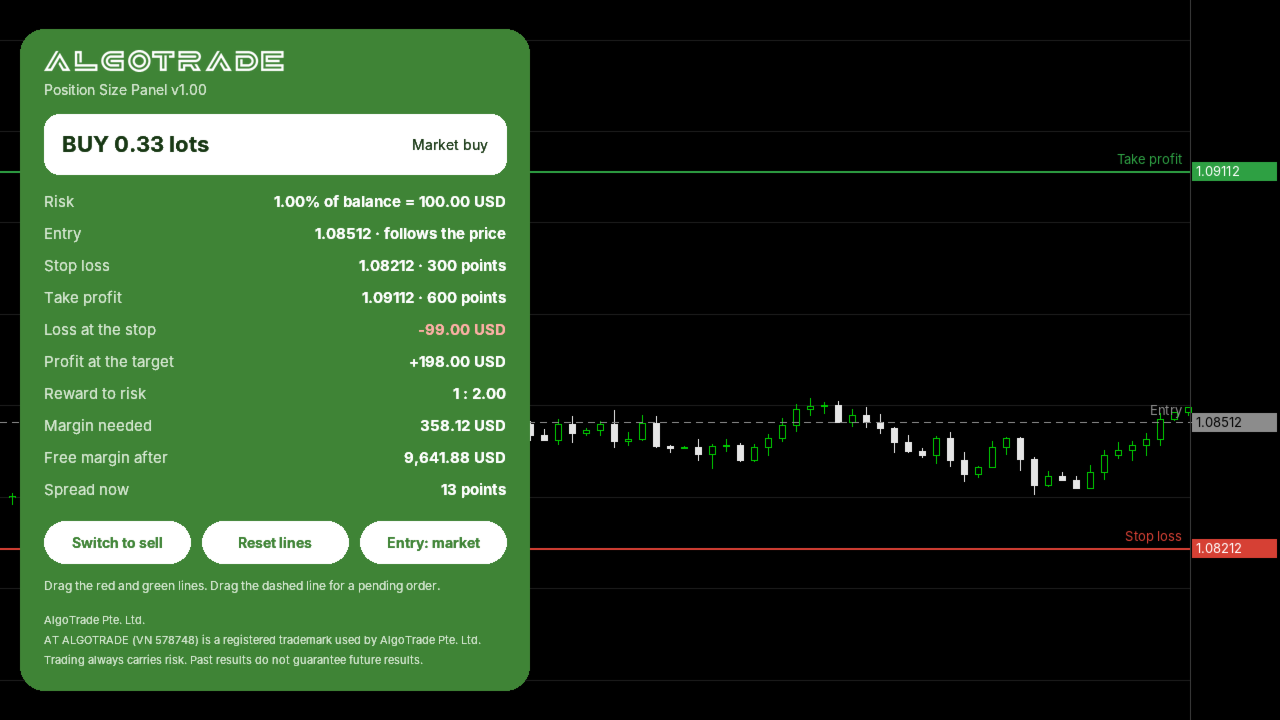
AlgoTrade Position Size Panel works out the lot size for the risk you choose. Drag three lines on the chart (entry, stop loss and take profit) and the panel shows the result at once.
What it shows
- Lot size for a risk in percent of balance, percent of equity or a fixed amount in the account currency, rounded down to the broker lot step so the loss stays within your risk.
- Loss at the stop and profit at the target, in money and in percent of the balance.
- Reward to risk, margin needed and free margin after the trade.
- Stop and target distance in points, and the current spread.
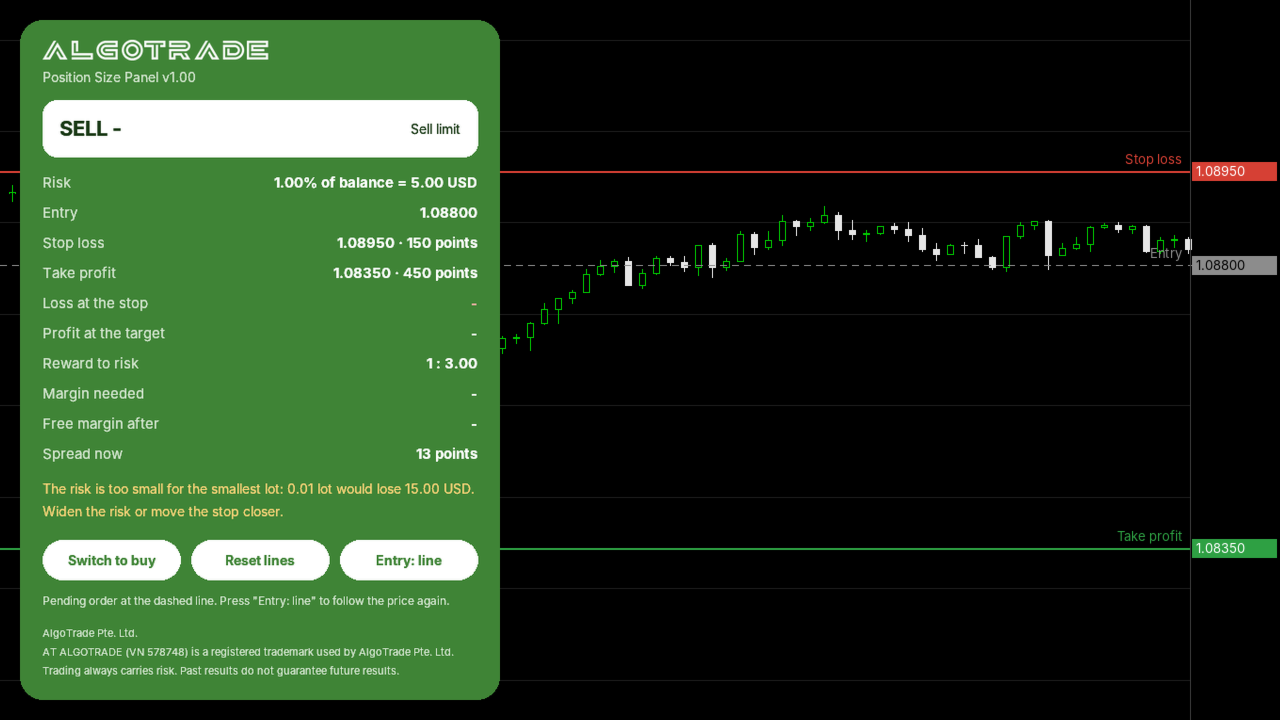
- Market or pending order: when you drag the entry line, the panel shows whether it is a limit or a stop order.
Warnings in plain words
- The risk is too small for the smallest lot.
- The lot size is capped at the broker maximum or at your own maximum.
- Not enough free margin.
- The stop is closer than the broker minimum, or the take profit is on the wrong side.
How to use
- Attach it to the chart you trade. Three lines appear around the price.
- Drag the red line to your stop loss and the green line to your target. Drag the dashed line for a pending order.
- Use "Switch to sell" or "Switch to buy" to change the side, and "Reset lines" to start again.
Inputs: risk type and amount, commission per lot per side, maximum lot size, first stop distance as a multiple of the Average True Range over 14 bars, first take profit as a multiple of the stop, panel corner.
Please read
- The panel only calculates. It does not open, change or close trades.
- Values come from your broker contract data: tick value, lot step and margin. Check them once on your account before you trade.
- If you have a question or would like a feature, please write in the comments on this page. Your reviews help us decide what to improve.
Made by AlgoTrade Pte. Ltd. Trading always carries risk. Past results do not guarantee future results.