Sketch Trade Panel MT5
- 实用工具
- 版本: 1.0
- 激活: 10

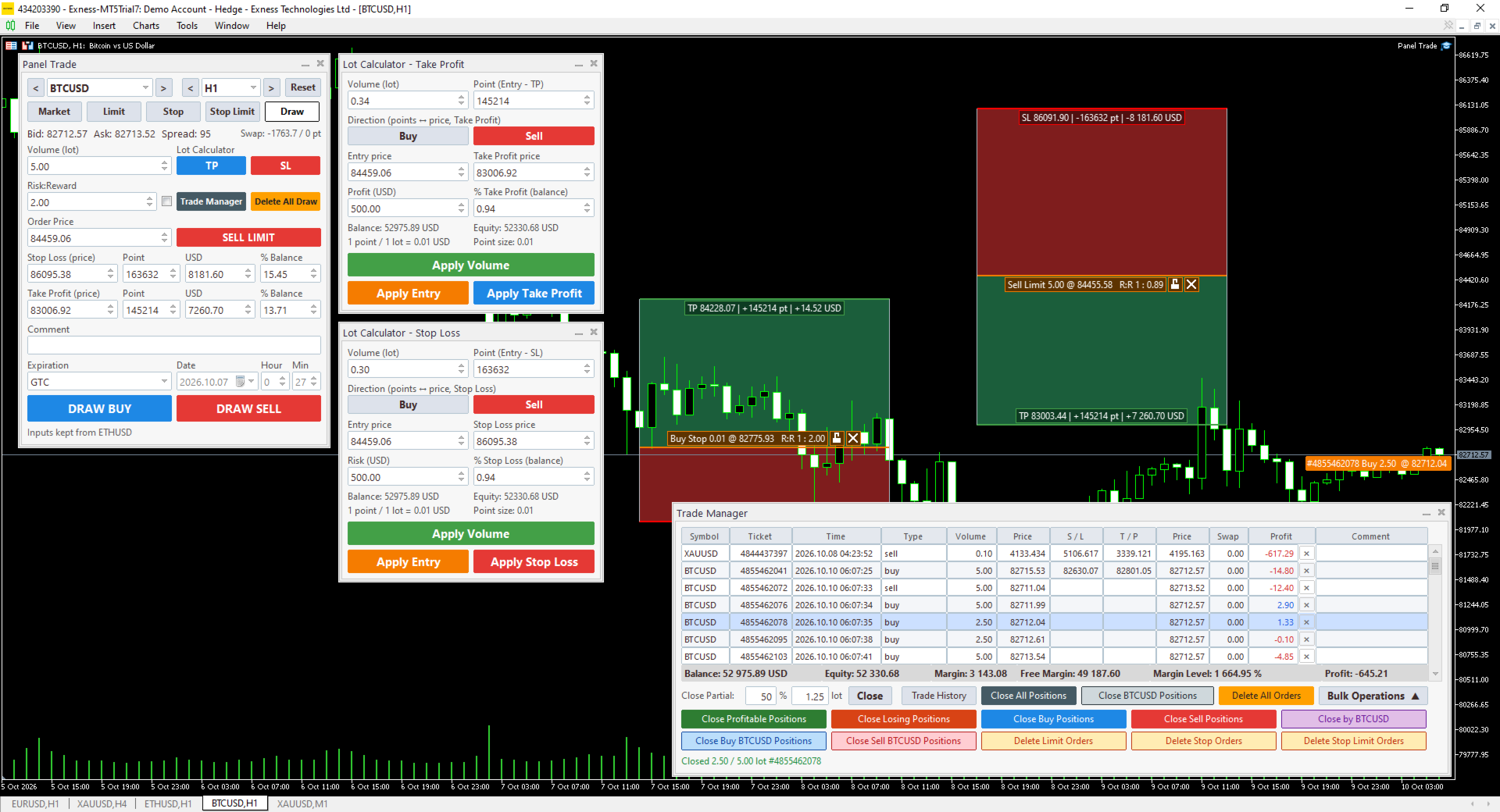
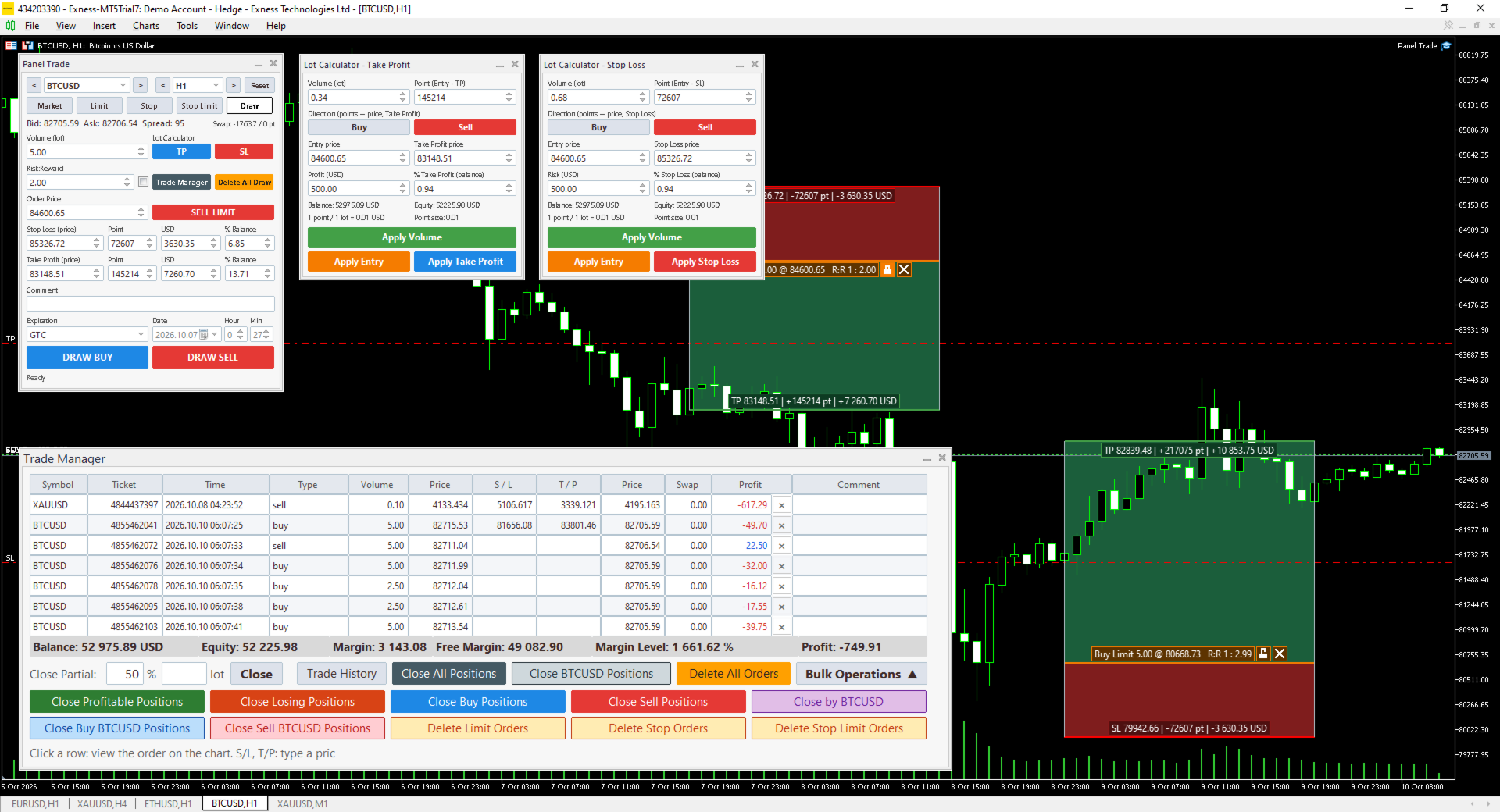
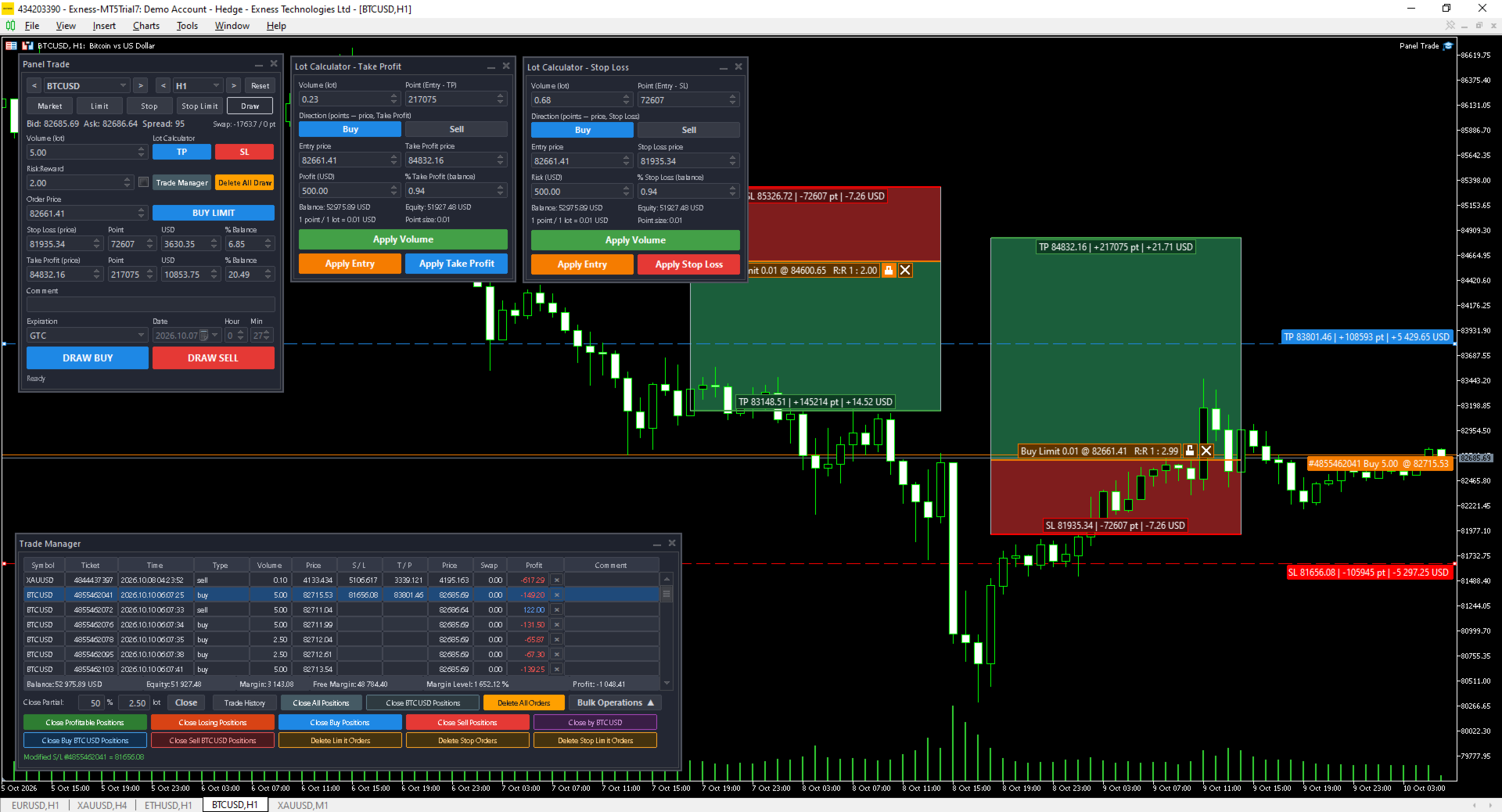
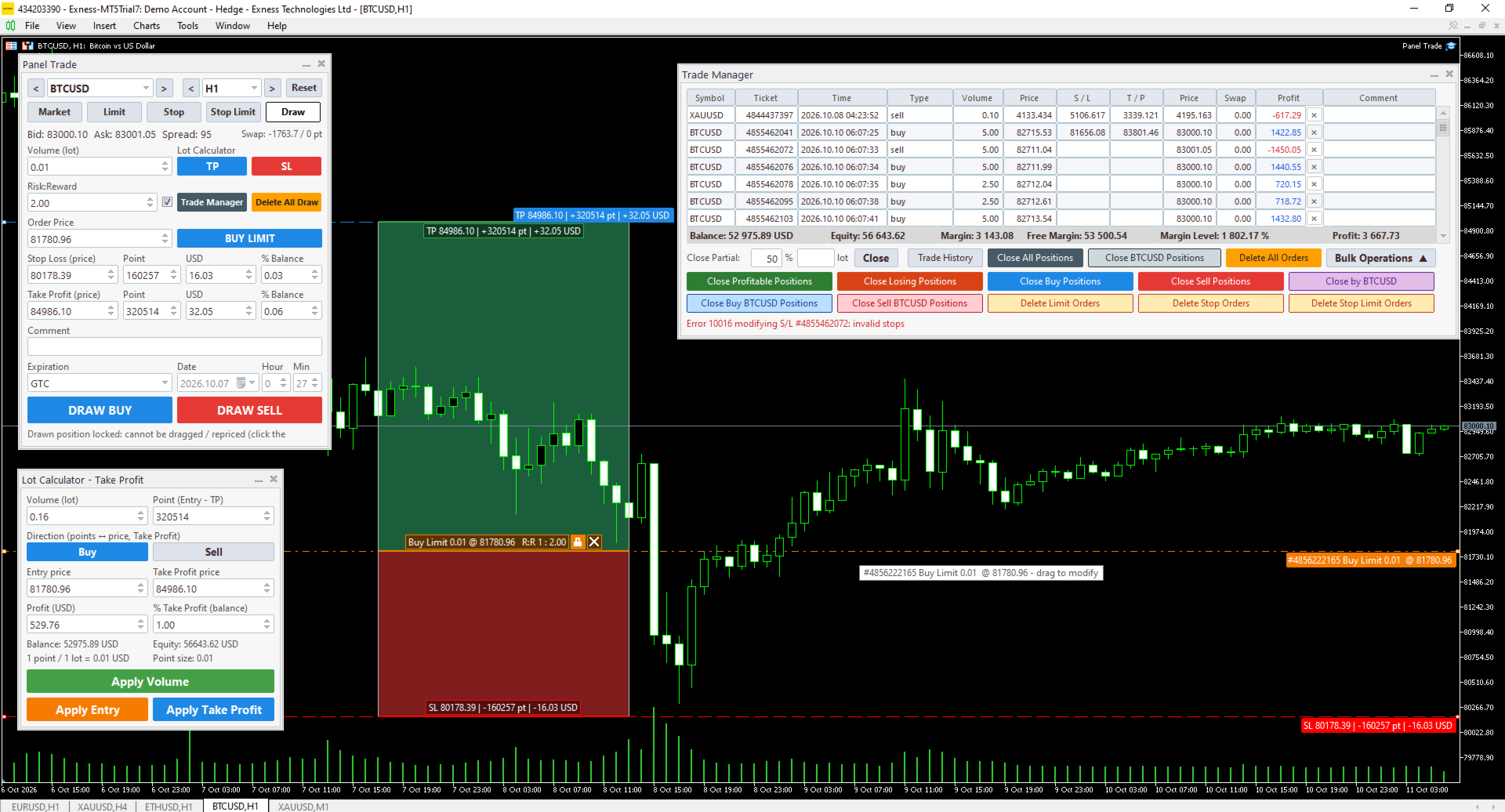
Sketch Trade Panel is a manual trading tool for MetaTrader 5. It puts order entry, position sizing, on-chart trade planning and order management into one set of panels on your chart. It does not open trades by itself.
ORDER PANEL
- Market, Limit, Stop and Stop Limit orders from one panel
- Set Stop Loss and Take Profit as a price, in points, in money or as % of balance. Change one field and the others are recalculated
- Risk:Reward mode: enter the SL and the TP is calculated from your ratio, or the other way round
- Order expiration: GTC, Today, Specified time, Specified day
- BUY / SELL buttons turn grey when the order would be rejected (price on the wrong side, stops too close, invalid volume)
- Bid, Ask, spread and swap shown in the panel
- Symbol and timeframe selectors with previous / next buttons; add any broker symbol by typing its name
LOT SIZE CALCULATOR
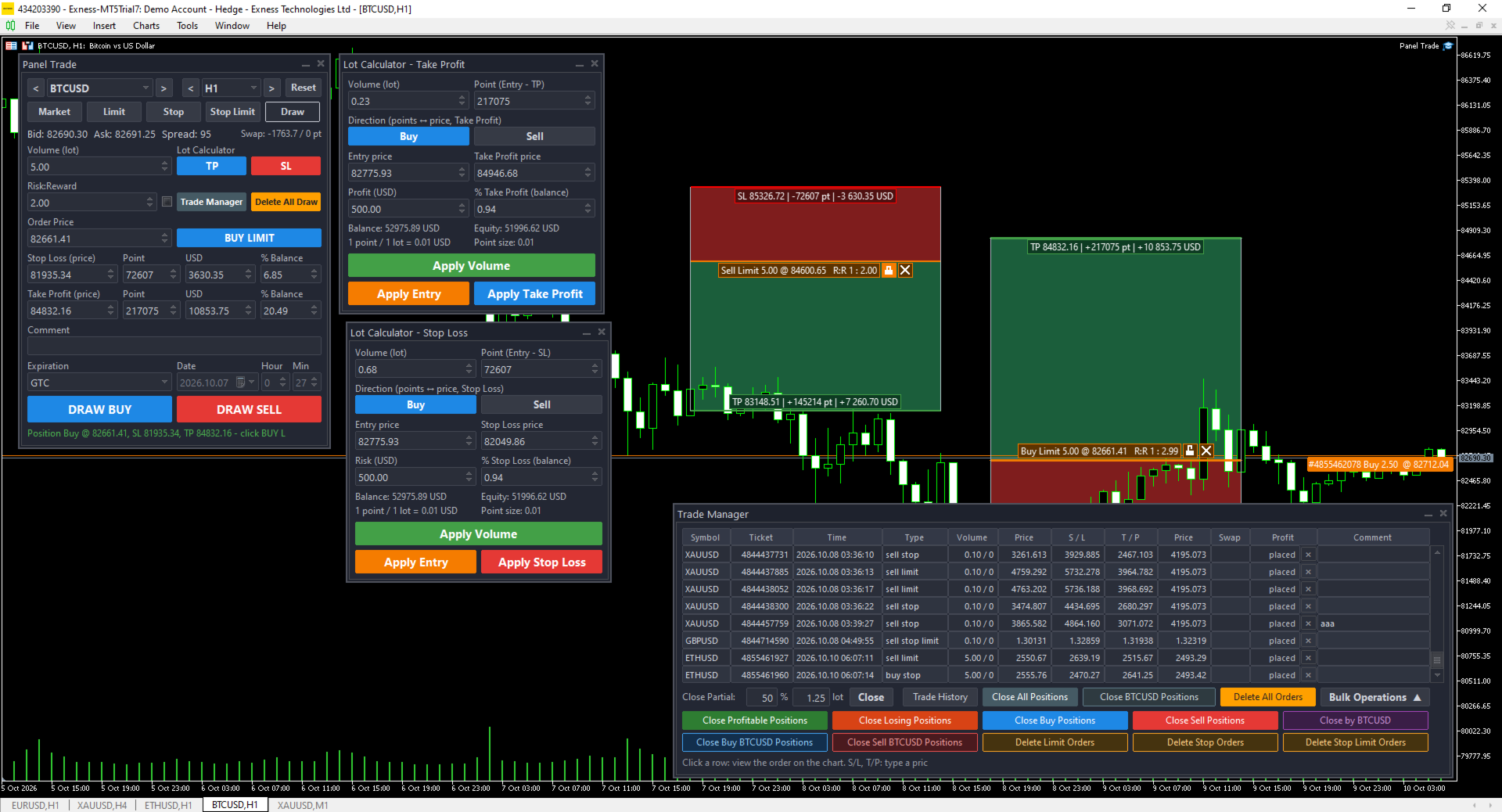
- Two calculators: one by Stop Loss (risk) and one by Take Profit (reward)
- Enter money or % of balance to get the lot size, or enter a lot to see the money and %
- Send the calculated lot, entry and SL / TP back to the order panel with one click
DRAW TAB - PLAN A TRADE ON THE CHART
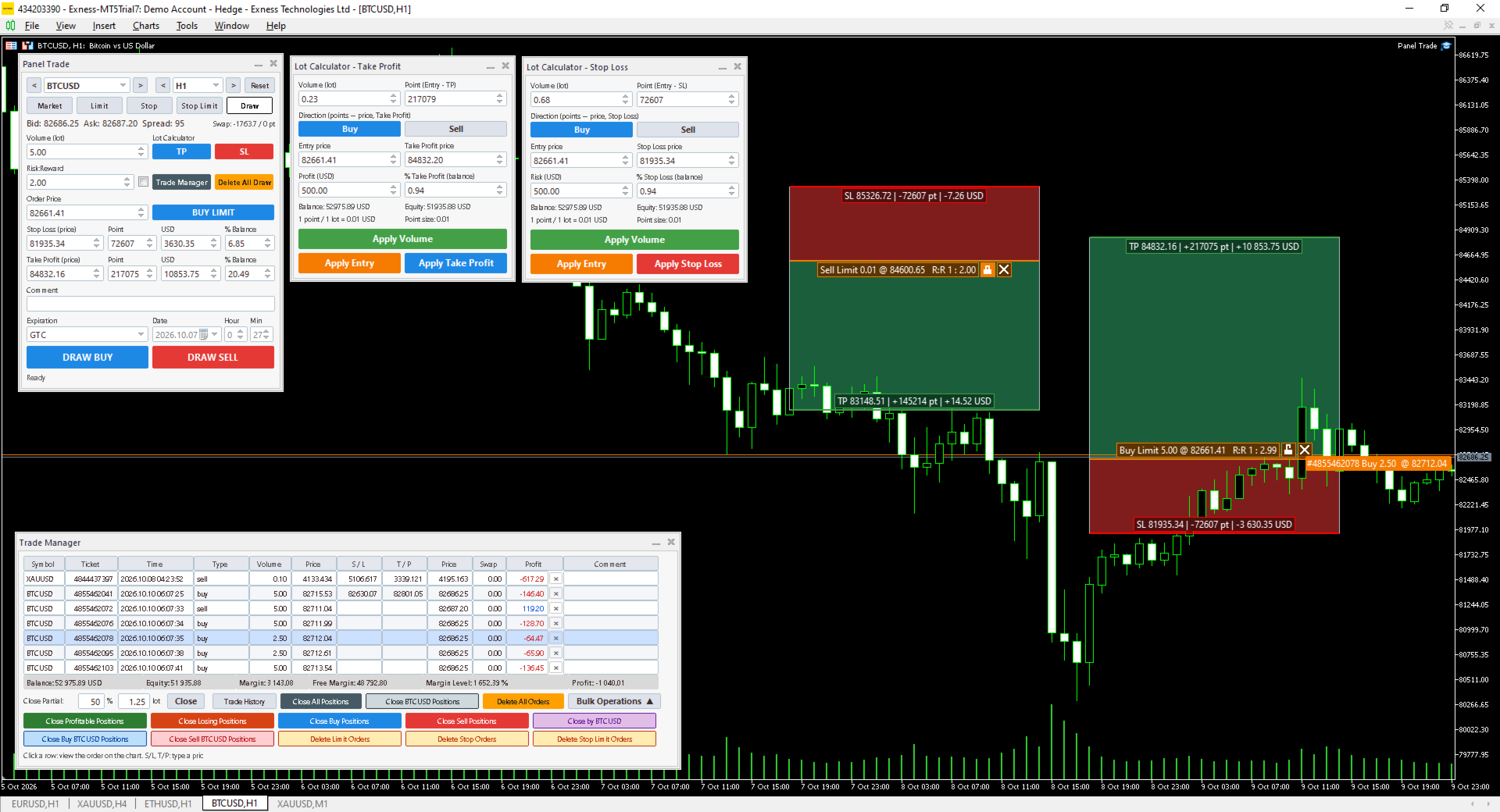
- Draw a Buy or Sell position on the chart with entry, SL and TP zones
- Drag the entry, SL or TP line, move the whole drawing, or drag its edges to resize it
- Labels show price, points, money for your lot, and R:R
- The panel detects whether the drawing is a Limit or a Stop order and places it with one click
- Keep several drawings per symbol; they are saved and restored after a restart
- Hotkeys: Shift + drag moves horizontally only, C + drag duplicates, Delete removes, Esc deselects
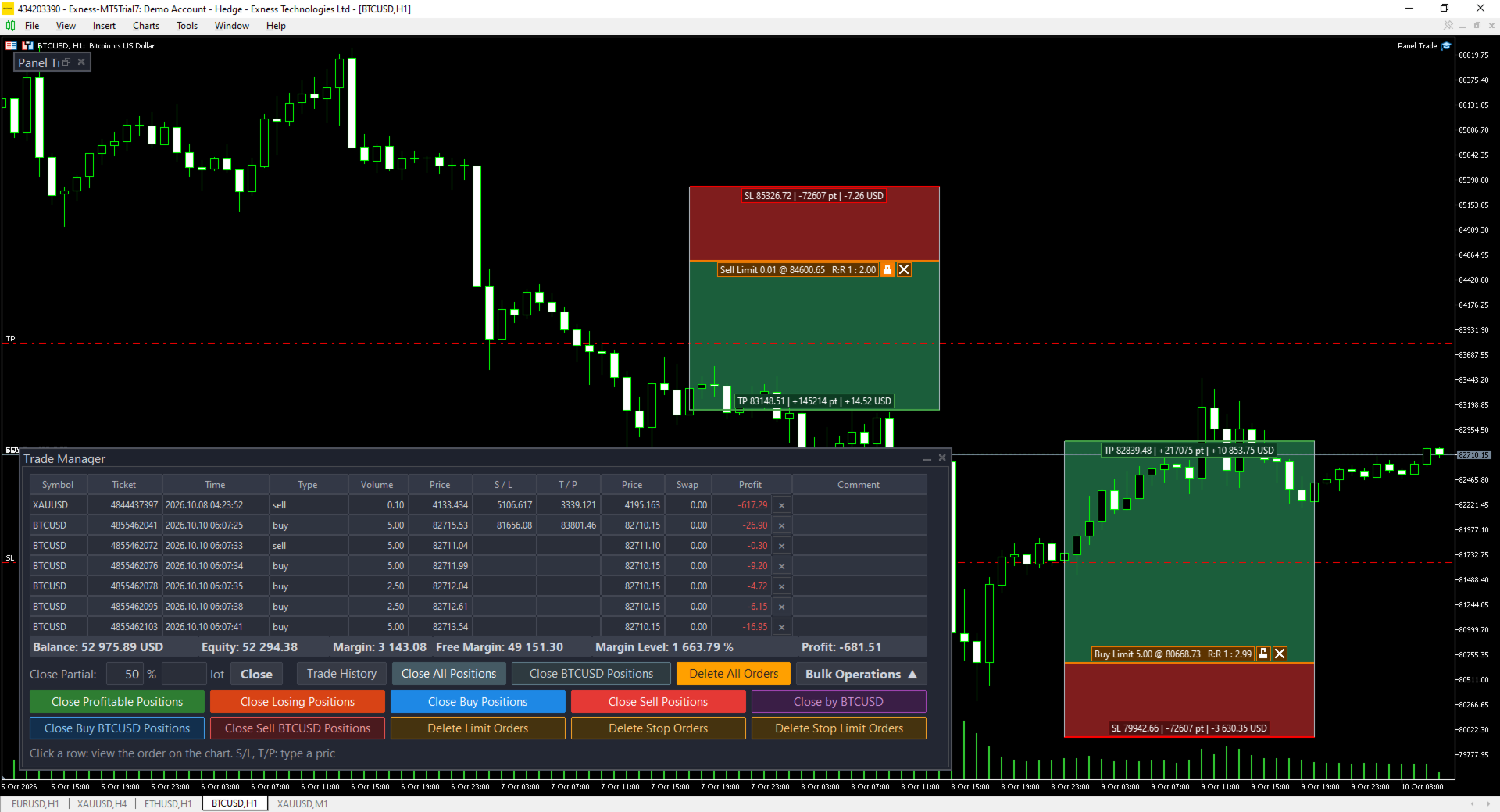
TRADE MANAGER
- Table of all positions and pending orders across symbols, with Balance, Equity, Margin, Free Margin, Margin Level and Profit
- Sort by any column
- Click a row, or an order line on the chart, to show only that order; the chart switches to its symbol
- Drag SL and TP on the chart, drag the entry of a pending order (SL and TP move with it), or type SL / TP directly in the table
- One-click close and Close Partial by % or by lots
- Bulk operations with confirmation: close all, profitable, losing, Buy or Sell positions; close the positions of the chart symbol (all, Buy, Sell, Close by); delete all, Limit, Stop or Stop Limit orders
- Trade History button shows or hides closed trades on the chart
INTERFACE
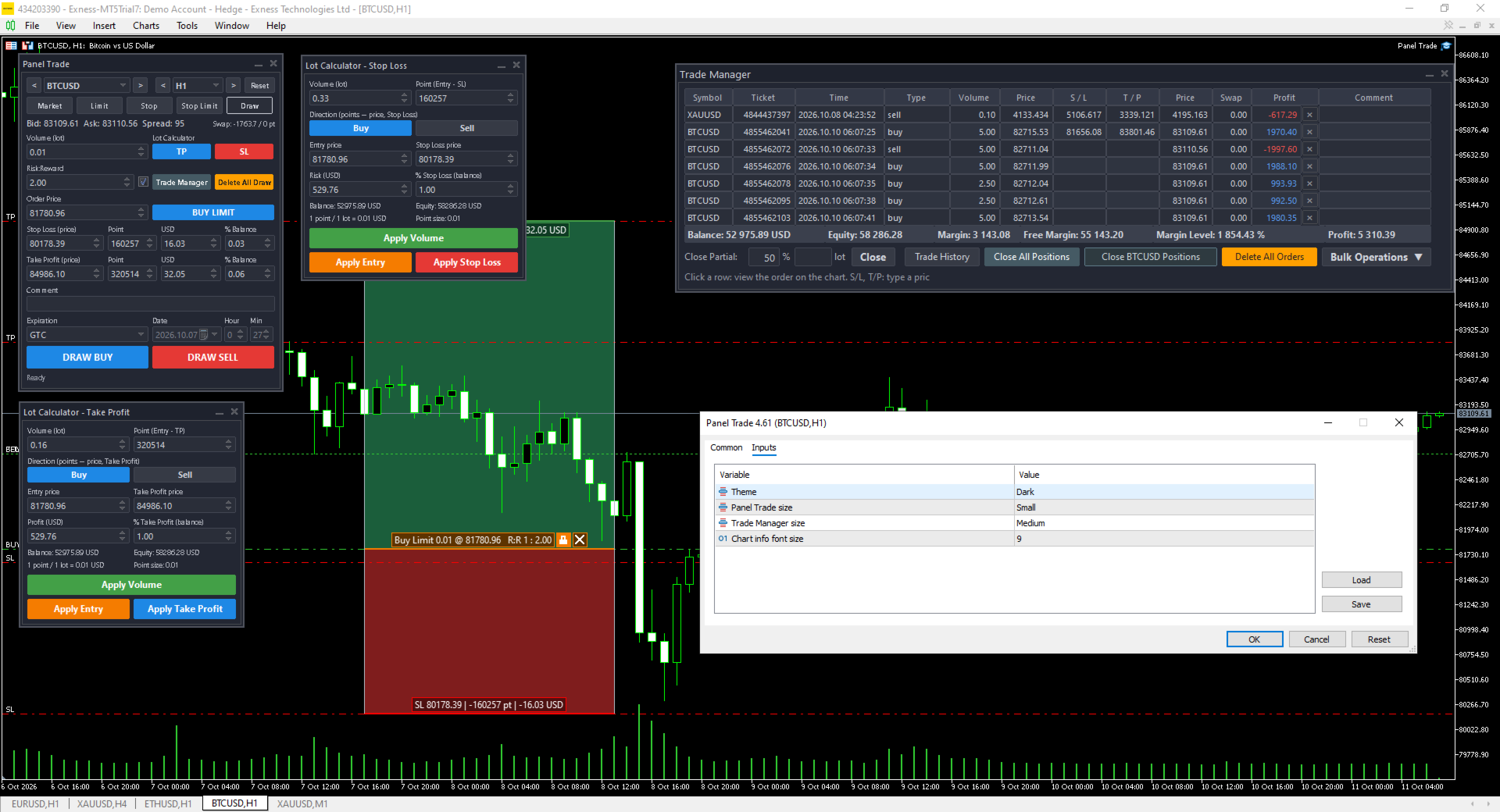
- Light and Dark themes
- Three sizes (Small, Medium, Large), set separately for the order panel and the Trade Manager
- Panels can be moved and minimized. Their positions, your inputs and the active tab are kept when you change symbol or timeframe and after restarting the terminal
- Reset button restores the default layout
INPUTS
- Theme: Light / Dark
- Order panel size
- Trade Manager size
- Font size of the on-chart labels
NOTES
- One-click close, Close Partial and dragging SL / TP send the request immediately, without a confirmation dialog
- Close by works on hedging accounts only
- While attached, the tool controls some chart settings (auto scroll, trade history, trade levels) and restores your own settings when it is removed
- The Trade Manager shows up to 500 rows