TradeManager ChartSteer
- 实用工具
- 版本: 3.0
- 激活: 20

ChartSteer Trade Manager for MT5
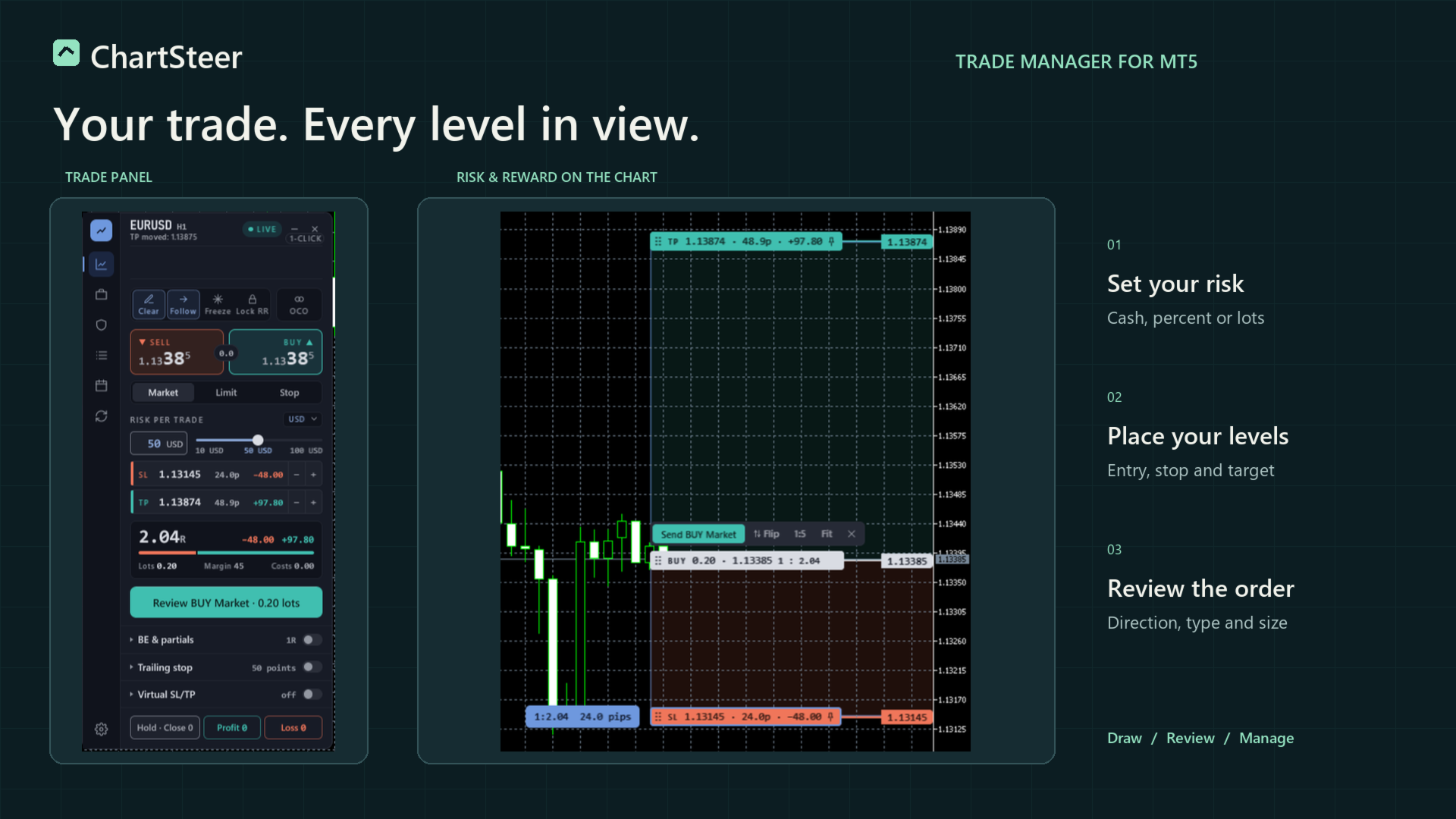
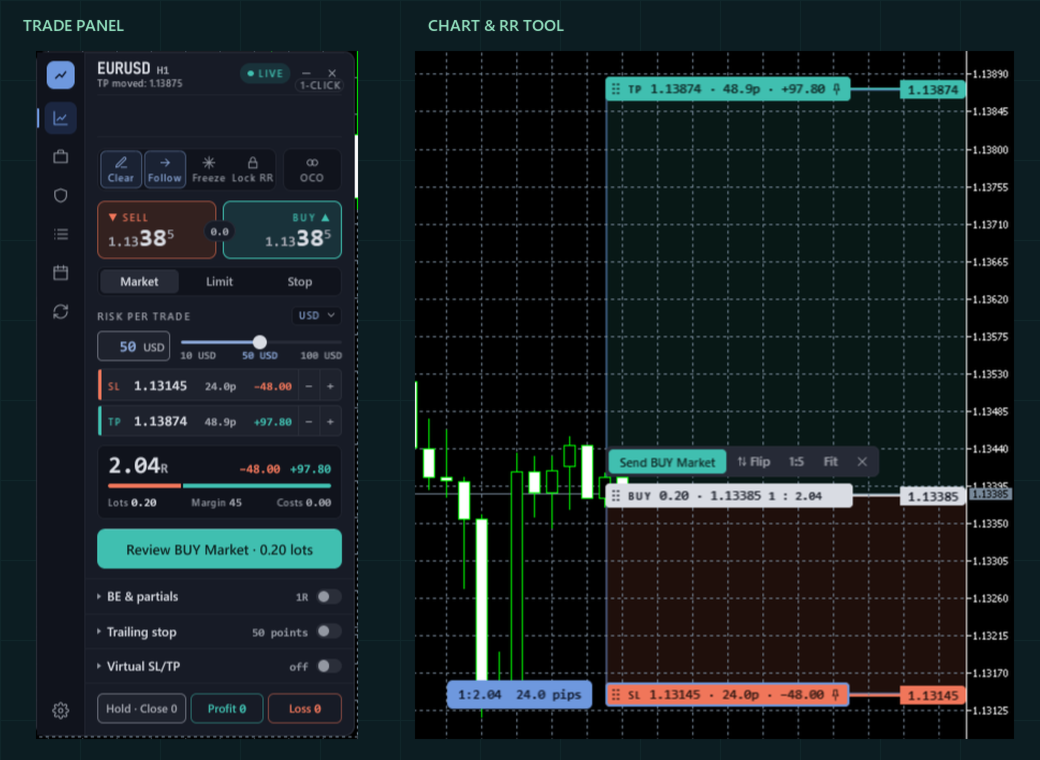
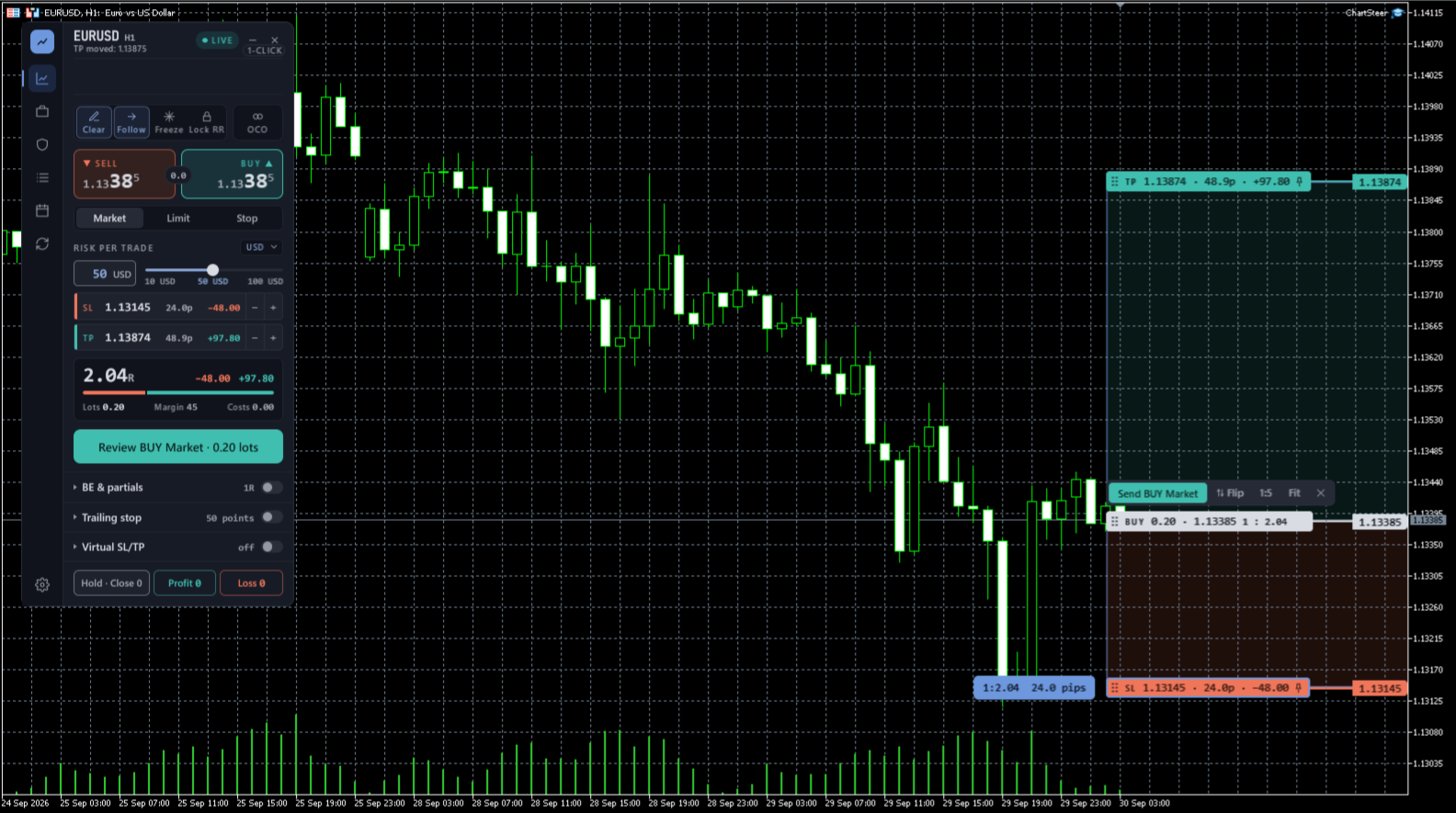
Plan entry, stop loss and take profit on the chart. Choose your risk, review the calculated lot size, then manage the position from the same panel. ChartSteer is built for traders who choose their own entries and want a clear view of the order and its management rules.
Plan the trade and see the risk
- Risk-based lot sizing: choose cash risk, a percentage of balance or equity, or fixed lots. Risk-based modes recalculate volume when the stop changes.
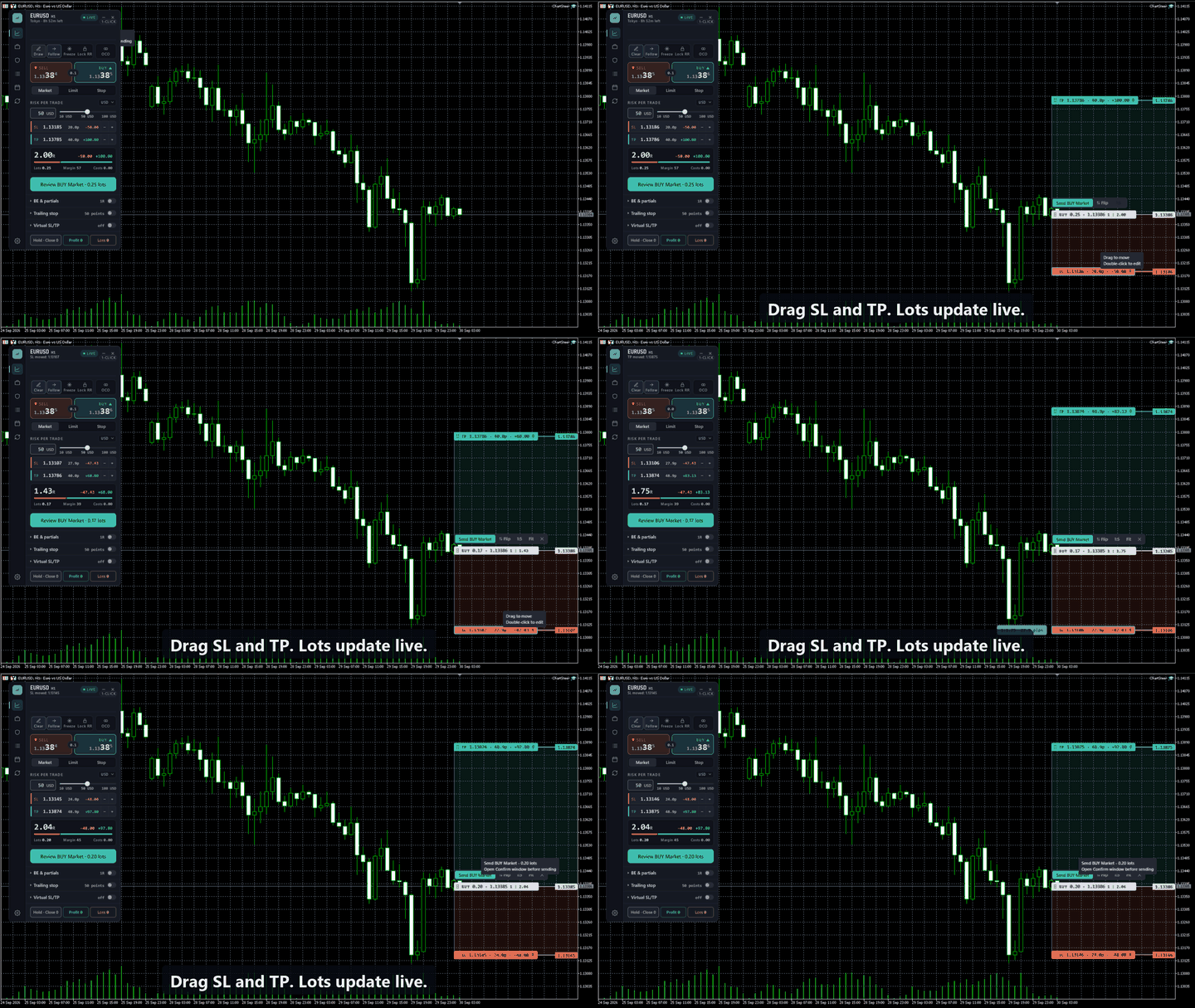
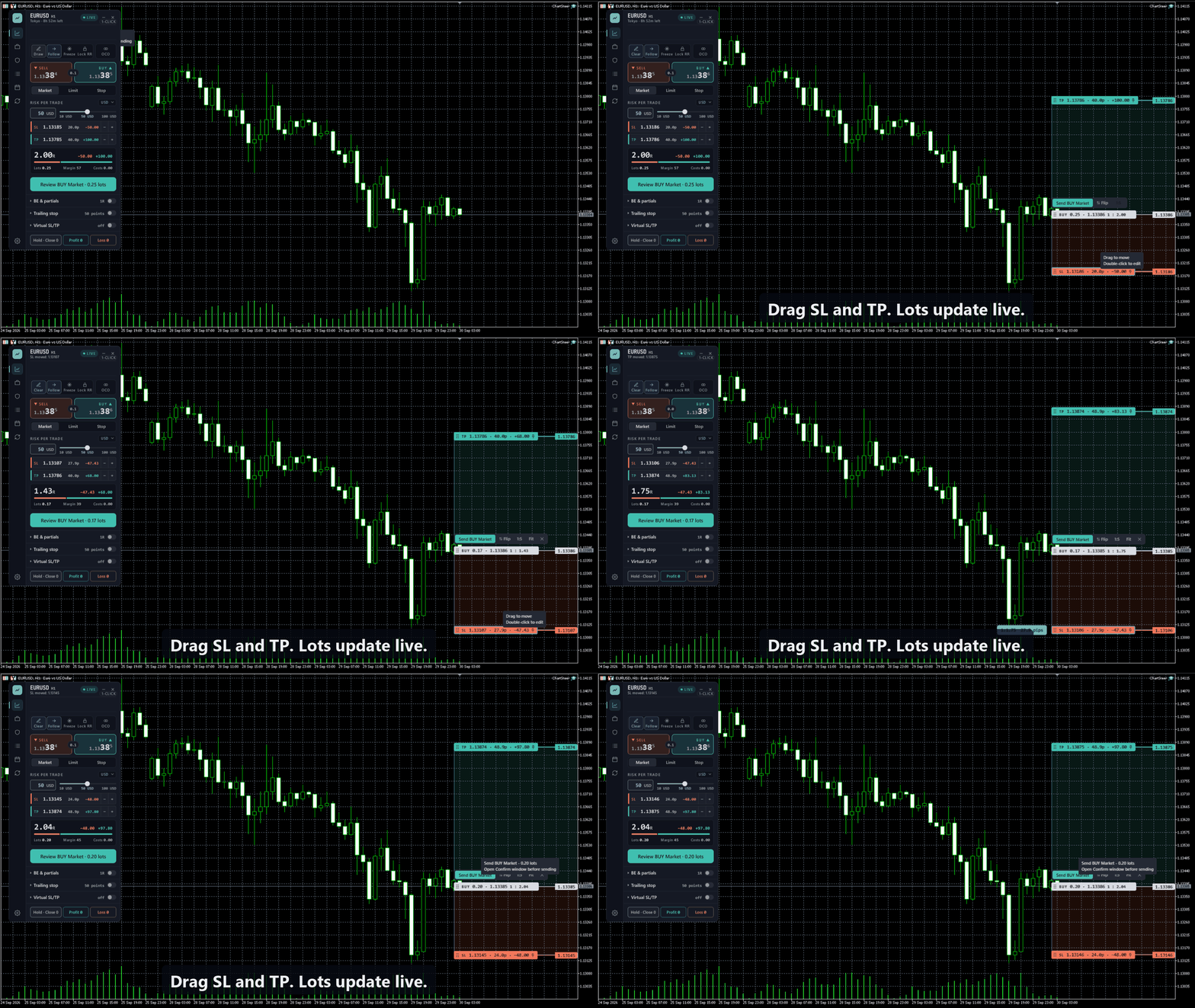
- Visual risk and reward: drag entry, SL and TP. Read prices, distances, estimated money values and the planned R:R together. Double-click a tag to edit an exact level.
- Follow, Freeze and Lock R:R: Follow keeps a market entry at the quote. Freeze holds SL and TP prices when entry moves. Lock R:R links the levels at the chosen ratio; Freeze takes priority when both are enabled and entry moves.
- ATR draft levels: start a new plan with ATR-based stop and target distances, then review and adjust the prices.
Place and manage orders
- Market and pending orders: plan market, limit and stop entries. Check the full order type on the Send control before confirming.
- Large-order splitting: split a larger order into broker-sized parts while keeping the planned levels.
- OCO groups: link pending orders so that, when one activates, ChartSteer requests cancellation of the remaining orders in the group.
- Bulk actions: manage selected trades or filter actions by profitable positions, losing positions, BUYs or SELLs. Review the affected trades before confirming.
Manage exits in stages
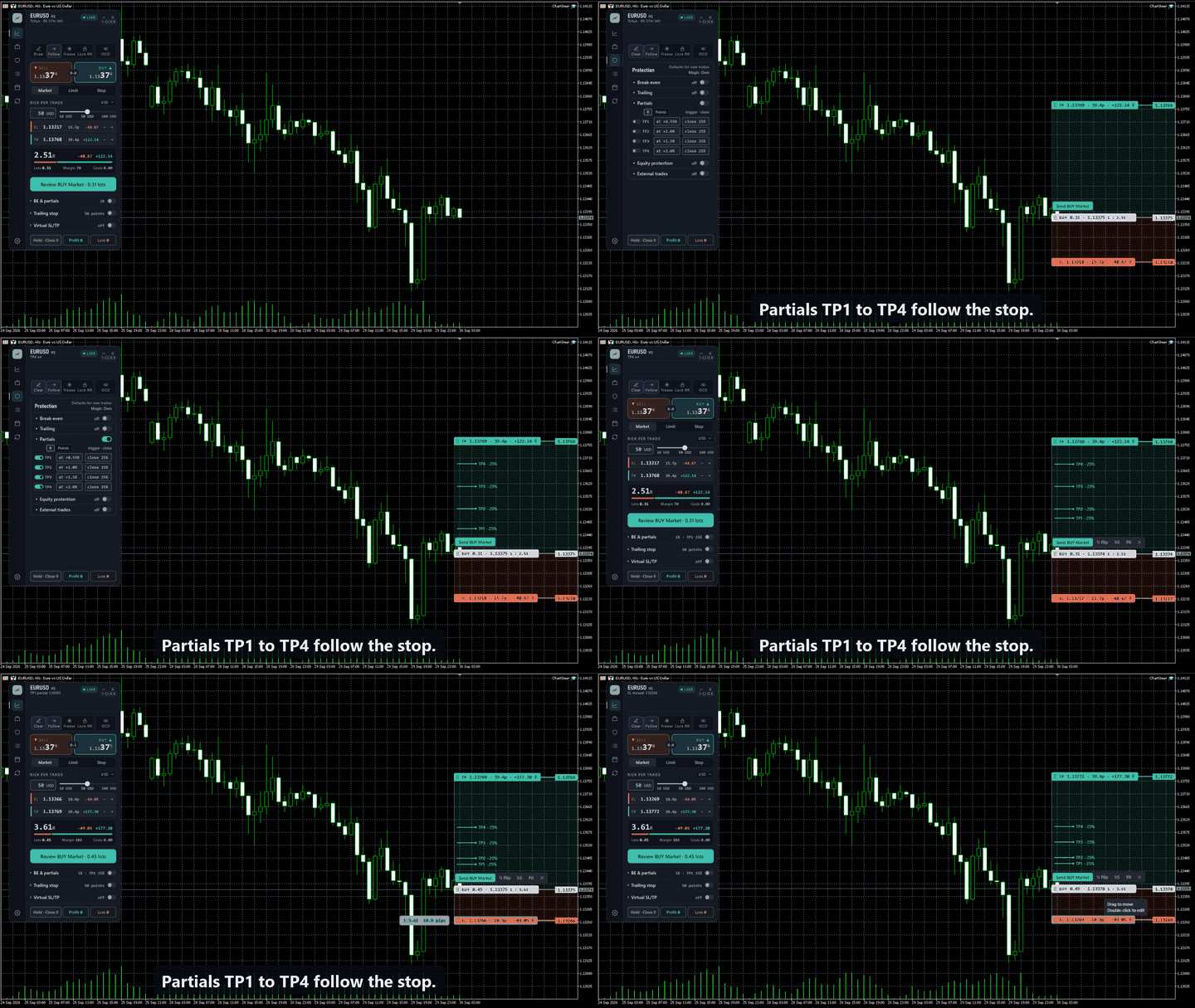
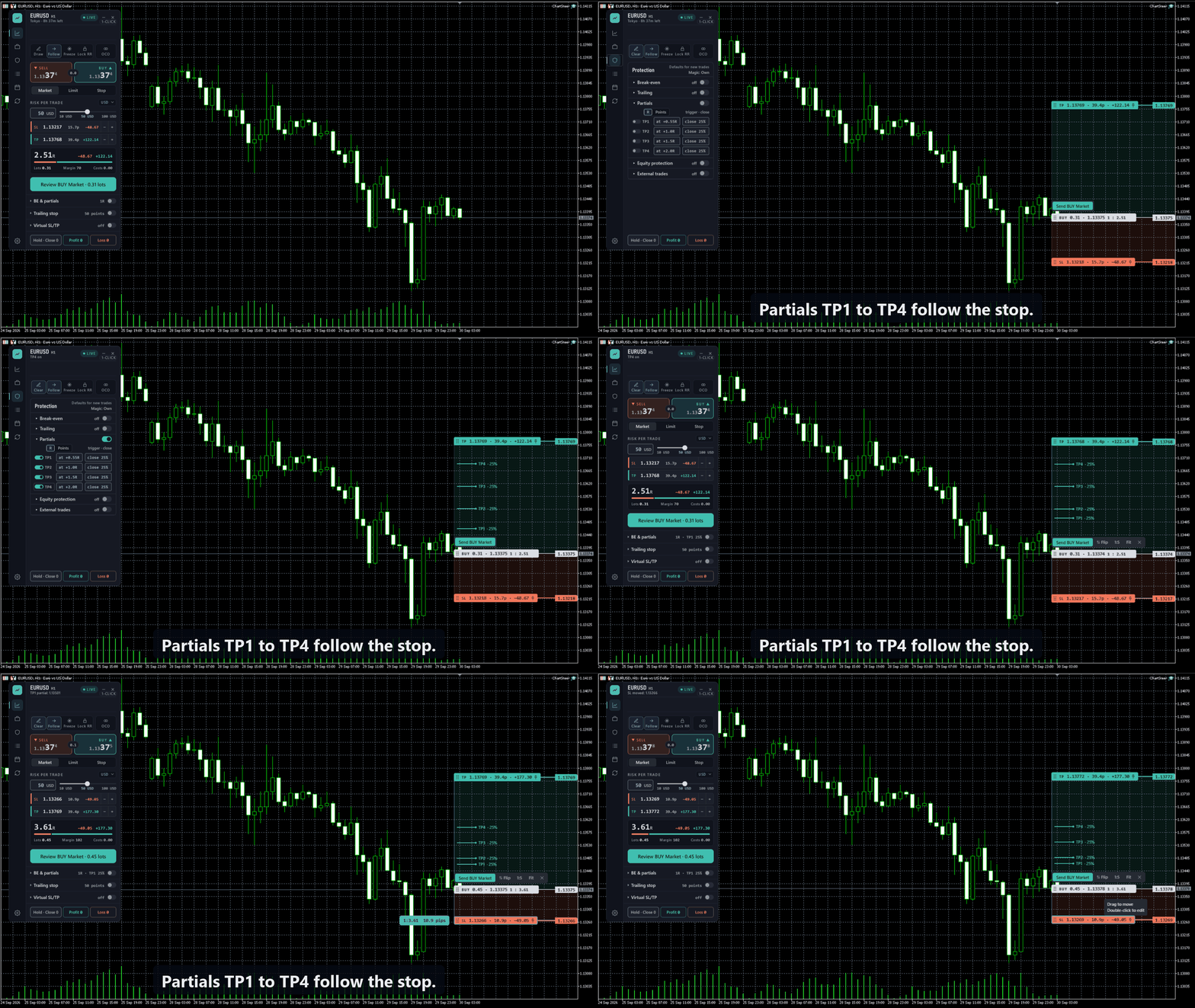
- TP1–TP4 partial exits: configure up to four stages, each with its own trigger and closing amount. Show or hide the chart marks while retaining the saved settings.
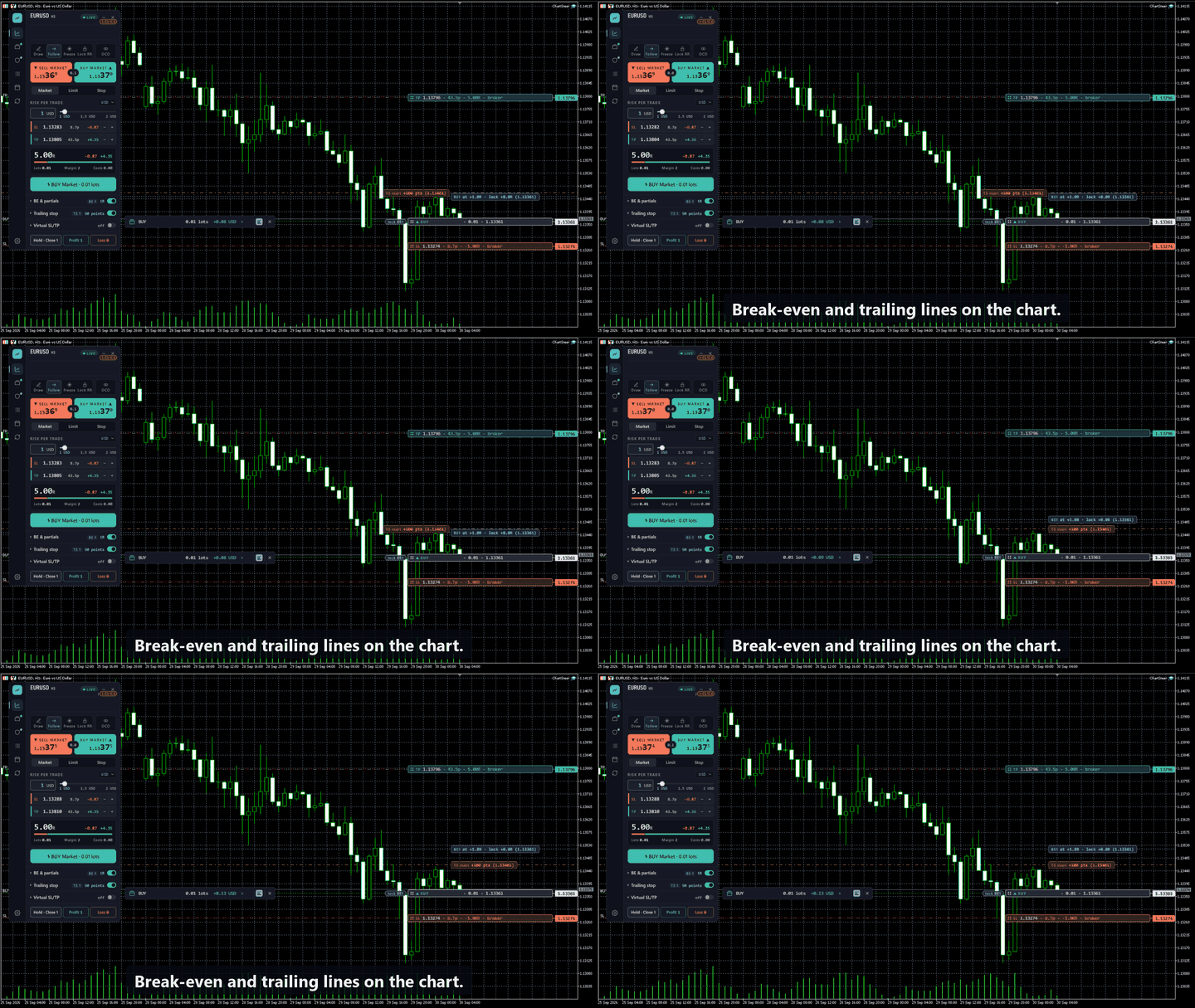
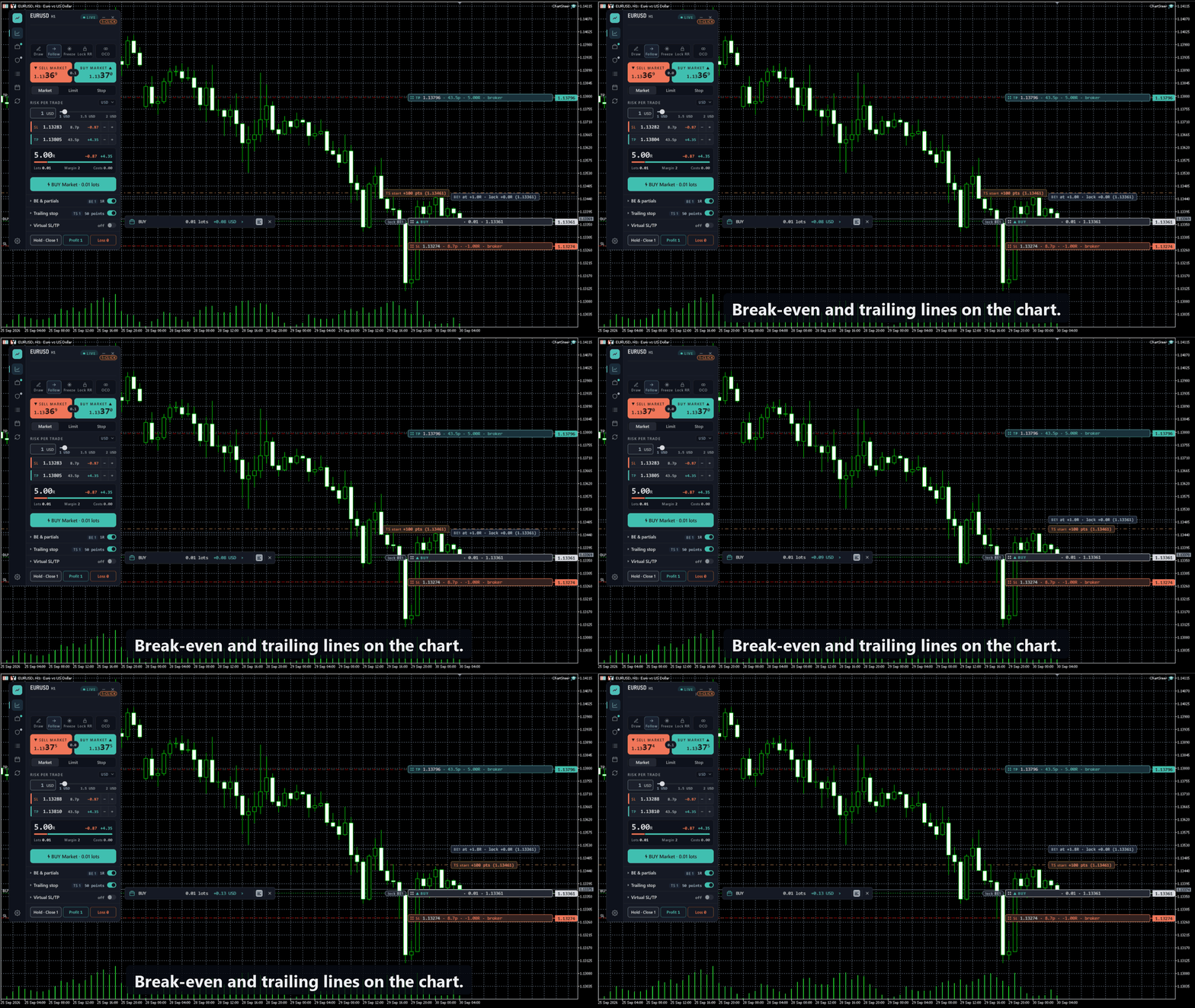
- Break-even: set when a stage becomes eligible and where it should move the stop. The trigger line and the requested stop level are different.
- Trailing stop: choose the start, distance and step. Use the position’s Rules editor to change an existing trade.
- Broker or virtual levels: inspect the execution mode for entry and protective levels before applying a change.
- Equity controls: set profit and loss thresholds to pause new ChartSteer orders, or close trades in the selected scope and pause.
- External trades: optionally include manually or externally opened positions in the management scope. Check which trades the setting covers.
Set up your workspace
Choose Night desk, Day desk, Graphite or Deep ocean. Adjust panel scale, text, density and RR colours. Floating RR tag hints are optional. Configure chart hotkeys for common actions. Filter the economic calendar by currency and impact, with forecast, previous and actual figures when available.
See it before you buy
The animations below show RR planning, partial exits and break-even/trailing lines. For hands-on use on a broker demo account, the one-month rental provides the full product. The Market’s free demo download is limited to Strategy Tester; it is not a trial for normal demo-account charts. For compatibility or setup questions, contact the developer through the MQL5 profile.
Start with a plan
- Install ChartSteer from the MT5 Market and attach it to a chart.
- Set EnableTrading = false to practise drawing and sizing without sending orders.
- Choose the side and risk mode, draw the levels, then read the lots, risk and order type.
- Review before confirming. Confirmations are enabled by default; one-click mode is optional.
MetaTrader 5 for Windows is required. DLL imports are not required. Check your broker’s volume limits, order restrictions and execution settings before trading.
How management runs
Keep ChartSteer attached, MT5 running and connected, and trading permissions enabled for virtual triggers, automatic partials, break-even, trailing, OCO cancellation and equity close-outs. Accepted broker SL/TP remains at the broker. Management requests depend on broker acceptance; fast markets can fill both OCO orders before cancellation.
Break-even and trailing defaults apply to trades opened afterwards; edit existing positions through their Rules. Automatic partial percentages use original volume and remain subject to minimum-lot and volume-step restrictions.
ChartSteer does not choose entries or promise returns. Planned risk is an estimate: costs, gaps, slippage and execution restrictions can change the result.