Confluence Ruler MT5
- 指标
-
Part-time Day Trader
 Consistent Trading Made Easy
I build practical MT4 and MT5 tools that help traders follow structured execution routines with greater discipline, consistency, and confidence. - 版本: 1.0
- 激活: 8
See Live Key Price Confluence at a Glance—Without Covering Price Action.
Confluence Ruler brings selected key price levels together on a compact ruler beside the current price action and updates them automatically as the market advances. Rather than extending every level across the entire chart, it displays short, clearly labeled lines in one focused area.
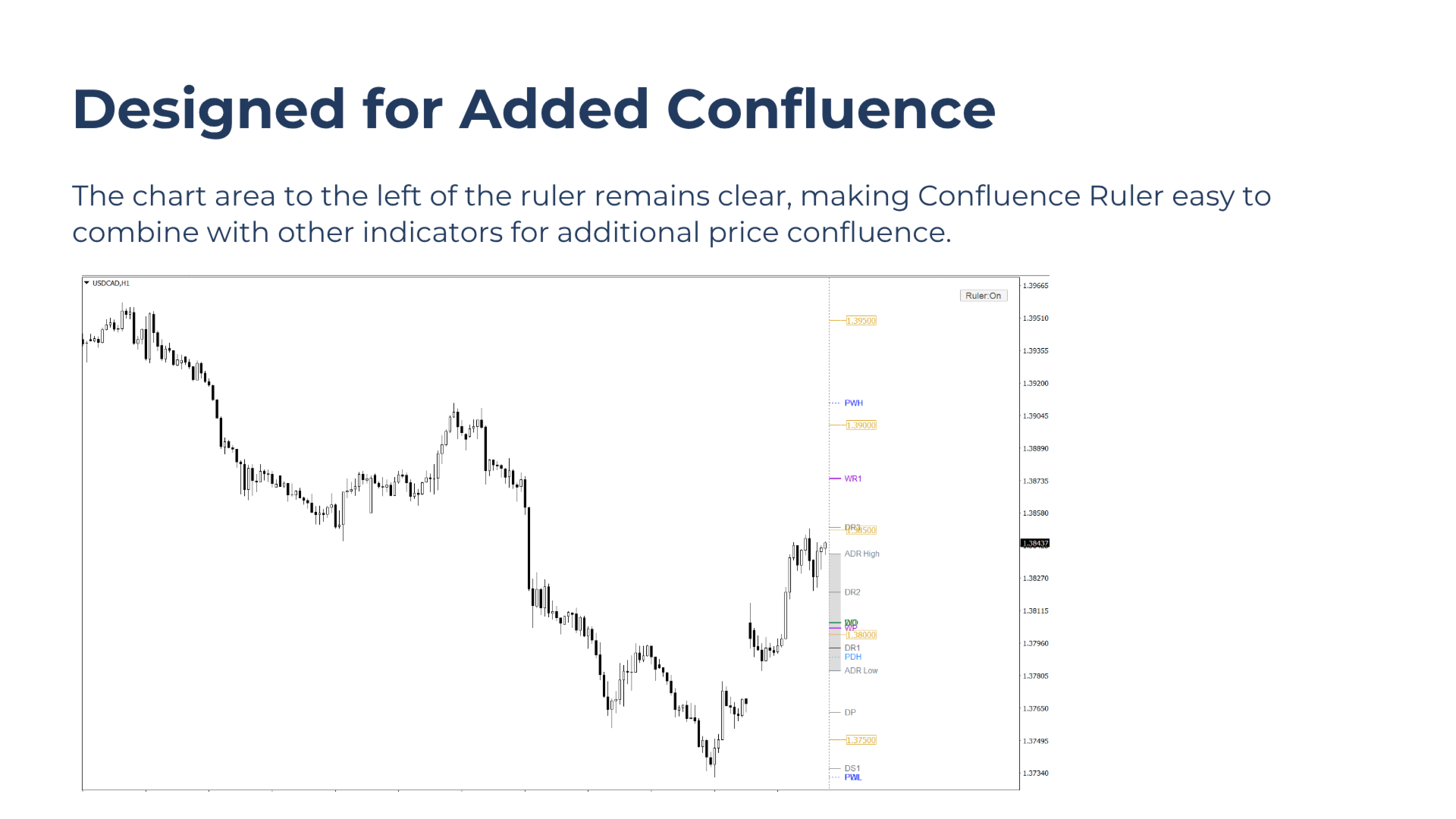
This leaves the main chart area clear and makes the tool easy to combine with other indicators when looking for additional price-level confluence.
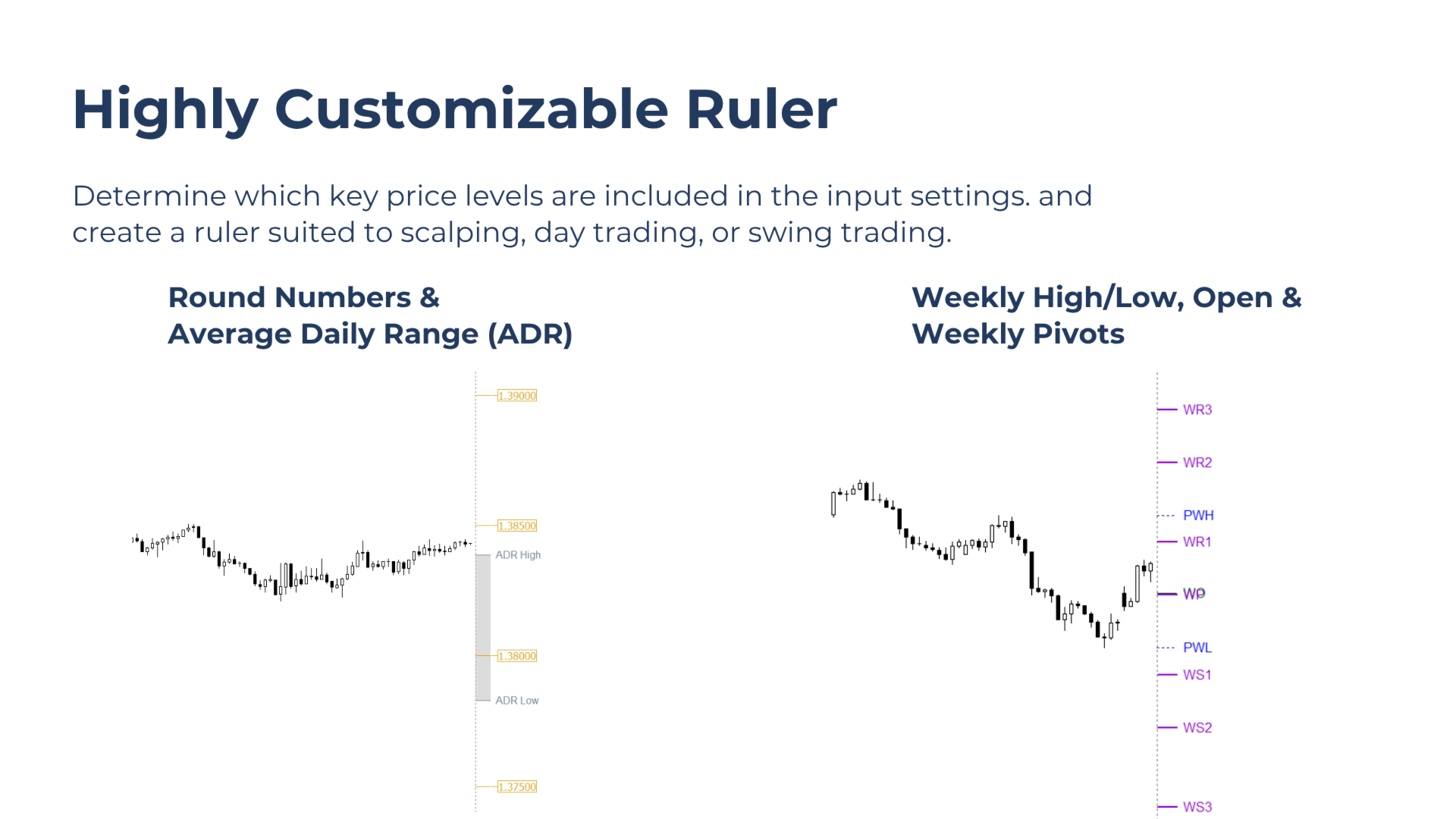
Each level type can be included, excluded, or temporarily hidden, creating a customized ruler suited to scalping, day trading, or swing trading.
Built for Traders Who Want To
- Identify confluence among key price levels for trade planning.
- Keep the main chart area clear for price action and other indicators.
- Select which price-level types are included in the ruler.
- Create customized ruler configurations for scalping, day trading, or swing trading.
What Confluence Ruler Does
Confluence Ruler calculates selected key price levels and displays them as short, clearly labeled lines on a compact ruler beside the current price action.
All active levels update automatically and remain correctly positioned as new candles form.
Included Level Types:
Previous Day High and LowPrevious Week High and Low
Current Daily Open
Current Weekly Open
Daily Classic Pivots
Weekly Classic Pivots
Round Numbers
Average Daily Range (ADR) or Average Weekly Range (AWR) boundaries
Yesterday’s Point of Control (POC)
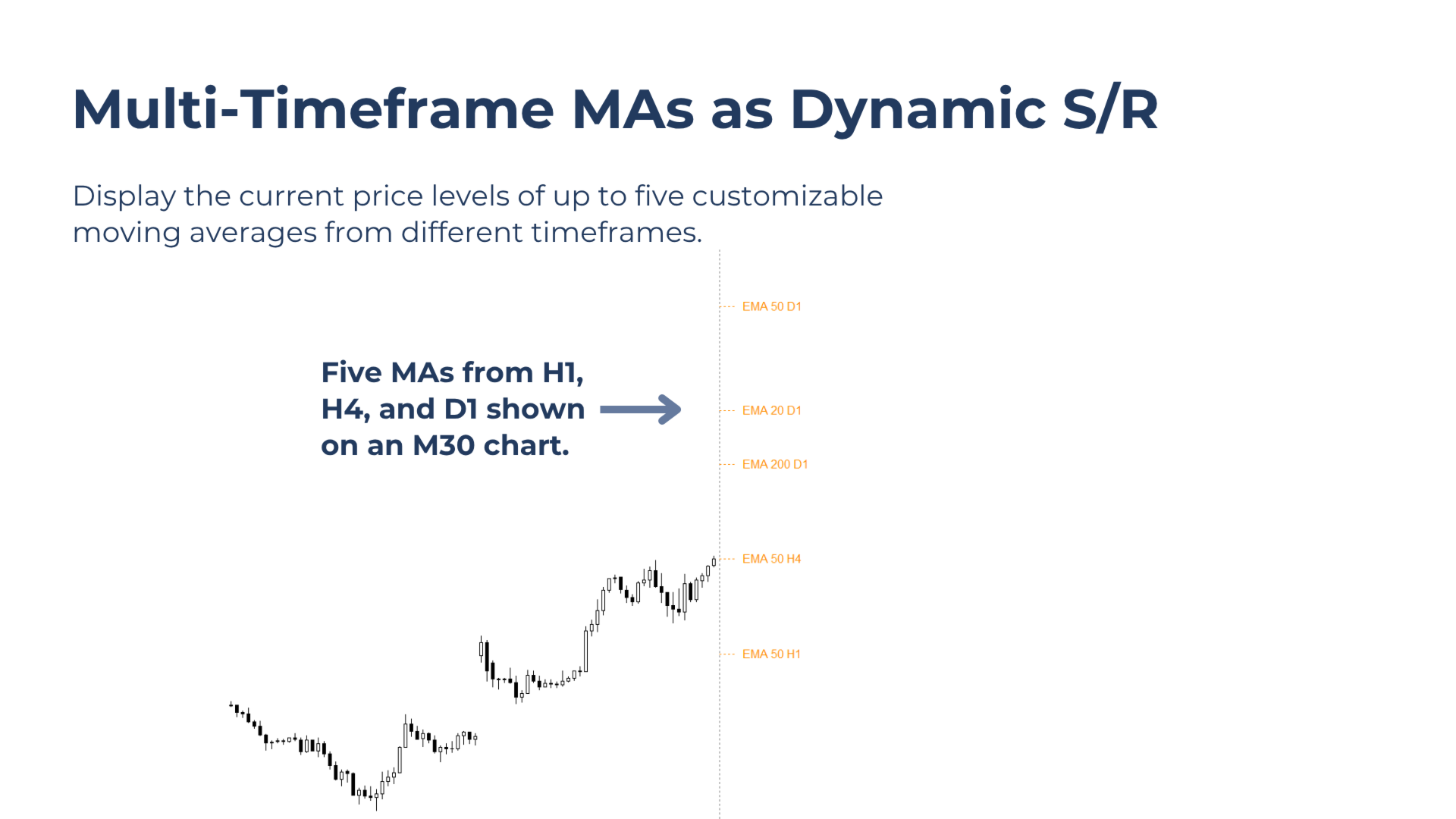
Up to five customizable moving averages from selected timeframes
Key Benefits
Key Levels at a Glance
View multiple potential reaction levels together in one clearly defined chart area, without cluttering the chart.
Designed for Added Confluence
Easily combine the ruler with price-action tools, setup indicators, or other technical studies without extending every level across the main chart.
Adaptable to Different Trading Styles
Select a focused group of levels for scalping, day trading, or higher-timeframe swing analysis.
Core Features
Automatic or Manual Round Numbers
Display relevant round-number levels using either an automatically calculated interval or a manually selected interval.
Current Values of Up to Five Moving Averages
Add up to five individually configured moving averages with customizable periods, calculation methods, and timeframes.
Level Information on Hover
Hover over a ruler line to view additional information about the corresponding price level.
Individual Level Controls
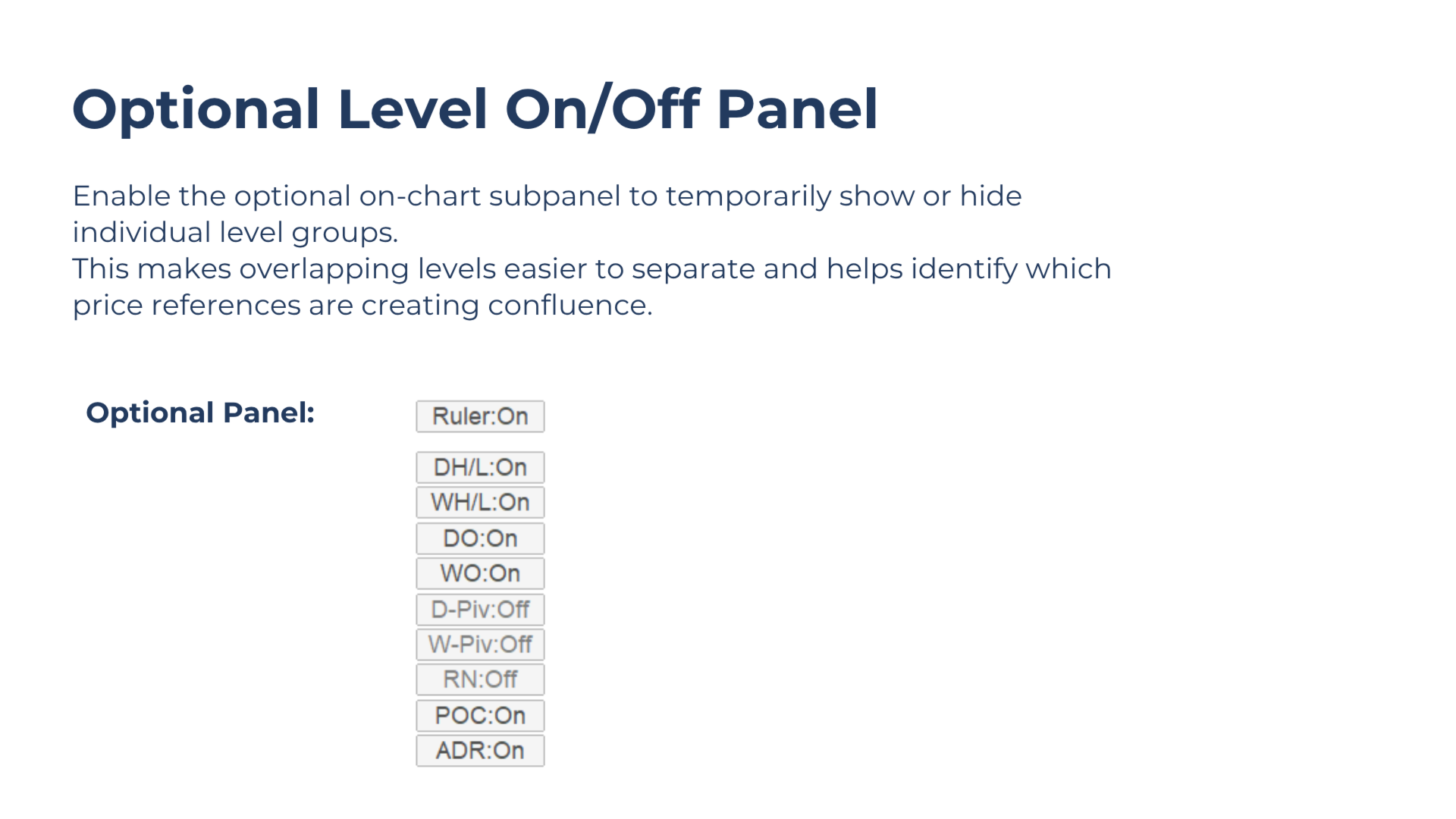
Use the optional on-chart panel to temporarily show or hide selected level groups. This makes overlapping levels easier to separate and helps identify which price references form a confluence cluster.
How to Use
- Attach Confluence Ruler to the chart
- Select and configure the key price levels to include through the input settings.
- Use the optional on-chart panel to temporarily show or hide individual level groups when several levels overlap.
- Combine the ruler with other indicators or price-action analysis to identify areas of additional confluence.
Free Demo in Strategy Tester
For the best demo experience, run the Strategy Tester using the Every Tick modeling mode. Level Information on Hover is not supported in the Tester.
Feedback Is Always Welcome
Suggestions, comments, and bug reports help refine existing tools and shape future improvements.