FX Pro Super Dashboard
- 专家
- 版本: 1.10
- 更新: 3 八月 2026
- 激活: 5

All-in-one trading dashboard: one-click Buy/Sell/Close All with TP/SL & trailing stop, plus auto S/R, trendlines, order blocks, CHoCH, and price action alerts.
Full Product Description
FX Pro Dashboard — Your Complete Trading Command Center
Stop switching between manual clicks, separate indicators, and a notepad full of support/resistance levels. FX Pro Dashboard puts everything you need to trade, manage risk, and read market structure directly on your chart — in one clean, collapsible panel.
Whether you trade manually or semi-automate your entries, this tool gives you one-click execution alongside a live, self-updating read of price action, so you spend less time analyzing and more time deciding.
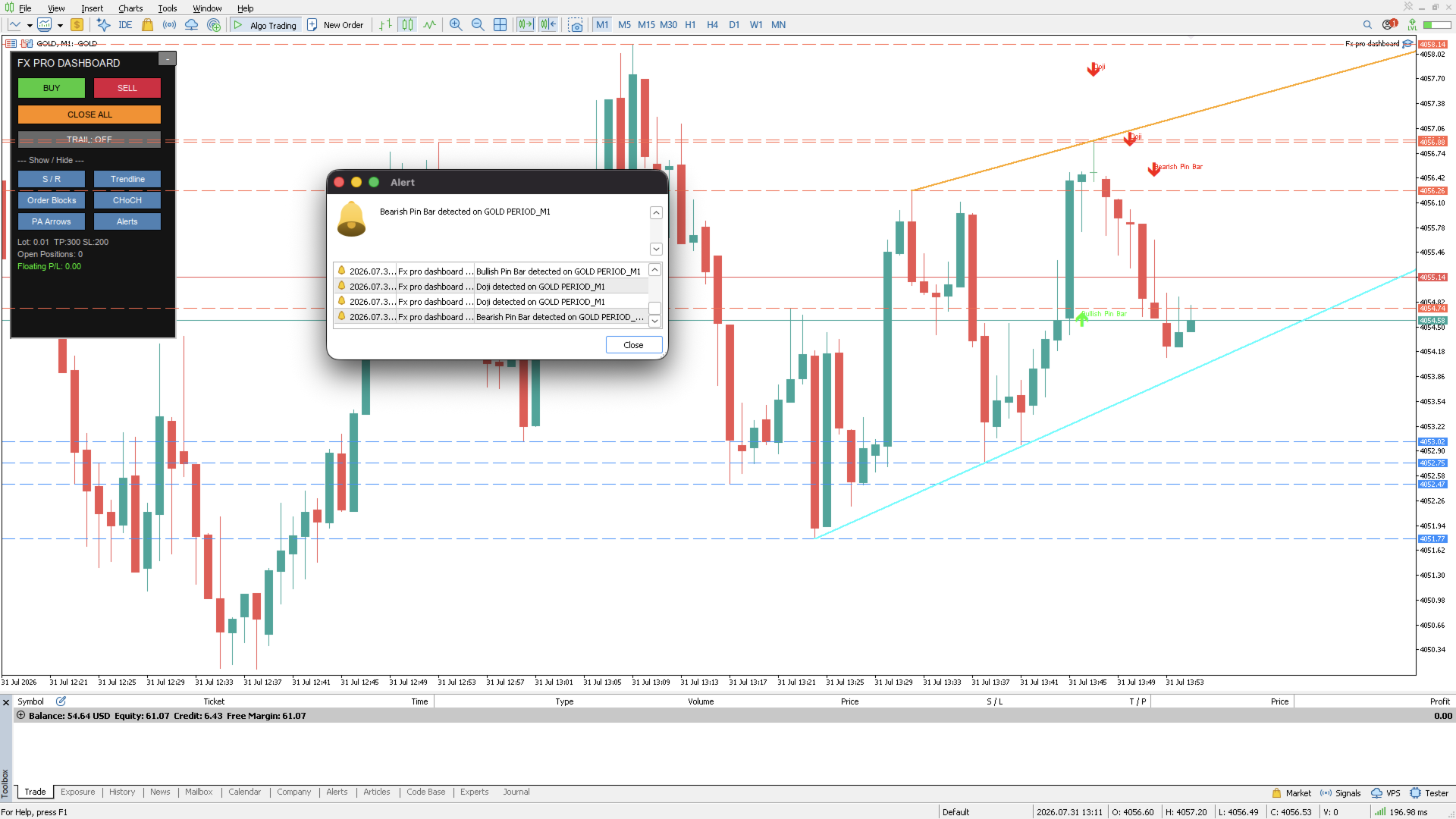
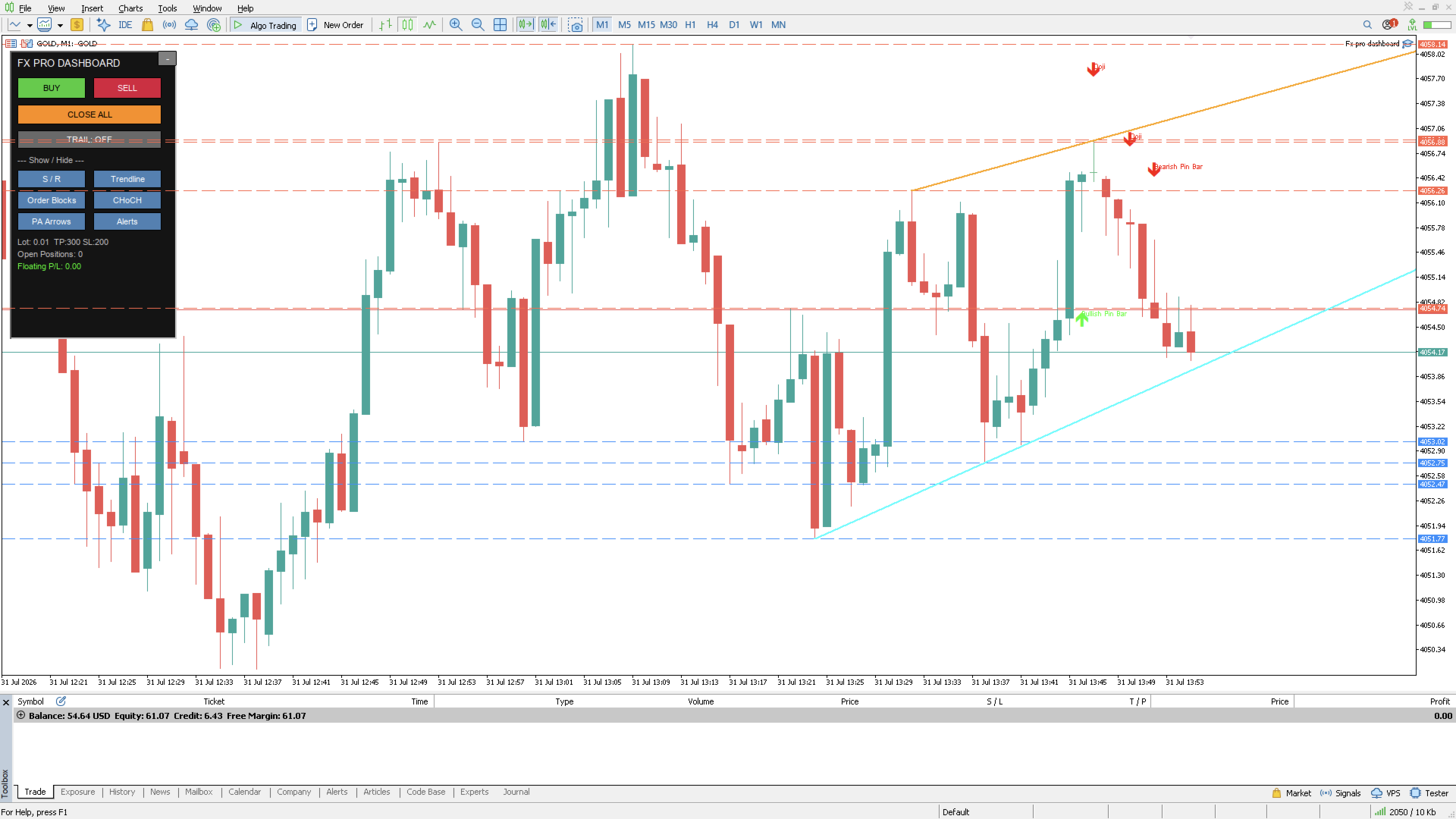
🎛️ One-Click Trading Panel
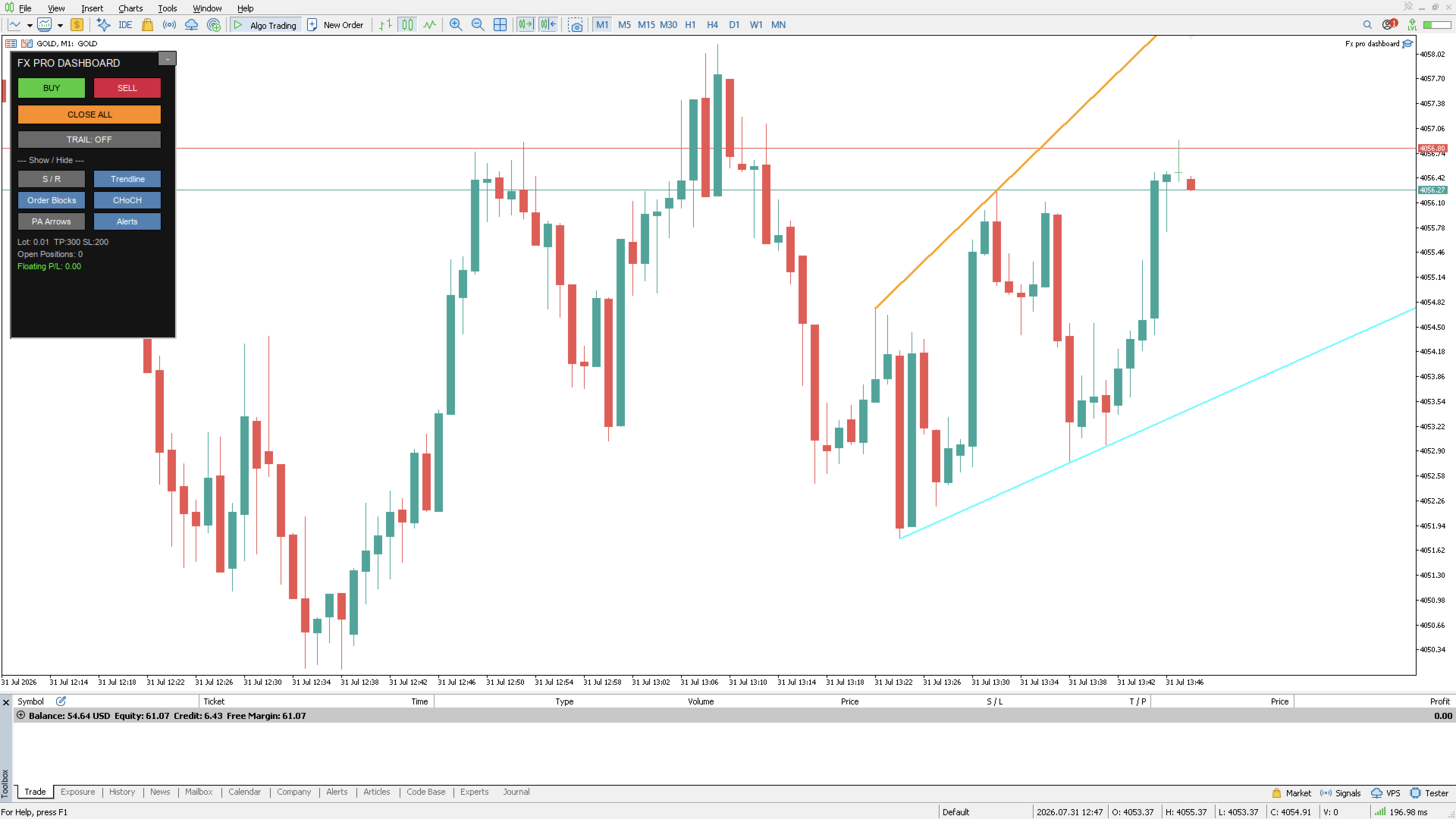
- Buy / Sell / Close All buttons — execute or exit instantly, no order window needed
- Configurable Take Profit and Stop Loss applied automatically to every trade
- One-click Trailing Stop toggle — lock in profits as price moves in your favor, no manual adjustment
- Live panel readout: open positions, floating P/L, current lot/TP/SL settings
- Collapsible panel — minimize to a thin title bar when you want a clean chart, expand instantly when you need control
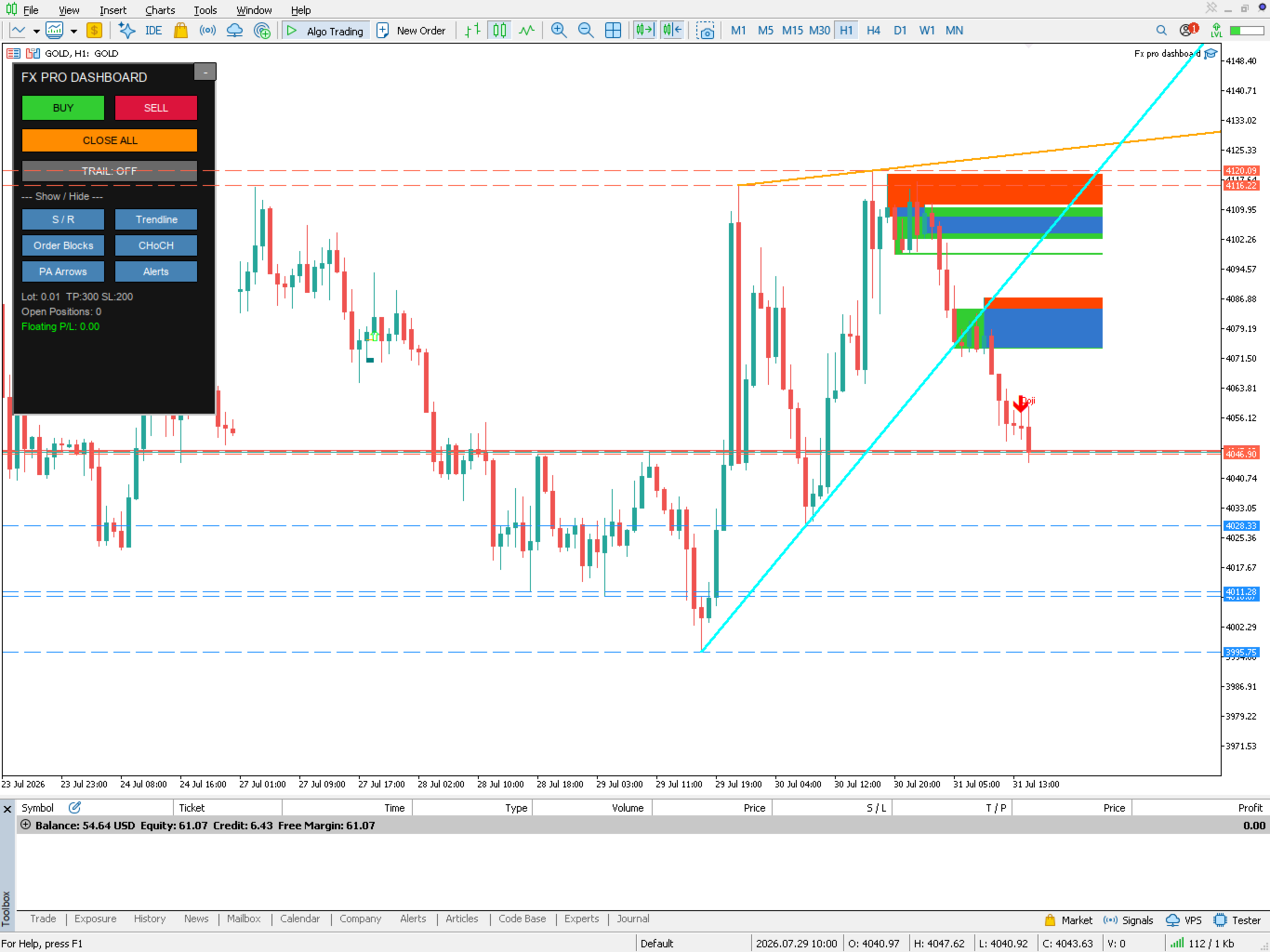
📊 Automatic Market Structure
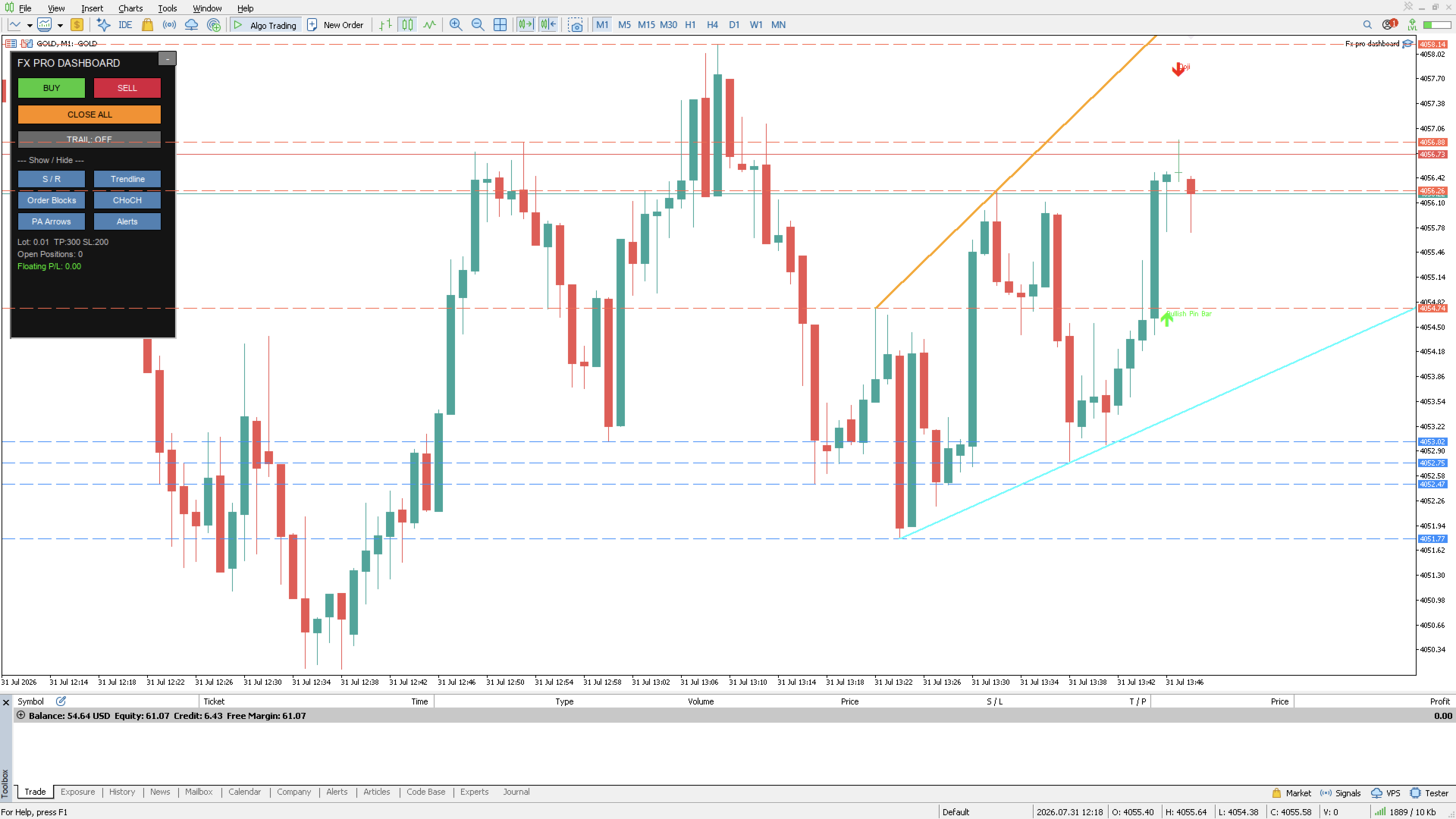
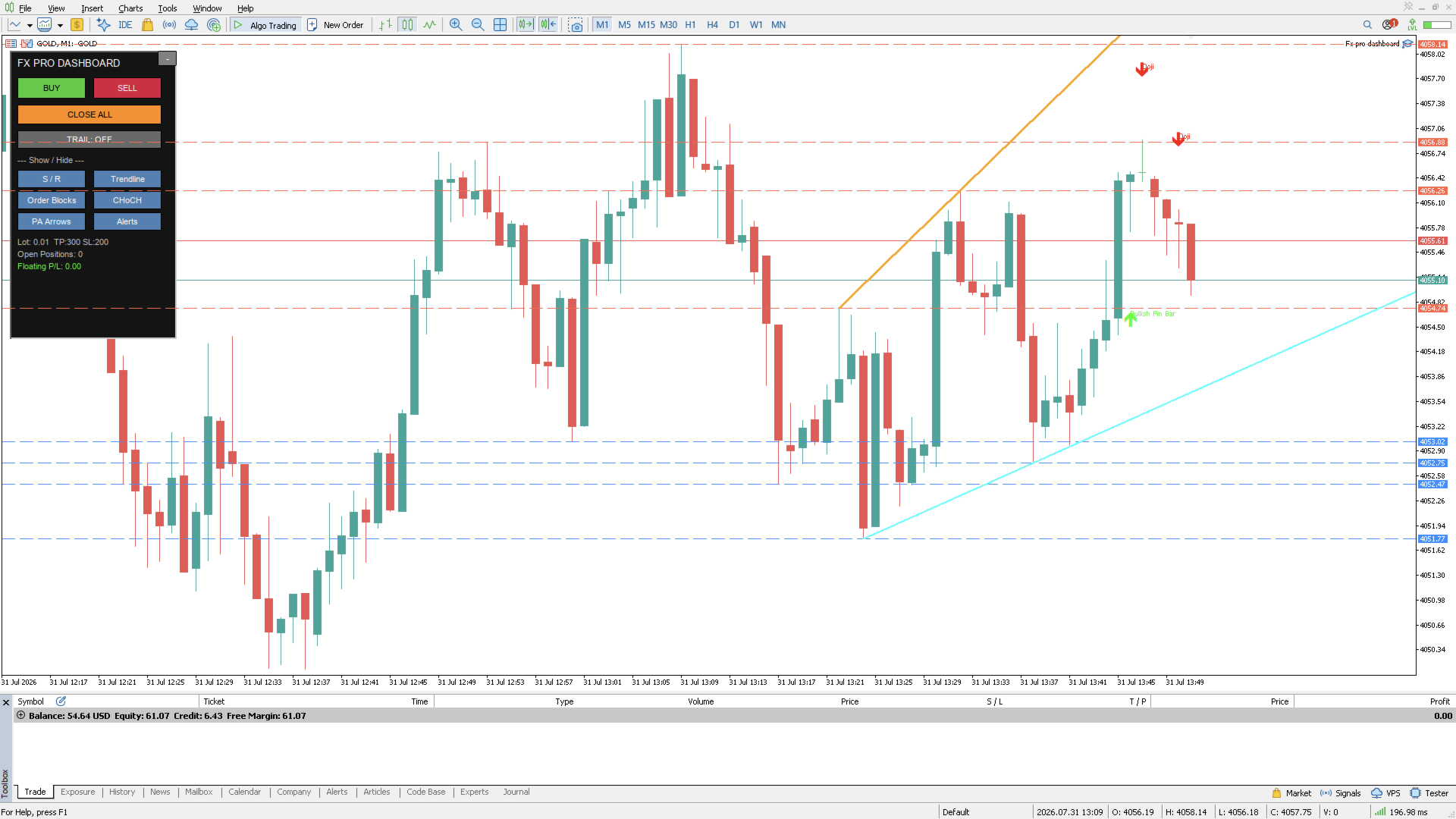
- Support & Resistance — auto-plotted from recent swing highs/lows, always current
- Trendlines — drawn automatically from the latest swing structure
- Order Blocks (OB) — highlights the last opposing candle before a strong impulse move, both on your current timeframe and a higher timeframe of your choice (multi-timeframe confluence, built in)
- Change of Character (CHoCH) — flags shifts in market structure the moment price breaks the prevailing swing high/low
🕯️ Price Action Recognition
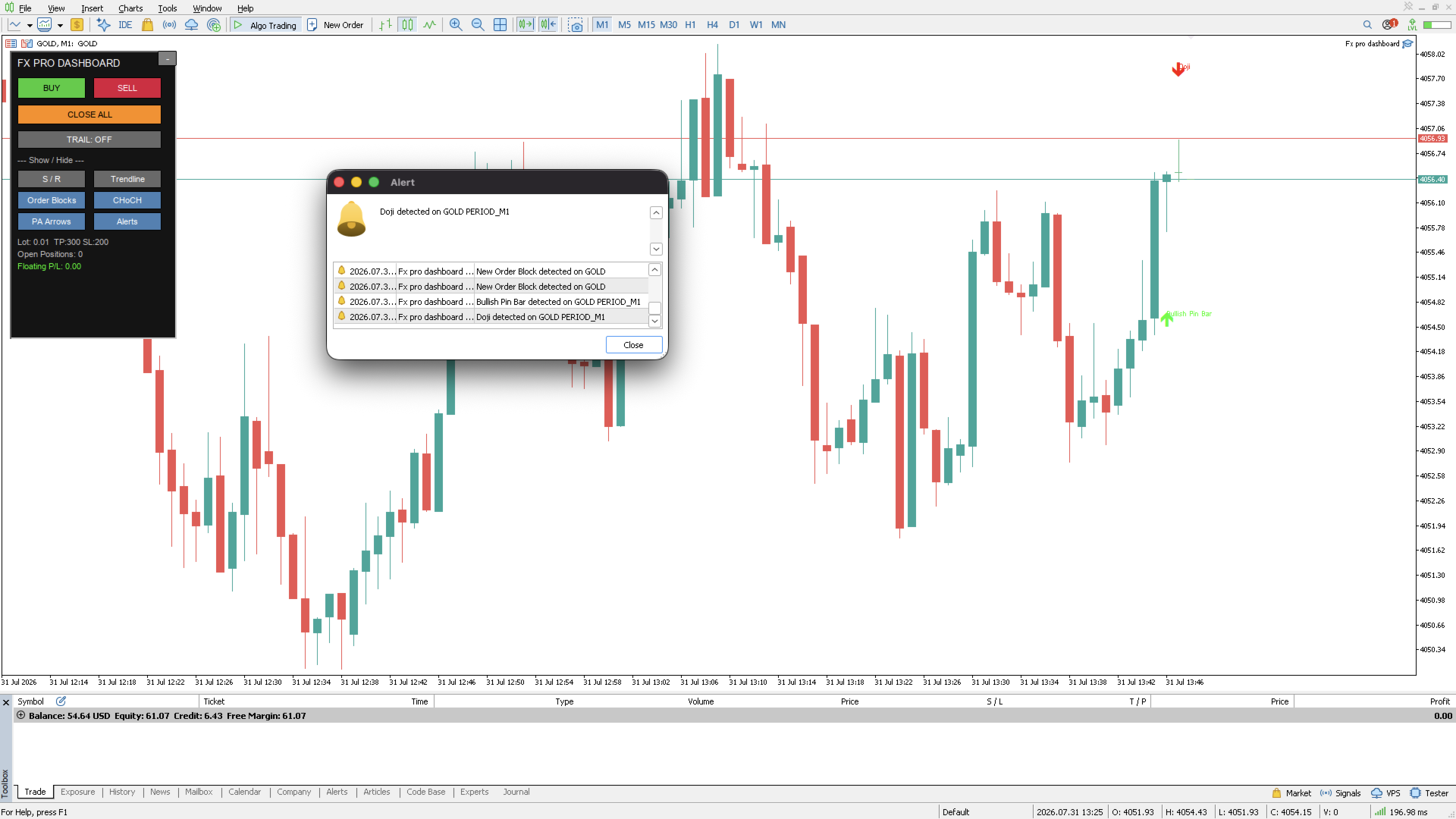
- Automatic candle-pattern scanning: Bullish/Bearish Engulfing, Pin Bars, Doji
- Patterns marked with clear on-chart arrows and labels the moment they close
🔔 Alerts, Your Way
- Native MT5 pop-up alerts for every detection (OB, CHoCH, price action patterns)
- Optional push notifications to your phone via the MT5 mobile app
- Optional Telegram alerts — get pinged the instant something happens, even when you're away from the charts
👁️ Full Control Over What You See
Every feature — S/R, trendlines, order blocks, CHoCH, price action arrows, alerts — has its own show/hide toggle. Build the exact visual setup you want; hide the rest.
Why Traders Use It
- Saves screen time — structure and price action are mapped for you automatically, updated every new bar
- Faster execution — no order ticket, no typing lot sizes; trade with one click and walk away knowing TP/SL/trailing are already set
- Works on any symbol, any timeframe — forex, indices, metals, crypto CFDs, wherever your broker offers MT5 trading
- Lightweight and non-intrusive — collapse it when you just want to look at price
Recommended Setup
- Attach to any chart and enable AutoTrading
- Set your preferred lot size, TP/SL (in points), and trailing distance in Inputs
- Choose a higher timeframe for multi-timeframe order block detection (H1 or H4 works well on M5–M15 charts)
- Toggle on the visual layers you want and (optionally) connect Telegram for off-screen alerts
Important Notice
FX Pro Dashboard is a trade execution and market-visualization tool. It does not generate autonomous entry signals or guarantee profit — all Buy/Sell decisions are made by you, the trader. Structure and pattern detection (S/R, trendlines, order blocks, CHoCH, price action) use rule-based technical methods common in price action trading, intended to support — not replace — your own analysis and risk management.
Past performance and backtest results do not guarantee future results. Forex and CFD trading carries a high level of risk and may not be suitable for all investors. Always test on a demo account before trading live, and never risk capital you cannot afford to lose.