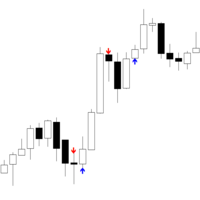
市场 / MetaTrader 4 / 指标 / Iceblock Volume 5 FREE 已发布: 4 十月 2025 当前版本: 1.1 找不到合适的EA交易?请在自由职业者服务中订购您自己的EA交易 进入自由职业者服务 如何 购买 自动交易或指标 在 虚拟 主机运行您的EA 购买之前测试一个指标/EA交易 想要在市场 赚钱 吗? 如何介绍 用于流通销售的产品 概述 评分 (1) 评论 (6) 新特性 只有购买或租用产品的用户才可以进行评论 MK Lemew 2025.10.10 14:00 #1 This indicator is easy to use, but a bit tricky to get the hang of at first. Once you combine it with a moving average, though, it works really well! Vincent Jose Proenca 2025.10.10 14:08 #2 MK Lemew #: This indicator is easy to use, but a bit tricky to get the hang of at first. Once you combine it with a moving average, though, it works really well! Thanks for the feedback! Yes, it’s especially effective on GER40 and US30 allen2021 2025.11.03 11:46 #3 你好这个怎么下载,加载到交易软件? Vincent Jose Proenca 2025.11.03 12:09 #4 allen2021 #: 你好这个怎么下载,加载到交易软件?你好如果你想在 MetaTrader 4 (MT4) 里下载并加载指标,可以直接在软件里完成,步骤如下:1. 打开 MT4 平台。2. 在下方点击 “市场 (Market)” 标签。3. 在搜索框输入你想要的指标名称,比如 “RSI Divergence” 或 “Moving Average Colored”。4. 点击指标 → 然后点击 “下载 (Download)”。5. 下载完成后,指标会自动安装到:> MQL4 → Indicators → Market6. 打开左侧的 导航器 (Navigator) 面板,找到 自定义指标 (Indicators)。7. 双击或拖动刚下载的指标到图表上即可。完成!指标现在会出现在你的图表上。这就是你问的那句:> “你好这个怎么下载,加载到交易软件?”的答案 mm-idh 2025.11.23 07:40 #5 I cannot use it mm-idh 2025.11.25 08:14 #6 Good 只有购买或租用产品的用户才可以进行评论 您错过了交易机会: 免费交易应用程序 8,000+信号可供复制 探索金融市场的经济新闻 注册 登录 拉丁字符(不带空格) 密码将被发送至该邮箱 发生错误 使用 Google 登录 您同意网站政策和使用条款 如果您没有帐号,请注册 可以使用cookies登录MQL5.com网站。 请在您的浏览器中启用必要的设置,否则您将无法登录。 忘记您的登录名/密码? 使用 Google 登录
MK Lemew 2025.10.10 14:00 #1 This indicator is easy to use, but a bit tricky to get the hang of at first. Once you combine it with a moving average, though, it works really well!
Vincent Jose Proenca 2025.10.10 14:08 #2 MK Lemew #: This indicator is easy to use, but a bit tricky to get the hang of at first. Once you combine it with a moving average, though, it works really well! Thanks for the feedback! Yes, it’s especially effective on GER40 and US30
Vincent Jose Proenca 2025.11.03 12:09 #4 allen2021 #: 你好这个怎么下载,加载到交易软件?你好如果你想在 MetaTrader 4 (MT4) 里下载并加载指标,可以直接在软件里完成,步骤如下:1. 打开 MT4 平台。2. 在下方点击 “市场 (Market)” 标签。3. 在搜索框输入你想要的指标名称,比如 “RSI Divergence” 或 “Moving Average Colored”。4. 点击指标 → 然后点击 “下载 (Download)”。5. 下载完成后,指标会自动安装到:> MQL4 → Indicators → Market6. 打开左侧的 导航器 (Navigator) 面板,找到 自定义指标 (Indicators)。7. 双击或拖动刚下载的指标到图表上即可。完成!指标现在会出现在你的图表上。这就是你问的那句:> “你好这个怎么下载,加载到交易软件?”的答案

This indicator is easy to use, but a bit tricky to get the hang of at first. Once you combine it with a moving average, though, it works really well!
你好这个怎么下载,加载到交易软件?