Vladimir Karputov / Профиль
- Информация
|
13+ лет
опыт работы
|
28
продуктов
|
79
демо-версий
|
|
228
работ
|
1
сигналов
|
0
подписчиков
|
We gain true knowledge when we seek the answer to a question, not when we learn the answer itself.
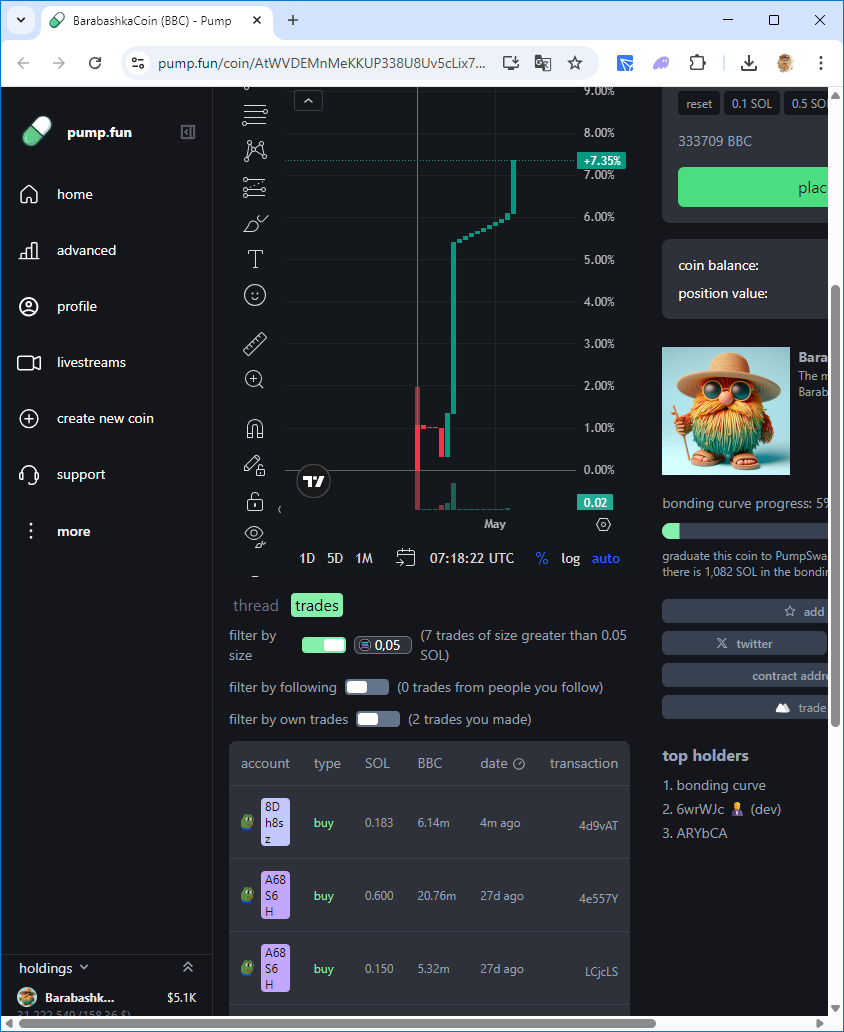
💰My memcoin BarabashkaCoin: https://pump.fun/coin/AtWVDEMnMeKKUP338U8Uv5cLix79XUyTDXm7rH7kpump
My Telegram https://t.me/barabashkakvn_MQL5
My YouTube https://www.youtube.com/@barabashkakvnmql5
| Качество технического задания | 5.0 | |
| Качество проверки результатов | 5.0 | |
| Доступность и навыки общения | 5.0 |
💡 Want to use Renko charts in your automated trading? In this video, I explain how to integrate the RenkoChartDS indicator with an MQL5 Expert Advisor for precise trade execution!
🔹 What’s inside?
✅ How Renko charts filter market noise
✅ Writing MQL5 code to retrieve signals
✅ Automatically closing and opening positions
🎯 If you trade with Renko, this video is a must-watch!
📺 Watch now: https://youtu.be/lZR21WEmu2I
💡 If you enjoy my content and MQL5 developments, you can support me with a donation! Your help motivates me to create even more useful material for you.
📌 More details about donations here:
🔗 t.me/barabashkakvn_MQL5/127
💖 I truly appreciate your support! Your help allows me to grow my channel and share even more interesting ideas.
Thank you to everyone who has already contributed! 🚀
Друзі, ви готові до нового демо? У відео показую, як інтегрувати Time Filter у ваш Expert Advisor на MQL5! Це просто і ефективно!
Дивіться тут: https://youtu.be/G77Dw7fHecE
Пишіть, що думаєте, і не забудьте підписатися!
| Качество технического задания | 5.0 | |
| Качество проверки результатов | 5.0 | |
| Доступность и навыки общения | 5.0 |
🔥 Drop your ideas in the comments, and I’ll pick the best ones to turn into a full step-by-step video!
⚡️ Your idea might be the next featured project!
#MQL5Ideas #FromSubscribers
Мій досвід у створенні MQL5 більше 10 років! 🏆
Долучайтеся до мене, і станьте професіоналом у цій галузі! 🚀
Hey everyone! I just want to take a moment to say a huge THANK YOU to everyone who has supported my channel with donations. Your generosity means a lot and keeps me motivated to create more useful MQL5 content for you.
Every contribution, big or small, helps me dedicate more time to developing new ideas, sharing valuable insights, and making this community even better.
If you’d like to support the channel, you can always find the donation link in the pinned link in my telegram channel: 🔗 https://t.me/barabashkakvn_MQL5/127
Once again, I truly appreciate each and every one of you. Happy coding and successful trading! 🚀📈
| Качество технического задания | 5.0 | |
| Качество проверки результатов | 5.0 | |
| Доступность и навыки общения | 5.0 |
| Качество технического задания | 5.0 | |
| Качество проверки результатов | 5.0 | |
| Доступность и навыки общения | 5.0 |
Introducing the utility " VIRTUAL BREAKEVEN !" "Current symbol" is the symbol of the chart on which the utility works. The utility keeps a count of all positions on the current symbol and ignores the "Magic number" of these positions. The utility works on the current symbol and tracks the Breakeven level in the deposit money. When the profit of all positions on the current symbol becomes >= «Breakeven» + «Breakeven Step» the utility will start tracking «
| Качество технического задания | 5.0 | |
| Качество проверки результатов | 5.0 | |
| Доступность и навыки общения | 5.0 |
How to Install an Expert Advisor with a Custom Indicator
In this short video, I’ll show you step-by-step how to properly set up an MQL5 expert advisor that requires a custom indicator.
🔗 Watch now: https://youtu.be/VNZ8HKcduD0
Don't miss it! 🚀
| Качество технического задания | 5.0 | |
| Качество проверки результатов | 5.0 | |
| Доступность и навыки общения | 5.0 |
Hello, friends! In this series, we’re diving into the process of building an Expert Advisor (EA) for MetaTrader 5 using the Moving Average (MA) and Relative Strength Index (RSI) indicators.
📌 What’s in the video:
Understanding MA and RSI signals.
Setting up MetaEditor for EA creation.
Adding and visualizing indicators on the chart.
Using MQL5 functions and trading classes.
Detecting signals only when a new bar appears.
⏱ Timestamps:
0:00 - Start
00:00:34 - Optimization of the Moving Average Expert Advisor
00:01:15 - How to start optimization and what type of optimization to choose?
00:03:46 - Do I need to optimize all the parameters at once?
00:04:40 - The start value of the parameter, the parameter step, and the end value
00:06:19 - How do I choose the best optimization result?
00:07:20 - How do I save the selected parameter set?
00:08:02 - How to apply this saved set of parameters in the Expert Advisor?
🎯 Check out my products here:
https://www.mql5.com/en/users/barabashkakvn/seller
💡 Don’t forget to subscribe for more MQL5 tips and tricks!
If you can share your experience, please write in this channel.
( https://t.me/c/2138345970/339 )
| Качество технического задания | 5.0 | |
| Качество проверки результатов | 5.0 | |
| Доступность и навыки общения | 5.0 |
| Качество технического задания | 5.0 | |
| Качество проверки результатов | 5.0 | |
| Доступность и навыки общения | 5.0 |
The Bollinger Bands Dashboard indicator offers a convenient and informative way to track Bollinger Bands indicator signals on different timeframes using one panel (Dashboard). This tool allows traders to quickly and easily obtain the information they need, enabling efficient decision-making in the market. Main characteristics: 1. **Signals Panel**: The Dashboard displays Bollinger Bands signals for selected timeframes, providing users with clear and structured information. 2. **Flexibility in