Smart Copy Local MT5

50 USD
Скачано демо:
122
Опубликован:
7 февраля 2021
Текущая версия:
1.7
Не нашли подходящего робота?
Закажите собственного
на бирже фрилансеров
Перейти на биржу
Закажите собственного
на бирже фрилансеров
Как купить торгового робота или индикатор
Запусти робота на
виртуальном хостинге
виртуальном хостинге
Протестируй индикатор/робота перед покупкой
Хочешь зарабатывать в Маркете?
Как подать продукт, чтобы его покупали

Вы упускаете торговые возможности:
- Бесплатные приложения для трейдинга
- 8 000+ сигналов для копирования
- Экономические новости для анализа финансовых рынков
Регистрация
Вход
Вы принимаете политику сайта и условия использования
Если у вас нет учетной записи, зарегистрируйтесь
the program works fine, but I would like to know if the response in milliseconds can be improved
The response is in an optimized state now. Many tests and verification done on different machines and the optimized milliseconds selected for the EA operation.
The response is now in an optimized state. Lots of tests and checks done on different machines and selected optimized milliseconds for EA operation.
Thanks for replying, I would like to know if I can use the EA on one VPS or would I have to do it on two VPSs? or how should I connect master account and slave account via MQL5 VPS? Thank you
Thanks for replying, I would like to know if I can use the EA on one VPS or would I have to do it on two VPSs? or how should I connect master account and slave account via MQL5 VPS? Thank you
Both master and slave account must be on the same VPS or PC.
For using on different machines or using MQL VPS, needs to use internet copy version of the EA. (Will publish soon).
The master account number did not appear in the slave account
The master account number did not appear in the slave account
Please check journal and expert panel reports for possible error messages on the slave account terminal. If there is no error, attach EA to a chart using slave mode again and after 1~2 seconds, open the master account drop down list. The master account number will appear there.
Thanks for your answer
I solved the problem
both terminals must be installed in the same folder (program files)
I encountered another problem
I subscribe to a signal and I launch AE in master mode in the same account
and i noticed EA not copy signals in slave account
Does the EA transmit signals?
Thanks for your answer
I solved the problem
both terminals must be installed in the same folder (program files)
I encountered another problem
I subscribe to a signal and I launch AE in master mode in the same account
and i noticed EA not copy signals in slave account
Does the EA transmit signals?
No, It is not needed to install on the same folder. There was other problem on your side.
Yes, of course. EA will copy trades. There is a problem on your settings or your setup. Please check your settings and possible errors on events panel of the EA.
Hi Team,
I'm having trouble - copying it says Error reading price - only happens with Indices, everything else works fine.
any ideas?
Hi Team,
I'm having trouble - copying it says Error reading price - only happens with Indices, everything else works fine.
any ideas?
Make sure the symbol "US30.a" Exist on market watch of master account terminal and try again.
Make sure the symbol "US30.a" Exist on market watch of master account terminal and try again.
Thanks for responding - It's always been in the marketwatch tab
deleted, then re-added still wont work.
Thanks for responding - It's always been in the marketwatch tab
deleted, then re-added still wont work.
I fixed the issue - just in case anybody else has the same problem
the name they use for the chart was different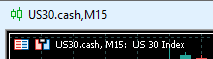
instead of US30.a
so I manually changed it in the Master symbol list to match the chart on the SLAVE account not the prime watchlist account.
Thank you for your great program, and quick response.
regards
C
I fixed the issue - just in case anybody else has the same problem
the name they use for the chart was different
instead of US30.a
so I manually changed it in the Master symbol list to match the chart on the SLAVE account not the prime watchlist account.
Thank you for your great program, and quick response.
regards
C
This is issue in your broker side. Not the EA issue.
The name of symbol on chart must be same as the symbol on market watch. But on your account it is different.!!!
My only issue at the moment, and perhaps you can shed some light...
I have a master that I trade with. sometimes I turn off copy on the SLAVE as I am done trading it for the day.
At the end of the day when I go to prep for the next trading session, I turn back on the SLAVE to receive (clicking on Resume).
The slave then populates all the trades I took with the master that day, BUYS n SELLS.. and im in a pickle because those trades are old now....
Iv looked at the settings, both are up to date with Version (1.5 at this time), and slave is (re open all orders at startup) is false.
And this does happen with any account I do this on... it likes to jump into trades taken by the Master...
any ideas??
Thank you for all your support! JB
Good day my friend! I will write a review soon, this product works amazing!
My only issue at the moment, and perhaps you can shed some light...
I have a master that I trade with. sometimes I turn off copy on the SLAVE as I am done trading it for the day.
At the end of the day when I go to prep for the next trading session, I turn back on the SLAVE to receive (clicking on Resume).
The slave then populates all the trades I took with the master that day, BUYS n SELLS.. and im in a pickle because those trades are old now....
Iv looked at the settings, both are up to date with Version (1.5 at this time), and slave is (re open all orders at startup) is false.
And this does happen with any account I do this on... it likes to jump into trades taken by the Master...
any ideas??
Thank you for all your support! JB
JBpowertrades #:
[...]
The product updated. Please download new version from market.
The product updated. Please download new version from market.
You are amazing!!! thank you so much! I am excited to test it out!!
Have you thought about adding a field to "deley" an entry? I know there is some sort of micro delay is sending the trades between accounts. But what I mean is that so the trades dont have the "same" entry data, and not be flagged by a prop firm. Im not sure exactly what this looks like, I assume a setting that you can have a random entry delay my "some kind of Milliseconds". I had seen this on a different copy EA somewhere, and thought that might be a good addition to your amazing product. JB
You are amazing!!! thank you so much! I am excited to test it out!!
Have you thought about adding a field to "deley" an entry? I know there is some sort of micro delay is sending the trades between accounts. But what I mean is that so the trades dont have the "same" entry data, and not be flagged by a prop firm. Im not sure exactly what this looks like, I assume a setting that you can have a random entry delay my "some kind of Milliseconds". I had seen this on a different copy EA somewhere, and thought that might be a good addition to your amazing product. JB
https://app.screencast.com/HxxHaMC4MhKHA