Session Trade Manager
- Утилиты
- Версия: 1.0
- Активации: 5

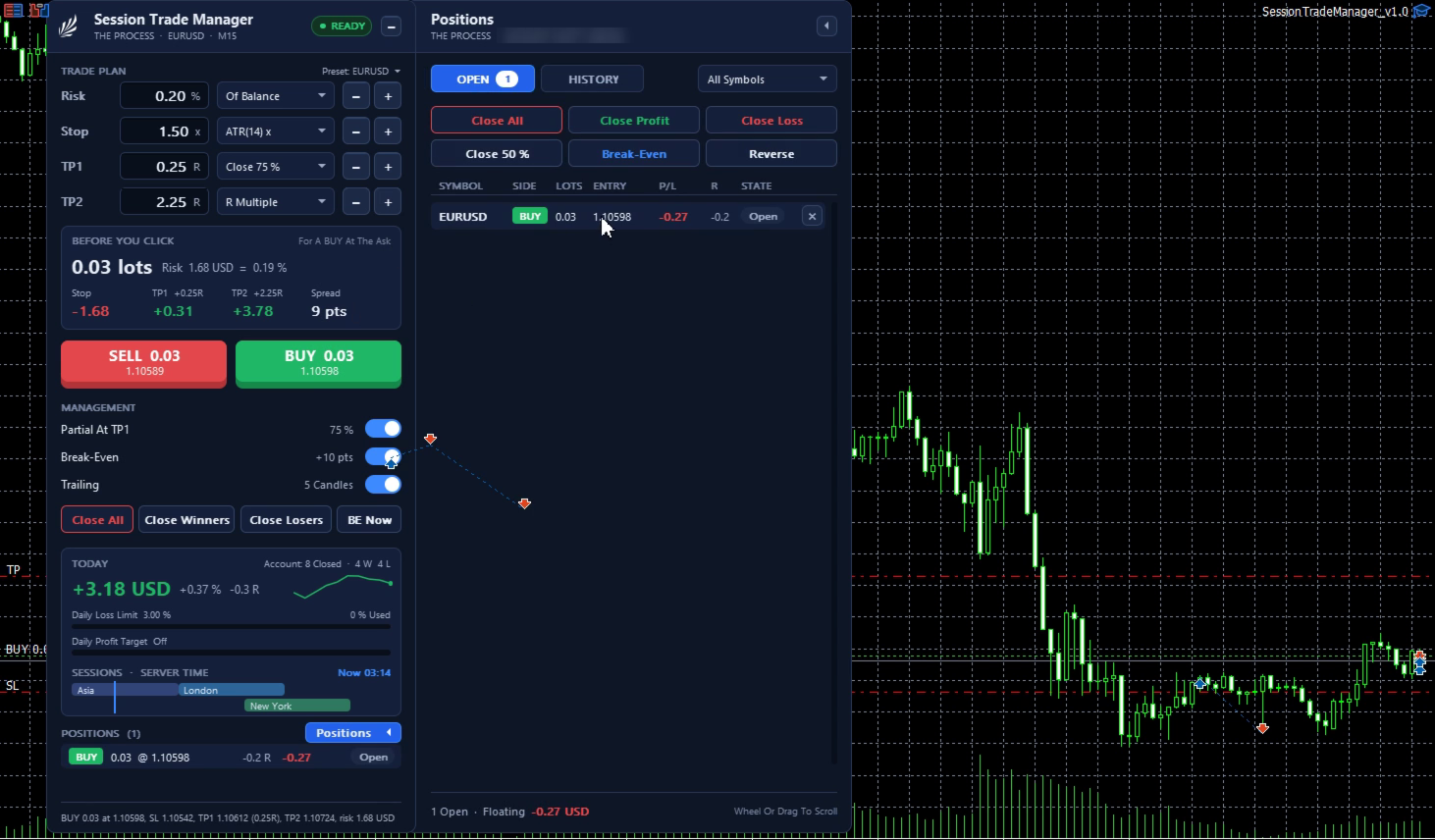
Session Trade Manager is a trade panel for traders who choose their own entries. It gives no signals and never opens a trade by itself. You click BUY or SELL; the panel works out the lot from your risk and your stop, places the stop and the second target on the server, and manages the trade from there by the rules you set.
Entries
- Risk per trade as % of balance, % of equity, or a fixed amount in the account currency.
- Stop in points, beyond the last closed candle plus a buffer, or a multiple of ATR(14).
- The lot is rounded down to the broker's lot step, never up. If even the minimum lot would risk more than you set, the entry is refused and the panel says why.
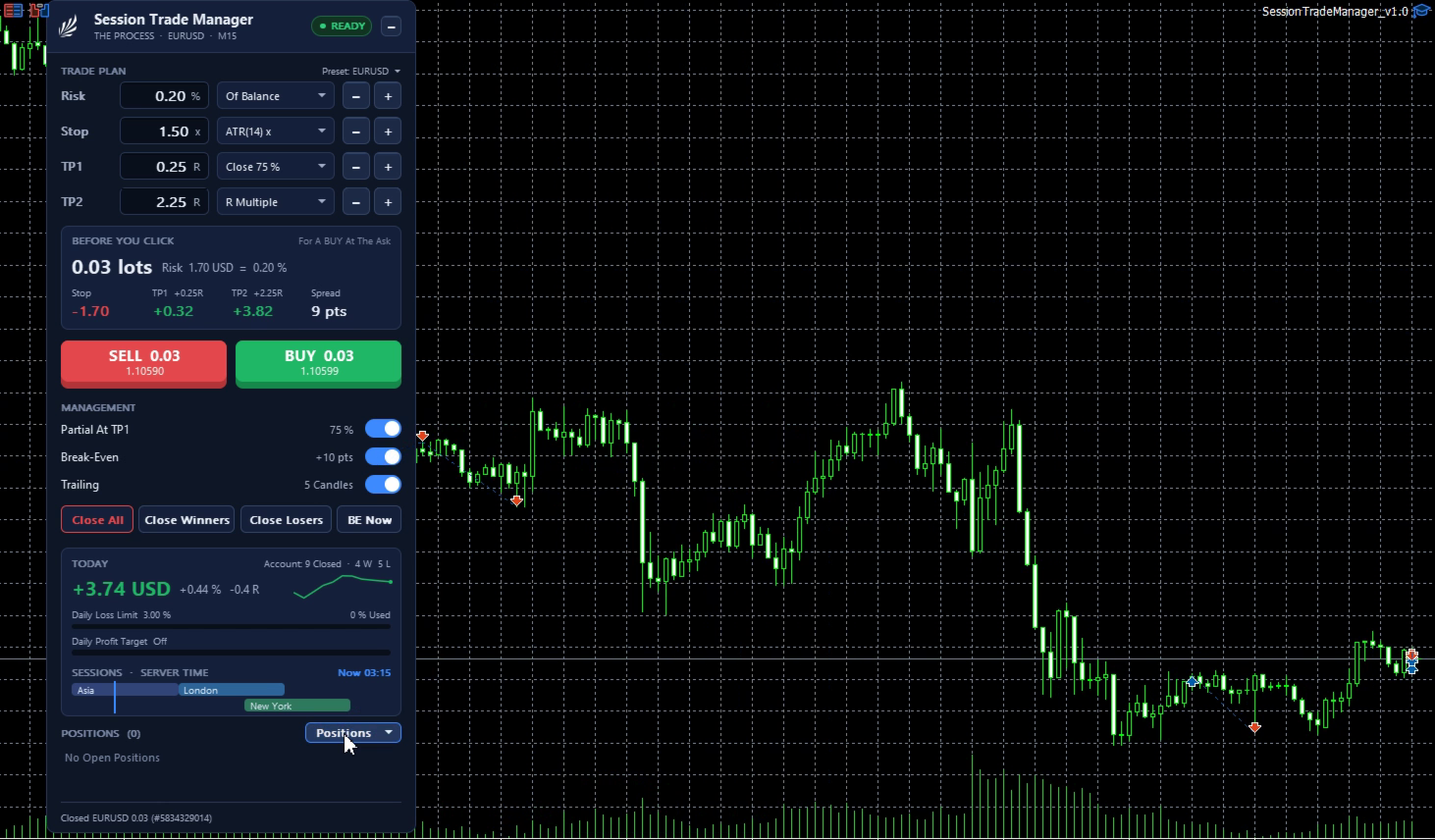
- Before you click: the lot, the risk in money and %, the money at the stop, TP1 and TP2, and the spread.
- Max lot, max open positions on the symbol, max spread.
Targets and management
- TP1 in R, watched by the panel: close a chosen % of the position, then move the stop to break-even plus an offset.
- TP2 on the server: an R multiple, or the high / low of the Asia, London or New York session or of the previous day. If that level is not beyond TP1, TP2 falls back to the R multiple and the panel says so.
- Trailing after TP1: a distance in points, or behind the last N closed candles. The stop only moves in your favour.
- TP1 done and the day's lock are remembered, so a terminal restart does not repeat a partial close.
Day and week
- Daily loss and daily profit limits for the whole account, from the day's start balance, with or without open P/L. At a limit: stop new entries, or close managed trades and stop.
- Friday close at a set time, and no new entries a set number of minutes before it. Symbols that trade on Saturday (crypto, synthetic indices) are not closed on Friday.
Panel
- Risk, stop, TP1 and TP2 rows with - / + buttons and drop-down modes, BUY / SELL, management switches, Close All (two clicks), Close Winners, Close Losers, BE Now.
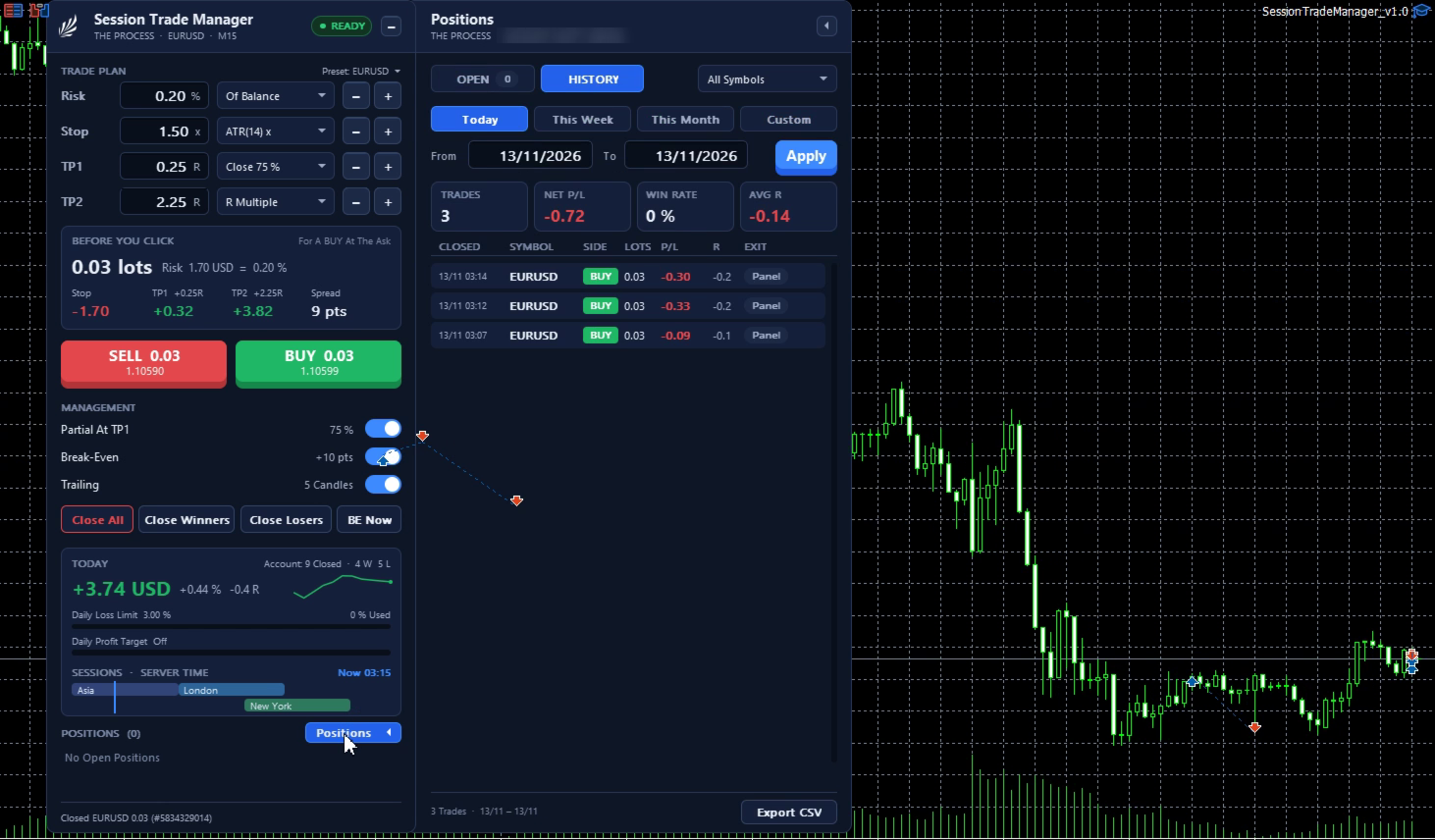
- Today: result in money, % and R, closed trades with wins and losses, an equity sparkline, and bars for the daily limits.
- Session timeline (Asia, London, New York) with a marker at the server time.
- Status chip: READY, or the reason entries are locked (market closed, algo trading off, spread, max open, daily limit, Friday).
- Drag to move, fold to a title bar, scales to the chart.
Positions side panel (the Positions button slides it out)
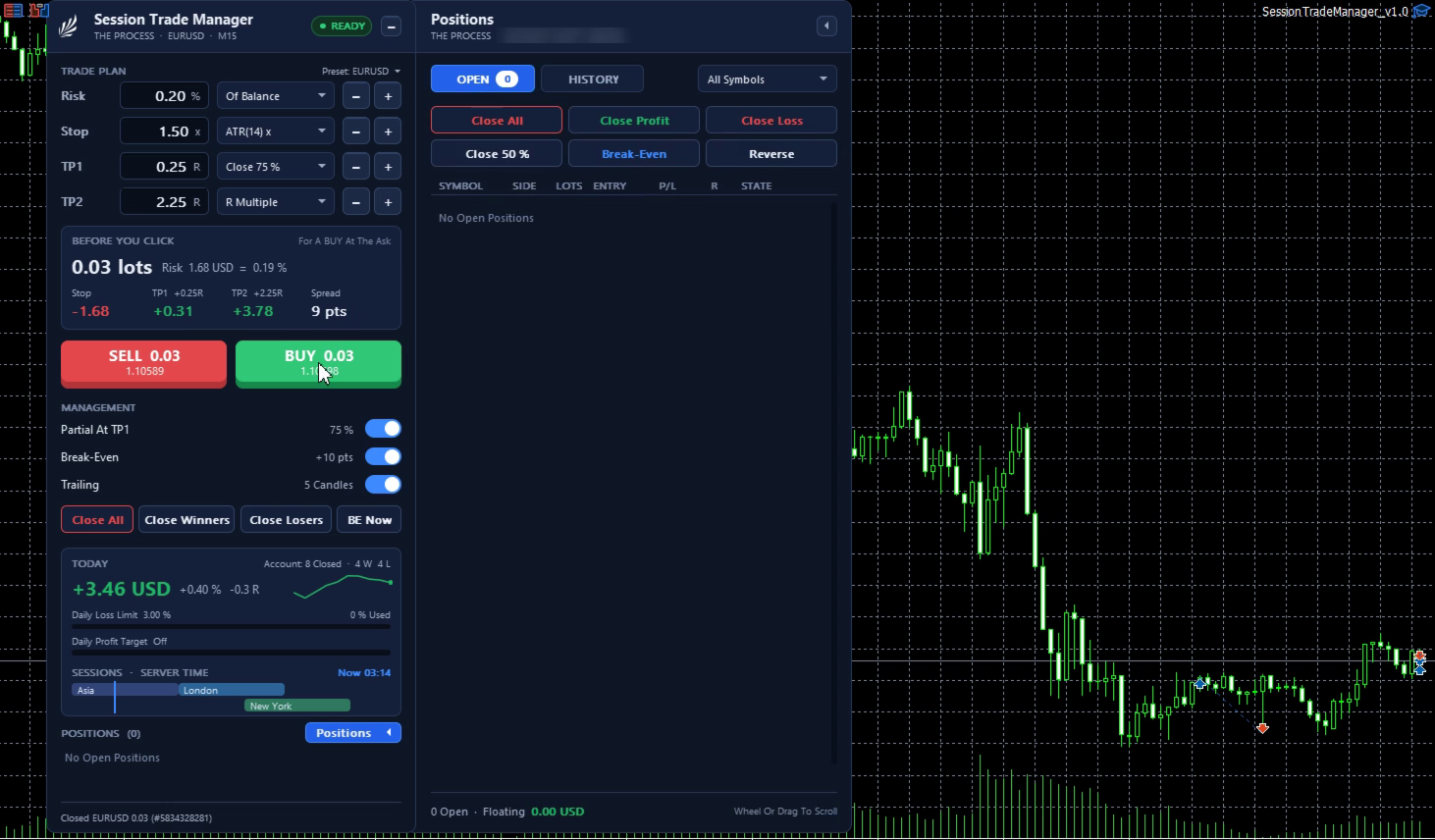
- OPEN: each managed position with side, lots, entry, P/L in money and R, and its state (open, TP1 done, break-even, trailing). Close one, Close All, Close Profit, Close Loss, close a % of each, Break-Even, Reverse. Filter by symbol.
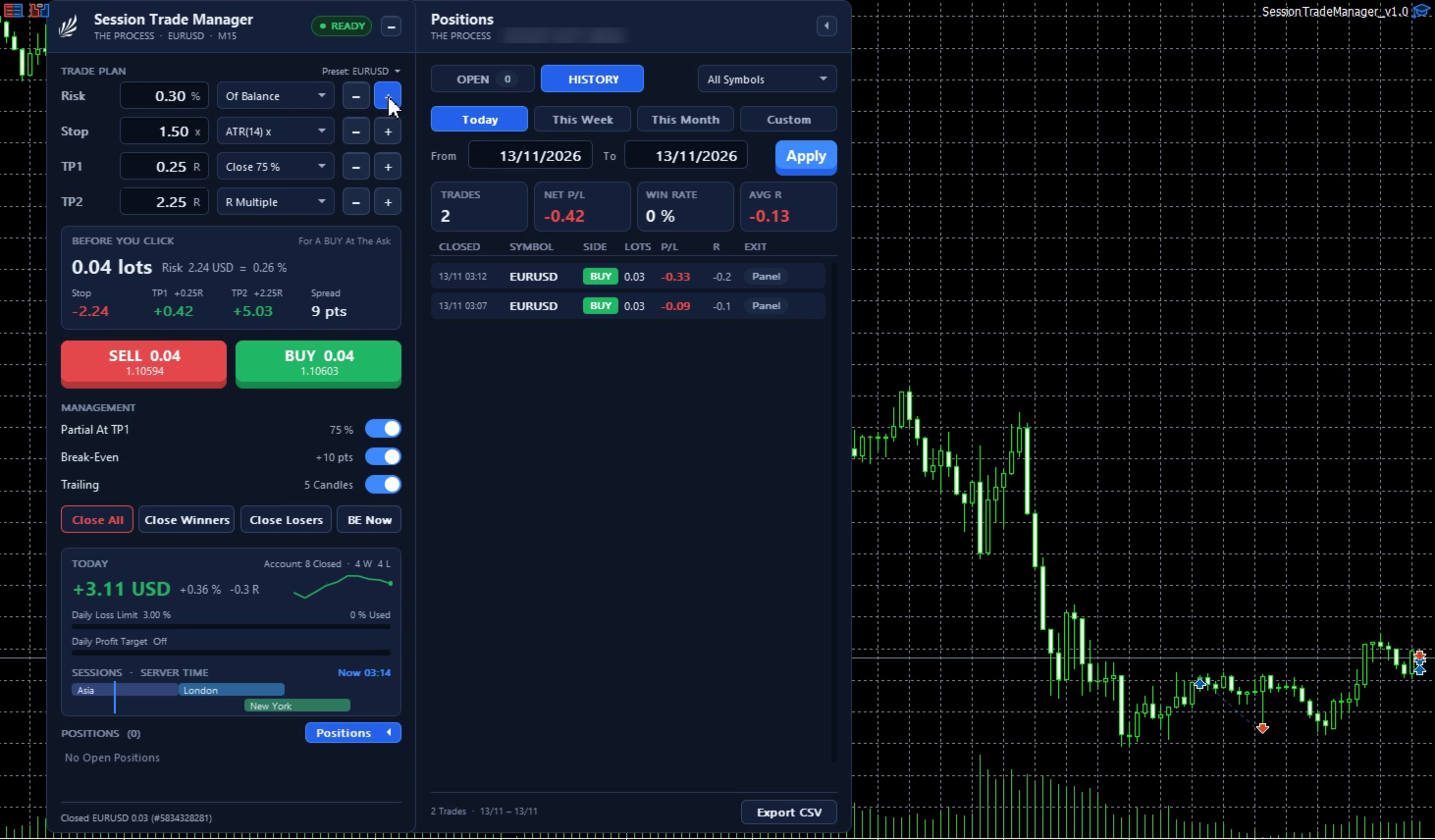
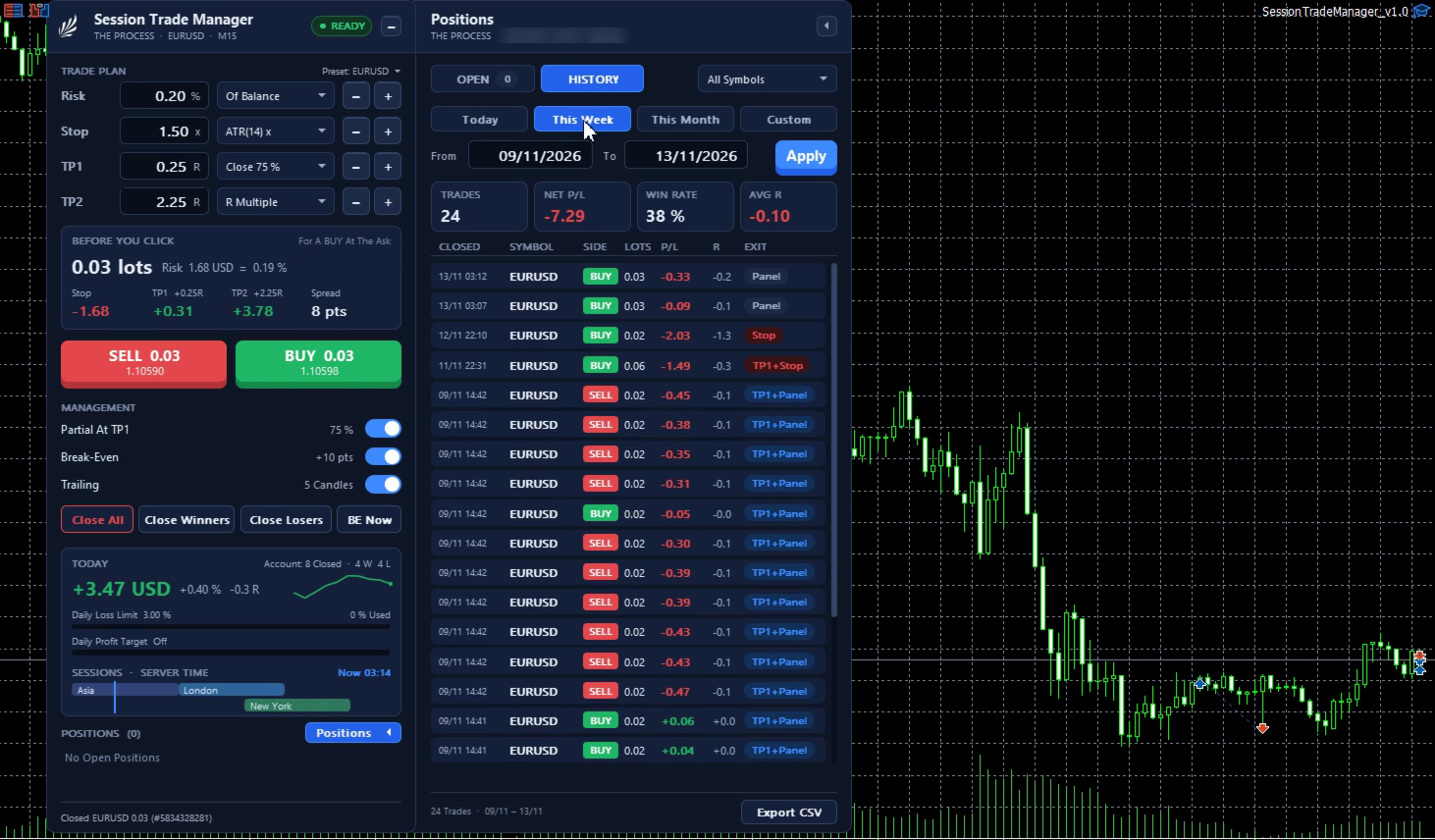
- HISTORY: closed trades for Today, This Week, This Month or your own dates, with net result, win rate and average R, and a CSV export.
Journal
- Every action in the Experts log and in a CSV file (time, ticket, action, volume, price, stop, target, server reply, spread).
Inputs
- Risk and size: risk basis, risk per trade, max lot, max open positions, max spread.
- Stop and targets: stop mode, stop in points, candle buffer, ATR multiple, TP1 in R, % closed at TP1, TP2 mode, TP2 in R.
- Management: partial close at TP1, break-even at TP1, break-even offset, trailing mode, trail distance, trail candles, which positions to manage (own, manual, all).
- Positions side panel: symbols listed, Close % amount.
- Daily limits: loss %, profit %, action at a limit, count open P/L, reset hour.
- Friday and sessions: Friday close time, minutes blocked before it, Asia / London / New York hours (server time), draw the TP2 level.
- Panel and log: panel scale, journal detail, CSV journal, magic number, slippage.
- Strategy Tester only: a test trade every N bars so the management can be seen (the panel cannot be clicked in the tester).
Good to know
- One chart and symbol per copy. A VPS is advised if trades must be managed while your PC is off.
- Levels watched by the panel are checked on every tick and every second; in a fast market price can pass a level before it acts.
- It cannot override broker rules (stop level, freeze level, trading hours, minimum lot).
- The panel is drawn sharp at the screen scaling MetaTrader was started with. If it looks soft after reconnecting from a screen with different scaling, restart MetaTrader.
This tool carries out your rules; it does not promise any trading result.